


Shots of Google Calendar material design overhaul surface
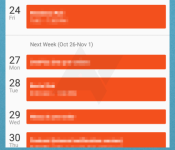

The calendar app on a smartphone may not be the most interesting app users access, but it is typically one of the core functions of our mobile devices. Although they may not be “sexy,” calendars play an important role and people are interested in attempts to make the data contained within their calendars easy to access. With the updates rolling out for a host of Google apps to implement their new material design guidelines and appear as part of Android Lollipop, the calendar app is on the list. Some new screenshots of the updated app have been obtained that reveal some of the work Google has done to refresh the calendar.
The main view for the new Calendar app is called the “Schedule” which puts the month on top with a bottom pane displaying weeks or days with events embedded therein. Users can quickly pull down the month to see a small display of the entire month similar to how some third-party calendar apps display things. Using the overflow icon, users can access other views for days or weeks as well as a search option.
Using the hamburger icon, users can select the calendars to be shown and figure out which colors go with which calendars. Speaking of colors, users will likely notice the abundant use of colors and headers throughout the app, consistent with other material design based apps. Like much of what Google has been pushing for, things like the event creation function feature a clean, concise interface. Sources indicate some of the fields will include an auto-suggest type feature that brings up suggestions as users are typing things like a name or a location.
We will be on the lookout for this latest update to appear in the Play Store and start hitting devices sometime in the next couple weeks leading up to the Android Lollipop official release.


source: Android Police
Come comment on this article: Shots of Google Calendar material design overhaul surface
 AIVAnet