


How to lock any app on your phone or tablet for guests and kids in Android Lollipop

Google has introduced a new feature called Screen Pinning in Android 5.0 Lollipop. I would say it’s most useful for those of you with kids in the house or if your handing your phone or tablet to someone who has zero technical know-how.
Screen Pinning allows you to “pin” any app you want so that the user cannot do anything else but use that particular app. For example, you could start up a game and hand your phone or tablet to your child. He or she won’t be able to exit out of the game (at least easily) and send an email telling your boss to go to hell.
In this guide, I will walk you through how to pin any app. If you prefer to watch a video instead, scroll down to the bottom.
The first thing you will need to do is turn on the option for Screen Pinning. Head into Settings on your Android device, and scroll down to Security. It will be on the main screen of Settings for most Android devices, but you might have to select a tab on some devices. For example, you will find Security in the General tab on Samsung devices. Tap on Security and scroll down until you see Screen Pinning and make sure it’s turned on or checked.


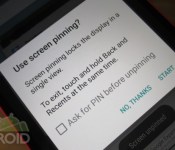
Now in order to pin an app, it has to be in the Recent Apps and it has to be the last used app. This is where things are a little convoluted. Assuming you want to pin Angry Birds and hand your phone or tablet over to your daughter, you will need to open the actual app, then tap on the Recents key. Now just scroll up a little on the app, which should now be the most recent one. You should see a little Pin icon at the bottom right. Tap on that Pin and a popup will appear asking you if you want to actually pin the app. If you happen to be using a security lock screen, you will also have the option to check if you want your security of choice to be entered before unpinning. If you don’t, it’s not too hard to close the app and go anywhere else on the device. All the user has to do is tap and hold the Back and Recents keys at the same time. If you enable security, the person will also have to enter your PIN or swipe your pattern.


It’s also not like Google is hiding the procedure to get out of a pinned app either. If the user taps on the Recents or Home key while an app is pinned, they will see a popup telling them which keys to tap and hold.


Users will only have access to the Back key when using a pinned app. They won’t see your notifications or be able to get into anything else. They can access the Share menu, but it won’t function. The display can timeout and they will be able to get back into the app by simply hitting the power button. If you happen to have a security lock screen enabled, it will be bypassed since the user can’t do anything else anyway. Good thinking on Google’s part.
I put together a video showing you how it all works.
Click here to view the embedded video.
I hope this guide helped you. If I missed something, please let me know in the comments, and be sure to check out our other Android Lollipop guides here.
Come comment on this article: How to lock any app on your phone or tablet for guests and kids in Android Lollipop

MasterCard Airs ‘Priceless Surprises’ World Series Ads Featuring Apple Pay
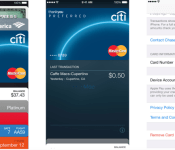
Earlier this week, Major League Baseball and MasterCard announced a partnership that has seen Apple Pay support roll out at concession stands at ballparks in San Francisco and Kansas City for the World Series. As part of its World Series promotional push, MasterCard also debuted a pair of television ads during last night’s Game 1, featuring Apple Pay and the company’s “Priceless Surprises” program that has seen cardholders surprised with various rewards.
One spot features former New York Yankees star Mariano Rivera and longtime Los Angeles Dodgers manager Tommy Lasorda, while the second features Kansas City Royals legend George Brett, with MasterCard promoting surprises such as meet-and-greets with the stars and tickets to World Series games.
On its Priceless Surprises website, MasterCard notes it has surprised over 70,000 cardholders with various rewards, and now Apple Pay gives users more ways to win.
Apple launched its Apple Pay mobile payments service on Monday with the debut of iOS 8.1, with the iPhone 6 and 6 Plus supporting the service in-store and in apps, while the new iPad Air 2 and iPad mini 3 support it for in-app purchases only.
MasterCard, Visa, and American Express have all signed onto the program, as have over 500 banks and a number of major retailers. Launching first in the United States, Apple Pay is now accepted at over 200,000 points of sale and the cards and banks responsible for the vast majority of U.S. credit card spending are compatible with the service.
Amazon Confirms Plans to Support Apple Pay on Visa Rewards Card in the Future [iOS Blog]
Following the launch of Apple Pay earlier this week, a number of users were disappointed to discover that the Amazon Rewards Card offered by Chase was not supported, although the reason for the omission was unclear given that many other Chase cards do support Apple Pay. Amazon has, however, now confirmed to GeekWire that it does plan to support Apple Pay with the card in the future. Amazon reportedly is working to enable the service for launch at an undisclosed date.
But an Amazon spokesman confirmed to GeekWire this evening it is working to enable the Amazon.com Rewards Visa Card for use on Apple Pay, although declined to say when it would be available.
Canceling our http://t.co/flDZ0A06VL Visa since it doesn’t do ApplePay. @amazonsupport @ChaseSupport
— Blake Seely (@blakeseely) October 21, 2014
Chase representatives reportedly confirmed that Amazon opted out of Apple Pay and was the only consumer Chase card that was not compatible with the payment service. The reason for this non-participation was not provided, sparking rumors that Amazon was deliberately rebuffing Apple’s mobile payment efforts for competitive reasons.

Apple launched Apple Pay on Monday with the support of high-profile retailers such as Walgreens and major credit card companies including Visa, Master Card, and American Express. Apple Pay works with the iPhone 6 and 6 Plus, both of which include an NFC chip to process the transactions wirelessly at compatible point-of-sale terminals. The new iPad Air 2 and iPad mini 3 are also compatible with Apple Pay, but only for in-app purchases.
iMac with Retina display review: A best-in-class screen makes it worth the high price

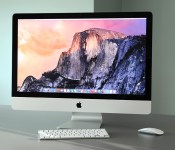
When Apple held one of its big keynotes last week, it was easy to think of it as “iPad day.” Sure enough, the company announced some upgraded tablets, but it was a desktop, of all things, that stole the show. Though the new 27-inch iMac with Retina display has the same overall design as Apple’s previous all-in-ones, it ushers in a 14.7-million-pixel 5K display with screen resolution of 5,120 x 2,880. That’s seven times as many pixels as 1080p, and 67 percent more than you’ll find even on a 4K panel. I’m not exaggerating when I say there’s nothing like it. As it is, you’d be hard-pressed to find a 4K all-in-one, and meanwhile, here’s this machine from Apple, with enough pixels to view a 4K video at full resolution, and still have room left onscreen for other stuff, like the Final Cut Pro dashboard. Needless to say, it’s in a league — and price class — of its own. Starting at $2,499, it’s more expensive than almost any other all-in-one on the market, even the supposedly high-end ones. As it turns out, though, if it’s this kind of screen quality you’re after, this might well be your only choice.
Look and feel

I’ll make this part quick. With the exception of that gorgeous 5K screen, the Retina display iMac has the same design and dimensions as the regular 27-inch model, which came out back in 2012. As ever, the bezel measures just 5mm thick, making for one thin screen. Of course, you won’t notice the slim frame unless you view it from the sides. And besides, the rest of the machine isn’t nearly as skinny — the desktop still puffs out behind the display where all the components live, and you’ll need to budget enough room on your desk to fit a machine that measures 25.6 inches wide. The metal stand in the back naturally adds to that footprint, though Apple smartly put a keyhole in there to allow for tidier cable management. Throughout, the machine is fashioned out of the same smooth aluminum as the MacBook line, making for a premium design.
All in all, I dig the aesthetic here, and always have. When Apple first unveiled it two years ago, though, I was adamant that thin bezels alone weren’t a good enough reason to buy a new iMac. I still feel that way, though there have always been other reasons you might want one. In this case, that stunner of a display. That’s an excellent excuse to spend twice as much on an all-in-one as you normally would.

Speaking of the sort, I promise I’ll get to the display in just a minute. First, though, let’s go over the ports, just to be thorough. All of the ports and openings are located on the backside toward the bottom, with everything arranged in a neat row. This includes a headphone jack, SDXC slot, four USB 3.0 ports, two Thunderbolt 2 sockets and a Gigabit Ethernet jack. There’s also a Kensington lock slot and the all-important power port, which is located right behind the stand, making it easier to just thread the power cable through the keyhole.
One thing you won’t notice are the speakers, but believe me, they’re there — two of ‘em. Specifically, Apple squeezed them into the chambers on either side of the screen, with the sound firing downward through the lower bezel. For a sound setup you can’t even see, it’s actually quite robust. Finally, the iMac ships with the same, old wireless keyboard, along with your choice of an Apple Mouse, Magic Mouse (gesture-enabled) or Magic Trackpad. As ever, the keyboard is comfortable to type on, if a tad flat, and I like the Magic Mouse and Magic Trackpad equally. You can’t go wrong with either, though you can also buy both for an extra $69 if you’re worried about missing out.
Display

“I just wanna stare at it.”
That’s what a colleague said when he first saw the Retina iMac, and even now that I’ve been playing with it for a few days, I feel the same way. The best way I can describe it is this: Unboxing it is kind of like setting up your first HDTV. I didn’t want to do anything for the first few minutes; I just wanted to swap in new desktop backgrounds, each sharper than the last, and see how many details I could pick out. Even the flat new icons in OS X Yosemite look great, but you’re probably going to need some 4K video or high-res photos if you want to make the most of the screen. (I imagine the photo and video enthusiasts this machine is aimed at will have that on hand anyway.) If you can get yourself some nice test pictures, maybe a few shot by professionals, you’ll notice extraordinary detail in everything from leather to reptilian skin. Macro shots, in particular, are about as close as you can get to feeling like you’re looking out a window. (“That’s not OK,” a different colleague said as I showed him this image of an eyeball.) Given the right image, one with accurate colors and impeccable sharpness, there’s little separating that collection of pixels from the real thing.
But it’s not just the resolution that makes this a best-in-class display — the image quality is also top-notch. For starters, Apple used Oxide TFT (thin-film transistor) technology to keep the brightness even throughout the 27-inch panel. Apple also added a so-called compensation film for viewing angles. Indeed, colors stay pungent even from severe off-angles — unrealistically wide angles, I mean. The truth is, though, that the last two years of iMacs had wide viewing angles as well, with relatively little glare, so whatever Apple did here, it feels more like it fine-tuned an already-excellent display. Ditto for the colors: They’re vivid and lifelike, but then again, I said the same thing about the last generation of iMacs.

Additionally, Apple borrowed the same “organic passivation” technique it uses on its Retina iPads, which has a positive effect on both image clarity and power consumption. Speaking of the sort, Apple says this model uses 30 percent less power than the previous-gen of iMacs, which is important because no one wants a display this pixel-dense to overheat. Behind it all, there’s a custom Apple-designed timing controller chip to tell each pixel what to do.
All told, my biggest complaint about the display is that you can’t use it as a second screen. While the last-generation iMacs could work as standalone monitors, the 5K iMac is designed to be used as an all-in-one only. Unfortunately, too, there’s currently no standalone 5K Cinema Display, though I wouldn’t be surprised if one were in the works. For now, though, that means if you already own a new Mac Pro and want a super-sharp display to play back 4K content, you’ll need to look to other brands.
Performance
| Geekbench (multi-core) | Xbench | Blackmagic (average read/write speeds) | |
|---|---|---|---|
| iMac (2014, 3.5GHz Core i5, 8GB RAM, 2GB AMD Radeon R9 M290X) | 11,344 (32-bit) / 12,394 (64-bit) | 643.65 | 659.0/311.5 MB/s |
| Mac Pro (2013, 3.7GHz Intel Xeon E5-1620, dual 2GB AMD FirePro D300) | 12,650 (32-bit) / 14,207 (64-bit) | 601.98 | 918.6/761.2 MB/s |
| iMac (2013, 27-inch, 3.4GHz Core i5, 8GB RAM, 2GB NVIDIA GeForce GTX 775M) | 10,920 (32-bit) / 11,867 (64-bit) |
539.73 |
667.9/318.1 MB/s |
| iMac (2012, 27-inch, 3.4GHz Core i7, 8GB RAM, 2GB NVIDIA GeForce GTX 680MX) | 13,045 (32-bit) |
560.44 |
409.6/320.1 MB/s |
| iMac (2012, 21.5-inch, 3.1GHz Core i7, 16GB RAM, 512MB NVIDIA GeForce GT 650M) | 12,577 (32-bit) |
531.91 |
409.6/320.1 MB/s |
Though the display is really the big story here, we can’t forget that this is a $2,499 machine. And you do want to know how that $2,499 machine performs, don’tcha? Of course you do. For the purposes of my review, I tested the entry-level model, which comes with a 3.5GHz quad-core Core i5 processor, 8GB of RAM, a 1TB Fusion Drive and a 2GB AMD Radeon R9 M290X GPU. In general-performance benchmarks like Geekbench and Xbench, I saw a slight bump over last year’s iMac, which ran on a slightly lower-clocked Intel Core i5 processor and a different GPU. Meanwhile, on Cinebench, my OpenGL test, results rose slightly from 80.18 frames per second to 90.54 fps, while the CPU score saw a slight increase from 525 to 540.
At the same time, because both of my test units had a Fusion Drive combining a 128GB SSD with a 1TB 7,200RPM hard drive, things like disk speeds and startup times were roughly the same. This time around, for instance, I got average read speeds of 659 MB/s compared with 668 MB/s, and write speeds of 311.5 MB/s versus 318.1. Not a big difference. It’s a similar story with the boot-up: It took about 15 seconds here, compared with 13 the last time around. Very similar results, all around.
| Read speeds | Write speeds | |
|---|---|---|
| 1GB | 665.15 MB/s | 315.53 MB/s |
| 2GB | 666.71 MB/s | 310.79 MB/s |
| 3GB | 655.09 MB/s | 309.14 MB/s |
| 4GB | 651.65 MB/s | 309.01 MB/s |
| 5GB | 656.34 MB/s | 312.99 MB/s |
But enough about benchmarks — let’s talk about 4K. I mean, that’s what this machine was built for, right? And how. To put the new iMac through its paces, I loaded up Final Cut Pro with around 10 gigabytes of 4K video clips, and then got to work editing. Much like the newest Mac Pro, which came out last year, the Retina iMac has enough horsepower that you can quickly add effects to 4K files in Final Cut Pro, even while the file is playing back. Whether it was the “camcorder” effect or a black-and-white filter, I saw my clips transform immediately, with no wait time and no pause in the playback.
Speaking of the sort, to ensure smooth playback, I enabled a setting in Final Cut Pro that causes the clip to pause when a frame drops. I’m happy to say the playback never actually paused. Oh, and in case you’re wondering, it took four minutes and 53 seconds to export that 10GB project as a 1080p file, optimized for Apple devices. I have nothing to compare that export time to, but I will say that’s the only time the iMac ever got noisy. Not loud, really, but I could definitely hear the fans start to kick in. Aside from performance potential, that’s one of the bigger differences between this and the higher-end Mac Pro: The Pro stays whisper-quiet under even heavier loads.
Though the Retina display iMac wasn’t built for gaming, specifically, I decided to try my hand anyway. After all, a $2,499 machine with discrete graphics should be able to turn in a respectable showing, ya know? In any case, it is indeed respectable. Even at native resolution (5,120 x 2,880), I got frame rates of up to 26 fps (average of 22 fps) in the three-year-old Batman: Arkham City. That’s with details and anti-aliasing both set on medium. Once I turned off anti-aliasing and dropped the resolution to 4,096 x 2,304, the average frame rate climbed to 34 fps. At 3,200 x 1,800, it jumped to 52 fps. And at 2,560 x 1,440 — the same resolution as most other high-end all-in-ones — the game purred along at 78 frames per second. Again, I’m not saying the iMac is a gaming phenom, but the fact that it’s playable at resolutions not even offered on other all-in-ones bodes well for the graphics muscle. What’s that? You’d prefer to play at max settings? Let’s be real: You’re probably not seriously considering buying this anyway.
Software

The Retina display iMac arrives alongside OS X Yosemite, Apple’s latest desktop operating system, which became available to the general public last week following a large beta program. If you’re interested in every painstaking detail, you really should read my review, but in case you don’t wanna open another article right now, I’ll do my best to condense everything into a few hundred words. Basically, the most important thing you need to know is that while OS X will run on any relatively recent Mac, you’ll need an iDevice of some sort to make the most of the operating system. With this latest update, you can make and receive calls on your Mac, as well as send and receive text messages, and use your iPhone as an auto-connecting hotspot. You can also start using an app like Pages on your mobile device and pick it up on your computer, or vice versa. Likewise, you can remotely open and close Safari tabs on your iOS device, as well as view your entire iCloud search history.
To do any of this, though, you need an iPhone, or maybe an iPad or iPod touch. In some cases, too, you need to be using Apple’s own apps, like Safari or Mail, instead of third-party ones like Gmail. If, like many users, you own an Android phone, or use Google Drive or OneDrive for cloud storage, many of the best new features will be useless to you. For those people, the main appeal will be the much-improved Spotlight search, some new Mail features (if you even use the Mail app) and a flat, iOS-inspired design. And even that has been a source of controversy among the Mac faithful. Then again, why grouse? It’s a perfectly fine operating system, and besides, it’s not like you even have a choice: If you buy the new 5K iMac, this is what you’re going to get.
Configuration options

The Retina display iMac starts at $2,499 with a 3.5GHz quad-core Core i5 processor, 8GB of RAM, a 1TB Fusion Drive and AMD Radeon R9 M290X graphics with 2GB of GDDR5 video memory. From there, you’ve got a few upgrade options. On the CPU side, you can step up to a 4.0GHz quad-core Core i7 chip to the tune of $250. You can increase the RAM to either 16GB ($200) or 32GB ($600). For $250, you also have the option of adding a beefier GPU (the AMD R9 M295X), which comes with four gigs of VRAM, not two. Finally, let’s talk storage. For the same starting price of $2,499, you can get a 256GB SSD instead of that 1TB Fusion Drive. Alternatively, you can choose a 3TB disk ($150), a 512GB solid-state drive ($300) or a 1TB SSD ($800). Do you have $800 to spend on a 1TB SSD, by the way? Well, then. I’m jealous of you.
The competition

If you ask Apple, the Retina display iMac’s main competition doesn’t necessarily come from other all-in-ones, but rather, standalone 4K displays. It’s a fair point: Dedicated monitors sometimes run thousands of dollars, and that’s without a full computer inside. As I’ve already said, though, this is a slightly misleading argument, since the 5K iMac can’t be used as a secondary display. So, if you already own a powerhouse machine and just want a stunning monitor to go with it, then the iMac’s price is irrelevant; you’re still going to have to pay market value for a 4K screen.
Speaking of which, not all 4K and Ultra HD displays are created (or priced) equal. You could, for instance, buy the 32-inch Sharp PNK-321 for $4,795 (though current prices are hovering around $3,600); Dell’s forthcoming 5K display, which will cost $2,500; or ASUS’ 31.5-inch PQ321Q, which has a list price of $3,000 (with several retailers offering it for around $2,100). But they’re not all that expensive. On the other side of the spectrum, there’s the 28-inch Dell P2815Q, which has 4K resolution (not 5K) and goes for $600, before any instant-sale pricing. Similarly, Samsung’s 28-inch U28D590D also costs $600, and has an identical resolution of 3,840 X 2,160. In any case, Apple’s marketing people are probably correct that the best-quality 4K displays cost thousands of dollars, but you definitely don’t need to spend three grand for a monitor with that resolution.

And what if you do want an all-in-one with a 4K display? How much is that gonna cost? Obviously, if you’re dead-set on Mac OS, this is your only option — that is, unless you’re willing to settle for the regular iMac, which has either 1,920 x 1,080 or 2,560 x 1,440 resolution, depending on whether you get the 21.5 or 27-inch model. Across the aisle, in the world of Windows PCs, it’s slim pickings, unfortunately — at least if you want a screen anywhere close to the Retina iMac’s.
Dell’s XPS 27 starts at a lower price of $1,600, but its 2,560 x 1,440 resolution falls short of 4K, let alone the 5K Apple is offering. Ditto for the ASUS ET2702IGTH and Lenovo’s 27-inch A730 all-in-one, which is said on the company’s site to be “coming soon” with a 2,560 x 1,440 screen. Over at HP, meanwhile, the highest-end desktop you can find is the $1,400 Envy Recline 27, and even that tops out at 1080p resolution. So yes, the new iMac is “expensive,” in the sense that it costs more than its rivals. But you’re also getting a much sharper screen, one that belongs in its own league. Seriously, those other models don’t even come close.
Wrap-up

The Retina display iMac is the best all-in-one desktop you can buy right now, and yes, the $2,499 seems fair, considering the amazing display. That said, precisely because it’s twice as expensive as some rival machines, I wouldn’t recommend it to everyone. There are casual users — web surfers, Facebookers — who will be perfectly satisfied with the regular iMac, which starts at $1,099. But for people who are serious about their photos, and serious about their videos, this new model is in a class of its own. There’s simply nothing else like it — no other 5K all-in-one, not even a 4K machine that would come sort of close.
In particular, I’d recommend this to someone who couldn’t quite justify the Mac Pro, which starts at $2,999 without a monitor. Even the entry-level, $2,499 Retina iMac handles 4K video editing smoothly and remember, you don’t have to pay extra for a super-high-res screen. Now, if you already own a Mac Pro and want that 5K display, well, the best you can do is look on with envy — and hope Apple gets around to releasing a standalone 5K Cinema Display sooner rather than later.
Photos by Will Lipman.
iPad Air 2 and iPad mini 3 now available in certain UK stores

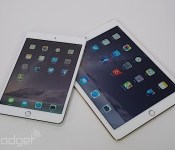
Apple began accepting online orders for the iPad Air 2 and iPad mini 3 shortly after the new tablets were announced last week, but if you’d rather not wait for a delivery, you can pick one up in-store as of today. Apple’s own retail outlets now have the new generation of slates in stock, as do select John Lewis locations, including the flagship London Oxford Street, High Wycombe and Edinburgh stores. Be aware this is the very first batch to hit the UK, so shops might not be able to hook you up with the exact hardware configuration and colour scheme you so desperately want. The iPad Air 2 and mini 3 start at £399 and £319, respectively, with prices increasing based on storage capacity and/or the addition of LTE connectivity. If you’d prefer to spread the cost of new iPad across the term of a mobile data contract, O2 and EE are currently accepting preorders for both tablets, with Three and Vodafone saying they’ll joining the fray soon.
Via: Digital Spy

Samsung’s big Galaxy Tab 4 gets the Barnes & Noble treatment

We weren’t terribly fond of Samsung and Barnes & Noble’s first tablet mashup, but it seems at least a few people were. If you happen to fall into that category, congratulations — that odd couple has something else that might be up your alley. The new Galaxy Tab 4 Nook 10.1 is technically the largest Nook ever released (only because Samsung already did the heavy lifting with design and production) and once again it’s basically a stock tablet with BN apps like Nook Library and Nook Shop sprinkled into the mix for good measure. Everything else — from the 1.2GHz Qualcomm chipset running the show, to the 10.1-inch display running at 1280×800, to the full eye-searing load of Samsung software tweaks — is a well-known quantity so you’ll know exactly what you’re getting into. On the plus side at least, the Nook-ified version of the Tab 4 10.1 costs the same $199 as the bog-standard version (after instant rebate, at least) and comes with $200 of sweet, sweet content gratis. Interest piqued? You can pick up yours starting today, but you should only do so after thinking about it really, really hard.
Source: Barnes & Noble

Congress won’t pass a law letting the FBI access your encrypted data

Just because FBI director James Comey believes his agency has a right to see your phone’s encrypted data doesn’t mean he’ll get his way. Members of Congress from both major parties, including House Representatives Darrell Issa and Zoe Lofgren as well as Senator Ron Wyden, are saying that there’s “zero chance” they’ll pass a bill requiring that device encryption includes backdoor access for federal investigators. They argue that law enforcement has blown whatever chance it had at public support — accountability problems at multiple agencies (especially the NSA) have led many to distrust the government’s data requests. As it stands, the FBI is battling some fierce legal headwinds. The House recently passed a bill banning the NSA from using backdoor searches, and it’s doubtful that these politicians will heed Comey’s calls for more access.
The director’s requests haven’t passed technical muster so far, either. While he casts the encryption access as a “front door” that would have transparency, it would still amount to a mandatory security hole. Anyone who figured out how to exploit that access, whether it’s a thief or a government surveillance agent, would have access to your content. Also, encryption doesn’t lock everything away — the feds can still intercept phone calls and many other forms of unprotected (or loosely protected) content that they want when pursuing cases. Your phone may not be completely secure, then, but there are enough privacy concerns that the FBI isn’t likely to get the keys to your kingdom any time in the near future.
[Image credit: Getty Images]
Filed under: Cellphones, Internet, Mobile
Via: Motherboard, Phone Arena
Source: Darrell Issa (Twitter), The Hill
Fantastical for iPhone and iPad Go iOS 8-Only With Widgets, Extensions, and More [iOS Blog]
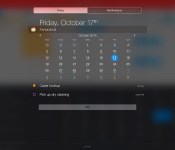
Fantastical, one of the most popular third-party calendar apps for iOS, has seen both iPhone and iPad versions updated today with a number of new iOS 8-specific features including a Notification Center “Today” widget that offers a quick glance at upcoming appointments and to-dos.
Also included are a custom app extension that allows users to create events and reminders from any app that properly support share sheets and interactive notifications for tasks such as snoozing event reminders or completing tasks. With the arrival of the new features, Fantastical is now an iOS 8-only app.
 Fantastical 2.2 for iPad’s “Today” widget
Fantastical has been a popular option for users due to its clean design and natural language engine that allows users to create appointments and to-dos by simply entering phrases or sentences that are automatically converted into event format. Originally a Mac app, Fantastical launched for iPhone in late 2012 and expanded to iPad earlier this year.
Alongside the new update to Fantastical, both the iPhone and iPad versions are on sale with $2 discounts for a limited time. The iPhone version [Direct Link] is currently priced at $2.99 while the iPad version [Direct Link] is $7.99.

iPad Air 2 and Retina Mini iPad 3 Pre-Orders Arrive as Apple Begins In-Store Sales
Following the launch of pre-orders last Friday, Apple’s new iPad Air 2 and Retina iPad mini 3 models are now making their way into customers’ hands and onto retail store shelves. According to The Inquirer and reports from MacRumors readers, pre-orders are now being delivered, and the tablets are now available for purchase online and in store.

Customers in launch countries of the UK and Australia started receiving their tablets today and have already posted unboxing videos. Unlike the iPhone 6 which featured a plain white box, customers report the box for the iPad Air 2 is similar to the original iPad Air with a color representation of the iPad on the cover.
Apple’s online store also is still accepting orders with delivery dates of 2 to 4 days for most iPad Air 2 models. In-store pickup for the Air 2 is not available yet for online shoppers, but we have heard from multiple sources that at least Wi-Fi models are arriving at Apple’s own retail stores for sale beginning today. Based on online ordering, iPad mini 3 supplies are more abundant, with most Wi-Fi models currently available within 24 hours and cellular models shipping in 1-3 days.
Apple announced the iPad Air 2 last week, highlighting the device’s new A8X processor, Touch ID sensor and improved camera. Early benchmarks suggest the iPad Air 2 is up to 55 percent faster than the iPhone 6 and 68 percent faster than last year’s iPad Air. The first round of reviews of the Air 2 point out benefits such as a thinner profile and vibrant display, while also noting a slight decrease in battery life compared to the previous generation.
While the Air 2 has received fairly strong reviews, the iPad mini 3 has been less well received with most reviews noting the device’s similarity to the iPad mini 2. The iPad mini 3 ships with the same processor and camera options as its predecessor, with the only notable improvements being a Touch ID fingerprint sensor and a new gold option.
The iPad Air 2 is available with a starting price of $499 for the 16GB Wi-Fi-only model, with equivalent cellular models available for $130 more. The iPad mini 3 starts at $399 and is available in Wi-Fi-only and cellular configurations.
Samsung launches budget-friendly Galaxy Core Max in China

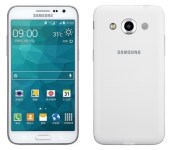
Samsung’s method of releasing an insane amount of phones is clearly working for them, so today Samsung continues that tradition with the launch of the Galaxy Core Max. Currently exclusive to China, the Core Max is a dual SIM budget device with the model number SM-G5108Q and ships with Android 4.4.4 KitKat.
Under the hood is an unnamed quad-core 1.2GHz processor (possibly the 64-bit Snapdragon 410), 1GB of RAM and 8GB of built-in storage (expandable thanks to a microSD slot). Also onboard is a 4.8-inch Super AMOLED qHD (540×960) display powered by a 2,200mAh battery. On the back is an 8-megapixel camera and a redesigned speaker grille. The front-facing camera uses a 5-megapixel sensor. No word on pricing but its safe to assume it will be cheap and will likely launch in other markets in the coming weeks.
Source: Samsung
Via: Sammobile
Come comment on this article: Samsung launches budget-friendly Galaxy Core Max in China
 AIVAnet