



Facebook now lets you put a Like button in your app

A huge number of people who visit Facebook are on a smartphone or tablet, using the official Facebook app. Because of the quantity of people using the mobile versions, it would be crazy of Facebook not to enable the “Like” button on mobile applications. That’s why they’re changing things up and enabling Android and iOS developers to put a Like button in their apps.
You can embed the Like button to do a few different actions. You can either have it Like an Open Graph object within the app, simply Like the Facebook page, or share a certain type of achievement or reward in a game. Here’s what the Like button will look like in a mobile application:

Facebook isn’t going to stop growing anytime soon, and this is just another way they’re expanding even more.
Source: Facebook
Deals, Discounts, Freebies, and More! Click here to save today!
The post Facebook now lets you put a Like button in your app appeared first on AndroidGuys.
.CPlase_panel display:none;

Google+ updates to v4.6, adds some more material design and color changes [APK Download]
Google went on a massive roll for a number of weeks that had all of us looking forward to Wednesday for Google app updates. The last few weeks have been a bit more scattered sadly, but Google keeps updating apps. That is the most important thing, right? Today’s staged roll out moves Google+ to version 4.6 and it brings in a number of visual changes.

The first thing you might notice is that “write a post” button is no longer white with a red pencil, it has been inverted to be red with a white pencil. The red banner bar at the top is a more vibrant red as compared to the deeper red that it once was. Check out some screens. Old Google+ images are on the top with the new update images below them for comparison.


 You can see the clear all notifications icon has shifted to three small lines versus the old much larger three rectangular blocks. The people button and notification bell are also a little smaller with bolder lines. They made the overflow menu float more on top too. Not to mention the devoid of most of the color from the drop down tab too. There is also a super cool animation where the three line menu icon is. When you drag out the side panel the icon rotates into an arrow. Gotta check it out.


 The Photo side of the app also offers up some changes as well. It gets the new grey icon changes on the slide out menu of course. The + icon has been altered to the auto awesome icon. That is where you can create your own auto-awesome movie.
The homescreen icon also got a make over. It is now flat with a drop shadow on the G versus the previous 3D looking block that the Google Search app still offers. I assume all the Google app related icons will be getting the more flat look in their next updates.

The update is working its way across devices everywhere, but we know you don’t like to wait. Head over to Gappsearly and pick up the updated apk and get it installed now.
//<![CDATA[
ord = window.ord || Math.floor(Math.random()*1E16);
document.write('‘);
//]]>
The post Google+ updates to v4.6, adds some more material design and color changes [APK Download] appeared first on AndroidSPIN.
.CPlase_panel display:none;

The Big Picture: Satellite imagery details ocean depths with new maps

Harnessing data from two satellites, scientists at Scripps Institution of Oceanography at UC San Diego have built a new map of the deepest parts of the ocean. Combining info from the European Space Agency’s (ESA) CryoSat-2 and NASA’s Jason-1 with existing research, the team is able to show details that include undersea mountains far below the bottom of the ocean and “little-studied remote ocean basins.” The project’s report explains that “one of the most important uses of this new marine gravity field will be to improve the estimates of seafloor depth in the 80 percent of the oceans that remains uncharted or is buried beneath thick sediment.” Still curious? Peruse more the findings here.
Filed under: Science
Via: Popular Science
Source: UC San Diego
.CPlase_panel display:none;
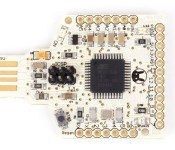
The Tah Bluetooth stick lets you control (almost) anything with a smartphone

We’ve seen plenty of development boards, but this might be the first that comes with both Bluetooth LE and built-in USB. Tah is the creation of India’s Revealing Hour and has been designed to both lower the cost of adding Bluetooth to Arduino projects, but also to connect your smartphone to other devices in the home. For instance, adding an IR shield will enable you to create a universal remote control for appliances and your TV. Even better, is that you can slot the hardware into your games console and use your smartphone as a controller — in the video embedded after the break, the company uses a smartphone as a substitute PlayStation controller, and there’s an Xbox variant that’s currently being developed. Naturally, Tah is currently gathering funds over at CrowdSupply, and its makers need $25,000 to begin manufacturing. If you’d like to get your hands on one, then early-bird customers can snag one for $40, while the late-comers will pay 10 dollars more.
Filed under: Wireless
Source: CrowdSupply
.CPlase_panel display:none;
Google reportedly tried to purchase Cyanogen Inc.

In what must be the most interesting headline this year, Google has apparently been turned down after expressing an interest to purchase Cyanogen Inc. – the maker of the largest custom Android ROM in the world.
According to a report by The Information, Google’s Sundar Pichai recently met with reps from Cyanogen and was turned down after Cyanogen published an request for an additional $1 billion in funding – essentially a ‘increase your offer’ message to Google.
Cyanogen has told investors that it plans on bringing low cost devices running Cyanogemod to India, which directly competes with Android One. Not only would an acquisiton put this back in Google’s control, but would also allow Google to regulate the distributed ROM further than the minimum requirements Cyanogenmod currently as to adhere to by shipping with Google Services.
Whilst $1 billion seems slightly on the larger side of an estimation from Cyanogenmod, perhaps it’s the hands-off they wanted to issue Google. After all, competition is good – even if they are both running Android.
Deals, Discounts, Freebies, and More! Click here to save today!
The post Google reportedly tried to purchase Cyanogen Inc. appeared first on AndroidGuys.
.CPlase_panel display:none;
Buyer’s Guide: Deals on the Retina MacBook Pro, MacBook Air, iPhone 6 Cases, and More [Mac Blog]
This week’s Buyer’s Guide has deals on the 2013/2014 Retina MacBook Pro, the 2013/2014 MacBook Air, the Mac Pro, and several Apple accessories, including iPhone 6 cases, cable organizers, and a nifty accessory that adds AirPlay to any stereo with an input.
Retina MacBook Pro
The 2014 Retina MacBook Pros are on sale for approximately $100 to $150 off the retail price from several different sites. The 2.6Ghz/8GB/128GB 13-inch Retina MacBook Pro is available for $1,119.99 from Amazon, Best Buy, and B&H Photo. The 2.6Ghz/8GB/256GB 13-inch Retina MacBook Pro is available for $1,399 from Best Buy, Adorama, B&H Photo, and MacMall. The 2.8Ghz/8GB/512GB 13-inch Retina MacBook Pro is available for $1,699.99 from Adorama, B&H Photo, and MacMall.
The 15-inch 2.2Ghz/16GB/256GB Retina MacBook Pro is available for $1,899 from Adorama and the 15-inch 2.5Ghz/16GB/512GB Retina MacBook Pro is available for $2,349 from B&H Photo.

There are some deals on remaining 2013 Retina MacBook Pros. The 2.4Ghz/4GB/128GB 13-inch Retina MacBook Pro is available for $1,099 from Adorama and B&H Photo. The 2.6Ghz/8GB/512GB 13-inch model is available for $1,549 from Adorama and B&H Photo. The 2.0Ghz/8GB/256GB 15-inch model is available for $1,599 Amazon, Adorama, and B&H Photo. The 2.0Ghz/16GB/512GB 15-inch model is available for $2,199 from Amazon, and Adorama.
The non-Retina 13-inch MacBook Pro is also on sale for $999 from Best Buy, Adorama, and B&H Photo.
Mac Pro
Stock configurations of Apple’s Mac Pro desktop computer are available at slightly discounted prices from several retailers this week. The 6-core 3.5Ghz/16GB/256GB machine can be purchased for $3,739.99 from Best Buy, Adorama, and B&H Photo, while the 4-core 3.7Ghz/12GB/256GB machine for $2,839.99 from Best Buy, Adorama, and B&H Photo.
MacBook Air
A few retailers are offering the 2014 MacBook Air for approximately $100 off and while that’s not the best deal we’ve ever seen on the MacBook Airs, it is decent. The 11-inch 1.4Ghz/4GB/128GB MacBook Air is available for $799 from Best Buy, while the 11-inch 1.4Ghz/4GB/256GB MacBook Air is available for $999 from Best Buy, Amazon, and B&H Photo.
The 13-inch 1.4Ghz/4GB/128GB MacBook Air is available for $899 from Best Buy, Amazon, and B&H Photo. The 13-inch 1.4Ghz/4GB/256GB MacBook Air is available for $1,099 from Best Buy and B&H Photo.

B&H Photo is still offering low prices on some of its remaining 2013 MacBook Air inventory. The 1.3Ghz/4GB/128GB 11-inch MacBook Air is available for $819, while the 1.3Ghz/4GB/256GB 11-inch MacBook Air is available for $889.
B&H and Adorama, as always, are a good choice for buyers who live outside of New York and New Jersey, as the sites only charge sales tax in those states.
Retina iPad
Walmart is selling the 16GB Wi-Fi-only fourth-generation iPad with Retina Display for $299, a discount of $100 off its standard $399 retail price.
Apple Accessories
The Naztech Metro Case for the iPhone 6 is available for $17.99 from Groupon, a discount of $8. The MogoLife Protective Case for iPhone 6 or 6 Plus is available for $9.99/$11.99 from Groupon, which is 67% off the standard price.

The Case Logic Rugged Slim Fabric Case for the iPhone 6/6 Plus is available from Groupon for $12.99 to $14.99, and the Star Wars iPhone 4/5/5s cases are available for $7.99 from Tanga.

The iHome Helium Folio Case for iPad Air is available for $14.99 from Groupon, a discount of $15. The fish-shaped Goldie CableKeep for the iPhone is available from LivingSocial for $9, a discount of $7.

Previous-generation Beats by Dr. Dre Bluetooth On-Ear Headphones are available for $229 from Groupon and the Klipsch S4i Rugged In-Ear Headphones are available from Woot for $34.99. The Sabrent WiFi Audio Receiver that adds AirPlay compatibility to any speaker system is available for $22 from Amazon with coupon code WFRADU22.
MacRumors is an affiliate partner with some of these vendors.
.CPlase_panel display:none;

Citroen’s hybrid concept car gets 115 mpg from thin air (hands-on)

With the Cactus Airflow 2L, Citroen thinks it’s found a way to bring the cost of hybrid technology down to earth using nothing but air. Based on a production Cactus model, the natty, low-roofed concept car has a unique hybrid compressed air/gas engine at its core. In a regular hybrid, batteries store energy from braking and coasting downhill. It’s the same idea here, but instead of storing electricity, the Airflow 2L compresses air and stocks it in a tank. It can then be released when needed, powering the car during wasteful acceleration or city driving. While that may sound wonky, the system has been tested to an rather astonishing 115 mpg or so. Still, why bother with an untested system when existing hybrid drivetrains are so mature?
The main reason is the simplicity, which results in a much cheaper vehicle. For instance, the compressed air tanks are lighter and, of course, cheaper than an equivalent lithium-ion battery. The reduced weight results in lower gas mileage, and Citroen has added some other tricks to increase efficiency. Those include composite materials and aluminum to further reduce weight, along with air intakes and a rear spoiler. It even has wheel covers that completely cover the wheel during cruise, but retract during braking to cool the brakes. While cool, that’s one of those car show features unlikely to make it into a production vehicle.

And mass-producing the vehicle is the point, according to Citroen. It wants to have a hybrid option in its vehicle lineup that costs about the same as diesel engine upgrade — that is to say, only several thousands of dollars more. That’s a steep discount from most hybrid vehicle options. For instance, a Honda Civic hybrid costs up to $8,000 more than the standard model. As for when, and how much, the French car maker was cagey on details, but it thinks it could bring such a vehicle to market as early as 2016.
Filed under: Transportation
.CPlase_panel display:none;

Google+ is the latest Android app to get a Material Design makeover

Google’s quest to bring that extra-flat, extra-colorful Material Design look to every single app is still underway, it seems. The search giant has posted an update to Google+ for Android that flattens even more of the social network’s interface and adds splashes of solid color, such as a bright red “new post” button. This isn’t just a cosmetic update, mind you. The Photos section is both simpler and better-looking, so it should be easier to share recent snapshots with your circles. At this rate, about the only software Google has left to officially Materialize is Android itself… which might happen soon.
Filed under: Cellphones, Tablets, Internet, Mobile, Google
Via: Droid-Life
Source: Google Play
.CPlase_panel display:none;

Lamborghini’s 910HP plug-in hybrid goes 30 miles on a charge (hands-on)

Lamborghini knows what you want — ridiculous, excessive power. But hey, if you need to pick up some groceries, the Italian automaker can do that too. We just got a look at the concept car that proves it, the Lamborghini Asterion, at the Paris Auto Show. It can run in three modes: the first two use only the rear-drive 610HP V10 gas engine or “eco-friendly” 300HP front-drive electric motor system. And if you really need those groceries now, both can join forces to bring an unholy 910HP. More surprisingly, if you’re willing to settle for a paltry 300HP, you can actually drive it up to 30 miles or so on the battery alone.
Lamborghini told us that it has packed in a lot of tech concepts that it might bring later in production cars. For example, the front-wheel-drive electric system — rather bizarre on a Lambo — also provides torque vector steering, useful on a high-powered vehicle. It also looks decidedly different from current models, with a curved rear section that resembles an old Lamborghini Miura. The Asterion even has more interior space thanks to a higher profile than, say, the Aventador. Unfortunately, it’s strictly a (fully functioning) concept car that’ll never reach the market, so don’t sell off that Hurrican yet.
Filed under: Transportation
.CPlase_panel display:none;
Lenovo N20p Chromebook Multimode touchscreen Chromebook [Review]
Lenovo took a little bit of time to break into the Chromebook space. They initially started off with phones, tablets and a couple of Android powered all-in-ones. We know Acer, Samsung, HP and others have started to really up their game when it comes to the Chrome OS powered laptops, especially the upcoming Acer NVIDIA Tegra K1 powerhouse. Lenovo’s first round of commercially available Chromebooks might be a little late to the game, but they definitely bring some things that the others don’t.

Hardware overview:
Spec wise, the Lenovo N20p offers up many of the same specs that are on par with competitor models on the market.
- 11.6-inch HD (1366 X 768) 10-point multitouch screen
- 11.6 x 8.34 x 0.70 inches
- 2.86 lbs
- Intel Celeron Processor
- 2GB of RAM DDR3L
- 16GB SSD
- Up to 8 hour battery life
- Bluetooth 4.0
- Wi-Fi 802.11 ac
On a physical connection front you have two USB ports, one is a USB 2.0 and one is a USB 3.0. They are found on opposite sides of the Chromebooks base. You can see where the USB 3.0 port is due to the blue colored centered.
On the USB 3.0 side you also have the charging port, which is a proprietary style charger, along with a mini HDMI out and a combo headphone/mic jack.

On the opposite site you find that USB 2.0 port, your power button and the SD card slot.

Above the screen you find your 1.3MP 720p resolution web cam and integrated mic.

Internal connection options offer up a few things that are pretty nice. The N20p does sport the latest Bluetooth 4.0 technology, but probably a bit more surprising, and exciting fro some, is that it also offers up 802.11 a/c WiFi. To the best of my knowledge, and checking out a few of the Chromebooks offered on the Play Store, this is the first Chromebook to offer that newer 802.11 a/c connection.
In the specs above I only mentioned that the Lenovo N20p Chromebook offered an Intel Celeron processor, but I didn’t give you details on the specific processor or clock speed. That is because there are two choices for you to make in that department, and the cost difference is only $20. In one model you get a Intel Celeron N2830 processor (2.16GHz 1333MHz 1MB) and in the more expensive you get an Intel Celeron N2930 processor (1.83GHz 1333MHz 2MB). Looking through a comparison of the two chips at CPUBoss, the lower clocked Celeron N2930 variant of the N20p should be a little quicker, but I don’t have both versions in front of me to compare and test. This review is centered around the N20p that offers up the Intel Celeron N2830 clocked at 2.16GHz.
Currently on the market I am aware of two other Chromebooks, that are made by bigger named companies, that offer a touch screen in conjunction with the track pad. The Acer C720p and the Chrome Pixel. The Chrome Pixel is probably the dream Chromebook for many, but its price tag is pretty up there for most average consumers. That leaves the Acer C720p as the most comparable device to the N20p. The hardware specs are similar with the exception of the 802.11 a/c Wi-Fi connection and the Acer C720p sports an Intel Celeron 2955U (1.4GHz, 2MB L3 cache) processor. However, the Lenovo N20p does something that the C720p can’t, and that is flip into multi-mode.
Lenovo is pretty famous for their design elements in both appearance and functionality. The Yoga, ThinkPad and IdeaPad lines are probably the more famous line of devices that allow users to flip their netbooks, tablets and laptops around in configurations that others just don’t. The N20p is in the IdeaPad line up and offers 3 primary modes that Lenovo advertises, but it also has a 4th that is pretty useful. First you have your traditional laptop mode.

This is the one you usually see when you see people using a laptop. Screen up and keyboard facing you. Nothing all that special, but I will admit, that the space beside the track pad and the edges of the Chromebook are plenty big enough more my wrists to rest without touching the trackpad by accident. I have had issues with that in the past on other laptops.

The second advertised mode is Stand mode. You rotate the screen 300 degrees and face the screen forward with the keyboard as the base of the stand. When you rotate the screen to a certain degree, which seems to be just past the 180 degree mark, or just past it being flush with the keyboard, the N20p disables the keyboard for you automatically. There are also a set of rubber pads positioned in such a way that elevates the keyboard from directly touching the surface.

The third method, and one of my favorites, is what is traditionally called tent mode. This mode potions the device in a tent, or triangle, fashion. Placing the keyboard behind it and the screen facing forward. It takes up less space than stand mode and points the speakers, which are located on the bottom, more towards you than straight up in the air. It Also sits better on your lap if you are looking to play games or cruise around the web ect. and only want to use the touchscreen aspect. While in the tent style mode, you can also go vertical. The screens image will rotate in any direction that it is orientated.


While in any mode that disables the physical keyboard there is a replacement on-screen keyboard that will pop up if needed. It only appears if you tap on a place that you need to type, and easily goes away. It is just like any tablet a keyboard and is responsive to quick typing if you are fast with an on-screen keyboard, which I am not. I feel it is more of a nice idea when in touch only modes for quick messages and searches and things, but if you need to write an email, a post or a lengthy response to something you will just end up flipping it back to the regular laptop mode. Besides, the angles that it sits in stand or tent mode makes it a little awkward to type efficiently.
The Physical Keyboard
While processor, screen, RAM, storage and things are important, the physical keyboard and how it feels when in use are just as important. If the keys feel strange, take more pressure than one would think or are to close together, that can cause a poor user experience as well. The N20p keyboard isn’t quite a softouch, meaning silent when pressed, but the click from pressing it isn’t terrible. I am a heavy typer and my desktop keyboard makes a heck of a lot more noise. Each press of each key is nice, and feels nice. You can feel the action when you press it knowing that you have pressed it without wondering. This is also a big deal for me as I am not very good at typing without looking at my fingers. I still miss some letters here and there, but that is mostly due to my distaste for laptops and feeling cramped. The keys are flat as well, meaning they lack any indentation for your fingers.

There is still something a little off about it though. The insert that surrounds the keys and the keys themselves move. By move, I mean you can see the keyboard flex when you are typing. I don’t know if this is by design because of the stand mode, or if it is just an over sight in the quality of the keyboard. It doesn’t give me a feeling that it will become unresponsive or break, it just isn’t as solid as I would expect.
Battery Life
Battery life is a pretty important aspect of a mobile device. Being stuck to a charger is never really a good thing. I spent one day using the N20p as an average internet user. Spending time surfing the web, cruising around Google+, responding E-Mails and the likes. The expected battery remaining time I gathered compared to the actual time used was pretty good. I started utilizing the N20p at 8:45 in the morning, at 10:15 I was down 10%. That is about a 1.5 hours of battery per 10%. Mathematically that should give 15 hours of battery. Well over the expected 8 hour claim on the spec sheet. Much of that time was spent sitting here writing with the screen brightness at about 60%. However, the remaining on time displayed showed 7.45 hours remaining. Add that to the 1.5 hours I already used and I would expect over 9 hours of use easily.
The first full charge to battery death I did was in tent mode streaming movies. I kept the screen at about the 60% brightness level and streamed movies from Plex to the Chromebook. I started the flick at 3:19 pm and ever hour or so I started a new movie or restarted the one playing. The N20p finally died completely, as in shut off, at 10:26pm. That was 7 hours and 7 minutes of screen-on streaming time. Not bad at all.
If you mix these times for an average day of use between media, and average web usage, the 8 hour claim is pretty easily achievable. I use the Chromebook sparingly. More so it is what I use when I am forced downstairs, on trips or other situation where being at my desktop is not an option. I have yet to ever been disappointed with the N20p in battery life. Even when it sits idle for days at a time.
Overall performance
I spent lots of time forcing myself to use the Lenovo N20p Chromebook. Not because I was disappointed with it, more so because I prefer full size keyboards and desktop PCs. I actually wrote this entire review sitting on my couch, watching Finding Bigfoot and using the N20p. It worked out wonderfully for me and is the first time I have written something on a laptop/Chromebook in a number of years. It is also the first time that I didn’t have to spend as much time fixing my errors as I did writing the review. (I’m sure there are still plenty, I am far from a great writer.)
Like all other Chromebooks I have used, or read reviews of, once you get going beyond 4 or so tabs things start to get a little slow in terms of visual lag. It is dramatically better than the Acer C710 that my daughter has currently for school and with each sequential update to the OS it seems to be running smoother.
Overall thoughts
I have been very pleased with the N20p’s performance and abilities. It expands beyond the traditional Chromebook look and what it can do for you. The touch screen is quick, responsive and I was easily able to not only type with the onscreen keyboard, but I also didn’t have any difficulty with my touches not registering what I was attempting to tap.
There are two things that come to mind that I think would just put this Chromebook over the top for me. I would like Lenovo to swap out the keyboard with one that is backlit. Night usage on Chromebooks is still a bit tricky. However, with the N20p’s on-screen keyboard when in touch only modes, it isn’t the end of the world, but if you need to type a book, the physical keyboard is still a better choice. Second was speaker placement. The speakers are placed on the bottom near the front. When I first saw images of the Chromebook I had expected them to be sitting on either side of the screen where it flips. That would have positioned them facing you in any mode.
Feel free to get one ordered through Amazon for $329.99 right now
.


//<![CDATA[
ord = window.ord || Math.floor(Math.random()*1E16);
document.write('‘);
//]]>
The post Lenovo N20p Chromebook Multimode touchscreen Chromebook [Review] appeared first on AndroidSPIN.
.CPlase_panel display:none;
 AIVAnet