


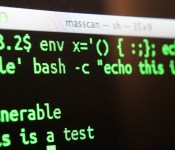
Apple updates OS X to protect ‘advanced UNIX users’ from Shellshock exploits

Although OS X is among the systems listed as vulnerable to the recently-uncovered Shellshock / Bash security flaw (still not sure what that is? Let us explain.), Apple has said it isn’t a problem for most users. For those potentially vulnerable due to enabling certain UNIX services, 9to5Mac reveals the company has just pushed patches for the Mavericks, Lion and Mountain Lion versions of its desktop operating system. You can download the updates from Apple’s website now, and it should be available via software update soon.
[Image credit: Robert Graham, Twitter]
Filed under: Desktops, Internet, Apple
Via: 9to5Mac
Source: Mavericks, Mountain Lion, Lion
.CPlase_panel display:none;

Bug in iOS 8’s ‘Reset All Settings’ Option Also Erases iCloud Drive Documents
It appears that there may be a serious bug with the “Reset All Settings” option in iOS 8, causing users who activate the feature to lose all of their iWork documents stored in iCloud Drive. According to multiple posters on the MacRumors forums, using the “Reset All Settings” option under General –> Reset has caused documents to be permanently deleted from iCloud Drive.

Because iOS 8 was so sluggish on my iPad 3 I reset all settings (No data or media will be deleted) and sped it up BUT deleted my iWork data! Then promptly synced and deleted it in iCloud.I have public beta of Yosemite so can’t roll back via time machine. I have no pre iOS 8 backups in iTunes or iCloud to revert to (well iCloud device backups don’t contain cloud documents and I should have iOS 7 backups in iTunes but can’t find any. iCloud has no trash like dropbox. They seem gone forever.
The “Reset All Settings” option explicitly says that “No data or media will be deleted,” and it is meant to reset all user preferences to the default out-of-the-box settings. That the option is deleting iCloud Drive documents appears to be a serious bug, though it may be limited to Apple’s own iWork apps like Pages, Keynote, and Numbers. One user had all of his iWork documents wiped by using “Reset All Settings,” while other app information remained in iCloud.
In our own testing, using “Reset All Settings” deleted all iWork documents stored in iCloud Drive on the iPhone and on iCloud.com. After allowing time for syncing to a Mac running OS X Yosemite, all of the documents disappeared from that machine as well. Preview and TextEdit documents, which cannot be accessed on the iPhone, remained untouched on the Mac.
There appears to be no simple way to recover iCloud Drive documents that have been erased by “Reset All Settings,” in Yosemite and several people who have been affected by the bug are now in contact with Apple support in an effort to retrieve their documents. A Mavericks user was, however, able to recover his files from a backup folder.
One user said that Apple was waiting on engineers to investigate the issue, while another said his account had been placed in troubleshooting mode to attempt to recover the data.
Introduced with iOS 8 and OS X Yosemite, iCloud Drive is Apple’s answer to cloud-based storage services like Dropbox. iCloud Drive allows users to store a variety of documents like spreadsheets, PDFs, images, and more, accessing them on any device. Currently OS X Mavericks users can access iCloud Drive documents via iCloud.com, but iCloud Drive will be fully functional in October, after OS X Yosemite is released.
Users who have iCloud Drive enabled may want to refrain from using the “Reset All Settings” option on their devices for the time being, in order to avoid accidentally erasing important documents stored in iCloud Drive.
.CPlase_panel display:none;

Double Data offer from AT&T on Mobile Share Value plans now through Oct 31st
Looking to score even more data? Over the weekend AT&T pushed out the start of a new double data promotion that will run until the end of October. The offer is good for Mobile Share Value plans that start at 15GB shared for $130 a month. Under the promo you would effectively get 30GB of shared data for the same $130 a month on accounts sporting 2 – 10 lines.

AT&T is making this offer open to new and existing customers who proactively sign-up before the cut off date. Once you have signed up for the double data promotion you are free to keep it for as long as you want, so say AT&T at least., with no expiration date. If your account is a business account that needs more lines, you can get this package rolling on accounts up to 25 lines ranging between the 60GB and 100GB packages.
“We’re now making our simple and flexible plans a greater value by doubling the data for the same price,” said David Christopher, chief marketing officer, AT&T Mobility.
If you are looking to start an account, or add a line, AT&T is also offering up a $100 bill credit too through the Next program. Usual 3 months of good bill payment and account history required to gain that credit.
Source: AT&T
//<![CDATA[
ord = window.ord || Math.floor(Math.random()*1E16);
document.write('‘);
//]]>
The post Double Data offer from AT&T on Mobile Share Value plans now through Oct 31st appeared first on AndroidSPIN.
.CPlase_panel display:none;

Photoshop for Chromebook starts off as a streaming option for US Adobe education customers
Just yesterday I was cruising through G+ and saw a short comment from Ben Schoon with a great GIF to accompany it.
It was pretty comical at the time and even funnier now, since Google just announced that Adobe Photoshop is coming to the Chromebooks via the Adobe Creative Cloud. Initial access will be a streaming version of Photoshop that is available for Adobe education customers with paid Creative Cloud memberships.

Since this will be a streaming version of Photoshop that is being delivered to your screen you will never have to worry about updates, download or installs. It is also fully integrated with Google Docs allowing you to work directly in the cloud when ever and where ever you find it convenient.
Project Photoshop Streaming includes:
- Creative tools: Streaming access to Photoshop with other products coming soon
- Access from any Windows device with a Chrome browser or from a Chromebook
- Learning tools: Access to Adobe Education Exchange learning content and an in-app Learning panel called ‘Learn Now’
- Project Photoshop Streaming Feedback and Forum support
As I mentioned earlier, this is an exclusive streaming ability that does force your hand to meet eligibility requirements and be accepted through an application process. To see if your educational needs meet the requirements, direct yourself over to the Project Photoshop Streaming Adobe page and get to checking.
Source: Google via Android Authority
//<![CDATA[
ord = window.ord || Math.floor(Math.random()*1E16);
document.write('‘);
//]]>
The post Photoshop for Chromebook starts off as a streaming option for US Adobe education customers appeared first on AndroidSPIN.
.CPlase_panel display:none;

BlackBerry looking to release more ‘unconventional’ devices

For better or worse, much has been made about the distinct shape of BlackBerry’s new smartphone, the Passport. And, according to Ron Louks, president of the company’s Devices division, we can expect BlackBerry to start pushing more out-of-the-ordinary hardware, like its latest, in the years to come. During an interview with Reuters, Louks said BlackBerry can afford to take risks after sorting out its financial situation, adding that the goal is to introduce “at least one unconventional device” every year. “When it comes to design and being a little bit disruptive, we want that ‘wow’ factor,” he said. Louks also stated that BlackBerry is already working on yet another unusual device, and while there were no details revealed on what it is exactly, he did say carriers have had some positive feedback toward it. Whatever it may be, you can definitely color us intrigued.
Filed under: Cellphones, Tablets, Blackberry
Source: Reuters
.CPlase_panel display:none;

Hong Kong’s pro-democracy protests spur growth for secure messaging apps

Social media and civil unrest have long gone hand-in-hand, from coordinating revolution during the Arab Spring to repressing corruption in Turkey. Amid pro-democracy protests in Hong Kong, locals have taken to the location-based messaging app FireChat to communicate with each other. 100,000 local users signed into the off-the-grid messaging app for the first time last weekend after a student activist recommended the app for communication should authorities switch off cellular networks. The app creates a mesh network between nearby users using WiFi, cellular data, or Bluetooth, allowing them to communicate with people even when strict firewalls are in place. For now, it looks as though we’re a long way away from the heavy-handed tactics of other governments, but FireChat’s sudden popularity shows locals are keen to stay one step ahead when it comes to communication.
Filed under: Mobile
Source: The Wall Street Journal
.CPlase_panel display:none;

New web service prevents spies from easily intercepting your data

The encryption that protects your email and social updates is far from flawless — it’s relatively easy for spies to intercept your data using spoofs and hacked servers. If Greg Slepak has his way, though, there will soon be a safer way to send your info. His okTurtles project uses blockchains (the transaction databases you see in virtual currencies like Bitcoin) to let you communicate over the web without the risk of a man-in-the-middle attack. Rather than rely on website security certificates that could easily be compromised, it gives individual users public keys that unlock data within blockchains. There’s no centralized authority, and you can even run one of the necessary servers yourself if you don’t trust others. When complete, okTurtles will have a browser add-on that lets you use this authentication on virtually any site. You could talk to a fellow okTurtles user through Gmail without worrying that someone besides your recipient could easily read the message, for example.
The underlying technology (DNSChain) is already available, but you’ll have to wait a while for something that’s easy to use; Slepak is launching a crowdfunding campaign “soon” to help get things moving. He’s also quick to acknowledge that the system works only so long as both the software and keys aren’t compromised. If either of those are cracked, you’re just as vulnerable as anyone else. As long as they remain safe, though, okTurtles could easily reduce the chances that snoops and thieves will pry into your business.
Filed under: Internet
.CPlase_panel display:none;

Mathematician tries to predict the next two ‘Game of Thrones’ books

Tired of waiting for George R. R. Martin to finish the next book in the Song of Ice and Fire series? So is the University of Canterbury’s Richard Vale: he’s created a statistical model based on the series’ previous tomes to predict what might be in the next book. Don’t worry though, it’s mostly spoiler free. Vale’s analysis of Game of Thrones doesn’t account for plot or foreshadowing — it’s strictly a numbers game.
Martin’s epic is known for telling each chapter from the perspective of a different starring character, rotating protagonists throughout the series. Vale’s mathematical is focused on finding out who the final two books will be about, but not what those characters will be doing. It does prod a few lingering mysteries, however — predicting that a character left to an ambiguous fate not only has a 60% chance of survival, but may be the starring character of the series’ conclusion.
It’s a neat experiment, but Vale admits that it relies on a relatively small set of parameters — new characters, settings or deaths could muck up the results, and the predictions really shouldn’t be relied on as a sure thing. That doesn’t mean it’s not a neat experiment though, and besides: the project’s resulting chart puts some of our favorite characters front and center. Check out Vale’s full write up (and feel free to check his math) at the source link below.
Filed under: Science
Via: Medium
Source: Cornell University Library
.CPlase_panel display:none;

DU Speed Booster review

Like trying to eat a ketchup Popsicle while wearing white gloves, downloading apps and customizing your device is bound to leave its mark on your phone’s processing power and memory capacity. Many of today’s most popular apps, games, and utilities embed themselves into your device’s background processes, leeching away your precious system power. While there are more task managers available than you can shake a stick at, I jumped right in by trying DU Speed Booster on for size. I was very pleased with their Battery Saver app and hoped for more of the same. Spoiler alert: it didn’t disappoint.
The first thing I was confronted with upon installation was the beautiful GUI. The purple-hued space theme is smooth, tranquil, and well designed for folks, like me, that appreciate minimalism in design. What was interesting was the presence of a floating spaceship-esque icon that hovers atop your home screen and wallpaper pages. I was initially put off at the idea of an un-nested piece of clutter but quickly found myself enjoying the convenience of having the Speed Booster so easily at hand.
The things this app does best are cleaning and optimization. It’s nice to have control over system processes, auto-start apps, and the ability to truly rid yourself of junk files and unwanted data. With a simple touch, you can instantly boost your device’s speed without compromising the integrity of your Android OS. While I wasn’t super blown away by the speed increase, I attribute that to having a very lean and modern device to begin with. I can only imagine that folks with older or slower devices will have their socks blown off at the shot in the arm that this will provide. Gamers will rejoice to find the Game Booster functionality that monitors which games are installed and optimizes them for peak performance. I don’t do much heavy gaming so I wasn’t able to take advantage of it but it’s certainly nice to know that it’s there.
The control that DU Speed Booster affords you over things such as app permissions, un-installations, cache and trash would be reason enough to download this. Factor in the cost, FREE, and the built-in Antivirus scanner and you have yourself a powerhouse program that definitely belongs in your My Apps list.
Check out DU Speed Booster on Google Play
Deals, Discounts, Freebies, and More! Click here to save today!
The post DU Speed Booster review appeared first on AndroidGuys.
.CPlase_panel display:none;

Photoshop for Chromebooks begins long-awaited beta test

If you’ve been eyeing a Chromebook to replace that Windows or Mac machine, Google’s OS is about to get a massive boost in productivity. Starting today, Photoshop is headed to the machines thanks to a partnership with Adobe — if you meet certain criteria. A cloud-based streaming version of the creative software will be available for Adobe Creative Cloud education customers in beta form, and for now, there’s no word on when regular folk will be able to opt in. This version of Photoshop is designed to run on Chromebooks straight from the cloud and packs in Google Drive integration for easy file management. The rest of Creative Cloud is said to follow, however this trial run only includes the popular photo-editing app. As is usually the case with testing phases, there’s no clear indication as to when this version of Photoshop will see its widespread release.
Filed under: Laptops, Software, Google
Source: Google Chrome Blog, Adobe
.CPlase_panel display:none;
 AIVAnet