


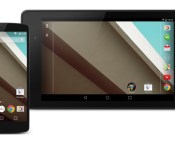
First Impression: Android L On My Nexus 5

Yesterday during the Google I/O keynote, Google announced the latest version of Android, simply named L. The actual name for the latest OS version has yet to be announced, but earlier today, Google released the Developer Preview. Needless to say, once I saw it was available, I sat down and installed it on my Nexus 5. As of right now, with the Developer Previews for L, you can only test them out on a Nexus 5 or a Nexus 7 2013, so not everyone with a Nexus can try out this version just yet.

After wrangling with Terminal, and making sure that I had the SDK and ADB installed properly on my MacBook Pro, I finally was able to get the developer preview installed on my Nexus 5, and I was off to the races. The set up for Android L is essentially the same as with any other Nexus device when you start it up for the first time, with the big Play triangle telling you to get moving. After I got connected to my Wi-Fi and signed in with my Google account, I was good to go.
Keyboard

The first thing I noticed different about L was that keyboard. I love minimal and flat designs, and when the keyboard popped up, I was instantly in love. The transition graphics from having no keyboard on the screen, to having the keyboard appear, is gorgeous. It’s fluid, and it’s just different. Whenever you find something you love, there’s always something about it that bugs you. Normal typing with the new keyboard was perfect, and never lagged once. However, once I started to use the gesture typing functionality, I ran into a few hiccups. The first being that as Google Keyboard is trying to guess what you’re typing, it would hang up, and I would end up with a fragmented sentence that made no sense. The second being that I would slide my finger from the A to the L on the keyboard, and the input would think I had stopped at the J. I’m not exactly sure why it did this, but I’ve just reverted to normal texting for a little bit.
Navigation Bar
Now before everyone starts freaking out about how to get this look, you can head on over to the AndroidGuys Get This Look section, and get the wallpaper, as well as the navigation buttons, so you can make your device look just like it’s running Android L. I’ll admit, when I first saw the screenshots yesterday of those navigation buttons, I was a little upset. I liked the older ones, and didn’t really think that Google needed to mess with anything like that, but the more that I use L, the more I’m getting used to the look of them.

Swiping up on the “Home” button will still take you directly to Google Now if you want it to, and the Square, is now your recent apps drawer, which is what threw me off the most. Speaking of the Recent Apps drawer, Google took to this section to also redesign the way it appears on your devices. The collapsible cards theme runs deep in Android L and is found here as well. If you want to close out an application, simple swipe away, like normal, or hit the “X” in the top right hand corner of each card.
Notification Drawer

Magnifique. Like most new things, there are pieces here and there that don’t make sense at first, but usually do later on. When I first pulled my notification drawer down, I just saw a few blocks, and I wasn’t exactly sure on what to do with them. There was also no ability to two-finger swipe to bring the settings toggles down. The overall design of the notification drawer, and the notifications that it holds, are beautiful. Just swipe your notifications left or right, like normal, to dismiss them, or tap on one to open the application, from which the notification came from.

At the top of the notification drawer, you can see the time, network status, battery life icon, and your Google+ profile picture, but if you swipe down from that bar specifically, you are presented with your quick toggles. Now these aren’t as robust as they used to be on previous versions of Android, but you get the most commonly used toggles such as Wi-Fi, Bluetooth, Airplane Mode, Auto-Rotate, Location, and a couple of newbies to join the group. There is still a brightness control slider at the top of the quick settings panel, and you can still get to the Settings application by tapping the gear in the top right hand corner, but in Android L, you can now turn on and off notifications (Do Not Disturb) and you can also Cast your screen to your Chromecast. We’ll get more in depth with that, later in the week.
Lock Screen

Just as with the Notification Drawer, the Android L Lock Screen has the collapsable cards that Google showed off during the I/O presentation. Smack dab in the middle of the screen is your lock screen clock, in all of it’s Roboto Light glory. When you have missed notifications, you no longer have to unlock the phone and then view the application. Simply tap twice on whatever notification you are trying to access, and your device unlocks and takes you to the corresponding application.

In the bottom right and left hand corners, are two shortcut icons. The icons on the right is for your camera, while the icon on the left is for your Phone. In order to access either of these applications, swipe in from the corresponding side, and that application will open up. If you swipe left or right normally, you will no longer be able to just unlock your phone, due to the unlock gesture changing to swiping up from the bottom of the screen. For some users, while charging your device, you can see how much time remains until your device is fully charged. I tried to see if I could be able to see that information, but I didn’t have the same luck as others that do.
Settings

The Settings application has also had a complete redesign from top to bottom, and there are a few additional settings that have been added to Android L. The first of which is Do Not Disturb mode. This is a feature that I LOVE on my iPhone because of the fact that I get tired of my device constantly buzzing or beeping or dinging while I’m trying to get some work done. The nice thing about this feature on Android L, is the different settings that you can manually toggle, or set depending upon who you would want to hear from if you were in the middle of doing something. You can also set specific times that you want Do Not Disturb to activate, so that you don’t have to worry about going in and turning the feature on.

While perusing around the various different Settings panels, you can see the different graphics in play. If you scroll all the way to the bottom, or all the way to the top, it appears as if a light blue wave has come across the top or bottom of your screen. Similar to the bounce that you can get when scrolling through your home screen. There are also animations whenever you tap a specific panel from within the Settings application, and while not necessary or detrimental to the build, Google definitely added a nice touch there.

Conclusion
I’ve been playing around with Android L for a couple of hours now, and while this is just a first impressions of Android L, there are a lot of things that Google changed up in it’s latest iteration of Android. Have you tried out Android L yet? What are your thoughts on it? Leave you comments and questions below, and we’ll be able to get back to you promptly. Be sure to keep your eyes out for the full breakdown later this week.
// <![CDATA[
(function()
var po = document.createElement('script'); po.type = 'text/javascript'; po.async = true;
po.src = 'https://apis.google.com/js/platform.js';
var s = document.getElementsByTagName('script')[0]; s.parentNode.insertBefore(po, s);
)();
// ]]>
The post First Impression: Android L On My Nexus 5 appeared first on AndroidGuys.
Google Glass gets no special treatment under UK data collection laws

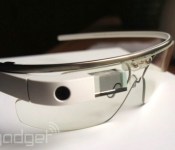
Google Glass is now available for general consumption in the UK, which means us Brits can start debating all the privacy and legal issues associated with people carting around cameras on their face. In reaction to the wearable’s launch, The Information Commissioner’s Office — the independent regulator of data protection, privacy and freedom of information rights — has decided to clarify exactly how Glass fits into current legislation. And, quite understandably, the spectacles don’t have their own set of special rules. Anything you record through Glass for personal, non-commercial use complies with the Data Protection Act, just like using a regular camcorder or taking a picture with your smartphone in a public place. Similarly, companies and other organisations need to comply with all the same rules governing the collection and processing of images and video they do currently.
It makes sense that Glass be treated like any other camera in the eyes of the law, but it’ll be an ongoing discussion as to whether the device and ones like it do need special treatment. Some businesses might considering making their own rules, too, as is becoming more common in the US. The UK has also yet to come to a conclusion on the Glassing while driving issue, although previous experience tells us more of a grey area than you might think.

What you need to know about Uber, Lyft and other app-based car services

For the first time last month, I requested a car using a smartphone. The app correctly guessed my location using GPS, gave me a ballpark arrival time with a real-time map, and even estimated the fare. A polite driver arrived on time and whisked me to my destination. When I tried to pay and tip, he explained that the payment was already taken (I’d receive a receipt by email soon) and that the service (Uber) forbade tipping.
Wait, what? No haggling, luggage fee, credit card refusal, time wasted on receipts or even tipping? This was an epiphany! But professional taxi drivers who pay thousands of dollars for a license are understandably not thrilled about these services. Neither are many cities (and regions) which collect those fees and say that Uber/Lyft/etc. are dangerous or improperly insured. The result of this clash, thus far, is chaos: bans, mass demonstrations and even violence. Despite all that, ridesharing poster-child Uber was recently valued at $17 billion. So, will app-driven car services gain traction or be run out of town?
WHAT IS IT?
Uber and Lyft are the best known services, but other players include Sidecar, Wingz, Summon and Hailo. In Europe, there’s also LeCar, SnapCar, BlaBlaCar, Djump, Heetch and Carpooling.com. Uber has several slightly different services: it still operates its limo-style UberBLACK, which requires drivers to have a commercial chauffeur license and insurance. Taxis can now sign up for a service called UberTAXI with their existing permits and insurance. Finally, there’s the pure ridesharing service UberX and an even cheaper version called UberPOP. For its part, Lyft and its pink ‘stache is ridesharing-only, but recently announced Lyft Plus, a premium service it says is cheaper than competitive offerings.
Believe it or not, SideCar and Lyft only launched two years ago. Uber arrived in 2009, but was just limos with apps until UberX launched in 2012. Oddly, the companies style themselves as “peer-to-peer transportation” platforms, not passenger services. So why the slippery terminology? We’ll cover that soon, but it’s largely about licensing, permits and insurance.

If you drive for Uber or Lyft (or Sidecar, Hailo and others) you don’t need a commercial license or commercial insurance. However, all the services require a clean driving record and Department of Motor Vehicles (DMV) check. They also perform a 10-year background check to ensure drivers have never been convicted of a violent crime, sexual offense or DUI (for example). Uber, Lyft, Sidecar and others also offer liability insurance for drivers, passengers and pedestrians for up to $1 million, but only if the driver’s personal insurance doesn’t cover an accident. Both Uber and Lyft now levy a $1 per-ride charge for insurance.
A driver who works for all three companies in San Francisco (let’s call him “Jasper”) told me that Lyft and Sidecar encourage drivers to be extra-smiley and friendly, complete with fist bumps. He added that Lyft tends to overdo it, however, and some drivers “don’t drink the Kool-aid” and aren’t crazy about the “look-at-me” pink mustaches — which aren’t optional, by the way.
HOW DOES IT WORK?

Most ridesharing companies have a smartphone app that works on iOS and Android. You need to sign up and give your personal details, along with a credit card or PayPal account. When you’re ready to find a ride, they all work about the same. You can input your location based on your GPS coordinates, and add your destination if you need a price estimate. Again, with Sidecar you must enter your destination when you order a car. Most will tell you how close the nearest ride is in minutes, and show the car arriving on a map. You’ll also get the name of your driver, their overall rating (for Uber and Lyft, it’s on a scale of one to five) and the type of car they’re piloting.
The nearest driver is dispatched based on their GPS location, and just before they arrive, you’ll receive a text message. “Jasper” told me that Uber’s driver app won’t transmit your destination to the driver, unlike Lyft and Sidecar’s app. Instead, he has to enter it manually when the passenger arrives, so most Uber drivers pack a second phone or GPS. However, Sidecar customers must enter a destination, which drivers like as it gives them a close idea of their fare. He said that many of his customers avoid Sidecar for the same reason, though — they’d rather not be bothered.

When I used UberX about a half dozen times on a recent trip to San Francisco, none of the drivers had a rating less than 4.7 out of 5. However, the quality of vehicles varied. I rode in an older, not-very-fancy (but clean) Toyota Corolla and in a new, deluxe Honda Accord. Some drivers were very familiar with the city and drove me efficiently to my destination (I checked), but a few times they overshot it or took a wrong turn. Incidentally, Uber drivers keep track of passenger ratings, too, but keeps them under wraps to avoid confrontations — a low enough passenger rating can get you kicked off the service. The only way to find out is to ask a driver, who may or may not reveal it. I was told that on all three services, if either you or your driver give a rating of three out of five or less, you’ll never be paired together again.
HOW MUCH DOES IT COST?
Once you arrive, the driver will stop the “meter” and that’s it. You can just say “bye” and split, because your fare has already been calculated and the payment taken automatically. Tipping isn’t permitted on most services, though 20 percent is automatically added on UberTAXI (that can be changed globally). So how much does it cost? That depends, but the chart below for San Francisco — the home base of Lyft, Uber and Sidecar — offers a rough idea. Most of the services come in around 10 – 30 percent less than a regular taxi…with some huge caveats. Uber’s infamous “surge” pricing, for instance, could make a trip much more expensive depending on demand, while Lyft’s happy hour pricing could make it much cheaper (which aggravates some drivers). UberBLACK, XL and VAN services are higher, more in line with the price of a taxi or limo.
| San Francisco Rideshare / Cab (regular rates) | UberX | Lyft | Taxi |
|---|---|---|---|
| Base Fare | $3.00 | $2.25 | $3.50 |
| Per Minute (waiting-only for taxis) | $0.30 | $0.27 | $0.55 |
| Per Mile | $1.50 | $1.35 | $2.75 |
| Safe Ride (or similar) Fee | $1.00 | $1.00 | $0.00 |
| Minimum Fare | $6.00 | $5.00 | $3.50 |
| Cancellation Fee | $5.00 | $5.00 | NA |
| Price for 5 mile, 15 minute ride | $16.00 | $14.05 | $18.95 |
[Source: Uber, Lyft, SFMTA — assumes 4 minutes of traffic/red light delays for cabs]
Sidecar allows drivers to select their own rates — either lower or up to 1.25x higher than the so-called community average (the company doesn’t post those figures). That lets users pick a driver with a low fee or, say, a high rating. Jasper told me, however, that Sidecar offers drivers some other interesting options. For instance, during their own commute, drivers can lower their minimum rate drastically to ensure they have a fare, rather than riding empty. If a neighbor goes to work at the same time, for instance, the driver could give him a cheap ride every day — a win-win deal.
How much commission ridesharing companies take is another interesting aspect. Jasper said that right now, Uber is charging a 20 percent commission while Lyft is charging zero in San Francisco. (He added that fees seem to drop when companies get new rounds of funding.) In addition, drivers can be offered bonuses for recruiting other drivers — Uber is reportedly offering up to $500 for new recruits right now.
WHAT’S AT STAKE?
It’s hard to see the downside of ridesharing for passengers. The increased supply of cars makes it easier to find a ride, for one thing — even if you prefer taxis. It also avoids the normal calling or wandering around to hail a cab, and gives you a status of your ride from the moment you request it. It’s often cheaper than a cab, and there’s rarely a dispute about unwanted fees or questionable route decisions. And the rating systems help keep drivers (and passengers) honest.
From a ridesharing driver’s perspective, it’s mostly all good, too. You’ll never get stiffed on a fare, and the services generally shuffle cars around efficiently, minimizing downtime. The pre-registration process and automatic ride logging also adds a safety factor for both parties. Of course, most cab drivers would rather that ride-sharing services go away. They see them as amateur interlopers who pay no hefty fees, but steal precious fares. As pointed out by the New Yorker, if peer-to-peer transportation companies continue on their current trajectory, they could put a lot of taxi drivers out of business. That would turn out to be bad for passengers in the end, too — with less competition, fares would go up.
WHAT’S THE ARGUMENT?
 A demonstrator kicks a car, suspected to be a private taxi, during a protest in Madrid, Spain
Ridesharing has two loud camps — which have literally come to blows in the past. Cab drivers call Lyft and Uber businesses-for-profit — not “peer-to-peer transportation” — and believe they should pay the same license fees and insurance as taxis. Cities, states and countries feel the same, in many cases. Uber started up in Vancouver last year, but was quickly shut down on the grounds that it was technically a limousine service and had to charge a minimum of $75 per trip. Similarly, it was barred in the state of Virginia and is technically illegal in all of Belgium.
In addition, though Uber now does thorough background checks, it wasn’t always so careful. Following an investigation by the Chicago Tribune, it had to apologize for hiring a driver with a felony conviction and was forced to redo thousands of driver screenings. Other black marks include an allegation of kidnapping against one Uber driver (the charge was dropped), and questions of insurance gaps for passengers. The new $1 fee for “passenger safety” and insurance addressed those issues, but one pundit noted that it was like paying a fee not to get assaulted.

On the other hand, taxis have a horrible reputation in many cities. According to the Washington Post, some 12,000 complaints were filed against cab drivers in Chicago through the city’s Business Affairs and Consumer Protection fields, or around 33 per day. Amongst those, one passenger cited a driver that left him at the curb when the driver saw that he had a guide dog, while another cabbie refused a customer that wanted to pay with a credit card. Worse, many drivers have been cited for racist behavior or flat-out dangerous driving. Ridesharing services say their drivers would be banned with the first sign of such behavior, or weeded out by lousy customer ratings. They also say there wouldn’t be a demand for their services in the first place if cab companies didn’t mistreat customers so poorly.
WANT EVEN MORE?

The best way to find out if ridesharing services are for you? Grab one of the apps, sign up and give it a whirl. You’ll find them by searching for Sidecar, Uber, Lyft et al on the iOS and Google Play app stores. Unfortunately, none of the major players have official Windows Phone apps at the moment — Uber did at one point, but the app was pulled. Uber also has a BlackBerry app. Lyft, Uber and Sidecar‘s blogs detail new city locations, service changes and other news. Uber also uses its blogs to discuss controversial topics, like the banning of cars in Brussels. You can check out the Washington Post’s story about the litany of Chicago taxi complaints, the Daily Beast’s argument against Uber’s $1 “safety” fees and why ridesharing insurance headaches could get worse. Forbes’ feature details the competition between Uber and Lift while GQ’s Uber Cab Confessions touches the industry’s sordid side. Finally, we here at Engadget have covered Lyft, Uber and Sidecar closely since ridesharing became “a thing.”
[Image credits: Uber, Lyft, Justin Sullivan/Getty Images, Paul White/AP]
Filed under: Transportation
Second Life’s second act will be a social network for virtual reality

Eight years ago, I was slouching through my college’s required mass-media course and silently groaning while my professor excitedly mapped out the promises of Second Life. That online virtual world, where players create items, clothes, buildings and more for actual sale, would replace the internet, she told us, and render the humble web page as outmoded as the Xerox machine. Her enthusiasm wasn’t unwarranted for the time: The first user to earn a million dollars on Second Life had just been featured in Businessweek, and Reuters had assigned a full-time reporter to cover that digital frontier.
Ebbe Altberg, CEO of Second Life-maker Linden Lab, admits the press’ overblown expectations didn’t match up with the early realities of the service. “There was this impression that it under-delivered,” he says, speaking from the company’s San Francisco office. “It was sort of unfairly overhyped and then got the backlash of the under-hype.”
“You find people today and they say, ‘Oh, is that still around?’”
That backlash eventually pushed Second Life out of Reuters‘ headlines (and my professor’s syllabus), but it didn’t shut the platform down. This week marks Second Life’s 11th anniversary and Altberg says it’s still turning a profit. Since its inception, $3.9 billion has passed through Second Life’s marketplace, of which Linden Lab pays out “tens of millions” of dollars to in-game creators each year. The privately held firm wouldn’t say exactly how much that adds up to on its own ledgers, but maintains its annual revenue is in the same ballpark as the $75 million figure given to SFGate last year.
Still, Altberg believes public perception could be better. “You find people today and they say, ‘Oh, is that still around?’” Not only is Second Life still going strong, but Altberg also says it’s as healthy as it has ever been. At its peak, Second Life was host to a little more than a million active users every month. Linden Lab staff members tell me this number has remained fairly steady over the product’s life, but it is lower today: tallying up to just under a million active users each month.

A Library of Congress exhibit in Second Life shows off a scan of the Declaration of Independence.
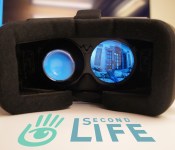
The state of Linden Lab’s public image doesn’t seem to bother the company’s new CEO. Altberg has only been with the company for a few months, but he speaks about Second Life with the pride of a founder. “We could argue that it’s the only meaningful virtual world that’s been created to this date,” he says. If there’s an opportune time for him to boast about Linden Lab’s experience building virtual worlds, it’s now: Facebook’s acquisition of Oculus VR has driven the concept of virtual reality back into the public consciousness. In fact, a beta version of Second Life that supports the Oculus Rift is available for users to test right now. But despite this, Altberg seems cautious about relying on VR as a lure to draw new users to Second Life’s world.
“We could argue that it’s the only meaningful virtual world that’s been created to this date.”
“We have to be careful,” he says. “We’ve learned from the past that — even though we’ve made tremendous things — it’s still a pretty steep learning curve.” For a second, it sounds like he’s bemoaning the difficulties of learning to cope with virtual reality and the simulator sickness that accompanies many Oculus Rift experiences, but he’s actually talking about Second Life itself. It’s true that Second Life features a suite of deep creation tools, vast user-created worlds and a marketplace healthy enough for some users to live off of their in-game creations — but the virtual world’s interface is complicated and difficult to learn. “I wouldn’t necessarily want to send an incredible mass of people to come to Second Life today,” he explains further. “Many of them would have the same opinion they had a year ago … It’s very easy for someone who would be an ideal user for our product to come in and end [up] in the wrong place and get a negative experience.” Virtual reality simply adds another level of confusion to the platform. The VR beta might be a fun distraction for die-hard users, but Altberg admits it’s not ready for mass consumption. “We’re not trying to make too big a deal out of it,” he says. “It’s still early.”
Linden Lab may have tacked Oculus support onto its 11-year-old virtual world, but the company’s interest in the headset probably lies with the future of its platform: Second Life’s spiritual successor. “We’re going to spend a ton of energy in the coming years on a next-gen platform,” Altberg says. “That’s a big project that we’ve kicked off since I came on board.”

A painstakingly crafted tribute to the Tudor era — just one of the creations Second Life’s citizens have contributed to the online world.
The project is only in the earliest of conceptual stages, but Altberg’s vision for the next-gen platform has it spanning almost every device its users could possibly own. “How do people interact with the world from their phone, from their pad, from their PC and from their Oculus? All of that we’re solving from the ground up with this new code base,” he says. “Multi-device from day one.” Altberg wants this new platform to be a virtual world that embodies everything Linden Lab got right with Second life, but bigger and more accessible. He also thinks of it as a development platform for new games and virtual reality experiences.
“We’re going to spend a ton of energy in the coming years on a next-gen platform.”
“It’s a platform,” he says. “In some ways, you could compare it to Unity.” Altberg wants developers to see both Second Life and its eventual successor as game engines they can build their content on. He tries to paint me a picture: “I’m going to build an experience that has virtual capabilities,” he starts. “Do I use Second Life? Do I use Unity? Do I use Unreal Engine? Well, if you want to use those [latter two], your technical ability needs to be a lot higher and you have to have a team. In Second Life, you just come in and start building.” If Linden Lab’s follow-up to Second Life has a good Oculus Rift implementation, he explains, then every experience on that platform can be an Oculus experience. “So, the bar of entry for anyone to be able to create an Oculus experience … it’s almost like we have the lowest bar possible,” he says.
Second Life can be many things to different types of users.
The more Altberg describes the concept, the more his vision for Linden Lab’s next virtual world sounds like the overhyped expectations Second Life was originally burdened with. His ambitions for the project are certainly high. “We’re building the next-generation platform for hundreds of millions of people; not for millions of people,” he says. This statement seems contrary to the platform he described to me earlier — Altberg wants Facebook-like user numbers, but also wants the platform to be complex enough to woo developers away from traditional game-development platforms like Unity and Unreal Engine.
When I ask him how he expects to attract 100 million users without dumbing the experience down, he balks a little. “Would you rather have a really deep and broad product that enables a ton of stuff, and it can only attract 50 million people,” he asks, “or do you want a really dumb product that can attract 800 million people? Or a billion people? You have to choose, sort of.” Sort of, but not completely — Altberg believes a versatile platform will give an initially small user base the ability to create experiences that attract a much larger user base. “If we can empower creators to create incredible things,” he says, “they, in aggregate, will acquire hundreds of millions of people.” In essence, what Altberg is aiming for is not a user base for Second Life or its successor per se, but rather users of specific experiences within those platforms.

A Second Life recreation of “The Man” from the annual Burning Man festival.
If anything, Linden Lab’s bid for the future of both VR and its own platform sounds more like Facebook than the multiplayer games most associate with the term “virtual world.” Second Life, and its eventual successor, may function on the surface as a simple 3D world where users can interact on a social level — but like Facebook, it’s also a platform that can support more complex experiences. Sure, you can use Facebook for mundane tasks like updating your status or looking at your mom’s vacation photos, but you can also use it to play games like FarmVille, UberStrike or Mafia Wars. Suddenly, Mark Zuckerberg’s interest in Oculus VR seems a little less strange.
“We’re building the next-generation platform for hundreds of millions of people; not for millions of people.”
Will the next “Second Life” replace the internet, outmode web pages and redefine online interaction as we know it? Probably not — I still think that college professor was crazy — but it might have a shot at being the first viable virtual reality social network if it can capture the attention of average users. “I feel like we’re in a very good place,” Altberg says. “We are the most experienced when it comes to this stuff. We’re bullish; we’re investing; and all the things that are happening around us with Oculus and the market getting excited about these things again [are] great for us. It’ll make it easier for us to attract talent.”
[Image credit: John “Pathfinder” Lester/Flickr (Library Of Congress/Second Life); Tudor Rose, Flickr / Hacsa Karillion (Tudor church); janet.powell/Flickr (Burning Man)]
Teardown of New 16 GB iPod Touch Reveals Same Internals and Layout as Larger Capacity Models
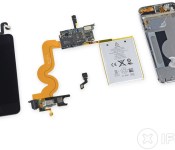
The teardown experts at iFixit have promptly torn down Apple’s refreshed 16 GB iPod touch, a day after the device was announced and went on sale. The $199 iPod touch is Apple’s new entry-level touch model, adopting the camera and color options of the existing fifth-generation models.

The teardown analysis of the 2014 16 GB model found no significant changes from Apple’s current 32 GB and 64 GB iPod touch models, which were released in 2012. This “refreshed” device includes the same components as the existing 32 GB iPod touch variant, but with half the storage.
At least, that’s the way this camera-laden, 16 GB iPod Touch came to be. We delved inside Apple’s “refreshed” device and found the same components we’d seen in Touches of yesteryear, but with 16 GB of on-board flash memory. So it’s not really that this 16 GB variant gains a camera — instead, it loses half of its 32 GB of storage.
Apple has on occasion taken the opportunity of minor product updates to test out new components, but there is little evidence of that occurring with the new iPod touch. Several of the chips have slightly different part numbers than seen on the original fifth-generation iPod touch teardown, but it is not uncommon for such components to be tweaked at times over a product’s lifetime. Overall, the layout of the logic board components on the new iPod touch appears identical to that of the original fifth-generation model, providing no evidence of any significant internal changes.
Besides hardware components, the 16 GB iPod touch also shares the same poor repairability of its higher capacity counterparts. As noted in iFixit’s original teardown of the fifth-generation iPod touch, the device received a 3 out of 10 repairability score because of its non-removable battery and linked components that must be replaced in groups.
Apple’s fifth-generation iPod touch is recognized for its ultrathin form factor and its bright color options, but the hardware is more than a generation behind, with an A5 processor and 5-megapixel iSight camera that put the device’s internals on par with the iPhone 4s.
Even with the relatively dated hardware, however, it is unclear when we should expect a more substantial upgrade for the line. Apple traditionally uses its September event to unveil new iPod hardware, but with iPod sales in decline and this recent refresh and price drop to rekindle interest in the device, it is unlikely that Apple will make further changes to its iPod touch lineup in the immediate future.
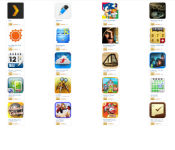
Amazon giving away $100 worth of apps today and tomorrow only

Good guy Amazon is offering up one heck of a deal this weekend for its Free App of the Day program. Starting today and running through tomorrow (June 28), you can take advantage of the Summer App Bundle which comprises some 31 apps and games. All told, the group is worth $100.
You can download any or all of these titles so don’t feel obligated to pick up apps you wouldn’t normally consider. We see some really fun games here as well a few awesome utilities; look around and tell us your favorites!
Travel and Weather Apps
- AccuWeather Platinum ($2.99)
- Travel Interpreter ($9.99)
- MobiLearn Talking Phrasebook, English-French-German-Italian-Spanish ($9.99)
- Pho.to Lab PRO ($2.99)
Productivity and Utility Apps
- Jump Desktop ($9.99)
- Root Explorer ($3.99)
- Notepad+ ($0.99)
- 2Do: Todo List | Task List ($6.99)
- Pocket Informant 3 ($9.99)
- Business Calendar ($4.99)
- Splashtop Remote Desktop HD ($8.99)
- MyBackup Pro ($4.99)
- Acalendar+ ($3.99)
- EZ Money Manager ($9.95)
- Plex ($4.99)
Fun & Games Apps
- Enigmatis: The Ghosts of Maple Creek ($2.99)
- League of Heroes Premium ($2.99)
- CrossMe ($4.95)
- Real Shanghai Mahjohn ($2.20)
- CLARC ($2.99)
- Pinball Deluxe Premium ($2.99)
- Wedding Dash Deluxe ($0.99)
- Sudoku 10,000 Plus ($2.49)
- Sonic the Hedgehog 2 ($2.99)
- Dungeon Village ($4.50)
- The Room Two ($4.50)
- Card Wars – Adventure Time ($3.99)
- Ravensworld: Shadowlands ($6.99)
- Loco Motors ($1.99)
- Dr. Panda’s Bus Driver ($2.99)
- PUZZINGO Puzzles (Pro Edition) ($14.99)
The post Amazon giving away $100 worth of apps today and tomorrow only appeared first on AndroidGuys.
The Banner Saga is coming to mobile in Summer 2014
There are many beautiful, unique games out there they strive to differentiate themselves in an increasingly saturated market, but The Banner Saga is one of those games that stands above most with its gorgeous animated visuals. For those who have never heard of The Banner Saga, the RPG/strategy game follows the journey of your Viking caravan […]
Keep track of World Cup 2014 on your Pebble thanks to Kimono Labs
The round of 16 is about the start at the World Cup 2014 in Brazil so it’s all about to get very serious in the world of soccer. If you’re the type of person who can’t be watching the television every minute of the day to keep track of the scores, maybe having the World Cup […]
Sony marries glowsticks and wearables for an unnecessary concert accessory

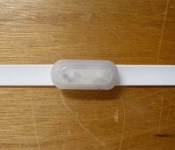
Remember FreFlow? Sony tested the concept of synchronized glow pens a couple of years ago at a few concerts in Japan, turning the audience into the spectacle (see the video below). Judging by a recent entry at the FCC, it looks like it’s set to go from prototype to product. Here’s how it works: when performers on stage wave the master pen around, concert-goers’ pens light up and change color in unison. There’s a master transmitter/controller to manage the works. We’re not sure how Sony would distribute them if they came to the US, given that concert venues and groups would have to support the devices. Either way, if you’re into that sort of thing it’s a lot easier than whipping out a smartphone — and less hazardous than a Zippo.
Source: FCC

United States planning legislation to offer Europeans the same privacy rights as US citizens

The United States government intends to offer European citizens the same privacy rights extended to US citizens. Exactly how it will do that is yet to be determined, but US attorney general Eric Holder this week told European leaders of the Obama administration’s intention to create legislation offering EU citizens “the same right to seek judicial redress for intentional or willful disclosures of protected information and for refusal to grant access or to rectify any errors in that information.” Holder made the announcement at a US-EU home affairs and justice ministers meeting in Greece this past Wednesday.
The news comes in the wake of a strained 12 months in US-EU relations; information revealed by former security/cryptography expert Edward Snowden showed that the US government spied on a variety of EU leaders, including German Chancellor Angela Merkel. Holder’s lack of specificity left EU leaders wanting for more. “Words only matter if put into law,” EU justice commissioner Viviane Reding told The Guardian. “We are waiting for the legislative step.”
The legislation that Holder and the Obama administration seek would offer European citizens the same rights that American citizens are afforded under the 1974 Privacy Act. The US Department of Justice explains the act as such: “The Privacy Act prohibits the disclosure of a record about an individual from a system of records absent the written consent of the individual, unless the disclosure is pursuant to one of twelve statutory exceptions.” Those “twelve statutory exceptions” are what you might expect, from statistical analysis (the census, for instance) to law enforcement, to credit bureau reporting.
Regardless, none of this is meaningful just yet — as Viviane Reding put it, “Words only matter if put into law.” We’ll have to wait and see what the Obama administration’s next steps are, as the announcement is little more than a more direct version of the same story we’ve been hearing for months.
[Image credit: AP Photo/Petros Giannakouris]
Source: The Guardian
 AIVAnet