


Samsung Confirms Android 4.4.2 Updated for Various U.S. Devices: Starts Today
 Samsung has confirmed a slew of their device that are set to receive an Android 4.4.2 KitKat update. Some we were already aware of, others not so much. The good news though, it looks like quite a few devices that some might not have expected will be getting an update. Samsung’s press communication this morning offers up a full list of which models will be gaining the update along with a few little bullet points on what it will do for those devices.
· Location Menu: An integrated location menu enables users to easily activate GPS, Wi-Fi and mobile networks, while simultaneously checking the battery usage of apps running location service capabilities.
· Enhanced Messaging: Enables users to choose between Messages or Hangouts as their preferred default messaging application, and select from a larger assortment of updated Emoji icons.
· Upgraded Google Mobile Service™ (GMS) apps: Users can automatically back up photos and video and can open, view, rename and share Google Docs and files.
The device list includes 14 various Samsung Galaxy model devices from a variety of carriers. Obviously some of these devices are flagship devices that are currently on multiple carriers which will mean that carrier updates will most likely be staggered even for the same model. They mention that “updates beginning today and continuing throughout the coming months”, but of course it will all on the carriers timeline. As we start to hear about and see various devices on various carriers start to receive their updates we will let you know.
- Galaxy Note 3
- Galaxy Note 2
- Galaxy S4
- Galaxy S4 mini
- Galaxy S4 Active
- Galaxy S4 Zoom
- Galaxy S3
- Galaxy S3 mini
- Galaxy Mega
- Galaxy Light
- Galaxy Note 8.0
- Galaxy Tab 3
- Galaxy Note 10.1
- Galaxy Note 10.1 (2014 edition)
If you happen to see the Android 4.4.2 update hit your device give us a shout out in the comments and let us know the device, carrier and file size if you wouldn’t mind.

Rock Band and Guitar Hero creator’s next game is Chroma, a free-to-play rhythm-based shooter (yes, really)

Harmonix is charting new territory yet again. The studio that birthed both Guitar Hero and Rock Band, and the only third-party game-development house that created a successful Kinect franchise (Dance Central), announced a new game today: Chroma. Unlike the studio’s last several games, Chroma is headed exclusively to the PC (via Steam) as a free-to-play title. Also unlike Harmonix’s last several games, Chroma is wildly experimental, blending first-person shooting with pulsing electronic beats and garish visuals. The music game studio is even working with an outside team, Hidden Path Entertainment: the same folks behind critically acclaimed shooter Counter-Strike: Global Offensive.
If you’re still wondering what type of game Chroma is at this point, that’s understandable: There’s no such thing as a music-based first-person shooter. That is not a thing that exists (well, unless you wanna count Midway’s terribly amazing Revolution X). So let’s break it down: In Chroma, you play one of five classes (standard FPS fare, from basic assault to heavy “tank”), with weapons and abilities varying based on the class you choose. In the two game modes we played at DICE 2014, we were on a team with other writers battling for control of various points within a level or battling for control of a cart being pushed one way or another (think: Team Fortress 2). Pretty normal shooter stuff so far, right?
The musical wrinkle comes into play whenever you shoot or jump. Fire a sniper rifle shot on the downbeat and connect? That’s a one-hit kill. Jump on the downbeat? You’ll go a little higher. Better yet, jump on a downbeat on a jump pad and chain your button presses to the beat to continuously jump from pad to pad (this all makes more sense in Chroma‘s stylized future-world setting, promise). You can fire most guns whenever you want, and jump at any time, but timing actions to the beat makes a world of difference. That is Chroma‘s bizarre, fascinating premise.
Though we’re sold on Chroma‘s ambition, playing it — at least right now in Alpha form — is a mess. Not just because it’s early, but also because there’s a tremendously steep learning curve. Playing as any of the more advanced classes (engineer, tank) is nigh impossible, as even basic shooting is governed by matching trigger pulls to the beat (we played with an Xbox 360 gamepad, but a mouse/keyboard combo works as well). A visual indicator on-screen helps the rhythmically handicapped with upcoming beats, but even veteran beat masters will have a hard time juggling character control, map navigation, aiming and shooting while at the same time trying to match shots to the beat (not to mention lining up the timing of hitting an enemy with the rhythm of the in-game music).
Beyond being an incredibly risky blend of two totally different game genres, Chroma will live and die by providing a lag-free experience. The game’s dependence on rhythm while also being an online-only shooter means that any lag results in an extremely off-balance game. And all it takes for players to walk away from a free-to-play game is, well, anything. It’s free, right?

As a veteran of FPS games and a longtime Guitar Hero/Rock Band/Dance Central player, Chroma simply threw too much at me at once. It’s hard enough to learn a new level, parse a game type and master basic shooting mechanics without having to also figure out how rhythm fits into that. Frankly put, rhythm is too complex an input to add to a genre (FPS), which is already packed full of inputs. At least that’s how it felt after playing a few rounds of Chroma last week. For what it’s worth, the reps from Harmonix were all keenly aware of the barrier to entry and assured us that a rigorous training program is being created.
Thankfully for Harmonix, enough good will was built up by past work to give us pause before outright writing this off. We’ll give Chroma another shot when it becomes available in closed Alpha this month (sign up right here). Harmonix isn’t giving its new game a hard release date just yet, but says to expect wide availability by “this fall.”

Google buys SlickLogin, looks to swap passwords for inaudible sound waves

If Google’s latest acquisition is anything to go by, entering a password on a website could soon be as easy as placing your smartphone near your computer. Israeli startup SlickLogin confirmed today it has become the latest company join Mountain View’s ranks (although it’ll work from Google’s local offices), bringing its patented sound-based smartphone technology with it. While neither party has disclosed much information, Google’s intentions seem clear: the company already offers its two-factor authentication tech free to everybody, but it can be a pain to enter a six-digit authentication code (which changes every minute). SlickLogin’s system, however, requires no additional technology, just place your phone near your computer and inaudible sounds played through the speakers take care of the rest. The Israeli team says Google is already “working on some great ideas that will make the internet safer for everyone,” except maybe from your dog, who could hear all of your future passwords.
Filed under: Internet, Software, Mobile, Google
Via: TechCrunch
Source: SlickLogin

Microsoft reportedly prepping Office for iPad to release in the first half of 2014

While Microsoft Office Mobile for iPhone released last summer and we’ve yet to see software release for Apple tablets. Not only is the slate-focused productivity suite alive and well, it’s apparently going to launch before July. ZDNet reports that development of Office for iPad (codenamed Miramar) could allow for its debut ahead of the touch-friendly Windows 8 version. This means that the previously reported fall 2014 timeline has been accelerated, and Microsoft may release the iPad version as soon as it’s ready — rather than keeping it under wraps until Q3. As Mary Jo Foley notes, the iOS package will likely require an Office 365 subscription and tap into OneDrive as its main storage repository. For now, we’ll just have to wait and see — but that wait could be shorter than initially expected.
Filed under: Tablets, Software
Via: The Verge
Source: ZDNet

Necessary violence: The creators of The Last of Us defend its reliance on combat

PlayStation 3 exclusive The Last of Us was the most successful game of 2013. That’s not just sales (it sold extremely well, to the tune of 3.4 million in its first three weeks), but also critical reception (an average Metacritic score of 95/100 and it swept game of the year awards across the game industry in 2013). Last week, The Last of Us earned development studio Naughty Dog a whopping 10 wins at the annual DICE awards show in Las Vegas — considered the Oscars of gaming.
With Naughty Dog’s past creating hit franchises like Crash Bandicoot, Jak & Daxter and Uncharted, The Last of Us leads Neil Druckmann and Bruce Straley aren’t strangers to success (these guys led development of Uncharted 2, another extremely successful game). Their latest work is a tremendous departure.
Critics drudge up vocabulary to describe The Last of Us that’s rarely used in game criticism: “emotionally grueling,” “I wanted to fight for them.” Beyond just being a thoughtfully told story in a video game, The Last of Us takes a bold step in largely skipping combat. Most encounters can be outright ignored, traded for tension while the game’s two main characters (Joel and Ellie) slip past “infected” or, worse, the terrible other human beings in the post-apocalyptic future. The Last of Us is the rare triple-A game that dares to be emotionally engaging and eschew violence as the only form of gameplay.
“We were unsure if people would get into it or not,” Druckmann told us in an interview last week. We’d asked about the cinematic moments — the giraffe scene, that gut-wrenching ending — and why Naughty Dog had bothered with so many combat scenarios in such a story-focused, risky game. “We were pleasantly surprised to see that people are very much into it.”
In fact, the criticism heard most loudly by the TLOU team specifically focused on combat: too much, too often, and too arduous. “For ourselves, compared to previous games we’ve made, this has way fewer encounters, and those encounters you fight way fewer enemies,” Druckmann said. That reticence to move away from combat isn’t unique to Naughty Dog, though — the majority of so-called “triple-A” games feature combat as the primary interaction (last year’s holiday hits, for instance: Call of Duty, Assassin’s Creed, Battlefield, etc.).
The Last of Us — though bold in many ways — still featured combat as the primary interaction. Rather than focusing on combat as a means to achieve objectives, it was more a necessary evil to lead the game’s fragile protagonist duo to safety. “A lot of developers, not just triple-A, but a lot of developers do use combat as a crutch,” Straley told us. He defended its use in TLOU, however, as a vehicle for contrast against the game’s emotionally resonant moments. “The contrast for us is more about trying to balance the two so that you have both ends of the spectrum, because you have to have the dark to have the light.”
Would The Last of Us work without combat? Perhaps, Druckmann said, but it’d have to tell a different story. “Say you wanted to tell a story about an archaeologist that doesn’t involve Nazis. As soon as you have conflict, where someone’s taking out the guns trying to kill you, then as people you would rise to that conflict,” he said, in reference to Indiana Jones. He argued that we accept the fantasy of that world (and the murderous protagonist who comes with it), and the same happens in games: Nathan Drake is acceptable in Uncharted because he’s built into a world where Nathan Drake makes sense.

Given the response to TLOU from players and critics alike, Druckmann and Straley explored the possibility of throwing away combat altogether in the game’s final playable addition: a side story prequel featuring Ellie and a new character, titled “Left Behind” (available this week). In the end, they decided against that, though the Left Behind addition features even less combat than the main game. Druckmann explained:
“What if there were no infected in this game? What if there was no combat at all in this additional chapter? And we feel like we would lose something that’s really integral to The Last of Us, which is that contrast. The giraffe sequence works because of all the horrible things you’ve done and experienced in the Winter section. Otherwise I think the giraffe sequence would feel pretty flat without the surrounding bits to it. The ending works well because, as Joel, you’ve done really horrible things in that hospital. Maybe we could argue about the number of encounters, or how many enemies should’ve been in the hospital, but we definitely feel strong that there should’ve been a fight, a kind of murdering spree to get to Ellie, because that says something about Joel and what he would do to save someone he loves. Because ultimately that’s what those arcs of the character were: how far they were willing to go to save someone they really care for.”
Though TLOU is finished (read: no sequels, no more DLC — Naughty Dog’s calling it one and done), the lessons learned in the process are far reaching. “We have to check in with ourselves as developers and figure out what are we after here,” Straley told us. Will the next Naughty Dog game still feature combat as the main form of interaction? Perhaps; it all depends on the story that the team wants to tell. “As long as we’re still flexible to check in on what we think is acceptable and what kind of stories and experiences we want to deliver, then we’ll constantly push ourselves. And that’s exciting,” he said. Like Naughty Dog, we can’t predict if what they make next will be a success, but we sure do want to play it — whatever it is.
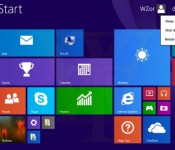
Windows 8 sales pass the 200 million mark, still trail Windows 7’s success

Back in May, Microsoft announced over 100 million sales of Windows 8, but how much progress has the software made now that we’re in 2014? Today the company reported shipment of more than 200 million Windows 8 licenses. As usual, Microsoft didn’t specify whether or not that figure includes Windows RT licenses as well.
Naturally, those numbers mean nothing without context. Compared to Windows 7 sales a few years back, the latest-gen operating system is lagging. Windows 7 passed the 240 million mark within its first 12 months on the market, while Windows 8 is just hitting 200 million after more than 15 months of availability. Several reasons factor into Windows 8′s slower pace — among them lackluster sales of Microsoft’s Surface tablets and a shortage of touch- and tablet-optimized apps. The company hasn’t said much about the upcoming Windows 8.1 Update 1, but rumors point to better compatibility with budget tablets and an interface that favors the classic desktop over the Start screen. Look for that update to hit the market in April.
Filed under: Desktops, Tablets, Software, Microsoft
Source: ZDNet

KitKat Update Rolling out for Sprint Galaxy S4 Owners
 Looks like it could be a very happy Valentines Day for you guys rocking a Samsung Galaxy S4 on Sprint. Sprint has announced that the rollout of the the Android 4.4.2 KitKat update has begun today. The update will jump to software version L720VPUFNAE.
In typical fashion the update is rolling out in phases beginning today and is expected to be completed by March 9th. We have read conflicting arguments on if manually checking for the update really does any good or not. It doesn’t hurt to try, right? Head into Menu > Settings > More > System Update> Update Samsung Software > Check Now. Be sure you have ample charge on your device, a solid Wi-Fi connection and some time for the update to download. If you do happen to pick it up let us know in the comments. Particularly the file size as Sprint failed to mention that one.
Source: Sprint / Samsung via AndroidandMe

Android 4.3 Rolling out for Sony Xperia T, TX, V and SP
 The Sony Mobiles blog site has announced a fairly aggressive Android 4.3 update today that covers four different models of Xperia devices. Technically only three as the XPeria SP rollout of Android 4.3 began last week. now they are starting the process for the Sony Xperia T, Xperia TX and the Xperia V. Check out what is new and coming for you guys.
- Google’s Android 4.3; Jelly Bean as standard – bringing Project Butter performance & UI response optimisation and a smoother graphical experience
- We’re also uplifting Sony’s entire native app portfolio to the latest versions – bringing tweaked / improved / current experiences for (to name but a few): Messaging, Smart Connect, Small apps, TrackID, Sony Select and
- Sony’s Media apps: WALKMAN, Album and Movies, with Sony Entertainment Network cloud service integration* – a more converged and full Sony entertainment experience – Sony Entertainment Network & PlayMemories integration with a more intuitive UI, offering seamless access to both local and cloud conten
- The launch of our unique custom interface experience: “Xperia Themes”, with downloadable UI packs from Sony Select – more on this soon…
- The latest Android security enhancements, matched with Sony’s mobile enterprise solution: Xperia in Business
- Battery STAMINA Mode – updated version of Sony’s power management app, now with refreshed interface and more smart options for prolonging battery life
While the software is available for the various devices those carrier and market specific versions might be delayed slightly, or might not come at all. Any of our global readers seeing the magical update yet?
Source: Sony Mobile Blog

The best alternatives to Google’s own Android apps

As Android has evolved, Google’s worked increasingly hard to keep users locked into its ecosystem. The search giant creates new apps, retains users by giving them a thoroughly decent out-of-the-box experience and then charges device makers for a license to embed them on their phones and tablets. Its constant iteration has helped it stay ahead of the pack for some of its services, but many fall short, leaving users to find something better. The official Gmail app: it’s fine, really it is, but if you want unified inbox support, productivity features or the ability to pull emails from more than one place, you’re left wanting. This sort of limitation can be found across Google’s stable of apps, from messaging to the calendar and camera interface. We’ve trawled Google Play to find software alternatives that — dare we say it — do a better job, at least with certain tasks. So please, whip out your phone and give them a go.
What we’re looking for here is an app that can deliver Google-style levels of reliability, while also being open to non-Google inboxes and offering enhanced features for power users. Luckily for us, there’s no shortage of apps that can do just that.
CloudMagic (Free)

The clue’s in the name, really. Capable of integrating Gmail, Exchange, Yahoo, Outlook, iCloud, Office 365 and IMAP accounts at once, this app uses its cloud algorithms to make your emails easier to find. Unlike Gmail, the clean interface on show here offers a unified inbox that lets you left-swipe emails to perform any one of three actions, a bit like Tinder for the office.
AquaMail (Free/$4.99)

Optimized for both smartphones and tablets, AquaMail offers multi-account support and a simple user interface. Yes, it does look like Gmail, but the team behind AquaMail has constantly refined the interface to make it as easy to use as possible. This includes a dedicated attachments tab at the top of each email, fullscreen modes and a smart inbox. Grabbing the paid version removes the two-account limit and drops the promotional signature attached to all outgoing messages.
We also like: Evomail, Solmail and MailDroid.
Messaging
With the launch of Android 4.4 KitKat, Google ditched its pre-loaded SMS app to let users choose their own. Hangouts became the de-facto starting place, but plenty dislike the app’s inability to properly unify chats and texts under one contact. So here are some solid alternatives.
Textra (Free)

In the migration away from Hangouts, some have resorted to Textra, a messaging app that offers deep customization for notifications and a time-saving quick-reply popup that lets you respond to messages without fully opening the app. Simple in design, Textra handles huge inboxes with no noticeable slowdown, something you’ll appreciate if your friends don’t use Whatsapp.
Hello SMS (Free)

Dropping the inbox for tab-based interface, Hello SMS’ minimalist design puts interactions first with contact names and photos on its left sidebar. If you find yourself in a never-ending group text, the app will intelligently combine messages from up to 15 contacts so you’re not left with a messy inbox. Hello SMS’ one-touch camera interface also lets you send selfies to your friends in double-quick time.
EvolveSMS (Free)

Like Hello SMS, EvolveSMS uses a tabbed interface to showcase your messages. It’s better looking than its rival and displays important information like names, numbers, call options and attachment options inside conversations. While group messaging, message popups, gesture support and notification customization come as standard, additional features are available via in-app purchases. If you decide to upgrade, you’ll get extra theme options, social cover photo integration, scheduled messaging and backup options.
We also like: 8sms and chomp SMS.
Calendar
Calendar apps have pushed forward on iOS in the past year, but Android users have seen little change compared to their Apple-loving counterparts. Google’s own is functional and intuitive, but lacks inspiration. If you’re looking for something that goes beyond the traditional grid-based format, check these apps out.
Cal (Free)

Any.do decided to take a different approach with Cal. Sure, it still features gCal support, but it also includes a number of social and productivity features that stand out thanks to its stylish UI. If you have a task listed in Any.do, it’ll pop up in your schedule beneath your planned events. Connect your Facebook account and you’ll be notified of everybody’s birthday, letting you send them a text, email or post on their wall in celebration.
SolCalendar (Free)

With stickers and various themed widgets, SolCalendar is certainly different than most calendar apps on the Play Store. It might not be to everyone’s taste, but it’ll let you add events with a single touch, litter them with birthday cakes and smiley emoticons and display them using any of its 40 home screen widgets. SolCalendar’s neat weather notification also checks the elements, giving you the chance to pack an umbrella before you head out the door.
Agenda ($2)

Coming to Android a little while after iOS, Agenda’s, erm, agenda, is to display all of your calendars in a single and easy-to-read feed of upcoming events. All of the traditional daily, weekly and monthly views are there, letting you create appointments with a single tap. The simple black-and-white interface might not be for some, but it’s certainly helpful if you like to mix work, play and everything else in between.
Keep an eye out for: Sunrise — expected to launch on Android in the coming months.
Camera
One of the weakest built-in Android apps is the default camera app. Google admited it isn’t as good as it should be, prompting it to improve the camera on the Nexus 5 and roll out additional photography settings on newer Android devices. If you’re stuck with an older phone or want to try something new, try these camera app replacements.
ProCapture (Free/$3.99)

Apps like ProCapture go heavy on features and skimp on glitzy UI to make your photos stand out. It offers a high-quality panorama mode, timer, burst, wide shot mode and noise reduction, keeping the focus on shooting modes instead of after-effects. The full version includes support for higher resolutions and touch-to-focus, so we’d recommend the upgrade.
Camera Awesome ($1.87)

SmugMug’s Camera Awesome looks a bit like Apple’s iOS 6 camera app and comes packed with clever features like two-finger focal adjustments. Even better, you can tweak the ISO, white balance and exposure settings all from the screen. Add in a full screen shutter button, burst shot, HDR mode, timer, panorama and social sharing and you’ve got yourself a whole lot of camera app for very little money.
Camera Zoom FX ($2.99)

If filters and after-effects are exactly what you’re looking for, Camera Zoom FX has more than you could possibly need. Without ruining your original images, the app features over 90 built-in filters, frames and effects that range from the sublime to the ridiculous. If you ever wanted to have a virtual photo taken with the Queen, look no further.
We also like: Instagram, VSCO Cam and Pixlr Express
Productivity
While Google’s Keep is a supremely fast and extensive app, self-confessed productivity nuts may feel its simple approach doesn’t deliver enough features. Although Android is overflowing with apps focusing on lists, notes and photos, many don’t hit the right notes. Here are our recommendations.
Evernote (Free)

Evernote is a heavyweight note-taking app, in terms of both features and actual size, supporting lengthy text input. It provides an easy way to add lists and save audio notes, indexing them for later searching. With apps on every major platform (including the web), you can tweak your grocery list anywhere there’s an internet connection.
Any.do (Free)

Any.do, a to-do list app from the makers of Cal, is an amazingly powerful to-do manager that offers cloud sync, time-saving gestures, missed call integration (ever wanted to turn them into reminders?) and auto-suggestion features as standard. Once you become a little more acquainted with the app, you should try its voice support: not only will it transcribe your words into text, but you can do so in a variety of languages.
We also like: Todoist, Microsoft OneNote, Springpad, Quip and Remember The Milk
Wrap-Up
Before we finish up here, we can’t resist a few more recommendations. Google’s done a great job of porting Chrome from the desktop to mobile, but Dolphin Browser and Mozilla Firefox both offer unique features not found in the search giant’s app. If you wake up one day and find you don’t like the default Clock app, we suggest you check out Timely, even if it is now owned by Google. Also be sure to take a look at QuickPic if you’re after a solid replacement for Google’s Gallery and Photos apps — just don’t ask us why Google decided it needed two apps to handle the same function.
If sampling the best Google Play has to offer isn’t for you, Android’s default apps are constantly being refreshed to deliver additional features. Apps are one of the reasons why the OS has passed one billion activations, after all. Developers focusing only on a handful of apps may be the first to innovate, but it often prompts Google to incorporate features it’s seen elsewhere. While this list won’t stay up-to-date forever, some of these apps have remained popular since Android’s early days and the newer suggestions still have plenty of life in them yet. If you think you have better app recommendations, we’d love to hear them.
Filed under: Cellphones, Tablets, Internet, Software, Mobile
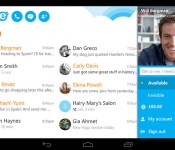
Skype’s new tweaks will sync all your devices and notify you quicker

One of the downsides of owning a smartphone, tablet and a computer, is that you can miss important messages if they only land on one of that trio. That’s the thinking behind the latest Skype update, which will now sync your chats across all of your devices. The tweaks also bring push notifications, alerting you to new messages and, perhaps best of all, delivery receipts, so you’ll always know exactly when your missives have been read — or ignored.
Filed under: Software, Mobile, Microsoft
Source: Skype
 AIVAnet