


Chrome tool lets you see what web apps are really doing

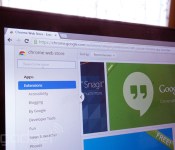
Ever get the nagging feeling that a Chrome web app or add-on isn’t entirely above board? You now have an easy way to prove it. Google has posted a new version of a Chrome developer tool that lets you see just what your apps and extensions are up to. While it’s meant for programmers, it should be helpful if you’re simply concerned about privacy or security; if a weather app is inexplicably changing pages or sifting through your history, that may be your cue to uninstall it. The tool isn’t all that vital now that Google is starting to cut off extensions that don’t come from the Chrome Web Store, but one additional safety net won’t hurt.

Filed under: Internet, Software, Google
Source: Chromium Blog

Oculus VR explains why mobile virtual reality won’t poison the well

With all the talk of high-fidelity virtual reality coming from Oculus VR — the virtual reality headset company that’s now part of Facebook — it’s easy to believe that the only type of VR is PC-based. But that isn’t the case! Beyond what we learned recently about Samsung and Oculus working on a VR peripheral that uses your phone, Oculus has been open about working on a mobile software development kit for some time now. Heck, we even spoke with Oculus CTO John Carmack about it last year. “I think you’ll see the mobile SDK launch publicly before the consumer Rift comes out,” Oculus VP of Product Nate Mitchell told us this week at E3 2014. Beyond Samsung, a handful of developers are “experimenting with some high-end Android devices … building experiences and seeing what’s possible.”
But here’s the issue: Great VR requires serious horsepower. While the current range of flagship Android mobile devices are pretty powerful, they don’t hold a candle to even low-end gaming PCs. In so many words, isn’t Oculus worried that a subpar, Android-based VR experience could poison the well for the full Oculus Rift coming down the line? If your first experience with VR is a bad one, you may never try it again. “That’s a completely fair statement,” Mitchell said.
At the same time, he also said, “The fidelity that you can experience on mobile is pretty killer.” So, which is it? It’s sort of both.
“That’s a big reason why we’ve been holding it back,” Mitchell told us. “We’re really focusing on polishing it [the SDK] to get to the quality level it needs to be before we release it more broadly. And a lot of the key developers — it is in the hands of some key game developers who are working with it now — are making great progress.” He wouldn’t say exactly which mobile devices that devs are working with, but he did say it’s running on current “flagship” hardware (think: the Galaxy S4 — which is exactly what we heard is the phone powering Samsung’s headset).

As far as when we’ll hear more about Oculus VR products you can actually use at some point in 2014, Mitchell and co. say they’re holding back for “the latter half of the year.” When we speculated aloud that maybe such announcements were being held for an Oculus-run conference, Mitchell laughed and said, “Who can say?” The best he’d give us was this:
“As we move into the second half of this year and into 2015, there’s a lot of good stuff planned. It’s hard to say what consumers should expect because we’re still defining that ourselves, but with [Jason] Rubin on the content front, [Jason] Holtman on the platform front and then more excitement on the hardware side with some things we haven’t quite announced yet, plus the first-party content stuff. It’s gonna be an exciting… whatever! Future!”

PlayStation at E3 2014: an interview with Worldwide Studios head Shuhei Yoshida

Sony Computer Entertainment’s Shuhei Yoshida wants his company’s new game-streaming service, PlayStation Now, to be the Netflix of gaming. When it launches later this summer, it won’t be. In fact, it’s launching in open beta. “We have to walk before we run,” Yoshida told us in an interview this week at E3, the game industry’s big annual show in Los Angeles. He sees the service as a long-term plan, part of Sony’s ongoing initiative to bring PlayStation games to many devices. And that plan is just kicking off.
Beyond taking our questions, we also asked you fine folks for your questions. Yoshida, gregarious as ever, took the time to answer each; you’ll find that video below.
Your Chromebook now sends photos to Google+ in the background

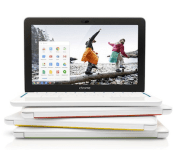
To date, Chrome OS has only backed up photos to the cloud as long as you left the Google+ Photos app open; that’s a hassle on the frequently limited screen real estate of a Chromebook. You won’t have that headache if you grab the updated Photos app, however. The new version automatically uploads snapshots from your SD card in the background, even if the app is closed; you can move on to email knowing that all those vacation pictures will be safe. It’s a simple addition, but it should make a big difference if you’re planning to go on photo safaris this summer.
Filed under: Laptops, Internet, Software, Google
Via: The Next Web
Source: Chrome Web Store, Oren Blasberg (Google+)
SwiftKey Goes FREE with Theme Store, Takes Care of Previous Buyers Too
SwiftKey is one heck of a replacement keyboard for your Android device. It has been around for ages. It has been on sale, it has been updated with new features and more. It hovers at 4.7 star rating and the Play Store puts it between 1 million and 5 million downloads. SwiftKey is one keyboard that many have tried and that many still use today. I am here to let you know that a pretty damn great update is hitting SwiftKey that will make many of you extremely happy, I hope.
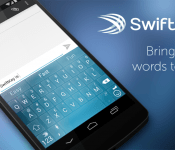
 As of today, the official paid version of the keyboard, which is usually $3.99, is shedding its price tag and going totally free. No, this isn’t the current free limited version, nor is it a promotion of any kind. As of today, SwiftKey will cost users nothing out of pocket to own the full version. Before all you guys out there that paid for the app at $3.99 get all hot and bothered and feeling cheated, there is news for you too. All current owners of the keyboard app will be given access to a 10 pack of premium themes that cost $4.99, for absolutely free. The FREE premium theme pack is only for past users who have bought the keyboard. New owners will have to pony up the pocket change for them. Personally, I think it is a very good move on SwiftKeys part to repay the ones that paid and have helped them be successful.
The move to free isn’t the only news though. The update also brings in support for over 800 Emoji’s that are directly integrated into the keyboard functionality. If that isn’t enough, there is also a new prediction feature that learns how you use Emoji’s and will predict them as you type.
SwiftKey co-founder and CTO Ben Medlock said: “With the latest version of SwiftKey Keyboard, we’re providing an even more intuitive and personalized experience for our users, which they’re increasingly expecting. We’ve expanded our design team to focus on developing creative and beautiful user experiences. Our commitment to innovation has never been stronger and we are looking forward to sharing more exciting developments in the future.”
SwiftKey co-founder and CTO Ben Medlock said: “With the latest version of SwiftKey Keyboard, we’re providing an even more intuitive and personalized experience for our users, which they’re increasingly expecting. We’ve expanded our design team to focus on developing creative and beautiful user experiences. Our commitment to innovation has never been stronger and we are looking forward to sharing more exciting developments in the future.”
The remaining particulars of what is now included in the new free and updated version of SwiftKey are as follows:
SwiftKey Store
Stocked at launch with over 30 brand new themes, the SwiftKey Store will be regularly updated with fun customizable content.
New default theme
In addition to the new themes in the Store, SwiftKey Keyboard now features a clean new default theme design, ‘Nickel’, available free to all users. Nickel was designed to be a modernization and ergonomic improvement to SwiftKey’s ever-popular Cobalt theme.
Emoji Prediction
SwiftKey’s trademark prediction technology learns and proactively suggests from more than 800 emoji which are most often used with specific words and phrases.
Number row
Due to popular demand, this latest update introduces an optional number row for quick access without switching layouts or using long-press.
Improved prediction engine
Investment in SwiftKey’s core technology is higher than ever with a host of prediction engine improvements, including better support for complex languages and multilingual typing. Capitalization has also been enhanced, as well as the technology’s overall learning ability.
New language support
Support for Belarusian, Mongolian, Tatar, Uzbek and Welsh has been added.
New and improved flow trails
This gesture-based feature has been improved for better visibility and faster, more accurate input.
*Emoji are only supported on Android versions 4.1 and above. To enable emoji prediction, go to Settings > Advanced, and select the box marked “Emoji prediction.”


 So, if you have SwiftKey already, go update and be sure to grab your new 10 premium theme pack. For those of you that just couldn’t convince yourself to buy it at $3.99, or when it was on sale a dozen or more times, now is your chance to get it. Hit the link below and enjoy.
//<![CDATA[
ord = window.ord || Math.floor(Math.random()*1E16);
document.write('’);
//]]>

SwiftKey’s Android keyboard is now available for free

Of the third-party keyboards available on the Google Play Store, SwiftKey is among the oldest and most well-known. And although it’s getting its iOS8 app ready for the fall, it certainly isn’t forgetting the platform that helped the $4 app get its big break. With today’s update, SwiftKey’s premium Android keyboard is now permanently free of charge. This is great news for fresh users, and the loyal folks who’ve previously purchased the app won’t be left out of the update: Legacy customers will get a $5 theme ten-pack for free. Additionally, the refresh also comes with a SwiftKey store (with 30 themes available at launch), a number row and over 800 emoji. Many of the features in this update were offered as part of a beta, so it’s refreshing to see them added into the final product.

Here’s what made Grim Fandango a legendary adventure game

When Double Fine said that it was reviving Grim Fandango for PlayStation systems, you may have been left scratching your head. Why remake a nearly 16 year old adventure game that many of today’s players would have never seen? Well, some of the original developers are more than happy to explain through a new mini documentary. They argue that the title was full of creative and technological breakthroughs. The setting was a unique fusion of Mexican folklore with film noir, and it was one of the first adventure games to embrace the possibilities of 3D. Rather than rely on an obvious point-and-click interface, it included then-novel concepts like using head tracking to point out interesting objects.
The company also had some practical reasons to push for a remake. Simply put, older disc-based games like this are increasingly unplayable; you may have to bootleg a copy and hack it just to play at all. Disney (which got the Grim Fandango license after buying Lucasfilm) wasn’t using the property, either, so there was nothing to lose by modernizing it. The retrospective may not get you to fork over cash for the PlayStation port, but it might give you a sense of why the Double Fine crew would resurrect a title that could easily have faded into history.
Filed under: Gaming, Software, Sony
Source: PlayStation Blog

iTunes Radio expands sports and news offerings with ESPN and local NPR stations

NPR came to iTunes Radio in March, but at the time it was only one national station. Now there are over 40 local stations like WBEZ in Chicago, WBUR in Boston and WNYC in New York. You can pull in the fresh streams of these local affiliates AM or FM options so you can get all your regional gems in addition to national hits like Radiolab and On the Media. Perhaps more exciting though (since you could always get the best of NPR in podcast form and through its dedicated app) is the addition of ESPN Radio. You can enjoy all the sports-talk you want and you won’t get blacked out on nationally broadcast events like the World Cup, the World Series or the Stanley Cup Finals. All you have to do is fire up the iTunes Radio app and you’ll find all the new content ready and waiting for you.

Xbox at E3 2014: an interview with the head of Xbox, Phil Spencer

Yesterday wasn’t the first time Phil Spencer took an E3 stage for Microsoft to talk Xbox, but it was his first time as the head of Microsoft’s Xbox division. After taking over for Marc Whitten back in March, Spencer’s been on a charm offensive. His focus was clear at yesterday’s show: games, all games. Forget about last year’s coming out for Xbox One as an “entertainment” platform — yesterday’s focus was all games, all the time. The 90-minute show was divided cleanly in half between games coming this year and games arriving in 2015 and beyond. It was, in short, an impressive display of the Xbox One’s gaming prowess over anything else. “I want the content to be the star,” Spencer told us.
So, that aside, we wanted him to give us more on the other stuff that the Xbox One does: media streaming, voice control, Windows 8 and television. And hey, what’s Microsoft doing to compete with Sony’s Project Morpheus VR headset, not to mention the Oculus Rift?
First things first, how is Microsoft responding to the likes of Oculus’ Rift and Sony’s Project Morpheus?
“I look at VR as an interesting technology. I’m watching what’s going on out there; I don’t really think it’s a mainstream technology yet today. The nice thing at Microsoft and Xbox is we’ve remained invested in experimenting with a lot of what’s out there, whether it’s voice, or motion. Right now I’d say we have our skunkworks stuff that we’re working through, but right now we’re watching how the VR space evolves to see if it ends up as a mainstream consumer scenario.”
Skunkworks, eh? It sounds like Microsoft’s R&D department has something going on with VR, though it sounds more exploratory than anything else. And what about Xbox 360 gaming on Xbox One — could an emulator be on the way? Spencer got verbose:
“So, not to geek out on it, Xbox 360 is obviously a Power PC-based architecture. We’ve got an x86 architecture on Xbox One, which makes the translation a little more challenging. The interesting thing — the Xbox 360 has an amazing content catalog, one of the largest catalogs ever created. When I think about that content, I don’t want that content to just waste away. I want it to be content people can play for many years; there are a lot of different ways for us to enable that. It’s something that I’m sitting down with the team and we’re brainstorming on. We don’t really have a plan yet that I can communicate in a way, but I can say I want to make sure that that content is stuff people can play. I think that’s an important part of investing in an online, connected community, is that the content I acquire and I’m playing is something I can carry forward with me. Right now there isn’t a plan, just to be clear to people. But it’s something that we have conversations about.”
Check out the full interview above for all of Spencer’s answers, including much more about Windows 8 apps on Xbox One and the future of Kinect.
Edgar Alvarez contributed to this report.

Audible Audiobooks Integrated with Amazon Kindle Mobile App
 There is still something pretty wonderful about plopping down under a tree or hanging out in your favorite chair and reading a book. Thanks to technology many of us have a huge book collection that doesn’t take up 3/4 of the house collecting dust. On the other side of the coin it can be difficult to find, or make, the time to just read. That is where audiobooks have come in and filled the void. They allow us to listen to the story we wanted to read without having to stop and actually read it. In 2008 Amazon purchase the popular Audible audiobooks company and now, 6 years later they are finally integrating it into the Amazon Kindle App for iOS and Android.
“We’re working hard to help customers find more moments each day to enjoy a great book,” said Russ Grandinetti, Senior Vice President, Amazon Kindle. “Integrating professional narration into our Kindle apps means you never have to put down a favorite book–start reading at home, get in the car and simply tap a button to continue listening without losing your place.”
Integration alone wouldn’t make this much a big deal. However, the integration lets you switch between audio and reading without losing your place in the book.
“We continue to hear from a growing number of Whispersync for Voice converts who tell us the innovation has profoundly changed the way they read–in fact, switching back and forth between reading and listening has become their preferred way of experiencing stories,” said Audible founder and CEO Donald Katz. “And the feature has gotten easier and easier to use, as this exciting integration into Kindle apps attests.”
I know there was a period of time a while back that I was listening to an audio book and then opened the digital copy. It was rather annoying to try and find where I had left off.
The new integration is part of the update that Amazon released today. In addition to the simple toggling between voice and reading, you can also expect a few other additions.
Be sure to hit the Play Store for updated app, if you don’t happen to have it installed yet, use the links below to go grab it.
//<![CDATA[
ord = window.ord || Math.floor(Math.random()*1E16);
document.write('’);
//]]>
 AIVAnet