


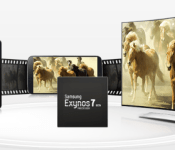
The newly announced Exynos 7 is 57 percent more powerful than the Exynos 5

Samsung just announced a new successor to the Exynos 5, the Exynos 7. According to Samsung, the new processor is 57 percent more powerful than its predecessor. The kicker here is that the older processor, the Exynos 5 5430 is powering one of the variants of the new Galaxy Note 4. However it looks the new processor will be doing the same.
According to Samsung’s web site, the Exynos 7 will be in one of the Note 4 variants. Most likely not in the US but at least somewhere in the world. The Exynos 7 Octa will come with four Cortex-A57 and A53 processors while also implementing the big.LITTLE HMP (Heterogeneous Multi Processing) architecture. Like its predecessor, the 7 is built using a 20nm manufacturing process. The processor also has an Advanced Multimedia Codec (MFC) for UHD video to TV output, built-in dual Image Signal Processors that will allow users to record high resolution video or take pictures using both the rear and front shooter at the same time (16MP at 30fps plus 5MP at 30fps), and an upgraded Mali T-760GPU that boasts a 74 percent in graphical performance.
Of course we’re going to have to wait for a real world application to test out these performance increases but on paper the Exynos 7 Octa looks to be pretty awesome on paper. What do you think?
source: Samsung
via: G for Games
Come comment on this article: The newly announced Exynos 7 is 57 percent more powerful than the Exynos 5

Google Hints at a Galaxy S5 Google Play Edition
 Today Google announced Android 5.0 Lollipop, which is its latest mobile OS. However, it seems that Google may have more up its sleeve. On one of the announcement pages, there is an image showing all of the devices running stock Android, like the Nexus 6 and 9, a few Android Wear watches, and the two current GPE models: the Moto G and HTC One. However, hidden among these devices are a few Galaxy S5s running what appears to be stock Android.
Is Google planning on releasing a GPE GS5? It’s possible, but it might just be a mistake on the photo. It has been a half year since the release of Samsung’s flagship, so it seems that the GPE ship has sailed at this point. However, we can’t know for sure as of yet, so we’ll just have to wait.
Source: Android
Via: SamMobile
Come comment on this article: Google Hints at a Galaxy S5 Google Play Edition

Engadget Daily: Google’s Nexus 6, new iPads, standalone HBO Go and more!

What’s happened in the past 24 hours of this connected life? Quite a bit: Google dropped the curtain on its new line of Nexus devices including Motorola’s $649 Nexus 6 smartphone, the Nexus 9 tablet from HTC and the Nexus Player set-top streaming puck. Apple has you covered ahead of tomorrow’s iPad event too with an early look at its new set of slates. We also have a review of the Galaxy Note 4 and some other wild stories for you right in the gallery below.
Filed under: Cellphones, Home Entertainment, Tablets, HD, Apple, Samsung, Google

Blocks’ modular smartwatch will talk to your iPhone

Blocks first unveiled its modular smartwatch with a plan to use Android Wear, much as Project Ara smartphone will use a special version of Android. However, there has been a change of plans — and it’s good news if you’re not of the Google persuasion. The team now says that it’s using a version of the open source Tizen platform that should support Android, iOS and Windows Phone, so you probably won’t have to give up a favorite device just to try this out. The Blocks team also has access to Intel’s newest processors thanks to a prize from a recent design challenge, and modules will have removable covers that let you change both the style and functionality of your wristwear. This is still an incredibly ambitious project that may not pan out as planned, but it’s evident that the pieces are quickly falling into place.
Filed under: Wearables, Samsung, Intel
Source: Phonebloks

Samsung announces its latest “Galaxy Gifts” campaign for the Note 4 & Note Edge

It’s no secret that smartphone manufacturers often use freebies to encourage us to adopt their latest products. More often than not, these include pointless applications and services that we wouldn’t entertain even if the developers themselves paid us to do so, but very occasionally there’s a few hidden gems.
Making its second appearance in the concealed jewel category is Samsung’s “Galaxy Gift Package,” which, for those unaware, is a bunch of apps and services up for grabs for select models in the Galaxy range. The South Korean company first launched the scheme back in March alongside its former flagship smartphone, the Galaxy S5, and to be completely honest, we were pretty impressed with what it had to offer.
Today Samsung announced that it’s re-launching the program to celebrate International availability of the Galaxy Note 4 and Galaxy Note Edge.
This time the gifts are divided into four groups: Productivity, Entertainment, News & Reading and Lifestyle & Others — all four sections offer a fantastic combination of applications, services and deals.
Samsung’s full list of promotional goodies can be seen below:

As you can see, there’s a fair degree of value here, so if you’re planning to pick up a Galaxy Note 4 or Galaxy Note Edge later this month, be sure to check them out. To find out more — hit the source link below.
Source: Samsung
Come comment on this article: Samsung announces its latest “Galaxy Gifts” campaign for the Note 4 & Note Edge

Samsung SDI develops new batteries that are both flexible and rollable

As the smartphone market continues to get saturated, manufacturers will continue to invest in the wearable market. Samsung SDI already offers flexible batteries, but they just unveiled the next generation, which can be rolled in the shape of a paper cup.
Unfortunately, we won’t be seeing these batteries anytime soon since the technology isn’t ready yet. We are probably looking at about three years until the first devices start utilizing them.
We should also note that Samsung SDI also showed off a very small pin-type battery that is about the same size as the smallest pill capsule. It’s capacity is only 10 mAh, which doesn’t sound like much, but who knows what types of future wearable devices are in store.
source: tizenindonesia
via: G4Games
Come comment on this article: Samsung SDI develops new batteries that are both flexible and rollable
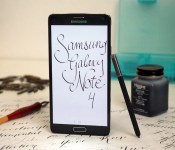
Samsung Galaxy Note 4 review: the best big-screen phone you can buy right now

What began in 2011 as a brand-new phone category has flourished into one of the most popular in the world. Smartphones with big screens (phablets, to some) are now ubiquitous, but it all started with an odd device called the Samsung Galaxy Note. At 5.3 inches, it was a behemoth for its day — and yet, it sold like hotcakes thanks to its unique S Pen stylus, which provided users with extra functionality, and a copious amount of screen space.
Four iterations later, the Note series has continued to grow, mature and dominate the genre. Not only does the latest version, the Galaxy Note 4, come with the snazziest spec sheet on the market, but it also ushers in a fantastic new direction in Samsung’s design. It sure sounds like an improvement over last year’s model, and it is. Now that Apple’s ready to tackle the Note with a large-screen phone of its own, however, is Samsung’s baby still the best in its class?
Hardware
In my review of the Galaxy Alpha, I declared it was the most beautiful Samsung phone I’d ever seen. Thanks to the company’s love of consistency, the Note 4 uses the same overall design and is just as aesthetically appealing as its smaller sibling. Its predecessor, last year’s Note 3, was a big step in the right direction, featuring a bigger screen and fashionable leather-like back. But it wasn’t enough. The ribbed chrome sides, the pointless stitches and the larger-than-life connector port at the bottom made it look cheaper than it needed to be. The Note 4 resolves those problems with aluminum sides, chamfered edges and smooth curves, and has a much more elegant appearance as a result.
Only the sides and edges of the Note 4 are aluminum, while the remainder of the phone is built with polycarbonate. And that’s OK. Samsung’s been opposed to using metal of any kind in its phones for years, and building a device with aluminum on the sides and plastic on the back is a solid compromise that makes it plenty durable. After all, most all-metal phones don’t come with removable backs, and that’s one of Samsung’s biggest strengths; for as long as I can remember, the company has allowed users to swap batteries and add external storage via microSD slots underneath the back cover. Now you can have the best of both worlds.

Fortunately, Samsung pulled off this new design without adding much bulk. It’s 2.3mm taller, 0.6mm narrower and 0.2mm thicker than the Note 3 and, at 176 grams, it’s also 8g heavier. Slightly noticeable when the two devices are compared side by side, perhaps, but otherwise a wash when it comes to the in-hand experience; I probably wouldn’t be able to pick out which one was which if I were blindfolded.
The Note 4 isn’t the most comfortable large-screened phone to hold with one hand, but it comes in second place. That title rests with the LG G3, a 5.5-inch device with an arched back and thin sides that help it rest naturally in my hand — it doesn’t feel as large as it really is. That said, the new Note has an even bigger screen and I can still hold the device without hand fatigue (in which my hand gets tired after holding the phone for a while) or accidentally dropping it. I can’t say the same about the Note’s new competitor, the 5.5-inch iPhone 6 Plus; with a large bezel, rounded sides and a slippery aluminum build, it’s tougher to hang onto with one hand than the Note. The only drawback to holding Samsung’s new device is the edges, which feel a tad sharper when I wrap my fingers around them.

Of course, it’s still big. Not everyone will like the fit and feel, simply because it is indeed a large handset. There’s not much Samsung can do to remedy that, although it manages to trim down the Note’s width with each new iteration. But for what it is, the product is reasonably sized.
On the front, there’s an LED indicator on the top left, proximity sensors next to the earpiece in the top center and a 3.7-megapixel selfie cam placed in the top right. You’ll also get a home button doubling as a fingerprint sensor, which is very easy to press because it’s slightly raised above the glass; this is flanked by two capacitive keys (recent apps and back).
Just like the sides they’re affixed to, the volume and power buttons (on the left and right sides, respectively) are also fashioned out of aluminum, and match up with the industrial design very well — plastic buttons would’ve looked awfully out of place. The 3.5mm headphone jack and IR sensor (for remote control functionality) are on the top, and a micro-USB port sits in the middle of the bottom side, while the S Pen holster rests closer to the corner. Curiously, the micro-USB connector is 2.0, which is technically a step down from the 3.0 socket found on the Note 3. While this means your data transfers won’t be as fast via cable, it also looks a lot cleaner; the port on the Note 3 was bigger, unsightly, took up too much space and, let’s face it, was never used to its full potential. It feels odd to say, but this is one time I’m happy to see Samsung go back to an older protocol. Unfortunately, the fact that the port is open, rather than sealed shut like it is on the Galaxy S5, shows that the Note 4 is not waterproof.

When I first saw the Note 4 in September, I took a quick glance at the bottom and immediately thought the entire back was curved. After a moment, I realized that I fell victim to a design trick: The top and bottom of the frame have curves that give the device extra sleekness, but the bed of the phone on which the back cover rests is ever-so-slightly raised above the frame and is still completely flat.
The Galaxy S5 was the first Samsung device with a built-in heart rate monitor on the back, housed below the camera module and next to the LED flash. The Note 4 does the same, but it adds extra sensors for ultraviolet rays and blood oxygen levels. There’s also a mono speaker grille in the bottom-left corner; I’m not sure why it wasn’t just built into the bottom of the phone, like it is in the similarly designed Galaxy Alpha or even last year’s Note 3, but I suppose it’s at least consistent with how it’s positioned on the GS5. Underneath the back cover are the microSD and micro-SIM slots (not nano-SIM, like many competitors are using now), along with the 3,220mAh battery.
If the design has any flaws, it’s in the space between the front glass panel and the edges. Some of the first Note 4 owners in other parts of the world report that the phone has a small gap, large enough to fit the edge of a business card. There’s certainly some truth to this: Samsung officially commented on the matter, stating that the issue doesn’t affect the functionality or quality of the device. I personally couldn’t find a big enough gap in my review unit to stick a business card in, though I managed to squeeze a thin piece of paper into one spot on the left side. Your mileage will likely vary depending on where and when you get your device, but I didn’t find it to be as huge a problem as it was made out to be.
| Samsung Galaxy Note 4 | Apple iPhone 6 Plus | |
|---|---|---|
| Pricing | $299+ on-contract, $700+ off-contract | $299+ on-contract, $750+ off-contract |
| Dimensions | 153.5 x 78.6 x 8.5 mm (6.04 x 3.09 x 0.33 in) | 158.1 x 77.8 x 7.1 mm (6.22 x 3.06 x 0.28 in) |
| Weight | 176 g (6.21 oz) | 172 g (6.07 oz) |
| Screen size | 5.7 inches | 5.5 inches |
| Screen resolution | 2,560 x 1,440 pixels (515ppi) | 1,920 x 1,080 pixels (401ppi) |
| Screen type | Super AMOLED | IPS LCD |
| Battery | 3,220mAh | 2,915mAh |
| Internal storage | 32GB | 16/64/128GB |
| External storage | MicroSD, up to 128GB | None |
| Rear camera | 16MP, OIS, f/2.2, LED flash | 8MP, OIS, PDAF, dual LED |
| Front-facing cam | 3.7MP, f/1.9 | 1.2MP |
| Video capture | 2160p (30fps), 1080p (60fps) | 1080p (60fps) |
| NFC | Yes | Yes (with Apple Pay only) |
| Bluetooth | v4.1+LE | v4.0+LE |
| SoC | Qualcomm Snapdragon 805/Samsung Exynos 5433 | Apple Cyclone A8 |
| RAM | 3GB | 1GB |
| WiFi | dual-band 802.11a/b/g/n/ac | dual-band 802.11a/b/g/n/ac |
| Operating system | Android 4.4.4, TouchWiz UI | iOS 8.0.2 |
Display

Samsung dabbled with a Quad HD display on a Korean version of the Galaxy S5, and now it’s ready to bring larger panels with the same resolution into full production on the Note 4. This means you’ll get to enjoy a resolution of 2,560 x 1,440 on a 5.7-inch Super AMOLED screen, equaling 515 ppi in pixel density. Obviously, it’s a much higher number than the Note’s 386 ppi, 1080p display. It’s hard to say no to more pixels, especially on such a large device, but you’re not missing out on a vastly improved viewing experience if you don’t get the new phone — the old Note’s screen was quite lovely already, after all. The Note 4 panel is subtly better, with slightly crisper text and sharper image quality, but again, you’re not going to notice a drastic improvement over the last version unless you’re looking at them side by side (which, let’s face it, rarely happens).
Of course, increases in display resolution mean more pixels to power up, so Quad HD screens aren’t exactly energy efficient. The good news is, as you’ll see later, that Samsung has found a way to compensate for that issue without having to use a significantly bigger battery. So, go ahead and enjoy the fantastic viewing angles, high outdoor visibility and extra details, all while shrugging at Samsung’s use of color saturation (you can’t say the company isn’t consistent) without feeling like it’s going to shut off any second.
Speaking of high outdoor visibility, if you’re outside and having trouble seeing the screen, switch the phone to auto brightness; doing so allows the phone to push out as much as 750 nits, which is a lot brighter than any other phone I’ve used (and a far cry from the max brightness when you change it manually on the Note 4). This setting also discolors the screen somewhat while it’s on, making it look similar to a picture that’s overexposed; you’ll see all of the details, but images and graphics won’t look quite right. Small price to pay when you can actually use the phone in direct sunlight.
S Pen experience

What’s a Note without an active stylus? The brand is synonymous with its S Pen in the same way peanut butter goes with jelly. It’s arguably what helps the Note 4 stand out from its numerous competitors; very few companies have adopted the use of a stylus of any sort, let alone an active one that responds to changes in pressure, doubles as a desktop-like cursor and comes with an action button that offers additional features. To Samsung, it’s not just about the extra real estate — it’s what you do with it that matters, and the S Pen gives the flagship a solid boost in productivity that’s tough to duplicate anywhere else.
Just like every other S Pen, the version included here is molded slightly differently than its counterparts, but it’s about the same length and width as last year’s pen and retains its elliptical shape. This model has ridges that provide a better grip for your hand, and the button is flush with the rest of the pen, making it just as difficult to press as ever. I often had to turn the pen around because it’s almost impossible to tell which side is which when I’m not looking. It’s easy to take out of its built-in holster on the bottom of the Note, thanks to a large gap at the base of the pen, where I can place my fingernail and simply pull down.
The new pen is roughly twice as sensitive to pressure as the last one, capable of registering over 2,000 levels of sensitivity instead of 1,000. This, along with some haptic feedback on the screen and friction on the tip of the pen, is supposed to create a more realistic “pen on paper” feel; aside from the extra pressure sensitivity, however, the experience wasn’t any closer to an actual pen or pencil than the Note 3 was.
Pull out the pen and a radial Air Command menu pops up with four options. The first is Action Memo, which is like a Post-it note app that lets you write to-do lists, notes to self or anything else that’s short and sweet — and you can either save it to S Note (Samsung’s primary notepad app) or pin it to your home screen as a resizable widget. Up next is Smart Select, which lets you clip a part of the screen and add it to a small gallery-style widget that floats above the top of all your running apps; neat concept, but I couldn’t find much practical use for it. After that is Image Clip, which also gives you the ability to take snippets of whatever you want and store it for scrapbooking. Finally, there’s Screen Write, which is carried over from the last Note; it takes a screenshot and then lets you doodle on it immediately afterward.

The new S Pen is also capable of letting you select multiple lines of text by pressing down the action button and dragging the pen over the section you want to use. A menu pops up, giving you the option to copy the text, share it or even look up definitions in the dictionary. Copy and paste is an obvious use case, but I also found it handy when I accidentally took 20 burst photos and wanted a fast way to batch delete them; these are but two scenarios. This seems like one of those features that should’ve been there from the beginning, but oddly has been left out until now; regardless, it’s a welcome addition that will make the process of sharing and selecting stuff faster and easier.
You’ll also still enjoy the ability to preview content by hovering the pen over pictures, videos, emails, calendar appointments and more; this has always been one of my favorite S Pen features since it debuted a couple years ago. However, Samsung’s added actions to these preview screens, so you can now choose to share or edit that content directly from those thumbnails instead of having to back out and go through extra menus.
With the added pressure sensitivity comes new capabilities. Samsung has included a calligraphy pen in the S Note collection, which is designed to let you draw fancy letters and numbers with a flourish. Since my wife has been learning the craft over the past year, I decided to have her put it to the test. Can this digital pen work as well as her traditional pen-and-ink setup? In short: No. She grew increasingly frustrated because it didn’t properly mimic the behavior of the old-school ink and paper; doing the same brush strokes at the same angles and with the same amount of pressure produced entirely different results. Lines were light where they should’ve been heavy, and vice versa. She said that it works fine if you’re just messing around, but no professional would want to use it on a regular basis — and certainly not as a replacement to real-life calligraphy.
Finally, another clever new S Pen feature is found in the S Note app. A photo icon in the toolbar takes you to a camera viewfinder. Take whatever picture you want and S Note can convert it to a digital (and editable) version of itself. If you see a sign with a phone number on it, you can take a picture of it, convert it through S Note and then copy it.
One-handed use

One of the most common complaints about large-screened phones is that they’re nearly impossible to use one-handed. I can relate: Most devices this size are frustrating when you’re trying to dig them out of your pocket and handle even the most mundane tasks when one of your hands isn’t available. The final purchase decision often comes down to what you treasure most: Would you rather have ample screen space and battery life, or feel comfortable? The user’s experience varies depending on hand size and personal preference — it won’t be a problem for those of you blessed with large digits — but there are a few things phone makers can tweak on the hardware and firmware to give you a better one-handed experience without feeling like you’re going to drop the device.
Samsung’s had several years to perfect the one-handed experience on the Note, and it shows in the Note 4. It is, by far, the best large-screened phone to use with one hand — yes, better than the iPhone 6 Plus. I’ve already examined why this is the case from a hardware point of view, but Samsung’s software features are more comprehensive and mature than Apple’s nascent Reachability option.
The Note 4 retains the same one-handed functionality from earlier models, which includes smaller dialpads and keyboards that align to the right or left side of the device, as well as a gesture that lets you swipe in and out from the edge and shrinks the entire screen to a more manageable size. These have always been handy, but not features I’ve used on a regular basis. With the latest Note, however, Samsung throws in some new gestures and panels that are more practical.
First is a small menu that you can affix to either side of the screen. The menu, which stays hidden until you swipe inward from the edge, mimics the capacitive keys found on the bottom of the Note — the home, back and recent apps buttons, in addition to a settings key. This allows you to easily navigate through the phone without trying to stretch your thumb or loosen your grip in order to reach those buttons. You can also adjust the opacity of this menu so it doesn’t get in the way of anything displayed on the phone; and as soon as you’re done using the menu, it’ll get tucked back into the side, with only a thin tab indicating that something is even there. I found myself using this a lot more than I had originally expected.
You can also shrink most native apps by dragging your finger from the top-left or top-right corner toward the center of the screen. This converts the program into a pop-up app, which can be resized, moved around the screen, placed on top of other pop-up apps, transferred into Multi Window or minimized to floating, circular icons that resemble Facebook’s Chat Heads. If there’s a limit to the number of windows you can have open at one time, I couldn’t find it. My favorite use for this feature was the camera viewfinder, which I shrunk down and used during my tests while also checking my Gmail and Calendar at the same time. Multitasking!
Software

If you like what you’ve seen so far, here’s another piece of good news: Samsung has trimmed down its in-your-face software experience. On the surface, it still looks like the freshly painted version of TouchWiz (with Android 4.4 KitKat running underneath) that first arrived on the Galaxy S5, but the company is continuing to clean up the UI and streamline its features; you’re no longer going to find 500 pointless new options here. My Magazine, the Flipboard-esque eyesore that once occupied a full page on the home screen, is nowhere to be found on the Note 4. (In its place is Flipboard Briefing, which similarly displays social media and internet feeds, but this time you can actually disable it.) Several unnecessary smart features, like smart pause, smart rotation and smart scroll, are gone. Reading mode has also disappeared.
Don’t get the wrong idea: There are plenty of new features, some of which I’ve highlighted in earlier sections. But at least the additions that Samsung threw in this go-round are more useful, don’t appear to slow down the phone and don’t have me sprinting to the settings menu in an epic quest to get rid of them.
Multi Window, one of my favorite Samsung features, is slightly improved. The camera viewfinder can now be opened into this mode, which is helpful if you’re prone to falling into manholes or walking into street signs while texting. Also, when you go into the recent apps menu, certain apps come with a new dual-pane icon that opens the program directly into Multi Window mode. You can also transfer files from one window to another, and tapping on links in apps (Twitter, Facebook, Maps and so on) will open that link below in a second window, rather than closing one app and opening another.
S Health now comes with more support. The Note 4 features sensors capable of detecting ultraviolet levels, blood oxygen saturation and heart rate (though when it comes to serious medical matters, I suggest sticking with dedicated external monitors rather than relying on Samsung), and you can connect plenty of wearables and other accessories to this hub as well.
Camera

There’s more to the Note 4’s camera than just a simple bump in resolution from 13MP to 16MP — a lot more. The new shooter also comes with optical image stabilization, which is a first in any Samsung Galaxy smartphone (except the Zoom series). As I’ll discuss shortly, this makes a difference in the performance of the camera.
The rear camera isn’t the only one that got a quality boost — flip it around and you’ll see a much better “selfie camera” as well. As painful as the term sounds, every phone maker is pushing hard to capitalize on the selfie trend. Samsung’s in it to win it too, with a 3.7MP camera that offers a generous f/1.9 aperture (compared to f/2.45 on the Note 3 and f/2.4 on the GS5) for better low-light performance. Those vain glamour shots of yourself need to be taken just as often at night as during the day, right? It’s still a little blurry — in comparison, the 6 Plus’ nighttime selfies are sharper, but much noisier — but it’s a vast improvement over the other Samsung flagships because you can actually see your face.
One of the most intense areas of competition in the smartphone selfie sphere is how much you can actually fit in the shot — the wide angle. On the Note 4, Samsung came up with a clever way to get more stuff in the field of view: a selfie panorama (selfierama?). In portrait, you can start in the center and then tilt to the left and right in whichever order you choose. The three images then stitch together to form one big picture taken at a 120-degree angle. It’s not perfect, as it’s pretty easy to see the stitching, but it’s an interesting idea that simply needs to be improved upon.
In case 3.7MP isn’t enough for your face (really, who wants to zoom into their face even more than that?), set the camera to rear-selfie mode and the heart rate monitor acts as a shutter key that vibrates to let you know it’s detected your face, and the intensity and frequency of those vibrations increases as the two-second timer counts down. Presto, now you can see every single precious pore.
Turning focus to the 16MP camera on the back: It comes with an aperture of f/2.2, which is the same as the Galaxy S5 and perfectly average for smartphones in 2014. It comes with a handful of modes, like selective focus, panorama, dual camera and Shot & more, with a few more (animated, surround, sports, sequence and food) available for download. If manual settings are your thing, you can choose from ISO, white balance, HDR, exposure and metering modes.
Daylight images taken on most Samsung flagships are quite good. They’re generally in focus, have decent color saturation and are very well-detailed. That’s not only true on the Note 4, but it also exceeds any expectations that I had: It focuses accurately and quickly, despite its lack of phase-detection autofocus; is closer to the actual colors than its predecessors; and comes with better white balance. HDR shots do a fantastic job of highlighting shadows without going overboard by looking too cartoonish. And the new Note got much more detailed digital zooms without sacrificing noise or light.
But low-light performance is what impressed me the most about the Note 4. While ISOCELL helped improve the GS5 over the Note 3, it still wasn’t very good. Optical image stabilization has made a tremendous difference here; objects that barely show up at all on other Samsung cameras can be easily seen on the Note 4. In fairness, the images still don’t look as natural here as they do on the iPhone 6 Plus, but this is by far the best nighttime imaging performance I’ve seen on a Samsung phone. Even during the day, I managed to get crisp, in-focus shots when lightly shaking the device; scenic photos I took during a bumpy hayride came out as if no movement had even occurred.
(For a look at some full-resolution Note 4 shots, head here.)
Performance and battery life

Raw power is not an area where any Note smartphone has struggled, and indeed, the latest model represents the series well. Armed with a brand-new Snapdragon 805 chipset, which packs four 2.7GHz Krait 450 cores and a 600MHz Adreno 420 GPU, as well as 3GB of RAM under the hood, the Note 4 is one of the most powerful devices on the market — and will likely keep that status for months to come.
Technically, the Note 4 comes in two flavors; the Snapdragon 805 featured in my review unit (an AT&T-branded device, by the way) and an Exynos 5433 chipset comprised of four 1.9GHz Cortex-A57 cores and four 1.3GHz Cortex-A53 cores. I have no way to determine which is the better of the two, but it’s almost impossible to dislike the speed and performance at which the S805 operates. Certainly, it was more than sufficient for my needs.
Excepting a small delay when pressing the recent apps button, I haven’t been able to spot any lagging or slowing down from the device. And with the extensive amount of productivity and multitasking Samsung throws at the thing, I was truly impressed. Apps and games load quickly; frame skips and other bugs are few and far between; animations are smooth; and it handles multiple pop-up windows, Multi Window and other minimized apps with grace. This is a pleasant find for me, because latency and bugs have been commonplace in Samsung flagship phones for years.
| Samsung Galaxy Note 4 | Samsung Galaxy Note 3 | Samsung Galaxy S5 | iPhone 6 Plus | |
|---|---|---|---|---|
| Quadrant 2.0 | 24,425 | 22,828 | 24,714 | N/A |
| Vellamo 3.0 | 1,808 | 1,994 | 1,656 | N/A |
| 3DMark IS Unlimited | 20,692 | 18,933 | 17,954 | 17,902 |
| SunSpider 1.0 (ms) | 793 | 840 | 820 | 388 |
| GFXBench 3.0 Manhattan Offscreen (fps) | 18.8 | 10.1 | 11.5 | 18.2 |
| CF-Bench | 43,234 | 38,020 | 33,351 | N/A |
| SunSpider: Lower scores are better. | ||||
The Note 4 didn’t win every benchmark test when compared to other signature Samsung devices and the iPhone 6 Plus — it won about half of them — but it still had a very strong showing in the ones it lost. In addition to the tests listed above, I also ran Geekbench and Basemark X; the Note 4 dominated the latter and kept up in the former. In a nutshell, the numbers essentially confirm something I already knew: This phone is fast and powerful.
There’s a 3,220mAh removable battery inside the Note 4, which is a very marginal improvement over the 3,200mAh cell inside the Note 3. Although the battery life was fantastic in last year’s model, I came into the review concerned that a higher-resolution display and faster chipset would actually cause a decrease in the phone’s longevity. Fortunately, it exceeded my expectations. After heavy use throughout the day, I typically went to bed with around 20 percent left over. This is assuring for power users who need a full day of battery life without compromises, but it’s also nice to know that moderate to low use will provide even better results — you should be able to stretch it and get around a day and a half to two days. In our endless video-loop test, the battery managed to keep going for just over 13 hours, a significant improvement over the Note 3. In a worst-case scenario: If you find yourself rapidly losing juice, the Note 4 added Ultra Power Saving Mode, which cuts off all but the most essential tasks.
Finally, the fingerprint sensor seems to be much more reliable on the Note 4 than it was on the GS5. It takes fewer attempts to unlock the device, and I can even use it at angles without any fuss. That last part is critical when it comes to one-handed use, especially on a device as large as the Note; if I can’t swipe my thumb across the home button at an angle, I have to use a second hand to steady the phone as I try swiping straight down from top to bottom.
The competition

The Note 4 will be available globally and the price varies by market, but the cheapest you can get in the US is $299 on-contract or $700 off-contract (each carrier offers it for different prices). Samsung’s biggest competition is obvious: Apple’s finally brought a large-screened smartphone of its own to market, the iPhone 6 Plus. It starts at $299 on-contract ($750 off) with 16GB internal storage and no external memory card slot, and you can add $100 to the cost to bump it up to 64GB or another $100 for 128GB. Much of the decision will come down to personal preference — Android versus iOS, straight sides versus rounded, Multi Window versus Reachability.
Aside from the 6 Plus, virtually every large-screened phone (or phablet, as the kids call them these days) is automatic competition for the Note 4, and there are a lot of options. LG, HTC, Huawei, ZTE, Oppo, Microsoft Devices, ASUS, Acer and (soon) Motorola all have handsets that are 5.5 inches or larger. The Note series has managed to stay unique thanks to its S Pen functionality, but that’s only tempting if you actually care to use a stylus in the first place.
Wrap-up

The Galaxy Note 4 is the best large phone on the market. It’s a device you’ll be proud to whip out in public, thanks to its elegant design, robust build, beautiful screen, impressive battery life and solid camera. It also excels from a productivity standpoint, offering seamless multitasking and stylus functionality that’s as smooth as I’ve ever seen on a smartphone. And despite its large size, Samsung has nailed the one-handed experience better than the competition. There’s certainly a benefit to drawing from years of experience in this category: What began as an oddity three years ago has now evolved into a powerful tool at the top of its class.
Filed under: Cellphones, Wireless, Mobile, Samsung, Google
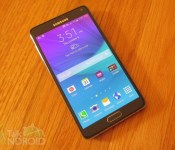
Samsung Galaxy Note 4 review: The best Samsung smartphone ever

About 4 years ago, the first Galaxy Note was unveiled, which started a new trend of phones pushing the envelope with display size. The original Note had a 5.3-inch display, which seemed huge at that time. With each edition, Samsung increased the display size by 0.2-inches, topping out at 5.7-inches with last year’s Galaxy Note 3. The Note series has always catered to a niche audience because of its size alone. Fearing that niche could dwindle, Samsung decided to not increase the display size for the Note 4. That is very rare in the Android world where every flagship phone’s display goes up at least 0.1-inches just because. As much as consumers love large phones, there is a limit. It’s the reason why even the most loyal Android fanboys are concerned with the upcoming Nexus 6 and its 5.9-inch display.
So with the display size staying the same, you would think the Note 4 is just a minor upgrade, but nothing could be further from the truth. The display has increased from 1080p (1920 x 1080) to 2K Quad HD (2560 x 1440). The processor has been bumped to the best one available today, and the camera has been upgraded in not only megapixels, but with the addition of optical image stabilization. On top of all this, Samsung finally upgraded the design and materials significantly.
The Note series isn’t just about size, it’s also about the S Pen features that aim to make you more efficient and productive. There isn’t a phone on the market quite like the Note, so I have often wondered if consumers really use the S Pen all that much. Let’s face it, if it were really all that important, more manufacturers would have adopted the same concept, but they haven’t.
Still, when it comes to larger phones, the Note always comes to mind. S Pen or not, when you think of getting a phone that you can barely hold, the current Note always has to be considered. However, things are a little different as compared to years gone by. Samsung’s biggest competitor, Apple, is finally offering phones with larger displays (4.7 and 5.5-inches). Samsung always had the “size” of their displays to lean on, but no more. Offering a large phone isn’t enough today. It has to be desirable and it has to offer features that matter.
Is the Galaxy Note 4 still on top of the mountain or is it just another large phone lost in the crowd?
Design
Unfortunately I had to miss the Samsung Unpacked event so I didn’t have a chance to see the device in person until about a week ago. I bring that up because I can’t remember the last time I was excited to get my hands on a Samsung device. Samsung’s design has never impressed anyone, but things are different this time around. Samsung finally appeased the consumer’s call for metal, and they dropped that dimpled band-aid look from the Galaxy S 5.
However, the changes might not be as dramatic as some may have hoped. It’s not like the entire phone is made of metal. Samsung knows they can’t increase the price of the device, and they aren’t about to lose profit margins either. One look at the device, and it’s clear that it’s a Samsung. The overall look is still very similar to past Samsung offerings, so it’s not a drastic change in that regard, but it’s a huge step in the right direction.
By far the biggest change is the frame, which is no longer made of plastic trying to look like metal. This time around, it’s truly metal, and it gives you a much better grip. Samsung has always liked a glossy shine, and they just couldn’t resist with the inclusion of shiny silver chamfered edges at the top and bottom of the phone. It’s just enough shine to give it some class.

It should also be noted that where the display meets this edge has become a little bit of controversy in that there is a small gap. Some are reporting that you can stick a business card in it. Samsung says the gap is normal for the endurance of the device as in if you drop it. The gap doesn’t appear that big to me, but it very well could be a dust and dirt magnet over time.
The back of the phone sports a faux leather texture (plastic) that is similar to last year’s Note 3, but they dropped the fake stitching in favor of a cleaner look. It also looks and feels more authentic, giving it a nice soft touch. Just like past devices, the back cover can be separated from the frame to reveal the removable battery, micro SIM and microSD slot. It’s quite flimsy, but feels solid when attached to the phone.


Taking a look at the rest of the buttons and ports, it’s set up much like past Samsung phones. The top has a microphone jack towards the left while the IR blaster is towards the right. The bottom has the micro USB port dead center with the S Pen slot at the right corner. The power button is now metal and sits at the right side towards the top. The volume rocker is on the left side of the device towards the top and is also now metal, but it also gets a new design. It now sticks out a little at the top and bottom of the button making it easy to feel what is up and what is down.


The back of the device gets the 16 MP camera lens towards the top at the center. Below that is the LED Flash and heart rate sensor. Unlike the Galaxy S 5, the heart rate sensor also includes pulse oxygen measurements and a UV sensor. You can also use it as a shutter button for selfies.


Of course no Samsung phone can be a Samsung phone without the home button at the front with capacitive buttons to the left and right. We keep wishing Samsung would drop this design, but it’s unlikely. It serves the same purpose as a logo because whenever you see it, you automatically know it’s a Samsung device.

Interestingly enough the Note 4 is actually thicker than the Note 3 (8.5 mm vs 8.3 mm), which can be attributed to the curved display. As far as the dimensions, both phones are nearly identical. The Note 4 (153.5 mm X 78.6 mm) is a little taller, but not as wide as the Note 3 (151.2 mm x 79.2 mm).
I won’t say that Samsung hit it out of the park with the Galaxy Note 4, but this a phone in which you can feel proud to hold. The inclusion of metal with a touch of shiny silver and a soft touch rear panel really make a difference. You won’t find any complaints from me.
Hardware
The Galaxy Note 4 features a 5.7-inch Quad HD (2560 x 1440) Super AMOLED display at 515 ppi and Corning Gorilla Glass 3, a 2.7 GHz quad-core Snapdragon 805 or Exynos 5433 consisting of a 1.9GHz Octa Core Cortex-A57 and 1.3GHz quad-core Cortex-A53, an Adreno 420 GPU (paired with Snapdragon) or Mali-T760 GPU (paired with Exynos), 3 GB of RAM, 32 GB of internal storage, microSD slot for up to an additional 128 GB of extra storage, 16 MP rear camera with f/2.2 aperture along with OIS, HDR, and 4K video capture, 3.7 MP front-facing camera with f/1.9 aperture, IR blaster, Wi-Fi 802.11 a/b/g/n/ac (2X2 MIMO), Download Booster, NFC, Bluetooth 4.1, USB2.0, MHL 3.0, Micro-SIM, and a 3,220 mAh battery.
Radios:
GSM 850 / 900 / 1800 / 1900, 3G Network HSDPA 850 / 900 / 1900 / 2100, 4G Network LTE 800 / 850 / 900 / 1800 / 2100 / 2600
Performance
Samsung rarely fools around when it comes to utilizing processors and RAM in their flagships, and the Note 4 is no exception. As usual, the international version gets an in-house octa-core processor and North America gets a Snapdragon. Since my review unit is AT&T branded, it’s the brand new Snapdragon 805 clocked at 2.7 GHz paired with 3 GB of RAM. What can you say at this point other than the phone flies? It’s one of the fastest phones on the market, and some might consider the 805 to be an overkill. For most phones, that is true, but Samsung utilizes it to the fullest extent with their multi tasking (Multi Window) capabilities. Being able to run two or three different apps on the display at the same time can certainly take it’s toll on any processor, but the Snapdragon 805 eats it up. New to Multi Window this year is the camera application, which can be re-sized and superimposed on top of other apps. We are talking the full camera application, not a simplified version. Samsung couldn’t pull this off without the 805.
The Note 4 features the first Super AMOLED Quad HD display on a smartphone, and boy does it impress. Much like the 805, many might also consider the display resolution an overkill, but here again, Samsung actually utilizes the entire resolution with Multi Window. Miniature versions of floating apps look as crisp as ever. If you think about it, a smaller version of an app in Multi Window could still show as 720p, whereas in past year’s models, it might be 480p or less. Now I am not saying a Quad HD is a must have, but it’s not a complete waste either. Of course, a 1080p version of this same phone for $199 (on contract) might be a better value.
Another interesting feature of the display is the ability to change how it shows colors. This is set under Screen Mode in the settings. Out of the box, it’s set to Adaptive Display, which automatically optimizes the color range, saturation, and sharpness for in-house apps like the Gallery, Camera, Internet, and so on. They also offer AMOLED Cinema, AMOLED Photo, and Basic. Adaptive Display will provide more of a colorful pop, but some users might like something a little less saturated, so they might go with Basic.
Sound on the Note 4 is average at best. That’s not a bad thing because I don’t believe too many people require stereo output from their phones, but it’s surprising that Samsung has yet to adopt the front-facing stereo setup. It’s probably something to look forward to in 2015.
Just like the Moto X (2014), the Note 4 sports Qualcomm’s rapid charging. Utilizing the USB cable that comes in the box, you will be able to charge the phone from 0% to 50% in about 30 minutes. Interestingly enough, the second 50% won’t charge in another 30 minutes. It will be closer to an additional hour. I was told that you can still use one of Qualcomm’s approved rapid chargers, but the results might not be the same.
Battery
Since the Galaxy Note 4 is a bigger device, it can also support a fairly large battery. Although not the biggest ever offered, 3,220 mAh is generally more than enough to satisfy the most heavy power user. It’s also about the same size as last year’s Note 3. The only issue lies in that it needs to power a Quad HD (2560 x 1440) display this year, but the Snapdragon 805 should offer enough efficiency to compensate for that.
I did my usual rundown test in which I loop continuous video until the battery is dead. This is while the phone is connected to LTE and WiFi (not connected), Bluetooth (not connected), and the GPS are all turned on. Lastly, I leave the display at about about 2/3′s brightness. I was able to get 12 hours and 16 minutes, which is only 2 minutes less than last year’s test. Considering that you are looking at basically the same battery size, this is quite good.
So what about real life? I know your basic day isn’t watching video all day. You won’t have any issues getting through an entire day even with the heaviest of usage. You should go well into the next day as a matter of fact. And even if you’re stuck in a jam, you always have the Ultra Power Saving Mode (more in the software section), and the Qualcomm quick charging capabilities that I mentioned in the last section.
The bottom line is that battery life isn’t an issue with the Note 4, case closed.
Software
The Galaxy Note 4 features TouchWiz on top of Android 4.4.4. I can’t remember a reviewer ever saying that TouchWiz is a fantastic skin, and I doubt you will here it from me. It hasn’t changed all that much over the years, which makes it pretty boring, but mainstream consumers like consistency. Now when it comes to proprietary software, Samsung has never held back, but for whatever reason the Note 4 doesn’t feel as bloated as past Samsung devices. It’s not because Samsung cut back on things, it’s more like I am either desensitized or they are hiding things a little better. It’s probably a combination of both. The good news is that Samsung didn’t include a lot of new things. Instead, they chose to spend some time refining their current offerings. So you’re going to still get all the familiars like Multi Window, Finger Scanner, Smart Stay, S Note, Action Note, S Health, S Voice, Ultra Power Saving Mode, Smart Remote and so much more.
WIth the Note 4, everything starts with what the S Pen offers. Just like last year’s Note 3, Air Command is the heart of everything. You open this circular menu by either removing the S Pen from the holder, or hovering it close to the display while pressing the button on the S Pen itself. This will work on any home screen or app. This year’s Air Command offers four choices: Action Memo, Smart Select, Image Clip, and Screen Write.
Action Memo allows you to jot down quick notes. You can even make them clickable. For example, you could write down a phone number. Later, when you look up the memo, you can tap on the Link To Action icon at the top and choose whether it’s a phone number, email address, browser link and so on. This means that you can tap the number you wrote previously and send it to the Dialer versus trying to remember it followed by opening the dialer app separately. New this year is the ability to Pin your Action Note to any home screen as a resizable widget. This is very useful for those that love using post it notes.
Smart Select is actually new this year. It allows you to quickly copy text or images from any app or web page for sharing. That in itself isn’t too big of a deal, but Smart Select allows you to accumulate information from several sources before actually sharing the information. You can even save the info in your scrapbook for later use.
Image Clip is just like last year’s Scrapbooker. Just draw any closed shape around the information you want to collect. It could be one particular image on a web page. You can then add more notes to it and when you’re ready, just save it. Everything you save will appear in the Scrapbook app, which is a lot like Evernote. When you open any previous image clips, you will find all the information associated with it. So for example, if it was a recipe you were after. You might have circled the picture of the food item, but all the contents associated with that page will go along with it. It will also save the URL for later reference. Plus you can add tags to it so you can easily find the information later. Again, this is much like web clipping with Evernote so it comes down to which you prefer. I prefer Evernote since I can use that app on any phone or tablet. Unfortunately, Samsung only syncs the Scrapbook with your Samsung account unlike S Note, in which you can choose to sync it with your Evernote account. Now you can still share any of your Scrapbook items, so in theory, you could re-share it back to Evernote, but what’s the sense in that?
Air Command’s final feature is Screen Write. Screen Write was on the Note 3, and it allows you to quickly grab a screenshot of your display and make annotations on it. Once you save it, you can later find it in your Gallery and share it.
S Notes are back again, which is where you can take both written (S Pen) or typed notes. You can include pictures and add as many pages as you want for each Note. You can even select from various templates if you wish. We have gone over S Note in the past and there isn’t much new here except for one thing…..Photo Note. Photo Note is perfect for students. With Photo Note, you can snap a picture of a whiteboard or piece of paper with various handwritten notes. It will then convert it into a vector image that you can easily manipulate. You can copy certain parts of it to move around or even delete other parts. You can then add your own notes. It’s pretty sophisticated and does take some time to learn how to get the full potential out of it.
One other cool feature with the S Pen is that it’s now easier to crop text. It’s actually more intuitive. They designed it to be more like a mouse in that you press and hold the button and drag just like you do with a mouse. If you’re using the stock Browser, you can highlight one word and select Dictionary to get the meaning. Samsung also brought this mouse-like feature to the Gallery. Just press and hold the S Pen button and tap on multiple images to select a bunch for copying or deleting.
Multi Window has become a staple for Samsung devices. It allows you to display multiple apps on the screen at the same time. It can be split screen or floating popups that you can resize. This version works very much like it has always worked, but the number of compatible apps has really grown over the years. New this year is the addition of the camera application. So if you’re walking around in New York City and using Google Maps to find that hot new restaurant, you can float the camera app over it in case you want to grab a quick photo of something. You will still have all the same menus and features as the full camera application. Accessing the list of apps that you can put into Multi Window or in a floating popup is still found by tapping and holding the back key. However, new with the Note 4 is the ability to swipe down from the top left or top right corner of any Multi Window compatible app (that is already open in full screen) to convert it to floating. You can also save some of your most used combination of apps. As I mentioned earlier, the Quad HD display helps the floating apps look crisp. As cool as Multi Window is, I still contend that it’s a gimmick and not something consumers really desire.
S Health is one of the best proprietary apps that Samsung has come up with. The app works much like the Galaxy S 5 version, but there are now options for measuring the oxygen level in your blood, the UV levels, and your stress level. Of source, you can still check your current heart rate (BPM). All of these are done by holding your index finger on the heart rate sensor, except in the case of the UV sensor. You would instead point the sensor towards the sun. The rest of S Health consists of managing your workouts, along with a pedometer that tracks every step you make, as well as a virtual coach to help you achieve your goals. You even get a huge nutritional database for tracking everything you eat.
The Fingerprint Scanner, which debuted on the Galaxy S 5, found its way on the Note 4. It works much the same way, and surprisingly works well once you get the hang of how to slide your finger.
Private Mode is a feature that also debuted on the Galaxy S 5. It allows you to hide images and documents from anyone else that might use your phone. There are a lot of other third party apps that will let you do the same thing, but it’s nice to have something built-in. Anything you save in the Privacy Mode won’t be visible so no one will know they exist. Just use your fingerprint or other security option (PIN or Pattern) to access your stash within Private Mode.
Ultra Power Saving Mode is for those times when you can’t get to a charger and you are running low on battery. With the fantastic battery life that the Note 4 possesses, I can’t imagine anyone ever needing it, but it’s there just in case. By enabling Ultra Power Saving Mode, it will only turn on the necessary apps to keep you going like the Dialer, Messaging, and such. It will also simplify the interface. You will be surprised at how much more life you can get in this mode. For example, with 27% battery life remaining, you can get about 4.8 days. Now I wouldn’t suggest using it with 27% left, so you might wait until you drop to around 10% and still get just under 2 days of life. Of course, if you know in advance that you’re going to have a problem later on in the day, you can always enable the mode even though you still have a lot of juice left so you will be covered later when you might have to use the device a lot. Again, most people should never need to enable Ultra Power Saving Mode, and that’s a good thing.
The Note series is one of the biggest phones on the market, and that is a major reason why some people don’t buy them. Unless your hands are huge, you won’t be able to control the device with one hand, and that is a deal breaker for many. Samsung makes it easier with the ability to reduce the screen size (Reduce Screen Size), miniaturizing the controls such as the keyboard and Dialer (One-Handed Input), and the ability to add the Home Button, Back Key, and Recent Tasks key to the side of the screen (Side Key Panel). They all work well, but if you’re already against larger phones, these features won’t change your mind.
As I mentioned earlier, Samsung always packs a lot of bloat on their devices, but for some reason it doesn’t feel as bloated with this phone. Whether they are hiding it better or I am desensitized to it (probably a little of both), I am finding that I don’t feel as overwhelmed with all the junk.
Camera

Samsung has always done a pretty good job with the camera, but they really upped the game with the Note 4. It sports the same ISOCELL 16 MP (f/2.2 aperture) shooter found in the Galaxy S 5, but for the first time, Samsung has finally thrown in Optical Image Stabilization (OIS). OIS not only helps keep things steady, but it helps a lot in low light situations. Selfies are also important and that is why they upped the front-facing lens to 3.7 MP with an aperture of f/1.9.
The software is identical to what the Galaxy S 5 offers, but they kept the pre-installed modes down to a minimum. If you remember, past Samsung devices used to have a slew of camera modes, but in order to simplify things, they are now leaving it to the user to decide which modes will show in the menu or which ones to install by including the apps in the Samsung Apps Store. The Note 4 only includes Auto, Rear-cam selfie, Selective Focus (Bokeh effect), and Panorama in the menu. However, if you select Manage Modes, you will see that Beauty Face, Shot & More, Virtual Tour, and Dual Camera are actually on the device, but they aren’t checked by default to show up in the Modes Menu. This is another example of Samsung trying to keep the bloat at bay. There are still more modes available in the Samsung Apps store, and they are Animated Photo, Sports Shot, Sound & Shot, Surround Shot, Sequence Shot, and Food Shot. Just tap on Download (under Mode) to get to them. All of these modes were available on the Galaxy S 5 other than Food Shot, which is supposed to emphasize the vivid colors from food.
Just like the Galaxy S 5, HDR is on board. There is a quick toggle to the left of the camera interface. It’s either On or Off. When On, you can see a real-time preview. HDR also works in video capture mode.
Another feature that doesn’t involve a Mode is Advanced Digital Zoom. This kicks in at anytime you zoom in at least 4X in Auto mode. Press the shutter button once, and it will interpolate multiple images and create a single clearer photo.
The selfie craze doesn’t seem to be letting up so Samsung has added a couple of new offerings. Rear-cam Selfie lets you use the rear camera to grab high resolution images of yourself. All you have to do is mark the area (resizable square) on the display for your face. Turn the rear camera towards yourself, and the picture will automatically be captured when your face is within the box that you marked. If you want to use the traditional method, the front-facing camera, you can now use the heart rate sensor as a shutter button. You can also press anywhere on the screen for selfie captures as well. Sticking with the front lens, If you want something more wide angle, you can choose Wide Selfie. Holding the phone in portrait mode, you start the phone at the center and then rotate it to the left and right. The final product will be a stitch of all three images together.
As far as the quality of pictures, this might be the best smartphone camera I have ever tested. Color reproduction was spot on and it performs well with action shots as well as low light. Low light photos do have some noise, but a lot less than competing phones. The only issue I have is that the shutter speed is very slow in low light environments so your subject(s) can’t move.
If you rank the camera quality high on your list of features you want in a smertphone, you will love what the Note 4 offers. Here’s a few pictures from a variety of situations.
Outdoors


Outdoors HDR Comparison
HDR On HDR Off


Action


Low Light – No Flash


Extreme Low Light – No Flash

You can record video at 4K, which is probably not going to be useful for too many of you. The good news is that you can still record at 1080p. You will also find a few options that are quite useful. You can choose Slow Motion 1/8X, which records videos at 240 frames per second or 1/4X, which is at 120 frames per second. Smooth Motion captures video at 60 frames per second and plays back at normal speed.
You also have the ability to pause your recordings, which makes it easier to capture multiple shots in one clip file. Generally, it’s always record and stop, which produces a file for each occurrence. However, if you are already recording, you can pause it and un-pause to keep it all within one file. It’s kind of like on-the-fly editing.
Closing
I am thoroughly impressed with the Galaxy Note 4 in every way imaginable. With higher quality hardware, a fantastic display, the fastest processor on the market, amazing battery life, and an awesome camera, what’s not to love about it? Well there is TouchWiz, but I have to say that for the first time in a long time, I am actually thinking about using a Samsung phone as my daily driver. Yes, I will say it……I do love the Galaxy Note 4, even with TouchWiz.
The Note 4 is a serious contender for the smartphone of the year. The only thing that would hold it back is the price. At $299 on contract, it isn’t cheap. The LG G3 has a slightly smaller display and a slightly slower processor, but the battery life and camera quality between the two devices are pretty close. The G3′s $199 price tag (on contract) is also more palatable. However, it is missing the S Pen functionality. That of course brings us to the same question every year. If you think you will actually use the S Pen functionality, don’t hesitate on the Note 4. It’s an amazing phone. However, if you think the S Pen is going to sit in its slot more often than not, and you’re on a tighter budget, the G3 might be the phone for you. Barring something amazing from the Nexus 6, it’s safe to say that I will be picking either the Note 4 or the G3 as the Android smartphone of the year.
Come comment on this article: Samsung Galaxy Note 4 review: The best Samsung smartphone ever

Samsung’s experimental 5G network delivers 150MB per second at freeway speeds

5G isn’t quite a thing yet. Industrial standards and the finer details are yet to be completely cemented, but that’s not stopping companies with a thumb in the carrier network pie trying to show us some crazy (but awesome) ideal of future wireless… ness. Samsung’s next in line, and it’s been able to crank its 5G network download speeds to 940MB while stationary, which is bananas. However, the company then decided to take the testing outdoors, to the racetrack, and apparently notched download speeds of around 150MB per second, while racing around at 100KPH (roughly 62MPH). Samsung says these impressive figures are due to the high-frequency 28GHz signal used. Previously, this meant a short range, but the company says it’s got around that weakness with “Hybrid Adaptive Array Technology” that boosts the range of the signal. And if that collaboration between Korea and Europe still stands, these ridiculous on-the-go speeds could well make their way outside Asia. Please. Please.
Filed under: Wireless, Networking, Samsung
Samsung set to roll out Android 4.4.4 update to 9 models of the Galaxy range

According to a leaked update schedule, Samsung is in the process of preparing to roll out the much-anticipated Android 4.4.4 KitKat upgrade to nine variants of its former flagship smartphones before the end of November, 2014.
Hit the break below to view the full roadmap.

Source: XDA Developers
Come comment on this article: Samsung set to roll out Android 4.4.4 update to 9 models of the Galaxy range

