


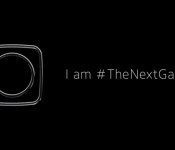
First video teaser for Galaxy S6 is all about the camera

Samsung just tweeted the first video teaser for the upcoming Galaxy S6.
The 17-second clip doesn’t seem to contain any hidden clues about the appearance or features of the Galaxy S6 and its curved edge sibling, but the camera outline and the copy suggests the camera experience will be a big part of the Galaxy S6’ appeal.
The camera icon at the end seems to match the many alleged renders and schematics that have surfaced over the last couple of weeks. If these leaks are accurate, the Galaxy S6 will feature a protruding camera of roughly square shape with rounded corners, as well as a flash/heart rate sensor module positioned to the right of the camera.
I am #TheNextGalaxy. Be inspired by my vision at #Unpacked. https://t.co/Qu3e4L2DEg
— TheNextGalaxy (@SamsungMobile) February 13, 2015
Samsung has begun talking about the Galaxy S6’ camera earlier this week, when an executive promised an “intelligent” camera with unique functions. And, just today, Samsung published an infographic detailing the evolution of Samsung phone cameras, another hint that the imaging experience will be a key selling point for the S6.
According to an inside source cited by SamMobile, the Galaxy S6 will feature a 20MP front camera with OIS, and a 5MP front camera. The device will make use of the new Camera API in Lollipop by giving users more fine control over the shots. Stay tuned for more.

Here’s what a Galaxy Note Edge coated in 24K gold looks like

What could be more inviting than the standard Galaxy Note Edge? One plated in 24K gold, of course. Earlier today, a bunch of pictures appeared online showcasing the design of the Vietnam-exclusive handset, which has had its side frame, earpiece grill, volume rocker, and rear camera ring coated in gold.
Hit the break for the full gallery of photos.


Come comment on this article: Here’s what a Galaxy Note Edge coated in 24K gold looks like
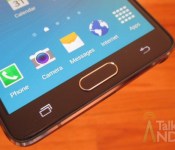
Samsung Galaxy S 6 will feature noticeable software changes

When the Galaxy S 6 is unveiled at MWC 2015 in a few weeks, the software behind the handset will be very different than any Samsung device before in history. Practically every Samsung device released to date has been filled with pre-installed apps from both the company itself or third-party providers. The company is known for its inclusion of ‘everything but the kitchen sink.’ The Galaxy S 6, though, will change that.
The upcoming flagship handset, according to SamMobile, will be free of an unspecified amount of pre-installed apps designed by Samsung; however, it is unclear which apps are not going to be pre-installed and which will remain. Of course, Samsung will presumably make them available in the Play Store for those that want to keep things within the company’s ecosystem. Either way, it seems like the many of the “S” range of apps (like S Health and S Voice) will not be found on the Galaxy S 6 upon powering it for the first time.
Instead, buyers of the handset can expect to see Microsoft services pre-installed — OneNote, OneDrive, Office Mobile (with subscription), and Skype. Satya Nadella is proving his commitment to other platforms by having the Galaxy S 6 showcase Microsoft services.
Here is a breakdown of user interfaces noted by SamMobile:
- Samsung’s default keyboard app supposedly looks more like a mix between the keyboard on the Galaxy Tab S and the iOS keyboard.
- More theming options are available
- All Samsung’s apps are more colorful
- You can select between 4×4, 4×5 and 5×5 icon layouts for the app drawer
- The app drawer no longer supports endless cycling through the list of apps (meaning you can’t go back from the last page to the first without going back through the previous pages).
- The music app still runs in full-screen mode at all times
- The dialer app looks “green as grass”, or that’s what we were told.
Source: SamMobile
Come comment on this article: Samsung Galaxy S 6 will feature noticeable software changes
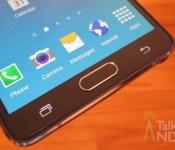
Samsung starts pushing out Lollipop update for the Note 4 in South Korea
Samsung has today begun pushing out the much-anticipated Lollipop update to all unlocked models of its flagship phablet, the Note 4, located in South Korea.
For those in need of a refresh, the Lollipop upgrade brings support for multiple accounts, improved notifications, a smoother multitasking experience, Ambient Display, smarter internet connections and the recently-announced Material Design guidelines.
To start the update, make sure you’re connected to a Wi-Fi network. Then, from the home screen, press the Menu key, followed by Settings. Scroll to the bottom and tap ‘About Device’, followed by ‘Software Update and ‘Update Now’.
Come comment on this article: Samsung starts pushing out Lollipop update for the Note 4 in South Korea

Galaxy S6 to have user un-installable bloatware, Material Design improvements, and more

Touchwiz’s biggest critics have been waiting years for Samsung to get with the program, in terms of better optimizing the UI and removing extra “junk”. In the past few years we’ve heard more than one rumor about how Samsung will slim down Touchwiz, only to walk away disappointed in the end. Could things be different this time around with the Galaxy S6? We hope so.
In addition to rumors suggesting that Samsung is going to be optimizing Touchwiz to give “Nexus-like” levels of performance, about two weeks ago now a report from SamMobile suggested that Samsung would also be removing much of the bloatware. Instead, those wanting the removed apps could simply install them from the Samsung store or even Google Play. Now SamMobile is back with even more details about what to expect from the Galaxy S6’s hardware, and it’s looking pretty impressive so far.
Beyond simply decoupling many apps from the Touchwiz experience, Samsung is reportedly making it so nearly all pre-installed Samsung apps can be uninstalled by a user
Beyond simply decoupling many apps from the Touchwiz experience, Samsung is reportedly making it so nearly all pre-installed Samsung apps can be uninstalled by a user without special permissions or access to root. For all that it’s removing, it also seems that Samsung is introducing quite a few new pre-installed apps to the picture including a number of Microsoft apps such as OneNote, OneDrive, Office Mobile and Skype. More than likely this could have to do with the recent agreement Samsung and Microsoft reached, relating to their previous patent dispute.
It’s not just the apps that are changing, SamMobile’s “insider source” also claims that the much faster TouchWiz/Lollipop experience will have numerous Lollipop animations and effects, more colorful designs for Samsung apps and several other changes as highlighted n the list from SamMobile below:
• Samsung’s default keyboard app supposedly looks more like a mix between the keyboard on the Galaxy Tab S and the iOS keyboard.
• More theming options are available
• You can select between 4×4, 4×5 and 5×5 icon layouts for the app drawer
• The app drawer no longer supports endless cycling through the list of apps (meaning you can’t go back from the last page to the first without going back through the previous pages).
• The music app still runs in full-screen mode at all times
• The dialer app looks “green as grass”, or that’s what we were told.
It’s important to remember that all of this comes from a source we can’t independently confirm, and so we’d take this news with a grain of salt. After seeing Samsung promise big and deliver much more modest changes with each new phone, it’s hard not to remain skeptical at this point — though perhaps slowing sales have finally given Samsung the push it has (arguably) been needing.
What do you think, excited by the Galaxy S6 and the rumored Touchwiz changes? How likely do you think these changes are, or will most of them prove to be nothing more than rumors or exaggerations?

Galaxy S 6 could get released around March 22

The Galaxy S 6 and Galaxy S 6 Edge will be unveiled on March 1 at Mobile World Congress, but when will you be able to buy one? Phone Arena has received a tip from a Samsung employee that says that a vacation blackout period has been set for March 22 through March 30.
Of course we don’t know for sure, but it’s likely that the Galaxy S 6 and the Galaxy S 6 Edge will be released during that period.
Now interestingly enough, there is another vacation blackout period set for April 19 through April 27. The tipster was speculating that it could be for just the Galaxy S 6 Edge or it could be for brand new Galaxy Note tablets.
It sounds like we won’t have to wait too long to buy a Galaxy S 6. Will you be grabbing one?
source: Phone Arena
Come comment on this article: Galaxy S 6 could get released around March 22

3 reasons the Galaxy S6 will resurrect Samsung

It has been known for sometime that Samsung’s sales have been slipping. While they are still on top of the Android market, they still trail Apple. The Galaxy S series has been Samsung’s key to success, but also the key to their failure. The Galaxy S3 was one of the first Android phones to compete head to head with the iPhone, but each Galaxy S device after that has been lackluster.
Samsung didn’t change their formula very much in the transition to the Galaxy S4 and Galaxy S5. Both phones still featured a ‘cheap’ plastic design followed with only slight bumps in the hardware category. Nothing was truly groundbreaking to make the Galaxy S4 and Galaxy S5 must-have devices. While both devices sold well, neither really dominated the market.
The lack of success on the two previous iterations of the Galaxy S line has put a heavy burden on the shoulders of Samsung. The next Galaxy device will be pivotal to Samsung’s future success in the smartphone market. This has lead to Samsung starting the Galaxy S6 design from scratch and the codename “Project Zero” was a good start.
Everything surrounding the Galaxy S6, whether they are images, leaks, or rumors, are purely speculation. Based on that speculation, we have compiled 3 reasons why the Galaxy S6 or Project Zero, will revive Samsung.

The first key to success of the Samsung Galaxy S6 will be the design. While Samsung has always been up-to-date on the hardware, their design was always criticized. It is very understandable when paying over $700 for a smartphone that the consumer would want a premium design, which would include metal. We have seen this premium design over and over again by Apple with their iPhone series, Samsung’s top competitor.
Samsung tested the waters originally with the Galaxy Alpha followed by the Galaxy Note 4. Both were very well received and it has set the tone for the S6. According to a leak obtained by SamMobile, the image above are leaked schematics of what to expect on the S6.

The day before the schematics were leaked, images of what is allegedly the Galaxy S6 unibody appeared, and it looks as if it is just what Samsung needs. A device with a solid, thin, unibody is what sells nowadays, just look at Apple.
Not only will the unibody make the Galaxy S6 one of the sleekest devices on the market, it will also make it one of the thinnest. According to the images above, it will be only 6.91 mm thin, compared to 8.1 mm of the Galaxy S5. It doesn’t seem like a lot, but it does a lot for the overall design and will make the Galaxy S6 one of the most attractive devices to come out in 2015.
The first thing a consumer sees is how a device looks. The average consumer is not concerned necessarily by the hardware or specifications, but how the device looks and feels in the hand. Samsung targeted this exploit and it will be the top key factor in reviving Samsung.
For the majority of non-casual users, design is only part of it. What good is a device if it can’t perform? One thing that always has held Samsung back was UI or user interface. TouchWiz has a love hate relationship with a lot of people (a lot of people actually hate it) due to the features, but lack of performance.
TouchWiz comes chalk full of features, both wanted and unwanted, but it also comes chalk full of issues. The older TouchWiz has gotten, the more intrusive it has gotten. Features such as Smart Stay, Smart Scroll, Smart Pause, S-Voice all had good intentions, but under-performed to the extent that they were useless and just gimmicks.
Don’t get me wrong, TouchWiz has its perks. Samsung had the strongest push of the quick settings initiative, home screen customization, and widgets. Those features are great, but the negative features outweigh the good ones. This led to a UI that lagged, stuttered, and was underwhelming in performance.

TouchWiz compared to stock Android
Samsung has slowly been trying to improve TouchWiz for the past couple of phones. Most notably, the Galaxy Note 4, which was one of the most well-performing TouchWiz phones to-date, but it still wasn’t good enough. A SamMobile exclusive gave us new up regarding the UI, mentioning that most of it will be downloadable.
A fluid and quick user interface is a must when it comes to having a successful device. There is nothing worse than a phone lagging when transitioning through screens or opening up applications. Samsung has taken note of this and the Galaxy S6 will allegedly be “Nexus fast”, referring to the speed of a stock Nexus device.
While the design and user interface of a phone are important, what powers the device is just as important. Samsung has never been one to skimp on specs on their flagship devices, always employing the latest Snapdragon chipset in their flagship devices.
Originally it was thought the the Galaxy S6 would feature the ever-popular Snapdragon 810, but it was rumored to have overheating issues once the processor would start hitting certain clock speeds. Samsung was not impressed, so they will employ their own processor on the upcoming S6.

Why is this important you ask? The Exynos 7420, which is made by Samsung, is in its own category as far as performance. The S6 recently appeared on the AnTuTu Benchmark and blew by previous records by capturing a score of 60,978. Almost 10,000 over the previous record.
Not only will the Galaxy S6 feature an all-new slimmed down version of TouchWiz to boost performance, but it will feature one of the, if not fastest, processors on the market. It can’t get any better can it? It can. All rumors point towards the Galaxy S6 being the first ‘S’ device to sport 3 GB of RAM.
Samsung is looking at the tri-fecta on the upcoming Galaxy S6. Every aspect of the device will be an upgrade and nothing will be the same as far as previous iterations of the device. Most importantly, the three aspects that matter the most, will receive an overhaul.
Project Zero may be Samsung’s greatest achievement to date, but we won’t know until March 1st when the phone is debuted and later released. Combine the fact that the Galaxy S6 will feature a new design that includes a metal unibody, a new, Samsung made processor, and a new version TouchWiz, we are looking at an all-new side of Samsung.
Samsung is used to sitting atop its perch as King of Android, but its lack of intuition and innovation has hurt it drastically. Everything that the Galaxy S4 and Galaxy S5 featured that was detrimental to the success of Samsung’s flagship devices, has been overhauled or removed.
When the Galaxy S6 gets announced at Mobile World Congress on March 1st, look for the tri-fecta to revive the mobile giant. This is a side of Samsung that we haven’t seen and aren’t used to, and it will take the mobile tech community by storm. Look for the Galaxy S6 to sit atop sales and reclaim what the Galaxy S3 brought to Samsung.
Galaxy S6 render courtesy of Under KG
(function() var script = document.createElement(‘script’);script.src = ‘https://stacksocial.com/widget.js?publisher=androidguys&type=editorial_post_widget_preferences’;script.async = true;var entry = document.getElementsByTagName(‘script’)[0];entry.parentNode.insertBefore(script, entry);)();
http://www.androidguys.com/pubgalaxy/728×90.html
The post 3 reasons the Galaxy S6 will resurrect Samsung appeared first on AndroidGuys.
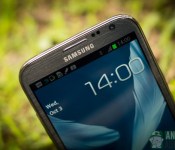
Galaxy Note 2 to receive Android Lollipop, says Samsung Poland
![galaxy note 2 [aa]](https://i2.wp.com/cdn01.androidauthority.net/wp-content/uploads/2012/10/galaxy-note-2-aa.jpg?resize=640%2C426)
Samsung has been reasonably quick at bringing Android Lollipop to the Galaxy Note 3 and Note 4 and also looks set to bring the update to its two year old Galaxy Note 2, according to a tweet from Samsung Poland.
When asked about a leaked screenshot of the Note 2 running Android 5.0, Samsung Poland confirmed that the Galaxy Note 2 would indeed be receiving the update. However, no other information about dates or regional rollouts was given, so there could be a bit of a wait, if the update doesn’t fall through beforehand.
@immichal Tak, nasz rzecznik potwierdził dziś podczas #GZR, że GALAXY Note 2 otrzyma aktualizację. Nie mamy jednak dodatkowych informacji.
— Samsung Polska (@SamsungPolska) February 11, 2015
Samsung has already managed to start pushing out Lollipop updates for the Galaxy S5, S4, S4 LTE-A, Note 3 and the Note 4. Given that Samsung doesn’t typically offer updates for handsets older than 18 months, it is a bit of a surprise to see the latest Android OS set for release on the Note 2.
Hopefully this is a sign that Samsung is really ramping up support for its older handsets, a practice that will hopefully catch on with other OEMs too.
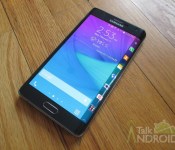
Galaxy Note Edge review: Super cool, but is it useful?

The Galaxy Note Edge was introduced alongside the Galaxy Note 4. It’s essentially the same exact phone except the right edge is curved and it serves as a secondary display. On the surface, it looks kind of cool, but when it comes to technology, cool stuff isn’t always useful or worth your money. If it cost the same as other flagship phones, it might be an easy decision, but at $399 on contract, this thing is either the next best thing or something to stay clear away from. Let’s find out which after the break.
Since the Galaxy Note Edge’s main differences from Note 4 are the edge display and the battery, I am only going to concentrate on those features. I am not going to spend too much time on performance, the overall software, and the camera since the experience is exactly the same. If you want to find out about those features, see my Galaxy Note 4 review, but for now, I will concentrate on the design, the battery life, and how the edge display operates.
Design
I loved the build of the Note 4, and since the Note Edge has the same materials, it’s no surprise that I was also pleased. However the curved right edge does change things a lot in terms of holding the phone and operation.
Normally when you hold your phone, you probably have your thumb at one edge and your fingers at the opposite edge. Depending on the type of build, you will normally have a decent grip on the device. The edge changes things a lot. No more do you have a side panel to grab. Instead, you get a very small lip at the bottom. The right edge is curved so you won’t get the same feel. You can certainly rest your fingers on the curved glass, but it doesn’t give you that “good grip” feeling that you get from a normal edge. It will also cause issues with the display’s contents as you will find out later on in the review. It’s a matter of getting used to, but your best bet will be to keep your fingers at the small bottom lip. Now don’t get me wrong. It’s not so different that’s impossible to get used to, but you will need some time to adjust.

Because of this edge, Samsung had to make some other adjustments. Since the right side cannot house any buttons or ports, they moved the power button to the top. If you’re familiar with Samsung phones, this will take a little getting used to since Samsung has always tried to stay consistent with their products. They opted to place the power button on the top right side and moved the IR blaster to left, next to the microphone jack. The volume button on the left side is also different. I am not sure why, but they opted for a cleaner button, instead of the dimpled feel that is on the Note 4. The indentation to remove the back cover was also moved from the side to the top.


The only other difference is that the Note Edge is actually thinner than the Note 4. It’s also slightly shorter, but a little wider. The Note Edge comes in at 151.3 x 82.4 x 8.3 mm, while the Note 4 comes in at 153.5 x 78.6 x 8.5 mm. Because of this, the main display comes in a 5.6-inches on the Edge vs 5.7-inches on the Note 4. All of this is barely noticeable however.
All in all the Note Edge feels just as nice as the Note 4 that we loved, but the grip just isn’t the same. This isn’t a defect by any means. Samsung did a fantastic job with keeping things pretty solid with the curved edge. All I can say is that some people might not like the grip. You’re best bet is to try it at the store before you do anything.
Hardware
The Galaxy Note Edge features a 5.6-inch Quad HD (2560 x 1600) Super AMOLED display at 524 ppi and Corning Gorilla Glass 3, a 2.7 GHz quad-core Snapdragon 805, an Adreno 420 GPU, 3 GB of RAM, 32 GB of internal storage, microSD slot for up to an additional 128 GB of extra storage, 16 MP rear camera with f/2.2 aperture along with OIS, HDR, and 4K video capture, 3.7 MP front-facing camera with f/1.9 aperture, IR blaster, Wi-Fi 802.11 a/b/g/n/ac (2X2 MIMO), Download Booster, NFC, Bluetooth 4.1, USB2.0, MHL 3.0, Micro-SIM, and a 3,000 mAh battery.
Radios:
GSM 850 / 900 / 1800 / 1900, 3G Network HSDPA 850 / 900 / 1900 / 2100, 4G Network LTE 800 / 850 / 900 / 1800 / 1900/ 2100 / 2600
Display
It should be noted that although the Note Edge’s display has the same QHD resolution as the Note 4, it’s OLED instead of AMOLED. OLED was utilized because they cannot curve a Super AMOLED display. In my experience with both devices, I could not tell a difference between the two. Just like the Note 4, it’s an amazing display, and you will have a hard time finding anything better than either device.
The other thing to mention is that the Note Edge has one panel with a resolution of 2560 x 1660. The main part of the display comes in at 2560 x 1440, while the edge comes in at 2560 x 160. The edge is also about 0.30-inches wide.
Battery
Since the Galaxy Note Edge has a slightly smaller battery than the Galaxy Note 4 (3000 mAh vs 3220 mAh), you would expect a little less battery life. That was confirmed in my video rundown test. I was able to get 10 hours and 37 minutes on the Note Edge versus 12 hours and 16 minutes on the Note 4. The Note 4 will get you through an entire day with about 20 to 30% left over, but the Edge won’t leave you much leftover. You still should make it through a full day with moderate use, but you might find yourself using Ultra Power Saving Mode once in a while a few hours before bed.
Edge Display and Software

Other than the design, this is the other important part of this review. It’s the curved edge that is the selling feature of this device so it’s time to find out all about it. I put together a video showing you everything that it can do and how it all works. You can see it below, but in a nutshell, it acts as a quick way to launch apps as well as read notifications, the weather, and the news. It can be customized to an extent and there is some developer support for third party apps. You can even set it up for left handers. Before I move on, check out the video below.
Click here to view the embedded video.
Using the edge display is pretty simple and straightforward, but I never felt like it was a game changer. Looking at the curve and showing it off is kind of cool, but when I switched to a “regular” phone, I didn’t feel lost. As far as the quick app launcher, there are a ton of apps just like it in the Play Store that can do something similar. Now they might take up some of your screen real estate, but does that matter when you’re looking at displays 5-inches and over? There is also the issue with reading notifications when the main display is off. It’s cool, but the display times out before you can read it all, so you have to keep tapping to prevent it from sleeping. Then there is the gesture that you use to turn on just the edge display. You have to swipe your finger back and forth. Not too bad, but if you’re doing it with one hand while the phone is sitting on the desk, it moves a little. That’s not a big deal, but it’s another minor nuisance. Last but not least, when holding the phone, your fingers will sometimes accidentally swipe the edge causing things that you didn’t intend to happen.
Probably the coolest feature of the edge display is the night clock, which is perfect for your nightstand. I don’t have a clock on my side of the bed, and I loved the Moto 360′s adaption when I used it. The Edge gives a very nice and clean display. The only real problem is how it lays on your stand. I am on the right side of the bed and the charging wire comes from the back of the nightstand. If I lay the Edge with the cable to the back of the stand, then I cannot see the edge display. So I have to wrap the cable across the front of my nightstand. Good news!! Samsung will implement a dual curved edge display version of the Galaxy S 6 to solve this problem. Actually it’s unlikely they are making it for that reason, but it will be one of the pros of a dual curved edge display. With all that said, the night clock is great and all, but it’s hardly a reason to spend the extra dough on this phone.

Conclusion
The Galaxy Note Edge is a little ahead of its time. It’s a proof of concept if you will. I have no doubt that curved displays are in the future, but for now they don’t really offer a whole hell of a lot. If the Note Edge was the Note 4 and priced the same as the Note 4, I would be all over it, but paying a premium isn’t worth it until it matures. Even the G Flex 2, which is a completely different curve, can be considered in the same boat as not all that useful, but it will be priced the same as other phones sitting next to it. So you don’t mind dropping your money on it. The Galaxy Note Edge is strictly for those that just have to own something different and newer than everyone else, not to mention a little extra money to burn. And at this point in the game, unless you need the S Pen capability, it’s probably better to wait and see what the Galaxy S 6 Edge offers.
Come comment on this article: Galaxy Note Edge review: Super cool, but is it useful?
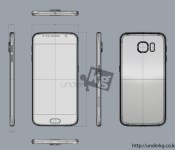
New renders and schematics for Samsung Galaxy S6

Another day, another day closer to MWC 2015 must mean new leaks about the Samsung Galaxy S6. Today some of the best renders and schematics we’ve seen for the upcoming smartphone from Samsung have surfaced. If accurate, they show some great detail about the smartphone as well as reveal some of the apparent inspiration Samsung may have received from Apple and the iPhone 6.
In checking out the schematics and other information, a couple bits of information are noteworthy. First, while the Galaxy S6 will only be 6.9 mm thick at the edges and for most of its area, it does have a protruding camera. That lenses causes the thickness at that point to jump up to 8.79 mm. The source for the drawings also indicates the screen size is only 4.9-inches, which is a slight decrease compared to the Galaxy S5. Apparently this is to help create a little more “space” to distinguish the Galaxy S device from a Galaxy Note device like the Galaxy Note 4, which currently has a 5.7-inch display.
The source also tries to show how the Galaxy S6 is similar to the iPhone 6 by pointing out the location and design of the speaker grille as well as the location of the headphone jack on the bottom edge of the device. Some of those decisions could just be the result of practical manufacturing needs or feedback from customers.


source: UNDERkg
via: G for Games
Come comment on this article: New renders and schematics for Samsung Galaxy S6


