


Nomad ChargeKey review
Carrying around a setup to ensure your device is always charged, especially when you’re traveling or out for the night is never convenient. The fact that companies are making a ton of money off of portable battery packs and external battery cases is proof enough it’s time for one of the tech giants (or perhaps this needs to come from an out-of-nowhere startup) to revolutionize batteries.
Until then, we make do with what we have and wait for the next product to help us keep our devices full of juice.
One such product is the ChargeKey from Nomad. Designed to mimic the exact size of the average house key, ChargeKey is small, flexible, and portable.

The model I was sent for review is the Lightning compatible version for iOS devices. It’s capable of carrying 3.1 amps when charging, meaning it will provide enough power to charge full-size iPads. Don’t worry, there is a Micro USB version as well.
The material of ChargeKey makes it so it’s bendable and can withstand the normal abuse metal keys are subjected to on your keyring. With ChargeKey able to bend and move, it also means your iOS device will sit flat on the table or desk as you have your device connected. On top of that, it’s nearly impossible to always find a USB port or charging station that has a surface directly underneath it. As such, the ChargeKey creates a secure enough connection to hold an iPhone, while bending, without requiring you to hold your device the entire time it’s connected.

I have used the ChargeKey for the last few weeks during my trip to CES, and around the house. I find it better suited for use when not attached to my keyring. Keys and a glass screen have never gotten along, and I’m too paranoid my screen will accidentally get scratched when I have my device charging via the ChargeKey. It’s small enough that it fits into a side pocket on a backpack, or heck even your front pocket if you’re really paranoid about a dying battery.
The only drawback that I can come with for the ChargeKey is that it’s not an all-in-one charging solution. You still have to either find a USB port (which is getting easier and easier) or carry around a wall wort to plug ChargeKey into.

The Nomad isn’t currently shipping ChargeKey, but it expects to by the end of February, according to its website. The ChargeKey will set you back $25, or if you’re really creative you can offer to barter a service or good for a ChargeKey or two. Perhaps the best part of the ChargeKey is it’s warranty. Nomad states if your ChargeKey ever breaks, it will replace it free of charge.
The post Nomad ChargeKey review appeared first on AndroidGuys.

Weekly Roundup: 2013 in review, NSA iPhone hack, live at CES 2014 and more!

You might say the day is never really done in consumer technology news. Your workday, however, hopefully draws to a close at some point. This is the Daily Roundup on Engadget, a quick peek back at the top headlines for the past 24 hours — all handpicked by the editors here at the site. Click on through the break, and enjoy.

The year in reviews
We reviewed more than 170 products in 2013, but rather than leave you to sift through them yourself, we’ve compiled our most memorable reviews into one simple package. Click on through for more details.

We’re live at CES 2014!
While you’ve been enjoying a restful weekend, folks at Engadget have been hard at work, prepping for the insanity to come. Click the link for a sneak peek of CES 2014.

2013 in review
Engadget takes a closer look at the biggest triumphs, breakthroughs and failures of the year gone by. From the Netflix explosion to the rise of wearables, we’ve got you covered. Click through to take a look.

Mac Pro teardown
Apple products aren’t exactly known for their serviceability, but according to iFixit’s latest teardown, repairing the new Mac Pro is a surprisingly straightforward affair. Click through for details on the repairability score.

The year in reviews: 2013’s best and worst gadgets scored and scrutinized

Fun fact: Engadget reviewed 176 products in 2013, and that’s not even counting the umpteen times we got hands-on with stuff at tradeshows and press events.
In general, we try to review just the top-tier gadgets, but even then, some of it ends up being forgettable. (Can you name-check everything we tested from memory? We can’t.) So, as the year draws to a close, we’re taking a look back at the last 12 months of reviews, and this time, we’re including only the products you’d have no trouble remembering. Across every category, we’ve noted the flagships everyone coveted — along with the duds that could’ve been so much better. Oh, and you might notice that we included some numbered scores throughout. That’s right; Engadget is bringing back numerical ratings, and they’ll follow the same format as the critic score gdgt has already been using for years. Which is to say, each rating takes into account various criteria for a given product category — things like battery life and portability. Wanna see how your favorite gadgets did? Meet us after the break for a walk down memory lane.
E-Readers
Amazon Kindle Paperwhite (2013)

Engadget Score: 93
The “all-new” Paperwhite doesn’t really offer anything all that different from last year’s edition, but an improved frontlight and some software tweaks have made an already great reading experience even better. Unless Goodreads is a must-have app for you, it’s a tempting, but largely unnecessary upgrade if you already own last year’s version.
Kobo Aura HD

Engadget Score: 83
The Aura HD is packed with features specifically aimed at the power reader, including best-in-class specs like a 6.8-inch display with blisteringly sharp text and a robust 4GB of internal storage space. Unfortunately, its niche status is further cemented by a high price and a hard-to-hold form factor that escapes easily from those with sweaty hands.
Barnes & Noble Nook GlowLight

Engadget Score: 73
Barnes & Noble giveth and taketh away with the Nook GlowLight. Sure, it’s the best Nook so far, with a better display, improved frontlight and a lighter form factor. But, all those improvements come at the cost of features like the microSD slot, physical page turn buttons and the contoured back, which all served to distinguish the line from its competition.
Gaming
Sony PlayStation 4

Engadget Score: 83
It doesn’t look like a PC, but underneath the PlayStation 4′s sleek black exterior is a powerhouse that rivals gaming PCs, with a user-friendly interface, a great controller and the ability to share your gameplay at the touch of a button. The next generation of consoles might just be getting started, but it’s one hell of a start with the PS4 at the head of the pack.
Microsoft Xbox One

Engadget Score: 81
The Xbox One may not be the prettiest belle at the next-generation ball, but with the wonders of Kinect voice control, robust media features and the ease of switching between games and apps at the drop of a hat, it certainly is vying to be the center of attention. It just needs a few more exclusives to get consumers to look past that $500 price tag.
OUYA console

Engadget Score: 66
The initial backer editions of the OUYA shipped with a flawed controller and access to a limited games selection. But even after the retail release, the OUYA’s still a system best left to hackers and developers, as it’s likely to leave most gamers disappointed by its average smartphone-level internals and rehashed games library.
NVIDIA Shield

Engadget Score: 83
The NVIDIA Shield wants to be the Swiss Army knife of hand-held game consoles, and it largely succeeds as a product — but not as a handheld. Its size and weight mean you won’t be carrying it around much, but the larger screen, great battery life and the ability to stream PC games to the Shield mean you’ll still get a lot of use out of it.
Home Entertainment
Google Chromecast

Engadget Score: 84
The Chromecast might not be as fully featured as competitors like Roku or Apple TV, but you know what? It doesn’t matter. This palm-sized dongle is easy to set up and turns any modern set into a smart TV, all for the low, low price of $35. Its app selection is still experiencing some growing pains, but even now, you’re still getting more than your money’s worth.
Roku 3

Engadget Score: 89
The newest Roku doesn’t have analog AV support like its predecessors, but it does offer incredible ease of use and a wide selection of channels, all for a nice price of $99. Even users of older Roku boxes should look into the Roku 3, whose upgraded CPU and improved UI help future-proof against new, more demanding apps.
Laptops and Hybrids
Microsoft Surface Pro 2

Engadget Score: 77
The Surface Pro 2 retains its predecessor’s durable body, but it’s equipped with a Haswell processor, boasts faster performance and has longer battery life. Microsoft has yet to find the perfect balance for a hybrid device, though — its weight and thickness make it a better notebook than a tablet, so you may want to look elsewhere for an everyday slate.
Apple MacBook Pro with Retina display

Engadget Score: 90
With a starting price that’s $400 less than the 2012 model, the new MacBook Pro with Retina display is a much better deal. In addition to its speedier SSD and better graphics, its epic battery life and thinner, lighter body might make you reconsider if you’ve been in the market for the slightly wispier MacBook Air.
Google Chromebook Pixel

Engadget Score: 79
Google infused the Chromebook Pixel with sophisticated looks and high-end specs, including a 2,560 x 1,700 touchscreen display and LTE connectivity. Even so, its $1,299 price tag might not be worth it unless you’re always connected to the web — hard to do with its poor battery life — and plan on storing huge files in the cloud.
Smartphones
MOTOROLA MOTO X

Engadget Score: 88
The Moto X doesn’t have the specs to compete with heavyweights like the Galaxy S 4 and the HTC One, especially at the same price. But, with user-friendly enhancements to the UI and the magic of customization with Moto Maker — now available for all major carriers — this truly is a phone for the people.
Apple iPhone 5s

Engadget Score: 92
Apple continues to improve on the iPhone line with the 5s, and while the phone maintains the same body as its predecessor, it packs in enough upgrades to appeal to hardcore and casual users of iOS alike. However, even with future-proofing measures like 64-bit support and the M7 coprocessor on board, only the most forward-looking Android power users will find incentive to switch.
HTC One

Engadget Score: 92
The HTC One is a top-shelf smartphone, boasting a unibody aluminum shell, a gorgeous display and a fast Snapdragon 600 processor that runs buttery smooth. The Sense 5 UI didn’t thrill us, but a solid battery and excellent call quality, among other things, made this one of the best phones to buy this year.
Samsung Galaxy S 4

Engadget Score: 88
With a familiar chassis and some impractical features, Samsung’s newest flagship isn’t exactly turning heads. Market-topping specs and minimal learning curve make this worth considering if you’re due for an upgrade from an older Samsung device, but anyone looking for something fresh would be better served by the more polished HTC One.
LG G2

Engadget Score: 87
With its bright 5.2-inch screen and phenomenal battery life, the G2 is a great phone for taking photos, watching videos or just general everyday, all-day usage. That is, if you can get used to its other standout feature — all three of its buttons are on the back, better to make room for the gorgeous screen, but not so friendly to those who like to hold their handset in a death grip.
LG Nexus 5

Engadget Score: 86
Not only is the Nexus 5 gifted with a great 1080p display and a fast quad-core processor, but it also heralds the release of a leaner and meaner iteration of Android, 4.4 KitKat. Take all that and offer it to consumers at an outstanding off-contract price of $349, and the Nexus 5 not only succeeds, but also puts rival handsets on notice to deliver more bang for your buck.
Samsung Galaxy Note 3

Engadget Score: 87
Those with small hands still need not apply, but for the third iteration of the Galaxy Note, Samsung has packed in a robust processor, a solid battery and even more useful S Pen features. The display has also gotten bigger and better, though those who want to watch videos on this thing shouldn’t depend on the built-in speakers.
BlackBerry Z30

Engadget Score: 62
The Z30 was supposed to be the phone that would make BlackBerry relevant again. And while the comfortable hold and large screen will more than please the BlackBerry faithful, an average battery, poor call quality and crash-prone software mean few, if any, will be making the switch from Android or iOS anytime soon.
LG G Flex

Engadget Score: 83
The G Flex’s top-to-bottom curve means it’s very comfortable next to your head, but not so much in your pocket. That curve comes with a chassis designed to be pretty durable, with a flexible body and screen, and a self-healing back that resists scratches. Does it work? Somewhat. Is it worth the $900 price tag? Not really.
Tablets
Google Nexus 7

Engadget Score: 90
The price may be (slightly) higher on our returning favorite tablet, but the Nexus 7 is still an obscene value. That this year’s model got a noticeable boost everywhere it counts and sells for significantly less than a comparable iPad mini is nothing short of impressive — even though Apple’s tablets still have more apps designed for bigger screens.
Amazon Kindle Fire HDX

Engadget Score: 85
The Kindle Fire HDX may be the most compelling case yet for Amazon’s tablet ecosystem. Advanced users might scoff at the device’s somewhat limited capabilities, but the display’s gorgeous color accuracy could make Bezos’ Prime directive an easy sell for just about everyone else.
Apple iPad mini

Engadget Score: 92
The iPad mini is an inexpensive way to join Apple’s tablet family, but it remains more costly than its similarly sized competition. Besides the striking Retina display, what makes the minuscule iPad so attractive this year is it’s essentially a shrunken-down version of its powerful bigger sibling. Very few sacrifices were made to accommodate the smaller stature — something the competition can’t quite claim.
Apple iPad Air

Engadget Score: 92
Tablets went mainstream thanks to the original iPad, but thanks to economies of scale and Moore’s Law, the competition’s become rather fierce — maybe unexpectedly, from Cupertino itself. The iPad Air is the best Apple tablet we’ve reviewed, but it could be hard to justify when the iPad mini now offers nearly the same experience — Retina display, similar styling, A7 64-bit processor — for less.
Microsoft Surface 2

Engadget Score: 78
If the Surface 2 existed in a world where only hardware mattered, its brawny battery and rock-solid construction might put it at the head of the tablet pack. In reality, though, Microsoft’s slate is hamstrung by the shortcomings of its OS, Windows RT, and its inability to run traditional desktop apps.
Galaxy Tab 3 10.1

Engadget Score: 65
We’re not entirely sure what Samsung’s game is with the Galaxy Tab 3 10.1. It hasn’t changed much in terms of specs from the GTab 2, packs a subpar display and severely lacks in features and power compared to the company’s line of Galaxy smartphones. Most damning? The $300 asking price.
Wearables
Samsung Galaxy Gear

Engadget Score: 65
It’s hard to justify paying $300 for the Galaxy Gear when it feels like an incomplete product and is only compatible with a handful of Samsung devices. Still, it stands out as one of the most feature-rich smartwatches we’ve tried, and as the company issues software patches and the app catalog grows, it could become better in time.
Google Glass

Engadget Score: Not Yet Scored
We’ve yet to see a consumer-facing Google Glass, but suffice to say the current version’s more of a research project — definitely not worth its $1,500 price tag for most folks. Mountain View still has to polish its features, address privacy concerns and entice developers before it hits the market. Until then, current Explorers will just have to deal with lots of confused stares when they wear it outside.
Sony SmartWatch 2

Engadget Score: 71
Unlike the Galaxy Gear, you can tell time on Sony’s SmartWatch 2 without having to interact with the screen, and it even costs $100 less. Unfortunately, few will be able to stand its buggy software and limited app selection. But, hey, at least it’s compatible with most handsets running Android 4.0 or higher.
Pebble

Engadget Score: 80
Pebble doesn’t have as many features as other smartwatches: It can only read texts, skip music tracks and tell time. Unlike its competitors, though, it costs a more reasonable $150 and offers both great battery life and an e-ink display that’s easy to read in daylight. As an added bonus, it also works with both Android and iOS devices.
Mariella Moon, Timothy J. Seppala, Kris Naudus and Dana Wollman contributed to this feature.
Filed under: Cellphones, Gaming, Laptops, Tablets, Wearables, HD, Mobile, Apple, Samsung, Sony, Microsoft, HTC, Google, Amazon, LG, NVIDIA

Our top Podcast apps for Android
Podcasts are one of the most informative ways to get news, learn, or pass the time. Here are some of our favorite apps to manage your Podcasts on Android.
Pocket Casts

With the user interface being arguably the most important feature of an app, this is where Pocket Casts stands out from the crowd. From its ease-of-use to the widget, this app is beautiful. It syncs well across devices, which is really handy. The Discover tab is a really nice touch. It shows what is featured, popular, and multiple categories. It’s easy to maneuver, and aside from the occasional bug, it’s dang near perfect. For $3.99, we’d say that it’s worth every penny.
Stitcher

Next is Stitcher, a great option for either the power or casual listener. This one is also a great looking app, but comes with a decent helping of ads. It has basically the same UI as Pocket Casts, though the two differ in functionality. Stitcher offers Front Page, which is useful to see what’s trending. It’s a tag buggy and force close-y, but if you can get past that, Stitcher is definitely for you! You can pick it up in the Play Store for free, with, unfortunately, no ad-free version.
DoggCatcher

Here is where we stray away a bit from the UI of the first two. Doggcatcher is very functional, though may not be the prettiest. It offers everything you’ll need in a Podcast app. However, this one hasn’t been updated, visually, in awhile. It sort of resembles an app that would be common in the days of Froyo/Gingerbread. Though that isn’t a make or break for us, we’d still like to see an update. You can pick up Doggcatcher for free as a 7-day premium trial, then it becomes a lite version. With the lite version, you’ll lose the ability to add more than ten feeds, no auto refresh, and more. If you’d like to pick up the premium version, it’s available in the Play Store for $2.99.
Player FM

Lastly, Player FM is a solid Podcast app. It has a nice interface, and does just about everything you’d like it to do. It offers syncing across devices, and the ability to download media straight to your phone or tablet. Very simple, and very easy to use. If you’d like to try it out, it’s free in the Play Store.
What apps do you use to manage your Podcasts? Anything that we missed? Let us know in the comments!
The post Our top Podcast apps for Android appeared first on AndroidGuys.

RAVPower Element 5600mAh Battery Pack review
The RAVPower 5600mAh Battery Pack is a great option for anyone on a budget.
Are you finding yourself constantly running out of juice on your phone? Have you ever thought of investing in an external battery pack? Personally, I didn’t think I needed one. After using this for some time, though, I’d definitely say that I’d be lost without one.
Battery
Let’s dive-in to the most important part of the pack – the battery. There are certainly other battery packs out there that are bigger, more pricey, and prettier, but you’d be hard-pressed to find one better than this for the price. The model we received is a 5600mAh, which is twice the size as the Nexus 5 battery (the phone we tested it with).
It turns out, I got exactly two charges out of the battery pack, which is what should be expected. When you plug in a device to the pack, tap the power button once to start charging. One nice feature is that if nothing is plugged in, it turns off within 20 seconds to conserve energy.
Hardware
This battery pack features a sleek design, complete with a glossy plastic chassis. The top of the pack has a mirror-like panel, with four lights that glow blue to indicate battery life. The mirror material is not at all scratch resistant. In fact, ours came completely scratched. This isn’t a make-or-break “feature” for us, but for the price, it’s hard to complain about the build quality. Other than a few scratches, our model has held up pretty well, so far.

The pack comes with a mini-USB cable, which is about 12 inches long. It does not come with a charging brick, however, so you’d need to plug it into your phone charger to give it power. An added bonus is the built-in flashlight, which can be turned on with two taps of the power button. From our testing, the light doesn’t take up too much battery. The light is pretty dull, so the average user probably won’t use it too much.

To buy, or not to buy?
All in all, this is a great product. It has held up well, and aside from a few nicks and bruises, should hold up for quite some time. RAVPower offers the black model on Amazon for $25.99. If you’d like to look at larger variants, head over to the official RAVPower website.
The post RAVPower Element 5600mAh Battery Pack review appeared first on AndroidGuys.

Game Review – Ski Safari: Adventure Time
A great endless side-scroller that will really jump out to fans of Adventure Time
Much of the time, when a cartoon is turned into a phone game, the results aren’t always the best. That is definitely not the case with this Adventure Time game. Following the same principles as the original Ski Safari, this one is a must-have for any lover of the show.
The premise is simple – You play as Finn, and you are sliding down a mountain, away from an avalanche. Try not to run into rocks or land upside-down, otherwise you could get stuck in the snow. Most of the time, you’ll be riding on a slew of familiar characters like Jake, Ice King, LSP, Marceline, Princess Bubblegum, Rainicorn, Gunter, and many, many more.

You begin on the Rock Candy Mountain, and you can unlock more levels like the Ice Kingdom and the Mystery Mountain. Actually, those are the only levels in the game. We would have liked to see more, but each level is pretty difficult to reach with the amount of coins that you earn, so you won’t get bored with each one too quickly.
You’re able to unlock new characters and outfits with the coins that you receive from your runs. There is, however, the ability to make some in-app purchases for more upgrades. So if your kids are unmonitored while playing this, you might need to check on them every once in awhile.
All in all, we love this game. There is a huge variety of characters to interact with to ensure that you don’t get bored. The music and sound effects remind us exactly of the show, and creates a very authentic experience. If you don’t mind spending 99 cents, we’d definitely urge you to pick this one up.
What we liked
- Easy to learn
- Characters are spot-on
- Enough variety to ensure gameplay doesn’t become monotonous
- Hey, it’s only 99 cents!
What could be improved
- We would have liked to see more levels
- Could be more challenging
The post Game Review – Ski Safari: Adventure Time appeared first on AndroidGuys.
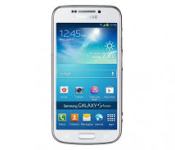
The Samsung Galaxy S4—Waiting for the Latest and the Greatest Model Yet
The Samsung S4 release in a short time is one of the most anticipated and talked about cell phone releases ever. Technology enthusiasts, Samsung fans, those who enjoy portable video, and those who want a convenient and well thought out camera are all likely to be interested in the latest model in the Samsung flagship Galaxy line.

Samsung Galaxy S4
For those excited about a specific feature or who just cannot wait to get the latest model of the newest technology on the market, this much anticipated release cannot come soon enough. Waiting is never easy and when a product as touted and as advanced as the Galaxy S4 is on its way, the waiting can seem so difficult.
The Techie Stuff
The S4 is going to have some great new technology built into it that will impress those who love the technology end of cell phones. The faster CPU at 1. GHz and the 2GB of Ram are sure to impress in the world of cell phones.
The fact that the screen is bigger but the phone is lighter and thinner make this a bit of an engineering marvel, just a bit, but that is sometimes all we need to be impressed. The fact that the memory on this phone is expandable to another full 64 GB by using a MicroSD card is also impressive, the more we can store the more we have at our fingertips.
Fans of Samsung Phones
For those who want to brag about how awesome their Samsung Galaxies have been, for those who do not like the competition for one reason or another, or for those who simply got hooked when the first Galaxy was released, the latest in the Samsung line is a must have.
Sometimes it really is just about loving a product or a product line and wanting to show ones loyalty and other time it is simply having the latest in a line of products you admire and having the bragging rights that go with owning a fine product, either way this new release date cannot come fast enough.
A Movie and Video Watcher’s Dream
For those who watch a lot of video on their cell phone the 5 inch Samsung Galaxy S4 screen is a real plus. Not only is it bigger, it is also clearer and brighter. With better resolution than other cell phones and an easy to sue interface that makes watching videos a simple task, those who want a portable system that can do it all will be waiting anxiously for this phone. Don’t forget to protect your device with the full body invisible shield for Samsung Galaxy S4.
A Great Camera
A year or two ago a 13mp camera in a cell phone would seem an impossible dream. Well, dreams really do come true with the Galaxy S4. The camera has great features, snaps excellent, clear, sharp images and even takes great video. The front facing camera allows the photographer to take a picture in both directions simultaneously so that he or she can be in the picture as well.
Of course, this is more or less a picture in picture feature, but it is much better than never being in a vacation photo or family shot again simply because you are the photographer.
All in all there are many reasons that the Samsung Galaxy S4 is a highly anticipated cell phone, rightfully so as it is advanced, full of great features, and well, it is a Samsung Galxay!
This article was written by Tim Mars who write for Ace Case, a retail giant that deal in Ace Armour iPhone 5S invisible screen protectors and other mobile phone and tablet accessories.
Thoughts on the new Twitter UI
Last week, Twitter updated its official Android app with more functionality and UI problems than we’ve ever seen.
It’s no secret that the official Twitter app for Android has been… neglected. Not in the sense that it doesn’t receive notable updates, because it does. However, the way the app looks and feels is its biggest downfall. Compared to some 3rd party Twitter clients, there should be no reason to use the official app. But Twitter has something else up its sleeve…
Why is this a big deal?
With Twitter’s API limits introduced in late 2012, it’s getting harder and harder for 3rd part developers to keep their apps in the Play Store. If you haven’t heard, if a new Twitter app enters the Play Store, it only has 100,000 tokens available. If an app already has more than 100,000 users, they get to double their tokens, then get shut down.
Since the most recent update, I have never seen so many disappointed users. You would think that if they’re putting a cap on users to 3rd party apps, they would focus a little more on the app that they are (essentially) forcing people to use. We’ll talk more about that later.

The UI isn’t the main problem. Though it’s bright and a little bulky, it’s usable. You should begin to see the differences when it starts holding you back from doing things more quickly, and more efficiently.
Functionality
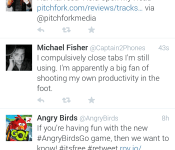
When I use Twitter, I read my feed, tweet, and find new people to follow. While you may use it for something more intensive, I usually stick to just that. The features of it that I use the least are Discover and Activity. Actually, I haven’t met anyone who uses them frequently, at all. The reason why I bring this up, is because perhaps the easiest way to navigate somewhere in an app, is by sliding tab to tab, from left to right. But, in the official Twitter app, they did this:

These tabs are accessed by swiping from left to right. In my opinion, these should not be placed here. The most used features are only accessed by tapping on them on the top of the screen.

While using this logic, shouldn’t they be switched around? Yes. They need to be. Take a look at some other apps that are doing it correctly, including Falcon Pro, Plume, and Tweedle:
Falcon Pro

(If you’re planning on downloading Falcon Pro, you can’t from the Play Store. This app is the first that has been removed due to Twitters limits. You can, however, download it from its official website, found in the above link.)
Plume

Tweedle

Widgets
The benefit to having an application on Android is the ability to use widgets. Especially with Twitter, most of the time you don’t even need to open the app if you have one on your home screen. Try not to laugh when you look at the comparison between the official and 3rd party widgets.

As you can see, the official Twitter widget resembles the UI from something that came out of the Gingerbread days, while the Plume widget blends in with just about anything that it sits next to. Why have they been neglecting this feature so much? No idea. But, here’s to hoping they update it sometime soon.
Final thoughts…
Not many official social network apps have a smorgasbord of customization options, but that isn’t the point. Don’t make a bad app/widget in the first place, and people won’t be resorting to other options. Also, if you’re going to have rules banning other apps from getting more users, you better be sure that yours is on-point. I think that’s the main thing that bugs me. Odds are, writing about this won’t change API limits or get Twitter to change their minds about anything. All we can really do is make suggestions, rate it on the Play Store, and hope for the best.
How do you feel about all of this? Are you using a different Twitter app? If so, we’d love to hear your thoughts in the comments!
The post Thoughts on the new Twitter UI appeared first on AndroidGuys.

Booq Galaxy S4 Complete Protection Kit review
You may not have heard of Booq, a company mostly known for making laptop sleeves and cases, but they’re venturing into the smartphone world with “Complete Protection Kits” for various devices. I had the chance to use their Complete Protection Kit for the Galaxy S4, which includes a hard shell case, a tempered glass screen protector, and two adhesive home button covers. There are some major pros and cons to the kit overall, so let’s start with the good news.
 The tempered glass screen protector is absolutely fantastic. I had no issues applying it, and managed to do so without any air bubbles. One of my biggest pet peeves with normal screen protectors is that they usually just look cheaply applied because of the air bubbles. The tempered glass screen protector included in the Complete Protection Kit takes care of this, and gives the Galaxy S4 a classy, simple layer of screen protection. It’s very easy to clean, and is quite smudge-resistant. Obviously the tempered glass gives a strong level of scratch protection as well, which is always a plus.
The home button covers were somewhere between great and useless for me. I understand their purpose (to compensate for the raised edges of the screen protector around the home button), but the practicality just wasn’t there. Booq gives users two adhesive home button covers with the Complete Protection Kit, but I found them to be more frustrating than useful.
 For starters, it’s nearly impossible to peel off the adhesive paper without getting fingerprints on the underside of the button covers. And since they’re transparent, my home button was more or less a permanent fingerprint showcase. In addition, the button covers themselves are ridiculously hard to apply correctly. After multiple attempts that resulted in countless instances of crooked home button covers, I just gave up and removed them.
While the screen protector is great, the Booq Complete Protection Kit does have a major downside: the case. Included in the kit is a slim, hardshell plastic case that’s offered in either black or clear (I received the clear variant). The back of the case is slightly frosted, although still mostly transparent. It snaps on fairly easily, and keeps a minimal profile. I don’t doubt that the case itself offers a fair level of drop protection, but there’s a major downfall to its design.
Buttons, buttons, buttons
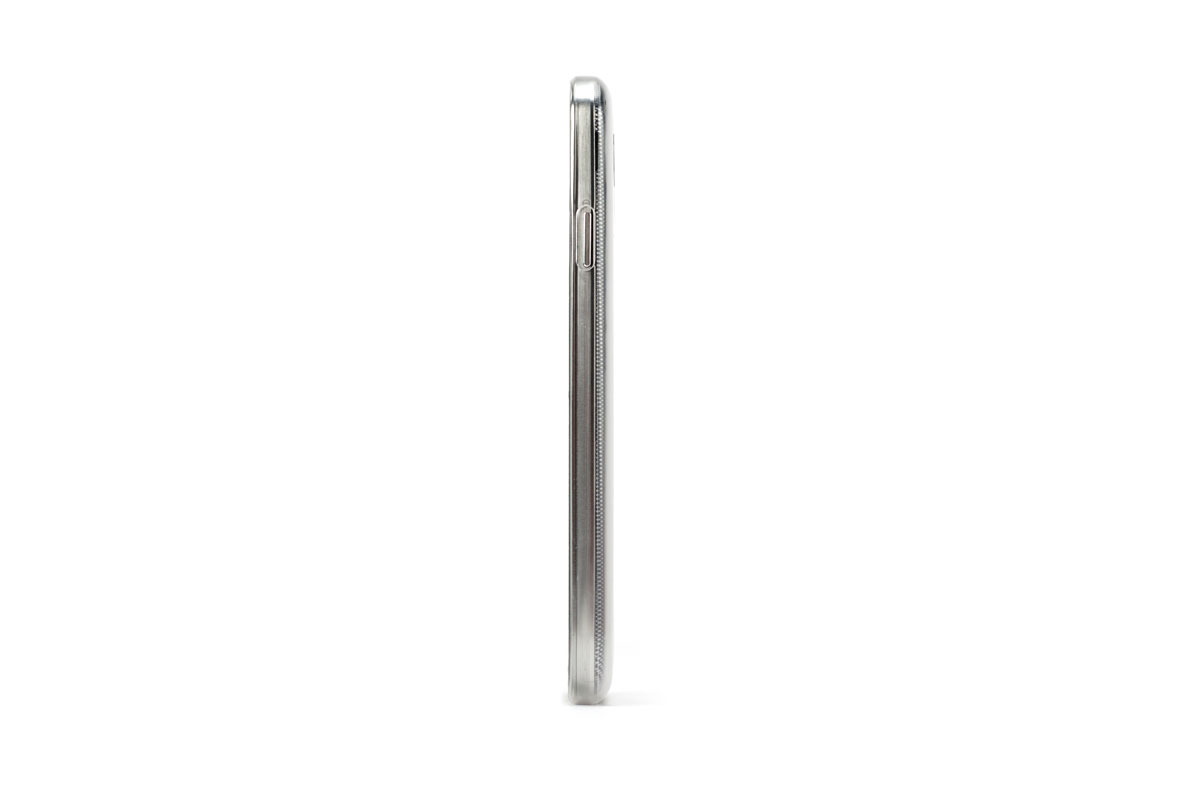 The button cutouts on the Booq case are just downright bad. For some reason, the power and volume cutouts are incredibly thin, and the raised plastic edges surely don’t help. I found myself repeatedly attempting to press the power button to lock my Galaxy S4, only to find that my index finger or thumb just wouldn’t fit into the cutout. The volume buttons are just as irritating, which makes me wonder why the case was designed this way.
Along with the cutouts, the edges of the case are actually somewhat sharp. When swiping on the screen, my finger hit the edges quite a few times, which is not helpful to the overall experience.
 In the end, the Booq Complete Protection Kit for the Galaxy S4 has its strong and weak points. The tempered glass screen protector is great, but the hardshell case leaves a lot to be desired. I probably wouldn’t recommend the case to anyone, but the screen protector gets a strong thumbs-up. Still, that case might be a deal-breaker for some users.
You can pick up the Complete Protection Kit directly from Booq for $34.95. Justifying that purchase might be hard for some users, given that the hardshell case isn’t the best. With that being said, tempered glass screen protectors aren’t exactly the cheapest of accessories, so that price might be worth it just for the screen protector.
The post Booq Galaxy S4 Complete Protection Kit review appeared first on AndroidGuys.
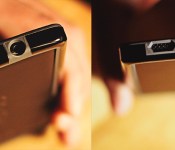
Poetic Borderline bumper for Nexus 5 review
For those of you who just picked up a Nexus 5, choices are pretty limited on cases (at least at the time of writing this). However, there is one case that sticks out above the rest. Poetic, a company who has always put out well-made and inexpensive phone cases, just released their line of…

