



Load links the correct way with Link Bubble [App of the Day]
When browsing the Internet on your smartphone, there are a few problems when you need to click on a link. Take the official Twitter app, for instance. If you click on a link, the browser needs to load, then continues to launch the dedicated app for that link. Or when you’d like to load multiple links at the same time, similar to what you can do on the computer, it’s a pretty big headache. Well, Link Bubble is here to help!
From the developer of the ever-so-popular Action Launcher, Chris Lacy is back with his next app innovation. Link Bubble aims to save you time that your browser would normally take to load a link. When you click on a link in any app, a bubble pops up on the edge of your screen – not unlike Facebook Messenger Chat Heads. The link will begin to load in the background, allowing you to still browse content in your app. When the link is loaded, it animates to the screen.

Here’s where the fun part kicks in. When you’re done reading, either back out of the bubble or long-press the bubble and flick it to one of the corners of your device. You can flick it to the trash, to the sharing bubble, or a shortcut to save it to Pocket.

There’s also added functionality that allows you to redirect links to an app (Instagram, Twitter) rather than wasting your time by adding a step to the process. The app is free, but we’d urge you to spring for the pro version for the extra features.
The pro key lets you load multiple bubbles AT THE SAME TIME. It also allows you to load links from all apps on your device (the free version intercepts links from only one app). It also acts as a little donation to Mr. Lacy for doing such a good job on this one. The pro version will set you back $4.99, but it’s definitely worth it.
This app is already helping me out quite a bit. It’s really innovative, not to mention a fun way to browse. Click the Play link to try it out!
The post Load links the correct way with Link Bubble [App of the Day] appeared first on AndroidGuys.
Our favorite news readers for Android
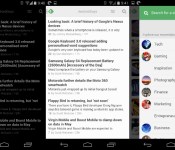
After Google Reader died, the poor souls who used RSS feeds for their main source of news were forced to move on. RSS isn’t dead quite yet, and there are tons of really nice apps for Android out there. Here’s a list, in no particular order, of some of the readers we use on our phones.
Feedly

Let’s start this list out with our collective favorite. Feedly was there when Google Reader wasn’t, plain and simple. It offered a painless way to import our Google Reader feeds without skipping a beat. The app has been updated like crazy, and it’s now more beautiful than ever. Theme options, view options, and a solid app – what more could you want?
Press

Press has been around for quite awhile, offering a beautiful look at your news sources. Import your Feedly, Feedbin, Feed Wrangler, and Fever feeds to Press and have at it. It offers Immersive Mode, a light and dark theme, and one heck of a widget. It’s $2.99, and for a great app like this, it’s well worth the money.

This is probably one of the most popular news apps out there. Flip through pages of articles and browse through content at the speed of light, all while looking at that nice flipping animation. You can sign in with you Facebook or Google+ username, or just jump in and start customizing your feed. For those of you who need more than just headlines, this app is for you.
Pulse

Or LinkedIn Pulse, rather. Probably the best things that Pulse has going for it is its layout. Very creative, very functional. It also has a nice widget that acts just like your feed.
gReader

gReader has been around for quite a long time. Nobody knew if it would make the jump after Google Reader was shut down, but lo and behold, it’s still here! you can sign in with Feedly Cloud, The Old Reader, or choose neither, and start customizing. The app is free, but you’ll need to shell out $4.69 if you want to get rid of ads and add some better widgets.
News+

News+ was created to be almost a gReader clone with more feed options. At the time of it’s creation, gReader only supported Google Reader feeds. That has since changed, but News+ is still around, bringing you the news that you want, but only if you have the right extensions. The interface is very similar to gReader, so you aren’t losing much if you decide to switch over. If you’d like to customize your feed a bit more than usual, you’ll need to pay a fee to add more than one feed.
Google Play Newsstand

This one replaced Google Currents, Google’s news aggregator that killed battery life. Think of Play Newsstand as an ”all in one” reader. You can read your news feeds, browse magazines, and even use Bookmarks, a built-in read it later service.
Amber RSS Reader

Amber RSS Reader isn’t terribly popular, but we still love it. This one lets you log in with Feedly, Feedbin, FeedHQ, and BazQux Reader to get your news. it will cost you $1.99 from the Play Store, but it’s definitely worth it. For those who are looking for something beautiful and simple, take a look at this one.
Flyne

If you missed our App of the Day coverage on this one, you should check it out. Built by the same developer as the Falcon Pro Twitter client, Flyne aims to offer your news when you need it in a beautiful package. Use the free Popular Feeds, or download the Twitter and Feedly extensions for $1.99 and $.99, respectively. Try out the Popular Feeds section for free, and you’ll be hooked.
Digg Reader

This last one is for people who don’t need pretty visuals and over-the-top widgets. Digg Reader is simple, clean, and functional. It also has Instapaper/Pocket support along with the ability to thumbs-up or thumbs-down certain posts. And… it’s FREE!
That’s all, folks! Hopefully you found a new app that you’d like to try. Any other suggestions? Let us know!
The post Our favorite news readers for Android appeared first on AndroidGuys.
FlashScore Livescore international sports score tracking hits Android
FlashScore.com has long been a destination for those looking to get their international sports scores. With the introduction of a Google Play store app, FlashScore brings what its readers online and on iOS loved to Android.
Boasting coverage of 5,000 independent competitions and lighting-fast score updates, the app is a must for any die-hard sports fan.
It’s nicely designed and quick to navigate, relying on a left-side slide in menu that allows you to choose from 26 different sports. FlashScore Livescore differs from other sports tracking apps by allowing the user to follow individual games, instead of allowing them to follow a team. There are pros and cons to this, such as being unable to batch follow an entire season for one team.
The app relies on the “My Games” tab, which is where you have a centralized way to view all the different competitions you are tracking. Additionally, there is a tab to view all live games and standings. There aren’t many ways to customize it, but there are push notifications for any games you are following.
For a free app that’s powerful and offers accurate scores, this is definitely one worth checking out.
Note that there is no way to login to the FlashScore service from the app.
The post FlashScore Livescore international sports score tracking hits Android appeared first on AndroidGuys.
WitRigs Flexible PC/TPU Hybrid Bumper for Galaxy S4 Review
WitRigs has managed to create a bumper for the Galaxy S4 that’s protective, flexible, and light, all wrapped in a package that’s offered in a nearly endless selection of colors. I got the opportunity to review one of the colored/transparent bumpers, as well as one of the multicolored bumpers, and I was very impressed with each. That being said, I did find a few cons with them.
The Good
- The bumpers are made of a hybrid of polycarbonate and soft TPU materials, making them sturdy and flexible. This makes it fairly easy to slip on and off, while still having a tight fit around the phone
- They offer a simple, yet sleek look
- The wide range of color choices are a plus
- Price is hard to beat
- All the button covers are made of the soft TPU material, which makes them very easy and natural to press
- The charging, microphone, and audio jacks are big enough for most chargers, USB cords, and headphones.
The Bad
- The top right corner of every bumper is left exposed for some reason. I suspect this is to improve the flexibility and to make the bumper easier to slip on and off of the device, but it leaves users with an uneasy feeling
- The polycarbonate material on the transparent models is easily scuffed, which makes them look worn after only a few days of use
Judgment
In the end, these bumpers provide a great mix of flexibility and protection. WitRigs has done a good job of creating a hybrid bumper, and they’re offering it at a killer price. While the exposed corner does concern me, it doesn’t outweigh the wide array of color combinations and the sheer usefulness of the bumper. And at only $5.69, it’s a great deal for any S4 owner. If you’d like to give one of these bumpers a run for its money, you can grab the transparent ones from here and the standard mutlicolored bumpers from here.
The post WitRigs Flexible PC/TPU Hybrid Bumper for Galaxy S4 Review appeared first on AndroidGuys.
WitRigs Aluminum Bumper for Galaxy S4 Review
Bumper cases have grown in popularity over the last few years, but some users have expressed concerns that they don’t offer enough drop protection. To combat this problem, we’ve also seen a rise in metal bumpers, like the aluminum bumpers from WitRigs. For users that want the simplicity of a bumper with maximum protection, WitRigs may have struck the perfect balance. I had the chance to review the gold and black aluminum bumpers. Let’s take a look, shall we?
The Good
- These bumpers are sturdy, as expected. They offer a premium feel (especially the gold model) that is lost with plastic and TPU bumpers.
- In a nutshell, they just look awesome. Something about metal accessories makes the S4 seem much classier and sophisticated.
- Aluminum bumpers offer the security of being screwed on, so users won’t have to worry about them falling off during use.
- Button cutouts are engineered well, and offer enough room to comfortably press the power & volume buttons
The Bad
- While the screws are a pro, they’re also a con. For users that change cases frequently, it can become tiresome to get out a tiny screwdriver (one is included with each bumper) and fumble with small screws.
- With the black bumper, the sides have a more matte texture, which makes it a bit harder to hold onto than the gold bumper.
Judgment
Overall, these bumpers are crafted with high quality aluminum. They give users adequate protection in a slim profile that just looks great on the Galaxy S4. If you can get around the screws (which shouldn’t really be an issue if you’re planning to use the bumper long-term), it’s hard to think of a reason not to get a WitRig aluminum bumper. Of course, a $7.99 price tag certainly doesn’t hurt either. You can grab an aluminum bumper from WitRig in a variety of colors.
The post WitRigs Aluminum Bumper for Galaxy S4 Review appeared first on AndroidGuys.

Flyne lets you read offline! (App of the Day)
Flyne is a beautiful Twitter and Feedly reader that allows you to read your feeds offline.
Joaquim Verges, the developer of the popular Twitter app Falcon Pro, has created another very functional, very pretty app. Flyne’s main goal is to provide you with news from Twitter lists and Feedly categories, all brought to you in an easy-to-read mobile-friendly package.
After downloading the app, there are three categories from which to choose content: Popular Feeds, Twitter, and Feedly. Popular Feeds comes free with the app download, but you’ll need to pay $1.99 for the Twitter extension and $.99 for the Feedly extension. It’s definitely worth the extra $3 to get all of your news in one place, especially because this app is so gorgeous.

The reason why it’s our app of the day is because it received a huge update today. Here’s a list of the full changelog for the new version.
- New list based navigation, with big or small article previews (toggle it in the display settings)
- Polished looks for both day and night themesDouble tap to close article
- Zoomable, dowbloadable images
- Mark as read while you scroll
- Feedly two way sync
- New tablet layout
- Faster preloading of articles
- Smoother navigation
- New transition animation
- Many bug fixes
The post Flyne lets you read offline! (App of the Day) appeared first on AndroidGuys.

Yahoo now shows Yelp reviews when you’re searching for local businesses

Google has long made it easy to find reviews of local businesses in its search results, but you’ve been out of luck if you prefer Yahoo. You won’t have much trouble scouting those locations after today, though. As hinted earlier this year, Yahoo has integrated Yelp’s data into its searches, including reviews and photos. Look at a sushi place, for instance, and you’ll find out when it’s open, what it looks like, and whether or not its rolls are any good. Yahoo may just be closing a feature gap with the Yelp deal, but we’re not going to complain if it means that more of our friends make informed decisions about where they shop.
Filed under: Internet
Via: Recode
Source: Yahoo Search (Tumblr)
Share content on multiple social networks at once with Polarbear Beta [App of the Day]
If you’re like most people who use social networking, odds are you would like to post to multiple sites and accounts at once. The process of copy and pasting your text and posting it on different sites can get monotonous very quickly. Polarbear Beta for Android is here to help with that problem.
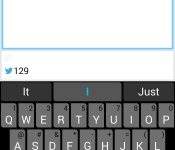
This app is very simple. Connect your accounts, type out what you’d like to post, and select which social networks you’d like to post to. The complete list of supported services are: Twitter, Facebook profiles, Google+ profiles, LinkedIn profiles, Facebook pages, Tumblr, Blogger, and App.net. The best thing about it is the new UI update that was just released today, making the app is now more functional than ever before.

Other rival apps (specifically Buffer) are nice, but they don’t allow posting to Google+ profiles, which we would like to see eventually.
Not so fast! This app is special. Since the app is still in beta, there is no direct Play Store link. Here are the instructions on how to get it on your phone:
- Click here to become a tester through your Google+ profile +https://play.google.com/apps/testing/air.com.polarbearbeta.android
- Click the download link at the bottom to install the app from the Play Store
- Install it from Google Play
If you don’t want to take these steps, you could download the apk directly from the Google+ page. If you’d like more information on Polarbear, visit the Google+ page, here.
The post Share content on multiple social networks at once with Polarbear Beta [App of the Day] appeared first on AndroidGuys.

ZTE Boost Max review
The Boost Max aims to give users a premium phablet experience with a small price tag.
Do you remember when smartphones were upwards of $500? Some still are, like the Samsung Galaxy S4, Note 3, and the HTC One. Recently in the United States, prices of handsets have gone significantly down, allowing more and more users to purchase their phones outside of a 2-year agreement.
In turn, the phones that have a cheap off-contract price are selling like hot cakes, and more and more manufacturers are trying to join the US market. ZTE certainly doesn’t have much presence in the United States, but they’ve made a recent effort to change that with the ZTE Boost Max.
It can be found for $299 on the Sprint MVNO Boost Mobile, weighing in as one of the more expensive “premium” phones that the prepaid carrier offers.
Recently, the bar has been set pretty high for budget smartphones. The Moto G, Moto X, and Nexus 5 are prime examples of premium handsets for a very cheap price tag. Can the Boost Max rival the price of the Moto G, while offering a great phablet experience like the Galaxy Note 3? Find out in our review below.
Specs
When you first read the list of the specifications, you might not be interested, at all. But remember: this phone is relatively inexpensive, and ZTE obviously has to make money on it, so try giving them the benefit of the doubt.
With it’s 5.7-inch, 720×1280 IPS LCD display, the Boost Max houses a 1.2GHz dual core Snapdragon 400 processor, 8GB of on-board storage, and 1GB of RAM. It has an 8MP rear-facing camera, a 1MP front-facing camera, and a non-removable 3200mAh battery. It also has Bluetooth 4.0 LE, WiFi 802.11 b/g/n, and 4G LTE.
Hardware

If you’re looking for the most positive part of the phone, look here. The look and feel of this phone is well-built and beautiful. With the brushed metallic back and the matte-finished top and bottom portions, it is a really good-looking device. But don’t read too far into the metallic back of the phone – it’s only plastic. It’s easy to see why ZTE made that material decision, given the $299 price point.
The button layout on the Boost Max is a little different from what most people are used to. The power button sits on the right edge, along with a physical camera button. The left side holds a microSD card slot and the volume rockers. You’ll also find a micro USB port on the lower-left side – this makes it a bit awkward to hold while charging. This is definitely a two-handed device, so you’ll find yourself bumping into the charging cable more than you might like.

It also has capacitive navigation buttons – back, home, and… a menu button – one design aspect that we wish would just go away.
The top matted portion covering the camera snaps off to reveal a SIM card slot, while the rear portion holds a single speaker. It’s decently loud, but very tinny. When playing media without headphones, there are a few fixes for poor audio quality, due to ZTE’s custom software. (We’ll revisit this in the software section).
The display on the Boost Max could be better, but arguably not, solely because of the price tag. It has a 5.7-inch, 720×1280 IPS LCD display. Viewing angles are fine, and we weren’t able to see any pixelation anywhere on the screen. We did, however, find one major flaw – whites aren’t white – they’re very visibly off-white. Tainting almost every screen we viewed, this is the major downfall to what is otherwise a beautiful display.
Software

Probably the most unappealing part of the software is that it ships with Android 4.1.2 Jelly Bean. This is a very old build to be shipping on a smartphone that was released in January 2014. Though Boost informed users that they intend to push Android 4.4 KitKat sometime in 2014, that is a very vague description. This is one of the sacrifices we wish didn’t make it to the Boost Max.
The phone offers a near-stock Android experience, while only throwing in a few minor design changes. The homescreens and app drawer don’t stray away from the “stock” look. The only changes they made in the user interface are the lock screen, notification tray, and the quick settings. There are, of course, a huge amount of custom apps. Most of them are from Boost and can be uninstalled very easily.

ZTE also opted to throw in some surprisingly useful features. The main feature being a multi-window clone called Smart Viewer. Hold down the back button to pull up a list of apps, and drag them to one half of the screen. Smart View lets you mute one window at a time, which we found to be very useful. On the Samsung’s Multi-Window feature, only a handful of apps are compatible for some reason. On Smart Viewer, any installed app can be used.
We did experience a good amount of lag in odd places. This mainly happened while accessing Chrome, Google Search, YouTube, or Smart Viewer. Sometimes, the webpage we were trying to load would take more than a minute to fully show. The amount of lag we came across hinders the otherwise positive experience with the software.
Now, to talk about audio quality. The speaker, though very loud, has some EQ issues. It’s a bit like listening to music in a tin can, but Boost hopes to change that with their Dolby Digital Plus EQ app. We actually found this to be very useful, though a bit cumbersome. If you use it frequently, it’s easy to get the best sound possible out of the given hardware. However, if you frequently switch between podcasts and music, revisiting the app over and over to change sound modes gets old very fast.
The overall software experience was just… okay. You can tell ZTE tried, but due to the processor and other hardware slumps, it fell a bit short.
Battery Life
The battery life on this phone is tremendous. With it’s huge 3200mAh battery, we failed to drain it in an entire day. Stand by time was great, only draining 1% overnight, while connected to the Boost network. Watching hour-long HD videos on YouTube and streaming music from Spotify barely brought the battery down to 70% in a few hours. If you’re a normal-heavy multimedia consumer, you should have no qualms with the battery.
The only factor that remotely drained the battery was the the Boost network. Even though we had some trouble in this area, you should have no problem making it through much more than a day of use.
Camera

The Boost Max’s 8MP rear-facing camera is good at times, and horrible at others. There aren’t many things to nit-pick about it, considering the price. Shutter speed is normal, and focusing didn’t cause us any problems. They’re not perfect, but they’ll do.
We did have a lot of trouble with color. Colors are washed out and dull, no matter the lighting conditions. Also, the hardware shutter key isn’t a two-step button, so you’ll find yourself with a lot of blurry photos if you try to focus beforehand. We found ourselves better off just using the on-screen shutter key.
If you hope to get a decent camera on a budget phone, you could certainly do worse. But that doesn’t mean it’s particularly good, either.
Availability
If you’d like unlimited everything (minutes/messaging/data) on Boost Mobile, plans begin at $55. If you pay your bill on-time, your plan shrinks by $5 every month, until it’s as low as $35. This is definitely a good incentive to move over to Boost, but is the Boost Max good enough to keep people on the network?
Conclusion

The Boost Max tries to offer as much as it’s competitors, but ultimately falls short in some important areas. Most of our experiences can be summed up with a, “This feature is nice, but…”.
ZTE’s Smart Viewer is a great addition, adding functionality and innovation to the size of the device. But it’s buggy and slow, and that made us not want to use it. The look and feel of the device is beautiful. It has a nice weight to it, and it offers a loud speaker and a hardware camera button. But the speaker is tinny, and the camera button makes it difficult to keep your focus.
All things considered, if you’re on Boost Mobile, and absolutely have to stick with it, you could do worse than the Boost Max. It’s the best option for someone who wants a phablet experience, but doesn’t want to break the bank. If you’re in the market to purchase a new phone off-contract and you don’t mind the screen size, buy a Moto G. It has better software, hardware, and is two-thirds the price.
If the Boost Max was $200, I would recommend it immediately. It’s a bit slow, but offers a beautiful look and feel, while giving you the experience you’re looking for. But for $300, I have a difficult time recommending this one.
The post ZTE Boost Max review appeared first on AndroidGuys.
CHIL Notchbook Review and Giveaway!
The CHIL Notchbook is a quality case worth updwards of $50 but costing only half of that. The leather feels great and really has a “premium” design about it. You’ll find that it’s light, padded, and protective – three things we look for in a tablet case.
The cutout for your hand seems a bit gimmicky at first, but the more I’ve used it, the more useful it becomes. The case feels high quality and looks professional. It has a built in magnet for auto sleep/wake when the case is opened of closed.
The main complaint I have is that the frame around the screen cuts it a bit close. Performing actions from the top, sides or bottom (such as pulling down a notification shade) requires slightly more effort than without the case and the magnet that keeps the notch flap in place. Keep in mind that I’m reviewing the 2012 Nexus 7 variant of the case, so this issue may not exist for other models depending upon how each device is made. For this case in particular, when the magnet moves on or off of the back of the device it likes to trip the magnetic sensor in the tablet and shut your screen off. As you can imagine, this can be pretty frustrating when you’re trying to read.
The only other quibble is more due to the construction of the tablet, but the volume and power buttons aren’t as available as I’d like them to be. Every time I attempted to change the volume or take a screenshot I found myself fumbling around and guessing at which button I needed.
If you watch a lot of Netflix or YouTube on your device, the stand mode is really great; both simple and sturdy.
All-in-all, at the price point, I’d recommend this case to most people depending on your needs.
Win a Chil Notchbook!
Thanks to the fine people at CHIL, we also have a Notchbook case for the 2013 Nexus 7 to give away!
How to Enter: In the comments below, please tell us why you love your Android device so much.
When does this mighty fine Giveaway end? Well, you must enter this giveaway contest by Wednesday, March 12 (11:59PM PST)
Winners will be picked at random and announced in an update to this post.
What if this giveaway is over and I’m still interested in a CHIL Case? You can find out more information about purchasing a CHIL Notchbook Case for your tablet by visiting CHIL’s website. Enter “AndroidGuys” in the promo code for 15% off your purchase, which lasts until April 15.
The post CHIL Notchbook Review and Giveaway! appeared first on AndroidGuys.
 AIVAnet