


Apple Details Launch Countries for Apple Watch Nike+, Confirms Bands Will Not Be Sold Separately
In a press release sent out today, which further confirms the launch of the Apple Watch Nike+ this Friday, October 28, Apple has given detailed information on the availability of the running-focused device as the rollout begins this weekend. For its official launch on Friday, the Apple Watch Nike+ will debut in the United States, United Kingdom, Canada, and 38 other countries.
Following the October 28 debut of the device, Apple will then keep expanding the launch of the Apple Watch Nike+ in 7 countries on Saturday, October 29, and one country on Sunday, October 30. Below is the complete list of countries the wearable will be made available throughout each launch period.
October 28:
- Australia
- Austria
- Belgium
- Brazil
- Canada
- China
- Columbia
- Czech Republic
- Denmark
- Finland
- France
- Germany
- Hong Kong
- Hungary
- India
- Ireland
- Italy
- Japan
- Luxembourg
- Macau
- Malaysia
- Mexico
- Monaco
- Netherlands
- New Zealand
- Norway
- Poland
- Portugal
- Puerto Rico
- Singapore
- South Africa
- South Korea
- Spain
- Sweden
- Switzerland
- Russia
- Taiwan
- Thailand
- Turkey
- United Kingdom
- United States
October 29:
- Bahrain
- Greece
- Kuwait
- Oman
- Qatar
- Saudi Arabia
- UAE
October 30:
- Israel
The Apple Watch Nike+ comes with a collection of exclusive features baked into the device’s hardware, including the new Nike+ Run Club app, so users can get the most out of running with the Apple Watch as possible. In the new press release, Apple also confirmed that the Nike Sport Bands will be sold exclusively in Apple Watch Nike+ collections, and not be sold separately.
Otherwise, the Nike device is the same as all of the other Series 2 Apple Watches, with built-in GPS, “the brightest display Apple has ever made,” and water resistance up to 50 meters. Apple Watch Nike+ will be available in 38 mm at $369 and in 42 mm at $399 from Apple.com, Nike.com, Apple retail stores, “select” Nike retail stores, and some department stores including Macy’s and DICK’S Sporting Goods.
Related Roundups: Apple Watch Series 2, watchOS 3
Tag: Apple Watch Nike+ Edition
Buyer’s Guide: Apple Watch (Buy Now)
Discuss this article in our forums
Apple Registers Three New Macs in Europe Ahead of Thursday’s ‘Hello Again’ Event
Just three days before Apple’s “Hello Again” event, where it is widely expected to announce new Macs, French website Consomac has discovered a new Russian-language regulatory filing, in the Eurasian Economic Commission database, that points towards at least three new models launching soon.
The three new Macs, identified only with model numbers A1706, A1707, A1708, are likely to be new 13-inch and 15-inch MacBook Pros alongside a new 13-inch MacBook, which could be a refreshed Air model, based on previous reports. However, adding confusion to the mix is the consecutive sequence of the model numbers.
The filing, published today, satisfies Russia’s requirement for companies to register all products containing encryption and/or cryptographic tools.

Over the weekend, KGI Securities analyst Ming-Chi Kuo said he believes the highlight of Apple’s event on Thursday will be a redesigned MacBook Pro in both 13-inch and 15-inch sizes, adopting an OLED touch bar and Touch ID sensor, USB-C with Thunderbolt 3, and the same butterfly keyboard design introduced on the MacBook in 2015.
The all-new MacBook Pro is also expected to have faster Intel Skylake processors and faster graphics, possibly including the option of AMD “Polaris” graphics on higher-end models. Kuo said Apple will offer a new option of 2TB SSD storage, while it or a third-party supplier will release a MagSafe-like USB-C charging adapter.
The new 13-inch MacBook, meanwhile, is likely to be a refreshed MacBook Air, which would align with other rumors claiming that only the 13-inch MacBook Air will be seeing an update with new USB-C ports. However, there is an outside chance the model could be a slightly larger version of the current 12-inch MacBook.
Related Roundups: MacBook Air, MacBook Pro
Buyer’s Guide: MacBook Air (Don’t Buy), Retina MacBook Pro (Don’t Buy)
Discuss this article in our forums
IBM Watson collaborates on EP with Grammy-winning producer
IBM’s Watson has upended any romantic notions of songwriting by making it a precise formula of inspiration, emotion, musical theory and trends. The AI system’s new music algorithm, called “Beat,” helped producer Alex da Kid create his first solo EP of four songs, the first of which, Not Easy (feat. X Ambassadors, Elle King and Wiz Khalifa), dropped on Friday. To be clear, IBM’s bot didn’t write the song, but rather generated “completely new musical scores” that da Kid (who produced singles by Dr. Dre, Rhianna and others) used as inspiration for the tunes.
IBM first outed Watson Beat earlier this summer. For Da Kid, the algorithms collected music cultural trends and over the last five years, including Nobel Prize speeches, Billboard song lyrics, movie synopses and more. Another Watson bot, the Tone Analyzer, examined two million lines of social media content to grasp the emotions around all that data.
It then studied recent musical trends, examining the pitch, time, key signatures and note sequences in songs. Combining that with the emotional and cultural analysis, it was able to create brand new musical scores based on moods like joyful or devastated, or an atmosphere like spooky or cheerful. (Check here to see scores created earlier by Watson Beat.) “Using this technology, Alex could create new songs — even snippets of songs, like a bass line –- until he found a sound that inspired him,” the team says, adding that the song itself is “100 percent organic.”
Just because it can, Watson also created a visualization of the data using IBM’s Cognitive Color Design tool to help Da Kid design the album’s artwork and colors.
Da Kid says that Watson was able to show him the heavy emotions that millions of people were feeling around the world. “Normally when I start creating, I just talk to people about their failed marriages or whatever,” Da Kid says. “[With Watson] it’s almost like having a million of yourself reading a million books at once and a million articles, and understanding social media. I could never do that.”
So enough analysis, how is the actual song? It has a country-fried flavor to start with, and the beat progresses nicely to Wiz Khalifa’s rap. However, the word “generic” came up during my informal survey, which isn’t surprising considering that the computer scanned thousands of hit songs, social media posts, culture trends and more. As Engadget’s Aaron Souppouris found out when looking at the first computer-generated musical, “by coming up with the perfect formula … you invariably create something that’s formulaic.”
Note 7 debacle forces Samsung to offer next-gen discounts in Korea
In an effort to retain Galaxy Note 7 customers in South Korea, Samsung is offering a big discount on the upcoming Galaxy S8 and Galaxy Note 8 models. The company will effectively offer 50 percent off the next-gen phone, provided that Note 7 customers upgrade to the current Galaxy S7 or Galaxy S7 Edge models. Samsung recently killed its Galaxy Note 7 smartphone because of fire and explosion problems. It initially misdiagnosed the problem as being battery-related, and issued replacement phones that were still defective.
While users in the US claim that Samsung isn’t making good on property damage caused by the Note 7, the company’s home base is no less pleased, either. Hundreds of users filed a class action suit over the defective device, Bloomberg reports. An attorney for the law firm handling the suit says it has gathered 500 Note 7 owners in just five days and said consumers are “very angry.” On top of that, a consulting firm has advised shareholders to vote against Chairman-in-waiting Jay Y. Lee from joining the board.
So far, Samsung has lost an estimated $5 billion in sales and up to $26 billion in market value. To stop disgruntled Note 7 customers at home from switching brands, Samsung is letting them join the Galaxy Upgrade program and pick up a Galaxy S7 or S7 Edge. They’ll just need to pay off half the price, either at once or by payments, and can then upgrade to the Galaxy S8 or Note 8 for free once they come out. The program will be offered until the end of November, but customers who already upgraded the Note 7 to a Galaxy S7 can apply for the new deal retroactively.
Via: Reuters
Source: Samsung Korea (translated)
The Original iPod Turns 15 Years Old
On Sunday, Apple’s original iPod celebrated the 15th anniversary of its launch on October 23, 2001. The reveal of the iPod by former Apple CEO Steve Jobs in 2001 was preceded by the usual breadcrumb trail of mystery, rumors, and leaks, with most reports pointing to a new “breakthrough digital device” coming from the company later in the month. Apple even hinted itself that “it’s not a Mac.”
Some speculation went against rumors that the device would be an MP3 player, even suggesting it could be “something more sophisticated such as a component for a home digital stereo system.” Still, most reports pointed toward the impending launch of the “iPod,” a device that would allow customers to ditch their cumbersome CD players and listen to thousands of songs from one device in their pocket.
In the official keynote address, Jobs referred to the Mac as the focal point of the Apple customer’s digital lifestyle, with the new iPod device as the ultra-portable, music-enabled addition to that lifestyle. The iPod launched for $399 with a 5GB hard drive that could hold up to 1,000 songs, a 10-hour battery life, a black and white LCD screen, came equipped with FireWire to enable a connection between it and iTunes on a Mac, and was the size of a deck of cards (2.4″ wide, 4″ tall, 3/4″ thick).
A few individuals who were part of the iPod’s launch looked back at the device over the weekend, although Apple itself remained silent on the topic. In the first official promotional video for the iPod, a collection of Apple executives and musicians — including Phil Schiller, Jony Ive, and Moby — are seen discussing the creation and impact of the device. Speaking with Entertainment Weekly, Moby remembers “how magical it was,” and remarks on how much has changed with the iPod, and its successor in the iPhone, in 15 years.
“It’s a little disconcerting when I look back at the past, but the past still sounds like the future,” Moby says. “I remember when 2002 seemed like an unimaginably far time — like, really far away. Now it’s like a distant past.”
Technology is, obviously, the perfect physical encapsulation of this: “Remember those multicolored clamshell laptops that Apple had?” he says. “Now they seem old and clunky, like a weird pair of sneakers. But at the time, they just represented the future. The same thing with the iPod, at the time it was so futuristic, and now it just seems like an adorable relic.”
The first alternative iPod lineup, dubbed the iPod mini, debuted in 2004, followed by the iPod nano and iPod shuffle in 2005. The iPod touch was eventually introduced as a non-cellular counterpart to the company’s iPhone, and became one of the longest-lasting iPod lines to date (six generations), tied with the classic line, but behind the iPod nano (seven generations).
In 2016, Apple still manufactures and sells the iPod touch, iPod nano, and iPod shuffle, but the three devices have long been removed from the main toolbar navigation on its website, and are now located under “Music.” The three current iPods on sale bear little resemblance to the original device’s famous click wheel interface, which was mechanical in the first generation and touch-sensitive in subsequent lines. The last iPod with a click wheel, the iPod Classic, was discontinued by Apple in 2014 and marked the sixth generation of the device.
The iPod began Apple’s quest to make music a mainstay in its customers’ lives by finding a seamless and effortless way for songs to be carried around, in opposition to the size of CD players and the general confusion at the time over how other MP3 players worked. Today, music is a bigger part of Apple than ever, with Apple Music slowly growing in subscribers and the iPhone now essentially the modern version of the original 5GB iPod from fifteen years ago.
This week at a Mac-focused event, it’s also expected that the company will debut the wireless “AirPods.” The Bluetooth device will be the newest implementation of its ubiquitous headphone line, which began alongside the iPod in 2001.
Related Roundups: iPod shuffle, iPod nano, iPod touch
Buyer’s Guide: iPod Shuffle (Don’t Buy), iPod Nano (Don’t Buy), iPod Touch (Don’t Buy)
Discuss this article in our forums
How to share and review apps in Google Play

Google Play has a lot of app in the store… so how do you find the right ones?
Search can show you what you want if you’re specific enough — maybe — but most of our apps don’t come from search, they come from our friends, they come from strangers, they come from opinions. They come from our feedback others have left, which is why almost every app you’ve ever used has had one of those annoying little pop-ups asking you to rate it. Good apps deserve to be shared and championed. Bad apps deserve to be rated, too.
- How to share apps from Google Play
- How to share apps via Family Library
- How to rate apps in Google Play
- How to review apps in Google Play
- How to add apps to your Wishlist
- How to access your Wishlist
How to share apps from Google Play
Say you’ve got a cool app you want a friend to try. Say you need to video chat with your mom and she doesn’t have Duo or Skype installed. Instead of telling them to go find it themselves, you can share a link to the app directly in Google Play.
Tap the Google Play icon on your home screen.
Swipe in from the left edge of the screen OR tap the three-line menu icon in the top white bar to open the menu.
Tap My apps & games.

Swipe up to scroll down the list of Installed apps.
Tap the app you wish to share.
Swipe up to scroll down the app listing, past the rating and reviews.

Tap the Share button.
Tap to select which service you want to share your app’s link through, such as sharing it on Twitter.
Share the link.

How to share apps via Family Library
If you are part of a Family Library, you can share some of your paid apps with your family. Not every app you ever purchased is eligible, but any apps you can share with family are welcome, and here’s how we do it if you didn’t set Google Play to automatically share your apps with the family.
Tap the Google Play icon on your home screen.
Swipe in from the left edge of the screen OR tap the three line menu icon in the top white bar to open the menu.
Tap My apps & games.

Swipe up to Scroll down the list of Installed apps.
Tap the app you wish to share.
Below the Install and Uninstall buttons will be a toggle for Family Library if your app is eligible. Swipe the toggle right.

After that, apps will appear in a Family Library tab of My apps & games on your family members’ devices, ready to install.
How to rate apps in Google Play
If you think an app is great (or not so great), then you should tell you friends, you should tell everyone, and most of all you should tell Google by rating it in Google Play. Ratings help Google figure out which apps to show users in search results. Ratings are important, and here’s how to make one.
Tap My apps & games.
Swipe up to Scroll down the list of Installed apps.
Tap the app you wish to rate.

Swipe up to scroll down past the app listing’s screenshots. You’ll see your name and five empty stars.
Tap the star rating you wish to give the app.
The full review window will pop up, but you don’t have to fill it out if you don’t want to. Hit Submit to confirm your rating.

Your ratings will appear along others in the app’s listing, and if your Google+ friends and Google contacts see the app listing, they may see your rating before those of strangers.
How to review apps in Google Play
If you have specific praise (or scorn) for an app, then you can voice it in a review. App reviews on Google Play also serve as important feedback for developers, though any problems should be addressed with the developer directly before airing them in a public review. Reviews are easy to leave and easy to change, so make sure you keep yours current!
Tap My apps & games.
Scroll down the list of Installed apps.
Tap the app you wish to rate.

Swipe up to scroll down past the app listing’s screenshots. You’ll see your name and five empty stars.
Tap the star rating you wish to give the app.

The full review window will pop up. Type in a title and your review.
Tap Submit to save your review.

How to add apps to your Wishlist
The Wishlist in Google Play is often overlooked and ignored, and not without reason. As you can’t share your Google Play Wishlist, many don’t see the point in putting apps on it only for themselves. I find the Wishlist quite useful, allowing me to keep apps and movies on it while waiting for them to go on sale (or for more Google Opinion Rewards credit to roll in). It’s also great at keeping apps and elements together before projects, such as a new home screen theme or a DIY project.
Tap to open the listing of the app you wish to add to your Wishlist.
Tap the outlined bookmark icon to the right of the app’s title.

The bookmark icon will fill in and a message will appear stating the app is being added to the list. Should you wish to remove the app, simple tap the bookmark icon again.
How to access your Wishlist
Another reason Google Play Wishlists are often ignored is they’re somewhat buried in the store. It’s easy to get to, but still out of sight, out of mind for most. Here’s where it’s hiding:
Tap the Google Play icon on your home screen.
Swipe in from the left edge of the screen OR tap the three line menu icon in the top white bar to open the menu.

Swipe up to scroll down past Redeem and Send gift.
Tap Wishlist.

What’s on your app wish list?
What are some apps you think are worth sharing with friends, families — and the AC community? Let us know on the comments!
Samsung’s Note 7 upgrade program lets Korean customers buy the Galaxy S8 or Note 8 for 50% off
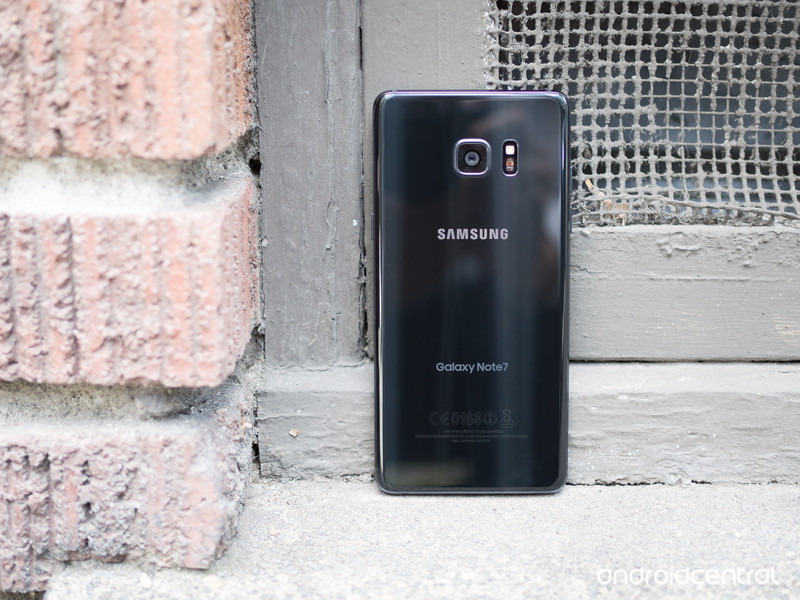
Samsung is rolling out an upgrade program to South Korean Note 7 customers that have traded in their Note 7 handsets for an S7 or S7 edge. Customers joining the Galaxy Upgrade program will have to sign a two-year contract and pay monthly instalments on their current device (the S7 or S7 edge) for 12 months, after which they’ll be able to upgrade to the Galaxy S8 or Note 8 for free.
Those looking to upgrade to next year’s handsets as soon as they become available can do so by paying off their instalments ahead of time. Samsung is also throwing in fast track service and a 50% discount on display repair costs, which can be availed twice.
The program is open until November 30, and customers that have already exchanged their Note 7 are also eligible. By offering an easy way to upgrade to next year’s flagships, Samsung is looking to prevent customers from leaving en masse.
The program is now live in South Korea, and more details should be forthcoming shortly. There’s no word right now if Samsung intends to launch a similar program in other markets, but we’ll let you know if that’s the case. Also, today’s announcement means that the Note brand will live on.
Fujifilm X-T2 review: A new benchmark for the mirrorless market
It took us about three minutes to fall in love with the Fujifilm X-T1. So when we were first shown the Fujifilm X-T2 back in July it only took us about three seconds.
In many ways the X-T2 is the most advanced compact system camera offering we’ve seen, its goal firmly set on being the best mirrorless solution for continuous autofocus and subject tracking.
Like the X-T1, the X-T2’s key sell is not only that it looks retro cool in its weather-sealed skin, but that it delivers top-spec features. And with the new Boost mode the camera can whizz away, snapping eight frames per second (8fps) or 11fps with the optional battery grip attached.
However, there’s no touchscreen control, while that additional grip option transforms the camera’s capabilities to such a degree that it’s almost like contemplating two different camera purchases. Does that confuse what the X-T2 is all about, or does its potential duality further bolster its strengths?
Fujifilm X-T2 review: New layout
For the X-T sequel the layout has changed a little compared to the original – but it’s largely for the better. The dials are now bigger, fuller in both height and reach, with both the dedicated shutter speed and ISO sensitivity dials offering press-to-lock buttons to avoid accidental knocks.
Pocket-lint
The exposure compensation dial – like that of the Fujifilm X-Pro2 can cater for +/-3EV or +/-5EV via the custom “C” option – lacks such a lock/release mechanism, though. We’ve rarely knocked this out of place in our use, so it’s not a massive problem – but as there’s no alert light when the position is shifted away from “0” you might not know about it; the exposure meter overlay present in the viewfinder is small too.
The only true frustration about the dials are the ring selectors around them – used to select between drive mode and metering, respectively – being too squat in terms of height, thus really fiddly to manoeuvre. It’s not impossible, of course, and this ensures that you won’t slide out of single frame to high frame-rate burst by accident, for example.
Pocket-lint
Even so, the overall feel of the X-T2 is far more open than the previous model; more detailed. On the rear there’s a toggle dedicated for autofocus point adjustment, as pulled from the X-Pro2 model. It’s a small toggle compared to what you might find on a Canon DSLR, such as the EOS 5D MkIV, but on the Fujifilm it’s incredibly useful.
Fujifilm X-T2 review: Screen and viewfinder
Another area where the X-T2 amps things up is with its new 3-directional LCD screen. This means it can be tilted vertically upwards and downwards or, via the flick of a switch to the screen’s side, horizontally to a right angle – which is handy for low-level portrait orientation work.
Pocket-lint
Thing is, this switch, like those ring selectors, is also fussy to handle – we would rather have seen a Pentax K1-style fully manoeuvrable one instead. Still, Fujifilm’s choice of tri-directional screen implementation isn’t just a first for the company, it’s the first time we’ve seen one in any camera. And the chances are you’ll typically use it in one direction or another anyway, depending if you’re more heavily portrait- or landscape-orientation based when shooting.
Having been using the X-T2 while abroad we’ve found the screen to be hugely useful for waist-level work – although it’s a shame it doesn’t pull away farther for an even better view, largely because the viewfinder eyecup can get in the way of vision. And we really can’t fathom why there’s still no touchscreen.
Pocket-lint
In an attempt to be battery savvy, the X-T2 also employs a low screen refresh rate when it’s not in use after a short period of time. We’re often guilty of leaving the screen on between shots, so while the idea is a good one we find its rapid implementation to be a little irksome – it’s not nice to watch a stuttery refresh rate. A half depress of the shutter button will kick things back into action though. Equally when the camera times out and goes to sleep a hard press of the shutter is needed to reactivate – and it’s not especially fast to fire back up.
The viewfinder in the X-T2 is a stormer. The X-T1 set the benchmark for this when it was launched in 2014 – and the X-T2 picks up where that camera left off. The main take-away point is how large the panel is: its 0.77x magnification makes it as physically large to the eye as a professional DSLR would offer. Add to that a high-resolution 2.36m-dot OLED panel and there’s certainly no lack of resolution. The X-T2 is twice as bright as the X-T1 and offers a higher refresh rate too (well, if Boost mode is activated anyway: that sets it to 100fps refresh rather than 60fps).
Pocket-lint
Our one and only qualm with the viewfinder is its activation speed. There’s an eye-level sensor that can automatically kick the panel into operation, but the minor delay means you’ll be staring into darkness for a short moment before things kick off. The only remedy, really, is the leave the viewfinder active all the time (by disengaging the screen via the “viewfinder” button to its side).
Fujifilm X-T2 review: Performance
Which leads us onto the more complex and detailed stuff in the X-T2’s continuous autofocus settings: this camera wants to be seen as akin to a high-end DSLR in its continuous autofocus adjustment options.
Pocket-lint
There are options to tweak tracking sensitivity for subjects entering ahead/behind the current subject, speed tracking sensitivity for steady or fast-accelerating/decelerating subjects, and zone area switching to prioritise subjects based on zonal positions. Confused yet? You needn’t be: the camera is setup with five pre-sets and a sixth custom setting so you can do as you please with the controls.
Which is all well and good, but there’s not the same degree of precision in the X-T2’s autofocus system to see it quite keep those pro DSLR cameras at bay. Sure, it’s the best we’ve seen in a compact system camera, but it’s still short of the mark in some areas. It doesn’t feel as comprehensive as the 3D tracking you’ll find in, say, the Nikon D500.
The reason is pretty simple: the focus point size lacks pinpoint accuracy, while the camera itself may slightly miss focus lock-on and you’ll end up with an object in front being the focal point. It’s slight, and we’re being critical, but even with those various tracking sensitivity options we’ve not always come up trumps with perfect shots.
Pocket-lint
The flip side to that is how much better than X-T2 is than earlier mirrorless models. It’s streets ahead when it comes to quickly locking onto a subject and holding it. Shooting cyclists whizzing down the streets of Shanghai on their electric bikes, for example, wasn’t a problem even when panning fast – so long as the shutter speed value is set correctly (something the X-T2 is so well setup for, given its manual layout).
Switching to single autofocus – which can be actioned by flicking the S/C/M switch on the front of the camera, it’s as easy as that – puts the full 91-point system at your fingertips. It’s easy to adjust point selection and point size using that rear toggle and the thumbwheels. Like we say, a slightly more pinpoint option – much in the same way as Panasonic offers with its G-series, such as the latest Lumix G80 – would elevate precision to an even higher level.
Pocket-lint
Otherwise, on the whole, the X-T2 does a grand job. It rarely has to hunt for focus, with only a few failed instances occurring during our testing. And with the 16-55mm f/2.8 lens the close-up focus distance is somewhat restricted – but that’s lens dependent rather than indicative of the camera itself.
Fujifilm X-T2 review: Battery grip enhancements
It’s not all entirely that simple, however, as the camera’s burst speed and continuous autofocus ability can be considerably enhanced with the addition of the VPB-XT2 battery grip. Not only does this bring two extra two batteries (totalling three) to the party for added longevity, it can also boost burst shooting maximum to 11fps (from 5fps/8fps).
Pocket-lint
The X-T2 has continuous autofocus that is potentially some six times more capable than the X-T1. As an example, Fujifilm demonstrated how the boost in processing, reduced shooting interval, blackout time and shutter time-lag would free-up more time in a 3fps burst to allow six opportunities to refocus in the X-T2, compared to the X-T1’s one opportunity (because of slower processing, and longer interval/blackout/lag times).
As the burst speed increases the number of opportunities for refocus to be possible within a burst are reduced, but Fujifilm still cites that 5fps on the X-T2 is twice as capable as in the X-T1. We’re talking accuracy here, as the system has those additional opportunities to refocus on a moving subject.
Which is all well and good, but the benefit above 5fps isn’t as significant. Furthermore, relying on an accessory grip to enhance functionality is a bit of a nonsense in some respects, given how radically the addition transforms the product. It’s almost as though Fujifilm has made two products in one, with two different target audiences.
And if you’re in the group of the battery grip then you’ll probably find its design limiting: it doesn’t extend the height of the camera grip sufficiently enough, which makes it rather uncomfortable to use, as there’s no space for the pinky.
Pocket-lint
If you don’t use the grip then a Boost mode does also exist in the standard X-T2 setup to up the finder refresh rate to and maximise burst shooting to 8fps. There are so many tiers to the X-T2’s capabilities depending on setup that it can come across as simply confusing.
So if shooting moving subjects is what you’re all about then you’ll not only want the X-T2’s battery grip – you’ll need it.
Fujifilm X-T2 review: X-Trans image quality
The remainder of the X-T2’s innards will be familiar to any X-Pro2 users: there’s the same 24.3-megapixel X-Trans CMOS III sensor, paired with X-Processor Pro, for ultra high-quality images. And we’ve been sold on this sensor since first using it.
Pocket-lint
Compared to the X-Pro2, the X-T2’s sensor has been tweaked slightly, with the on-board phase-detection autofocus area increased to 75 per cent vertical and 50 per cent horizontal – up from 40 per cent both directions in the X-T1. That expands the most responsive focus area to ally with the continuous autofocus options. In many ways it makes the X-T2 more “pro” than its “Pro2” brother.
The results, however, are largely one and the same. And they’re pretty mind-blowing at times. Fujifilm’s handling of dark shadow areas even at high ISO sensitivities is excellent, keeping colour noise at bay and maintaining richness and contrast that some competitors lack. That stands true right through to ISO 6400. Long exposures can look a little banded, however.
Pocket-lint
The lowest ISO sensitivities hold the most detail, although it’s a shame ISO 200 is the base level sensitivity for this camera. There is a low “L” setting on the ISO dial, but you won’t get the same dynamic range from such shots, which could be a problem when shooting raw and hoping to make adjustments.
There’s lots of colour without things looking overdone, although sometimes the default contrast is a little too harsh – this can be adjusted by selecting different Film types within the menus.
When it comes to detail the full-scale 24MP shots look great. It’s only when zooming in to inspect detail much closer that you’ll spot any degradation in quality due to processing as the ISO sensitivity rises. It’s only really by four-figure ISO sensitivities that you’ll start to see mottled textures or processing artefacts around defined subject edges, or heightened softness as a result of processing. It’s not particularly severe, however, with shots at ISO 6400 holding up well – so long as you’re not expecting flawless detail at every point.
Pocket-lint
As we said of the X-Pro2 there is some dependency on lens choice. The XF lenses in the Fujifilm stable are, by and large, aimed at the higher end, but they do carry their own issues from time to time: the 35mm f/2.0 has fairly severe corner softness, for example; the 100-400mm, while decent, is relatively limited in maximum aperture (at f/4.5-5.6) throughout. Pick lenses critically and learn their strong points and weaknesses for the best results. Centre sharpness, though, is something we can’t complain about from the 16-55mm f/2.8 lens though (it’s only really the weight and size of it that can feel off-kilter with a camera like the X-T2).
In addition to stills, the X-T2 also intros 4K video capture. It’s the first time it’s been offered in a Fujifilm camera. So it’s odd, then, that there’s no one-touch movie button control like the earlier X-T1. There’s full F-Log Gamma options, in among “Quick 4K” which means Film Simulation modes can be used during capture too, for graded-like results without the need to post-process. A 4:2:2 HDMI output for serious shooters looking to capture off-camera, plus 3.5mm headphone and microphone jacks, makes the X-T2 high-end in its thinking. Oh, and lets not forget the twin UHS-II-compatible SD card slots on board too.
Pocket-lint
Verdict
In some respects the Fujifilm X-T2 is so good that it nudges the grander-named X-Pro2 off the company roster’s top spot. It’s a camera that takes the earlier X-T1’s mantra and magnifies it considerably.
If you want the best continuous autofocus of any mirrorless camera then look no further the X-T2. Equally, if you’re seeking a top level, yet portable, interchangeable lens camera then the great build, performance and imaging results make this an obvious shortlist contender.
It’s not totally perfect, but most of our moans – no pinpoint focus, the potential confusion of Boost mode and the additional battery grip, continuous autofocus not outsmarting a top-end DSLR, lack of a touchscreen, plus some control foibles – are all minor points that can’t quite detract from what a world-class act the X-T2 is.
The X-T2, in many respects, sets a new benchmark for the mirrorless market.
Best Smarthome Device 2016: EE Pocket-lint Gadget Awards nominees
The Pocket-lint Gadget Awards will take place at the end of November and that means we will soon be finding out the winners of the 14 categories ranging from smartphones to smarthome. Each category has been narrowed down to between five and seven nominees from the hundreds of devices we have reviewed over the last 12 months.
As always, we have been running a series of features detailing the nominees within each category in a little more detail in order to help you with your voting decision. You can find all the previous features in our Awards hub, but here we are looking at the Best Smarthome Device nominees.
The smarthome category was introduced to the Pocket-lint Gadget Awards in 2014 but things have certainly become a lot more interesting since then. Devices are now more advanced and while there is still a way to go before a smarthome is second nature, there are some great products in this category this year. Amazon announced Echo and its Alexa assistant to the UK, while Dyson introduced its version of a robot vacuum cleaner.
There can only be one winner though so click here to see the Awards nominees for 2016’s Best Smarthome Device in a little more detail to help you make your mind up about which one should get your vote.
Voting in the 13th annual EE Pocket-lint Awards is now open so you can let us know which one of these great devices you think should win the Best Smarthome device award for this year and give us your verdict on all the other tech across the 13 select categories.
Winners will be announced at the exclusive event in London on 23 November in association with EE. For now, keep an eye on the EE Pocket-lint Gadget Awards 2016 hub for all the latest on how the voting works, who the elite judges are and the EE Pocket-lint Gadget Awards shortlist.
Samsung confirms Galaxy Note 8 with Note 7 trade-in programme
Samsung’s reputation, like the Galaxy Note 7, has gone up in flames in the past couple of months. The company’s long-awaited and highly successful phablet had too many hardware issues and complaints of overheating that production had to be stopped.
- RIP Samsung Galaxy Note 7: A eulogy for a great but flawed friend
To try and regain customer loyalty, in South Korea for now at least, Samsung is offering anyone who bought a Note 7 the opportunity to get a Galaxy S7 or Galaxy S7 Edge for half price. Once they have an S7, they could then upgrade to a Galaxy S8 or Galaxy Note 8 when they’re released in 2017.
While it could be seen as a welcome move and encourage customers to stay with Samsung, instead of turning to another Android device or even Apple, it’s also confirmed there will be a Note 8.
There’s obviously no mention of specs or features for now, but we’re hoping the Note 8 can at least arrive to market with a battery that doesn’t overheat or explode. Samsung hasn’t confirmed whether the trade-in programme will be rolled out globally.
If you were one of the unlucky customers to buy a Galaxy Note 7 but still want a great plus-sized smartphone, you can check out our list of the best ones to buy right now.

