



LG G Flex 2 camera shootout
brightcove.createExperiences();
The LG G Flex 2 has a lot to offer beyond just its unique form factor, with specifications and features that will be at par with most upcoming flagships, along with a camera setup similar to that of the LG G3, including the availability of an improved laser autofocus system. The LG G3 featured one of the best camera experiences in the Android space in 2014, and understandably, the expectations are quite high when it comes to LG’s latest smartphone release. We find exactly how well this camera performs, in this LG G Flex 2 camera shootout!


When it comes to the camera modes available, there aren’t that many to begin with, but those that are, work very well. Starting with HDR, it does lighten up the dark areas quite a bit as you can see above, and adds some color saturation to the photos, but is not that pronounced. In the case of Panorama, it does stitch the photos together very nicely, though they did come out great because there were no moving objects in these photos. If that was the case, the stitching would have been more noticeable.

When it comes to outdoor shots, the color saturation is very nice, and when we look at the 100% crops, there is a good level of detail available, despite their being some smudging in the smoothness around those details. That said, the photos do look great, with the right amount of color reproduction, and not the high amount of saturation that we have seen from other competing flagship smartphone cameras.

Of course, one of the big camera features of the G3 that made its way over to the G Flex 2 is the laser-guided auto focus system, in an improved iteration that allows for faster focusing. It is a wonderful feature to have, but what has to be mentioned is the fact that because you have to pinpoint the focus point, you might have some trouble tracking your subject. If there is a small or thin object in your photos, you’ll face some problems keeping it in focus, especially when you’re trying to finely focus the shot.

The other benefit with this camera is OIS+, that helps with shooting videos as much as it does while taking photos. You’ll get much steadier shots, of course with a little bit of effort in steadying your hands, and it will compensate for any remaining shakiness in your photo or video. You can check out the video samples in the featured video above.

Unfortunately, we do start to see some differences when it comes to indoor shots. The amount of detail starts to reduce, as you lower the amount of light that is in your shot. When looking at the 100% crops, you’ll notice that while there is a good amount of detail in the contours of the object, some of it does get blurred it. The color saturation also goes down, especially when you have multiple exposures in one shot, such as when there is harsh lighting from only one side. This is definitely a letdown, and things will only get worse as the lighting conditions deteriorate.

The details get very fuzzy in low light, both in photos and videos, and there is a significant difference when comparing indoor and outdoor shots, in terms of the quality, and the only plus when it comes to indoor videos is OIS+, that helps a lot with the shakiness.

When it comes to camera interface and the shooting experience, everything is very minimalistic and easy to use. You just have to tap on the screen in order to get the laser-guided auto focus to work, and then you can take your shot right away. It is a very fast camera to use, and that is definitely something that users will appreciate.

When taking selfies, a useful feature available with the G Flex 2 is Gesture View, that allows you to take a look at your selfie right away by moving your hand downward in a very natural curved motion. It’s a nice feature to have, which also allows you to take a look at the capabilities of the front-facing camera, which is actually pretty standard.
You can check out all the photos taken with the LG G Flex 2, including the 100% crops, in the gallery below.


So there you have it – a look at the camera capabilities of the LG G Flex 2! It is an iteration that comes from the original G3 and brings with it all the hardware features of its flagship counterpart, like the laser-guided auto focus system and OIS+. Both features are what make this camera one of the easiest to use, and you are able to get some really good shots from it. Unfortunately, the quality can be somewhat uneven, when it comes to indoor shots and those in low-light conditions. That said, this camera is still one my favorites to use, mostly because of its ease of handling and speed.
Stay tuned with Android Authority, as we bring you the in-depth review of the LG Flex 2, which should be coming up very soon!
Here’s when your Android smartphone will receive the Lollipop update

If you’re wondering when your HTC, Samsung, Sony, LG or Huawei smartphone is set to receive the long-awaited Android 5.0 Lollipop update, then wonder no more. Here at Talk Android, we have compiled a list extracted from a variety of sources, predominantly leaks, to provide you with an estimated timeframe of when your beloved handset should start receiving the upgrade.
Just remember, that unlocked versions are likely to get the update first. Carrier branded devices go through rigorous testing, which can take up to a month or two depending on how many bugs are found. So, without further ado, here is the list:
HTC:
- One (M8) — Asian, International and American distribution in progress.
- Desire Eye — March
- One E8 — March
- One Mini 2 — March/April
- Desire 816 — March/April
- One Max — April/May
- One Mini — April/May
- Butterfly S — May
Samsung:
- Galaxy S5 — Asian, European and American distribution in progress.
- Galaxy S4 — European and American distribution in progress. Update expected in Asia in March.
- Galaxy S4 LTE-A — European distribution in progress. Update expected in Asia and America in April/May.
- Galaxy Note 4 — Asian, European and American distribution in progress.
- Galaxy Note 3 — Asian, European and American distribution in progress.
- Galaxy Alpha — April
- Galaxy Note Edge — February
- Galaxy S4 Mini — June/July
- Galaxy S5 Mini — June/July
Sony:
- Xperia Z3 — March
- Xperia Z3 Compact — March
- Xperia Z3v — March
- Xperia Z2 — April/May
- Xperia Z2 Compact — April/May
- Xperia Z — June/July
- Xperia ZL — June/July
- Xperia ZR — June/July
- Xperia Z1 — June/July
- Xperia Z1 Compact — June/July
- Xperia Z Ultra — June/July
LG:
- G3 — Asian, European and American distribution in progress.
- G Pro 2 — European distribution in progress. Update expected to arrive in Asia and America in March.
- G2 — March/April
- G2 Mini — March/April
- G3 Beat — April
Huawei:
- Ascend Mate 2 — March/April
- Honor 6 — May/June
- Ascend P7 — April/May
Come comment on this article: Here’s when your Android smartphone will receive the Lollipop update

Pre-order an LG G Flex 2 through Sprint and get a free Quick Circle Folio Case

Starting today, residents in the United States can pre-order LG’s latest second-generation curved smartphone, the G Flex 2, through Sprint for $24 per month on any of its flexible 2-year plans. The operator will also be throwing in a free Quick Circle Folio Case worth $59.99 to sweeten the deal.
For those who need a refresher on its specs, the G Flex 2 packs a 5.5-inch curved P-OLED display with a resolution of 1080 x 1920 pixels, a Qualcomm Snapdragon 810 chipset, 2GB of RAM, 32GB of expandable internal storage, a 13-megapixel rear-facing camera and a 2.1-megapixel front-facing shooter.
If you’re a Sprint customer and want to bag yourself a G Flex 2 for delivery on Friday, March 13 — hit the source link below.
Source: Sprint
Come comment on this article: Pre-order an LG G Flex 2 through Sprint and get a free Quick Circle Folio Case
The top 10 wearables you can buy right now

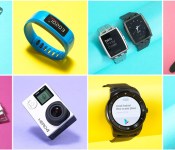
This year’s CES was awash in wearables and while many of them took the form of wrist-worn fitness trackers and smartwatches, the genre has expanded beyond the basics. While some iOS users may be holding out for the Apple Watch in April, there’s still a great selection of cross-platform devices available right now. Withings’ Activité Pop has classic analog style while still tracking steps and calories burned, all with the help of an eight-month battery. LG’s G Watch R is a decent Android Wear option that offers a truly circular display, while the Moto 360 still cuts a striking figure — although neither can manage more than a single day on a charge. The Basis Peak is also a contender, with reliable sleep and fitness tracking in a water-resistant package. As for wearable cameras, GoPro remains the go-to brand in the genre and its latest series of Hero4 cams don’t disappoint. You can find our full list of picks in the buyer’s guide, but we’ve also listed them in the gallery below. Who knows? Maybe skimming through will help you burn a calorie or two.
The top 10 wearables you can buy right now
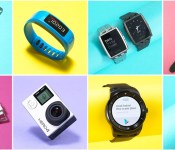
This year’s CES was awash in wearables and while many of them took the form of wrist-worn fitness trackers and smartwatches, the genre has expanded beyond the basics. While some iOS users may be holding out for the Apple Watch in April, there’s still a great selection of cross-platform devices available right now. Withings’ Activité Pop has classic analog style while still tracking steps and calories burned, all with the help of an eight-month battery. LG’s G Watch R is a decent Android Wear option that offers a truly circular display, while the Moto 360 still cuts a striking figure — although neither can manage more than a single day on a charge. The Basis Peak is also a contender, with reliable sleep and fitness tracking in a water-resistant package. As for wearable cameras, GoPro remains the go-to brand in the genre and its latest series of Hero4 cams don’t disappoint. You can find our full list of picks in the buyer’s guide, but we’ve also listed them in the gallery below. Who knows? Maybe skimming through will help you burn a calorie or two.

Android Wear 5.0.2 update now being sent out to the Samsung Gear Live and the LG G Watch R

Manufacturers are said to be rolling out the Android Wear 5.0.2 update to a series of smartwatches today. As of now, users of the the LG G Watch R as well as the Samsung Gear Live are reportedly seeing the update notifications on their devices.
The Moto 360 started receiving the update yesterday, so we expect the likes of the ASUS ZenWatch, Sony SmartWatch 3 and the LG G Watch to get the update subsequently.
Android 5.0.2 mostly introduces bug fixes, so don’t expect any visual changes post the update. The update modifies Google Play Services along with bringing performance enhancements to the devices.
It will arrive over the air (OTA) and will require your wearable to have at least 80% of battery before proceeding. Are you seeing the update on your LG G Watch R or the Samsung Gear Live yet? Let us know below.
Via: Phone Arena
Come comment on this article: Android Wear 5.0.2 update now being sent out to the Samsung Gear Live and the LG G Watch R
Sprint to offer LG G Flex 2 on March 13

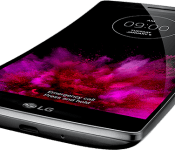
Sprint on Thursday announced the upcoming availability and pricing for the LG G Flex 2. Announced at CES in January, the phone features a 5.5-inch HD P-OLED display, a 13-megapixel rear camera, and 3,000mAh battery. Running the show we have a 2.0GHz 64-bit ocata-core (Snapdragon 810) processor and Android 5.0 Lollipop. The big draw, of course, is the curved body and display.
According to Sprint, both the Platinum Silver and Volcano Red versions will be available, however the latter color is exclusive to the carrier.
The LG G Flex 2 will go on sale on March 13 with an all-in cost of $504. Customers who opt for EasyPay can spread payments out at $21/month over 24 months. Preorders begin on February 20 through sprint.com/flex2.
(function() var script = document.createElement(‘script’);script.src = ‘https://stacksocial.com/widget.js?publisher=androidguys&type=editorial_post_widget_preferences’;script.async = true;var entry = document.getElementsByTagName(‘script’)[0];entry.parentNode.insertBefore(script, entry);)();
http://www.androidguys.com/pubgalaxy/728×90.html
The post Sprint to offer LG G Flex 2 on March 13 appeared first on AndroidGuys.

Android Zodiac: notable Android events
Android has come a long way since its release. From the HTC Dream to the Nexus 6, everything has changed. To come so far, significant things have happened that have changed the Android world. To highlight some of these events that have occurred, I have created an Android Zodiac! Yes, I’m aware this is not the same as the Chinese Zodiac, and this doesn’t really say anything about those born in those years. If you’re looking for something like that, check out our article called “What does your phone say about you“. Anyways, let’s dive in.

2007: Year of the Open Handset Alliance
2007 was a big year in not only the Android world, but the technology world as a whole. This was the year that the first iPhone was announced, and when Google and 47 other firms announced the Open Handset Alliance that would lead to Android. The reason for this was to unite companies to “enable everyone in our industry to innovate more rapidly and respond better to consumers’ demands” by having an open operating system, Android. The SDK is available to everyone, and the goal is to have one standard among mobile phones. If you’re interested, you can even look at the website that was released for this here. Definitely a blast from the past! Anyways, it would be the Open Handset Alliance that would help make Android the most popular OS on the market.

2008: Year of the HTC Dream
In 2008, the very first Android phone was released: the HTC Dream. Also known as the T-Mobile G1, this was the first phone to showcase Android. This smartphone not only had a sliding keyboard, but it had a home screen you could customize, complete with a wallpaper and widgets. There was also a new notification system that displays the icon for an app in the status bar whenever there’s a new notification, and you can slide down from the top to view more details about the notification. There was also integration with Google services allowing access to Gmail, YouTube, and more. On top of all of that, it was backed by the OHA, Google, and a promise to have updates brought to it that would bring new features and bug fixes. This device would change how software is designed and implemented for devices everywhere. Another interesting thing about this is HTC would later be the first for other landmarks in Android. But more on that later…
2009: Year of the Android Wars
2009 was the year that most of the manufacturers we know in Android phones today started to make Android phones. Samsung, Motorola, HTC, Sony, LG, and more all threw their hat into the Android phone ring. HTC released four other smartphones after the HTC Dream; Samsung released the first Galaxy phone, along with three other phones; Motorola released three phones along with their first DROID, Sony released the first Android Ericsson phone, and LG released a phone. Below is a collection of some of the phones along with a link to their specifications.
Note: I may have missed a few devices. Please let me know what I’ve missed!
 Samsung
 Motorola
 HTC
HTC
 Sony
Sony
 LG
LG
2010: Year of the Nexus
In 2010, Google released their first in-house designed smartphone: the Nexus One. Once again, HTC was the first with something in the Android space, as they manufactured the Nexus One. The Nexus One was a phone released with an unlocked bootloader for developers to create and test software on a version of Android that was untouched by manufacturers. It was also designed by Google to provide an example of what it believes other phones should look like in terms of hardware. The phone was sold online by Google, eventually being available through carriers. Little did we know, this would open a world of expectations from Android geeks everywhere as each year we now await eagerly to see what Google will release in the next Nexus. The Nexus One also was the first phone with Android 2.1 Eclair, which is another precedent set by this phone.

2011: Year of the Modern Phone
2011 saw the introduction of a lot of aspects in smartphones that consumers have come to expect of their smartphone. Displays started getting bigger, the bodies started getting thinner, and keyboards started disappearing. Screen resolutions started becoming important, and design started to focus more on looking futuristic. 2011 saw phones such as the Samsung Galaxy S II, the first Samsung Galaxy Note, the first Motorola DROID RAZR, and the Motorola DROID BIONIC. HTC and LG started to up their game too. Companies who were a part of the Android world started releasing more and more devices, and companies that weren’t involved before started to get involved. Users started to expect more out of their devices. A lot of the things you see in your current smartphone likely resembles most of the phones that came out in 2011.
 2012: Year of the Samsung

Let’s be honest, 2012 was all about Samsung. Not only did they have almost 50 different models and refine their Galaxy Note in the much more successful Galaxy Note II, but they released their most successful phone ever: the Samsung Galaxy S III. The S3 turned out to overtake the Apple iPhone 4S and iPhone 5 in sales in Q3 2012, selling over 18 million units in Q3 alone. The design was different, its speed and fluidity was unprecedented, and Samsung had added features to Android through its TouchWiz UI (user-interface) that helped make the OS (operating system) more friendly. Again, the Galaxy Note II also did well, selling over 3 million units in under two months of its release. The Note II had improved on the first generation in almost every way, and can certainly be accredited for the rise in popularity of the “phablet”. Samsung was on fire, and at that time it seemed no other manufacturer could touch them.

2013: Year of the User
2013 was a big year for Android. After Samsung’s huge success in 2012, all the other manufacturers took a step back and realized they needed to change things, and focus on the user. LG released their very different LG G2, where the power and volume buttons were on the back. Sony released the Xperia Z series, where durability became a focus. HTC released the gorgeous HTC One (M7). Google/LG released the Nexus 5, which improved on the widely accepted Nexus 4. Motorola released the Moto X, which focused on genuinely useful features and consumer design, and the Moto G, which brought great functionality and speed to budget phones. In 2013, we saw a huge focus on the end-user, finally bringing Android as an ecosystem to the big leagues.

2014: Year of the Chinese
After all-around positive reception to Android devices in 2013, most manufacturers pretty much just improved on their previous flagships in small ways (which is not a bad thing). However, with little to no innovation, this made way for a new player in the Android space: Chinese manufacturers. Xiaomi especially, but companies like Huawei, Vivo, Oppo, THL, and OnePlus entered the smartphone race with some serious gusto. While most of these companies had already existed, their entries in 2014 gained a lot of attention, and money. OnePlus in particular with their very controversial invitation-only system garnered many headlines. However, Xiaomi was the company that often made a couple of entries onto lists of top-selling smartphones, such as this one. Essentially, manufacturers based in China proved that they were starting to get serious about making Android smartphones.

2015: Year of the Software Design
I know I know: 2015 has just started. So you can take this as my prediction for the big thing in 2015. Some say that it will be all about wearables; others say it will be all about phone displays. In my opinion, wearables still have a ways to go before it becomes mainstream, and curved displays can only do so much at their current state, especially considering how expensive they are to manufacture. With innovation in the hardware space becoming infrequent (except for Project Ara, but that’s not ready yet), there is really only one place left to go: software. And while new features in software are introduced all the time, I think that Android Lollipop has shown us that Android can look good. Pretty soon, iOS will not be the only pretty operating system, as more and more manufacturers adopt Lollipop; with manufacturers having their own UI skin they slap on their phones, they’ll recreate Lollipop a bit, but users are going to want the design to still be there, so there is going to be a lot of creativity in the software. Hopefully.
That wraps up the Android Zodiac! Let me know what you think 2015 will bring. Perhaps in a year, we can dig this post back up and compare and add-on what really happened.
(function() var script = document.createElement(‘script’);script.src = ‘https://stacksocial.com/widget.js?publisher=androidguys&type=editorial_post_widget_preferences’;script.async = true;var entry = document.getElementsByTagName(‘script’)[0];entry.parentNode.insertBefore(script, entry);)();
http://www.androidguys.com/pubgalaxy/728×90.html
The post Android Zodiac: notable Android events appeared first on AndroidGuys.
LG G Watch Urbane up for pre-order in the UK

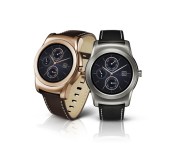
The LG G Watch Urbane has appeared in leaks for quite a while now. Earlier today, we came across the possible pricing of the two premium smartwatches from the Korean manufacturer. And now, Expansys UK has listed the two variants of the G Watch Urbane with a price tag of £299.99 ($462).
Both the Gold and Silver models of the smartwatch are on offer and we’re hoping they will be made available together. The G Watch Urbane is essentially a metal version of the G Watch R. Thanks to the materials used in its making, it has a very premium appeal to it.
Internally, the smartphone has pretty much the same hardware as the G Watch R, so don’t expect any changes in functionality or performance. LG has remained silent regarding the global launch of the G Watch Urbane, but we expect to have more information over the coming days.
Source: Expansys UK (Gold) (Silver)
Come comment on this article: LG G Watch Urbane up for pre-order in the UK
LG G Flex 2 vs LG G3
brightcove.createExperiences();
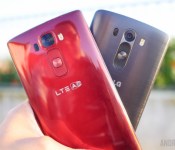
LG unveiled its latest curved smartphone, the LG G Flex 2, at CES 2015 last month. We’ve already unboxed the device, and given you our first impressions. While we are in the midst of testing the device for our full review, we thought we’d take a look at how it compares to LG’s 2014 flagship, the G3. We’ll take a look at design, software, camera and more, and see how these two devices stack up against one another in this comprehensive look at the LG G Flex 2 vs the LG G3.
Read more: LG G Flex 2 unboxing and first impressions
Design

To begin, it’s quite obvious where these devices differ on the design front. The curved screen on the G Flex 2 gives the device a unique look and feel, though what once was the size of the G Pro series now fits squarely in the realm of the G3’s territory. The G Flex 2 has been shrunken down to the benefit of many users who thought the larger 6-inch original was just too big. The curve of the G Flex 2 still goes from top to bottom, and like the original G Flex, LG claims that the curve results in a more resilient device all around. The curved phone has a self-healing back that is supposed to make scratches on the back disappear after some time. Additionally, there’s the benefit of an overall flexible device that can take some pressure when flattened.

It’s no secret that LG is testing the waters on a few unique features with this handset, and they all offer some benefits to the user that aren’t as gimmicky as you’d expect. Both devices offer a removable back panel, but steering away from the glossy plastic finish of the G Flex 2, the G3 offers a sleek brushed design without the benefit of self-healing properties.
LG’s now iconic button layout found on the back of most of the company’s handsets is present on both smartphones. The back of the devices house the power/standby key and volume buttons sit under the camera optics that includes laser autofocus technology. There are no buttons on the sides of either device, which means both handsets can be kept pretty thin. Moving to the front, both devices offer 5.5-inch screens with very limited bezel on both devices.

Thanks to its curved screen, the G Flex 2 almost literally sits perfectly in-hand, while the G3 is just a plain slab-shaped smartphone we’ve come to expect from most OEMs. The Flex’s self-healing back adds quite a bit of extra grip to the device compared to the smooth feel of the G3. While size has a lot to do with the handling, we give the ergonomics badge to the G Flex because the curve does make “hand gymnastics” easier to perform.
One aspect many people have worried about is fitting the G Flex 2 into a pocket. We can assure you that it is quite comfortable, but we should warn that if you wear jeans with extremely tight or small pockets, the G Flex 2 may be a tad uncomfortable. Either way, we’re looking at very attractive devices that show LG has really made strides in their design language, especially with their signature back button layout.
Display

Each of these devices feature a 5.5-inch display, but the G Flex 2 sports a lower-res display due to its curve. The LG G3’s screen was one of the first to sport Quad HD or 1440p resolution, bringing high powered display experiences into the mainstream. However, there have been a few reports of some compromises with the G3’s high-res screen. A bit of over smoothing could be seen in mostly text-heavy areas, especially in the browser. And with so much pixel power to emote, certain elements might have a slight stutter in place of completely smooth movements. Such claims, at least in my experience, proved to be fairly rare. Though the power of a Quad HD display might not be noticeable without a keen eye, I still thoroughly enjoy mostly media consumption on the higher resolution screen.

As was the case with the original G Flex, we learn in the 2nd iteration that the lower resolution is fine and just as enjoyable. The G Flex 2 has a 1080p screen which benefits from the curve, giving the user a more immersive media consumption experience. The screen will often not be as close to your face for the curve to fully make sense when it comes to talking, but the feature is mostly used to benefit durability and handling.
We have noticed that the G Flex 2’s 1080p panel doesn’t stutter quite as often as the G3’s, which makes the case that super high pixel densities could indeed impede general performance.

If anything, both IPS displays work very well where they should. Brightness is good in broad daylight and colors have the vibrancy that makes all media look great. Ultimately, this comparison makes it even clearer that our tried and true resolutions are still viable in today’s cutting edge environment. You just have to pick which enhancement you want: the subtle bump up via higher resolution or the unique and fresh feeling effect of a top to bottom curve.
Performance

LG has once again given us an incredible feature set in both of these devices. We give the company credit for keeping each new release fresh by keeping the processing packages updated, even if the G Flex 2 is not necessarily supposed to be considered a flagship device. Indeed, the new iteration of LG’s smartphone lines sports the latest and greatest – the Snapdragon 810 – backed by the Adreno 430 GPU and up to 3GB of RAM.
While performance has been great during in-app tasks and gaming on this device thus far, LG’s G UI runs into a few issues on the G Flex 2. Though our testing has not fully completed yet, we do believe the problems come from not only a lack of optimization in this Lollipop edition of LG’s interface, but also the sheer amount of bloatware that you typically get in devices made for the Asian market. We’ll need to reserve judgment on the Snapdragon 810 until we get our hands on a device meant for the US market.

The LG G3, on the other hand, has what is now almost considered old technology – the Snapdragon 801 – alongside the Adreno 330 and up to 3GB of RAM. Performance on the G3 has remained reliable despite how fast the market has been changing, and with updates to the G UI up until now, getting through the elements feels smoother despite what little stutters I mentioned before due to the Quad HD resolution.
Obviously the cutting edge is a place where many of us power users want to be, but while the Snapdragon 810 is pretty big deal, more variables might be skewing its performance experience in this very first crop that includes a Lollipop build that could use some updates.
Hardware

The G Flex 2’s main differentiator on the design front is obviously the curved display, but it doesn’t stop there with the unique features. The self-healing back, if it is anything like on the G Flex 1, will remove superficial scratches over some time, but anything more than that will likely leave permanent marks on the device. This is something we’ve already seen in preliminary testing. Removing the back of the G Flex 2 doesn’t allow you access to the battery, but the microSD and SIM card slots are still exposed underneath.
Speaking of the battery, we have yet to conclude longevity tests in just the couple days that we’ve had this phone thus far, but we can give you an example of one day’s power usage. Ten hours was what it took to get the G Flex 2 to go into its critical power saving mode, resulting in a total of around 3.5 hours of screen-on time. The 3000mAh battery unit likely won’t go the long distance, but it should be able to get you through a full day with a little more frugal usage.

The battery of the G3, on the other hand, is replaceable and packs the same capacity. Our original review of the G3 put the battery life on par with its main competition, despite its higher resolution screen. We haven’t seen a huge change in battery performance from our full review, though the option to replace the battery easily gives it a bit of an edge in the long haul. Otherwise, the G3 doesn’t really benefit from any unique hardware features, but it still does sport a microSD card slot and all of the regular fixings for connectivity. Moreover, both devices still have the Knock On capability enhanced with Knock Code, which you can use as a customized way of unlocking the phone.

It’s important to note that our G Flex 2 does not work on US carriers for LTE connectivity, and our testing will be relegated to WiFi and 3G internet. With that said, call quality has been about as standard for the G Flex 2 as it was for the G3.
Camera

The laser auto focus was definitely the focus of the LG G3, and brought very fast focusing atop optical image stabilization and a camera app that kept things really simple. The G3’s camera experience was very well-received by us and thus it should come as no surprise that the experience on the G Flex 2 is largely the same.
Right down to the apps themselves, the experiences in shooting with the LG cameras are largely the same. You get simple elements for picking resolution or changing from the decisive number of modes that include HDR, panorama, and dual shooting. However, magic focus seems to have been left out of the Flex.
Both cameras have 13MP resolutions on their rear-facing cameras, and both include video modes including 4K recording and slow motion through 120 frames per second. What made the G3 camera experience so enjoyable was the fast point and shoot capability. While using the minimal camera interface, you just tap a point and the lasers focus on it very quickly, snapping the shot in very little time. And actually, the G Flex 2’s camera seems to be a bit faster at focusing than the G3. Where as the focus might jump a little before settling on the G3, autofocusing on the G Flex 2 was pretty spot on and direct in the first go. This isn’t the biggest improvement, but one that was easy to notice when shooting side by side.

Picture quality takes on a pretty similar affair in the G Flex 2, as these quickly shot photos (shown in the gallery below) show good color reproduction to the scene. There isn’t a high level of saturation in the post processing that you might now be accustomed to in competitor’s cameras, though it is something the photographer will have to decide is a true benefit or detractor, as more vivid photos tend to be preferred by users.
HDR modes do add a little more color to photos, though its main function of lightening darks and clarifying blown out areas may not be particularly strong. The sometimes overly-aggressive noise reduction in the G3 seems to have returned, however, which is a trade-off. Sometimes the pictures are just softened a little too much and fine details can suffer.
What does prove itself well is OIS+, helping shaky hands capture clear photos and helping video keep from getting too jittery. Self portraits have been made easier with a new gesture allowing you to review the picture you just took with a natural downward angle movement – the 2.1 megapixel front facing camera is still just a standard performer, however.
LG G Flex 2 Camera Samples
LG G3 Camera Samples
We’re still testing the G Flex 2’s camera, though it’s clear so far that these two camera experiences are very similar.
Software

When it comes to software, the G Flex 2 is running LG’s G UI on Android 5.0 Lollipop, and the G3 is still running Android 4.4 KitKat, though the G3 Lollipop update has already started rolling out to some users. Snce our G3 hasn’t been updated yet, the main differences you’ll notice in the G3 is the older softkeys, the older recent apps switcher, and the notification dropdown.

But from there, not much more has changed in G UI, as many of the elements take on LG’s typical style. The Settings screen is still a tabbed layout and the quick settings above the notifications are still a little too crowded for comfort. The Smart Notice widget does get a few more capabilities on the G Flex 2, but the most enjoyable Smart App experience is still the keyboard, which is just a blast to type with on the Flex. It has a customizable height and extra button layout with number keys up top, making it one of the most enjoyable OEM keyboards on which to type. The only real addition to the Flex interface is a peeking feature that is triggered by swiping down on the turned-off screen, which is basically a quick way to check the time and the notification bar.

Just like the the version of LG’s UI found on the G3, the G Flex 2’s UI is still a little too cluttered for its own good, as our early performance issues seem to prove. Lollipop was a needed move forward for Android, but LG kept things looking and feeling mostly the same in the G Flex 2, which might not be a good thing for everyone.
Gallery
Pricing and final thoughts

The LG G Flex 2 has launched in Korea, and will be available for pre-order on February 27th in Singapore. AT&T, Sprint and US Cellular have announced their plans to eventually carry the device sometime in the spring, though no exact date has been given. It will also launch on Vodafone in the UK, and will make its way to Australia, though there’s no timeframe for its availability. The phone has been rumored to launch at around €599.99 off-contract (~$600 US), but we’ll need to wait and see the exact price when the launch date gets closer.
The LG G3 has been out for quite some time, so you can pick up the device in a number of different places. All four major US carriers have the device, as well as multiple UK carriers, Korean carriers, and many other parts of Europe and Asia. Nowadays, you can grab the phone with a two-year contract anywhere from $0-$149.99. Off-contract prices vary, reaching anywhere from $479.99-$549.99.
These are definitely the two top dogs in the LG camp and it should come as no surprise that they are very similar.
And so, there you have it, our look at the LG G Flex 2 versus the LG G3. These are definitely the two top dogs in the LG camp and it should come as no surprise that they are very similar. The higher resolution display of the LG G3 is its marquee feature, but if you’re looking for something more unique, the G Flex 2 has already impressed us with its looks and very nice in-hand feel. What points we do give to the G Flex 2 for its noticeably faster camera experience are taken away a bit by the new Lollipop edition of LG’s UI that seems to lack the optimization needed to meet Snapdragon 810 expectations. That said, we thoroughly enjoy the G Flex 2 so far, and that basically means we still enjoy all that the G3 offers – it’s just that the Flex is trying to bend the rules – making it a marginally more intriguing choice.
Related Videos
.rvs_wrapper
width: 335px;
.rvs_wrapper.align_left
float: left;
.rvs_wrapper.align_right
float: right;
.rvs_wrapper.align_center,
.rvs_wrapper.align_none
width: 100%;
.rvs_wrapper.align_center
text-align: center;
.rvs_wrapper.align_center.cbc-latest-videos ul li
float: none;
display: inline-block;
vertical-align: top;
.rvs_wrapper.cbc-latest-videos:not(.align_none) ul li:nth-child(2n+1)
clear: both;
.rvs_title
font-weight: 600 !important;
margin: 0 !important;
.rvs_wrapper.align_right .rvs_title
padding-left: 20px;
.rvs_title a
font-family: ‘Roboto Condensed’;
color: #3a3a3a;
.rvs_wrapper.cbc-latest-videos ul
padding-top: 10px;
.rvs_wrapper.align_left.cbc-latest-videos ul li,
.rvs_wrapper.align_none.cbc-latest-videos ul li
padding: 0 15px 0 0;
.rvs_wrapper.align_right.cbc-latest-videos ul li
padding: 0 0 0 15px;
float: right;
.rvs_wrapper.align_center.cbc-latest-videos ul li
padding: 0 7px;
.rvs_wrapper.cbc-latest-videos ul li > a
font-weight: 400;
.rvs_wrapper.cbc-latest-videos ul li > a .yt-thumbnail
margin-bottom: 0;
@media only screen and (max-width : 480px)
.rvs_wrapper
width: 100%;
text-align: center;
#page .rvs_wrapper.cbc-latest-videos ul li
padding: 0 7px;
display: inline-block;
float: none;
vertical-align: top;

 AIVAnet


