


Android Device Manager application now available in Play Store
Back in August, Google officially unveiled the Android Device Manager, a service Android fans were looking forward to from a long time. The service could help users to locate their lost Android device for example inside your house under the sofa. It can help them to see the last known location of their stolen device, also allowing them to wipe the data, keeping your data secure. Now Android Device Manager is available in the Play Store as an Android application.
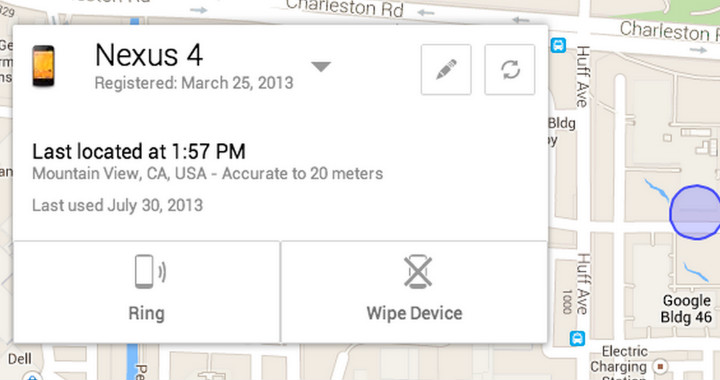 It is available for free, of course. And if you are not using the service, we highly recommend you to do so. You have to turn on the Google location service, also go to Google Settings > Android Device Manager, and select Remotely locate this device and Allow remote lock and factory reset.
You can download the application below, and don’t forget to share your thoughts with us in the comment box below.
The post Android Device Manager application now available in Play Store appeared first on AndroidGuys.
Google Launches Chrome Apps for Mac
Google today announced that it is bringing Chrome Apps to the Mac, following a beta period that began in May. First introduced in September for Windows and Chromebook users, Chrome Apps are designed to function like native Mac apps, working offline, updating automatically, and syncing on any computer where a user is signed into Chrome.

Chrome Apps work offline, update automatically and sync to any computer where you’re signed into Chrome, so you can pick up where you left off. Your Chrome Apps on Mac behave and feel just like native software. For example, you can find your Chrome Apps in the Applications folder on the Dock. Search for apps by name in the Spotlight search—just like any other Mac program that you already use.
Chrome Apps, which are separate from Chrome browser apps, are downloaded into the applications folder and work like any other Mac app. The apps have access to local storage for offline support, differentiating them from standard Chrome apps, and are able to easily sync content between multiple computers.
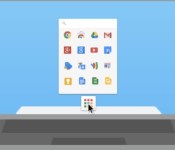
Chrome Apps for the Mac also work with Google’s Chrome App Launcher, which will be automatically installed when any Chrome App is downloaded. The Chrome App Launcher aggregates all Chrome Apps into one convenient expandable grid on the Mac’s dock.
Google has several different fully functional Chrome Apps available for download from its Chrome Web Store, including offerings like video editing app WeVideo Next and project management app Smartsheet.
     |
Android Device Manager now available for your downloading pleasure on Google Play

There’s a good chance you’ve already gotten Android Device Manager as an OTA update or checked it out via the web version, but for the rest of you, the device-tracking app hit the Play store today. Using the app, you can find your devices on a Google Map, ring to locate or add a lock screen or system reset for dire circumstances. Peep the source link below for the download.
Filed under: Cellphones, Software, Mobile, Google
Source: Google +, Google Play
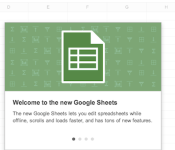
Google Drive Sheets gets offline document creation and editing, speedier calculations, smoother scrolling

Google Sheets isn’t quite as capable as its counterpart from Microsoft, but Mountain View’s preferred spreadsheet platform just got a bit more powerful with an update today. Should you choose to opt-in to the new Sheets, you’ll be able to take advantage of several new features and the new version’s faster performance. Among the highlight feature additions are the ability to create and edit spreadsheets offline (assuming you’ve set up offline GDrive access), and a Filter Views feature that lets users customize their view of a collaborative workbook without changing the way that same spreadsheet is seen by other users. Plus, there’s now inline access to improved help articles and other tweaks like the ability to assign different colors to sheet tabs.
We got to spend a bit of time using the new Sheets before today, and we can say, unequivocally, that the performance improvements are as advertised. Where the old Sheets would get bogged down scrolling through massive data sets, the new version does it as smoothly and easily as when using Microsoft Excel. Furthermore, the addition of sheet tab colors turned out to be more useful than we first thought — the differing hues made it much easier to find specific sheets within larger workbooks. Don’t believe us? Opt in, friend, and see for yourself.
Filed under: Internet, Software, Google
Source: Google Drive blog
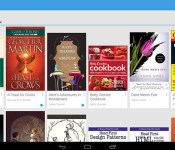
Google’s Play Books now supports ebook uploads from any Android device

Google just made it easier to transfer virtual libraries to Play Books, now that you can upload digital tomes straight from Android phones or tablets. Thanks to the software’s latest update, there’s no need to go the Play website to add EPUB or PDF files to your account. Simply click an ebook through an Android file manager — or download it if it’s attached to an email — to get the “Upload to Play Books” prompt. The refreshed app also promises to open files more quickly and smoothly, although we didn’t notice any significant upgrade in speed when we tested it out. Other than these two changes, the latest version lets you read any book in landscape mode and comes with the ability to dismiss recommended titles. Finally, you can now take the reader’s brightness down a notch to make reading in the dark easier for the eyes.

Filed under: Cellphones, Tablets, Mobile, Google
Source: Google Play Books

Dell’s first Chromebook is destined for schools
Come tomorrow, Dell will take the wraps off of its very first Chromebook, which has been dubbed the Dell Chromebook 11. Specifics are scant at the moment, but we do know that the laptop (which will likely have an 11-inch display) has been designed…
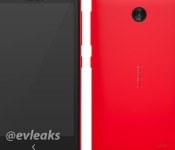
Nokia Normandy rumored to be low-end Android-based phone
The image you see above is the rumored Nokia Normandy, which Twitter leakster @evleaks revealed at the end of last month. While not much was known about the device at the time, the lack of hardware shutter button, capacitive buttons and LED flash …

Daily Roundup: Samsung’s EMC lab, interview with Qualcomm’s Raj Talluri, new Chromecast apps and more!
You might say the day is never really done in consumer technology news. Your workday, however, hopefully draws to a close at some point. This is the Daily Roundup on Engadget, a quick peek back at the top headlines for the past 24 hours — all ha…
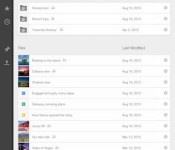
Google Drive for iOS finally lets you sort files
The little handy dongle that is the Chromecast isn’t the only product Google is improving today. And while this newly added functionality to Drive on iOS may not be as notable as 10 shiny apps, we’re sure avid users of the storage service will hap…

Aereo could be next on Google’s Chromecast support list
Every time Chromecast adds another officially supported app, traditional TV viewing dies yet another death. And so it goes that Google’s low-cost dongle’s about to beef up beyond its already stellar, and increasingly robust, line-up of streaming s…

