


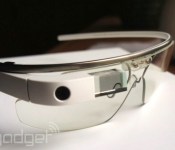
First UK Google Glass trial gives Parkinson’s sufferers more independence

Before Glass becomes a publicly available product, Google’s quietly embarked on a campaign to get its iconic eyewear into the hands of those who can use it to tackle complex issues. After it gifted five pairs to researchers at Newcastle University, Google’s allowed its wearable to undergo its first UK medical trial, where it’s being used to support people suffering from Parkinson’s disease. Researchers want to help patients live more independently, and they’re already seeing results.
With custom apps, experts have tuned Glass to provide subtle alerts reminding volunteers to take their medication and notify them of upcoming medical appointments. Sufferers are also prompted to speak or swallow to prevent drooling. Glass’ motion sensors are put to good use too, preventing patients from “freezing” by displaying visual cues to help them unblock their brain and regain a flow of a movement. Researchers say the project is still in its early stages, but they’re already looking to develop a variety of apps to match the specific needs of volunteers. While Glass faces an uphill struggle to gain social acceptance, its philanthropic uses are showing no bounds.
Filed under: Wearables, Google
Source: Newcastle University

Turkish ISPs make getting to YouTube a little easier, but haven’t unblocked it yet

Even after the unbanning of Twitter and a court ruling in Google’s favor, YouTube is still blocked in Turkey. Accessing the video streaming site did get a little easier today however, as the Wall Street Journal has confirmed residents can once again use DNS servers from Google, Level3 and OpenDNS that will route them around the block. More easily implemented than using a VPN, it finally reopens access via those servers after they were blocked ten days ago. There’s no public statement available from the ISPs or the Turkish government, but hopefully unrestricted access to the best YouTube has to offer is coming soon.
Source: Wall Street Journal

What does Twitter want with Cover’s Android lock screen? A smarter smartphone, duh

Imagine your Twitter app immediately surfacing tweets about a nearby earthquake or disaster without you having to enter a single keyword search. Or one-step switching between Instagram and Twitter so you can see if that filtered photo of your cat received any favorites. Or a notification that brings up a favorite restaurant’s Twitter account around dinnertime so you can see its daily specials. And imagine if it was all only possible because you had an Android phone.
When the news broke yesterday that Twitter bought Cover, a company that makes an Android lock screen app, the first question that hit me, was, well, why? Much like Facebook’s Oculus buy, the deal doesn’t make much sense at first blush. The seemingly obvious answer would be that the company plans to build a Twitter-based lock screen — essentially a Twitter version of Facebook Home. Which, let’s face it, doesn’t sound like a great idea. Not only does it seem rather shortsighted for Twitter just to mimic another company’s mobile efforts, but also Facebook Home wasn’t exactly a resounding success. Instead, I think it’s another example of Twitter’s penchant for experimentation. If you combine Cover’s context-aware tricks along with Twitter’s desire to build a better Android experience, you could get one very intelligent Twitter app.
Much like Facebook’s Oculus buy, the deal doesn’t make much sense at first blush.
Twitter, as we already know, is not afraid of experiments. In a blog post published by the company last year, it states the developer and design teams constantly perform test trials in order to suss out what Twitter needs to evolve. Some efforts are more experimental than others of course, but the end goal is always to come up with a better product, be it improvements to login verification or simply a new profile page. Perhaps due to some criticism of its Android app, Twitter has been particularly keen on improving the experience on Google’s mobile OS. Indeed, it launched a beta tester program for Android users back in August and then an even earlier Alpha program in November, both of which were rich ground for these so-called experiments. Results have been mixed. A major redesign seeded out to testers late last year for example, was completely scrapped partially due to poor feedback. This is where Cover comes in.

In our interview with Cover co-founder Todd Jackson last October, he was extremely bullish on Android as a platform. “We’re making a huge bet on Android, that this will be the operating system that billions of users will adopt over the next several years,” he said. Not only can you not customize the iPhone’s lock screen to your heart’s desire, he told us, but also developers simply do not have the keys to the iPhone’s sensors like they would with Android.
“We’re making a huge bet on Android, that this will be the operating system that billions of users will adopt over the next several years,” Cover co-founder Todd Jackson said.
Tapping into those sensors is exactly how Cover differentiates itself from just an ordinary lock screen replacement. Rather than just a static list of app shortcuts, Cover utilizes the phone’s internals to surface the most oft-used apps depending on your location, time of day and even whether you’re in the car or on foot. If you’re at home, for example, your lock screen might float Netflix and Pandora to the top, while work-related apps like email and stocks would be more prominent when you’re in the office. More than just a lock screen replacement, Cover also works throughout the phone as a smarter app switcher. When you’re in the email app, for example, you can easily swap out to an app like the browser or maps, because those two are the ones you’d most likely reference while typing out a letter. “We want this to be like Alt-Tab for mobile, so you can jump directly between apps lightning fast,” said Jackson. You can test it out while Cover is still available from the Play Store.
I don’t doubt that it’s these unique quirks that won the hearts and minds at Twitter. In Cover’s announcement yesterday, the newly acquired firm stated: “Twitter, like Cover, believes in the incredible potential for Android. They share our vision that smartphones can be a lot smarter — more useful and more contextual — and together we’re going to make that happen.” And who wouldn’t want a smarter smartphone?
Filed under: Cellphones, Mobile, Google

Weather forecasts and user photos could be headed to Chromecast’s home screen

Filed under: Home Entertainment, HD
Via: Gigaom
Source: Reddit

The HTC One M8 has a Google Play edition, but how is it different? (hands-on)

HTC’s latest flagship device, the One M8, is one of the best Android smartphones now available on the market, but what would happen to it if Google stripped the phone of some of its customizations? That’s essentially what the Google Play edition of the new One offers. Plunk down $699 and you’ll have access to an unlocked and (mostly) unadulterated version of the M8 with stock Android 4.4 (also known as KitKat).
Of course, we’ve been curious to see what will happen to the features that make the new One unique. HTC told us that the Google Play edition will be able to take advantage of the Duo Camera, for instance, but does it still offer the same functionality? Additionally, can we use the Motion Launch gestures to wake up the phone and access different features? And how about that clever Dot View case that comes in so handy on the Sense version? Look no further for the answers.
We won’t spend much time on the GPe’s hardware, because it’s exactly the same. You’re still going to get the same 5-inch 1080p display, 2,600mAh battery, BoomSound speakers, rear UltraPixel camera and 5MP front-facing selfie shooter. This particular model is a silver-colored 32GB version and comes with dual-band LTE (700MHz and AWS), which gives you next-gen speeds on AT&T and T-Mobile; no word yet on if we’ll see any regional variants outside the US. Finally, the GPe also has quad-band HSPA+ 21Mbps (850/AWS/1900/2100) and quad-band GSM/EDGE.

Let’s move onto the software, which is what makes the GPe unique and interesting. First, we’ll tackle the Duo Camera. If you’ve read our review, you’ll have a good grasp on what it’s all about. The M8 comes with two cameras on the back: there’s HTC’s 4MP UltraPixel sensor on the bottom and a smaller sensor on the top that’s primarily used for depth imaging. This setup gives you the ability to mess with a few more post-processing editing tricks than is offered on most other smartphones. HTC will also be throwing in options for developers to take advantage of the two rear cameras.
Frankly, it’d be silly to have extra hardware on a phone that’s completely unusable, so the Google Play edition will still take advantage of the Duo Camera functionality. Predictably, the app itself is the stock Google version, but the HTC magic comes out as soon as you enter the Photos app and try editing your shots. You’ll be prompted to open up “HTC Photo Edit,” and you’ll see a screen that looks much like what you’d find in the Sense gallery but with fewer options: UFocus, Dimension Plus and Touch Up are the only Duo Camera-esque effects listed, which means the Foregrounder, Seasons and Copy/Paste functions didn’t make the cut. (Filters, frames and tools are still hanging out on the right sidebar.) UFocus is our favorite of the Duo Camera options, so we’re glad to see it there, but Dimension Plus is a useless and gimmicky feature that we just don’t use very often.

Motion Launch is also around and it’s still pretty useful, but there’s one caveat. You can still double-tap to wake, press the volume button and lift the phone to activate the camera and swipe the screen in any direction to unlock it — all of the core features remain. The only thing it lacks is the ability to swipe different directions and have it do different things (ie. swipe down to activate voice dial).
The Dot View case also works, but again, it doesn’t get the full functionality it enjoys on the Sense version. On the Google Play edition, you can view the time and weather, but from what we can tell, there are no other notifications to take advantage of.
There’s one other nicety about the phone that shouldn’t go unnoticed: despite its Google branding, HTC still includes the device as part of its Advantage program, which means HTC will replace your screen for free if you break it within the first six months.
If you love the HTC One M8 hardware but prefer a stock Android experience (and one that will likely get updated faster), this is where the Google Play edition comes in handy. Interestingly, this particular version is a little unique compared to others of its kind, mainly due to the extra camera and motion gesture capabilities built into the hardware; there’s certainly still some HTC features that you wouldn’t normally find on, say, a Nexus phone. Whether or not this makes it any less of a vanilla Android device may be up to your own interpretation, but this kind of differentiation at least gives it a little more flavor than it otherwise would have. The best part: if you don’t like the extra features, simply turn them off.
Filed under: Cellphones, Wireless, Mobile, HTC, Google

YouTube live streaming comes to the Chromecast

It seems that Google is quietly trimming back the restrictions around sending YouTube videos to your Chromecast. In addition to being able to share private videos, you can now push live streams from your desktop to the cheapie streaming stick. According to Android Police, the feature isn’t active on Android devices, only desktops, but that’s a small price to pay to get live hummingbird videos on your box 24/7.
Filed under: Home Entertainment, HD, Google
Source: Android Police

Google I/O registration pushed back a week

Originally scheduled for today, the Google I/O registration system has been pushed back a few days.
Seemingly having issues with the system, Google I/O 2014 registration will now run from April 15th till April 18th.
Google I/O runs from June 25-26th 2014 at the Moscone Center in San Francisco, with tickets costing $900 per person, or $300 for a student.
The post Google I/O registration pushed back a week appeared first on AndroidGuys.

Google takes legal action against Turkey’s YouTube ban

Remember how a Turkish court ordered an end to the country’s YouTube ban? Well, that decision has already been reversed — and Google has launched an all-out legal assault in response. The search firm has filed a complaint with Turkey’s Constitutional Court protesting the block, to start with; it’s also appealing the reinstatement of the ban, and it’s suing to negate the decision altogether. The company doesn’t have more details to share at this stage, but a spokesperson both acknowledged the court battles to us and said it was “obviously very disappointing” that the censorship is still in effect. It’s too early to know whether the anti-ban campaign will prove successful, but Twitter’s recent victory suggests that Google has a fighting chance.
Via: PCWorld
Source: Hurriyet Daily News
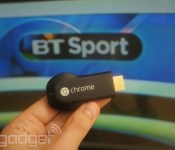
You can now stream BT Sport on Google Chromecast
The US may have beaten the UK to the punch on Chromecast hardware, but us Brits now have access to another thing the Americans don’t: live premiership football. Following news that it was expanding its apps to support the £30 streaming accessory, BT today switched live the necessary features to allow Sport subscribers to beam content from their iOS or Android device directly to their TV. Of course, you will need a BT Broadband package or be BT Sport subscriber to gain access to the live streams. If you’ve already met that requirement, then it’s a simple case of hitting the “Cast” button in either of BT’s official apps to enjoy football, rugby, Moto GP, tennis or UFC coverage on your nice big flatscreen.
Filed under: Cellphones, Tablets, Internet, Software, HD, Mobile, Google
Source: Google UK (Twitter)

The ‘father of manga’ joins Google’s Cultural Institute

One of the (if not the) most influential manga artists ever, Osamu Tezuka, has joined the digital halls of the Google Cultural Institute. If there was no Tezuka, there would have probably been no Dragonball, no One Piece… well, you get the picture. The collection includes a Google Street View tour of the museum founded in his honor, as well as a beautifully curated selection of photos, artwork and video clips. It’s all been timed to coincide with Atomu’s (Astro Boy) birthday, the robot boy that’s now 62 years old– and starred in Japan’s first (yes, first) anime. While the collection might not touch the mind-blowing 700 total manga titles the artist completed in his lifetime, it’s a mighty well-presented primer.
Source: Google Cultural Institute

