


Material Design rolling out to Google Maps in coming days

Here comes another wave of Material Design from Google. This time, it is Google Maps receiving the special treatment to resemble Android’s new design guidelines. Users of both the Android and iOS versions of the application will notice the design overhaul in the coming days. While the look of the app is different, Google has made some functionality changes. Google says that Material Design adds life to Maps.
Hit the break to see what Material Design for Google Maps looks like.

The information sheet of a place glides up from the bottom of the display. The information sheet of a place has things like descriptions, photographs, and reviews. Then, if you have yet to figure out a specific pace to go to, there is an Explore button that is accessible at all times. It suggests local places to give a look. The Explore area has fields for driving/walking distances and time of day.

Making a reservation with Google Maps just got way easy. To be honest, it cannot be any simpler. With integration from OpenTable, the app displays times for available tables after inputting a party size.

Finally, data from Uber has been brought over. Along with estimating driving, walking, and bus times, Google Maps estimates how long an Uber ride would take. In addition to the time of arrival, Google Maps shows the estimated pickup time and cost.
Source: Google Lat Long
Come comment on this article: Material Design rolling out to Google Maps in coming days

Get an Inbox invite today by 5pm PT guaranteed

Still trying to snag an Inbox invite? Google is guaranteeing you an invite today through their Inbox Happy Hour. All you have to do is email your invite request to inbox@google.com between 3 and 4 pm PT and you will get your invite by 5 pm PT. That’s all there is to it. A lot easier than trying to order a Nexus 6, and it won’t cost you a penny.
source: @inboxbygmail
Come comment on this article: Get an Inbox invite today by 5pm PT guaranteed

Just how secure are your messaging apps? The EFF knows.

Like it or not, your messages — those funny, tragic, productive, intensely personal missives you fire off without a second thought — aren’t nearly as safe as we all thought. That’s why the Electronic Frontier Foundation decided to do a bit of digging into how secure all those messaging apps we use actually are, and it threw its results into this handsome little scorecard. Unsurprisingly, few entrants (like the security-minded calling and texting apps from outfits like Whisper Systems and Silent Circle) scored full marks on the EFF’s rubric. What’s even less of a surprise is how many well-known services – services we probably all use everyday – don’t fare particularly well by the EFF’s standards.
Messaging mainstays like AIM, BlackBerry Messenger, Viber and the once-buzzy trash-talking app Secret brought up the rear with a single point because all they do is encrypt messages as they move from device to service (though the metadata associated with those messages might not be scrambled). Facebook Chat, Whatsapp, Snapchat and Google Hangouts encrypt missives in transit too, but they only gain one additional point because the companies involved audit their code. Comparatively speaking, Apple’s doing pretty well, since the content of your iMessages are shielded from eyes in Cupertino, and because attackers can’t piece together extended conversations from multiples ones you’ve already deleted.
And what about the losers? As it turns out, only two apps tested manage to fail on every front. The first is MXIT, a smaller South African social service with just a touch under 5 million users. And the other? QQ, the world’s second most widely used social message service, with close to 900 million people pinging each other monthly.
Source: Electronic Frontier Foundation
Google Drive can launch desktop programs from Chrome

It can be tedious to work with cloud files as soon as possible because you have to first download the file and then select the program to open it with. A small change to Google Drive nixes that extra step. Now, when choosing a file in Drive, users can choose to “Open with” compatible desktop programs.
The only browser to use this function with is Chrome as there is a required extension available in the Chrome Web Store to get started.
Hit the break to see the function in action.

Source: Official Google for Work Blog
Come comment on this article: Google Drive can launch desktop programs from Chrome
Download and Install Google Maps version 9.0.0 APK (Material Design)

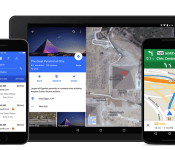
The next app to be treated to material design is Google Maps, and boy does it look good. Hitting version 9.0.0, this Google Maps update focuses entirely on bringing Material Design to the app, as well as OpenTable integration in the US.
The official Google Maps version 9.0.0 APK can be downloaded by clicking here.
Why Download?
If you’re the type of person who likes to stay on the cutting edge of software then you’ll want to get your hands on the file. And, given software updates can take days or weeks to fully roll out, this ensures you’re moving up in the line.
What’s the Risk?
We’ll only share files or links to files that we feel can be trusted. Google does a great job of signing apps, checking them for malware, and protecting users. If you’re not sure whether you want to download the app at this time, simply wait for your update to arrive. No harm, no foul.

The post Download and Install Google Maps version 9.0.0 APK (Material Design) appeared first on AndroidGuys.
Google Maps gets a makeover with built-in restaurant reservations

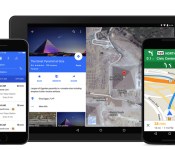
At long last, Google Maps has received the Material Design revamp that many were expecting — and it’s more than just a skin-deep upgrade. New versions of Maps’ Android and iOS apps focus on the super-flat graphics and lively animations that you’d expect from Google’s new design language, but they also include built-in restaurant reservations through OpenTable. If you’re in the US, you can now book a table right from a place page instead of visiting a website or launching another app.
You’ll also have more options for getting around if you’re a fan of ridesharing services. When you’re looking for directions, Maps now estimates both the pickup time and cost of an Uber ride to a given destination; you can quickly figure out whether or not you’re better off taking the bus. Both the Android and iOS updates to Maps should reach your devices within the next few days, so you won’t have to wait too long if you’re eager to check out either the fresh look or the new features coming along for the ride.
Filed under: Cellphones, Tablets, Internet, Mobile, Google
Source: Google Maps
Happy 7th birthday to Android… and AndroidGuys!

November 5, 2007
It was exactly seven years ago today that Android officially became a thing. Whereas the world was anxiously awaiting Google’s first smartphone, (likely the gPhone), Google went much bigger in scope. Instead of launching a specific device we got Android and the Open Handset Alliance. Forget one phone, let’s talk about unlimited phones.
Android is open source; it can be liberally extended to incorporate new cutting edge technologies as they emerge. The platform will continue to evolve as the developer community works together to build innovative mobile applications.
With 34 partners announced at the time, including T-Mobile, HTC, and even eBay, we were hooked. This was going to be a really fun field to watch. You see, it was also on November 5, 2007 that we started AndroidGuys. At the time there were five of us watching the space closely; we decided we’d track all of the goings-on. So, we created a little blog between us to share everything we could find. A few days later we had the domain picked out and we were on our way.
If you were paying attention in the early days you knew there was very little to talk about. It would be nearly a year until we saw our first hardware, the T-Mobile G1. We had to read the tea leaves, work closely with developers, and do whatever we could to create content. What started out as 10-15 minutes every few days would grow into full-time jobs and not enough time in the day to track it all.
Here’s the video that kicked it all off:
How prescient is that?! Nearly everything envisioned has turned out to be true. We just can’t read thoughts… yet.
Our focus has shifted over time. In the middle years we were doing what we could, keeping up with every single rumor, leak, firmware update, and whisper. Today, our focus is on existing users and helping them get more out of their devices. That means more emphasis on apps, wallpapers, widgets, accessories, and other fun stuff.
Little did we know at the time that we’d see tablets, cameras, watches, cars, TV’s and other products powered by versions of Android. Hundreds of products, millions of apps, and more than a billion activated devices later, and we’re still climbing.
I’m extremely proud of the site and the team I have in place. What’s more, I’m also incredibly gracious of the help we’ve had along the way. This is one of those cases where if you truly love something it never feels like work. Thanks to the guys and gals that have my back this has been nothing short of a dream come true. We’re seeing tremendous growth as of late and look forward to serving you guys for many years to come.
The post Happy 7th birthday to Android… and AndroidGuys! appeared first on AndroidGuys.
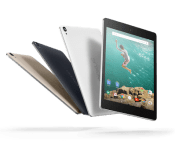
Binaries for the Nexus 9 are being included in factory image build
 Google recently released a factory image for the Nexus 9 tablet, but we were still waiting for binaries to be made officially available. Well, it turns out Google already released those binaries and most people didn’t even notice. The binaries for the Nexus 9 have been included on the LRX21L factory image on a separate vendor partition, which also explains why the factory image is a pretty large download.
Now that we’ve got everything cleared up for the Nexus 9, we’re just waiting on Lollipop images for other devices.
source: Android Police
Come comment on this article: Binaries for the Nexus 9 are being included in factory image build

Google bringing SD card support back to Android in 5.0 Lollipop

It was long thought that Google wanted to phase out external storage in Android, opting for cloud-based solutions, not including SD card slots in Nexus devices and slowly removing SD card functionality in AOSP Android. However, Google is adding some new APIs to Android 5.0 to allow easy access to SD cards after bringing back limited SD functionality in Android 4.4. The new APIs will grant developers access to SD card directories and files after the user grants the application permission once.
Many manufacturers include SD support in their devices by default, but its nice to see Google listening to users and adding native support. Cloud storage is great but traditional expandable storage is nowhere near obsoletion and Google has made a wise move by supporting SD cards in their upcoming version of Android. Do you still use an SD card? Let us know in the comments below!
Source: Android Developers
Via: Phone Arena
Come comment on this article: Google bringing SD card support back to Android in 5.0 Lollipop
Google and LG enter long-term patent cross-licensing agreement

In a move that could only be beneficial to both parties, LG and Google have entered into a long-term patent cross-licensing agreement covering a ton of products and innovations as well as patents filed by both parties over the next ten years. An agreement like this could result in some interesting products with the companies being able to use each others advancements and technologies. Let us know in the comments what you’d like to see come out of this partnership.
Source: LG
Come comment on this article: Google and LG enter long-term patent cross-licensing agreement

