



Google’s Nexus 6 finally gets priced in the UK: £499 for 32GB, £549 for 64GB

It’s been almost a month since Google officially unveiled the Nexus 6, but UK fans have been left in the dark over a price and a release date. Today, we can tick one of those off the list. In preparation for its local launch, the search giant has finally updated the Play Store to show how much the Motorola-made Nexus phone will cost. You’ll need to pay £499 to get your hands on the 32GB model or £549 is the 64GB variant is more your style. Google is staying quiet on when the Nexus 6 will actually go on sale, but with Vodafone and other resellers recently announcing they will stock the device, we bet that a release is just around the corner.

Filed under: Cellphones, Mobile, Google
Source: Google Play

Google Releases “The Secrets to App Success on Google Play” Guide Book
If you are aspiring app developer, a new app developer or even an experienced app developers, everyone needs a little help and guidance occasionally. Google has created a new guide designed to specifically help you guys do your thing, get noticed, keep moving forward and build a successful business doing it.

The guide targets seven primary areas from Publishing on Google Play to Engagement & reach to Going Global.
- Publishing on Google Play — using the Google Play Developer Console to distribute your app to over 1 billion Android users worldwide.
- Quality — The fundamentals of building a great app and an insight into the Google Play guidelines and policies.
- Discoverability & reach — Maximizing your app’s discoverability and reaching the widest audience possible.
- Engagement & retention — Converting installations into active users and improving user retention.
- Monetization — Monetization strategies to generate ongoing, growing revenue streams.
- Measurement with Google Analytics — Understanding your users and improving your app experience, conversions, and marketing.
- Going global — Launching your app in local markets around the world.
The guide is available as an 11 page PDF, or you can get the 81 page Play Book version in the Play Store. Both are free, and should be a great resource for anyone who wants to, or already does, create for Google Play. As time progresses Google will be updating the books content with more information as well as be offering it in additional languages. Right now it is in English. Google also has a limited number of print copies available for free as well. You will need to reside in the US or UK to request a copy.
Head to the Play Store to grab the Play Books copy, or bounce over to the Android Developer Blog for the PDF link and printed copy links. Once you guide it a look, be sure to give Google some feedback so they can improve their offerings to help the community.
//<![CDATA[
ord = window.ord || Math.floor(Math.random()*1E16);
document.write('‘);
//]]>
The post Google Releases “The Secrets to App Success on Google Play” Guide Book appeared first on AndroidSPIN.
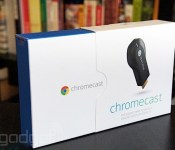
Google is bringing Chromecast to Mexico for 699 pesos

We’ve been enjoying Google’s HDMI dongle for awhile here in the US, and now the Chromecast is making its way south. That’s right: Mountain View’s streaming stick will soon be available in Mexico for 699 pesos (around $50) at Best Buy, Liverpool and Linea stores, as spotted by Android Central. The gizmo costs a bit more there than it does in the States but at least Mexico can finally try out one of our favorite features — beaming Google Play Music to a home theater system with a few taps on a smart device. If you have any playlist recommendations, leave ‘em in the comments below, yeah?
Filed under: Home Entertainment, Peripherals, HD, Mobile, Google
Via: Android Central
Source: Google+

Download and install latest Google Play Store 5.0.38 APK (Material Design)

The Google Play Store was only just recently updated to bring more Material Design aspects to the app, and now we see the version updated bringing the Google Play Store to version 5.0.38.
What’s New
As you can tell by the minor version bump, Google Play Store 5.0.38 contains very few changes and focuses around bug fixes.
If like me you like to be on the cutting edge of developments, you can go ahead and grab the latest Google Play Store 5.0.38 APK from here.
Notice anything else different in the newest version of the Google Play Store? Drop us a comment below.

The post Download and install latest Google Play Store 5.0.38 APK (Material Design) appeared first on AndroidGuys.

Draftback finds the hidden history of your Google doc epics

A good story is a very special incarnation of magic, and if there’s one thing more interesting than seeing how it unfolds, it’s seeing how it was put together. Thankfully, a terribly neat new tool called Draftback — created by New York-based writer/programmer James Somers — sort of lets you do just that… as long as the story in question lives in a Google document.
You see, the secret to Draftback’s sorcery is that Google tracks every change you make to a document in incredibly minute detail – we’re talking on a character-by-character basis, and all that writing data doesn’t actually go anywhere. What Draftback does is it tallies up all those little changes and lumps them all into a single, interactive animation that shows off how your sentences shrink, your ideas swell, and your word choice grows more florid the later it gets. Think of it as an exercise in literary archeology.
No, really! Imagine your favorite writer, and visualize how well there arguments and suggestions and ideas flow together. Got it? The fruits of their talent are what ultimately wind up on the page, but all the agony and frustration that goes into each of those gems is lost to the sands of time. Until now, anyway. Just keep this in mind as you start playing around with it: Draftback is more a passion project than it is a polished product, don’t be surprised to stumble across a few hiccups. They’re not too numerous now (the neat analytical graphs that highlight when and where changes were made don’t seem to work), but its core seems to work as well as us word nerds would like. Well, for now.

Via: James Somers
Source: Draftback
Inbox by Gmail Happy Hour 3-4 PM PST gets you an invite by 5 PM PST

A couple of weeks ago, Google announced a new service, Inbox by Gmail. A combination of Google Now and Gmail, it helps you to get to that ever desired “inbox zero”. I’ve been using it myself, and I love it. It allows you to snooze emails, bundle them together, glance at important information without needing to open the email, and set reminders. Up until now if you wanted to get Inbox, you needed to know someone who has an invite. Well, Google is giving everyone a shot today.
Get your own Inbox by Gmail invite today!
Today between 3 PM PST and 4 PM PST, you can email inbox@google.com for an invite, and you’ll get one in your inbox by 5 PM.
Get your devices ready to email! Who knows how this will go down.
via AndroidAuthority
The post Inbox by Gmail Happy Hour 3-4 PM PST gets you an invite by 5 PM PST appeared first on AndroidGuys.

RunKeeper gets Google Fit compatibility with latest update

Today, the extremely popular fitness-tracking app, RunKeeper, received a rather beefy update via the Play Store. The upgrade brings compatibility for Google’s recently-launched ‘Fit’ application, in addition to a multitude of bug fixes, stability improvements and speed optimizations.
“We know information is key when it comes to keeping track of and taking down your fitness goals. The Google Fit platform manages the data from all those different health apps and devices you’re using, putting them in one accessible place. We’re excited to see how your RunKeeper experience interacts with all that, so we can be even smarter about how we help you set and reach your fitness goals,” states RunKeeper on it official blog.
To install the update, simply open up the Play Store on your device, toggle the hamburger menu by swiping in from the left-hand side of the screen, select ‘My Apps’ and click on RunKeeper. Next, hit the update button, and the application will instantly start to download and install the upgrade from the Google Play servers. Alternatively, you can scan the QR code below to initiate the procedure.
If you’ve installed the updated version of RunKeeper we’d love to know how you’re finding it — so be sure to drop us a comment in the section below.
Come comment on this article: RunKeeper gets Google Fit compatibility with latest update

Google Wallet usage doubles on heels of Apple Pay arrival

Let us not forget that Apple Pay is not the only mobile payment system out there. Google Wallet has been around for more than three years. The mobile payment system from Google ran into an issue to remain relevant and now the company rarely talks about it. Luckily, the arrival of Apple Pay seemingly sparked interest in Google Wallet.
The usage of Google Wallet has incredibly doubled in just one month, according to what sources told Ars Technica. That is the period of time that led up to the launch of Apple Pay. And it actually goes beyond just that time period. Google Wallet has been seeing growth for the last few months. This doesn’t necessarily mean that the figures are huge, though. It just means that more people are using Google Wallet than before. So while on paper it sounds great (and it is), understand what it means.
The issue that remains is retailers coming together to block Apple Pay and Google Wallet, redirecting them to something of their own. CurrentC launched recently from a band of retailers including Walmart and Best Buy. Well, that is a great solution if it was secure. Unfortunately, it is not. CurrentC was hacked before its public launch.
Source: Ars Technica
Come comment on this article: Google Wallet usage doubles on heels of Apple Pay arrival

Nexus 6 sold out in minutes; will replenish every Wednesday

The Nexus 6 is one popular device it seems. As usual with a Nexus device, the first couple of times you can purchase one it is sold out quickly. This was the case with the Nexus 6 last week, and the same today. In fact, I was going to write an article informing everyone about availability, until I looked to see they were sold out already! This happens every year. When I got my Nexus 4, I had to wait 3 months after initial release.
However Google is going to try to make things different this time. On the Nexus 6 Play Store page, there’s a message underneath the price that says the following:
“We are getting more Nexus 6 devices in stock as soon as possible. To make things simpler for you, we will work to make more devices available each Wednesday and encourage you to visit the site then.”
They go on to say that AT&T, T-Mobile, Sprint, and US Cellular will have availability later this month (Verizon is oddly absent here…).
If you’d like, you can bookmark this page and check out the widget below to see when the Nexus 6 will be available. Check back and it will update when there’s availability.
Otherwise, check out the widget in the right sidebar throughout the site that says “Is the Nexus 6 available today?” which will take you to a site that says the same thing as above.
Are you trying to get a Nexus 6 but are having trouble getting one?
Source: isthenexusavailable.com, Nexus 6 Play Store
The post Nexus 6 sold out in minutes; will replenish every Wednesday appeared first on AndroidGuys.

Launch desktop apps from inside Google Drive

When you’re viewing a list of files on a Mac or PC, right clicking on an item (or group of items) gives you the “Open with” option. Well friends, that same handy shortcut now resides in Google Drive, too. Thanks to a handy Chrome extension, you can fire up Photoshop from Google’s cloud-based repository inside the browser — no need to head elsewhere to get the work session started. Of course, you’ll need to have Chrome installed in order to leverage the add-on. And in case you forgot, you don’t even have to launch Microsoft Office to edit Drive-stored documents and spreadsheets either.
Filed under: Internet, Software, Google
Source: Google Drive Blog

