



Palantir iOS app listens to you play video games, offers tips on the second screen

Apps like Shazam and Zeebox can listen to songs and TV shows and identify what’s playing or what you’re watching, but until now the tech hasn’t been used much for gaming. A companion application for Middle-earth: Shadow of Mordor could change that. The Palantir iOS app (named after the networked seeing stones from Lord of the Rings canon) uses the aforementioned audio-sync technology to deliver exclusive content and contextual info (like walkthroughs) by listening in while you play the game. That content is curated from Wikia, which hosts vast reserves of lore, guides and minutia for games and pop culture. Shadow of Mordor doesn’t have a release date just yet, but the Palantir app also works on trailers. If you want to give it a go for yourself, we’ve embedded the debut gameplay video after the jump.
Filed under: Cellphones, Gaming, Home Entertainment, Tablets, HD, Mobile
Via: Joystiq
Source: iTunes

Sony teases ‘slimmest’ PlayStation device coming to the UK on January 30th

We’ve had a lucky run with product teasers recently. Instead of being totally vague, they’ve deliberately given us some inkling of what to expect, and we’re hoping that the Sony flyer above — summoning us to a PlayStation event in London — does so too. We’re told the briefing will introduce UK journalists to the “slimmest” PlayStation device, but we’re not told that we’re definitely going to witness the launch of a whole new product, which — to our minds, at least — suggests we might be looking at the UK launch of the PlayStation Vita TV (though it’s probably just a new Vita model). At just 13.6mm thick, the Vita TV is the thinnest PS device that we know of and it’s currently only available in Japan, so a launch in the UK (or anywhere outside of Asia) could potentially be a big deal. We’re gonna go ahead and rule out a super slim PlayStation 4 already, but the other alternative is that this could be the UK launch of the slimmer version of the PlayStation Vita handheld — in other words, the 2013 Japanese model, which has an LCD screen instead of OLED, better battery life and is just 15mm thick (20 percent skinnier than the current UK model). In any case, we’ll be there at the event on January 30th, with a flask of coffee and a pair of calipers.

PlayStation Vita TV review: Sony’s first mini-console has some growing pains

Sony had a tiny surprise to share just ahead of the Tokyo Games Show: the PS Vita TV, appearing from inside SCE President Andrew House’s jacket pocket. Having already announced a new, slender PS Vita handheld less than an hour earlier, Sony showed off this minute console — roughly the same footprint as a smartphone — that plays Vita games, PlayStation games and streams video content, as well as music and video from Sony’s own store. It can also connect with multiple PS3 DualShock controllers, allowing for proper, responsive gaming — something we’re not quite used to getting from something so tiny.
You could see it as a brutal counterstrike from the PlayStation team against the cheap, mini-console likes of OUYA and GameStick, even Huawei. Aside from contemporary Vita titles and indie games, you can also tap into an ever-increasing catalog of hits from yesteryear — something that the Android and iOS platforms also dip their feet into, but with the peace of mind (read: stability) of PlayStation hardware, and the ability to steer the action with a DualShock controller. Sound like something you’d like to try out? Well, unfortunately, unlike the new PS Vita, this is currently a Japan-only deal. What’s more, availability in Nihon is directly tied to compatibility there, too; you’ll need a Japanese PSN account to even use it. We’re still getting a vague line from SCE on whether it will eventually arrive outside of Japan. (It would be a convenient bit of hardware to sell alongside Sony’s PlayStation Now streaming-game service, set to launch in the US later this year, right?)
So, is this just a tenuous experiment or a whole new console line for PlayStation? Or, given that it’s practically got all the same internals, would you be better off just buying a Vita?
Hardware

It’s deck-of-cards small. And stylish. And somehow cute. Sony clearly got the hardware right, with neatly curved sides and all the cable ports relegated to the back. It comes in an off-white finish, which, oddly, is slightly darker than the companion white DualShock controller that came included in the 15,000-yen ($144) value pack we tested for this review. The front panel is glossy, with some Sony branding on the left and a single LED to display when the Vita TV is on. There’s also the 19-year-old PlayStation logo on the top, but that’s about it. It’s an unassuming little console, and we like it for that, though once you’ve got all the necessary cables plugged in (HDMI, power, possibly Ethernet), it loses some of its style points. That can’t really be helped though, can it? Maybe. Sony could have tried powering the whole device through MHL (the same standard that allows smartphones to shift content to HDTVs while charging it at the same time) and that would have wrapped those display and AC adapter ports together. We’re guessing the relatively high level of graphics rendering and processing that the Vita TV has to do might be too much for an MHL port.
Because it isn’t housing bleeding-edge GFX, it’s quiet. So quiet. Sony has told us that it uses the same processor found in its Vita handheld, which makes sense: The mini-console loads and responds to navigation at an identical pace. You will, however, need the aforementioned DualShock controller to do this, which might bump up initial costs if you don’t already have one from a PS3. (As we’ll elaborate on later, a PS4 controller also works.)
The USB port along the back acts as the charging port for controllers, meaning you’ve got yet another cable there to clutter up the design. To the right, there are HDMI and Ethernet ports, while a 5V AC socket for powering everything is on the far edge. On the other side of the USB port, you’ll find the second media slot, alongside another for Vita game carts. This is for your Vita memory card, which could mean another add-on purchase, assuming you didn’t already plump for the value pack. The cards are still overpriced, but at least there’s now a 64GB one — which seems like it could be enough to last the lifetime of one’s Vita TV. If you already own a Vita handheld, you’ll need just the one card. We could eject the Vita game cart and memory card, slot them into our portable Vita and play the same games from the same game saves. Aside from wrestling the memory card out of the slot, it’s a pretty straightforward process, meaning you can continue your portable gaming on a bigger screen, with an arguably more comfortable control setup.
Along the back, on the far left edge, there’s a power button, although with a wireless controller in hand, we tended to power down from inside the menu — it’s one of several software differences between the Vita TV and the handheld that came before it.
Software

The PS Vita TV has the same interface as the Vita handhelds: Games and apps are housed in floating bubbles, and you press the PlayStation button to switch out of games, multitask and get back to the home screen. However, with the Vita TV there’s no touch panel to navigate through those icons and menus, which does fight against how it was originally designed.
Fortunately, its sheer simplicity means we had no real issues making our way through it using a DualShock controller. Yes, typing is more of a chore than with a touchscreen, but because the Vita TV explodes exactly the same view from the Vita handheld to your HDTV, the onscreen keyboard is just as huge and this editor found it easier to use than the one on the PS3. Again, this is a credit to its simplicity. Because of the lack of presses to hold and swipes to delete we were using on the Vita, the Vita TV occasionally throws up subtle reminders for how to do these things — a relief, because we wouldn’t have known how to otherwise.
As a games console, you can play Vita games (on physical media, or downloaded) as well as a back catalog of PSP and PSX titles, both of which are easy to play on a DualShock controller. However, a lack of touch input (the original Vita has both a touchscreen and rear touch panel) does ultimately hamper which games you can actually play. Tearaway, Metal Gear Solid HD Collection, Wipeout, Uncharted and Gravity Rush are all unfortunate casualties of this compatibility oversight, each requiring a degree of touch within gameplay. The TV unit also lacks cameras and a built-in compass — again reducing the list of compatible titles, but this doesn’t seem to preclude any especially notable games.
When a compatible game demands some sort of touch input, Sony’s come through with a system (included within a patch that automatically downloads) that attempts to lash a two-dimensional touch area to the analog sticks. Pressing R3 summons two pointers for the front panel, while L3 does the same for the rear one. Pressing both analog sticks down produces pointers on both. If our description sounds confusing, good — because it’s even more difficult to grasp in use, and it’s only really a workaround for a handful of cases. Those aforementioned titles simply won’t load to start with.
Regardless of which generation of PlayStation gaming you choose to dip your toes into, the Vita TV automatically upscales to 720p — an improvement over the manual process needed on the Vita. Predictably, it’s the Vita games that look the best on an HD screen. Animation is smooth and while upscaling from the handheld means that it doesn’t quite look as sharp as on the original (it’s a pixels-per-inch issue), it still looks good — which surprised us. We’d cite Ultimate Marvel vs. Capcom 3 as one game that handles the big screen particularly well.
The years haven’t been so kind to original PlayStation titles.
Alas, the years haven’t been so kind to original PlayStation titles. To their credit, the likes of Tomb Raider, Final Fantasy and the original Wipeout play just like they used to. The original PlayStation was the first Sony console to use a dual-analog pad, the DualShock 3′s distant ancestor, meaning that if there’s a game available on the PlayStation Store, it’ll work on the Vita TV. (Funnily enough, the Vita iteration of Wipeout doesn’t work.) Despite that, the Vita TV is a wake-up call to middling (cheap) plug-in consoles that haven’t quite made the cut. Regardless of the sluggish launch schedule of Vita games, there’s that huge back catalog of titles to play through, along with all those indie hits. And aside from that touchscreen barrier, they all work; they work well; and there’s no controller lag — it is a PlayStation, after all.
The Vita TV isn’t just gunning for cheaper console challengers, however. Alongside its gaming talents, there’s a handful of video services too, besides Sony’s own Video Unlimited store. Japanese rental chain Tsutaya offers both a video-on-demand store as well as a monthly subscription service for unlimited viewing. Hulu is meant to be here too. As of this writing, however, it still isn’t available at the store.
There are other services you’ve probably never heard of, and they offer a pretty limited selection. Skappa On Demand broadcasts live J-League soccer matches and, at the moment, nothing else. Video output is capped at 720p too, meaning the Vita TV trails the likes of Roku and Apple TV in picture quality. The mini-console’s talents outside of gaming are certainly secondary, which is a shame. It has such a small footprint that it could have been a great choice for making non-smart TVs a little more capable.
Because the Vita TV transposes nearly everything from the hand-held version, some of the apps, like the web browser, are downright diabolical on an HDTV. Due to the resolution limitations, you’ll have to read sites one giant paragraph of text at a time — it’s far from a comfortable experience. Ditto for social networking apps like Twitter and Facebook: the text is huge. We spent most of our time scrolling and scrolling and scrolling.
Wrap-up

More Info
Thanks to a combination of petite, understated hardware and more than a little nostalgia, there’s a lot to like about the Vita TV, especially if you grew up with PlayStation. However, Sony’s littlest console still has some game-support issues it needs to sort out. In particular, it needs to get its entire PS1 back catalog online and work out a better way of bypassing the lack of a touchscreen. Relief could come from the PS4 controller, which already houses a tiny touchpad, although Sony hasn’t said anything to that end and given that the fourth PlayStation hasn’t even launched here in Japan, it’s not something we’ve been able to test out. We’re also thinking this could be the cheapest way to play Sony’s incoming PS Now streaming-game service on your non-Sony TV, if/when PS Now and the Vita TV are both available in the same region.
For now, the PS Vita TV is, at its core, a cheap games machine (10,000 yen, or $96) that we can’t recommend as a media-streaming device — although that’s all icing on the cake anyway. But until Sony reveals global plans for the Vita TV, this mini-console remains a tempting Japan-only curio. That’s a shame, because there’s so much more here to recommend it over those similarly priced, rougher-edged Android consoles.

New Apple TV may include a revamped interface, more kinds of content

The current Apple TV is long in the tooth, to put it mildly — the basic design emerged in 2010, and the 2012 refresh was really about keeping up with the Joneses. However, 9to5 Mac claims that there’s a substantial update in the pipeline this year. Apple is reportedly “well into testing” a fourth-generation media hub that would include both a reworked (if still iOS-based) interface and new forms of content. Just what that content would be isn’t certain. iLounge hears that an Apple TV software revision may bring games and Bluetooth controller support, but it’s not clear if this would also entail a full-fledged app platform. If any of the rumors are accurate, we may not have to wait very long for the improved living room experience. The 9to5 tipsters believe that the new Apple TV will likely ship in the first half of the year, and iLounge anticipates new software by March.
Filed under: Gaming, Home Entertainment, HD, Apple

One of the rarest games in the world just landed on eBay

If you’d seen this ratty-looking NES cartridge at a yard sale, you’d be forgiven for not giving it a second glance. If you’d paid a few bucks to take it home, however, then congratulations: you just won the admiration of every gamer in the world. The 1990 Nintendo World Championship toured the US with a custom game that asked players to beat levels from Super Mario Bros., Rad Racer and Tetris in less than seven minutes. Just 116 of these carts were produced, each one going to finalists and competition winners — making it one of the rarest Nintendo titles ever made. Now, this not-so-gorgeous-looking copy, where some misguided fool decided that scrawling “Mario” in ballpoint was an adequate replacement for the torn label, is available on eBay. The starting price is $5,000, less than half of the $11,500 someone paid for one in 2011, but you’d better hurry up and sell those organs, as the auction’s due to finish in less than 48 hours.
[Image credit: mursean,eBay ]
Via: Wired
Source: eBay
Maingear Pulse 17 review: portability, paint and power come at a hefty price

Whisper it, but we think that 2014 is going to be a watershed year for PC gaming. Despite dwindling interest in the platform (compared to smartphones and tablets), heavy-duty machines for polygon cranking are gaining more prominence. After all, the Xbox One, PS4 and Steam Machines are all, broadly speaking, gaming PCs in boxes that will more comfortably sit beneath your DVR. But what does this mean for the traditional desktops and laptops we grew up with?
It’s a question that high-end outfit Maingear is wrestling with as it releases the Pulse 17. The 17-inch gaming notebook was trumpeted as the “world’s thinnest,” and more than just a desktop replacement. No, this is designed to go places, and that’s why as much time has been spent on the outside as the in. But will an expensive paint job really be what sells you on this gear? Join us as we give this machine a proper shakedown.
Hardware

Laptop design has always skewed toward the conservative, with black, gray or aluminum shells that rarely get high-gloss paint jobs or other eye-catching styles. That probably explains why one of the more notable build-to-order features available for the Pulse 17 is a custom paint job. Using Glasurit, a car paint normally found on high-performance vehicles, the outside of the chassis is coated in a shade of your choosing. For $299, you can get a unit painted with selected tints like Alpine White, Furious Fuchsia or Synergy Green, but kick in an extra $50 and you can pick any shade you fancy.
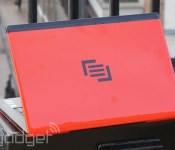
As you can see in the pictures, our review unit is coated in Rosso Scuderia, more commonly known as Ferrari Red — although we suspect Maingear’s lawyers would blanch if we actually invoked the name of the Italian sports car manufacturer. In fact, as soon as we opened the box, we were instantly reminded of one of Acer’s old Ferrari-branded laptops, and if you’ve spent more than three minutes watching Top Gear on BBC America, you’re probably subconsciously grunting the word “powerrrrrr” at the mere sight of it.
If you’re the sort of keen-eyed gamer who can spot a Clevo chassis at ten paces, then you may be wondering where you’ve seen the Pulse 17 before. Unsurprisingly, Maingear does not produce laptop shells itself, and this time is utilizing the same shell we’ve previously seen on MSI’s GS70 Stealth. Rather than just offering a copycat machine, however, Maingear differentiates itself with the aforementioned custom paint job and the option to swap in a few higher-spec internals like a bigger HDD, as well as promising no bloatware and, for Windows 8 haters, offering to swap out Redmond’s latest and greatest for Windows 7 for a small fee. In the same vein, buyers will also get a small plastic box that holds a handwritten quality-assurance sign-off sheet from the person who tested and set up your gear, a nice touch that emphasizes the personal nature of the business here.

The Pulse 17 is solidly put together and the plastic is squeak-free, leaving you under no illusions that you’re balancing a high-quality piece of kit in your lap. Admittedly, your lap is probably the last place you should set up with this, as it’s really intended more for desks — but if you do, there’s a square of sandpaper-style material to ensure that the high-gloss paint job won’t send this sliding away from your thighs and onto the floor. Speaking of which, from a photography perspective, that shell will pick up every fingerprint and speck of dust within a 10-mile radius, so be prepared to have a cloth on standby if you want your prized device to remain pristine.
The extra room afforded by a 17-inch chassis allows for every input and output imaginable. Down the left side of the Pulse, you’ll find a trio of 3.5mm audio jacks, a pair of USB 3.0 ports, two DisplayPort (1.2) slots, an HDMI-out (1.4) and Ethernet holes nestled beside the vent. On the opposite end, there are two more USB 3.0 ports, an SD card reader, power and the Kensington lock slot located by the other vent.
When the Pulse 17 was launched, it was marketed as the world’s thinnest 17-inch laptop, although it’s still a sizable slab despite the record. It’s large, but considering that it’s 16.47 inches wide and 11.29 inches deep, the fact that it’s only 0.86 inch thick means that it’s not as bulky or boxy as you might expect, and it happily sat in the main compartment of our messenger bag during our testing. The svelte hardware does mean that there’s one sacrifice in favor of portability — there’s no optical drive included on the Pulse 17, so if you’re planning to re-install Windows from your disc or watch a Blu-ray, you’ll need to make an investment on an external unit.
Display and sound

In our experience, a 17-inch laptop is going to have to pull triple duty, not only as a machine for work and play, but also as an impromptu home theater. Imagine, for instance, the legions of dorm rooms where students will huddle around whoever has the biggest display to watch Netflix or stage an MST3K marathon. Thankfully, neither sound nor vision disappoint on the Pulse 17. The stereo speakers, which are embedded into the hinge, provide amazingly clear and rattle-free sound, even when we put them to the nastiest torture test we could think of: 12 rounds of dubstep on a Monday morning.
For power users, there’s a fine line between a good display and a great one. Being able to pick out those few pixels that hint at an enemy combatant’s shadow is the difference between life and death, at least in the digital world. Here, users will be staring into a 17.3-inch TFT LCD panel with a 1,920 x 1,080 resolution, 300-nit WLED backlight, 262,000 colors and a 60Hz refresh rate. If that pile of stats didn’t tell you all you need to know about this screen, don’t worry — the CliffsNotes version is that it’s very good. If we were in the business of nitpicking (we are), then we’d suggest that the backlight should have been stronger, just in case you found a LAN party taking place outdoors. But you can’t have everything, even with a $2,000 laptop.
Keyboard and trackpad

Another benefit of having all of that real estate is that not only do you get a full-size keyboard, but there’s also plenty of space between each key. The SteelSeries-branded island-style buttons on show here are as comfortable and easy to use as a desktop keyboard and there’s a very good amount of travel when you do want to hammer out a term paper. The only downside that we found is that the unit is very soft in the click, as if someone’s inserted sponges between you and the membrane, which makes everything feel a little less responsive than on other machines.
If you thought that your color choices ended as soon as you opened the Pulse 17, you’ve got a pleasant surprise coming. Since Maingear’s laptop uses MSI’s chassis, it also comes with the unit’s color-changing keyboard backlights. While difficult to see in our images, hints of red, gold, yellow, green, light blue, dark blue and purple could be produced according to your whim. We primarily stuck with a pulsing red, but quickly switched over to light blue when we realized that it added a hint of Tron to the proceedings — and if we’re honest, there’s always a need for more Tron in this life.
One of our main gripes with the Pulse 11, it has to be said, was the size and usability of the trackpad. In the end, we found ourselves resorting to the mouse in order to write the review, which landed the unit a sizable demerit. Here, we’re delighted to report, no such issue exists. With the Pulse 17, a full-sized unit sits between our wrists, which is both accurate and has a satisfying click hidden beneath the surface. While we still switched to a keyboard-and-mouse setup for gaming, it was only down to style, and we’d be more than happy to go rodent-free while taking this on the road.
Performance and battery life
| PCMark7 | PCMark Vantage | 3DMark06 | 3DMark11 | ATTO (top disk speeds) | |
|---|---|---|---|---|---|
| Maingear Pulse 17 (2.4Ghz Core i7-4700HQ, GeForce GTX 765M) | 6,070 | 20,315 | 20,484 | E6,566 / P4,226 / X1,309 | N/A |
| Razer Blade 14-inch (2.2GHz Core i7-4702HQ, GeForce GTX 765M) | 5,837 | 19,505 | 19,815 |
E6,364 / P4,161 |
546 MB/s (reads); 253 MB/s (writes) |
| MSI GT70 Dragon Edition (2013) (2.4GHz Core i7-4700MQ, GeForce GTX 780M) | 6,111 | 20,250 | N/A |
E10,519 / P7,416 |
1.19 GB/s (reads); 806 MB/s (writes) |
| Razer Blade 2.0 (2.20GHz Core i7-3632QM, GeForce GTX 660M) | N/A | 17,120 | 15,876 |
N/A |
N/A |
| Razer Edge Pro (1.9GHz Core i7-3517U, NVIDIA GT 640M LE 2GB) | 4,949 | 13,536 | 10,260 |
E2,507 / P1,576 |
409 MB/s (reads); 496 MB/s (writes) |
| Samsung Series 7 Gamer (2.30GHz Core i7-3610QM, GeForce GTX 675M) | N/A | 11,515 | 21,131 |
N/A |
N/A |
To belabor the sports car metaphor a little more, Maingear wouldn’t have been so bold as to paint this laptop in Ferrari Red if it didn’t think it had the engine performance to match it. That should be borne out with its benchmarks, which will happily out-punch the rest of the field in almost every test. Of course, the one question that everyone will be asking is how well does this perform when it’s pushing out top-tier game titles?
Testing it with Batman: Arkham Origins, we found that if we played at a resolution of 1,920 x 1,080 with every graphics option at maximum, the frame rate bounced around the 30 fps mark when our hero was mooching through the corridors of Arkham Asylum — but dropped down to 25 fps when engaged in combat with multiple bad guys. Now, the game is certainly playable at that frame rate, but let’s be honest, even amateur gamers consider 30 fps to be the bare minimum for enjoyment. In order to get to that point, we pushed the settings down to normal, and got around 50 fps while wandering the halls, and between 37 and 42 fps in combat.
It’s a similar story when we tested Call of Duty: Ghosts and BioShock Infinite. With BioShock set to a resolution of 1,920 x 1,080 and with graphics set to Ultra, we got 25 fps. Push that texture detail down to high, and we bounced between 29 and 30 fps. Only when we pushed the resolution down to 1,600 x 900 were we able to get a frame rate above 35 fps. When we played a slightly less graphically intense game like Saints Row IV, we achieved 35 fps at full settings even in busy scenes full of pedestrians and the usual carnage that the game offers.
| Laptop | Battery Life |
|---|---|
| Maingear Pulse 17 | 3:47 |
| MSI GT70 Dragon | 4:34 |
| Razer Blade 2.0 | 3.29 |
| Samsung Series 7 Gamer | 2:11 |
The last time we ran the rule over a Maingear laptop, battery life came in at just under the three-and-a-half-hour mark. Since the Pulse 17 has a much larger power pack, but also a much larger display, we were expecting the factors to even themselves out and produce a reasonably similar life. Turns out, we should go with our hunches more often, as during our standard video rundown test, we managed to crank out a time of 3:47. When writing this review (in a text editor or browser), we found ourselves able to eke out closer to five hours before we started reaching for the power cable, but other than that, you’re going to be keeping yourself moored to a wall socket.
Software

Maingear’s usual promise is to avoid bloatware, and the company continues to do right by its enthusiast crowd here. Instead of being faced with the regular tedious demonstration versions and trials for the usual suspects, the unit here is almost spotless. The only programs you’ll find here that weren’t included on the Windows demo disk include the MSI Keyboard LED manager, which enables you to tweak the keyboard backlight to the color of your choice. Then there’s a network-management app from Qualcomm and Creative’s Sound Blaster Cinema app to help bolster the noise this machine can make. And that’s it. To be honest, knowing that we won’t be faced with a deluge of pop-ups and requests for our credit card details is probably an indictment on the rest of the PC industry, and so Maingear deserves props for not succumbing to the temptation.
Configuration options

Maingear is very much a build-to-order outfit, but here you’ll find a reassuring dearth of options. After all, the Pulse 17′s base configuration is rock-solid, and so your choice is removed from the equation. With a starting price of $2,099, your first decision concerns that custom paint finish, which will set you back between $299 and $349. Internals-wise, you’re getting a 2.4GHz Intel Core i7-4700HQ paired with 16GB of DDR3 RAM and an NVIDIA GeForce GTX 765M GPU with 2GB of GDDR5 RAM.
What you can decide, however, is if you want to swap out that 256GB SSD in favor of a 512GB unit, which costs an extra $533. That will sit alongside the non-negotiable 1TB HDD in the second bay. The only other customizations (aside from external displays, peripherals and the like) are to add a CableCARD tuner or swap out the Qualcomm WiFi module for a $49 Intel unit. On the software side, Windows 8.1 64-bit edition comes standard, and you can get the Pro edition for an extra $49, or downgrade to Windows 7 for either $110 or a $16 rebate, depending on the version that you pick.
The competition

When it comes to high-end gaming laptops, there’s a group of companies, all of which are releasing machines with similar specifications and similar price points. At times, finding differences between them all and trying to declare a victor is akin to trying to slice a hair lengthwise with a chainsaw. Naturally, our comparisons need to begin with the Pulse 17′s not-so-evil twin, MSI’s GS70 Stealth. It’s probably best to imagine that the two companies shook hands and agreed that MSI’s uppermost offering would sit immediately beneath Maingear’s rebadged version. With the Pulse, users are entitled to order a bigger SSD, custom paint finish, the better wireless unit and the opportunity to downgrade to Windows 7. That is, however, as far as the differences go, and it’d be an insult to your intelligence to suggest otherwise.
Open our tour of the market to include other manufacturers, and you’ll find plenty that offer 17-inch units with similar specs, although many use Intel’s Core i7-4700MQ processor as opposed to the 4700HQ. Just to clarify: Those chips are almost exactly the same; the only difference being that the HQ can be overclocked a little further than its twin. One such entrant is Alienware’s imaginatively named Alienware 17, which offers the 4700MQ and 16GB RAM, but only a 750GB HDD for $1,949. If your budget can stretch to $2,649, however, then you’ll get an 80GB SSD paired with the HDD and a GeForce 780M with 4GB GDDR5 RAM thrown in for good measure. What we should add is that the Alienware unit is nearly two inches tall, so it’ll earn a demerit from the portability enthusiasts out there.
Then there’s Razer’s Blade Pro, where you’ll find the same CPU and graphics, but only 8GB of DDR3 RAM and a 128GB SSD for $2,300. Of course, what you’re losing in raw computing power, you’re gaining in Razer’s unique control panel, which ditches the numerical keypad in favor of 10 adaptive keys and a customizable LCD trackpad. Rounding out our brief foray into the market is Digital Storm’s 17-inch Krypton, which, for $1,960, offers a 4700MQ, 16GB RAM and a 128GB SSD alongside a 750GB HDD, albeit in a bulkier chassis. The upside to that is in the graphics department, where you’ll get a GTX 770M paired with 3GB RAM. It’s certainly not an exhaustive sojourn, and there are plenty of other candidates, for which we’re sure your personal allegiances will inform your buying decision as much as what we’ve written here.
Wrap-up

When you’re at this end of the market, it’s not surprising to see that we’re fulsome in our praise for the Pulse 17. After all, you’re spending the thick end of $3,000, so you’d expect an experience that’s close to perfect. What that does, however, is make sure that our minor gripes with this unit are magnified only in relief to the excellence elsewhere. For instance, the slightly spongy keyboard action would be ignored on a lesser device, but here, it’s just something we’re gratingly aware of. The weak backlight shouldn’t trouble anyone who doesn’t arrange LAN parties in sun-drenched grasslands, but it’s still something that could have easily been fixed.
In every other regard, then, we have to award this device close to top marks. From a meat-and-potatoes hardware and performance perspective, it’s efficient, quick and powerful. From a portability perspective, it’s certainly the most comfortable — or is that least cumbersome — 17-incher we’ve seen. Then there’s that Glasurit paint job, which shouldn’t affect our judgment, but damn it, it just appeals to some primal part of our psyche that we all have. If we had this sort of cash to throw around, and we needed a high-performance gaming laptop that would make us the envy of the dorm, then this is what we’d get.
Filed under: Laptops

Avegant’s Glyph headset live on Kickstarter for $500

We’ve been telling you about the Avegant Glyph for awhile, but now you can finally plunk down some bills to get one yourself. Thanks to Kickstarter, beta-testing the device for its designer isn’t without its own set of perks. For instance, 500 of the earliest backers at the $500 tier can snag a unit with their choice of colors for the device’s LED ring and HDMI cable. If you miss that limited window, however, you’ll still have your choice of three colors for the headset itself at the same price — just not the accessories. Unlike the versions we’ve demoed up to this point, Avegant promises that the unit you receive will be lighter and more comfortable overall. Sadly, the battery life is still pegged at around three hours.
Filed under: Gaming, Home Entertainment, Wearables, HD
Source: Kickstarter

New SteamOS beta tempts more testers with support for older PCs and dual-booting

Valve released its SteamOS beta with a warning: only touch this if you know what you’re doing. While that surely did something to separate true testers from the first wave of eager users, there were a few problems. Even the qualified needed a relatively new machine with UEFI, and a dedicated one at that, given attempts to make the OS a secondary boot option were troublesome at best. However, a fresh beta that folds in efforts by both Valve and the community is now available. On top of fixing the aforementioned issues, thereby welcoming more to get to grips with early SteamOS, other major updates include partition, recovery and DVD install support. This doesn’t mean it’s ready for general consumption, though, so we’ll point the brave to the source link below and swiftly wash our hands of you.
Via: PC Perspective
Source: Valve

Checking out the new gaming goods with Steelseries at CES 2014
If you’re any sort of a PC gamer, the name Steelseries should elicit some kind of a bodily response. The PC accessory maker is well known for making relatively understated, but very high-quality, products for gamers and has recently started to branch into accessories cross-compatible between PC and mobile devices as well as some devices purely for mobile use. Much like our meeting with them at E3 2013, we meet with Steelseries at CES 2014 to see what was new and what we should be getting excited for this year. Let’s dive in.
First out, we checked out their new Stratus gaming controller for iOS. Unfortunately, seeing as Steelseries already has the Steelseries Free which we saw at E3 as an Android compatible controller, the Stratus will probably not be made for Android. That’s kind of a shame because the Stratus has some cool additions over the Free, not least of all the plastic cover that doubles as both a cover to protect the buttons while travelling but also gives the controller more width if you mount it on the bottom of the controller; if it’s any consolation for Android gamers, we can take solace that Steelseries actually had a gaming controller compatible for Android before iOS. Winning is everything, right?


Next on the list was the Steelseries Siberia Elite. The Siberia Elite was commissioned as the 10 year celebration of the Siberia class of headphones and is the culmination of Steelseries’ experiences in one headset. The headsets go for $199.99, which might seem like a lot, but spending a little time with them, you start to understand and feel the pedigree in the headphones.
Having only spent about 10 minutes total with the Siberia Elite, I can say without a shadow of a doubt that they are the most comfortable headphones I have ever worn in my life. Those “extra-large memory foam ear cushions” may as well be clouds because they felt so comfortable to wear. The sound was great too, though I definitely didn’t have enough time with them to make a true judgement. Steelseries packed the Siberia Elite with all its telltale goodies like a retractable mic, but one other unique thing about the Elites was the fact that each earcup had a dial to control the volume of both microphone and sound; I thought that was super neat.


The last product we got to take a look at was Steelseries’ new H-wireless headphones. Part of the H-series line, from which we’ve had a look at the 5Hv3 before, The H-wireless literally cuts all its cords in favour of becoming a truly multi-platform device, compatible with PlayStation, Xbox, PC, Mac, iOS and of course, Android. With the addition of its mixer box, the H-wireless becomes your living room’s best friend as it delivers Dolby quality sound but with the benefits of Steelseries’ gaming innovations like ChatMix and LiveMix.
Not always in your living room? The H-wireless can of course go mobile with its assortment of cables and accessories. We had a brief demo with the H-wireless gaming headset while playing Call of Duty: Ghosts on the PS4 that happened to be there and they held up incredibly well. While our stay was short, we will be getting a pair of these later on so stay tuned for our full review. The asking price for the H-wireless is $299.99 USD, which might seem like a lot, but for something that can be used anywhere and everywhere and sound great doing so, that might be a small price to pay.


So that was our visit to Steelseries at CES 2014. It looks like they are going to have yet another exciting line-up for 2014 and we can’t wait to see what they have coming up next. Feel free to ask us any questions about the stuff we saw here, or you can visit steelseries.com for more in-depth information about any of their products.

This headset uses sensors and psychology to control gamer rage

Designer Sam Matson has a solution to gamer rage that doesn’t involve throwing things at your screen. Introducing Immersion, a headset that monitors your heart rate and increases a game’s difficulty the more frustrated you become.
It may sound like a heart attack waiting to happen, but the point is to help you control anger rather than let it escalate. Matson designed a shooter-style game on the Unity platform, adding in the ability to interpret a player’s pulse rate. Data from the headset’s optical pulse sensor is sent to the game via Bluetooth, resulting in even more hopeless combat when you’re getting aggravated. The inspiration behind the headset? Matson’s brother, whose Call of Duty skills were sinking as he became increasingly frustrated.
Immersion isn’t commercially available yet — and we’re not sure how many gamers would appreciate this counterintuitive approach to minimizing anger — but we can definitely see the headset integrating with other sensor-laden gaming tech like the Oculus Rift to track mood changes in addition to your body’s movements. Check out the prototype via the source link below.
Filed under: Gaming
Via: Gizmag
Source: Sam Matson

