


Apple Begins Preparing First Mac Pro Orders for December 30 Delivery
As noted by a number of MacRumors forum members and Twitter users, Apple has begun preparing a number of stock Mac Pro configurations for delivery starting on December 30. In addition, many other users are seeing their credit cards charged and order statuses changed to “Preparing for Shipment”. The new status indicates that orders cannot be canceled or changed and are in the final stage before the new Mac Pros are handed off to delivery companies.

Although the majority of users’ reported dates appears to be December 30, a small number of users are also reporting that their deliver dates are December 27. Both dates would squeeze the new Mac Pros into Apple’s self-imposed December release date for the new professional desktop computer.
It appears that the first shipments of the Mac Pros are all stock configurations, as it has thus far been unclear if custom configurations have been shipping out to users. Since online ordering has been available, the shipping estimates have slipped into February 2014, with demand outstripping supply.
     |

Apple/Microsoft ‘Rockstar Consortium’ Considering Patent Sale [iOS Blog]
In 2011, Apple teamed up with companies like Microsoft, Ericsson BlackBerry, and Sony to form a consortium to purchase a collection of 4,000 patents and patent applications for $4.5 billion from Nortel, a communications company that went bankrupt in 2009.

The team of companies, called the “Rockstar Consortium,” is now holding discussions on a potential sale of a portion of those patents, reports Bloomberg, after attempts to land large licensing deals for the patents have failed.
The group, called Rockstar Consortium, has recently been in conversations with possible buyers about the patents, said the people, who asked not to be identified because the information isn’t public. Rockstar, which also includes BlackBerry Ltd. (BBRY), Ericsson AB and Sony Corp., has had little success in landing large licensing deals for the patents, three of the people said.
Back in 2012, Nortel’s portfolio of patents was highly sought after, with the Rockstar Consortium entering into an ongoing bidding war with Google, another technology company that was also after the patents.
A buyer, or several buyers, could acquire Rockstar’s patent portfolio excluding those involved in the lawsuits, two people said. Because Rockstar bought the Nortel patents at a high price and doesn’t want to sell them at a loss, the deals could be structured to take advantage of any future financial gain enjoyed by the buyer, the people said.
Another scenario would involve a third party joining the consortium to dilute existing investors, without involving a sale of particular patents, said one of the people.
According to Bloomberg, several of the patents have already been sold and earlier this year, reports indicated that the consortium filed suit against Google, Samsung, HTC, Huawei, and others for patent infringement on the Nortel portfolio. Apple and other Rockstar Consortium shareholders were reportedly not involved in the decision to sue.
The patents currently for sale are not the patents involved in the October lawsuit.
| |

Mac Pro Reviews Find Impressive Hardware, But Few Software Titles Take Advantage
After a weekend of testing, Engadget and The Verge have posted longer pieces on their Mac Pro review units, with mixed results.
As The Verge repeatedly notes, the new Mac Pro really only shines when used with software specifically optimized for its dual-GPU setup. At the moment, Final Cut Pro X is the best demonstration of the Mac Pro’s prowess — when using other software, the Mac Pro is only modestly faster than a new-vintage iMac, though, as Engadget points out, that should change soon.
Without belaboring the point, this brings me to one of my few concerns about the Mac Pro, which is that right now, at least, most programs won’t fully harness its graphics capabilities. One of the reasons I spent so much time in Final Cut Pro is that it’s one of the few programs designed specifically to run well on a new Mac Pro. It reminds me a bit of how Retina display MacBook Pros were initially short on compatible software. If that analogy holds true, we should see more apps retooled to play nice with the Mac Pro’s dual-GPU setup. Just be prepared for some slim pickings if you buy one this week.
When the Mac Pro is running optimized software, however, performance is impressive. Engadget found similar results to those from Friday, reporting that 4K clips could render and display more than a dozen filters in real-time, and that the machine can play back as many as 16 4K streams simultaneously. File transfers are incredibly fast, and most apps launch immediately.
Perhaps the most immediately noticeable change is to the Mac Pro’s design. The Verge noted that the location of the Pro’s ports — on the back of the device — can make connecting and disconnecting plugs a pain, while also grumbling about the lack of an SD card slot. Engadget wasn’t perturbed by the lack of a card slot, noting that the professionals that will likely purchase the device use a wide variety of storage cards so including a slot for just one of those formats would be rather arbitrary.
Engadget notes that the Mac Pro can get a bit warm — unsurprising given the amount of horsepower under the hood — but it doesn’t get particularly hot.
For lack of a better word, you’d have to provoke the machine to really be bothered by the heat: The warmest area is at the top of the chassis, and even then, you’d have to be sticking your hand near the vents to feel it. Otherwise, the chassis does get a tad warm — and can take a while to cool down — but it’s much cooler than the air blowing out of the top. Avoid sticking your fist into the opening at the top and you’ll be fine. As for noise, I tried hard to get the fans spinning, but they stayed quiet. Actually, if you put your ear up to the opening at the top, you will hear a faint purring, but again, you’d have to be the sort of wise guy willing to put your ear next to the hottest part of the machine (not recommended).
While Engadget is largely impressed with the new device, The Verge uses Adobe Premiere for its video editing and found very slight performance improvements because Adobe has not yet updated its software to take advantage of the Mac Pro’s dual-GPUs. In fact, Premiere puts most of its processing on the Mac Pro’s CPUs, the tower’s weakest performance datapoint.
When Adobe — and other performance-focused applications — are inevitably upgraded to take advantage of the Pro, it’s likely the performance improvements will shine like they do with Final Cut Pro X. Until then, however, the Mac Pro is mostly an incredibly well-designed, and fast, Mac. With new Mac Pro orders currently delayed until at least February, perhaps it will give developers time to upgrade their software.
| |

Catch: How Apple Could Integrate Note-Taking Capabilities into Reminders, Siri, Maps, and More
Before shutting its doors in August of 2013 following an acquisition by Apple that was revealed this morning, Catch operated a web-based note taking service and iOS and Android apps known as Catch Notes. Ahead of the company’s acquisition, Catch Notes was well-known as a high-quality productivity app and had been featured by Apple as a new and noteworthy app when it was first released in 2010 and as part of the Apple’s “Why You’ll Love an iPhone” advertising campaign.
Designed for note taking, Catch Notes allowed users to capture and share ideas, writing notes in text, saving images, and recording voice notes. It functioned similarly to Evernote, organizing notes into different categories that could be easily shared with others. Deep organization was one of the key features of Catch Notes, which organized notes into “Spaces” or folders that included tags for labeling. Spaces could be manipulated with simple touch gestures, giving Catch Notes an easy-to-use interface.

In addition to bundling a variety of note formats into a single note-taking app, Catch Notes also included task-oriented functionality like checklists and reminders, along with a lot of collaborative features. With Catch Notes, for instance, users could create a task list or note that was shared and synced between multiple people.
Shortly before Catch shut down its services, the company also launched Catch Team, designed to make team collaboration both easier and more secure through the implementation of “team leader” functionality allowing an admin to manage individual users.
It is impossible to predict how Catch and its Evernote-style note-taking capabilities might be incorporated into Apple’s OS X and iOS operating systems, but there are multiple possible use cases for the technology, across Notes, Reminders, Siri, and Maps.
Notes and Reminders
Catch’s base functionality, which included note taking that incorporated both images and audio clips, is an easy to imagine expansion for Apple’s own Notes and Reminders apps. Currently, Notes and Reminders are limited to text functionality, though voice dictation can be used to transcribe text. With design elements taken from Catch Notes, notes, reminders, and checklists could be created from and include both audio clips and photos or other images directly within a note or reminder.
Catch Notes used a tag-based system for organizing notes, much like Finder in OS X. While Reminders incorporates colored tags as well, a more unified tagging system across Reminders and Notes apps for both iOS and OS X could make Apple’s productivity apps far more functional by facilitating quicker searches for relevant content.
The collaborative features within Catch Notes could also be useful within the Reminders and Notes apps, allowing users to easily share content over iCloud. With collaboration, deeper functionality, and better organization for the Notes app, Apple’s built-in productivity software could edge closer to competing with more robust solutions like Evernote, which was formerly one of Catch’s competitors.
Catch also had an innovative click-wheel style menu system that was simple to use for the creation of new content, along with visual notifications, and it is possible that some of these design elements could make it into Apple’s apps in the future.

Siri and iCloud
An expanded Evernote-like note and reminder functionality bundled into Apple’s own Notes and Reminders apps could also be extended to Siri, allowing the service to potentially capture voice-based notes to be remembered later.
Catch’s robust syncing capabilities, which allowed content to be synced to multiple iOS devices and multiple user accounts, is also technology that Apple could look into incorporating into future versions of iOS and iCloud.
Maps
Along with its Catch Note app, Catch also operated an Android App called Compass, which was a location-based app that allowed users to make location-based notes about individual places, similar to how Foursquare allows users to leave tips on each location within the app.
New to Compass? Compass is our location-based app that allows you to always know where North is, save your favorite locations, navigate back to them (with Google Maps), and take notes about a location.
It is possible that Apple could use this location-based note-taking technology in order to expand its mapping capabilities, as it has worked hard in recent months to beef up its Maps app through the acquisition of several Mapping apps including Embark, Locationary, and HopStop. Aggregating location-based notes could be a way for Apple to introduce location discovery and additional points of interest to Maps.
Catch was shut down in August of 2013 and according to recent reports, was acquired by Apple during the same month. It remains unknown when or how Apple will incorporate the purchase into its own products, but at this time, several former Catch employees are now working at Apple on iOS-related software.
| |

Apple Posts iOS 7 ‘Tech Talk’ Videos and Slides to Developer Site [iOS Blog]

Apple has posted the slides and videos from its iOS 7 Tech Talks tour to its Developer web site.
The talks took place this fall at a variety of locations around the world and were geared to both general app developers and those focused specifically on games.
Get in-depth guidance about developing for iOS 7, learn practical coding tips and tricks, and obtain valuable one-on-one programming and design assistance in our lab. Choose which day is best for you — app developer day or game developer day.
The sixteen talks cover a variety of topics including App Store Distribution and Marketing, Integrating iOS 7 Technologies, User Interface Design, Security and Privacy, and more. They are open to all registered developers, even those that don’t pay a yearly subscription fee.
| |
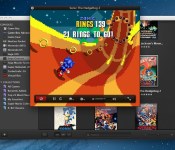
OS X Console Emulator ‘OpenEmu 1.0’ Launches
OpenEmu 1.0, an open source project designed to bring game emulation to OS X, has officially launched following a lengthy beta testing period. Though there are other emulator options for OS X, OpenEmu has been designed from the ground up for OS X.

For the first time, the ‘It just works’ philosophy now extends to open source video game emulation on the Mac. With OpenEmu, it is extremely easy to add, browse, organize and with a compatible gamepad, play those favorite games (ROMs) you already own.
OpenEmu is able to emulate the hardware of several different consoles, including several 16-bit systems like the Game Boy, GameBoy Color, Game Boy Advance, Game Gear, NeoGeo Pocket, Nintendo Entertainment System, Sega Genesis, and Super Nintendo, among others.
The emulator features a native OS X interface with a design that mirrors iTunes, offering up ROMs in a unified card-style menu organized by system. OpenEmu includes full save state support, allowing multiple ROMs to be played at once, and it also provides OpenGL scaling, multithreaded playback, and gamepad support.
Multiple controllers are supported, including console controllers from Nintendo, Xbox, and PlayStation, along with gamepads from Gravis, Logitech, and more.
OpenEmu can currently be downloaded from the OpenEmu website for free.
| |

iOS 7.1 Launching in March Following Lengthy Testing Period?
 Apple has seeded a new build of iOS 7.1 to its “testing partners” or carriers, reports BGR, with a public release of the software set to come in March. A March launch of iOS 7.1 would mark more than four months of testing, as the first iOS 7.1 beta was seeded to developers in mid-November. iOS 7.1 beta 2, the version currently available to developers, was released in mid-December.
Lengthy development periods are not unheard of – before Mavericks, OS X 10.8.5 Mountain Lion was tested over a period of three months, from June to September.
The current version of iOS, iOS 7.0.4, was released on November 14. If an iOS 7.1 release is not planned until March, it is likely that Apple will release iOS 7.0.5 in the interim, though MacRumors has seen no sign of the software in recent logs. iOS updates frequently, though not always, show up in our site analytics.
As the first major update to iOS 7 since its launch, iOS 7.1 is expected to include multiple bug fixes along with new accessibility options in the form of “Button Shapes” and potential support for iOS in the Car. Given the minor updates bundled into iOS 7.1, it is unclear why such a lengthy testing period is necessary. Last year, Apple released its iOS 6.1 update in January, though its iOS 5.1 update also came in March in 2012.
Apple has begun seeding a new build of iOS 7.1 to testing partners, we have learned from a trusted source. iOS 7.1 beta 3 is said to bring several important bug fixes in addition to some new features, though our source was uncomfortable detailing these for us at this time.
While BGR has made accurate predictions on iOS 7 launch dates ahead of the software’s final release, the site also made a few erroneous predictions.
| |

Apple Acquired Mapping Firm BroadMap, Note-Taking App Catch in 2013
Apple reportedly acquired mapping firm BroadMap and Evernote competitor Catch in 2013, reports 9to5Mac, citing data acquired from “evidence and chatter from sources,” including LinkedIn profiles.
Several former BroadMap employees are now listed as working at Apple on LinkedIn, including the company’s former Director of Program Management who now works in “Maps Data Validation” at Apple. BroadMap CEO Daniel Perrone’s LinkedIn profile suggests the company was purchased by a “Fortune 5″ company for “supporting their digital mapping efforts.”
We have specifically heard from a source directly familiar with Apple’s mergers and acquisitions process that Apple acquired BroadMap. The source says that the acquisition was mostly centered around talent, not solely BroadMap’s technology. In addition to the information from our source, there is evidence online that Apple made the acquisition.
BroadMap is a company that provides Graphic Information Systems (GIS) services, designed to analyze and manage geographical data. The company provides GIS tools along with Digital Mapping Data Products, Location Intelligence, and Web and Mobile Application Development.
Catch, which suspended its service in August, was reportedly acquired in the same month according to the former LinkedIn profile of the company’s Vice President of Business Development. While it remains uncertain whether Apple officially acquired the company, multiple former employees are now working at Apple, including the company’s co-founder.
While Catch being acquired following promotion from Apple does not exactly indicate that Apple is the buyer, we have heard from multiple sources that the majority of Catch employees are now working for Apple. The sources say that the former list of Catch employees, which even includes co-founder Andreas Schobel, are working on iOS-related software.
Catch, a popular notetaking and archiving service, was behind the Catch Notes app, which originally launched in 2010. The app, designed to allow users to create text, photo, and voice notes, earned multiple awards and was previously featured on Apple’s “New and Noteworthy” list of apps. It is unknown how Apple could utilize Catch’s technology, but possible use cases include integration with Siri, Reminders, or Notes.
According to Apple CEO Tim Cook, the company made a total of 15 acquisitions during fiscal 2013, which has also included companies like AlgoTrim, Cue, Passif Semiconductor, and Matcha.tv. The company has also made several mapping-related acquisitions, including Embark, HopStop, WifiSLAM, and Locationary.
While eight of Apple’s fiscal 2013 acquisitions have been confirmed, several others remain unknown.
| |

Apple Mac Pro review (2013): small, fast and in a league of its own

It would be an understatement to say that Apple’s Mac Pro workstation was getting a little long in the tooth. As of summer 2012, it was missing Apple’s own Thunderbolt ports, not to mention 802.11n WiFi. Finally, though, Apple released an updated version, and it addresses a little more than just the wireless card and I/O options. Redesigned from the ground up, it’s now much smaller and lighter, with a space-age cylindrical shape, an overhauled cooling system that’s half as loud and a spec sheet that includes standard dual GPUs, PCIe SSDs, 802.11ac WiFi, up to 64GB of RAM and the latest Intel Xeon processors, once again going up to 12 cores. In short, these are specs that bring the Mac Pro into the modern age — and make it ready to handle the coming onslaught of 4K content.
If you’re a professional photographer, videographer, audio engineer, animator or what-have-you, you might actually be considering spending $2,999 on one of these — maybe as much as $9,599, if you have the means. Or maybe you’re just like my colleagues here at Engadget, who don’t need one, and won’t ever buy one, but covet it just the same. Either way, you’ll want to read on to see how this thing actually performs (though you probably already have an idea).
Hardware

If the Mac Pro really does look like a trash can, as everyone says, it’s much nicer than any rubbish bin I’ve ever owned. Starting with the shape, which seems to have earned it so much ridicule, the Mac Pro is basically a squat little cylinder, with a large circular opening up top where the heat creeps out. Between that and the glossy gunmetal “Space Gray” finish, it does indeed look like some sort of futuristic wastepaper basket.
Then, of course, you turn the thing around and notice the Apple logo, power button and a cutout in the anodized-aluminum exposure, making it easy to access the various ports. Not exactly a garbage can, that. All told, the Mac Pro is a compact little thing, standing 9.9 inches tall and measuring 6.6 inches in diameter. For whatever reason– the photography on Apple’s site, perhaps — it feels smaller and shorter than I imagined it. To give you some perspective, the Pro stands around half as tall as a 27-inch monitor, like Apple’s own Cinema Display, and has roughly the same footprint as an office phone. So if you have room for a landline, you almost certainly have room for the Mac Pro. And if you have enough room for a landline, you can probably get away with using the Mac Pro in other small spaces, like a music stage or the corner of a film set.

Speaking of the sort, the machine is light enough, at 11 pounds, that you could conceivably take it with you to your next shoot. Left uncovered, you’ll want to handle it gingerly, of course, but if you keep the original box with the foam inserts, you should have no problem carrying it in the crook of your arm. In fact, that might not be such a bad idea: The glossy aluminum finish is also quite the fingerprint magnet, much more so than any other Apple products we’ve seen. If you do carry this around by hand, be prepared to wipe off some smudges now and again.
Swinging back to the ports for a moment, these include headphone and mic jacks, four USB 3.0 sockets, six Thunderbolt 2 connections, dual Gigabit Ethernet ports and an HDMI 1.4 port. As a nice, even more futuristic touch, the power button glows white briefly when you turn on the machine, as do a few other accent lights around the ports. The LEDs even fade as you shut down the computer, and flick on again one by one as it’s booting up. Additionally, you’ll find a locking switch that keeps the removable aluminum enclosure in place (you can’t actually power on the machine unless the cover is on). One thing you won’t find here: a memory card slot. This makes sense, in a way, given that pros aren’t big on SD cards, and there are simply too many other formats to accommodate on one small chassis. To build in, say, a CF slot, but not one for XQD would have been rather arbitrary indeed.
Internals

Six paragraphs so far and I’ve only described the removable case. Slip it off and you get to the heart of the machine, a tall, three-sided board Apple is calling the “thermal core.” Two of the sides are taken up by the GPUs — dual graphics cards are standard here — whereas the CPU occupies the third. I’ll get to performance and configuration options in a moment, but for now, suffice to say you can configure this thing with two AMD FirePro D700 GPUs and 12GB of video memory, amounting to up to seven teraflops of computing power (the last Mac Pro maxed out at 2.7 teraflops). Meanwhile, there are two RAM banks (with two slots each), located on either side of the CPU board. Combined, these can accommodate up to 64GB of DDR3 memory, with bandwidth of up to 60 gigabytes per second.
With the exception of the processor, everything is user-replaceable — the RAM, the GPUs and the solid-state storage. (I still wouldn’t recommend that the average person replace the GPU himself, but then again, the Mac Pro isn’t exactly for the average consumer in the first place.)

Speaking of thermal performance — this is the thermal core, after all — Apple designed a cooling system whereby air is sucked in at the base of the machine, and gets pushed out of that large hole in the top. Rather than use multiple fans, Apple went with just one, tweaking the size, shape, speed and spacing of the blades. In the end, the company’s engineering team settled on backward-curved impeller blades, which spin at fewer revolutions per minute than on the last-gen Mac Pro.
The idea, of course, is for the blades to effectively cool the system, but also to make less noise in the process. According to Apple, the new Pro reaches 15 decibels while under load, versus 30dB on the last edition. And when the machine is idle, it simmers down to just 12dB — very similar to the lower-powered Mac mini. As I’ll discuss later in the review, the machine is indeed as quiet as advertised, though that may or may not come at the expense of some warm operating temperatures.
Performance
| Mac Pro (2013, 3.7GHz Intel Xeon E5-1620, dual 2GB AMD FirePro D300) | iMac (2013, 27-inch, 3.4GHz Core i5, 8GB RAM, 2GB NVIDIA GTX 775M) | iMac (2012, 27-inch, 3.4GHz Core i7, 8GB RAM, 2GB NVIDIA GTX 680MX) | iMac (2012, 21.5-inch, 3.1GHz Core i7, 16GB RAM, 512MB NVIDIA GeForce GT 650M) | |
|---|---|---|---|---|
| Geekbench (multi-core) | 12,650 (32-bit) / 14,207 (64-bit) | 10,920 (32-bit) / 11,867 (64-bit) | 13,045 (32-bit) | 12,577 (32-bit) |
| Xbench | 601.98 | 539.73 | 560.44 | 531.91 |
Though the unit we have here is very nearly an entry-level configuration (quad-core Intel Xeon E5-1620 processor, 16GB of RAM, 256GB SSD, dual 2GB AMD FirePro D300 GPUs), I also had the chance to test out a more tricked-out version. That was an $8,099 model with an eight-core CPU, 64GB of RAM, a 1TB SSD and two FirePro D700 GPUs — the best graphics Apple is offering. With the newest version of Final Cut Pro X, which has been specifically optimized to take advantage of the Mac Pro’s dual GPUs, I saw the machine play back 16 picture-in-picture 4K streams simultaneously.
Editing is a seamless affair too — you can apply a filter to a video and see it go into effect immediately. Zero rendering time here. Ditto for previews: You can instantly see how an effect will look without having to wait for the machine to catch up. Last example: Retiming a four-and-a-half-minute clip to just a few seconds was also instantaneous — I could immediately play back a much shorter version of that same footage. I’m no videographer, as you all know, but if I were, it would be nice not to have to wait while I had a director or client looking over my shoulder, asking me to make changes. (Because in my fantasy life as a videographer, I’m always on location.)
Fortunately, you don’t need an $8,100 configuration to enjoy that kind of performance. Even on the more modestly specced machine, I was able to preview and apply effects and transitions with zero waiting time. As on the higher-end model, I could play back multiple 4K streams at once. Additionally, I was able to add effects to clips while playing back my project, and could immediately jump to that clip to see the effect in action. At one point, I went a little overboard and added 15 filters and the footage still ran flawlessly. (N.B.: There’s an option in settings that causes playback to stop as soon as a frame drops, but that never happened during my testing. Not once.) Truth be told, I probably could have applied even more than 15 effects, but by that time, I had conceded defeat, and was starting to feel bored with my little game.
Other stats: Importing a 9.23GB folder of .MOV files from the desktop took less than two seconds — I had barely pressed the start button on my stopwatch and the import was already over. When it came time to export, exporting that 9.23GB project from ProRes 422 to H.264 took five minutes and 16 seconds. As a side note, when I timed the export, I made sure I wasn’t doing anything else in Final Cut Pro, since the program is designed to slow background processes if there’s something going on in the foreground. That said, I found that I could play other 4K clips while exporting a project, though at one point I hit a clip that included a 4K picture-in-picture overlay, which caused a brief slowdown.

I won’t dwell too much on benchmark scores here, for the simple reason that most tests have not yet been optimized to take advantage of dual GPUs. As you can see in the above table, for instance, the numbers are on par with a recent iMac, even though the real-world performance here is far superior, especially in apps like Final Cut Pro X, which have been designed to leverage both graphics cards. Meanwhile, our test system ran the Cinebench R15 Open GL test at 74 frames per second — that, too, is a good showing, but still not as fast as you’d expect of a dual-GPU machine.
It’s a similar story with gaming: I ran Batman: Arkham City (the Game of the Year Edition), but suspect it was using just one of the GPUs. With resolution set to 2,560 x 1,440, details on high and anti-aliasing at its highest setting (8x), the Mac Pro managed an average of 56 frames per second, with frame rates running the gamut from 28 to 83 fps. It wasn’t until I dropped the anti-aliasing and detail levels to medium that I saw rates climb to 60 frames per second, with a peak of 88 fps. Even then, that was only a modest improvement. In the Mac Pro’s defense, though, gameplay is smooth, especially if you disable V Sync, which caps frame rates. The performance just isn’t quite as robust as you’d expect on a machine this powerful.
Without belaboring the point, this brings me to one of my few concerns about the Mac Pro, which is that right now, at least, most programs won’t fully harness its graphics capabilities. One of the reasons I spent so much time in Final Cut Pro is that it’s one of the few programs designed specifically to run well on a new Mac Pro. It reminds me a bit of how Retina display MacBook Pros were initially short on compatible software. If that analogy holds true, we should see more apps retooled to play nice with the Mac Pro’s dual-GPU setup. Just be prepared for some slim pickings if you buy one this week.
| Read speeds | Write speeds | |
|---|---|---|
| 1GB | 912.5 MB/s | 764.7 MB/s |
| 2GB | 919.3 MB/s | 753.3 MB/s |
| 3GB | 910.0 MB/s | 758.3 MB/s |
| 4GB | 933.0 MB/s | 761.2 MB/s |
| 5GB | 918.3 MB/s | 768.3 MB/s |
As for tasks that aren’t GPU-intensive, start-up consistently took around 46 seconds — a moot point if you’re one of those people who never shuts down before leaving the office. (If you do shut down regularly, you might find the boot-up sequence slightly tedious, though you’ll of course make up for it in rendering time.) Copying a nearly 10GB file from the downloads folder to the desktop was basically instantaneous. Most apps launched with virtually zero wait time. Even Final Cut Pro, a fairly heavy-duty program, was up and running in under three seconds.
Right now, at least, most programs won’t fully harness the Mac Pro’s graphics capabilities.
Throughout, the Mac Pro gets a bit warm, but it’s rarely hot, and it’s always quiet. For lack of a better word, you’d have to provoke the machine to really be bothered by the heat: The warmest area is at the top of the chassis, and even then, you’d have to be sticking your hand near the vents to feel it. Otherwise, the chassis does get a tad warm — and can take a while to cool down — but it’s much cooler than the air blowing out of the top. Avoid sticking your fist into the opening at the top and you’ll be fine. As for noise, I tried hard to get the fans spinning, but they stayed quiet. Actually, if you put your ear up to the opening at the top, you will hear a faint purring, but again, you’d have to be the sort of wise guy willing to put your ear next to the hottest part of the machine (not recommended).
It’s no surprise that with a high-performing machine like this, Apple went with SSDs built on the PCI Express standard. (In fact, all of its new machines, laptop and desktop alike, use PCIe.) In this case, though, the speeds are rated for 1.2GB per second, versus 800 MB/s on, say, the MacBook Air or the entry-level Retina display MacBook Pro. So, whereas the disk speeds are good on Apple’s other machines, they’re positively screaming here. As you can see in the above table, our read speeds averaged 918.6 MB/s across different stress loads, with write speeds coming out to 761.2 MB/s. To put that in perspective, the newest iMac managed 667.88 MB/s on the read test, and just 318.14 MB/s when it came to write speeds. Big difference, wouldn’t you say?
In addition to the SSD, the Thunderbolt 2 ports bring some serious speed of their own. Thanks to their bandwidth of 20 Gbps, you can daisy-chain up to six peripherals per port, or 36 for the whole machine. Or, you can connect up to three 4K monitors. I wish I could’ve tested that last bit, but alas, our reviews budget doesn’t stretch far enough to include three of those bad boys. One would be sweet enough.
Configuration options

And here we arrive at what’s actually one of the more important sections of this review: the part where we tell you all the ways you can trick out your new beast of a workstation. On Apple’s site, you’ll see two ready-made models, both of which are scheduled to ship in February. The base version goes for $2,999 with a quad-core 3.7GHz Intel Xeon E5 processor, dual AMD FirePro D300 GPUs with 2GB of VRAM each, 12GB of memory and a 256GB PCIe SSD. In other words, it’s basically the same unit I tested, except ours had 16 gigs of RAM instead of 12. Otherwise, same specs.
The other model listed on Apple’s site is a six-core unit with dual FirePro D500 GPUs. As a higher-end machine, this has 3GB of video memory per GPU, not two. Additionally, it comes with 16GB of RAM and a 256GB SSD, just like the base model.
But don’t be fooled by the simplicity of Apple’s purchasing page. Click “select” for either and you’ll be opening up a wide array of customization options. And really, that’s what you’re most curious about, right? Let’s unpack all the choices here. For starters, if you’re configuring the lower-end quad-core model, you can step up to a six-core CPU ($500), an eight-core one ($2,000) or a 12-core chip ($3,500). From there, you can upgrade to 16GB ($100), 32GB ($500) or 64GB ($1,300) of RAM. As for storage, there are larger 512GB and 1TB SSDs available for $300 and $800, respectively. Finally, there’s graphics. In addition to the base option, which includes two 2GB FirePro D300 GPUs, you can opt for two 3GB D500s ($400) or two 6GB D700s ($1,000).
Obviously, the upgrade prices are different if you start with the higher-end model. Regardless, the Mac Pro always comes with dual GPUs, as I said, along with other amenities like 802.11ac WiFi and Bluetooth 4.0, neither of which was included on the last-gen Mac Pro.
If you still have room in your budget, Apple is also selling a $3,595, 32-inch 4K Sharp monitor on its site, in case you don’t already have a screen for viewing and playing back ultra-high-res media. Apple is also selling the keyboard and mouse separately, as it has in the past. Already, we’ve seen some commentary on the internet criticizing Apple for being stingy, but keep in mind that many of the folks buying this might well be businesses that already have keyboards and mice lying around, so they might not actually be missing these accessories as much as you think they are.
Wrap-up

I debated even putting the word “expensive” in the cons list of that review card you seen down there. It’s hard to say if the Mac Pro is pricey, per se, given that there’s nothing else quite like it. There are plenty of Windows-based workstations, certainly, but none are quite this small or quite this portable (many aren’t quite this quiet, either). And if you’re a creative professional already hooked into Mac-only apps like Final Cut Pro, this is really your only choice: The new Mac Pro is a serious improvement over the old model in every way, and is likely worth the upgrade. So, while $2,999 (let alone $10,000) is indeed a big investment, it’s well worth it for people who live and die by their workstation, and for whom (rendering) time is money.
Zach Honig and Todd Thoenig contributed to this review.

Apple Reportedly Launching Larger iPad in October 2014, Larger iPhone in May 2014
Following a report last month stating that Apple supplier Quanta Computer had landed the contract to mass-produce a larger-sized iPad for late 2014, Digitimes is reporting that the 12.9-inch tablet will be released in October 2014 and will target North America’s educational market. Apple is also said to be examining the possibility of replacing the 11-inch MacBook Air with the larger iPad.
 12.9-inch iPad (left) with 13-inch MacBook Air (right)
Apple’s large-size tablet will be manufactured by Quanta Computer, and was originally expected to adopt either 12.9- or 13.3-inch panels, with recent rumors indicating that 12.9-inch has a better chance to be picked, the sources noted.
The report also states that Apple is planning to release a larger size iPhone in May 2014, using a 20nm processor manufactured by Taiwan Semiconductor Manufacturing Company (TSMC). Reports of a next-generation iPhone featuring a larger screen have surfaced occasionally throughout the past year, while the claim of an A8 processor made by TSMC is follows a report in June stating that the company had struck a three-year deal with Apple to produce A-series chips starting in 2014.
However, a May 2014 release date for the next iPhone would be somewhat of a surprising move by Apple, considering that the most recent reports have stated that the larger-screened iPhone will debut in late 2014. A release then would be in line with the October 2011 launch of the iPhone 4s, the September 2012 launch of the iPhone 5, and the September 2013 launch of the iPhone 5s and 5c.
A report last month from The Korea Times indicated that production of a 12.9-inch Retina Display to be used in a next-generation iPad was already underway at an Apple supplier in Korea, with a target date of early 2014. The larger tablet is also said to carry an improved display nearing ultra high-definition (UHD) quality, which would be significantly bigger and contain more pixels than Apple’s current 9.7-inch iPad Air.
| |

