


Apple’s iTunes Festival is coming to the US, and you can stream it live

After seven years of hosting the iTunes Festival in the UK, Apple is at last bringing the concert series to the US for 2014. The music extravaganza will be held in Austin from March 11th through the 15th, running alongside South by Southwest (SXSW). It’s a much shorter run than in the past, but it will include a mix of well-known American and European artists, ranging from Willie Nelson to London Grammar. As you’d imagine, Apple is using the event as a technological showcase; you’ll get to stream live and on-demand performances from both iTunes on the desktop as well as any iOS device. This will all sound familiar to Brits, but it’s big news for Americans that no longer have to skip work just to watch the live shows — even if they can’t make it out to Texas.
Filed under: Portable Audio/Video, Internet, HD, Apple
Source: Apple, iTunes Store, SXSW

Apple Bringing iTunes Festival to U.S. at SXSW 2014
Apple announced today that it is expanding its iTunes Festival to the US for the first time. Five shows will be held from March 11-15 during the Austin City Limits Live event at the Moody Theater in Austin, Texas. The shows will serve as a part of the film and music-focused South by Southwest (SXSW) festivals which will be held in Austin from March 7-16, 2014.

The live event will feature major recording artists like Coldplay, Imagine Dragons, Pitbull, Keith Urban, ZEDD and more. Performances will be available as a live or on demand stream via iTunes, the Apple TV or the iTunes Festival app for iOS devices.
“The iTunes Festival in London has become an incredible way for Apple to share its love of music with our customers,” said Eddy Cue, Apple’s senior vice president of Internet Software and Services. “We’re excited about the incredible lineup of artists performing and SXSW is the perfect place to debut the first iTunes Festival in the US.”
Apple’s iTunes Festival tickets are available for free and will be given out by lottery to SXSW attendees, who can enter to win by scanning their badge at a TBD location. Winners are allowed to bring a guest, but that person must be a SXSW badge holder as well. Details on the ticket giveaway are available on SXSW’s website.
The iTunes Festival is held each year in London, where more than 400 artists have performed for over 430,000 fans since it started in 2007. 
     |

Aerial Photograph Shows Substantial Demolition Progress at Apple Campus 2 Site [Mac Blog]
Work at Apple’s Campus 2 is well underway with most of the existing buildings now demolished and parking lot pavement removed, as shown in a recent aerial photograph (via MacGeneration) from Ron Cervi, a news and traffic reporter for KCBS. Demolition on the site began in November after Apple received unanimous approval for the project from the Cupertino City Council.
 Photo by Ron Cervi
Earlier photographs from a street level view revealed the first stages of demolition back in December, with partially demolished buildings visible from a nearby highway. Several sidewalks were closed, while bulldozers and other heavy equipment started clearing debris from the 176-acre parcel.
Apple’s Campus 2 is a short distance away from the company’s current headquarters at 1 Infinite Loop in Cupertino, California. Eighty percent of the barren landscape shown above will be vegetated with over 4,500 trees in an endeavor that will “bring California back to Cupertino.” The remaining 20 percent of the landscape will be dominated by a circular, 4-story building designed to hold 13,000 employees. The project has a target completion date of 2016.
| |

Apple Becomes China’s Fifth-Largest Smartphone Vendor in Q4 2013 [iOS Blog]
 According to a new report from market research firm IDC (via The Wall Street Journal), Apple became China’s fifth largest smartphone manufacturer during the fourth quarter of 2013, taking 7% of total market share in the country. Notably, the report does not include iPhone sales numbers from the region’s largest carrier China Mobile, which began selling the iPhone through a partnership with Apple last month.
According to research firm IDC, Apple’s market share in mainland China rose to 7% in the quarter from 6% in the third quarter. The fourth quarter was the first full quarter after Apple launched its iPhone 5S and 5C in China in late September, on the same day the new phones came out in the U.S. and a host of other markets. In the past, iPhones went on sale in China months after they were launched in the U.S.
Apple is still behind other smartphone vendors in the country including Samsung, Lenovo, and Huawei, with those companies coming in at first, second, and fourth place, respectively. Apple also remained slightly ahead of newcomer Xiaomi, which notably hired former Google vice president of product management Hugo Barra in August 2013.
Apple has made strides towards improving its presence in China over the past few years, opening new Apple Stores in populated regions and establishing an official store on Chinese e-commerce site Tmall in addition to partnering with China Mobile. CEO Tim Cook has also visited the country numerous times throughout the past few years to meet with both China Mobile executives and government officials to discuss market growth.
| |

TPK to Reportedly Supply Flexible AMOLED Panels For Apple’s iWatch
 Apple may be choosing TPK as a touch panel supplier for its rumored iWatch, says a report in China Times (Via Digitimes). The Taiwan-based company will supposedly begin mass production of flexible AMOLED panels for the iWatch in the second half of 2014.
The report said the iWatch will come equipped with a flexible AMOLED display and 3D protective glass. The rumors also speculated that the iWatch will use silver nanowire touch screen technology developed by TPK in conjunction with Japan-based Nissha Printing.
The rumor suggests Apple will use silver nanowire touch screen technology in the iWatch display. Current flat touch panels use indium tin oxide (ITO), which is brittle and not suitable for a flexible display. Silver nanowires, however, are nanometers thin and can be applied to a 3D curved glass surface, like a watch band in a solution-based, roll-to- printing technique. The silver wire matrix is transparent to the eye and conductive, making silver nanowires perfect for a flexible touchsreen display.
Last year, TPK signed a deal with Japanese firm Nissha Printing to start producing silver nanowire touchscreen displays. Production will ramp up in Q2 2014, with a manufacturing output of two million 6-inch touch panels per month.
TPK is among the world’s top touch panel manufacturers by volume and has been supplying Apple with panels for several years. The Taiwanese company was one of the primary suppliers of the touchscreen for the original iPad and provided up to 80% of the panels for the iPhone 4S models.
| |
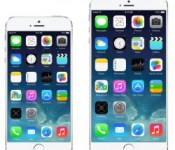
Sketchy Report Claims Apple Will Release 4.7-Inch iPhone and 5.6-Inch ‘Experimental’ Phone Without iPhone Branding [iOS Blog]
 Apple is planning on introducing two new phones this year featuring displays of 4.7 and 5.6 inches, with the former using a traditional Gorilla Glass display and the latter featuring a sapphire screen, according to a new report from Taiwan’s Economic Daily News [Google Translate] (via Mac Otakara). The report also states that due to its experimental nature, Apple’s 5.6-inch phone will not be known as an iPhone.
While it is somewhat probable that Apple could release two versions of the iPhone as previously suggested by other reports, it is very unlikely that the company would drop the iPhone name for the larger phone given the iconic reputation of the brand.
The report adds that Apple’s next-generation phones will once again be assembled at primary supplier Foxconn (also known as Hon Hai Precision Industry Co.), with other suppliers including Cheng Uei Precision Industry and Simplo Technology also helping with production. Furthermore, the sapphire displays to be used in the 5.6-inch phone are said to come from new Apple partner GT Advanced, which was reported to be gearing up for massive production of devices with sapphire displays earlier this month.
Apple has been experimenting with a range of screen sizes for the next-generation iPhone since early 2013, with size rumors varying from 4.7 to 5.7 inches. Last week, the South China Morning Post stated that the company would be launching two new iPhones with larger flat sapphire displays in September, while The Korea Herald reported that the iPhone 6 would adopt a “bezel-free” display.
In addition to a new display, other reports have indicated that the iPhone 6 will feature a slimmer profile due to thinner and lighter backlights and a 10-megapixel or higher camera with an improved filter. The iPhone 6 is generally expected to arrive in the same September-October timeframe seen in recent years.
| |
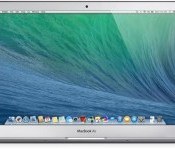
Apple Preparing Fix for Sleep/Wake Crashes in 2013 MacBook Airs
 Apple is preparing an update to fix an issue that causes 11 and 13-inch 2013 MacBook Airs to crash when they are wakened from sleep, according to information from an Apple Authorized Service Provider.
According to multiple lengthy threads on the Apple Support Communities, 2013 MacBook Air users have been experiencing sleep/wake issues for several months. Crashes, freezes, and blank black screens are common after waking a MacBook Air from sleep, and fixing the problem requires a hard restart.
It appears that the problem is related to OS X Mavericks and requires a combination of the computer going to sleep and a press on the keyboard or touchpad to initiate. One user has been able to successfully re-create the problem by pressing the power button to put the MacBook Air to sleep and then immediately clicking on the touchpad, which causes the machine to freeze.
The service provider that notified MacRumors about the update has said that it appears to be a bug in the sensor that detects when the lid is being opened, which has led to multiple machine returns and replacements as it was previously unclear whether it was a hardware issue or a software issue.
An Apple Support representative has also confirmed that a fix is in the works and should be bundled with the next OS X Mavericks update, which likely points to 10.9.2. A user on Apple’s support forums has noted that 10.9.2 beta 4 appears to fix part of the problem by altering the function of the power button, preventing the machine from going to sleep when the power button is mis-tapped.
Ahead of the update, customers who are experiencing sleep/wake crashes with their MacBook Airs appear to be able to repair the problem with a restart.
| |

Apple’s Unwillingness to Share User Info Said to Hinder iAd Sales
 Apple’s unwillingness to share large amounts of consumer data is hurting its iAd business, according to Madison Avenue media buyers that spoke with AdAge. The company is said to be “downright stingy” with the information it shares, too slow at developing ad products, and “too reticent to foster relationships.”
According to one executive, Apple doesn’t have official sales targets for its iAd business, nor does the company operate a large sales team as advertising is viewed as more of an “afterthought.”
Perhaps the biggest issue hindering their ad growth is that advertising is an afterthought, a blip on the balance sheet. It’s still viewed by some as immaterial and potentially detrimental to the cash cows — an ad is an impediment if it distracts a consumer from the “buy” button or mucks up a beautiful mobile app.
First introduced in 2010, Apple’s iAd has never enjoyed much success. The service was initially designed to help developers earn money on the iOS platform, but it failed to attract developer interest and thus never garnered a significant amount of revenue.
With the launch of iTunes Radio, Apple revamped its iAd program, refocusing on the new music service. Apple’s iAd team is now in charge of securing deals with major advertisers to support iTunes Radio, which is a much better money-earning opportunity for the company.
Still, advertising firms that work with Apple find it highly frustrating the company won’t share information on consumer preference with advertising partners, preventing more targeted ad campaigns. Apple has a huge amount of customer data, including addresses, geographic preferences and app and music purchases, but because Apple does not use cookie-based tracking and ad targeting, advertisers must rely on Apple to deliver ads to a desired audience.
The lack of data both companies deliver is frustrating for marketers because these notoriously opaque giants sit atop incredible troves of information about what consumers actually buy and like, as well as who they are and where they live. One person familiar with the situation exec said Apple’s refusal to share data makes it the best-looking girl at the party, forced to wear a bag over her head.
Though companies would like for Apple to share additional information, the company has still managed to score major advertising partners that are willing to take whatever they can get. When iTunes Radio debuted, it included advertisements from Macy’s, McDonald’s, Nissan, and Procter & Gamble.
Apple earned $258 million in U.S. mobile-ad revenue in 2013, an amount dwarfed by the advertising revenue taken in by companies like Google and Facebook. In 2013, Google generated $3.98 billion in mobile ad revenue, while Facebook garnered $1.53 billion, but the company will likely see growth in ad revenue as iTunes Radio gains popularity despite its unwillingness to cooperate fully with advertisers.
| |

Engadget laptop buyer’s guide: winter 2014 edition

CES has been over for a month now, which means it’s high time we update all our buyer’s guides with some of the new stuff that was just announced. In the coming weeks, we’ll have fresh tablet and phone picks, but today, we’re all about the laptops. Whether you’re in the market for an Ultrabook, convertible, gaming rig or a Chromebook, we’ve got a suggestion that should fit the bill. Read on to see what made the cut — and what’s been dropped from our guide since last fall.
Convertibles
When Windows 8 first came out, PC makers were experimenting with all sorts of inventive designs in an effort to figure out what consumers actually wanted. In those early months, we saw laptops whose screens could rotate, pop out, detach and fold over. Others had a sliding design, and one even attempted two screens. The results were mixed — so mixed, in fact, that our last two laptop buyer’s guides have had just two recommendations in the convertible category. Now that these companies have had a chance to go back to the drawing board, we’re starting to see more form factors we’d actually want to use.
Dell XPS 12

The Dell XPS 12 has always been on this list, so you can bet we have effusive things to say now that it’s been upgraded with Haswell, NFC and a larger battery (50Wh, up from 47Wh). All told, between the beefier battery and new chipset, Dell is promising this thing will last 9.5 hours on a charge — more than three hours longer than the OG model. Otherwise, it’s the same machine it always was, with a 12.5-inch, 1080p screen that flips around in its hinge so that you can show off presentations and stuff to people sitting opposite you. It might not be quite as versatile as the Yoga, but we love it anyway for its solid build quality, attractive design and unusually cushy keyboard. After all, if you can’t enjoy one of these convertibles in regular notebook mode, why even bother?
The bottom line: Even if you rarely use it in tablet mode, the XPS 12 makes an excellent Ultrabook, especially now that Dell’s refreshed it with Haswell and a bigger battery.
Key specs: Up to a 1.7GHz dual-core Intel Core i7-4650U CPU, 4GB to 8GB of RAM, up to 256GB of internal storage, Intel HD Graphics 5000, 12.5-inch (1,920 x 1,080) display.
Price: $1,000 and up from Dell
Lenovo IdeaPad Yoga 2 Pro

Even back when we included just two convertibles on this list, the Lenovo IdeaPad Yoga 13 was always one of them. Though lots of companies make missteps with their first-gen products, Lenovo won us over right away with the Yoga, whose screen could fold all the way back into tablet mode. Over time, though, as rival companies began upgrading their wares, the original Yoga started to seem stale. Well, just in the nick of time, Lenovo gave it a makeover. The new version, the Yoga 2 Pro, comes standard with a 3,200 x 1,800 screen, making it one of the crispest you’ll find on a 13-inch Ultrabook. It also comes in a thinner, lighter package, and runs on Haswell processors for faster performance and longer battery life. Best of all: The price is low compared to other premium Ultrabooks.
As a side note, Lenovo also has the ThinkPad Yoga, whose keyboard flattens out as you flip the screen over. Even then, we’d only really recommend it if you want pressure-sensitive pen input, as the machine itself is noticeably thicker and heavier than the Yoga 2 Pro (in large part thanks to that newfangled keyboard!).
The bottom line: The most versatile Windows convertible is back with a slimmer, lighter design, sharper screen and longer battery life.
Key specs: Up to a 1.8GHz dual-core Intel Core i7-4500U CPU, 4GB or 8GB of RAM, 128GB to 512GB of internal storage, Intel HD Graphics 4400, 13.3-inch (3,200 x 1,800) display.
Price: $1,049 and up from Lenovo
Sony VAIO Duo 13

Remember we said some companies made missteps their first time out? We give you Sony. The VAIO Duo 11 didn’t make our original list. In fact, no slider Ultrabooks did. The propped-up display eats up too much of the potential keyboard space, we said, leading to a compromised typing experience. The Duo 11, in particular, also suffered from short battery life and an ugly hinge design that left too many of the mechanical bits exposed.
Fortunately, Sony went back to the drawing board and returned with a much-improved follow-up, the VAIO Duo 13. With its “Surf Slider” hinge, the Duo is now much easier to open with one hand, and the back side has been cleaned up as well. Interestingly, though this rocks a larger 13.3-inch screen, the dimensions are about the same, and the weight is only slightly heavier. The secret? Thinner bezels to maximize screen real estate. But wait, we’re not done yet: There’s now a clip to hold the included pressure-sensitive pen. The keyboard, meanwhile, is more comfortable this time around, even if the touchpad is a bit cramped. And the battery life is much longer too, thanks to a fresh Haswell processor.
The bottom line: Sony got the slider design right on its second try, thanks to a completely revamped hinge, a more spacious keyboard and longer battery life.
Key specs: Up to a 1.7GHz dual-core Intel Core i7-4650U CPU, 4GB to 8GB of RAM, 128GB to 512GB of internal storage, up to Intel HD Graphics 5000, 13.3-inch (1,920 x 1,080) display.
Price: $1,400 and up from Sony
High-end notebooks
Just because every PC maker is experimenting with some strange, convertible form factor, doesn’t mean regular, old notebooks are going the way of the dodo. In fact, most of the laptops we’ve seen this season are standard notebooks, many with touchscreens attached (at least in the case of Windows machines). In fact, with the exception of the Lenovo Yoga 2 Pro, Dell XPS 12 and Sony VAIO Duo 13, all of the high-end systems on our list actually do hew to this design. Find our favorites below.
Acer Aspire S7-392

If there’s one theme coursing through this guide, it’s that Intel’s new Haswell processors have transformed laptops with poor battery life, and turned them into lean, mean, all-day machines. That couldn’t be truer of the Acer Aspire S7, which came out in 2012 to mostly rave reviews. Well, raving about everything except the runtime, which topped out at around four hours. Recently, though, Acer refreshed its 13-inch flagship Ultrabook with Intel’s fourth-generation processors, and is now promising up to seven hours of juice (we got seven and a half). Aside from that very important under-the-hood change, Acer didn’t alter the design much; the keyboard layout is similar, as is that white Gorilla Glass lid. Also, until recently, the only display option in the US was a 1080p IPS panel. This month, Acer finally started offering the choice of a 2,560 x 1,440 screen. About time, we say.
The bottom line: The new S7 addresses all the shortcomings of the previous model, and is now one of our favorite Ultrabooks.
Key specs: Up to a 1.8GHz dual-core Core i7-4500U CPU, 8GB of RAM, 128GB to 256GB of internal storage, Intel HD Graphics 4400, 13.3-inch (1,920 x 1,080 or 2,560 x 1,440) display.
Price: $1,350 and up from Acer
Apple MacBook Air

Apple’s current MacBook Airs look just like the ones that came out in 2012, but they still bring some meaningful improvements. In particular, they come complete with Haswell processors and the promise of much longer battery life (up to nine hours on the 11-inch model, and up to 12 on the 13-inch version). And remember, Apple has a tendency to make conservative battery life claims — in fact, we got nearly 13 hours on the 13-inch model when we took it for a spin. Meanwhile, Apple also switched to faster PCIe SSDs, which yield much faster I/O speeds. On top of all that, Apple dropped the starting price of the 13-inch model by $100, making it that much easier for us to recommend. The only thing you might want to keep in mind is that the new Retina display MacBook Pro offers similar battery life and doesn’t weigh that much more, so you might be tempted to get that instead if you want a sharper screen and don’t mind a little extra heft.
The bottom line: No, there’s still no super-sharp Retina display, but the unbelievably long battery life more than makes up for it.
Key specs: 11-inch model: up to a 1.7GHz dual-core Core i7 CPU, 4GB to 8GB of RAM, 128GB to 512GB of internal storage, Intel HD Graphics 5000, 11.6-inch (1,366 x 768) display; 13-inch model: up to a 1.7GHz dual-core Core i7 CPU, 4GB to 8GB of RAM, 128GB to 512GB of internal storage, Intel HD Graphics 5000, 13.3-inch (1,440 x 900) display.
Price: $999 and up (11-inch)/$1,099 and up (13-inch) from Apple
HP Spectre 13 Ultrabook

HP took its time refreshing its line with new designs and fresh processors, but it looks like the delay may have been worth it. HP recently announced the Spectre 13 Ultrabook, and it’s better than its predecessor in almost every way. In addition to running Haswell Core i5 and i7 processors, it’s available with a 2,560 x 1,440 display for an extra $70 — a first for HP. Additionally, it has an extra-wide touchpad with “Control Zones” on the sides that give you tactile feedback as you’re doing things like exposing the Charms Bar or swiping in from the left to cycle through open apps. As for performance, we’ve already begun testing one, and can attest that it delivers both long battery life and brisk SSD speeds.
The bottom line: The Spectre 13 remains one of the few Ultrabooks available in the US with a screen sharper than 1080p.
Key specs: Up to a 1.8GHz dual-core Core i7-4500U CPU, 4GB or 8GB of RAM, up to 256GB of internal storage, Intel HD Graphics 4400, 13.3-inch (1,920 x 1,080 or 2,560 x 1,440) display.
Price: $1,000 and up from HP
Lenovo ThinkPad X1 Carbon

Lenovo’s X1 Carbon hasn’t had a spot in our laptop buyer’s guide since last spring. A curious thing, considering it was once our favorite business Ultrabook — heck, one of our favorite Ultrabooks, period. Eventually, however, even the best products grow stale, and indeed, it took Lenovo a while to deliver a refresh. Finally, though, we have a revamped model with a lighter design, sharper screen and up-to-date processors. Without overwhelming you with speeds and feeds, here’s what you need to know: The new X1 weighs just 2.8 pounds (make that three if you add a touchscreen). Either way, it’s shockingly light for a 14-inch system. Also, in keeping with modern-day specs, the X1 now has a 2,560 x 1,440 screen option and a battery rated for nine hours of runtime. Be warned: Lenovo did tweak the keyboard, adding an “adaptive” panel up top, but fortunately, it doesn’t appear to interfere with the typing experience (or the TrackPoint, for that matter).
The bottom line: The refreshed X1 Carbon returns with a sharper screen, improved battery life and an even lighter design.
Key specs: Up to a 2.1GHz dual-core Core i7-4600U CPU, 4GB or 8GB of RAM, up to 512GB of internal storage, Intel HD Graphics 4400, 14-inch (1,600 x 900 or 2,560 x 1,440) display.
Price: $1,299 and up from Lenovo
Samsung ATIV Book 9 Plus

Samsung went a long time without refreshing its Series 9 Ultrabook, save for adding a 1080p screen option in 2012. Finally, though, the company announced a proper replacement, the ATIV Book 9 Plus. Though it’s similar in design to the aluminum version that came out in 2012, this steps up to a much sharper screen — a 13.3-inch 3,200 x 1,800 panel with enough pixel density to surpass even the 13-inch Retina MacBook Pro. On the inside, it makes use of Haswell processors, solid-state storage and a battery rated for 12 hours of runtime (we managed nearly nine hours in our video rundown test). The only unfortunate thing is that thanks to the added touchscreen, the ATIV Book 9 Plus is heavier than it used to be: 3.06 pounds versus 2.55. Make no mistake: It’s still plenty portable, but there are even lighter touchscreen Ultrabooks out there.
The bottom line: One of our favorite Ultrabooks from 2012 gets refreshed with an eye-melting 3,200 x 1,800 display and a more robust battery.
Key specs: Up to a 1.8GHz dual-core Core i7-4500U CPU, 4GB or 8GB of RAM, up to 256GB of internal storage, Intel HD Graphics 4400, 13.3-inch (3,200 x 1,800) display.
Price: $1,400 and up from Samsung
Sony VAIO Pro 13

Sony broke a lot of hearts when it discontinued its super-thin, super-light Z series. Fortunately for VAIO fans, though, the company last year came out with the Pro 13, a 2.34-pound, carbon fiber machine that’s the spiritual successor to the ol’ Z. Sony says it’s the lightest touchscreen Ultrabook of this size, which sounds about right to us: This thing feels utterly insubstantial in the hand. In addition to that featherweight design, the Pro 13 offers PCIe SSDs, a 1080p display with wide viewing angles, a backlit keyboard and built-in NFC. Battery life is rated at seven hours (thanks, Haswell!), but you can double that with an external sheet battery (another nice carryover from Sony’s older machines). Most importantly, though, Sony slashed the starting price of the 13 to $1,250, down from around two grand. There’s also a less-expensive 11-inch version, the Pro 11, but the keyboard is a tad cramped, and you won’t get those fast PCIe SSDs (just regular solid-state drives).
The bottom line: Sony’s discontinued Z series laptop gets a new life with the Pro lineup, which offers great battery life, crisp displays and a much more reasonable starting price.
Key specs: Up to a 1.8GHz dual-core Core i7-4500U CPU, 4GB to 8GB of RAM, 128GB to 512GB of internal storage, Intel HD Graphics 4400, 13.3-inch (1,920 x 1,080) display.
Price: $1,150 and up from Sony
Budget and mid-range
Acer M5-583P-6423

Acer’s M5 always makes our list for offering good specs at a decent price, and for being surprisingly lightweight, at that. Be warned that Acer had to cut corners in some areas to make that price point; the build quality is fairly mediocre, and you’ll have to make do with a spinning hard drive. That said, we appreciated the narrow bezels on 2012′s M5, and we have a feeling the battery life will be more impressive this time around too. Of note, this model replaces the M5-583P-6428, which held a spot in our laptop buyer’s guide for two straight seasons running. The main difference is that this has 6GB of RAM instead of 8GB, which allowed Acer to push the price down to $630 from $700. Wanna go even cheaper? The Acer V5-473P-6459 goes for $600 with 4GB of RAM and a smaller 14-inch screen.
The bottom line: Acer’s mid-range laptops were already well-priced, but they’ve lately seen price cuts that have made them even more tempting.
Key specs: 1.6GHz dual-core Core i5-4200U CPU, 6GB of RAM, 500GB of internal storage, Intel HD Graphics 4400, 15.6-inch (1,366 x 768) display.
Price: $600 from Best Buy
HP Envy TouchSmart 15t-j100

The Envy TouchSmart 15 (once called the dv6) steps into the modern age with an aluminum chassis, backlit keyboard and a touchscreen with up to 1080p resolution (1,366 x 768 is the standard). Also offered with AMD processors (that’d be the TouchSmart 15-j070us ), it starts at $750 whether you go with a quad-core A10 chip or a dual-core Core i5 processor. As a performance machine, it comes standard with speakers and a subwoofer for your audio needs, and can be configured with up to a 4GB NVIDIA GeForce GT 750M GPU.
The bottom line: A great pick for mid-range budgets, with enough flexibility that you can turn it into a performance powerhouse.
Key specs: Up to a 2.2GHz quad-core Intel Core i7-4702MQ CPU, 6GB to 16GB of RAM, up to 1TB of internal storage with a 24GB SSD, up to a 4GB NVIDIA GeForce GT 750M GPU, 15.6-inch (1,366 x 768 or 1,920 x 1,080) display.
Price: $750 and up from HP
Samsung Chromebook

It’s taken a while, but we think we can finally start recommending Chromebooks to regular consumers. Not the Chromebook Pixel, necessarily — that’s not a practical purchase for anyone — but the cruder, less expensive variety. Specifically, Samsung’s $249 Chromebook, which got a significant price cut after Sammy moved from an Intel Celeron processor to a homegrown Exynos 5 Dual SoC, based on ARM’s Cortex-A15 chip. To be sure, you may suffer a slight performance hit as a result, but this new, lower-powered chip is still hearty enough to support everything Chromebooks were built for: namely email, web surfing and video streaming. Meanwhile, the comfortable keyboard and trackpad make it a pleasure to use — something we can’t even say about some pricier laptops. As a runner-up, the new Toshiba Chromebook is also a good choice. That model brings longer battery life (nine hours versus six and a half) and boasts a more powerful Haswell processor. Just remember that it costs $300 and is noticeably heavier, so it’s not necessarily a slam dunk, either.
The bottom line: With more bang for your buck than any other Chromebook, Samsung’s offering is great if all you want is a cheap secondary laptop and would have spent all your time in the browser anyway.
Key specs: 1.7GHz dual-core Samsung Exynos 5 Dual (5250), 2GB of RAM, 16GB of internal storage, integrated graphics, 11-inch (1,366 x 768) display.
Price: $230 from Amazon
Sony VAIO Fit 14 and 15

Sony turned heads when it announced that all of its laptops — even the low-end ones — would boast some fairly cutting-edge specs. In particular, the company promised that nearly all its new notebooks would rock 1080p touchscreens with NFC, backlit keyboards and webcams making use of Sony’s own Exmor R sensors. It all sounded swell, but there was one problem: Some of these laptops shipped with Ivy Bridge processors, and at a time when Haswell was coming out, no less. Finally, though, Sony’s upgraded its entry-level Fit line with the latest Intel Core chips, which means we can finally recommend them here in our buyer’s guide. Whether you buy the 14- or 15-inch model, both start at $580, with the lowest-end Haswell model starting at $630. Even when we tested the Fit 15 with Ivy Bridge, we enjoyed solid performance and fast-boot up times, and we suspect that with Haswell, you’ll also get longer battery life.
The bottom line: You’ll be hard-pressed to find an entry-level laptop with better specs than Sony’s recently refreshed Fit series.
Key specs: Up to a 1.7GHz dual-core Intel Core i7-4650U CPU, 4GB to 16GB of RAM, up to 1TB of internal storage, up to a 2GB NVIDIA GT 740M GPU, 14- or 15.6-inch (1,920 x 1,080) display.
Price: $580 and up from Sony
Toshiba Satellite P50

All told, Toshiba sells several laptop lines, starting with the “L” and “C” series at the bottom, moving up to the “S” (for “speed”) and the “P” (for “premium”) lines. Because even the P series is fairly affordable, though, there’s no reason not to just focus your search there. In particular, we recommend the 15-inch P50, which offers a nice mix of higher-end design elements and robust performance. With the latest models, Toshiba’s made the aluminum chassis up to 25 percent thinner. It’s also added features like an optional touchscreen and an HDMI 1.4 port for 4K output (should you actually have some compatible content). Rounding out the list, Toshiba included Sleep and Charge/Sleep and Music ports as well as Harman Kardon speakers with DTS sound — pretty much what we’ve already come to expect from Toshiba’s high-end machines.
The bottom line: Toshiba’s P series is as feature-rich as ever, except now it’s significantly thinner.
Key specs: Up to a 2.4GHz quad-core Intel Core i7-4700MQ CPU, 6GB to 12GB of RAM, up to 1TB of internal storage with an 8GB SSD, up to a 2GB NVIDIA GeForce GT 740M GPU, 15.6-inch (1,920 x 1,080) display.
Price: $650 and up from Toshiba
Performance powerhouses
Sometimes an Ultrabook just isn’t good enough. Maybe you want discrete graphics for editing photos or chopping HD video. Maybe you’re looking for a little more processing power, better speakers or — gasp! — an optical drive for burning the occasional Blu-ray. Whatever it is, we’ve got the selection narrowed down to three. (No promises on the BD-RW drive, though.)
Apple MacBook Pro with Retina display

We’ve always liked Apple’s Retina display MacBook Pros, but we could never recommend them without a caveat: They were good (really good), but only if you could afford them. Recently, it’s become a little easier to suggest them — especially the 13-inch model, which has seen a $400 price drop (the 15-incher is cheaper too, but only by $200). The 13-incher in particular is now closer than ever to the 13-inch MacBook Air in both weight and thickness, with just half a pound between them. And thanks to a new Haswell processor too, the battery life is also fairly similar; we got over 11 hours of runtime in our battery rundown test, compared with nearly 13 for the Air. All told, you’ll be faced with a difficult choice: Buy the MacBook Pro for its stronger graphics or get the Air for its lighter weight and slightly longer battery life? It all depends on your priorities.
The bottom line: Apple’s Retina display MacBook Pros are easier to recommend now that the prices have dropped, and now that the battery life has improved.
Key specs: 13-inch: Up to a 2.8GHz dual-core Core i7 processor, 4GB to 16GB of RAM, up to 1TB of internal storage, Intel Iris graphics, 13.3-inch (2,560 x 1,600) display; 15-inch: Up to a 2.6GHz quad-core Core i7 CPU, 8GB to 16GB of RAM, up to 1TB of internal storage, Intel Iris Pro graphics or a 2GB NVIDIA GeForce GT 750M GPU, 15.4-inch (2,880 x 1,800) display.
Price: $1,299 and up (13-inch)/$1,999 and up (15-inch) from Apple
Dell XPS 15

The Dell XPS 15 fell off our shortlist for the summer buyer’s guide just because it was getting long in the tooth and hadn’t yet been updated with Haswell. Since, then, though Dell has come out with a redesigned model, complete with fourth-generation Intel processors and a 3,200 x 1,800 screen option. So with that, it’s returned to our laptop buyer’s guide with a vengeance. If you check out Dell’s site, you’ll see it’s available in two configurations, with the higher-end $1,999 model matching the 15-inch Retina display MacBook Pro spec-for-spec in nearly every case (weight, screen quality, graphics, et cetera).
The bottom line: Windows users who always wanted a machine as light and powerful as the Retina display MacBook Pro with just as sharp a screen now have a solid option in the new Dell XPS 15.
Key specs: Up to a 2.2GHz quad-core Core i7-4702HQ CPU, 8GB or 16GB of RAM, up to 1TB of internal storage with a 32GB SSD, Intel HD Graphics 4400 or a 2GB NVIDIA GeForce GT 750M GPU, 15.6-inch (1,920 x 1,080 or 3,200 x 1,800) display.
Price: $1,500 and up from Dell
Lenovo IdeaPad Y510p

When the IdeaPad Y510p came out, Lenovo was quick to clarify it’s not a gaming laptop, per se. Instead, the company would rather you think of it as more of an all-around multimedia machine, the sort of thing you’d use to edit full HD video or batch-edit lots of photos. And while we would indeed recommend this to anyone planning on doing serious editing, we’d also suggest gamers take a look: The system comes standard with a 2GB NVIDIA GeForce GT 750M GPU, and almost every configuration sold has a 1080p display to match. Even design-wise, it straddles the line: The red backlit keyboard suggests this is a gamer’s machine, regardless of what Lenovo says, but thanks to an otherwise simple chassis, it’s still restrained enough that you can use it in public. Obviously, we still recommend it, even after all this time, but if you can wait until March, Lenovo will be releasing the similar IdeaPad Y50, which will have a 3,840 x 2,160 screen option.
The bottom line: Powerful enough for a gamer, but discreet-looking enough for everybody else.
Key specs: Up to a 2.4GHz quad-core Intel Core i7-4700MQ CPU, 8GB to 16GB of RAM, up to 1TB of internal storage with an optional 24GB SSD, up to a 2GB NVIDIA GeForce GT 755M GPU or 2GB NVIDIA GeForce GT 750M GPU with optional Ultrabay SLI graphics, 15.6-inch (1,366 x 768 or 1,920 x 1,080) display.
Price: $1,169 and up from Lenovo
Gaming systems
We know what you’re going to say, dear readers: Gaming laptops are overpriced, and it’s better to just build your own desktop anyway. We don’t necessarily disagree. If, however, you don’t mind paying a premium, they’re a good way to enjoy still-playable frame rates, even while on the go.
Razer Blade

After wowing us with its 17-inch, absurdly thin Razer Blade laptop, Razer is back with a 14-inch model (yep, also called the Razer Blade). Like its big brother, now called the Razer Blade Pro, it costs a pretty penny, with a starting price of $1,800. As before, then, you’re not getting the best bang for your buck, but if you insist on a lightweight form factor and strong performance and can only really compromise on price, this could be the thing for you. What’s interesting is that Razer got rid of its Switchblade UI — that secondary LCD that doubled as a touchpad — a move that allowed the company to achieve the smaller, thinner laptop we have here. All told, rock-solid build quality, fast performance and surprisingly long battery life make it a good pick for on-the-go gamers, but for the money, we wish it had a higher-res screen.
The bottom line: Razer expanded its gaming lineup to include a smaller, 14-inch model. It’s as thin and powerful as you’d expect, but it’s about as expensive too.
Key specs: 2.2GHz quad-core Intel Core i7-4702HQ CPU, 8GB of RAM, 128GB to 512GB of internal storage, Intel HD Graphics 4600/2GB NVIDIA GeForce GTX 765M GPU, 14-inch (1,600 x 900) display.
Price: $1,800 and up from Razer
Alienware 17

After years of just simple CPU refreshes, Dell finally unveiled an entirely redesigned line of gaming notebooks, with screen sizes ranging from 14 to 18 inches. For the purposes of this guide, we’re focusing on the in-between-sized one, the Alienware 17, but really, we’d recommend any of them, with the caveat that the specs (especially screen quality) improve as you go up in size. Whichever you choose, Dell has retired the old plastic chassis and switched to a metal one, replete with a magnesium lid and aluminum body. These new systems also have even more customizable LED lights than before: Not only are there multiple keyboard zones, but the touchpad also fully lights up, and you can change the color of that glowing alien head on the lid. Rounding out the design changes, Dell gave the keyboard more depth, moved the vents to the back edge where they’re not in the way and introduced Klipsch speakers across the board.
The bottom line: The biggest name in gaming laptops recently came out with a line of brand-new models. If you trust the Alienware brand, this couldn’t be a better time to take a look.
Key specs: Up to a 3GHz quad-core Intel Core i7-4930MX CPU, 8GB to 32GB of RAM, up to 2TB of internal storage with an 80GB SSD, up to a 4GB NVIDIA GeForce GTX 780M GPU, 17.3-inch (1,600 x 900 or 1,920 x 1,080) display.
Price: $1,499 and up from Dell
MSI GT70

The 17-inch MSI GT70 excels where you’d expect it to (graphics performance), and also in some areas you wouldn’t — namely, battery life. Even with 2012′s chips, it lasts nearly three hours on a charge, but with a new Haswell processor, you can expect runtime in the four-and-a-half-hour range. Performance aside, it also has an exceptional keyboard: sturdy, tactile and loaded up with customizable backlights. The one thing you should keep in mind is that the benefit of having a 1,920 x 1,080 display is mitigated somewhat by the fact that the viewing angles are so narrow. Oh, and if you want something smaller, MSI is now selling the 14-inch GE40; it’s reasonably priced, starting at $1,300, but it’s not as configurable as, say, the Alienware 14.
The bottom line: Strong performance, a great keyboard and long battery life (for a gaming machine, anyway) make this worth considering.
Key specs: 2.4GHz quad-core Intel Core i7-4700MQ CPU, 8GB to 32GB of RAM, up to 1TB of internal storage and up to three 128GB SSDs, up to a 4GB NVIDIA GeForce GTX 780M GPU, 17.3-inch (1,920 x 1,080) display.
Price: $1,500 and up from MSI
ASUS G750

If you’re looking for a Haswell-powered gaming notebook, we’d advise you not to count out ASUS and its Republic of Gamers line. Its refreshed 17-inch G750 laptop, available in three configurations, packs a 2.4GHz quad-core processor similar to what you’ll find on competing models, like the MSI GT70 detailed above. For the money, though, it starts with more RAM, and has a lovely design defined by brushed-metal surfaces. Additionally, ASUS has added an amplifier inside the headphone socket, so you should expect better in-game audio with this generation.
The bottom line: ASUS’ 17-inch gaming machine is back with a new processor, fresh graphics and improved audio quality — something the notebook wasn’t known for in previous generations.
Key specs: 2.4GHz quad-core Intel Core i7-4700HQ CPU, 12GB to 32GB of RAM, up to 1TB of internal storage with an optional 256GB SSD, up to a 4GB NVIDIA GTX 780M GPU, 17.3-inch (1,920 x 1,080) display.
Price: $1,283 and up from Amazon
Filed under: Laptops, Apple, Samsung, Sony, ASUS, HP, Dell, Acer, Lenovo
Samsung Galaxy S5 to Include Home Button with Integrated Fingerprint Sensor
Samsung’s upcoming flagship device, the Galaxy S5, will indeed ship with a fingerprint sensor, reports Samsung-focused blog SamMobile. Contrary to earlier reports which hinted at a fingerprint sensor embedded into the display, however, this latest report claims the Galaxy S5 will adopt Apple’s model by integrating the sensor into the home button.
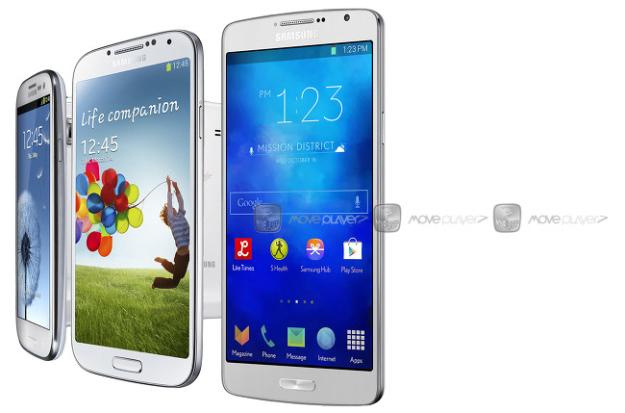
Samsung’s fingerprint sensor reportedly is activated using a swiping motion that scans the finger from base to tip, which differs from Apple’s motionless scan.
The sensor itself works in a swipe manner, which means that you would need to swipe the entire pad of your finger, from base to tip, across the home key to register your fingerprint properly. Also, you would need to keep your finger flat against the home key and swipe at a moderate speed or else it won’t recognise your fingerprint. The fingerprint sensor is sensitive to moisture, as well.
Samsung supposedly has added support for the scanning technology to various parts of the operating system, enabling users to secure files, widgets and apps using the scanning technology. Similar to iOS 7, Samsung will allow users to store multiple fingerprint scans on a phone or tablet and use them to unlock the device.
The Galaxy S5 is rumored to include a 5.2-inch display with a higher resolution screen than the current Galaxy S4, which is equipped with a 5-inch, 1080 x 1920 pixel display. The S5 also will feature an improved camera, better battery life and a lower price point. It likely will be unveiled alongside a new Galaxy Gear smart watch at Samsung’s Unpacked 2014 event, which will be held during Mobile World Congress 2014 later this month.
| |

