


Adobe Releases Plugin to Help Aperture Users Transition to Lightroom [Mac Blog]
Earlier this year, Apple announced that it was ending development on Aperture in order to work on an upcoming Photos app for OS X that will replace both Aperture and iPhoto.
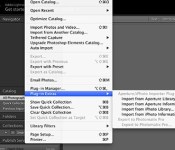
At the time, Adobe, the company behind popular photo editing software Lightroom, promised to make a tool to allow Aperture users to import their photos into Lightroom 5, and today Adobe released its Aperture Import Plugin for Lightroom 5.
The free plugin, which can be downloaded from Adobe’s site, will make it simple for Aperture users to migrate their libraries into Lightroom, a task that takes quite a bit of time to do manually. It is available only for Mac users and requires Lightroom 5.6 or later.

Using the plugin, Aperture users can import the following data into Lightroom: Flags, Star Ratings, Keywords, GPS Data, Rejects, Hidden Files, Color Labels, Stacks, and Face Tags.
Color Labels, Stacks, and Face Tags are imported as Lightroom keywords, and because adjustments to photos made in Aperture can’t be read into Lightroom, the tool will import both original images and copies of images with adjustments applied.
Former Aperture users who sign up for Adobe’s Creative Cloud Photography Plan (priced at $9.99 per month) will receive a free three-month membership to photography site KelbyOne, which offers a number of tutorials on transitioning from Aperture to Lightroom and several Lightroom training videos.
The now-discontinued Aperture has long lagged behind competing software like Lightroom for Adobe, and as its last major version update came in October of 2013, it is no surprise that Apple has opted to abandon the software. Apple has offered a final update to Aperture to allow it to run on OS X Yosemite, but plans to stop development after that.
Though Aperture is no longer being updated, early screenshots of the OS X Photos app and information from Apple representatives suggests that some of Aperture’s professional-grade features might make it into the upcoming Photos app.

Apple Updates iLife Apps and Aperture for Yosemite [Mac Blog]
After releasing OS X Yosemite and updating its iWork suite of apps for the new operating system, Apple has now begun updating its iLife suite of apps alongside Aperture and Apple Configurator for Yosemite, as well as other new features.

While iPhoto and Aperture only received compatibility updates for Yosemite, Garageband, Configurator and iMovie received numerous new features. Garageband now allows users to build their own bass rigs and includes a new Voice Template for fast and easy vocal recordings. iMovie received a brand new design inspired by the look of OS X Yosemite and other features like Custom H.264 file export options. Configurator now includes the ability to allow Handoff, support for new configuration payloads in iOS 8 and more.
Similar to the iWork suite, the iLife suite is free to users who have recently purchased a new Mac or iOS device. Otherwise, iMovie is $14.99 while Garageband includes a $4.99 one-time in-app purchase to unlock additional instruments and sounds for each platform. Aperture is available for $79.99 while Configurator is available for free.
Garageband – [Direct Link]
iPhoto – [Direct Link]
iMovie – [Direct Link]
Aperture – [Direct Link]
Apple Configurator – [Direct Link]

A visual history of OS X

After a lengthy beta, OS X 10.10 Yosemite is finally ready for prime time. It’s the 11th version of Apple’s OS X, and represents the biggest overhaul of the operating system’s visuals since its introduction in 2001. While you’re waiting for the update to download, let’s take the opportunity to see exactly what’s changed over the past 13 years.

Engadget Daily: Apple’s new iPads, Will.i.am’s Puls wristband and more!

Hold on to your hats, folks. It’s been quite the day: Apple unveiled new iPads and a 5K iMac, Will.i.am took the wraps off his Puls wearable, OS X Yosemite is available to download and more. Read on for all our news highlights from the last 24 hours.

First Hands-On Impressions of 27-Inch Retina iMac: Sharp Image Quality, Great Viewing Angles
After today’s media event that saw the introduction of new iPads and new Macs, members of the press were invited to experience all of Apple’s new products. Several sites have posted first impressions of Apple’s 27-inch iMac with Retina 5K Display, which we’ve summarized to give users an overview of the company’s newest desktop and its ultra high-resolution screen.

Engadget says that the new 27-inch iMac has a “stunning display” with great viewing angles, and was left impressed with the all-in-one’s image quality even at a resolution of 5120 x 2880. Brightness is said to be “level throughout” with no bleeding. The website also praised the extra screen real-estate that the new 27-inch Retina iMac will allow for video editing.
TechCrunch says that the iMac’s display shows “full resolution photos with zoomed crops that look better than most originals coming out of the camera” and credits Apple for fitting such a panel into the same tapered design. The screen is noted as being a “huge step up” from the one found on the Retina MacBook Pro. Overall, the new 27-inch iMac is described to be “the future of desktop computing” and is even said to be right up there with Apple’s Mac Pro in terms of choices for power users.

Ars Technica praises the new 27-inch iMac’s color, contrast, and viewing angles, and thinks that the faster Radeon M290X or M295X GPUs with 2GB and 4GB of RAM respectively are solid upgrades over the Nvidia GeForce GT 700M GPUs found in Apple’s non-Retina iMacs. However, the website did take issue with the desktop’s price for what it offers internally:
The only thing we can really complain about based on our hands-on time is the price, which isn’t bad for what you’re getting but is still objectively pretty high. We’re glad to see Fusion Drives become standard (something we’d honestly like to see on every iMac and Mac Mini Apple ships), but 8GB of RAM seems a little low for a power-user-focused, $2500 computer. And the big drawback of all-in-one computers still applies—the machine’s internals are going to feel their age much faster than the display itself will.
Finally, The Verge calls the desktop’s new 5K display “incredible” with a crisp, sharp and accurate picture despite it being a bit reflective. The website notes that it initially worried about performance issues with the iMac now powering an ultra high-resolution screen, but a demonstration proved that performance “doesn’t seem to be an issue.”
The new 27-inch iMac with Retina 5K display is shipping today. The base model starts at $2,499 and comes with a 3.5 GHz quad-core Intel i5 processor, AMD Radeon R9 M290X graphics processor, 8GB of RAM, and a 1TB Fusion Drive. Build-to-order configurations can also be outfitted with a 4.0 GHz quad-core Intel Core i7 processor and AMD Radeon R9 M295X graphics processor.

Apple Releases iTunes 12.0.1 Alongside OS X Yosemite [Mac Blog]
Alongside OS X Yosemite, Apple today released iTunes 12.0.1, a revamped version of iTunes that’s been designed with OS X Yosemite in mind. iTunes 12.0.1 can be downloaded from the Mac App Store and is available for both Mavericks and OS X Yosemite.
iTunes 12 offers an elegant new design that incorporates translucency to improve depth. It also has a streamlined toolbar that aims to give users more room to experience content, and it melds the iTunes Store with the Library, making it easier to navigate between personal collections and what’s available in the store.

There are dedicated icons for music, movies, and TV shows, and Recently Added albums, movies, and TV shows are displayed at the top of the library for easy access.
iTunes 12 also includes support for several iOS 8/Yosemite features, including Family Sharing, and it brings improved playlist editing as well.
Apple has also released Security Update 2014-005 for OS X Mavericks.
Apple Updates iWork for iOS and Mac with Yosemite and Continuity Support [iOS Blog]
With the release of OS X Yosemite today, Apple has updated its iWork suite of productivity apps on both Mac and iOS with support for the new version of OS X and Continuity, which allows users to continue their work from their iOS devices to Macs and back again.

iWork for Mac received the biggest improvements, with all new looks for Pages, Keynote and Numbers inspired by the look of OS X Yosemite. iWork for iOS received support for third-party storage providers, allowing users to save their documents with providers like Dropbox. Both versions of iWork received numerous improvements and refinements, like updated file formats for easier sharing through Gmail and Dropbox, customizable alignments and much more.
Apple’s line of iWork apps are free to users who have recently purchased a new Mac or iOS device. Otherwise, each iWork app for Mac is available for $19.99 while each iWork app for iOS is available for $9.99.
Pages for Mac – [Mac App Store]
Keynote for Mac – [Mac App Store]
Numbers for Mac – [Mac App Store]
Pages for iOS – [App Store]
Keynote for iOS – [App Store]
Numbers for iOS – [App Store]

Apple’s 2014 iPad event: A closer look at the numbers

There are a few things you can count on when Apple releases a new iPad: it will be thinner, it will be faster and there will be a LOT of hyperbole. Amidst the claims of magical devices, record-breaking sales and “very cool stuff” there are also a lot of numbers. Here’s a closer look at the big digits from today’s event.
Filed under: Cellphones, Desktops, Tablets, Software, Mobile, Apple

Pixelmator Launching Full-Fledged Image Editing App for iPad Later This Year [iOS Blog]
Pixelmator today announced that it will be bringing a full-fledged version of its popular image editing app to the iPad, first showing it off at Apple’s special media event earlier today and giving more details on its blog.

Like the Mac version, Pixelmator for iPad is a layer-based image editor that allows users to edit images in a non-destructive fashion and create illustrations. The app features a painting engine with retouching tools for photos, a touch-optimized painting engine, and a number of effects for typography, shapes, and more. Pixelmator for iPad also is compatible with Photoshop documents and can work with Pixelmator for Mac through iCloud or through OS X Yosemite’s Handoff feature.
Pixelmator for iPad will sell for $4.99 when it launches later this year.


First Hands-On Impressions of New iPad Air 2: Ultra-Thin, Improved Display, Better Camera
After Apple introduced the new iPad Air 2 at its media event today, members of the press were invited to go hands-on with the new tablet. Several sites have now begun publishing their hands-on first impressions of the iPad Air 2, which we’ve gathered up below to provide an overall impression of the new device.
 Image courtesy of Gizmodo
TechCrunch says that although the iPad Air 2’s resolution is the same as the iPad Air, the display looks better than the previous models. By combining screen components, Apple has made “things look a lot more touchable”. The effect is similar to that of the iPhone 6 and iPhone 6 Plus, which makes the display seem like a “high resolution mock-up, rather than an actual display you can interact with and change.”
 Image courtesy of The Verge
Gizmodo notes that Apple shaving off .04 pounds and 1.4 mm from iPad Air makes the iPad Air 2 feel lighter than the smaller iPad mini 3 even though it’s a quarter of a pound heavier than Apple’s new 7.9-inch tablet.
Not only is it way, way thinner than the smaller iPad mini 3 — and this will sound crazy — but it feels lighter too. Even though it’s nearly a quarter of a pound heavier, the 6.1mm-thin chassis is so thin and easy to lift with a single hand that it makes the mini seem downright fat by comparison. I feel like I could hold it over my head in bed without any worry of smacking myself. Not something I can say about any other 10-inch tablet.
The Verge has similar thoughts on the iPad Air 2’s thinness, saying it feels like “there’s almost nothing left to take away” and that holding the device is like “you’re holding a screen and nothing more.” The Verge also noted that the new 8 MP camera is much improved over the iPad Air.
One thing is that is definitively better is the new camera, which is now 8 megapixels; it’s a lot faster and shots seemed a lot clearer, at least in Apple’s hectic demo room. Apple made a big deal out of this camera and the interesting apps people are building for the iPad that use the camera; we’ve fought it for years but tablet photography seems to be a thing now.
TechCrunch shares similar sentiments about the iPad Air 2’s camera, noting that the camera improvements are good enough to make some consider the tablet as a worthy camera choice.
The Verge also points out that the lack of a mute switch next to the volume rocker feels like a “casualty of thinness”, and that although users can mute the device by holding down the volume-down button or lock the orientation in Control Center, the lack of the mute switch makes both things less convenient.
Pre-orders for the new iPad Air 2 begin tomorrow, October 17, and will begin shipping next week. Prices for the iPad Air 2 begin at $499 for 16 GB with Wi-Fi.

