



Apple Pay Shown to Work Internationally Using U.S.-Based Credit Cards
Apple Pay launched on Monday with iOS 8.1, allowing iPhone 6 and 6 Plus owners to make contactless payments via NFC with Touch ID for authentication.
Though the initial launch is occurring in the United States where Apple has focused its efforts on getting credit card companies, banks, and retailers on board, international iPhone owners can also take advantage of Apple Pay if they have a supported U.S.-based credit card, as documented in Whirlpool forums and pointed out by Australian Beau Giles. Users in the United Arab Emirates and elsewhere have also successfully used Apple Pay.

To use Apple Pay in countries outside the U.S., Giles notes that iPhone owners need to change the region for their phones from their home countries to the United States. This enables Apple Pay, which will accept participating credit cards issued by U.S. banks.
To show the Apple Pay settings, simply open the Settings app on your iPhone (or iPad mini 3 or iPad Air 2), tap on General, Tap on Language & Region, and tap on ‘Region’. Change it to the United States.
Now you should be able to visit Passbook and see the option to set up Apple Pay.
Once an iPhone is configured with the appropriate U.S. credentials, international owners can use Apple Pay at point-of-sale terminals that support NFC payments. Australians, for example, can use Apple Pay at locations that accept MasterCard PayPass, Visa payWave, or American Express ExpressPay payments.
As Giles points out, the situation is not ideal for natives of countries outside of the U.S., as using a U.S. credit card for these purchases will incur currency conversion fees that can increase costs significantly. But for U.S. users traveling abroad or for international users who have U.S. credit cards and simply want to try out the service, Apple Pay does indeed function internationally.
Though Apple Pay is officially supported in the U.S. for the time being, the mobile payment solution is designed to work with existing payment terminals around the world. Once banks begin to work with Apple and offer support for Apple Pay, the expansion of the program into international countries should be relatively easy.

Verizon thinks that the prepaid phone market is dead, and that’s okay

If your response to the question “How much money did Verizon make in the last quarter” was “$3.79 billion in net profit,” then congratulations. Big Red can afford to feel quite smug about its performance in the last three months, finding 1.53 million new wireless customers, of which 1.52 million took up monthly contracts. The tiny sliver of prepaid users has led the company to believe that the pay-as-you-go market is beginning to shrink as people move to monthly deals. Verizon is also happy to announce that it flogged 1.1 million LTE-equipped tablets this quarter, only a slight dip on the 1.15 million sold last time ’round. It’s something that the company is happy to encourage, since people are likely to keep hold of their tablets for longer and are much cheaper to subsidize than comparable smartphones.
During the company’s third-quarter announcement and subsequent earnings call, Verizon pledged to continue throwing money around to remain king of the network hill. According to the release, Big Red is pledging to spend around $17 billion on building out and optimizing its 4G network in 2014. At the same time, the company casually mentioned that XLTE, faster data rates that rely upon the company’s 2012 purchase of AWS spectrum, is now available in 400 markets across the US.
Normally, Verizon likes to talk about how many iPhones it has sold in a quarter, but CEO Fran Shammo was unusually terse when Apple was mentioned. When asked about new device sales, he merely said that there’s a “high backlog of demand,” and changed the subject to the 3.1 million users who signed a deal for a free iPhone back in 2012. Now that those users contracts are beginning to expire, they’ll be looking for a fresh deal, and Shammo is hoping that they’ll choose to upgrade to a new Verizon device. The company was notoriously absent from Apple’s soft-SIM that we saw in the iPad last week, but Shammo was brusque when asked why Verizon wasn’t a participant, simply answering “We have our own SIM card that we place in our devices. That’s really all there is to be said on that issue.”
Verizon’s broadband team can also feel self-congratulatory about its work in the last three months. After all, the company gained 162,000 new FiOS data users and 114,000 FiOS video customers. Perhaps it’s not too unreasonable to wonder if the 48,000 homes that didn’t subscribe to the latter are preferring to source their entertainment from other, online, sources instead. Perhaps that’s one of the reasons that the company is working on more streaming deals with the NFL and companies like Viacom to ensure that people don’t think too hard about straying — unlike the folks over at AT&T and Comcast.
During the earnings call, Fran Shammo was asked both about LTE Multicast and the company’s purchase of Intel’s doomed video service OnCue. On the subject of LTE Multicast, the company’s 4G-based video streaming platform, the message was that Verizon is hoping that broadcasters will adopt the technology next year, but is entirely dependent on how rapidly the tech is taken up. He was vaguer about OnCue, and the potential of internet-based TV more generally, just saying that such technology makes him “optimistic for the future of the video business.”
Filed under: Cellphones, Home Entertainment, Tablets, Wireless, Mobile, Apple, Verizon
Source: Verizon (PRNewsWire)
Apple Looking to Produce More iPhone 6 Plus Units Due to Strong Demand in China [iOS Blog]
Apple may consider shifting even more of its iPhone production balance towards the iPhone 6 Plus due to higher than expected demand for the larger phone in China, reports Digitimes. The iPhone 6 and the iPhone 6 Plus launched in China last Friday following a successful week of pre-orders, as the report notes that consumers have shown a strong preference for the larger device.
As a result, Apple may be forced to shift more production capacity to the 5.5-inch model, said the sources, adding that the iPhone 6 and iPhone 6 Plus supply ratio is likely to change to 55:45 from 70:30 or 65:35 set originally.

Earlier this month, it was also reported that Apple was looking to shift iPhone production balance towards the iPhone 6, while another report claimed that the iPhone 6 Plus may event account for up to 60 percent of total future iPhone 6 device shipments.
During yesterday’s Q4 2014 earnings call, Apple CEO Tim Cook stated that demand for the iPhone 6 and 6 Plus was “far outstripping” supply despite a satisfactory production ramp-up. Supplies for the iPhone 6 and iPhone 6 Plus have remained tight since the launch of both devices last month, as new iPhone 6 orders still show a shipping estimate of 7-10 business days while the iPhone 6 Plus is still showing a shipping delay of 3-4 weeks.

Apple Opening Second Retail Store in Turkey This Saturday, October 25 [Mac Blog]
Apple today confirmed on its website that it will be opening its second retail store in Turkey this Saturday, October 25. The store will be located in Istanbul’s Akasya Shopping Mall, and follows the opening of the Zorlu Center Apple Store earlier this year which saw an appearance by Apple’s manager of retail stores Steve Cano.

Photos of the new location shared by Apple Toolbox earlier this month revealed that the store will be on one of the mall’s middle floors. Apple’s Zorlu Center store was noted for carrying a unique design when it opened this past April, as the company touted its cubic design with a glass ceiling and glass sides. The Zorlu Center store also uses more glass than any previous Apple Store and contains special glass materials that allow the sunlight in the open area of the mall to shine through.
Apple’s new store in Istanbul’s Akasya Shopping Mall opens at 10:00 AM local time on October 25. Apple revealed during its Q4 2014 conference call yesterday that it will open 25 new stores in 2015, with the majority of those stores being opened outside of the U.S.

Apple really doesn’t want you to upgrade the Mac Mini

After the new-but-not-very-fresh iPad mini 3, the most disappointing part of Apple’s recent show-and-tell was the $499 Mac mini — the RAM is now soldered in, making it impossible to upgrade. iFixit has just revealed that the model has other user-unfriendly features as well. While access to the RAM used to be dead simple, it’s now guarded by a metal cover held in place by Torx TR6 Security screws, which require an exotic tool. Adding a second hard drive is also, er, harder, since unlike past models, there’s just a single SATA port (though you may be able to install a PCIe SSD). Finally, as mentioned, both the RAM and Intel Core-i5 CPU are soldered in permanently. That’s not very cricket on Apple’s part, considering that past Mac minis were a breeze to access and update. Still, thanks to a lack of glue and easy disassembly with the right tools, the iMac eked a passing repairability grade of 6 out of 10.
Source: iFixit
iOS 8.1: ‘Text Message Forwarding’ Activation Requires iMessage Email Address [iOS Blog]
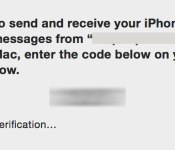
Earlier today, Apple released iOS 8.1 which introduced number of new features to iOS and Yosemite. One of the anticipated features was SMS Text Message Forwarding, which allows SMS messages received by your iPhone to be mirrored on your iPad or Mac running OS X Yosemite.

Several of our forum members had difficulty activating the feature, as the required activation code would never appear on their Macs or iPads.
MacRumors reader Michael wrote in with this solution which requires an email address to be activated in iMessage:
…you need to have your email address turned on for iMessage on your iPhone in order to enable Text Message Forwarding. If you don’t, the numeric access code will not appear on your iPad or Mac during the setup process. As soon as you enable your email address for iMessage (you only need to do this on your iPhone) the numeric access codes appear as expected. Once you have text message forwarding setup you can disable your email address again in iMessage as it seems to only be necessary for the numeric access code setup step, not the actual text message forwarding itself.
MacRumors was able to verify this scenario and found that an email address does indeed have to be active on your iPhone for the activation message to properly be sent. In our testing, SMS messages were still received after the email address was removed from iMessage. The setting to add your email address to iMessage is under Settings -> Messages -> Send & Receive. Note, you may have to wait a few moments after adding an email address before the activation code will send.

Spotlight Suggestions Sends Minimum Amount of Data to Apple, Exact Location and IP Addresses Not Collected
Following the release of OS X Yosemite with new Spotlight Suggestions, some users noted that Apple’s Spotlight privacy policy began offering a warning letting users know that search terms were being uploaded to Apple’s servers, with some of the info being forwarded to Microsoft’s Bing search engine.
The search terms were being shared with Apple in order to enable Spotlight’s new capabilities, which include searching sources like the Mac App Store, Wikipedia, and the web.

When you use Spotlight, your search queries, the Spotlight Suggestions you select, and related usage data will be sent to Apple. Search results found on your Mac will not be sent. If you have Location Services on your Mac turned on, when you make a search query to Spotlight the location of your Mac at that time will be sent to Apple. Searches for common words and phrases will be forwarded from Apple to Microsoft’s Bing search engine.
While Apple noted directly within Yosemite’s Spotlight preferences that the search terms were collected only to improve Spotlight Searches and directed users to turn off Spotlight Suggestions and Bing Web searches in System Preferences if they didn’t want their data uploaded, the issue still received quite a bit of attention over the course of the weekend, with one developer even uploading a Python script to prevent Apple from collecting data.
Apple has now given a statement on Spotlight Suggestions to iMore, stating that the company is “absolutely committed” to protecting user privacy and that Spotlight Suggestions minimizes the information that’s sent to Apple.
“We are absolutely committed to protecting our users’ privacy and have built privacy right into our products,” Apple told iMore. “For Spotlight Suggestions we minimize the amount of information sent to Apple. Apple doesn’t retain IP addresses from users’ devices. Spotlight blurs the location on the device so it never sends an exact location to Apple. Spotlight doesn’t use a persistent identifier, so a user’s search history can’t be created by Apple or anyone else. Apple devices only use a temporary anonymous session ID for a 15-minute period before the ID is discarded.
“We also worked closely with Microsoft to protect our users’ privacy. Apple forwards only commonly searched terms and only city-level location information to Bing. Microsoft does not store search queries or receive users’ IP addresses.
“You can also easily opt out of Spotlight Suggestions, Bing or Location Services for Spotlight.”
As Apple says in the statement that it gave to iMore, users that are concerned about their data being uploaded to Apple’s servers can easily disable the new features by going to System Preferences –> Spotlight and unchecking both the boxes for “Spotlight Suggestions” and “Bing Web Searches.”
Along with offering users its privacy policy directly in the System Preferences app under “About Spotlight Suggestions & Privacy,” Apple has also updated its iOS 8 Privacy website to make it clear that limited user data is collected and that the data the company does acquire is obscured by an anonymous identifier.
Introduced with iOS 8 and OS X Yosemite, Spotlight Suggestions allow Apple’s Spotlight feature to give users search suggestions from sources like Wikipedia, the iTunes Store, and Maps. For example, it’s now possible to search for an app in the Mac App Store using Spotlight, or look for a specific term on Wikipedia without needing to access Safari or another web browser.

Royals and Giants Stadiums to Accept Apple Pay for Concessions During World Series [iOS Blog]
 Kauffman Stadium in Kansas City and AT&T Park in San Francisco will accept the new Apple Pay mobile payments program beginning tomorrow with Game One of the World Series in Kansas City.
Fans who attend games at the two participating stadiums will be able to use Apple Pay to purchase food and beverages at concession stands, thanks to a partnership between MLB Advanced Media and MasterCard.
We thank MasterCard for its great involvement in bringing another simple and secure mobile technology to baseball fans,” said Noah Garden, EVP, Revenue, MLBAM. “Introducing this service underscores the importance of our on-going commitment to mobile innovations at Major League Baseball ballparks. Being able to build reliable, convenient and authentic technologies on their personal devices is no longer a nice-to-have option for fans. It’s central to their experiences.”
Enabled today through the iOS 8.1 update, Apple Pay is Apple’s new mobile payments service that is accepted at any retail location that supports NFC-based contactless payments. Apple Pay can also be used within select apps that support the Apple Pay API, allowing physical purchases to be made with a single tap.
Major League Baseball is an Apple Pay app partner, which means Apple Pay is being built into the At the Ballpark app. When single-game tickets for the 2015 Major League Baseball season go on sale in November, Apple Pay users will be able to purchase tickets with a single tap using the payments service.
Major League Baseball was also one of Apple’s first iBeacon partners, rolling out thousands of iBeacons at a range of different stadiums ahead of Opening Day in 2014.
The MLB At the Ballpark app can be downloaded for free from the App Store. [Direct Link]

2014 Mac Mini Teardown Highlights Increased Difficulty For User Upgradability
iFixIt has conducted their teardown of the brand new Mac mini, finding that the new device is more difficult to open than previous models. They’ve also discovered that the RAM is soldered onto the machine, which was first discovered late last week.

The team found that gaining entry into the new desktop is more difficult than previous models. Instead of a twistable bottom cover, the new Mac mini requires a plastic opening tool to pop off the cover. Underneath that is a new solid door that blocks easy access to the RAM and fan. The door uses what iFixIt calls “the smallest Torx Security screw” they’ve ever seen, requiring their tool design team to prototype a new screwdriver to open the desktop.
Inside, the Mac mini now sports a new AirPort card that connects straight to a PCIe slot rather than via a cable. Unlike past Mac minis, the new version only contains one SATA port. Previously, Mac mini users could upgrade their desktops with an extra hard drive. However, iFixIt notes that there is an extra socket that could potentially be used for a SSD blade via a PCIe cable. Oddly, the new Mac mini’s power supply is identical to both the 2012 and 2011 models.
Finally, iFixIt gave the new Mac mini a repairability score of 6 out of 10, which is a worse score than the 2012 Mac mini’s 8 out of 10. Although disassembly is straight forward, the team noted that the presence of Torx security screws and soldered on RAM made it more difficult to repair than previous models.

iOS 8.1 Brings iCloud Photo Library to All Users, With Images Accessible on iOS Devices, iCloud.com
iOS 8.1, released to the public earlier today, included Apple Pay support as its most notable feature, but it also brought several other updates to the mobile operating system, including iCloud Photo Library. With iOS 8.1, the iCloud Photo Library beta is now available to all iOS 8 users, as is a new iCloud Photos app that can be found within iCloud.com.
First introduced during WWDC, iCloud Photo Library stores all of the photos and videos that a user takes in iCloud, making them available on the iPhone, iPad, iPod touch, and Macs through iCloud.com. It will also work with the Photos app that Apple is creating for the Mac, which is expected in early 2015.

iCloud Photo Library. You’re never without your camera. Now you’ll never be without your photos. Every photo and video you take now lives in iCloud — giving you the freedom to access your library from any device, anytime you want. So you can view a photo from last week or last year no matter where you are.
iCloud Photo Library is designed to keep all of a user’s photos synced on all of their devices at all times. When an image is edited on an iOS device in the Photos app with Apple’s built-in editing tools, those changes are immediately uploaded to iCloud and visible on other devices right away.
iCloud Photo Library is also designed to free up valuable storage space on iOS devices. Full high-resolution photos and videos are stored in the cloud, while smaller versions of the images are displayed on devices, taking up far less storage space. iCloud Photo Library uses the iCloud storage space of each user, with 20GB of storage space available for $0.99 per month. Apple’s iCloud storage plans go up to 1TB, which is priced at $19.99 per month.
iCloud Photo Library can be enabled on iOS devices in the Settings app by going to iCloud > Photos and toggling on “iCloud Photo Library.” The Settings app also lets users choose whether to optimize iPhone storage or download and keep original full-sized photos on their devices.

Once iCloud Photo Library is enabled, images and videos stored on iOS devices will be automatically uploaded to the cloud. They can be viewed as usual within the Photos app for iOS, and on the web, they can be viewed through the new iCloud Photos app on iCloud.com.

In the iCloud Photos app, users can perform several actions that are also available in the iOS version of the Photos app. Images can be favorited, which sends them to a special “Favorites” album, they can be downloaded in full resolution, or deleted, which removes the photos from iCloud Photo Library on all devices. From the main “Moments” view, it’s also possible to click on the “Select Photos” option to delete or download multiple images at once.

iCloud Photo Library does not appear to be working flawlessly at the current point in time, which is likely why it’s still given “beta” status. In MacRumors own testing, deleting some photos from the iCloud Photos app did not delete the photos from the iPhone 6 Plus they were taken on. A later sync even returned the photos to iCloud.com.
While iCloud Photo Library was available to developers during the iOS 8 beta testing period, Apple opted to pull it from the iOS 8 golden master ahead of iOS 8’s public release and demote it to beta status.
The reason behind iCloud Photo Library’s removal from the release version of iOS 8 was unclear, but it is possible Apple delayed the release in light of the negative press iCloud received in early September due to the celebrity photo leak.
With Apple having taken significant steps to bolster the security of iCloud, adding two-step verification and sending security emails when changes are made to iCloud or a device is restored, the company appears ready to let the public have full access to the new photo storage feature.

