


‘7 Minute Workout Challenge’ Available for free From Apple Store App [iOS Blog]
Apple today updated its Apple Store app in the U.S., replacing the previously available Holiday Playlist with a new free app, the 7 Minute Workout Challenge. Seven minute workouts gained popularity in 2013 as a quick way to complete a rigorous workout, and 7 Minute Workout Challenge is one of the more popular fitness apps in the category, with a 4.5 star rating and a $1.99 price tag.

The app includes a random selection of 12 different exercises that are each performed for 30 seconds with 10 second rest intervals in between. According to research, this seven minute workout is the equivalent of working out for more than an hour and it requires no specialized equipment.
There are both male and female trainers that guide app users through exercises using video, audio, images, and text. There’s also an included weight tracker and activity calendar to keep track of fitness levels, and the app includes achievements to motivate its users.
To get a free copy of 7 Minute Workout Challenge, iPhone owners will need to download the Apple Store app and click on the “Jump into the new year” section. This will take users to the iTunes Store, automatically inputting a code for the app download.
7 Minute Workout Challenge will be available until February 20, 2014, before being replaced with a new offering. The free app is limited to the iPhone version of the Apple Store app and is not available in the iPad version.
The Apple Store app can be downloaded from the App Store for free. [Direct Link]
     |

Social calendar app Sunrise finally comes to iPad

Launching on iPhone in February 2013, Sunrise changed our perception of calendar apps with its ability to provide more context to daily events. By connecting to Google, iCloud, Facebook, LinkedIn and Foursquare accounts, Sunrise can intelligently integrate appointments, birthdays and even checkins into its slick calendar UI, giving users a complete picture of what they’ve done in the past and the things they need to do in the future.
Despite its iPhone-only availability, the free app has grown to become one of the most popular third-party iOS calendar apps, consistently ranking in the App Store’s top 100 productivity apps in the final quarter of last year. Almost a year on, Sunrise developers Pierre Valade and Jeremy Le Van have decided it’s finally time to bring the stylish calendar app to iPad, complete with visualization and synchronization improvements.
Like its iPhone counterpart, the Sunrise iPad app will immediately request that you connect your cloud accounts when you open it for the first time, helping to feed it with information it’ll need to remind you about later. Valade says the team has worked hard to bring the best Sunrise experience to the iPad, and so it’s created two new weekly and monthly views that “make it easier to plan from your iPad and navigate in time quickly.”

If you’ve used Google Calendar or Apple’s Mac Calendar.app, you’ll be familiar with Sunrise’s time-based views, although Sunrise will deliver more information at-a-glance. If you see that you have a particularly busy day coming up, the week view will let you dive deeper and see how much free time you have outside of those events. The new week view has also been ported to the iPhone app and can be selected by tapping the week icon next to the new event button.

Tapping on a day will generate a new pop-up tab that displays all of your appointments and reminders. Drawing from the original iPhone UI, Sunrise for iPad not only chronologically lists events, it also categorizes them by assigning them a small icon related to the activity you have planned (or the service they are connected to). As you can see from the screenshot above, if you’ve planned a movie night, the app will assign a little movie ticket icon to the entry. If there’s a location attached to an appointment, Sunrise will provide directions, although Apple Maps, Google Maps or Waze will do the heavy lifting. It’s little things like this that make this that make Sunrise really stand out from other calendar apps.
In the past, if you wanted to ensure Sunrise had an up-to-date list of your upcoming appointments, you’d have to open the app and have it download them, which is especially annoying if you add events from different devices. Sunrise version 2.1 eliminates that frustration by integrating background updates that will synchronize all of your connected cloud accounts every hour by default, or at 30 or 15 minute intervals (if you need tasks to show up a little quicker).
While there’s no shortage of productivity apps on the App Store, Sunrise’s slick user interface and iterative features consistently continue to push the bar for iOS calendar apps. Soon, Apple users won’t be the only ones enjoying the app: desktop and Android versions are expected later this year. Today’s update, however, sees the app go universal while remaining free to download — hit the source link below to try it for your yourself.
Filed under: Tablets, Internet, Software, Mobile, Apple, Google
Via: Sunrise Blog
Source: Sunrise Calendar (App Store)

Snapchat responds to privacy scares by letting users unlink their phone number

Snapchat has just taken its first steps toward addressing the exploits that led to a leak of 4.6 million phone numbers late last year. Updates to its Android and iOS apps now let you opt out of linking your phone number to your username, preventing others from easily finding you. The company is also reducing the chances for abuse by requiring that you verify your phone number when using Find Friends. They’re not perfect remedies by any means — we’re sure that some would prefer that phone number use is opt-in rather than opt-out, for instance. Snapchat says it’s working on more improvements, though, so it’s at least aware that there’s more work to do before its users can truly feel at ease.
Filed under: Cellphones, Mobile
Source: Snapchat Blog, App Store, Google Play

Spotify for iOS gets its promised free, shuffle-based music streaming

Spotify delivered free mobile music streaming to Android users a while back, and it’s following up today with a corresponding update to its iOS app. iPhone listeners can now listen to artists or playlists in shuffle mode without spending cash on a Premium subscription; iPad listeners can play any song they like at any time. As long as you live in one of Spotify’s supported countries, you’ll want to swing by the App Store to grab the big update.
Filed under: Cellphones, Tablets, Mobile
Source: App Store
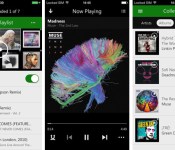
Xbox Music for iOS now plays music offline

Xbox Music landed on iOS with a big splash, but the absence of offline playback hurt its appeal for frequent flyers and anyone else whose internet access isn’t guaranteed. That won’t be a problem now that Microsoft has updated the app with offline support. Tunesters just have to flick a virtual switch to cache playlists for listening in any situation. The move won’t lure subscribers away from rival services that have had offline playback for a while, but it’s hard to object to a little more convenience for Xbox Music loyalists.
Filed under: Cellphones, Internet, Software, Mobile, Microsoft
Via: The Verge
Source: App Store

Ford Sync will soon let you order pizza while on the road

Ever wish you could (safely) order pizza while driving home? You’ll have that chance soon. Ford has just announced Sync AppLink support in five apps that could prove handy for many commuters, including Domino’s Pizza. An upcoming version of the eatery’s software will let you dictate orders without taking your hands off the wheel. New editions of Parkopedia and Parkmobile, meanwhile, will respectively help you find and pay for parking. ADT’s Pulse app will verify that your house is safe and sound, and an update to HABU later this month will send mood-setting tunes to the car stereo. It’s not clear just when all of the new apps will be AppLink-ready, but it shouldn’t be long before you’re asking for an extra-large Pacific Veggie while you’re stuck in traffic.
Filed under: Transportation

Biz Stone’s Jelly answers your questions through photos and social networks (video)

Twitter co-founder Biz Stone’s Jelly project has been shrouded in mystery for months. Is it a social network? A distributed computing hivemind? As it turns out, Jelly isn’t anything quite so special — but it’s worth checking out all the same. The newly unveiled service expands on Quora’s basic concept, drawing on the collective wisdom of Facebook, Twitter and Jelly itself to both answer questions and identify objects in photos. If you’re stumped, you can forward questions to just about anyone. Jelly’s Android and iOS apps are available today, so it won’t take much to learn whether or not it’s worth the wait.
Filed under: Cellphones, Internet, Mobile
Source: Jelly, App Store, Google Play
Fitbit compatibility branches out to 12 more Android devices
Fitbit is a great way to track your exercising habits. But if you’re one of the many that doesn’t have a compatible device, today might be your day.
With the company’s announcement at CES and a new update to the Fitbit app, 12 more Android devices will be compatible. Here’s the list of the newly added devices: DROID MINI, DROID ULTRA, DROID MAXX, DROID RAZR M, DROID RAZR HD, DROID RAZR HD MAXX, HTC One, LG G2, Moto X, Nexus 4, Nexus 5 and Nexus 7 (2013). These phones join the ranks of the others that were already compatible, bringing the total Android devices to 17.
James Park, CEO and Co-Founder of Fitbit, states, “Our goal is to add support for even more devices this year so customers can choose the smartphone they want to use to reach their health and fitness goals.”
So, things are looking up for Android and Fitbit this year, and I’d say we’re off to a pretty good start.
The post Fitbit compatibility branches out to 12 more Android devices appeared first on AndroidGuys.

Snapchat hires Washington lobbyist after user database leak
For months, Snapchat ignored a security team’s request to address a couple of security holes. That changed when SnapchatDB! posted users’ partially obscured phone numbers, reportedly to raise awareness. That database leak prompted the startup to acknowledge the privacy breach, and, apparently, to get into the lobbyist game. According to The Hill, the company just hired Washington firm Heather Podesta + Partners to familiarize policymakers with how the app works, as the database leak led to calls for an FTC investigation. If nothing else, Snapchat seems to have landed a powerful ally in the political arena — after all, Podesta was once described as “the number one person you need to know in Obama’s Washington.”
Filed under: Misc
Source: The Hill

Dish announces streaming app for PlayStation consoles

A troop of new Joey devices wasn’t the only thing Dish had up its sleeve for CES. In an effort to bring its streaming chops to game consoles, the company has just announced an app for PlayStation that does just that. Dish customers will be able to take advantage of the Hopper’s functionality via its Virtual Joey software on both PlayStation 3 and PS4 consoles to access their favorite TV shows without having to switch devices once that marathon gaming session is up. This software also allows for control via either the DualShock 4 or the Dish remote. The app should arrive for download this spring in the PlayStation Store.
Filed under: Home Entertainment, HD, Sony
 AIVAnet