



MakerBot app lets you remotely check 3D prints in case they go all wrong

We love 3D printing, but let’s face it: it’s slow. Luckily, MakerBot has just given you a new way to track the progress of a printout from afar with its new iPhone app. Using the camera from any fifth-generation printer, MakerBot Mobile for iOS can show you an image of the build area every three seconds (from a local network) and ensure that Celtic skull isn’t a beautiful failure. You can also use it to pause or cancel a job and get notifications when a 3D model is ready, for instance. It’s also baked in its Thingiverse app, letting you browse thousands of models via the cloud and add them to your collections, or share your work on Thingiverse or social networks. Future updates include remote monitoring over a cellular network and more notifications (there’s no Android app yet), but meanwhile, you can grab the iOS app right here.
Filed under: Misc, Peripherals
Source: MakerBot

Apple Removing Music Downloading Apps from App Store, Asking Developers to Change Apps [iOS Blog]
Apple appears to be removing many of the popular music downloading apps from the iOS App Store, including those that allowed users to obtain files from third-party file sharing sites. The move is likely in an attempt to push the iTunes Store and iTunes Radio, as well as to clean up the App Store ahead of an overhaul in iOS 8.

A search for the term “music download” in the App Store displays a message inviting users to try out iTunes Radio, while glancing through the first few results shows apps for streaming services such as Spotify and other music-based apps that lack downloading capabilities.
Previously, the same search would show results for a number of apps that could download music and audio files from websites such as Soundcloud and YouTube, with many appearing on the App Store’s “Top Charts” section. Some developers have also noted that Apple has asked them to remove audio downloading functionalities from their app, perhaps to prevent potential piracy.
 A previous search for “download” apps in the App Store. (Image credit: evolver.fm)
The crackdown on music downloading apps may very well be related a revamp that Apple will launch alongside iOS 8. Among those changes to the App Store include an improved search algorithm, an “Explore” feature to improve discoverability, app bundles, and TestFlight beta testing for developers. A report yesterday also highlighted Apple’s crackdown on apps that incentivize ad watching and social sharing.
Thanks, Branden!

Skype’s redesigned iPhone app is all about sharing things faster

Skype has been lavishing attention on its Android and Windows Phone messaging apps as of late, but it’s now time for the iPhone client to get a makeover — and it’s one of the company’s biggest overhauls in recent memory. The new software brings a much fresher-looking interface that’s both in step with other platforms (chiefly Windows Phone) and lets you accomplish many common tasks faster. You can now start group chats right from the hub, and you don’t have to wait until someone hops online to send a message.
There are a lot of subtler tweaks that should go a long way toward improving the experience, too. The app’s overall performance is up to five times faster, and it’s much better at syncing message statuses as you move from device to device. So what’s the catch? Simply put, the app isn’t ready yet; Skype is launching the new iPhone version in about a week. Until it’s available, you’ll just have to make do with the teaser video below.
Filed under: Cellphones, Mobile, Apple, Microsoft
Source: Skype

‘Just Dance Now’ lets anyone with a smartphone and internet connection join in to… dance

Ubisoft’s just kicked off its E3 presser with a look at Just Dance 2015 which is — let’s be honest — expected and not all that exciting. But the company also has a trick up its sleeve for this new edition of the motion-controlled dancing game: online multiplayer from any connected device. The service, called Just Dance Now, lets any player with a smartphone, tablet, smart TV or PC join in the game using the accelerometer on their phone. And, according to Ubisoft, there’s no upper limit on how many players can connect at once using the Just Dance Now app, which the company demoed using a song by ‘ol Lady Gaga.
Filed under: Gaming
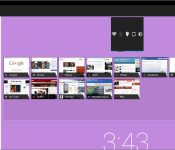
Customize the Daydream feature in Android with Daydream Widgets

Like most of us, are you trying to make your Daydream feature in Android a little more useful? Daydream Widgets is the missing link in making one of the most underused features in Android actually useful.
Added in Android 4.2 Daydream is a feature that Android added that is more or less a screensaver for your device while idle or docked. The feature will allow the Daydream screensaver to display an array of visually appealing colors, photo frame, photo table, and more to entertain you while your device is docked. Some apps have built in Daydream plugins to display information relevant to the app, but most are not very customizable.
Daydream Widgets takes this bland Android feature a step further by allowing you to put almost any widget you want on the Daydream screen. You can pick a couple widgets and even personalize the background color of the Daydream. Imagine having your weather widget displaying by your email and your calendar while your device is docked. The widgets will cycle and show up one right next to each other or one after another depending on how you have it configured. The goal is to personalize the Daydream to your specific needs so that it will be most useful for you.
This app is an extremely easy to use and fully customizable solution developed specifically to make Daydream full of useful information, information that you want.
Daydream Widgets is a free app that you can download in the Google Play Store.

The post Customize the Daydream feature in Android with Daydream Widgets appeared first on AndroidGuys.

Apple reportedly snaps up social maps app Spotsetter

Last year, Apple bought a string of companies in an effort to better its rather unpopular Maps app, and it looks like Cupertino isn’t quite done yet. According to TechCrunch, the company has also snapped up social maps app Spotsetter in a deal that’s a lot less low-key that its Beats acquisition. Apple reportedly bought the company not only for its technology, but also for its two founders: former Google Maps engineer Stephen Tse and ex-Siemens consultant and FitFiend CTO Johnny Lee. Spotsetter, if you’ve never heard of it before, shows your friends’ recommendations and trusted reviews of various establishments overlayed on a map. Also, you can use it to search for particular locations and see if your friends have been there, or to read reviews about them.
So, yes, it serves the same purpose as Foursquare — in fact, it’s one of Spotsetter’s data sources, along with Facebook, Twitter, Instagram and quite a large number of online review sites. Apple hasn’t confirmed anything thus far (though Lee already announced the company’s closure a few days ago), but we don’t see the app on either the App Store or Google Play anymore. If the deal is true, Spotsetter’s features will likely be integrated into Apple’s Maps app, along with technologies from WiFiSlam, Locationary, Embark, HopStop and Broadmap.
Filed under: Cellphones, Tablets, Mobile, Apple
Via: BusinessInsider
Source: TechCrunch

YouTube v5.7 debuts with streaming quality picking

After updating Hangouts, Google gives some love to YouTube as well. YouTube gets yet another great and long-awaited feature in the newest update. Choose the quality of your YouTube video stream.
This feature is long overdue if you ask me. Every time I watch a YouTube video via mobile data I wish I could see exactly in which quality is video being streamed. You might say: “well you could choose whether the video will be HQ or not thus far”, that is true, but there are times when you have enough data to watch a video in 360p, there are times when you’re trying to save as much as you can, so you want to lower it to 144 or 240p and so on. In this new update you can do just that, as long as you don’t go over 720p, that is the highest stream quality you can pick at this time.
You can download the update via the link below although it might not be yet available to your device. If you’re not prone to waiting you can manually sideload it, you can find the APK here.
The post YouTube v5.7 debuts with streaming quality picking appeared first on AndroidGuys.

Argue about the offside rule in Portuguese with Rosetta Stone’s Futebol app

We’re big fans of Football English Soccerball, but even we aren’t hardcore enough to be able to discuss the technicalities of the game in Portuguese. Thankfully, and just in time for the World Cup, Rosetta Stone (amongst others) is unveiling a Futebol Edition of its travel app, helping you to say escanteio (corner kick), un meio-campista (midfielder) and por favor, queremos saber onde fica o estádio (excuse me, we’re looking for the stadium). The app, which is available for free on iOS and Android will give you tips on navigating public transport, but since all of the data is offline, it won’t rinse your data connection as it does so. We’ve tried the app and it’s missing a few practical phrases (o árbitro é um bastardo) but otherwise it’s golden.
Filed under: Software, Mobile, Apple, Google
Source: Rosetta Stone (App Store), Rosetta Stone (Google Play)

Razer Unveils ‘Junglecat’ Gaming Controller with Slide-Out Design, Companion App [iOS Blog]
Razer has unveiled its Junglecat iOS gaming controller for the iPhone 5s and iPhone 5, bringing a number of hardware features that attempt to make games easier and more natural to play on a mobile device.

The accessory features a slide-out unibody design that contains a Lightning connected upper enclosure for the iPhone, and boasts console-style controls such as a D-Pad, ABXY face buttons, and shoulder bumpers. The Junglecat includes open access to the iPhone’s hardware features including the sleep/wake button, volume buttons, home button, headphone jack, and front/rear cameras.
Razer is also shipping a companion app with the Junglecat, allowing users to remap face buttons and adjust sensitivity on the controller. The app will also include a list of games optimized for controller play, as the app’s interface displays both purchased apps and featured games.

It is unknown if Razer’s Junglecat is a more final version of the company’s “Kazuyo” controller that was leaked earlier this year, however the latter featured a slim hard-shell case design and was rumored to come with full-sized analog sticks. A previous report also indicated that Razer would be shipping a companion app for the Kazuyo as well, perhaps indicating that the company chose a different design for its first iOS controller.
The Razer Junglecat joins a growing market of iOS game controllers, which includes the SteelSeries Stratus, Logitech PowerShell, MOGA Ace Power and Mad Catz’s C.T.R.L.i controller. While all current controllers have attempted to impress consumers with unique designs and buttons, it has been reported that Apple’s strict guidelines have hampered product quality.
Currently, an increasing number of games are offering iOS 7 controller support, including titles like 2K Drive, Dead Trigger 2, and Grand Theft Auto: San Andreas. The number of iOS games supporting controllers is expected to grow as more accessories become available to consumers.
Razer’s Junglecat controller will be available in white and black for $99 when it ships this summer.

Spotify lets you take all of your tracks offline with just one button

While Spotify’s allowed you to save music for offline playback for some time, downloading playlists can be a laborious process. Today, it’s making things a whole lot easier. As part of its latest iOS app update, the company enabled a new “Available Offline” toggle inside the Songs tab, allowing you to instantly download and then listen to your entire catalog of curated beats (tracks that you’ve saved) without the need for a connection. Android users should already see the option as part of a forced security upgrade. Once updated, you can host as many as 3,333 songs per device and keep them offline for up to 30 days — definitely enough to get you through a tedious long-distance flight.
Filed under: Internet, Software, Mobile
Source: Spotify (App Store), (Google Play)
 AIVAnet