


South Korea rules smartphone users can delete Android bloatware

In a move that we can only hope inspires other mobile regulators, the South Korean government has struck a major blow against Android bloatware. Yonhap News reports that Korea’s Ministry of Science, ICT and Future Planning (MISP) is bringing the hammer down on preinstalled Android apps, introducing new guidelines that will enable users to delete them. Carriers won’t be forced to make apps related to Wi-Fi, user settings, NFC or app store removable, but even with core services excluded, it puts almost 60 apps installed by the country’s three biggest providers at risk. Samsung and LG won’t escape the judgement either, with more than half of their 40 default apps facing a less than certain future.
The ministry said preinstalled apps are an “inconvenience” to users and cause “unfair competition” between operators and carriers, so it asked them to offer detailed information to users on how much storage their preinstalled apps take up. It also intends to apply the same rules to Google’s suite of apps and services, which includes Gmail and Hangouts, although the regulator is still in talks with the search giant. Samsung, LG, SK Telecom and others have until April before the rules come into effect, which could mean Korean users will be able to tweak apps installed on their new Galaxy S5, should the device launch in the coming months.
Filed under: Cellphones, Wireless, Internet, Software, Mobile, Google
Via: ZDNet
Source: MSIP
HTC One will get KitKat certification in the US next week

Eighty-four days. That’s how long it’s been since HTC announced its intent to bring Android 4.4 KitKat to all North American versions of the One within 90 days. With just six days left to go on the countdown, HTC just tweeted on its US account that the final software has finally entered the hallowed carrier labs for testing and will be certified (and, we hope, rolled out) sometime next week. Of course, the process is now essentially under the control of individual mobile operators, so let’s hope that they don’t make liars out of HTC — we’ve had Wednesday circled on our Sense calendars for quite some time now.
Filed under: Cellphones, Wireless, Mobile, HTC, Sprint, AT&T, T-Mobile
Source: HTC (Twitter)

Adobe redesigns Photoshop Express for Android, makes it compatible with KitKat

On mobile devices, Photoshop Express is one of Adobe’s most crowd-pleasing applications. Now, to make things better for Android users, the software maker has released a completely revamped version of its handy app. Aside from being friendly with the latest flavor of Android, KitKat, the Photoshop Express app’s been tweaked to access/process images from an SD card in much faster fashion. Adobe states that the goal of this update was to bring the most popular features front and center, including things like Looks, Corrections, cropping, red eye reduction and a bunch of other useful tools. There’s also the debut on Android of Adobe’s new engine for rendering photos (which the company says is great for handling large files), as well as integration with its own photo service, Revel. And hey, above all, it still won’t cost you a dime to download it to your device.
Source: Google Play, Photoshop Blog
Blendoku app review
If you’re like me then you like to play your mobile games in short, few minute bursts a couple of times a day. Once in a while you might find yourself dropping an hour’s worth of free time, but generally speaking, it’s nothing regular. And, if you’re like me, you prefer the casual strategy game over the first-person-shooter. If you’re like me then you absolutely love Blendoku.
The premise of the game is simple: you have to arrange colored tiles in order. Fade them from dark green to neon green, for example, or blend them from black to white. You’ll start out with roughly 5-8 tiles in the easy levels and then progress up to stuff with dozens of boxes. Also, instead of a simple line of colors, you’ll have to blend them in multiple directions. Need help? You get one free cheat per day which places any tile you need. It could be the catalyst that helps you figure out which way those colors blend.
The levels are grouped in chunks of 100-150 and truly do have a gradual feel to them. Note that the Master levels work best if you own a tablet. There are simply too many colors and squares to work with on a 4-inch screen. An added bonus to Blendoku is that you can synchronize your scores and times across multiple devices. This way you can start on the phone and pick up later on the tablet. To start, you get 475 levels in the free experience. You’ll also find a “hidden” Negative mode which completely changes the entire game by switching colors to polar opposites.
As is the case with many of these casual games, you can return to levels again and again, trying to beat your time. Personal bests are scored as are the world averages. There’s also a trophy you can achieve for perfect tile placement (no moving or rearranging) but it doesn’t serve any real purpose.
Once you’ve gone through and cleared all of the standard levels, I recommend purchasing (in-app) the second round. Doing so not only gives you another batch of puzzles but it also removes any advertisement. You can also purchase additional help. Perhaps you might want to invest in the 20 extra cheat squares (recycle daily) once you get into the hard and master levels. I have dropped a few bucks in this game and couldn’t be happier with the purchases. In fact, I’m ready for the third round of levels, if there ever will be such a thing.
If I had one gripe about Blendoku it is that I cannot sync the purchased levels; only those that came with the first install are matched across devices. This bothered me more once I got into Medium 2 and Hard 2 levels but it didn’t ruin things altogether. My gut says this is but a software update waiting to happen.
The post Blendoku app review appeared first on AndroidGuys.

Huawei pays off Apple and Microsoft-led consortium in Android patent spat

While Google does all it can to avoid the Android patent headache brought on by the “Rockstar” patent group, another of the consortium’s targets has decided it wants out. FOSSPatents reports that Huawei, one of seven Android OEMs sued alongside the search giant, filed a joint motion with Rockstar and its subsidiary to dismiss claims that it infringed on numerous networking and UI patents. The move suggests that the Chinese company chose the less costly option of settling instead of embarking on an expensive legal battle. Bear in mind that the Rockstar consortium counts Apple, Microsoft, BlackBerry, Sony and Ericsson as members, which closed the purchase of thousands of patents previously owned by Nortel for $4.5 billion. With a deal seemingly worked out, Huawei is free to use Rockstar’s patents without fear of future reprisals, leaving Samsung, LG, ASUS, HTC, Pantech, ZTE and Google firmly in Rockstar’s crosshairs. Huawei’s settlement prove decisive, however, as it demonstrates the group’s patent claims have merit, which could motivate the remaining phone makers to broker their own deals.
Filed under: Cellphones, Software, Mobile, Microsoft, Google
Source: FOSSPatents

Sharp’s AQUOS Serie mini phone has a Full HD IGZO display, bright colors, limited stateside availability

With phone specifications often reaching a terminal velocity before the next new technology or trend, giving your hardware a differentiator can be hard. Sharp’s new AQUOS Serie mini SHL24, however, is having a stab at a couple. Firstly, the TV-maker is leveraging its IGZO screen tech, and spicing it up by cramming a full (1080p) HD display into the 4.5-inch panel — that’s almost 490 PPI. Secondly, in what it’s calling an “EDGEST” design, the AQUOS Serie mini SHL24 seems to have some of the thinnest bezels we’ve seen for some time (bar the bottom one where the buttons are) making that screen really take pride of place. Thirdly? Colors of course! As for the rest of the specification, well it’s not too shabby either. First up it’s running Android Jellybean (4.2), sports a 13-megapixel camera, 16GB of storage (with an SD card slot) and a Snapdragon (MSM8974) quad-core processor — clocked at around 2.2 GHz. Oh, and it’s even waterproofed to IPX57 standards. That’s quite a few boxes ticked. But, sadly there’s one biggie that currently remains empty — as far as we can see right now, this is a Japan-only device. Sorry.
Filed under: Cellphones, Mobile
Via: Phone Arena

Motorola Migrate can now shepherd iOS users (and their data) to a new life on Android

If a Motorola device has recently charmed you away from the iPhone, make sure to check out the company’s Migrate app. Moto just refreshed the transfer tool to add iOS support (similar to the one found on MotoMaker), making it easier to transfer iCloud data to Google’s services — so long as you have a supported handset. Unfortunately, it’ll only work with the Moto X, Moto G, Droid Ultra, Droid Maxx and Droid Mini at the moment, and it can only port calendar entries and contacts. Still, those are two things to slash off your list when moving phones, leaving you with more time to worry about transferring all those selfies.
Filed under: Cellphones, Mobile
Via: Android Central
Source: Google Play
Meizu teases three MX4G smartphones with giant screens

Meizu clearly isn’t content to rest on its laurels. Just a few months after the MX3 first reached Chinese shops, the company’s Jack Wong has teased a full range of MX4G smartphones that includes Mini, Uni and Pro variants. Wong isn’t going into great detail at this early stage, but these will not be tiny devices — even the Mini should have a screen that’s at least five inches across, and he has already hinted that one or more variants will use a 5.5-inch, 2,560 x 1,536 display. The MX4G series may not ship for a long while; Meizu tends to launch flagships later in the year. Even if that’s true, we suspect that many will like knowing what to expect so far in advance.
Filed under: Cellphones, Mobile
Via: Engadget Chinese (translated), Talk Android
Source: Meizu BBS (translated)
Max Mobile Security, App review
Max Mobile Security is another security app that claims to protect against viruses, but also boast a collection of other features that make it quite nice, however the $10/year is not appealing, but it might bring peace of mind to some.
Being an Android enthusiast, I am constantly downloading and reviewing new apps from the market or through direct downloads from a developers site. Sometimes they play well and sometimes I just uninstall them, however I have never experienced a “virus” or maybe I just did not know it, but I’ve never had an issue that I couldn’t just uninstall and whisk away.
However, with Max Mobile not only does it “scan” my phone for viruses, which it found none, but also has anti-theft features where I can track my phone if I left it somewhere, God forbid, and even remotely wipe it. Now I know you’re reading this and saying, “Hey, I can already do that with Android Device Manager!” and yes you can.
Max Mobile Security offers:
- Anti-virus: Automatic virus-scanning of apps
- Anti-Theft: Defense tracks your lost mobile
- Safe Web browsing
- Block Call/SMS: Feature filters unwanted calls and SMS text
- System Optimizer: Allows you to manage/kill apps
- Contact Back up: Back up all contacts on SD card or server
- Network stats: Monitors network traffic usage
- Battery optimizer with task killer
You are probably saying, “I have apps that do all of these things!”, and yes there are apps out there that do them all, quite well actually, and do them for free! However, with Max Mobile, you can do all these in one app.
So what do I say to all of this, Go out and spend the money? ($10/year) Move on and download all those free and wonderful apps?, the only real question is if you want something that does them all, conveniently, this might be something to check out.
What would I do? Stay free and donate to those who offer free and awesome apps!
The post Max Mobile Security, App review appeared first on AndroidGuys.
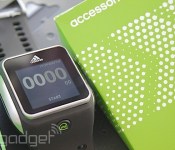
Adidas Smart Run users can now export GPS data, while firmware update improves battery life and media player

When we reviewed Adidas’ Smart Run training watch, we were very fond of it. That said, it had three major niggles: the poor battery life, the low volume of the media player and the inability to export your map/run data from either the watch itself, or the companion miCoach website. Today, we can strike all three off our gripe list. Exporting of GPS data from miCoach went live today (you can now import a GPX file to your training log of choice), while the latest firmware update improves the Smart Run’s battery life considerably, activates the previously inaccessible Marathon Mode, and jacks up the volume limit to personal best-inducing levels. What’s more Simon Drabble, Adidas’ Director for miCoach told Engadget there’s even more to come:
Today, we allow for the simple export of a .gpx file where a workout is recorded with GPS. The next step will be to allow platform to platform connectivity for data to be ported from miCoach to other existing communities and vice versa. Ultimately, it is no secret that we are targeting an open API in the not too distant future.
So, if you were stuck to the couch with purchasing indecision, perhaps these tweaks will be enough to get you up on the starting blocks?
Filed under: Wearables

