


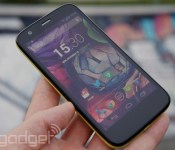
Motorola’s first post-Google phone is coming on May 13th

Motorola will soon fall into Lenovo’s clutches, but it’s still got some shiny new hardware to show off in the meantime. According to an invite that just hit our inboxes, the company’s planning to show off a brand new smartphone in London on May 13th. In fairness, the timing of the launch means that Motorola was almost certainly working on… whatever it is… while still part of Google, but this is Motorola’s first big product launch since the news of its sale broke last January. And hey, if we’re exceedingly lucky, we may just catch a glimpse of how (if at all) things have changed for Motorola now that’s preparing to report to some new corporate masters.
If the persistent hum of the rumor mill is worth anything, it seems like the wallet-friendly Moto E will wind up taking the stage. Firm details are still hard to come by (aren’t they always?), but early reports claim that Motorola may have traded pure horsepower and battery life for a super-thin body. Here’s the thing, though: Motorola has already proven that it knows how to make a cheap smartphone worth buying, and it’s definitely running with a similar price formula again. Now the question is whether they can capture that low-cost lightning in a bottle yet again.
Filed under: Mobile
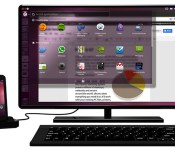
Rest in peace Ubuntu for Android, we hardly knew ye

We can’t say that the future of Ubuntu for Android ever looked particularly bright, but we were enamored with the concept. You’d walk around by day with a standard issue Android phone in your pocket, but when you docked it to a keyboard, mouse and monitor you were greeted with a full Ubuntu desktop experience. Well, Canonical has decided to put the project out to pasture apparently. Buried away in a recent bug report (now hidden from public view) was the fact that “Ubuntu for Android is no longer in development,” and thus its landing page should be taken offline. Though some responses from the Canonical team appear to muddy the story, the take away is the same — active development on Ubuntu for Android has come to a halt. It’s not surprising considering that the company has invested heavily in its own smartphone OS which already has a few OEMs signed on. Without a launch partner the dual-boot solution never had a chance to take off, and Canonical clearly has other priorities now. Still, we mourn slightly for its passing. Here’s hoping the concept lives on as an all Ubuntu solution.
Filed under: Desktops, Software, Mobile
Via: OMG! Ubuntu!
Source: Launchpad
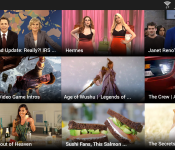
Yahoo Screen now playing MLB, SNL, Buzzfeed, and more on Android

Yahoo on Wednesday announced the immediate availability of the Android version of Yahoo Screen. Available as a free app, Yahoo Screen offers video clips from a variety of content providers, including The Onion, Comedy Central, Buzzfeed, Saturday Night Live (SNL), and College Humor.
The Android version of the app focuses on an intuitive experience which turns your finger into the remote control. Swipe up and down to change channels or move between videos by swiping left and right.
Awesome stuff, yes, but we’re already looking for the update that brings Chromecast support.
The post Yahoo Screen now playing MLB, SNL, Buzzfeed, and more on Android appeared first on AndroidGuys.
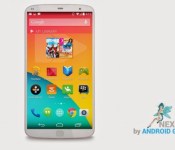
Google’s Nexus 6 is said to be based on the LG G3

The LG G3 may not be released just yet, but it seems that the upcoming flagship device by LG may be forming the basis for the next Nexus 6 by Google if recent reports are anything to go by.
Whilst the Nexus 6 is touted for the second half of 2014, not much else is known about the device, but it seems LG will continue their partnership with Google and the hardware will be based around the LG G3, with the addition of an integrated fingerprint sensor.
If true, the Nexus 6 could follow the design language of the LG G3 with the slimmer bezels, but is likely to only feature a 5.2-inch screen at 1440 x 2560 resolution, as opposed to the rumoured 5.5-inch of the LG G3, which would give sufficient room for a fingerprint sensor placed on the front of the device much like the Galaxy S5, without increasing the size of the device too much.
It’s also thought that the Snapdragon 805 SoC with a quad-core 2.7 GHz 450 CPU and Adreno 420 GPU will power the Nexus 6, as Qualcomm state their chips will be seen powering devices in the second half of 2014.
If all this is true, the Nexus 6 is shaping up to be one mighty device.
SOURCE: AndroidGeeks
The post Google’s Nexus 6 is said to be based on the LG G3 appeared first on AndroidGuys.

Sony’s Evolution UI tries to make learning Android fun

Ever get “ghost hands,” where you’re always trying to take the smartphone away from a novice to show them how it’s done? Well, Sony is working on something a little more polite. The company has announced Evolution UI, an intentionally hobbled Android launcher that forces you to perform perfunctory tasks before you can properly use the device. For instance, when you first launch the system, you’ll only be able to access the dialer, SMS app, browser and camera. If you wanted to open the app drawer, however, you’d have to earn it as an achievement by starting and closing five apps in quick succession. The idea is to turn discovering your phone’s features into a series of console-style achievements and unlocks.
At the moment, Evolution UI is just a research project that’s been kicking around Sony’s headquarters. That said, the company has released the launcher to GitHub for others in the open source community to play around with. In practice, it feels as if the system could frustrate anyone but the most green technology users. That’s why if it ever does come to retail hardware, we’d be looking for the off switch — if we had to go through all of these hoops every time we opened a new device, we’d quickly develop a condition far worse than “ghost hands.”
Filed under: Cellphones, Software, Mobile, Sony, Google
Via: Android Beat

Transporter Sync Review

As bandwidth availability increases, more focus is being placed on cloud services, with the likes of Dropbox and Google Drive gaining in popularity for users to store their documents, pictures, and music in the cloud. However, whilst a lot of focus is placed on the functionality of these cloud services, how they sync, and how much storage you get, very little focus is placed on the actual privacy of storing such files in the cloud. As convenient as it may be having your files available wherever you go, you still are trusting a 3rd party hosting your data, and in many cases hidden away in the fine-print, actually laying claim of ownership of that file since it resides on their server.
But what about if you had all the convenience and benefits that a cloud service offered, that you controlled? That’s why anyone who appreciates privacy will love the Transporter Sync, and we got one to review.
The team over at Transporter sent us a Transporter Sync device to review which allows you to plug your own storage into and hook your hard drive into their services.
Hardware

If you’ve read my previous reviews, you’ll know I love unique looking hardware and something that stands out. Well the Transporter Sync does just that, and couple that with a sleek light panel that circles the device, and I was in love with this right out of the box. The ports on the Transporter Sync are located at the rear of the device and you have a power, Ethernet, and USB connection, and that’s it. There’s really nothing more to the device, and that’s what makes it incredibly light.
– Height: 2.0 in (50 mm)
– Width: 3.9 in (100 mm)
– Depth: 3.9 in (100 mm)
– Weight: 0.5 lb (0.23 kg)
As for the front of the device, there is nothing to see except a pulsating light which indicates the status of the Transporter Sync. Seeing Blue means everything is up and working, but you’ll be notified instantly if anything is wrong by different colours. Plus it looks pretty cool and futuristic sitting on my TV entertainment unit – again, a device I simply did not want to hide up, and wanted it on show for all to see.
The USB 2.0 connection plugs into your existing storage options, and since it’s your own hard drive, it’ll accept any external drive. There’s also Gigabit Ethernet for your network connection.
Functionality

Turning the focus onto what the Transport Sync actually does, and that’s where this little device really begins to impress. The Transporter Sync takes any external drive that you connect in and turns it into your own personal cloud. That means you enjoy all the benefits of having your files anywhere you go, but on a service that is hosted and controlled by you, meaning your privacy is retained.
The Transporter Sync is managed via a web front end that will report the status of your device as well as available storage and gives you the ability to set up shared folders.

The Transporter Sync comes with a client that you install on the devices you want to be able to access your personal cloud. There is a Mac and PC client that just looks like a standard folder within Explorer or Finder, as well as Android and iOS App.

The Transporter Sync has two distinct folder types which control how the files are shared, and ultimately are differnetiated between given how often you access that file. For example, I have “My Documents” synced which means a copy gets locally copied to each device I have the Transporter Client installed on, whereas “My Pics” are in the Library which means my various devices can still access them whenever they want, but they are stored at home on that external drive and downloaded when called upon, so don’t take up valuable space on my client.
The whole experience is pretty seamless,especially when you get your head around the two different folder types and how they are used for different purposes. A big thank you to the Transporter team and especially Jim who stuck with me when I was asking some probably obvious questions – the support was amazing.
The only way I could see the Transporter Sync being improved would be to allow the files stored on the external drive to be viewed via the web browser, of which the Transporter team said they’re working on. Also, the Android App could do with updating to allow more functionality; when viewing a file it has to be downloaded first as opposed to just being able to edit an “online” version, and it would be nice to see picture files displayed in a gallery view, as opposed to a standard file list, but again the Transporter team said they are working on delivering an enhanced Android app too.

The Transporter Sync isn’t the only option available for those wanting their own private cloud service. Transporter offer additional products with integrated storage options, offering the same cloud and sync experience at various price points.

Overall
The Transporter Sync is a great product with a lot of potential, which the team have assured me they are working on the limited shortcomings I found when using the product, like the Android app and the web GUI. With that said, the device looks great, functions fantastically, and keeps all my files protected under my control with no recurring monthly fees or storage limits.
For more information and to buy one, check out the Transporter site.
The post Transporter Sync Review appeared first on AndroidGuys.
GoPro’s Android app now connects to your action cam automatically

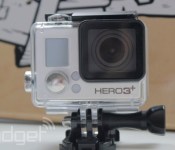
GoPro’s smartphone apps have been a useful addition to its popular action cams for quite some time, and now the Android version sees a nice update. First, and most importantly, the app now automatically connects to your camera’s WiFi signal on launch, nixing a visit to the settings menu as your first stop. Sharing is easier as well, as those captured stills and videos can now be beamed to Instagram, Facebook, YouTube and other social repositories directly from your mobile device. There’s also an updated UI for those wielding version 4.0 or later of Google’s mobile OS and the ability to have the app set the curated Photo of the Day as your wallpaper. Haven’t been alerted to version 2.4 yet? Well, jump down to the source link to nab the download now.
Filed under: Cameras, Software
Via: Android Police
Source: GoPro (Google Play)

Google Glass can now tell when you take calls using only your phone

Google isn’t done upgrading Glass this month just because the KitKat update is out the door. It’s rolling out another release this week that should be huge for frequent callers and photographers. The wearable tech will at last be smart enough to know when you’re using your phone to make or receive a call, even when Glass itself is idle; you won’t miss out on a chat just because the eyepiece is sitting on your desk. It’ll also be possible to back up photos and videos when away from WiFi, and you can clear those shots from your timeline when you’re done. There should be more voice commands to accommodate third-party apps, as well. It’s not clear exactly when the update hits, but it should give the surge of new Glass owners one more thing to look forward to.
Filed under: Wearables, Google
Source: Google Glass (Google+), Google Developers
Your fingerprint unlocks LastPass on the Galaxy S5

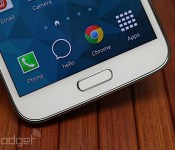
On any other phone, you’d have to type in the master password to access all your other passwords stored on LastPass — including the iPhone, where Touch ID gets you into your phone and iTunes account, but stops there. But on Samsung’s Galaxy S5, all you need to do is swipe your finger across the home button, now that the password manager’s Android app has been updated to work with the device’s biometric scanner. To set that up, you’ll first need to type in your credentials like everyone else, and then activate fingerprint authentication for future use. It’ll be a lot faster to add or change entries with the feature in place, and in some ways, fingerprint authentication is more secure than using a complex master password. We just hope you have no bitter enemies that’ll go as far as to make a fake finger to sabotage your digital life.
Filed under: Cellphones, Mobile, Samsung
Source: LastPass
Spotify for Android welcomes a darker theme in latest redesign

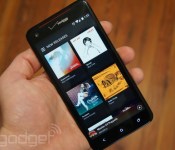
Earlier this month, Spotify let it be known that it would be implementing a redesign across its desktop and mobile properties, which it described as being the most dramatic change since 2008. As part of this, those of you with an Android device can now, finally, see what iOS users have been enjoying for the better part of April. Aside from featuring a darker theme, Spotify’s latest redesign is also about putting more content in front of you, meaning that albums and tracks are now better highlighted throughout the application.
Back when it was announced, Spotify said the philosophy behind the cleaner design was about getting it “just right,” so it was important to get a consistent (and flat) look on every platform on which its music service is available. The Android update is said to be rolling out as we speak; if you don’t feel like waiting, however, you can grab it directly from the Spotify website.
Filed under: Portable Audio/Video, Software, Mobile, Google
Via: TechCrunch
Source: Google Play

