


Spotify warns Android users to update their apps following hack

It’s not all good news over at Spotify HQ. The music streaming service says it’s just investigated a security breach in which one unlucky user’s account was hacked. Despite the apparently limited scale of the attack (at least compared to what happened to eBay last week), Spotify evidently considers the incident to be pretty serious: Over the next few days, it’ll start asking users to re-enter their login details, and it’ll also push out an update to folks who use the Android app — a step that will additionally require any offline playlists to be re-downloaded. Meanwhile, if you’re the person whose account is at the center of all this, then by now you should have received some special instructions all of your own.
Filed under: Cellphones, Portable Audio/Video, Tablets, Internet, Mobile
Source: Spotify
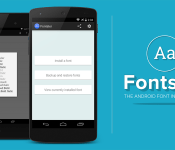
Change your Android system font with Fontster

Modifying your system font usually requires flashing complicated packages or completing change the ROM you’re running, but with an App called Fontster you’re able to quickly and easily change your Android system font.
Fontster allows you to browse hundreds of fonts and enables you to apply them replacing your entire Android system font. Your device must be rooted and works best with ROMs that are as close to AOSP as possible.
The simple Holo UI allows you to quickly browse fonts, preview them, and finally install the one you like. With a quick reboot, you’ll see all the typed elements throughout the Android system changed to your desired font.
Fontster is open source and available for free on the Google Play Store.
The post Change your Android system font with Fontster appeared first on AndroidGuys.
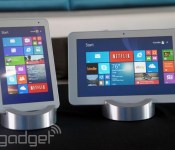
Toshiba’s new tablets are aggressively priced, especially its $110 Android slate

The last time Toshiba unveiled a bunch of tablets, it paid lip service to cutting-edge specs — things like screen resolution and processing power. This year, it wanted to push the price down low enough that you’d actually buy one. The company just announced two Windows tablets, the 8- and 10-inch Encore 2, along with the Excite Go, a 7-inch Android tablet. And while none of them might be memorable in their own right, they’re all worth a second look, if only because they’re so aggressively inexpensive. The Encore tablets, for instance, start at $200 for the 8-inch and $270 for the 10-inch. And mind you, they basically have the same specs (quad-core Intel Atom processor, 1,280 x 800 screens) as the original 8-inch Encore, which was originally priced at $330. (The 8-incher has been slimmed down, but that’s almost beside the point — it’s all about the price cut.)
Meanwhile, the Excite Go will retail for just $110, making Toshiba one of very few tier-one brands selling an Android tablet for quite that cheap. For the money, you get fresh software (Android KitKat 4.4), with a quad-core Intel Atom processor promising long battery life (up to eight hours, according to Toshiba). It also brings wireless display tech and comes with OfficeSuite Pro (a $15 app) pre-installed. The tablet does have pretty limited storage, with only 16GB of space built in, but even that’s a moot point, as the tablet houses a microSD slot that can accommodate cards as big as 128GB. All told, the biggest tradeoff is the display, which features a piddy 1,024 x 600 resolution. Even then, that’s par for the course at this price, so we can’t get too upset about a few visible pixels. Interested? This goes on sale in early July, as do the new Encore 2 Windows tablets.
Filed under: Tablets

Lenovo’s next flagship phone is all about metal, a quad HD screen and a big battery

Lenovo’s current flagship phone, the Vibe Z (K910), opted for plastic instead of metal like its predecessor, so it’s nice to see metal making a comeback on the next model, dubbed the Vibe Z2 Pro. This is according to several photos that have been making the rounds on Sina Weibo, and our sources have since confirmed that these were taken at an internal event, so someone’s been a bit naughty. The specs are top notch: 6-inch quad HD display, 16-megapixel OIS camera (with dual LED flash), massive 4,000mAh battery and 2.5GHz quad-core Snapdragon 801 chip. These are all wrapped inside a 7.7mm-thick metallic body that also supports NFC.

Like the Vivo Xplay 3S which packs the same display, the Vibe Z2 Pro appears to feature a very high screen-to-bezel ratio, which is always welcomed as long as the touchscreen’s edges aren’t too sensitive. You can also see that this is a dual-SIM device with LTE support, though the international variants may differ. Oddly enough, the usual “Lenovo” logo spot on the back has been taken up by “Vibe,” thus suggesting that for some reason, the Chinese company is making a bigger push for its mobile sub-brand.
Given the fact that this was from an internal event, we should be hearing an official announcement very soon. With ex-Nokia vet Colin Giles recently quitting Huawei to run Lenovo’s global mobile division, here’s hoping he’ll do something about that ugly UI before bringing it to our side of the world.
Filed under: Cellphones, Mobile, Lenovo
Source: Sina Weibo (1), (2)
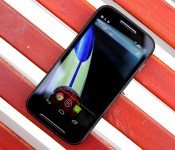
Moto E review: Where very good meets very cheap

After Motorola released the well-received Moto X into the world last year, most of us had just one question: What’s Google’s expensive mobile division doing next? Then-chief Dennis Woodside was surprisingly forthcoming for a tech CEO — he said Motorola wanted to reinvent the experience of using a low-cost smartphone. When the Moto G appeared later that year, I thought the company had done what it set out to do. Oh, how wrong I was. Motorola still hasn’t given up on its dream of putting smartphones within reach of anyone who wants one, and the latest weapon in the company’s arsenal is its cheapest yet.
The Moto E costs a scant $129 here in the States, and Motorola seems confident that its low-cost formula will do some real good for the people of the world (not to mention the company’s bottom line). Now we’re left with another set of questions: Does the Moto E live up to Motorola’s lofty goals? Can it stand out against a clamoring crowd of competitors? Are you actually getting what you pay for? Read on for our take.
Hardware
The Moto E is one of those curious devices that’s unassuming and yet immediately recognizable at the same time. That sounds a tad paradoxical, but hear me out. Its face is spartan, to put it politely, and the E’s 4.3-inch qHD screen (swathed in Corning’s Gorilla Glass 3 no less) is bounded by some unobtrusive bezels. Your eyes can’t help but be drawn to the two silver strips that run in parallel above and below the screen, comprising the speakers and microphone. Together, they make for a very tasteful touch of personality that gives the E a sense of self without much extra visual noise.
Flipping the Moto E over reveals that the company’s design DNA hasn’t been diluted at all. The recessed Motorola logo, the swooping curve around the 3.5mm headphone jack — if Superman took hold of a Moto G and compressed it a bit (you know, without turning it into a diamond or something), you’d basically have the Moto E. Meanwhile, a 5-megapixel camera sans flash sits high on the E’s rear and selfie fanatics will be crushed when they discover there’s no ego-stroking front camera here. The E skews toward the chubbier end of the size spectrum (compared to the lithe Moto X, at least), but its curved rear means it’ll fit quite comfortably in your mitts. During my testing, I actually found myself cursing at my otherwise trusty iPhone 5s and its prominent edges. The E is awfully nice to hold, even when compared to premium gadgets like HTC’s One M8.
| Moto E | |
|---|---|
| Dimensions | 124.8 x 64.8 x 6.2 – 12.3mm (curved) |
| Weight | 5.01 oz. (142g) |
| Screen size | 4.3 inches |
| Screen resolution | 960 x 540 (256 ppi) |
| Screen type | IPS LCD |
| Battery | 1,980mAh Li-Polymer (non-removable) |
| Internal storage | 4GB |
| External storage | Up to 32GB |
| Rear camera | 5MP with 4x digital zoom |
| Front-facing cam | None |
| Video capture | 854 x 480/30 fps (rear) |
| NFC | No |
| Radios |
Global GSM Model: North America GSM Model: CDMA Model: |
| Bluetooth | v4.0 |
| SoC | Qualcomm Snapdragon 200 |
| CPU | 1.2GHz dual-core |
| GPU | Adreno 302 |
| RAM | 1GB |
| Multimedia | FM radio, Digital TV tuner (Brazil only) |
| WiFi | Dual-band, 802.11b/g/n |
| Wireless Charging | No |
| Operating system | Android 4.4.2 (near stock) |
Our review unit pairs a glossy, black plastic face with a curvaceous, matte rear. Those of you itching for something more chromatically pure can pick up the white-on-white model, and you can replace those default backs with more colorful ones for another $15 a pop. Prying off those back plates reveals… not much, aside from the non-removable 1,980mAh battery, the SIM slot and the microSD card slot. That expansion slot is downright crucial, too, since this little guy comes with a paltry 4GB of internal storage — easily the surest signifier of the Moto E’s wallet-friendly ambitions. Once you factor in all of the preloaded bits, you’re actually left with just north of 2GB of open space for your apps and media; suffice to say, a hefty memory card (the E can handle up to an additional 32GB) should be on your shopping list too. Diving further still reveals the E’s brains: a dual-core Snapdragon 200 clocked at 1.2GHz, paired with 1GB of RAM and a single-core Adreno 302 GPU.
The North American version I’ve been playing with is slightly boring compared to some international variations. Models for other markets include a digital TV tuner or dual SIM slots. The vanilla US model is pretty sparse in terms of niceties, though it does (like the Moto G) have a built-in FM tuner for when you need some music that didn’t come from the Google Play Store. There’s no LTE to be found here, alas — just a GSM radio that plays nice with the 850/900/1800/1900MHz bands, and UMTS/HSPA+ support for 850/1700 (AWS)/1900MHz frequencies. Really, though: For $130 off-contract, what did you expect? It’s less than half the price of the Nexus 5 and the Moto X, but as you’ll see, cheap doesn’t always equate with crappy.
Display

For a phone of such humble means, the 4.3-inch IPS LCD sitting front and center still manages to impress… even if it’s the lowest-resolution display I’ve laid eyes on in a long time. In a bid to keep costs as low as possible, Motorola ran with a qHD (960 x 540) screen — if you’re doing the math, that works out to a pixel density of 256 ppi. The number by itself isn’t very exciting, but I think we can agree that the quality of a screen hinges on more than just how many pixels a manufacturer can squeeze in there.
Sure, you can pick out individual pixels if you peek closely enough. Taking a step back offers up a different, more positive perspective, though. The display itself is plenty bright, with crisp whites and passable blacks (we’re not in AMOLED territory, after all), though I wish it fared better under the blazing sun. Colors are vivid and manage to pop without dipping into lurid, oversaturated territory. Viewing angles are similarly solid — just be warned: Images can take on a peculiar cast when you peer in from an angle that’s oblique enough. You’ll also have a tough time trying to obscure that screen with your greasy fingers thanks to the anti-smudge coating Motorola has liberally applied. Is this screen perfect? Hardly, but its strong showing helps make the entire Moto E package that much more enticing.
Software

Like its brethren before it, the Moto E runs a nearly stock build of Android 4.4.2 KitKat, which means there isn’t anything terribly exciting to report on the software front. That’s just fine by me — I hate clunky, overwrought interfaces and “features for the sake of features” as much as the next elitist nerd. What you’re ultimately left with is a clean-ish slate that stays true to Google’s mobile vision, but still retains a few of Motorola’s curious software fingerprints.
Take Motorola Migrate, for instance. It first appeared on the Droid Ultra, and it still lets phone switchers transfer their existing data (e.g., contacts, messages) to their new E’s once the app has been installed on the original phone. Assist is still around too, though it lacks some of the smarts it packed when it first appeared on Moto’s most recent Droids. As always, it can monitor your calendar to deflect callers at inopportune times, as well as let only VIPs reach you in your slumber, but there’s no way for the E to detect when you’re driving and auto-respond to folks texting you. As it happens, though, Motorola’s newest preloaded app is also its most curious. The new Alert is of two minds: You can use it to blast your location so a curated list of friends will know where to meet you, and it packs an emergency mode that starts reaching out to those contacts (and emergency services) if you find yourself in trouble. Alert is a surprisingly thoughtful addition to Motorola’s software mix, but with any luck, you’ll never need to touch that emergency feature.
Motorola also promises that it’ll get the next big version of Android in a timely fashion, even with a divorce from Google on the horizon. We’ll see just how well Motorola can keep this promise soon enough — for now, it’s heartening to see a budget smartphone running the latest and greatest version of Google’s mobile OS.
Camera

Smartphone cameras are tricky enough to get right when you’re trying to cobble together a top-tier device, so you’ve got to have the proper expectations when you go downmarket. In the case of the Moto E, I expected very little and I got it. That may sound a bit harsh, but the Moto G’s camera was a pleasant surprise and I was quietly hoping for the same to happen here. Instead, the 5-megapixel rear shooter consistently turned in soft shots with colors that seemed muted at best and downright lifeless at worst. That last issue can be mitigated a touch if you fire up HDR mode — it’s set to auto by default, so you’ll occasionally find a vibrantly colored photo mixed in with the rest of the mud. Low-light performance left plenty to be desired too: The E’s camera isn’t great at sucking up photons, so there’s smudginess and grit all over the place, a situation that isn’t helped by the lack of a rear flash. Oh, and in case you already forgot, there’s no front-facing camera to be found at all here.
If anything, Motorola’s dead-simple shooting interface is the camera’s saving grace. Quick refresher if you haven’t used it before: Snapping a photo requires just a single touch anywhere on the screen, which means it’s nearly impossible to screw up in the heat of the moment. Sliding my finger up and down the screen to digitally zoom in and out feels remarkably graceful too, even if digital zoom by nature makes for lousier shots. You may not absolutely love the shots you end up with, but I suspect you’ll at least enjoy the process of taking them. My only major niggle is a strictly personal one: Despite using the E for over a week, I still had trouble remembering that touching the screen snaps a photo instead of focusing the camera where I wanted. That’s a particular sort of muscle memory that’s only really taken hold after a (shortish) career manhandling high-end phones, so the Moto E’s target audience may not have the same trouble.
Video leaves much to be desired too, which is hardly a shocker. The Moto E is incapable of shooting HD video — resolution maxes out at 854 x 480, which is good enough for Instagram, but slightly less so when trying to capture important moments as they unfold.
Performance and battery life

Ah, now we’re getting to the meaty part — what’s the Moto E actually like to use? Despite a spec sheet that looks like it was pulled from the headlines two years ago, the E has more than managed to keep up with my daily grind. I can’t in good conscience call the Moto E a speed demon, but it’s still been a worthy companion during my week of testing.
And what exactly did that week consist of? Plenty of frenzied swiping between pages of apps and widgets, to start. The whole process was consistently and pleasantly buttery, with nary a hint of stuttering or visual slowdown to be seen (though in fairness, KitKat probably deserves some of the credit for that). Scrolling down long websites was generally smooth, too… most of the time, anyway. An abundance of images on a web page (like Engadget!) occasionally threw the E’s modest brains for a bit of a loop. The act of actually firing up apps usually took a few seconds more than on some premium handsets, but that’s just par for the course considering what we’re working with. The games I did manage to install on the Moto E (I’m looking at you, Minecraft: Pocket Edition) fared rather nicely considering the dearth of sheer processing power they had to work with. This is all anecdotal, of course — here are some hard numbers, if that’s more your speed.
| Moto E | Moto G | Moto X | HTC One mini | |
|---|---|---|---|---|
| Quadrant 2.0 | 5,264 | 8,723 | 8,958 | 5,200 |
| Vellamo 2.0 | 1,173 | 1,962 | 2,427 | 2,118 |
| AnTuTu 4.0 | 12,510 | 17,364 | 20,292 | 10,048 |
| SunSpider 1.2 (ms) | 1,626.2 | 1,377 | 1,023 | 1,442 |
| GFXBench 2.7 Offscreen (fps) | 4.4 | 16 | 15 | 15 |
| CF-Bench | 6,483 | 15,030 | 14,092 | 6,542 |
| SunSpider: lower scores are better | ||||
The funny (or sad) thing about downloading games for testing was that, well, it was more troublesome than it should’ve been. It had nothing to do with network connectivity (though I only hit down/up data speeds of 1.82 Mbps and 0.84 Mbps, respectively in San Francisco over AT&T’s HSPA connection). Those headaches were all because of a dearth of storage space. Like I mentioned before, the E ships with just 4GB of internal storage, and only about half of that is available for your stuff right out of the gate. It didn’t take long to almost completely fill up that modicum of space with just our usual suite of test apps and files. And those two-stage game downloads from the Google Play Store? The ones (like Need For Speed: Most Wanted, for instance) that prompt you to download an installer that then downloads more stuff once it’s in place? Yeah, good luck with that. Picking up a microSD card is damn near a necessity, and even then, you can’t move all of your apps from their current homes onto an external card. I get that it’s a concession Motorola made to keep the E’s price under a certain threshold, but I can definitely see some cost-conscious consumers ruing that decision.
On the upside, the Moto E’s modest spec sheet means that its 1,980mAh battery can hang in there longer than you might think. When Motorola says it’s got an “all-day” battery, it actually means it. I spend my days dealing with a barrage of emails, chatting with colleagues, taking phone calls and generally running my device into the ground. There wasn’t a time when the E failed to hang in there for a full 12-hour day, despite my best efforts. Things were a bit more subdued when it came time for our standard video rundown test (screen brightness set to 50 percent with a 720p video set to loop indefinitely): It stuck around for 5:45 before it needed to be lashed to a wall outlet.
The competition

There’s no shortage of cheap hardware out there, and more than a few competitors may wind up duking it out with Motorola over first-time smartphone shoppers. Take older, pint-sized versions of high-end phones like the HTC One mini and the Samsung Galaxy S4 Mini — both of them offer more oomph, but even now they’ll cost close to twice what the E does. Speaking of Samsung, you can nab a dual-SIM Galaxy S Duos 2 for close to the same price as the E– you can juggle multiple phone numbers and enjoy a camera with a flash, though TouchWiz could bog things down a bit. There’s the LG L40, too, a cheapo device the Korean company showed off at MWC. It hovers around the same price range as the Moto E, but its screen is markedly worse and a shortage of RAM doesn’t exactly bode well for performance.
The Nokia X will also give the Moto E a run for its money in certain locales. It’s a curious little thing with its peculiar Finnish pedigree, offbeat launcher and €89 (about $141) price tag, but a weaker spec sheet and Nokia’s control over its own app store means the experience it offers is limited in some key ways. Not all of the E’s competition comes from outside Motorola, either. The Moto G packs more power and performance into a bigger body, and it’s still only $50 more than its little brother. I’d wager that a decent number of shoppers on a budget will gravitate toward the more impressive G, but the difference in price could be too much for some to swallow.
Wrap-up

There’s no two ways about it — the Moto E is exciting, if not in the way most mobile buffs would like. You really shouldn’t underestimate the sort of world-shaking power that can come from making something that’s both very good and very cheap. So what if the spec sheet is a bit passé? For all its minor shortcomings, the Moto E still represents a level of power and quality that’s become even more accessible to people the world over, and that’s something worth celebrating. If all you need is a smartphone that can take you to Facebook, capture fodder for Instagram or fire off missives on Twitter (or WhatsApp or Weibo), the Moto E will make a worthy sidekick. Not every important device has to be a flashy flagship.
If Motorola ever manages to offer the $129 Moto E for under $100 (and I bet it will eventually), we could be looking at a game changer; a device that could really help bring the next billion people into an age of connectedness most of us already take for granted. Until then, the E’s value is obscured a touch — the superior balance of performance and price means the Moto G will be worth the extra $50 for most people.
Daniel Orren and Edgar Alvarez contributed to this review.

Use your smartphone to purchase donuts at Tim Horton’s

When you’re in a hurry to get that much needed sugar fix, you can’t be bothered to futz with things like actual currency or debit cards. Thankfully, Tim Horton’s now allows mobile payment options from iOS, Android and of course, BlackBerry devices for nabbing up a half-dozen quickly. A select few locations will accommodate those handset-driven payments via NFC while others allow scanning a receipt barcode to deduct monies from a the virtual Tim Card. iPhone users can also add the donut and coffee outfit to Passbook for easy access when the need arises. As you might expect, useful add-ons like restaurant locator, reloading funds, accessing nutritional information (which we recommend you just ignore, it’s donuts!) and others are baked right in.
You can now scan to pay on your mobile in restaurants with the TimmyMe[TM] App. Also supporting Apple Passbook. Details: http://t.co/kZu6l6pacE
– Tim Hortons U.S. (@TimHortonsUS) May 22, 2014
Via: TechnoBuffalo
Source: Tim Horton’s

ROM of the Week: AOKP

ROM of the Week is dedicated to highlighting our favorite custom ROMs and builds for Android users. If you’re the type who likes to tinker and push their device to new limits then this column is for you.
Note that this isn’t the sort of thing that every AndroidGuys reader will enjoy; however, it can be an eye opener. Our hope here is that we help you discover something new and exciting that you can do with your favorite smartphone. Enjoy!
This week’s ROM of the Week goes to AOKP. Now you’re probably asking, “What the hell is AOKP?” Well, AOKP stands for Android Open Kang Project, which the developers played on the word kang and AOSP (Android Open Source Project). The developers are a unique bunch having fascinations with unicorns as well, but if you don’t already know, they make one of the most popular ROMs for Android, 5,000,000 installs and counting.
Well lets get down to it and see why AOSP made the ROM of the Week. Like a majority of ROMs out there for Android, they all start with Google’s vanilla version of Android and begin to modify it with features they think are necessary or cool! AOKP is lightweight and contains no bloatware or “baked in” apps that you can’t remove.
You can change almost every aspect of the OS, from the way it looks to the way it functions, allowing for total freedom! Now AOKP offers two types of “builds/releases” – Nightlies and Milestones.
Nightlies are updated every 3 days and may contain bugs, but if you want to have the latest features first, this is the one for you. Now, I wouldn’t recommend using Nightlies on your daily driver, because you could have a bug that would make the camera not work or something just starts going crazy. However, I have been known to play on the wild side, but I have payed for it as well.
Milestones are the builds that 95% of people “klang” to. They are the most stable and are normally released once a month. AOKP has an awesome app called AOKPush, which will notify you when a new release is available for download.
Now first, we need to make sure your device is compatible with AOKP. This list changes quite often with new builds of Android being introduced. Normally, Nexus devices are the first to get the latest builds, but non-nexus devices get support quickly. Check out this link to ensure your device is compatible with AOKP.
The features really speak for themselves and thanks to user @noodles90 for all the hard work in putting these together! Check out the features below or if you’re having JavaScript issues, you can check them out on the next page.
The post ROM of the Week: AOKP appeared first on AndroidGuys.

HP’s 7 Plus is a $100 Jelly Bean tablet

Cheap Android tablets are a dime a dozen these days, but HP’s targeting the budget market with its own $100 slate. The 7 Plus, a low-end 7-inch tablet, isn’t going to blow you away with performance, but it should be perfectly sufficient for email, web browsing and basic apps. There’s a quad-core ARM Cortex-A7 processor, 1GB of RAM, 8 gigs of internal storage and expandability via a microSD slot. You also get a 1024 x 600 IPS display, low-res front and rear-facing cameras, WiFi and 25 gigs of lifetime cloud storage, courtesy of Box. It’s available in the US now for $99.99, with free shipping to boot.
Source: HP

Meet the Smartisan T1, a surprisingly unique phone from China

A little over a year ago, a fresh Chinese startup by the name of Smartisan (“smart” and “artisan” combined) showed off its first work: the Android-based Smartisan OS. What caught our attention was its truly unique UI and insanely thoughtful UX features, so naturally, we had very high expectations for the company’s own hardware back then. At long last, the Smartisan T1 phone was unveiled in front of some 5,000 people — along with 2.74 million online viewers — at the two-hour long event earlier this week, and despite the usual flagship-level specs, it was still full of nice surprises. Don’t be mistaken: unlike the low-cost, high-end devices from Xiaomi, OnePlus, Nubia and other young Chinese brands, the T1 isn’t about affordability; it’s positioned as a more premium smartphone with much more differentiation. How so? Read on to find out.
Let’s get the boring specs out of the way first. Like most flagship phones these days, the T1 packs a 5-inch 1080p IPS display by JDI, Gorilla Glass 3 on both the front and back, a powerful 2.5GHz quad-core Snapdragon 801 SoC, 2GB of RAM, 16GB or 32GB of internal storage (sorry, no microSD expansion here), a fixed 2,570mAh battery and a noise-cancelling secondary microphone. For the wireless part, you get the usual 802.11ac WiFi, Bluetooth 4.0, GPS, NFC and AT&T-friendly 3G bands. The 3G version will arrive in China first come July (from CN¥3,000 or about $480), followed by a 4G version by end of year (from CN¥3,500 or about $560). That’s right, this isn’t your typical cheap Chinese phone, but the price points are still not bad.
Photography shouldn’t be a problem with the 13-megapixel f/2.0 camera (featuring Sony’s IMX214 sensor) and the 5-megapixel selfie camera. CEO Luo Yonghao stressed that his imaging team collaborated very closely — more so than most other manufacturers have, apparently — with Fujitsu, who also convinced Smartisan to adopt AcuteLogic’s auto white balance software and ArcSoft’s scene recognition plus noise reduction technology. We’re most interested in the camera app’s night mode, which takes six consecutive shots and combines them into one to reduce noise. The panorama mode is also handy, as it lets you toggle between 180-degree mode and 360-degree mode. As the unit we’ve been given was still running on beta software, we’ll save our camera impressions for later.

Luo also boasted the T1′s audio performance. By using just TI’s OPA2604 op-amp chip, his engineers were able to achieve an audio frequency response plus low distortion that claim to be almost identical to that of the Vivo Xplay 3S, a recently launched Chinese phone aimed at audiophiles. For those who aren’t familiar, the Xplay 3S uses an extra DAC chip alongside the same OPA2604 amplifier, thus taking up more space on the logic board, consuming more power and potentially producing more heat; so it’s impressive that the T1 has a matching audio performance using less hardware. We’ve had a good listen with our unit and it definitely sounds better than with the “Hi-Fi” mode disabled: the sound stage is more apparent thanks to greater clarity, and the bass is more lively yet not aggressive. Luo added that he had help from two famous music producers in China, and he welcomed all audio enthusiasts to give his phone a serious test drive.
At 167g heavy and 8.23mm thick, Smartisan’s first smartphone isn’t exactly gunning for any record-breaking title, which isn’t a surprise given the heavy focus on the software side; but that’s not to say the company did a lazy job on the hardware. Here, Luo took a minimalistic approach with both the phone plus the packaging, and he had help from Apple’s ex-lead designer, Robert Brunner, who now runs Ammunition in San Francisco. The studio’s work include the Beats branding and products, Barnes & Noble Nook tablets, the Polaroid Cube and Adobe’s Project Mighty plus Project Napoleon. It should also be pointed out that the elegant box is made by James Cropper, a 169-year-old fine paper specialist firm from England.

The device is dominated by glass across the entire front and back sides, thus covering 83.8 percent of its exterior. The removable back cover — which can be swapped with a slightly thicker battery cover for extra juice — also features subtle bevels that add character to its glass polish. On the sides, you can see the simple three-layer sandwich formed by the flat fiberglass frame in the middle, as well as the glass panels’ glossy plastic frames. It’s essentially the same sandwich layout as the iPhone 4 and 4S, except here the metal frame is flush with the plastic frames.
On a related note, the T1 and the iPhone 4/4S share a similar back cover locking design: you push it up to pop it off, and you secure it with two screws at the bottom (there are also two spare screws provided). This may seem a rather inconvenient way of hiding the Micro SIM slot underneath, but Luo reasoned that he didn’t want to have a SIM tray ruining the clean surface on the mid-frame, plus most people only change SIM cards once a year. Obviously, that doesn’t apply to road warriors like many of us here at Engadget, but the good news is so far, our back cover still stays secure without the screws, though only time will tell whether it’ll become loose.

The T1 comes in either black or white. For the sake of reducing the number of black dots on the white version, the proximity and ambient sensors are housed within the same tiny groove as the earpiece at the top, leaving just the front-facing camera right next to them. Alas, the other end of the panel doesn’t look as clean no thanks to the three physical buttons, albeit each being marked with just one tiny light dot. Smartisan chose these as it believes capacitive buttons are more prone to accidental clicks, which we don’t entirely agree with; and not to mention the irony of how these rounded keys bulge out as well. On a more positive note, you can swap the menu button and the back button around in the system settings menu (which unfortunately does look like the one in the earlier versions of iOS), so it doesn’t matter whether you’re left-handed or right-handed.
The T1′s design carries heavy emphasis on symmetry. The micro-USB port and the two sets of customizable rocker keys (one for volume and one for brightness) are all centered on their respective sides of the phone. The circular power button near the top right corner mirrors the headphone jack on the top left; and likewise with the speaker grills on both sides of the micro-USB port at the bottom (even though the one on the right is just a dummy, as the loudspeaker and the microphone are tucked inside the left one).
The black pre-production unit (at stage “P4.5″) we received already looks and feels good, though Luo did point out that the final version will use a black micro-USB socket instead of the white one on our device. That’s how OCD he is. The only downsides we’ve noticed so far are the relatively heavier weight (which arguably also gives a more premium feel), plus the glass panels’ inevitable susceptibility to fingerprints. We could complain about the lack of a curved back that would have provided a more comfortable grip, but on the other hand, we do welcome the more secure grip courtesy of the flat composite frame, as opposed to the annoying slipperiness on the latest HTC One’s rounded edges.

The real differentiator for the T1 is its unique Smartisan OS software. For those who aren’t familiar with this Android ROM, its home screen comes with 3 x 3 grid panels plus a three-item dock by default, which is more pleasing to the eye than most other Android launchers. We also dig how the tiles animate every time you unlock the phone, move an icon around or change the launcher’s theme. When you pinch the page or hit the menu button, you can zoom out to either a 6 x 6 view or a massive 9 x 9 view, where you can directly launch an app, move an app to another panel, rearrange the panels, hide them or lock them. You can also switch to a 4 x 4 grid layout or even back to the conventional, grid-less Android home screen, though the latter would kind of defeat the purpose of using Smartisan OS.
One interesting point to make is that while you can set a photo as the lock screen wallpaper, you can’t do the same for home screen wallpaper, as Smartisan insists on keeping the launcher look clean. You do, however, have several theme options: black, gray, blue, wood, purple, rock, leather and brown. Just when you think there’s limited UI customization here, note that the ROM is kind enough to let you toggle between its custom icons and the original icons for select apps. There are even some “OCD” settings — all disabled by default — if you want to toggle minor things like icon labels, battery percentage, icon notification badges and a full-screen swipe-up gesture that clears said badges.

The “smart” in Smartisan OS is all about how it solves the many pain points that we come across while using our smartphones. You can check out a detailed list of features in our previous article, so we’ll focus on the new ones introduced at this launch event, as well as some of our favorites here. Most notably, there’s another reason for why the T1 comes with two sets of rocker keys: you can squeeze both at any time — even when on standby — and then let go to instantly take a photo! It’s pretty much just a one-step process, as opposed to having to wake the phone and then launch the camera app to hit the capture button. The problem with this handy feature is that it currently doesn’t focus in advance, so here’s hoping the final software will have this fixed.
There are a couple of noteworthy gesture-based features as well. One of them is a downward thumb swipe to pull the entire screen down, so that everything is within your thumb’s reach. Another cool one is you can trigger a screen rotation at any time by using both thumbs to draw a circle, in the direction of your desired rotation. This comes in rather handy when you’re lying on a side, where auto rotation becomes more of a nuisance than convenience.

Other goodies include: the ability to create a calendar event from a received text message (date and time are automatically recognized, if mentioned); the option to crop screenshots right after capture; disable lock screen password when connected to your desired password-protected WiFi network (based on the work of jailbroken iOS app CleverPin); text messaging scheduler; and a system-wide mute timer (up to eight hours) in the volume panel. There are also some fun bits like intentionally out-of-sync second hands on the world clock page (but you can shake to sync them), and the turntable arm in the music app lets you fast forward or rewind music (Luo is also considering adding disc-scratching function here).
We can go on and on with the list of features. What’s certain is that an insane amount of thought has been put into both the hardware and the software, making the T1 a truly unique and passionate product. But that’s not all. Instead of buying a case for the sake of protecting your T1, you can pay CN¥200 or about $30 — a bit less than the typical price of a nice case — for a “SmartCare+” warranty, which offers two free front or back panel replacements within a year. But if you prefer the old fashioned way, Smartisan will also be selling a bumper case for its phone.

In terms of availability, the T1 will be shipping in China come July, but there aren’t any plans to launch it outside the country just yet, so interested folks elsewhere will have to rely on either a resident of China or an importer. Looking ahead, though, Luo told us that he plans to eventually launch a phone overseas in about a year or two, and he’ll even personally host the keynote in English. For a man who went from zero to launching such an eccentric phone in just over two years, anything is possible.
Filed under: Cellphones, Mobile

Samsung: good vs bad and what I’d change [EDITORIAL]

No matter whether you love or hate Samsung, you have to admit they’re one of the strongest brands in smartphone industry. When it comes to Android they have consistently been perceived as the strongest one, particularly when we look at the market share.
According to Localytics Samsung owns 63.3% of Android market, followed by HTC with 6.5% and LG with 5.9% share. I wouldn’t be exaggerating if I used the phrase „undisputed king of Android (share)“. Said data is dating back to November 2013, but not much has changed in half a year.
NOTE THAT THIS ARTICLE IS SPREAD OVER TWO PAGES

I personally don’t like Samsung’s take on Android… at all. I consider their TouchWiz skin to be extremely buggy, cartoonish and quite frankly crappy. There, I said it. All that considered, Samsung has one big thing going for them, an established brand. They quickly and steadily managed to put two words on the tongues of smartphone users around the world. The words? “Samsung Galaxy“.
As soon as people hear those words they know what you’re talking about – even if their knowledge of smartphone industry is almost non-existent. Heck, even the word “Galaxy“ on its own now makes people think about Samsung and their smartphone business.
 A quick trip down memory lane reminds us that the “Galaxy“ brand came to life in 2009 when Samsung released their first Samsung Galaxy device running Android. Since then every Samsung’s phone running Google’s Android operating system was dubbed Galaxy. That first device, the Samsung Galaxy i7500, was released in April and came with Android 1.5 Cupcake out of the box. I had the pleasure of handling that very same device. At the time I was rather impressed by it; it was a nice piece of technology.
I don’t think Samsung realized that what they created back then would go on to be as big as it is today. Jump to today and we see that Samsung has released over 200 models carrying the “Galaxy” name. That’s a lot of stars.
We can separate Samsung’s Galaxy devices in a few categories:
- Smartphones (Ace, S, etc.)
- Phablets (Note and Mega lines)
- Tablets (Tab and Note lines)
- Other (Camera line, Gear line)
I did allow myself some freedom categorizing devices considering there are so many. What’s more, some really don’t belong anywhere, like the Galaxy Camera.
Samsung’s flagship “S” line is the iconic flagship line, having moved more than 210 million units since 2010. In the 1st quarter of 2014 alone Samsung shipped 85 million smartphones, with at least 80% of those being Galaxy devices. In comparison, Apple shipped 43.7 million smartphones, while Lenovo, Huawei and LG all shipped between 12 and 14 million units each. I believe these numbers speak for themselves.

Taking all of this into consideration it is obvious that Samsung is the king of Android and nobody seems poised to wrestle away the crown any time soon. But, as you know quantity does not equate to quality. And, even though the Galaxy S5 is already selling like crazy, it doesn’t mean they’re doing things 100% right.
I am sure that I am not the only one to think that Samsung has stopped pushing us forward. They’ve slowed down on innovation and most of what they do are gimmicks to appeal to people who are amused by them. Unfortunately, that is a vast majority of market today.
Some of you may disagree with me, that is just fine. Maybe you find Samsung’s gimmicks useful. I am not saying that some of their features are not useful but a lot of what I see is stuff that typical consumers don’t use on a daily basis. For all of the marketing done and the hype around the announcements, it feels like stuff that’s only there because Samsung could do it – not because users ask for it or need it.
It may seem like I’m hating on Samsung, but I’m not. I’m just disappointed in how things seem to evolve. There’s less “revolution” in today’s models and the last few cycles are more “evolution”. Maybe I demand a bit too much but it has been a while since I saw something that made me say, “WOW!”
Personally, and if nothing else, I would appreciate if they’d at least pay more attention to finer details and stop pushing buggy versions of TouchWiz.
Let me elaborate on the Good, Bad and the Bottom Line on the next page.
The post Samsung: good vs bad and what I’d change [EDITORIAL] appeared first on AndroidGuys.

