


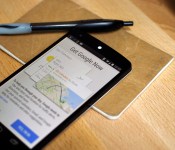
Google Search update rolls out, “OK Google” hotword now works from any screen.

With Google I/O in full swing and a mass of exciting new products and features are being announced, the company are not letting this get in the way of getting updates pushed out to its current Android OS.
One of the latest updates see Google Search 3.5.14 arrive which brings two very major enhancements, the first of which giving the ability to use the “Ok Google” hotword from not only any screen on your device but also running apps and the lock screen.This is nothing new for users of the Moto X as this has been a key feature of that phone since it launched but it should come as a welcome addition for the rest of us.

Along with the new hotword detection, the update also gives Google Search an Audio History feature which will learn the sound of your voice and the pronunciation of words to help make searches more accurate, although this feature could raise some privacy concerns, Google will let you opt out if you like.
Both implementations can turned on by diving into the settings in Google Now once you get the update but if you can not wait, the folks over at Droid-Life have a download link for the apk.
Source: droid-life
The post Google Search update rolls out, “OK Google” hotword now works from any screen. appeared first on AndroidGuys.
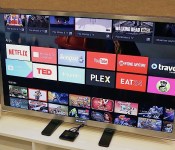
Android TV is Google’s latest shot at entertainment glory (hands-on)

For Android, smartphones and tablets are only the beginning. Google believes that there are so many other categories of hardware that could benefit from its mobile OS, so it announced that it’s building extensions of Android onto the TV, car and smartwatch. Each genre will require special hardware to be truly beneficial, but the former may have the greatest potential in terms of reach — after all, more people are looking for a solid television-watching experience than putting a “computer” on their wrist, and it’s going to be a long time before Android Auto goes mainstream.
Sadly, TV is also an area that Google has struggled with in the past (see Google TV), so it’s hoping that lightning will strike with its latest effort, called Android TV. We had a chance to check out the company’s first official piece of hardware, simply called the ADT-1. Since it’s a developer kit, you won’t be able to buy it — but that won’t be an issue once manufacturers begin selling their consumer-facing devices later this fall. Naturally, the version we checked out is considered pre-production, so a lot of things will likely change between now and its final release, but at least we have a good idea of what to expect from the experience.
The idea behind Android TV is pretty simple: It gives you an internet-powered smart TV with plenty of entertainment and gaming options. Media-streaming apps, Play Movies and TV support, gaming and second-screen/screen-mirroring functionality make the service incredibly tempting. The Android ecosystem is already pretty strong, and the company says it’s easy to adapt existing apps to make them compatible with the platform. With proper hardware and developer support, Android TV may have the legs it needs to stand on.
What can Android TV actually run on? According to Google, the OS will be available for smart TVs (Sony and Sharp have signed on to build televisions with the OS built in), media streamers (like a Roku), set-top boxes, cable boxes and micro consoles. The platform is ideal for any manufacturers that are interested in getting into the smart TV business, but don’t have the resources to develop their own ecosystem; it’s a good opportunity for smaller companies and startups to cook up Android TV hardware.
There are a few hardware requirements to ensure that Android TV doesn’t offer an inconsistent (or miserable) user experience: 2GB of RAM, 8GB of flash storage, WiFi and/or Ethernet, Bluetooth 4, Play-ready DRM and Widevine level one. Companies are also recommended to add mics for voice input, and standardized controller button mapping. These guidelines make a lot of sense because the system needs to be powerful enough to handle graphics-intensive games, entertainment apps and handoffs between the TV and mobile devices via Google Cast — nobody wants a sluggish TV experience, so it’s crucial that Google gets this aspect of its product right. The experience also needs to be as universal as possible so users don’t have to worry about drastically different learning curves.

Sluggishness fortunately doesn’t show up, even on early hardware and firmware. With a Nexus 5 equipped with the Android L Developer Preview, we used a virtual controller to navigate through the TV’s UI, and the system didn’t skip a beat (or a frame, for that matter). We didn’t have to wait for anything that we pulled up, so there were no interruptions to our experience.
The card-based user interface is simple enough. Recently played movies and TV shows, as well as recommended titles, are neatly displayed on the top. Scroll down a level and you’ll see a listing of your apps, including access to Google Play Games and Play Movies. Below that, games. Finally, at the very bottom of the screen you’ll find all of your necessary display and network settings. As you might expect, most apps have setups that are very similar to each other; they use a dual-pane UI with more cards on the right and a large slide-out menu on the left.
As mentioned earlier, Android TV also comes with voice-input options. You can speak to it through your remote controller, and it doesn’t matter what kind of request you have — whether or not it’s related to entertainment, it’ll still answer you the same way it would in Google Now. On one request, you can ask it to pull up movies from 1984, and on the next you can tell it to convert gallons into cups. Mentioning Tom Selleck will not only bring up a queue of the actor’s movies, but it’ll also have an information card about the actor and a list of other people that are somehow connected to him.

The usual entertainment suspects already have apps on Android TV — Netflix, Songza, YouTube, PBS Kids, Showtime and more were featured in our demo — but there should be plenty more options from other third-party developers before the service is ready to go this fall. (As an aside, reps told us that Google TV v4 apps will be compatible with Android TV.) Unsurprisingly, we noticed a slight bias toward Play Store products, but it’s not over the top; we didn’t feel like we were watching a nonstop Google ad, and as more apps become widely available and easily accessible on the platform, those influences will likely be toned down even more.
For the most part, the gaming experience was pretty smooth. We didn’t see as much latency between the game controller and the screen as we expected. There were some games that looked as though they needed a bump in resolution support, as they looked fuzzier than we’d like, but most titles (Need for Speed: Most Wanted, for instance) appeared as sharp on TV as they do on a high-res phone or tablet.
Finally, we’ll briefly touch upon the NVIDIA Tegra 4-powered dev kit, because there isn’t much to it cosmetically. From the top and sides, it’s nothing but a thin set-top box about the same size as two hands, if not slightly smaller. It’s more visually interesting on the bottom because it features four pointy nodules that raise the box up from whatever surface it’s resting on. On the back you’ll find power, HDMI and Ethernet ports.
We can’t make a final judgment on Android TV just yet, and the company’s got a rough path ahead. While the association with the Android ecosystem will be a nice draw for prospective buyers, the platform will be nothing if manufacturers and developers don’t jump on board the bandwagon and produce high-quality hardware at competitive prices. To see how well that works out for all parties involved, we’ll have to wait until this fall to get a verdict.
Filed under: Home Entertainment, Software, Google
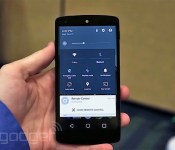
We just played with Android’s L Developer Preview

By releasing a Developer Preview of the next version of Android (only known as “L” for now), Google is walking new ground — and it’s blazing a glorious path that will greatly benefit the platform going forward. Developers and manufacturers will no longer be in the dark for upcoming firmware updates; by making a preview available, Google is giving its valued partners and third-party devs the opportunity to prepare their apps and services for the forthcoming refresh, which is due out sometime this fall.
This may not eliminate fragmentation (in which a vast majority of users are on old — and different — versions of Android) entirely, but it should reduce it significantly. Imagine, if you will, the day when Google officially releases the L update; how nice would it be if your six-month-old phone got it that very same day, rather than months later (if at all)? It seems like such a simple concept, yet this is exactly what Android users have put up with for years.
It’s a solid indicator that Google’s just as tired of the malarky as everyone else is, and the Developer Preview is its solution to that problem. It’s going to be available later today on the company’s developer site, but I found a Nexus 5 running the Preview ahead of time and had the chance to spend a few minutes with it. The company’s calling it a “preview” for a reason: It’s limited in scope and is meant to give developers a quick dose of inspiration. In my time with the unit, I noticed changes to the phone dialer, notifications panel, lock screen, calculator and settings, but Google will pepper more changes into the preview as we get closer to L’s final release.
The L update is not so much of an enhancement to functionality as it is an education in Google’s new design direction. The company is offering a brand new set of guidelines, which it’s calling Material Design. It’s intended to create a sense of vertical space and motion. It comes with 3D UI elements, as well as shadow effects and new 60fps animations that show movement, ripples and quicker touch feedback (the amount of time it takes to tell you that what you just touched is actually producing the expected result). This new design language features hierarchy, it’s responsive colorful and is meant to unify all Android-based platforms.
I don’t want to speak too much on performance because, as an early preview, it’s not exactly the buttery-smooth Android I’ve come to expect from the last few versions. I have no doubt this will improve as it approaches final release, so it’s a moot point for the time being. The preview features Project Volta, which is designed to make phones and tablets more battery efficient. It comes with a special battery saver mode baked in, and it kicked in as soon as my unit dropped to 15 percent. This mode starts turning certain features off, and this included L’s precious animations; bye-bye, 3D ripple effects. No matter — it’s much more important for my device to actually stay on in this situation, so I don’t mind.

The darling of the preview is the notifications. Nearly every aspect of Android’s notifications have been blessed with improvements, and there are even a couple features that are entirely brand-new. Notifications can be viewed on the lock screen now — at least, the ones that you don’t mind others seeing if they happen to peek at your locked phone. You can add privacy settings to certain notifications, however. For instance, you can see that you have a message but need to unlock the device for the details, or if that’s still too public, you can specify that you don’t want to see any notification show up at all.
Quick settings have also been integrated into the notifications panel, instead of being its own separate window. These settings are initially hidden from view when you pull down the notification bar, but they’ll appear if you keep pulling (or if you tap the bar on the top). Settings, WiFi, Bluetooth, Airplane Mode and more are available here, and it even comes with a TouchWiz-style brightness adjustment bar. Finally, you can also have actionable notifications drop down from the top of the screen. We just barely saw a similar feature introduced in iOS 8 — if a message comes in, you can choose to reply or dismiss it right away, instead of having to go into the notifications menu or your default messaging app. (Indeed, there are a few differences between the two platforms’ implementations, but the general idea is very similar.)

The new recent apps menu is a nice touch, although I didn’t get to see it at its full glory just yet. It features a carousel-style setup, and cards have been expanded to include certain instances within apps — Google gave the example of individual Chrome tabs and searches — which theoretically makes it easier and faster to get back to specific parts of an app.
This is just a small part of the L update, which will contain a plethora of features as well as 5,000 APIs for developers to take advantage of. It’ll continue to expand as we get closer to the update’s general release this fall. You can expect other neat features, such as the ability to keep your phone unlocked when your smartwatch is within range; 64-bit support; a faster and smoother ART runtime; an Android extension pack for better graphics; and more support for corporate and personal apps to run on the same device. While you wait for the new update to arrive on your phone, we’ve got a few pictures and a video to tide you over. And certainly, we hope that this is the beginning of a new fragmentless trend for Google — one that doesn’t mean users have to settle for outdated firmware for months on end.
Filed under: Cellphones, Wireless, Mobile, Google
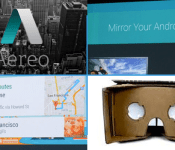
Engadget Daily: Aereo loses, Android is in everything, and more!

Today, we explore the US Supreme Court’s decision to pull the plug on Aereo, take a look at Android Auto, ponder Google’s new cardboard VR headset and happily welcome Android device mirroring on the Chromecast. Read on for Engadget’s news highlights from the last 24 hours.

US Supreme Court rules Aereo’s streaming service is illegal under copyright law
Aereo’s been fighting an uphill battle for a while, but it looks like the final judgement has passed. Today, the US Supreme Court ruled that this live TV-streaming internet service was indeed illegal under copyright law.

‘Cardboard’ is Google’s attempt at an inexpensive VR headset
Nope, what you’re looking at isn’t a corrugated paper View-Master, it’s an origami-style VR headset. Appropriately dubbed Cardboard, Google’s new DIY gadget uses your phone as the brains of an inexpensive virtual experience, which you can build from several household materials.

Chromecast can finally mirror your Android device’s screen
Want to show off some vacation photos without passing your Android handset around the room? Well, thanks to a few upgrades to the Google Chromecast, you can. The $35 HDMI dongle now supports Android device mirroring.

Google boosts in-car connectivity with Android Auto
Today at Google I/O, the Open Automotive Alliance announce Android Auto: a completely voice-enabled, contextually based system that projects your phone’s OS and apps onto your vehicle’s screen. What’s more, its APIs are shared by Google’s Android Wear platform.
You also might like:
Filed under: Misc
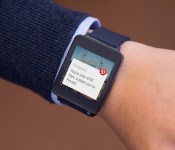
Pinterest comes to Android Wear, alerts you to nearby pins

Earlier today, Google announced that it’s releasing an SDK for its new Android Wear platform, allowing developers to make apps for Android smartwatches. It looks like Pinterest got a head start, though: The wedding planning bookmarking app is about to update its Android app to work with Android wearables. In particular, if you’re near a place you’ve pinned, you’ll get an alert on either your Android phone, tablet or smartwatch. From there, you can get directions too, if you’re lost (even though in theory you’re already close by). The update — version 3.0, to be exact — will hit the Play Store sometime tomorrow. So be ready for that, even though we suspect most of you were not lucky enough to get a free watch at Google I/O today.
Filed under: Wearables, Google
Source: Pinterest

Google gives us a simulated ride with Android Auto

Meet Google’s answer to Apple’s CarPlay: Android Auto. It’s a new platform announced today at the annual orgy of software and hardware development known as Google I/O, and it puts the (almost) full power of Android in your car. Why almost? Well, despite the fact that the system leverages your smartphone to power your car’s infotainment system, you don’t get access to all your apps. It has a limited selection that are suitable for use on the road and optimized for an in-dash interface, and I got to see several of them in action in an Audi S3.
Getting started with Auto is easy: you just plug your phone into the micro-USB cable wired into your car. For now, wired is the only option, but Product Manager Dylan Thomas said that the Android Auto team is in the process of evaluating wireless solutions. Regardless, once your phone’s connected, your car is endowed with the powers of Android. In the Audi, we got to see how the system works without a touchscreen, though other manufacturers, like Hyundai, are using such an interface. The Android Auto framework is built to function with either, according to Thomas, and it’s up to the individual manufacturer to decide what’s best for its customers. Whether you’re using a button and knob solution or a touchscreen, voice control is universally available to control things, too. And the voice control worked really well in the Audi. When asked whether Google had best practices recommendations for in-car microphone setups, Thomas informed me that his team is working with the manufacturers to do so.
In practice, navigating through the apps in the Audi was easy, whether the hardware or voice controls were used. On screen, users get a consistent look no matter the app, and a universal nav bar that persists beneath all apps that gives you direct access to the voice dialer, navigation, and music apps, along with your app tray. Despite the consistent layout, each app can be customized with different colors and icons to suit varying features and tastes.
For example, the Google Play Music app gets orange accents, while Spotify is swathed in green, but both have play/pause and track controls in a row at the bottom with album art filling the top 2/3 of the screen. A vertical ellipses icon located to the right of those controls grants access to an overflow menu filled with the custom iconography (and features) for each app. By using the same template for each app, Google is making the interface easier to navigate, which helps avoid confusion behind the wheel (a very good thing). Similarly, Google Maps sports a simpler interface that has fewer, larger location labels than its desktop or mobile implementations — again, to make it more car-friendly.
In summation, our brief time with Android Auto was a positive one. Voice controls worked well, apps look good, and navigating the system was relatively easy and intuitive as a result.
Filed under: Cellphones, Transportation, Mobile, Google
Living in a Google world: Why Android L means you’ll never have to disconnect

The biggest news to come out of Google’s developer-focused I/O conference isn’t Android TV or even the several new Android Wear smartwatches; it’s that Android is about to become much more than a mobile operating system. It’s about to consume your life.
With the introduction of the Android L platform (as the next version of that operating system’s tentatively being called), Google wants to be a part of everything you do — with technology, at least. Whether it’s swiping through Google Now on your smartphone, dismissing notifications on your smartwatch, using voice search to find a movie on Android TV or searching for a cafe on your in-car display, Android will follow you everywhere. And while features like universal sync across devices and voice commands will likely make your life easier, Google’s getting something pretty significant in return: access to nonstop streams of your personal data and search history. In short, it’s pretty clear that the “L” stands for “Life.”
Android L is a functional overhaul of Google’s ecosystem disguised as an aesthetic face-lift.
Android L, which will soon make its way into developers’ hands, is a functional overhaul of Google’s ecosystem disguised as an aesthetic face-lift. The new OS gets a makeover courtesy of Material Design; a new look that incorporates floating elements and transition animations for a more engaging experience across Android, Chrome OS and the web. Along with that glossy new façade, though, comes the true innovation at the core of Android L’s master plan: features that unite your life across your phone, smartwatch, desktop and more. Here’s a taste of how L will streamline things: Android notifications, such as calls and text messages or even low-battery alerts, will show up on your Chromebook when your smartphone is nearby. (Incidentally, Apple announced similar functionality for OS X Yosemite at WWDC earlier this month.)

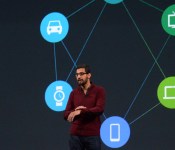
Sundar Pichai shares Google’s vision for taking Android L beyond mobile.
Early on during the Google I/O keynote, SVP Sundar Pichai laid out what’s essentially the company’s new mission statement: “We worked together — Android, Chrome and across all of Google — to craft one consistent vision for mobile, desktop and beyond.” So instead of getting windows into Google’s world via Android on your smartphone and services such as Google Docs, everything will fall under the omnipresent umbrella of L. Your search history and contextual info from Google Now will follow you virtually everywhere — even to the living room and your car if Google has its way — and truthfully the unified system offers plenty of perks. Beyond syncing settings and notifications, you’ll even be able to unlock your phone just by wearing your Android Wear watch — no PIN or lock screen pattern required.
The convenience factor here is nice, but it’s also just plain neat to see Google-powered devices acknowledging each other in new, interesting ways. A few years down the line, this feature could evolve into unlocking your front door with Android@Home, or even auto-resuming a playlist from your smartphone in your Android-ready car.
It’s a case of digital convenience intentionally breeding laziness.
If you’re already using Google services, Android L’s deeper cross-device ties likely won’t scare you away. After all, the company already knows quite a bit about anyone with a Google account and search history. But even if we’re okay with this omnipresence in our personal lives, Google’s step into the enterprise space blurs the lines uncomfortably. Baked into Android L is Android for Work, a BlackBerry Balance-style technology that keeps your work and personal accounts separate and secure on the same device. Google really doesn’t want you using a separate, non-Android phone for work, and by protecting sensitive enterprise data it hopes to keep you from leaving its search-lined world.

A slide from the I/O conference highlighting Google’s Android everywhere philosophy.
Android L’s clearly a bid to make Google into a way of life, but we shouldn’t be too surprised by that. This is Google operating as usual; this is a search company making a very public play for our data, albeit under the guise of efficiency for the end user. Effectively, it’s a case of digital convenience intentionally breeding laziness. And, really, when the walls between mobile, desktop and wearable no longer exist — when it’s one uninterrupted Google ecosystem, who would ever want to leave?

You can now relive the Google I/O 2014 opening keynote

Did you nod off a few times during the last half hour of Google’s opening keynote of I/O 2014 earlier today? No worries! The full video has been archived for your post-event viewing pleasure on YouTube. Hop down past the break to take a good long look at the nearly three-hour event spanning Android “L,” Auto, Wear and more.
Filed under: Internet, Software, Google
Source: Google I/O
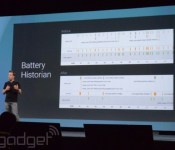
Android L can squeeze out 90 extra minutes of battery life with a new mode

Even as smartphones are getting bigger and better, battery life is often an issue. Google announced today at I/O that it’s upcoming version of Android includes “Project Volta” to take the problem head-on. A “battery historian” gives more info on exactly what’s draining energy, while a battery saver mode lets users squeeze up to an extra 90 minutes out of each charge by doing things like lowering the screen refresh rate. Following Project Butter to make the OS more responsive and Project Svelte to optimize it for cheaper phones, Volta could quickly have a very tangible effect on how we use our smartphones (and other Android devices). Developers can make their apps much smarter about battery usage, by avoiding updates or holding off on energy intensive tasks when energy is running out. If you want ot try out the new modes immediately, keep an eye out for the L Developer Preview arriving tomorow for the Nexus 5 and Nexus 7.
Filed under: Cellphones, Mobile, Google
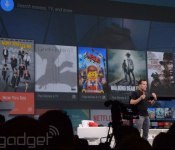
Google targets Amazon and Apple’s set-top boxes with Android TV platform

Google’s already well acquainted with the living room, having launched its Google TV platform at the I/O conference four years ago. It’s safe to say the set-top box software has fallen out of favor (with all but Sony, anyway), and Google’s been experiencing more success of late with its simpler Chromecast dongle. Well, today the search giant’s revealing its next play in home entertainment with Android TV, a brand new platform that’s part of Android L, and it’s bringing Google’s OS back to the big screen.
Much like on Apple’s set-top box or Amazon’s Fire TV, Google’s platform is a convenient front-end for it to plug video content from its own collection, in this case the Play store. It runs apps from other content providers like Netflix, of course, and allows you to pump live TV through the interface as well. Anything running Android TV will have the same functionality as a Chromecast, so you’ll be able to push content from your other devices to the TV exactly as you do with the dongle. Google Cast itself is being updated with direct screen mirroring, among other things.
Even closer to Amazon’s effort, Google intends Android TV not to be just for passive media consumption, but gaming as well. Different Android devices can be connected to your TV simultaneously to act as controllers. If your watching rather than gaming, then any Android phone, or smartwatch running the Wear platform, can be used as a remote.
Android TV features a simple and familiar card-based UI that naturally focuses on visual information (displaying movie posters, for example). The home screen floats on top of the content you’re currently playing, bringing that feeling of depth that’s key to Google’s new Material Design language. Google’s services and personalized recommendations are prominent, and voice search and navigation is included to make finding consumables, or anything else, as easy as saying it from the sofa. Apps and content can organize themselves across your home screen dynamically, based on your recent usage patterns.
With a special Play store experience just for the big screen, Android TV will be launching later this year alongside the Android L release, and various hardware partners are already on board. Next year’s smart TV ranges from the likes of Sharp and Sony, among others, will have the Android TV platform built-in. And, if you don’t fancy buying a whole new set, Razer, ASUS and others will be making set-top boxes-slash-consoles. Google’s also got a dev kit for those eager to get working with the SDK right away, which in Android L is the same one for tablet and smartphone form factors, too.
Filed under: Home Entertainment, Software, HD, Google
Source: Google Android TV

