



Microsoft’s Climatology Android app is all about what the weather’s usually like

Microsoft’s new Climatology app makes it simple to check weather conditions anywhere on Earth. Funny thing is, the company just released it for Android devices, with no Windows Phone app in sight. If you do use Android, the Microsoft Research-developed app can show you a location’s temperature, humidity and the average amount of rain and sunshine it’ll get during a particular month. Say, you’re going to Thailand on a vacation in November — just look up the place and choose a month to know if it’s sunny enough to hit the country’s beaches. It could be pretty useful if you travel a lot and need a quick way to check the weather. A single look at the app’s Play page shows that most people find its feature set quite limited, though, so you may want to hold off on deleting your other weather apps.

Filed under: Cellphones, Mobile, Microsoft
Via: Droid Life
Source: Google Play

Samsung keeps its distance from the Android pack with Galaxy Apps store

Samsung has spent the last several years trying to separate itself from the rest of the Android pack. Of course, that was much to the chagrin of Google. And while the two apparently reached an agreement to reduce the amount of bloat and branded services, Sammie is quite ready to give up on building its own ecosystem just yet. The company announced a major redesign and rebranding of its own app store, which is now known as Galaxy Apps. The goal, according to WonPyo Hong, president of the media solution center at Samsung Electronics, is to provide “differentiated solutions and services.” And that including delivering “hundreds of apps exclusively available to users of Samsung Galaxy mobile devices.” Though, what compelling apps are included in that and whether or not anyone will use them is still not exactly clear.
The move seems particularly interesting in light of Samsung’s apparent decision to hand over the reins of its enterprise friendly Knox project to Mountain View. Elements of the security suite are going to be incorporated into the next version of Android and security features for the OS will be entirely controlled by Google. But that leaves Sammie in a slightly awkward spot, it doesn’t want to be a commodity handset maker, but ways to stand out are increasingly hard to come by. Whether or not a streamlined, exclusive app store will be enough to do that is debatable. And there’s always the chance that this will rub Google the wrong way and lead to another round of tense negotiations between the maker of Android and its largest hardware partner.
Filed under: Software, Mobile, Samsung, Google
Via: Telegraph
Source: Samsung

Sapphire phone displays are tough, but the realities are even tougher

Sapphire is the birthstone of September, the traditional gift on your 45th wedding anniversary and a material associated with both luxury and ruggedness. It can be found in opulent products like jewelry, camera lenses and fancy watches. Given that, it’s also one of the toughest materials in the world, which makes it ideal for military-grade items like aviation displays and even missiles. So when rumors emerged that a sapphire display may be featured on the next iPhone, a chorus of excitement followed. However, many phone manufacturers don’t share the same sense of optimism that Apple might hold toward this different kind of next-gen display.
Earlier this week, YouTube vlogger Marques Brownlee showed what appears to be a sapphire display for the next iPhone. While the use of sapphire won’t be confirmed (or denied) by Apple until the product is released, the idea that it would want to use the material in its next flagship smartphone isn’t too hard to believe: The company announced late last year that it partnered with leading sapphire producer GT Advanced Technologies to build a manufacturing facility in Arizona. And according to a report from 9to5mac, the deal included enough new equipment to make around 100 million to 200 million iPhone-sized displays per year.
There’s one major reason why manufacturers are looking into using sapphire displays: The material is strong. Very strong. Sapphire is about four times as tough as glass. Gorilla Glass, regularly found protecting current smartphone screens, fares pretty well against hard objects too, but in order to scratch sapphire, you’d need to find something higher than nine on the Mohs scale — a system of measurement used to rate mineral hardness from one to 10, with 10 being the highest. (For comparison, Gorilla Glass rates a seven; sandpaper is a nine; and diamond is a 10)
It’s no coincidence that existing sapphire display phones are incredibly expensive.
Using sapphire instead of glass for a smartphone display isn’t a groundbreaking concept. The material is already used in the (admittedly far smaller) protective glass covering the iPhone camera, as well as the 5s home button (for Touch ID); and luxury brands like Vertu, Savelli and TAG Heuer use sapphire displays in their existing phones. However, it’s no coincidence that existing sapphire display phones are incredibly expensive — manufacturing sapphire is time-intensive, limited by available quantity and very costly. The price of sapphire camera lens covers is 2.6 times higher than glass. On a large phone display, the difference in cost is even higher; last year, GT Advanced reps estimated the cost for a pane of Gorilla Glass at $3, while sapphire was around $30.
I reached out to multiple representatives from major smartphone players and while most companies I talked to had already researched and analyzed the possibility of using sapphire, their impressions were much more lukewarm than I expected. “The cost and supply aren’t where we’d like them to be for sapphire to be practical just yet,” said Ken Hong, Global Communications Director for LG. “Sapphire’s durability and scratch-resistance are certainly attractive, but Gorilla Glass isn’t going to be displaced anytime soon.”
“Right now, the cost doesn’t justify the nominal benefit of sapphire over Gorilla Glass”
There are plenty of other issues associated with sapphire. It’s heavier than Gorilla Glass and the material remains less transparent than glass, meaning it would be more difficult to see the screen unless manufacturers add a special coating to increase transparency. (Even then, it still wouldn’t be as good as glass.) Additionally, each representative I talked to confirmed that while sapphire is durable, it certainly isn’t unbreakable. In fact, the larger the display is, the more brittle it becomes; “The sapphire is too hard to withstand bending,” said a representative of a top-tier phone maker who also asked to remain anonymous. “It’s easier to break during drop tests when the size of sapphire increases.”

Another representative replied, “In a cost-benefit analysis, I doubt [using sapphire] makes sense, unless there is some perceived marketing advantage.” Despite the potential downfalls of using such a material, that’s exactly what Apple would be gunning for by using the display in the iPhone: marketing power. Sapphire’s got a solid reputation; if the new iPhone features the same material used in premium watches, necklaces and earrings, and the company can throw it in without raising the price to consumers, Apple has a great new way to distinguish itself from the competition.
Only large companies with enough resources and bargaining power will be able to secure enough sapphire for mass production.
Even if other phone makers wanted to use sapphire displays, it would be difficult for them to secure enough inventory due to a very limited supply — a problem that the iPhone maker has avoided. “Apple uses its massive cash hoard to fund big upfront commitments for key components,” said Jan Dawson, chief analyst at Jackdaw Research. “[It’s] something that almost every other OEM but Samsung will struggle to do.” In other words, only large companies with enough resources and bargaining power will be able to secure enough sapphire for mass production.
This doesn’t mean that sapphire displays won’t be embraced in the future; they might just come in a different form. We wouldn’t be too surprised if multiple hardware manufacturers decided to use the material on smartwatches for now, since the screens — and the number of devices to build — would be much smaller and thus more affordable than smartphones. (The Moto 360, for example, is rumored to have a sapphire screen.) Then, as supply goes up and production becomes more cost-efficient, more doors may open for phone makers who want to give sapphire a shot.
Filed under: Cellphones, Wireless, Mobile, Apple, LG
Icon packs that you must have on your Android device…Round Three

I’m an icon addict to the point of where I really need some serious intervention. But don’t call anyone quite yet, because you might just enjoy what I’m fixing to show you. Once you see what I have to show off, then you can decide if a phone call is warranted or not.
That’s right, I’m going to show you some of the newest, hottest, most amazing icon packs in the Google Play Store today that you need to have installed on your mobile device. These icons packs will make your phone scream with pleasure and will get everyone asking; “What awesome icon pack is that you’re using?”
You can check out some of our older posts on this same subject here: Android Icons You Must Have as well as my other two editions of this post here: Icon Packs You Must Have(Round One) and here: Icon Packs You Must Have(Round Two)
The good thing about the icon packs that I’m going to show you today is that they are so very simple to install and easy to set on your device. And when you do get them set on your device, they will theme your homescreen icons as well as all of your icons in your app drawer. That way everything looks nice, neat and uniform. Now, without further adieu, let’s get to all the jaw dropping awesomeness that you’ve come here to see.
NOTE: THIS ARTICLE IS SPREAD ACROSS FIVE PAGES
Aloha by Will Windham(StealthyChief)

Aloha by StealthyChief is an exceptionally well put together icon pack of over 1,650 custom made icons with a retro and tropical style that were influenced by the beautiful scenery of Hawaii. Will Windham has done an exceptional job of custom making so many of the icons majority of us use on a daily basis, and with the unique colors, icon images and everything else, Aloha is just another example of who much he pays attention to detail.
Priced at $1.99, Aloha gives you the icon masking feature as well as 10 HD wallpapers, Muzei Wallpaper support, support for most of the known launchers and it even gets weekly updates every Friday.

Astero by Ekky Pramana(PinkNoze Studio)

PinkNoze Studio has been around for a bit, but Astero is the first icon pack of theirs that I’ve used. What might appear as your standard every day round icon with a shadow, Astero, by Ekky Pramana isn’t exactly that. Yes, it’s round and it has a shadow, but the shadow isn’t a long shadow going from the middle of the icon to the bottom corner so to speak. The shadow stays at the bottom, which you don’t see a lot of right now. Something slightly different which is nice.
For only $1 in the Play Store, you’ll get 650+ custom HD icons made at 144 x 144px, 9 HD wallpapers, a theme dashboard, icon request tool and frequent updates.

The post Icon packs that you must have on your Android device…Round Three appeared first on AndroidGuys.

Microsoft looking for beta testers for Android version of OneNote

Microsoft have announced a new feedback program that will allow Beta testers to try out upcoming versions of its note-taking app OneNote on Android.
To get involved, you just need to join the Google+ Community Page for OneNote and click ‘Become a tester’.
Allowing the community to feedback to Microsoft about new features in versions of OneNote will be a great way to ensure any bugs or half-baked features are polished before release.
Did you sign up for Microsoft’s OneNote Beta program?
The post Microsoft looking for beta testers for Android version of OneNote appeared first on AndroidGuys.

Motorola talks Android 4.4.4 updates; plans a Google+ AMA

Motorola has provided a bit of insight into the Android 4.4.4 KitKat software update and how it pertains to its line of smartphones.
This latest update includes all of the goodies of 4.4.3—such a new dialer, the ability to pause during video recording, and enhanced camera image quality—and includes enhanced security for OpenSSL.
A blog post on the hardware maker’s website tells us that the update has commenced for the Moto G in Brazil and India while the Moto E is getting the same treatment in Brazil, France, Canada, and Asia Pacific. As for the United States, the Droid Ultra is the only one thus far to see 4.4.4.
Looking ahead, Motorola will be holding a Google+ Ask Me Anything event on July 17 where product manager Mark Rose will field your questions over 30 minutes.
The post Motorola talks Android 4.4.4 updates; plans a Google+ AMA appeared first on AndroidGuys.
Google Play Games 2.0 rolling out now carrying features and improvements [Download]

New update to Google Play Games is rolling out as we speak. It is bringing a number of features and improvements, let’s see what we get in this 2.0 update.
As far as new features go we get level-up notifications and XP ranking, along with that you might notice a few UI tweaks in the app. Inbox, which was up to now reserved for game invitations only, has been tweaked and now includes separate tabs for invitations, quests and gifts. Play Now, Players and My Games screens have also been tweaked. All in all they’ve slightly changed the looks and the functionality of the app itself.
The official version of the update is 2.0.11 and if you don’t want to wait until they push it to your device you can download the .APK here, all you need is an Android 2.3+ device and you’re good to go!
Via: AndroidPolice
The post Google Play Games 2.0 rolling out now carrying features and improvements [Download] appeared first on AndroidGuys.
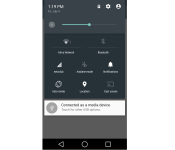
Android L’s quick settings might be customizable once the OS gets released

The beauty of Android si the ability to customize it. Even without rooting the phone you have an incredible level of customization that you can apply on your device, unlike some other platforms which allow you to do very little when ti comes to this *cough* WP and iOS *cough*.
Non-rooted Android devices can’t do much when it comes to customizing built-in quick settings at the moment but that might change once Android “L” is launched. Certain user requested some feedback on this in the official Android previews issue tracker, actually he requested this feature and a member of Android “L” project responded to this. He seemed intrigued by the idea, so intrigued that we might actually see something like this once Android “L” is released or in the future updates to it.
This of course doesn’t have to mean absolutely anything, but it might. I personally would definitely welcome a feature like this, how about you?
Source: Code.Google
Via: PhoneArena
The post Android L’s quick settings might be customizable once the OS gets released appeared first on AndroidGuys.

Gmail for Android adds a faster way to attach Google Drive files

Attaching Drive files on Gmail is easy enough even on Android phones and tablets, but we doubt anybody would complain if Google wants to make it even easier. The new Gmail refresh for Android comes with an “Insert from Drive” option on the right-hand pull-down menu. That’s definitely a lot quicker to access than the traditional Drive icon hidden among the undoubtedly numerous apps in your list, which shows up after clicking “Attach file.” Plus, in case the email’s recipients can’t see the file you’ve chosen (say, if it’s marked private or if it’s only shared to a select group of people), you can access its settings from within the app before you send an email. As a bonus, the updated Gmail app’s To: and CC/BCC: suggestions are now not only more comprehensive, but also show up much faster than before. Just don’t feel hurried to choose recipients because of this change, lest you end up blasting the entire office an embarrassing email.
Filed under: Cellphones, Tablets, Mobile, Google
Source: Gmail (Google+), Google Play

Silent Circle expands its encrypted calling service to 79 countries

Silent Circle’s mobile apps have helped make calls, messages and storing contacts more secure, but to enjoy its encryption benefits other people would need to use the same service. That could no longer be a problem for some, after the company announced its expanding its Silent Phone service to let users make truly private calls to non-Silent Circle members worldwide. While some users have been able to use the iOS and Android apps to make calls to standard mobile and landlines, like you would with Skype or Viber, Silent Circle’s encrypted “Out-Circle” calling service was limited to users in a select number of countries. From today, subscribers enrolling in the service will be given a unique ten-digit Silent Phone number to make and receive calls in 79 countries without a roaming charge in sight. If you’ve ordered the Blackphone, you will, of course, be pre-subscribed to Silent Phone (although you’ll have to set up Out-Circle separately) and the company’s other anti-surveillance services. Starting at $12.95 for 100 minutes, Out-Circle isn’t the cheapest package out there, but you can’t put a price on privacy, right?
Filed under: Cellphones, Wireless
Source: SIlent Circle: Out-Circle

