


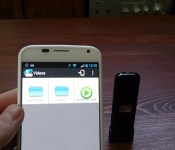
Use the SanDisk Connect with AllCast for Chromecast Support
I like to use technology to my advantage when ever possible. I am sure many of you thought that the SanDisk 64GB Connect Wireless Flash Drive was pretty darn cool. It really it is. Being able to transfer files, movies, images and photos back and forth between your devices and the flash drive without any physical connection is pretty great. The ability to stream movies from the drive to your phone or tablet is also pretty cool. That doesn’t mean you can’t do more though.
While the SanDisk app by its self doesn’t offer Chromecast support as a playback option, you can still cast the content from the flash drive to Chromecast easily. The thought dawned on me this morning when I remembered that when you launch a video for play back you are prompted to pick your player. Many of us have multiple apps that can play back videos. So I installed AllCast to the Moto X and I could cast from the SanDisk 64GB Connect Wireless Flash Drive to the Chromecast.
 To make it happen though you do need to set up the flash drive on your preferred internet connection so that the internet passes through to your phone or tablet. If you don’t it will never connect because the app flips to the drive for the connection and disables your Wi-Fi connection. Once connected, you open the SanDisk Connect app, select the movie you want and then open it with Chromecast.

 I shouldn’t be surprised that it worked, but it is not something that an average consumer might have thought to try. It certainly does open up more uses for the drive for many people. I did run into issues with various file formats of course. A .m4v caused Play Services to force close and an avi just sat there and did nothing, but the traditional mp4 video file played just fine all the way through.
Head over and read the full review of the SanDisk 64GB Connect Wireless Flash Drive and pick up one. Alternatively, grab AllCast from the Play Store too.
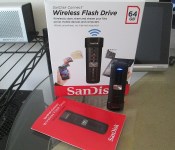
SanDisk 64GB Connect Wireless Flash Drive; One Flash Drive to Rule Them All
Over the years I have progressed from being a flash-a-holic who tried every ROM out from my device at time, to a battery bank hoarder, to a Bluetooth speaker rocker and beyond. It seems that every 6 months or so my needs change, my tastes change and the available tech changes too. No matter what I get all hyped up and focused on, the general genre is the same, mobile and multi-device compatible. I have no desire to put down $200 on something that will only work with whatever device I have right now. I want things that can be used long term over multiple devices. Prior to CES 2014 I started this journey into the wold of portable storage. Mainly micro SD cards and like accessory items. I had the chance to use the Leef Pro 32GB UHS-1 and all the people that tell you the class of the card and manufacturer do matter, are right.
What about those that aren’t fortunate enough to have a micro SD card slot on their device? You can rely heavily on the cloud for a great majority of your storage, but the cloud can only do so much and isn’t always accessible all the time. This is where SanDisk offers another solution to your portable storage woes with the SanDisk Connect Wireless.
 Sandisk has two offerings in this department. One being a physical square box, the Connect Wireless Media Box, and one being a thumb drive style. This is about the thumb drive version of the Wireless connect. Let’s start out with what is in the box.
- A SanDisk 64GB Connect
- A preinstalled 64GB SDHC U-1 Micro SD card
- Manual
The drive is about twice the size of your average thumb drive. Measuring in at 3.1 x 1 x 0.5 -inches (78 x 27 x 14 mm) and weighs in at 0.95 oz (27gr).

 On the front you have a band that runs down the middle that are these little black individual squares. They are reflective and catch the light. They don’t serve any purpose other than a design element. In the middle of the strip is a silver button that has the traditional looking Wi-Fi logo. This button is the only one found on the device and is also the power button.

 To the left you have a closed door. If you open it up you will find the 64 GB microSDXC card.

 On the top you find a small set of slots to attach a wrist strap or key chain.
The bottom is where you will find the USB aspect of the device. It is cleverly hidden under a sliding, what feels like aluminum, cover. Slide it closed and it helps protect the USB plug and also serves as a way to stand the unit up. Slide it open to plug it into your PC or Laptop.
 The SanDisk 64GB Connect offers an internal battery that charges while it is plugged in. This can be achieved by plugging it into the USB port on your PC, Car charger or wall plug. Where ever and how ever you charge your various other devices that rely on a USB port. The battery rating states 4 hours of continuous streaming usage based on one device using it.
The SanDisk Connect Wireless devices have a few primary functions. They are made to house a ton of information with folders already in place for Documents, Music, Videos and Photos. Like any other storage device, you can create your folders and sorting system. The device will allow up to 8 devices to connect to it, with 3 devices capable of streaming content such as music or movies. SanDisk has an app for iOS and Android devices with an easy setup process and user interface. You can also connect to the Connect Wireless through a browser, like on the the Chromebook in the image below, simply by changing your Wi-Fi access point and typing in a web address.

 When you access the drive via a web browser you have access to all the content on it. You can listen to music, watch movies and transfer files back and forth. It is a pretty straight forward and simple process.
The Supporting Android App
On the Android app side of things you have the same abilities. You turn on the Connect Wireless and then open the app on your device. It will take a few seconds to make the connection and then you are set to use it like an external storage source. The apps UI is clean and straight forward. you are presented with the root of the card and all your files. If your device is capable of playing the file or viewing the file you are able to do so straight through the app. If you your file format is not one that is supported, you will be prompted to download it.


 In the settings for the app you can adjust a multitude of settings.
- Add a security password to prevent others from randomly accessing it
- Power Save Timer to shut it down after a period of time
- Internet connection: This setting lets you use internet pass through so you can still browse on your tablet, phone or laptop.
- Set download directory: Pretty straight forward, direct where files download.
Directly from the SanDisk app you can directly upload the photos and videos from your devices gallery and access the download folder for the items the downloaded from the SanDisk drive.
How does the SanDisk 64GB Connect perform?
I have spent the better part of two weeks using the drive as often as possible. I have connected it to my Xperia Z, the Republic Wireless Moto X, the Lenovo Yoga 8, the Lenovo Yoga 10, the Chromebook and of course, directly into my PC.
The physical USB side is a USB 2.0 rated plug. So you can expect average transfer speeds, around 12mb/s or so. At least that is the speeds I was experiencing through the USB 3.0 interface I currently have on my desktop. A couple gigs of movies only took a few minutes. I can personally live that, others that are used to faster transfer speeds might be irritated. The longest part is filling the 64GB card with data.
As mentioned before, the actual storage is housed by a 64GB Micro SDHC U-1 card. If speed is concern, you can simply remove the expandable storage card and place it in a card reader and then into your PC. I ran CrystalDiskMark 3.0 to see what the speeds were for the card through a reader and the drive it self. ( first thing I came across that sounded like it would work out well.) Through the Thumb drive we saw a read speed of about 17.60mbs and a write speed of about 12.32mbs.
 I didn’t have anything over a USB 2.0 that I could connect to actually test the card speed by its self. I tried a few different things I have sitting here, but only got up to 20 mb’s read and 15mb/s write. The actual card doesn’t show if it is an Ultra, Extreme or Extreme Plus model card, each has a slightly higher read/write than the other. Searching around for others that may have reviewed this as well I found legitreviews. Their benchmark on the card by its self clocked in at 95mb/s read and 60mb/s write. Why on earth SanDisk didn’t make the drive USB 3.0 is beyond me.
The trickery speed testing is through a Wi-Fi connection on your device. Simply because there is no way to really test that, at least none I could find. So went with the old way and simply used the stop watch on my Xperia Z while tranfering photos and videos from the Moto X to the SanDisk Connect.


 As you can see it took 12 minutes and 11 seconds to transfer 74 files totaling 710.81mbs. That did include 3 fairly large videos as well. I hit the start as soon as the first MB started and stop as soon as the ‘upload complete’ screen appeared. I could be off by a second or two, but you get the idea.
Battery life
The battery life is a pretty important factor when considering something like this. Not only as a potential backup on the fly, have access to a large quantity of data when an internet connection isn’t possible, but also for those long car or plane rides. I tested this over the course of several days, streaming a lot of movies. The device specs say 4 hours continuous streaming. That is a modest amount of time and I think it may have been recorded with 3 devices connected and streaming at the same time. During my tests I was able to reach between 5 and 6 hours of continuous streaming. The lower being 2 devices connected and streaming the higher 6 hours with one device. Individual results would of course vary depending on a number of different factors. Those are just my personal results.
I like to think out of the box too. It occurred to me that a person should be able to stream while it was charging and offer up an endless amount of time. The SanDisk actually makes note of that on their site in the various bits of literature. That little nugget just made this the king of travel thumb drives in the car for me.

 Our new car happens to have a plug inside the center console. Obviously it had power, but it was also out of the way and not likely to get jarred or knocked about.
The same rings true with a portable battery or a wall plug.
On the PC front though, you can’t stream while it is plugged in. Which is understandable since your PC will turn and read the device as a drive.
Files formats and Support
SanDisk states that virtually all files and format are supported by the drive. That is true since the device is simply a thumb drive. Anything you can save to storage you can save to the drive. That doesn’t mean everything you save can be streamed or opened. Obviously what ever device you are connected to needs to be able to play or open the file.
Music, Videos and Photos are all accessed directly through the drive and are streamed. In the case of photos you get thumb nails to look through. The thumbnails take a few moments to load up and you can navigate between photos by swiping left or right, just like any other photo gallery.
Music offers up a simple set of previous, play/pause, next buttons. You can swipe left for the next track and swipe right for the previous track. It pulled the album cover as well. So that is nice. There isn’t a ton of abilities in the player for creating a play list or staring a song. Simple solution, create a folder for it your play lists and drop the tracks in there. I only loaded up a few albums that were all your standard MP3, all played instantly and without issues.
On the Movie/Video front, this where things are a bit of a pain. Your standard MP4 and M4V formats play without a hitch. AVI, MKV and other formats would not, even though my Xperia Z played a particular MKV file without fuss when physically on my phone, it wouldn’t stream from the drive. I couldn’t even attempt to do so, the file didn’t have the playable file icon over it. I could however tap on it and download it to my phone. That method worked and after it was downloaded I could play it. That does defeat the purpose of having stored wirelessly though. The Chromebook was similar since certain video file formats don’t play well with it.
Documents are a different story all together. Documents can’t be opened through the app, each document has to be download to your phone in order to open it. That could be a deal breaker for some, for the document aspect. On the flip side though, downloading is quick and only takes a few seconds for anything I had which was various PDF’s and spreadsheets. The file stays on the SanDisk drive and you can delete it from your phone when you are done with it, or reupload it to the drive if you made revisions.
Range
SanDisk says that the device has a range of 150 feet. Under optimal conditions, like an empty field or large open floor plan I am sure that is true. After all, they offer what it is capable of. I didn’t give it a wide open space test. Rather, I gave it “How will I use this in my life” test. Traveling in the car it easily covers all passengers in the vehicle. In my home, I was able to go down stairs and into the garage while the drive was sitting on my desk in my room. That put it streaming through a floor and couple of walls and doors. That isn’t to bad.
What I liked about the SanDisk 64GB Connect Wireless Flash Drive
The SanDisk Flash Drive is very small and compact. SanDisk did a great job on the design of the drive with the door flap to cover the car, the materials used and the sliding cover for the USB plug.
It is simple to set up and use. All you need is to install the free app for Android, iOS or Kindle and you are pretty much set. With the exception of iOS, you have to go into your Wi-Fi settings and manually switch to the drive where as Android will do it for you. Add some files from your PC if you want, or wirelessly transfer anything and everything off your phone. There isn’t a complicated set of flashing lights to worry about, just long press the button until it lights up and you are on.
 I like that it isn’t locked in to storage that you buy. Meaning that I can swap out the 64GB card for another micro SD card that might have things on it that we need to access. This also comes in handy if you happen to live by micro SD cards like I do. My digital camera has a micro SD card in it that uses an adapter to a full size SD card. I can pop the card out, stick it in the SanDisk and then share it to my phone, tablet or with the people around me. A small side note though, this option isn’t fully true with the 16Gb or 32GB. The software is setup to read just that card size. Where as the 64GB offering will read 32GB and 16Gb cards as well.
I also like the fact that it can be plugged into a car charger, wall outlet or external battery bank and and still stream. While I was getting 5 to 6 hours of constant streaming and probably won’t need more than that, it is nice to know that I can.
 The security layer with password protection is pretty good if you need it. The drive can’t be accessed without the app installed in the first place, but being able to add a 128-bit AES password to the files doesn’t hurt.
Over-the-air firmware updates. If the Flash Drive has an update to the firmware, you don’t need anything special to install it. When you launch the app it tells you. You say yes, install it and then follow the instructions. It is quick, painless and simple.
What I didn’t like about the SanDisk 64GB Connect Wireless Flash Drive
The accessory and physical unit is exceptional. I don’t have anything that I didn’t like about it. The things I didn’t like were more related to the app. To SanDisks credit though, they did do a good job with it as it sits and a few updates and changes to the app will make things brilliant. Also, updating an app is much easier than fixing hardware issues.
In the app you have no way to upload an entire folder. You are limited to accessing your devices photo and video gallery. You can select multiple photos and videos at one time, but they all upload to one central folder that gets automatically created “Uploads from Android”. The same goes any file you share to the drive through a file explorer. From there you will need to sort them and put them in folders on your own.
While I have various apps installed to play videos with, I wasn’t able to select them in the case of certain video formats. the Troy.mkv for instance, plays perfect directly through the video player on the Xperia Z, but through the SanDisk drive I could only download the file, not try to play it. Once downloaded it played without issue, but pulling a 800mb file to the device isn’t optimal.
I did run into another issue with the app, and I think it has more to do with the file its self than anything. One particular file was a MP4, but it was a HD MP4 that weighed in at 2.2GBs. The issue I faced was after 30 to 45 minutes the video would stop and it would tell me the video couldn’t be played. I put the same video on my device and played the entire movie without a problem. I will blame that failure on the following information.
 As you can see, the MP4 in question is on the left. The data rate, bitrate and frame rates are pretty high on the file. Where as the file on the right is a smaller, and probably more normal, MP4 file. The one on the right was played clear through multiple times. I am not a video codec expert at all, I just have files, so I wanted to point those issues out in case a similar average consumer runs into issues.
Overall thoughts
There are various options out there that a person can use to save data, stream movies and share files. We have reviewed, the now old, Kingston Wi-Drive, The Wi-Drive+ (which changed names to the Mobile Lite) and have messed about with a few others. The Kingston Mobile Lite had the right idea, but the app and software was pretty bad on the Android side, they took good care of the iOS users. I think SanDisk has a good thing going here with the design, style, look and cross platform functionality. you don’t need to worry if your device supports OTG, or if your new phone can support the SD card. It is easily accessible on all iOS device, Android devices, PC, Macs and anything else that has Wi-Fi and a web browser.
The SanDisk 64GB Connect is going to shine brightest for business individuals who travel often and need access to files when an internet connection might not always be present. It should easily make it on the “What the family needs” list for road trips, camping trips and vacations. Especially the tech savvy family. Look dad, I know you hate hooking up 3 different devices to transfer the movies and shows and wasting a few hours of your life, so don’t. Toss them all on this and head out the door. Best part, if one of your devices has a movie that someone else wants to watch too, then just upload it to the drive from the device.
I reached out to SanDisk prior to finishing up this review to see if the recently announced, and released, 128GB Ultra MicroSDXC cards will work, or will be supported, in the 64GB model drive. They are checking and I will update this post with their answer.
Pricing details
Now that I have covered, or think I have covered, just about everything there is to consider, you probably need to know what it will set you back. The SanDisk 64GB Connect Wireless that I reviewed here will cost you $99.99. Yes, that includes the 64GB card pre-installed. Those cards have a suggested retail of $99.99 all on their own, but go for about $50 on Amazon. You also have the 32GB option for $59.99 and the 16GB option for $49.99. Seriously, for $10 more you should get the 32GB if the 64Gb is a bit out of your price range right now.
SanDisk Connect 64GB Wireless Flash Drive – $99.99

SanDisk Connect 32GB Wireless Flash Drive – $59.99

SanDisk Connect 16GB Wireless Flash Drive – $49.99



4 Smartphone Accessories For Outdoor Enthusiasts
 Outdoorsy types — hunters, fishermen and ATV riders, to name a few — utilize mobile technology as much as the indoor types, but their apps are a bit more hands-on. The Pew Research Center’s Internet & American Life Project found that 61 percent of Americans owned a smartphone in 2013, and that number will only increase. Outdoor enthusiasts make up a huge part of that group, but they may not be aware of the cool accessories available to enhance their activities. If you’re one of those people, here are four that may interest you:
S4 Gear Jackknife Smartphone Bow Mount
There is no better feeling for bow hunters than a perfect head or neck shot that takes down your target without damaging any of the meat. Now you can share those moments instantly with everyone.
The S4 Gear’s Jackknife Bow Mount gives hunters the ability to shoot video with their smartphone attached right to the bow’s sight mount. It creates a first-person shooter viewpoint that allows you to film and provide commentary simultaneously. Not only will the Jackknife allow you to share your hunting activities with the world, but can also serve as training film to improve your accuracy. The Jackknife sells for around $45.
Anemometer Accessory by Vaavud
There’s one element of nature that can ruin a camping, boating, surfing or hunting trip before it begins: wind. Hunters, for instance, always want to approach prey in the opposite direction of the wind so the animals don’t pick up their scent and escape. Deer, especially, use their olfactory receptors for communication and defense purposes, so knowing the wind’s velocity and direction is important.
The Vaavud Smartphone Anemometer is the perfect accessory for all outdoor activities. Funded by a Kickstarter crowdfunding campaign, the Vaavud wireless wind meter lets users get accurate readings of wind speed and direction. You can then share the readings instantly online. The device works with most iPhones, along with the Samsung Galaxy S3, S4 and HTC One. The Vaavud wind meter can be purchased for $50.
Arctic Power Bank 4000
Extending trips away from power sources mean the batteries in your device will need some other way to maintain a charge. That’s where the Arctic Power Bank 4000 come into play.
This portable charger and backup battery provides 4000 mAh of power, essentially giving you 16 extra hours of talk time or 20 hours of Web surfing. Its compatible with almost all smartphones, tablets, e-Readers and any other USB-powered device. It’s small enough to fit in your pocket and comes with a case to hold all the cables. Available on Amazon carries for $30.
Arkon SM032 Handlebar Mount
Cameras that mount on ATV helmets are becoming a popular accessory for riders to share their experiences with others. But shooting a second angle can give you more raw footage to work with when editing the finished product.
The Arkon SM032 allows you to mount your smartphone to your handlebars without covering the controls on your touchscreen. The water-resistant zippers around the holder allows you to ride anywhere in any kind of weather. It’s compatible with most smartphones and even the iPod touch. For under $30, it can be yours.
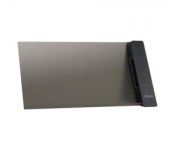
Official 2013 Nexus 7 Wired and Wireless Docks Launched by ASUS
We all sit on pins and needles, not really, for the next Nexus tablet to come to fruition. Rumors have talked about an 8-inch variety, an announcement at Google I/O, HTC being the winner of the design for the next one and plenty more. Heck, I was just reading over at IBTimes that the Nexus 8 will be at I/O with Android 4.5. June is a long ways away. For those living in the real world right now, ASUS has finally brought forth two docks for your coveted 2013 Nexus 7. Both should help you bide the time until we see what Google is up to.
The first is a charging stand
- Slide-in Design for horizontal or vertical viewing.
- HDMI out to view content on your TV or PC monitor
- Comes in Black
- Dimensions: 218 x 106 x 77 mm
- Weight: 142g


Next up is the wireless charging PW100
- Pyrimid design
- Qi Standard
- LED status light
- Comes in black
- Dimensions: 75 x 65 x 84 mm
- Weight: 115g


The wired dock will set you back a modest $50. Which isn’t bad considering it offers the HDMI out and two view options. The wireless PW100 goes up a bit for the wireless aspect to $90. Both via Amazon.
amzn_assoc_ad_type = “product_link”;
amzn_assoc_tracking_id = “wwwandcom-20”;
amzn_assoc_marketplace = “amazon”;
amzn_assoc_region = “US”;
amzn_assoc_placement = “B00IAMEGPU”;
amzn_assoc_asins = “B00IAMEGPU”;
amzn_assoc_show_border = true;
amzn_assoc_link_opens_in_new_window = true;
amzn_assoc_ad_type = “product_link”;
amzn_assoc_tracking_id = “wwwandcom-20”;
amzn_assoc_marketplace = “amazon”;
amzn_assoc_region = “US”;
amzn_assoc_placement = “B00IAAD0MW”;
amzn_assoc_asins = “B00IAAD0MW”;
amzn_assoc_show_border = true;
amzn_assoc_link_opens_in_new_window = true;
Head over to ASUS for a closer look at the wired dock and the wireless PW100.
Via Liliputing
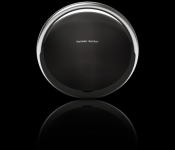
Sprint Pairs Up With Harmon Kardon For The Onyx Studio

Well we all know what Sprint is, a regular carrier giving us consumers cellular services for our mobile devices. That’s usually were all carriers stop but Sprint want’s to go one step further. Enter Harmon Kardon. Sprint has partnered up with the high-end audio company to bring their own line of portable Bluetooth speakers for the masses. The speaker in question is called the Onyx Studio, a small and rechargeable speaker that will bring you up to 5 hours of audio on a single charge.
Other specs include 4 speakers and dual passive radiators which are supposed to give you “..deep bass for authentic sound quality”. Now as we all know these are just words, each of us have our own unique set of standards when it comes to our tech. Luckily the Onyx Studio will be carried exclusively at Sprint stores so you can go in and try it out yourself, see if it will meet your portable audio needs. The Onyx Studio is currently retailing for $399.99 on Sprint.com (link below), quite a pretty penny for a speaker so I suggest you visit your local Sprint store and try it out before you buy. All in all this looks to be an interesting move from the mobile carrier and I look forward to seeing what else they venture into.

Belkin Announces New Samsung Galaxy S5 Accessories

The Samsung Galaxy S5 was announced yesterday and despite what comments you’ve read on the internet it is a new flagship phone and with that title comes accessories. Bring in Belkin. The company announced their new line of accessories made specifically for the Samsung Galaxy S5 and boy are there plenty to choose from. As always cases play a major role as the first accessories made for any flagship so Belkin came out with two different types. We have the Wallet Folio Case and the Air Protect Grip Extreme Case.


The wallet folio case is the general flip cover case that doubles as a credit/debit card holder on the inside and comes in a variety of colors for only $39.99. As an added bonus you can also use this case a stand for movie watching.


The second case (Air Protect Grip Extreme) is made more for complete protection. Using their patented Shocwave technology in the corners of the Air Protect case allows you to more easily deal with the bumps and bruises of day to day life for a modest price ($34.99).


Then finally there are the chargers, you know those things that keep your phone alive when your battery is running low ;). Hopefully it doesn’t come down to this but let’s say you lose the charger for that new S5 of yours, or if you’re like me, your puppy chews through it on day one, Belkin has you covered. They have launched some great wall chargers that will put out the 2.1 Amps that you need to charge your devices should that fate befall you, if not well they still come in handy for your other mobile devices.
So if you’re planning to get your hands on the Samsung Galaxy S5 Belkin would be a great place to look for some accessories. I have provided the links below to their products, so click and search, who knows you might end up buying a case for your next flagship phone from Samsung.
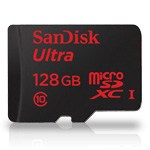
Deal Alert: The new SanDisk 128GB MicroSDXC Card on Sale Now
 Yesterday we showed you guys the latest offering from SandDisk. The new SanDisk 128GB microSDXC memory card. The card is the same size as any micro SD card, but packs in an insane amount of memory. It comes with a 10 year warranty, is Water-proof, temperature proof, X-ray proof, magnet proof and shock proof and offers transfer speeds up to 30MBs.
The press release pegged the new card to launch with a hefty price tag attached, $199.99. Like all things on the internet, that didn’t stick. Right now the new 128GB microSDXC cards are coming in at $119.99. That is less than a $1 a GB. Considering its size, and that it is the first of its kind, that is pretty good.
If you have $120 sitting around for a rainy day, or the day that a card this size becomes available, now is your time to buy it. Hit the Amazon link below.
P.S. make sure your device can support it though. The new Galaxy S5 will be fine. If what you have now doesn’t, maybe an OTG cable and card reader, or you could just use it in your camera for the time being.
// <![CDATA[
amzn_assoc_ad_type = "product_link"; amzn_assoc_tracking_id = "wwwandcom-20"; amzn_assoc_marketplace = "amazon"; amzn_assoc_region = "US"; amzn_assoc_placement = "B00IIJ6W4S"; amzn_assoc_asins = "B00IIJ6W4S"; amzn_assoc_show_border = true; amzn_assoc_link_opens_in_new_window = true;
// ]]>
// <![CDATA[
// ]]>

Toshiba: TransMemory Pro USB 3.0 Flash Drive in 64GB and 128GB
While cloud storage is easily one option for keeping all your information, photos and documents easily at hand, there is still a place and a use for physical storage devices. Just yesterday SanDisk announced a new 128GB micro SDXC card. Today we hear from Toshiba and their latest offering. The new TransMemory Pro USB 3.0 Flash Drive.

The new Toshiba TransMemory Pro will come in a 64GB and a 128GB size offering and obviously utilizes USB 3.0 for speedy transfer. Toshiba states that the flash drive reads at speeds up to 222 MB/s and writes up to 205 MB/s. Obviously making it extremely snappy. Other benefits include built-in security software and encrypted password protection. It will also let you set up your own public and private partitions.
While this isn’t Android news specifically, the specs and the press release are definitely up the tech users ally and we thought some of you out there might be pretty interested to hear about this little beast. The drives say they are PC and Mac compatible, and we can only assume that using an OTG cable to an Android device would work as well. If we get our hands on one any time soon we will be sure to give it a test on few various devices.
Price wise is up there in the clouds for many with the new TransMemory Pro 64GB at $129.99 and the 128GB at $199.99. However, the price points are pretty on point for the capabilities and size compared to some others we have seen.
Anyone been waiting or looking for a exceptionally quick high capacity USB 3.0 flash Drive? The press release said they are available at Toshiba.com, but I couldn’t find them yet.
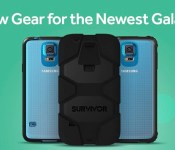
Griffin launches their Samsung Galaxy S5 cases which either cover, or don’t cover, that dimpled Back
 With the release of the Samsung Galaxy S5, it’s now time for all the accessory manufacturers to out their Samsung Galaxy S5 cases and one of the first to launch their’s is Griffin Technology. Griffin is probably best known for its Survivor line of cases which provide very heavy-duty protection of whatever phone happens to be inside the case. Naturally, Griffin is bringing out a Survivor series case for the Galaxy S5 as well as two other slightly less protective cases.
 If you haven’t heard of the Griffin Survivor before, it is “designed to meet military standards” and as you can see, it certainly looks the part. The Survivor for the Galaxy S5 will have a polycarbonate frame on the inside with a silicone jacket to give your device protection from 6-foot drops onto all manner of surfaces including concrete. There is also a built in screen protector to add further protection for your touchscreen. Griffin is bringing the Survivor out for $49.99 USD (to find out more you can visit the product page here).
 While some of you may prefer the Survivor as it hides the dimpled back cover of the Galaxy S5, some of you might actually want to show off exactly which colour you ended up getting, though don’t want to compromise on protection. For that, Griffin also has a solution with the Survivor Clear, a case that still retains the 6-foot drop protection of the Survivor but can still bask in all its naked glory thanks to its transparent polycarbonate shell. If this is your cup of tea, the Survivor Clear will be sold for $29.99 (see more on its product page here).
 The last case for the Galaxy S5 that Griffin launched today is the Reveal. While it doesn’t have the protective qualities of the Survivor and Survivor Clear, it is only 1.6mm thick all over and is still able to show off the rear of your Galaxy S5. And being made from polycarbonate, it’s likely to be able to take a few bumps and bruises during day-to-day use. The Reveal will be sold for $24.99 (check out its product page here).
So there you have it, three great new Samsung Galaxy S5 cases from Griffin Technology, so you better get in quick as it looks like they’re selling quite well; the Survivor’s estimated shipping time-frame has blown out to 8-10 weeks. Let us know if you’re eager to get one of Griffin’s new cases and which one.
Press Release
Griffin Launches New Accessories for the Highly Anticipated Samsung Galaxy S® 5
Griffin’s new collection includes the best-selling Survivor, Survivor Clear, and Reveal Cases
Nashville, Tenn. – February 24, 2014 – Griffin Technology, one of the world’s foremost creators of innovations for everyday life, releases a new lineup of cases for the newly announced Samsung Galaxy S 5 that features unique, stylish and protective designs suited for every taste.
“Griffin’s new accessories for Galaxy S 5 offer a variety of options allowing users to showcase their individuality,” said Chris Paterson, General Manager of Design and Product Marketing at Griffin Technology. “Our cases for Galaxy S 5 provide the perfect combination of style, protection, functionality and convenience to highlight the new features of the phone.”
Leading the line-up of Samsung Galaxy S 5 accessories are the best-selling Survivor and Reveal collections. Survivor for Samsung Galaxy S 5 is Griffin’s most protective case, designed to meet military standards and synonymous with extreme-duty protection. Built on a shatter-resistant polycarbonate frame and clad in rugged, shock-absorbing silicone, Survivor provides an added layer of water and dust resistance to the phone while also protecting against a 6-foot drop onto concrete, shock, vibration, dirt, sand and a host of other environmental factors. A built-in screen protector seals Galaxy S 5’s touchscreen, and a detachable heavy-duty clip secures the phone to a belt or bag strap. Survivor for Samsung Galaxy S 5, $49.99, is available for order today atstore.griffintechnology.com/survivor-for-samsung-galaxy-s5.
Survivor Clear for Samsung Galaxy S 5 is a crystal-clear polycarbonate case that offers ultimate protection while displaying the beauty of the Galaxy S 5. The case is engineered to withstand bone-shaking vibration, and extra-tough, resilient TPE rubber at corners and edges offers impact protection that can withstand a 6-foot drop onto concrete. The edges are molded for a secure grip, with openings for easy access to connectors and controls. Survivor Clear for Samsung Galaxy S 5, $29.99, is available for order today at store.griffintechnology.com/survivor-clear-for-samsung-galaxy-s5.
The ultra-thin Reveal for Samsung Galaxy S 5 is a one-piece polycarbonate shell that shows off the new phone’s good looks. Reveal adds just a little over a millimeter in thickness, yet its slim rubber lining cushions and grips tight to hug the Galaxy S 5. Reveal for Samsung Galaxy S 5, $24.99, is available for order today at store.griffintechnology.com/reveal-for-samsung-galaxy-s5.
Survivor, Survivor Clear and Reveal will initially be available in black, with new colors rolling out over the following few months. Current orders for Survivor will ship in approximately 10 weeks, and current orders for Survivor Clear and Reveal will ship in 4-6 weeks.
Other popular collections from Griffin, including Identity, KaZoo, wallets, and armbands for Galaxy S 5 will be available soon. Griffin’s current range of world-class charging solutions and cables are also compatible with Samsung Galaxy S 5 and are available today. To view all of Griffin’s current accessories for the Samsung Galaxy S 5, visit store.griffintechnology.com/smartphone/galaxy-s5.
For more information about Griffin Technology visit www.griffintechnology.com.
About Griffin Technology
Founded on Paul Griffin’s kitchen table in 1992, Griffin Technology Inc., is today one of the world’s foremost creators of accessories for home, mobile, and personal technology. Unique products such as iTrip®, PowerMate®, iFM®, iMic® and Evolve® Wireless Speaker System have broken new ground in consumer electronics and created loyal fans the world over. Today, Griffin products are conceived, designed and developed in-house and continue to push the envelope of the industry they helped create. Learn more about Griffin’s entire range of ingenious designs atwww.griffintechnology.com, www.facebook.com/griffintech and on Twitter, @griffintech.
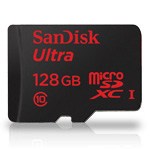
SanDisk Kicks up Mobile Storage with new 128GB Ultra microSDXC
SanDisk has announced a new mobile memory card solution today that might make your jaw drop. Not just for the price tag, but what it is. SanDisk now offers a 128GB microSDXC card.
“The new SanDisk Ultra microSDXC card again demonstrates how SanDisk continues to expand the possibilities of storage so that consumers can benefit from our latest technology advancements,” said Susan Park, director, retail product marketing, SanDisk. “With 128GB of removable storage, consumers will enjoy the freedom to capture and save whatever they want on a smartphone or tablet, without worrying about running out of storage space.”
To put that size into to terms of data, SanDisk sums it up to 16 hours of HD video, 7,500 songs, 3200 photos and more than 125 apps on a single card. The card has a read speed of 30MS/s, class 10 performance, waterproof, temperature-proof, X-ray-proof, magnet-proof, shockproof and has a 10 year warranty.
What will 128GBs of storage on a card the size of your pinky nail set you back? Quite a bit, the new 128GB cards start at $199.99.
SanDisk also announced the iNAND Extreme embedded flash flash drive. The thinnest, fastest and most sophisticated embedded nand storage product from SanDisk to date. These are coming in at 64Gbs and are being sampled in various devices by various manufacturers. Expect to see some new Android powered phones and tablets hitting the 64GB internal storage marker at launch eventually.
 AIVAnet