


Google’s adding a new layer of security to peer-to-peer APK downlods
No action is required by app developers for this to work.
If you live in a country where mobile data is expensive and/or your options for internet connectivity are limited, you probably pretty familiar with peer-to-peer app sharing. Starting today, Google’s introducing a new layer of security to ensure the APK files you get with peer-to-peer sharing are safe and secure to use.

Per an announcement on the Android Developers Blog, Google says its adding security metadata onto APKs so that it can verify whether or not that APK was originally distributed via Google Play.
For apps you do get through these approved channels, Google notes that:
We’ll be able to determine app authenticity while a device is offline, add those shared apps to a user’s Play Library, and manage app updates when the device comes back online.
Google also says that this change benefits developers as it:
Provides a Play-authorized offline distribution channel and, since the peer-to-peer shared app is added to your user’s library, your app will now be eligible for app updates from Play.
The security metadata is being added in the background, meaning that developers aren’t required to do anything on their end in order to get set up with it.
Google Podcasts: Everything you need to know!
Alto’s Odyssey for Android: Everything you need to know

Alto’s Odyssey is coming to Android next month — are you pre-registered?
Alto’s Odyssey has been out on iOS since February, and it’s AMAZING. Developed by the same group of folks responsible for the masterpiece that is Alto’s Adventure, Team Alto has taken everything we loved from the first game — the gorgeous graphics, beautiful atmosphere and butter smooth gameplay — and stepped it all up a notch while giving us a brand new story and a beautiful and diverse new environment for us to endlessly explore.
If I sound excited, it’s because Alto’s Adventure is hands-down one of the best free-to-play games ever released for Android. Period. Seriously, if you’ve never played Alto’s Adventure go download it right now. and then come back.
Update June 19, 2018: Pre-registration is now open on Google Play Store!
The wait is nearly over! Noodlecake Studios has announced that Alto’s Odyssey will finally arrive on Android this July. Pre-registration is open on the Google Play Store for those who want to be notified the moment the game launches.
Follow the link below to be notified when Alto’s Odyssey is ready for download.
Pre-register at Google Play
What new in Alto’s Odyssey?

Alto and his pals have traded the snow-capped mountains of the original Adventure for the rolling sand dunes of a mystical desert complete with hot air balloons and other surprises to contend with.
Awesome features such as Zen Mode are included right out of the gate, and there are new tricks available and new ways to interact with the procedurally-generated areas. I mean, the developers drew specific inspiration from Tony Hawk’s Pro Skater 2 (which explains the emphasis on intuitive controls) and that era in the THPS franchise is celebrated for adding subtle improvements to the gameplay that opened up a new way to link tricks and explore levels.
By all accounts, Alto’s Odyssey is the perfect sequel to an amazing game that, too, took its time coming over to Android in 2016 after becoming a smash hit on iOS in 2015.
How much will it cost?

This is the other really interesting question that we don’t have an answer for yet.
Both Alto’s Adventure and Alto’s Odyssey were released as paid apps in the iTunes App Store, but when Snowman partnered with Noodlecake Studios to bring Alto’s Adventure to Android, they opted for a free-to-play model that included video ads to revive Alto and in-app purchases for premium upgrades. It was an experiment of sorts that offered a great game for free to Android users with minimal ads — and tens of millions of downloads from the Google Play Store.
Of course, the iOS and Android app markets are unique beasts, and while Team Alto has been hush on a firm release date, they also haven’t said anything about whether Alto’s Odyssey on Android will be free-to-play or require an up-front purchase.
Either way, we’re eager to hit the sandy slopes of Alto’s Odyssey just as soon as it’s available for download.
Pre-register at Google Play
Are you excited about Alto’s Odyssey?
Let us know in the comments!
Android Gaming

- Best Android games
- Best free Android games
- Best games with no in-app purchases
- Best action games for Android
- Best RPGs for Android
- All the Android gaming news!
Best microSD Cards For Samsung Galaxy Note 8 in 2018

What’s the best microSD card to use with the Samsung Galaxy Note 8?
The Galaxy Note 8 is an absolute workhorse of a phone. You can do more than any other phone with the S Pen, and really the only limitations you’ll face will be battery life and internal storage.
If the 64GB of base internal storage on the Note 8 isn’t going to cut it, you’ll want to invest in a quality microSD card and add up to 256GB of additional storage. That means you’ll have more space for all your music, 4K videos, photos, and whatever else you want to store. Best of all, the prices for microSD cards are getting better and better! Here are the latest and greatest deals we could find!
- Samsung microSD EVO+ 256GB
- SanDisk Ultra 200GB microSDXC card
- SanDisk Extreme Plus 64GB microSDXC
- Kingston Digital 64GB microSDXC
Samsung microSD EVO+ 256GB
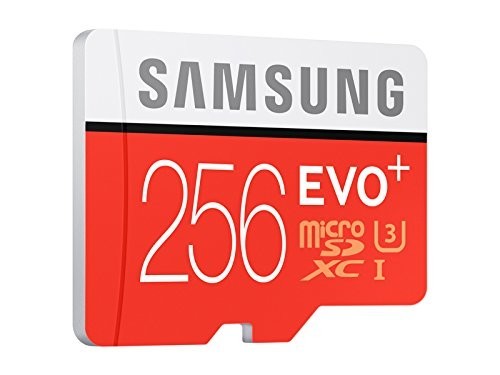
Using Samsung’s own microSD card offerings might make sense if you’re a huge Samsung fan, and it also helps that they’re some of the best you can buy. You can get that 128GB card for just $36 or go all out with the 256GB card for a breezy $85. Both cards feature read speeds up to 95MB/s and write speeds up to 90MB/s, meaning they will be able to handle whatever you throw at it.
Whichever you go with, you can be sure that it’ll work perfectly with your Note 8 and provide you all the storage space you desire so you never have to delete photos and videos.
See at Amazon
SanDisk Ultra 200GB microSDXC Card

If you’re serious about maximizing your storage, you definitely want to consider this 200GB microSDXC card from SanDisk. With read speeds up to 100MB/s and write speeds up to 90MB/s, you’ll be able to record in HD or 4K to your heart’s content. And you’ll still have room to spare for all your movies, music and other data. Amazon has this one on sale for just $62, so this is your best value for sure. The 128GB version is only $40, too, which is pretty great if you don’t need so much additional storage.
See at Amazon
SanDisk Extreme 128GB microSDXC
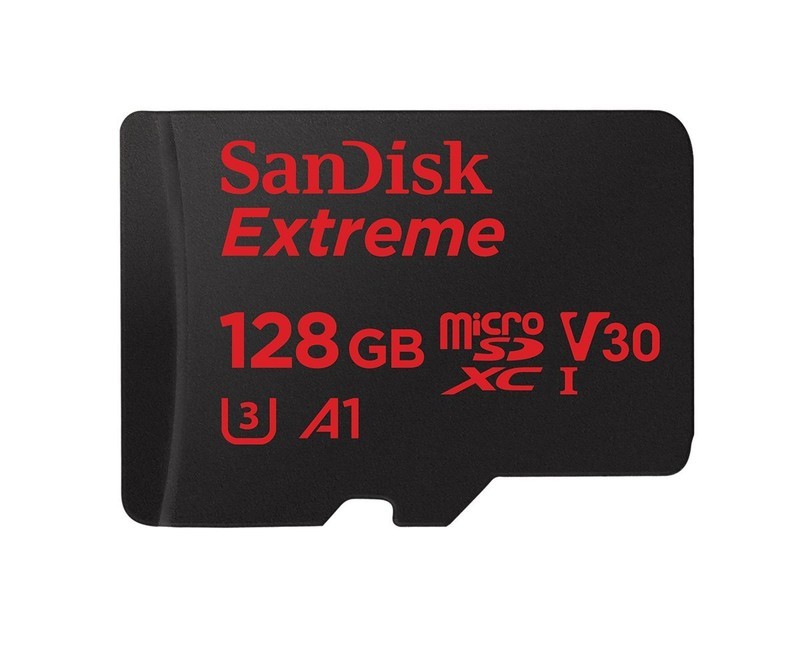
Looking to increase your available storage without breaking the bank? This 128GB card from SanDisk is rated UHS-3, with write speeds up to 90MB/s — more than enough to handle 4K video. With transfer speeds of up to 100MB/s, you’re able to add your favorite music and media in a flash with the included SD card adapter. This card is designed to withstand anything life throws your way — including X-rays — and comes with a lifetime limited warranty. Get yours for $56 from Amazon. There’s a 64GB version for just $30, too.
See at Amazon
Kingston Digital 64GB microSDXC Card

This Class 10, UHS-I microSDXC card from Kingston features a 64GB capacity and advertises a read speed of 80MB/s and write speed of 40MB/s. Included is an SD adapter which the microSDXC card slides into when using on a computer or other standard SD device. The Kingston Digital 64GB microSDXC card is currently available for $20, with a 128GB card available for just $42. On the flip side, there’s a 32GB version for just $11.
See at Amazon
Will you be expanding your Note 8 with a microSD card?
If you’re considering on upgrading your Note 8’s storage let us know in the comments how much space you think you’ll need, and how you plan on using that extra storage.
Updated June 2018: This article has been updated with new pricing and model information — they’re all cheaper, so enjoy your discounted storage!
Samsung Galaxy Note 8
- Galaxy Note 8 review
- Galaxy Note 8 vs. Galaxy S8+
- Which Note 8 color is best?
- Complete Galaxy Note 8 specs
- Join our Galaxy Note 8 forums
Verizon
AT&T
T-Mobile
Sprint
Best Buy
Apple Releases Second Beta of New watchOS 5 Operating System to Developers
Apple today seeded the second beta of an upcoming watchOS 5 update, two weeks after releasing the first beta following the 2018 Worldwide Developers Conference Keynote and one week after releasing an updated watchOS 5 beta 1 with a bug fix. watchOS 5 is the newest version of the software that runs on the Apple Watch.
To install the beta, you’ll need the proper configuration profile, which can be obtained through the Apple Developer Center. Once the profile is in place, the watchOS 5 beta can be downloaded using the dedicated Apple Watch app on the iPhone by going to General –> Software Update.
To update, the Apple Watch must have 50 percent battery, it must be placed on an Apple Watch charger, and it must be in range of the iPhone. It would be wise to install the beta on a secondary device instead of a primary device given that this is an early version of the watchOS 5 software that still has bugs to be worked out.
The first version of the initial watchOS 5 beta was pulled by Apple shortly after it was released due to reports that the beta had been bricking some Series 2 Apple Watches, rendering them unusable. Apple on June 11 released an updated version of the first beta.
watchOS 5 is a major update to watchOS, introducing Activity Competitions so you can compete on workouts with friends, Walkie-Talkie with push-to-talk functionality for quickly communicating with the people you talk to most, and auto workout detection to make it easier than ever to start and stop workouts.
Other new features include an improved Siri watch face with support for third-party apps, a dedicated Apple Podcasts app, new Workout types that include Yoga and Hiking, new features for runners, WebKit support for viewing some web content on Apple Watch, and enhanced notifications, which will make notifications on the Apple Watch interactive.
watchOS 5 is only available to developers and will not be provided to public beta testers (because there’s no way to downgrade Apple Watch software), so non-developers will need to wait until the software is officially released in the fall to try it out.
The watchOS 5 update runs on all Series 1, Series 2, and Series 3 Apple Watch models. It is not available for the first-generation “Series 0” Apple Watch models, likely due to performance and battery issues.
Related Roundups: Apple Watch, watchOS 4, watchOS 5Buyer’s Guide: Apple Watch (Neutral)
Discuss this article in our forums
‘Keepsafe Browser’ Launches on iOS With Tracker Blockers, Secret Tabs, Touch ID/Face ID Log-Ins, and More
Keepsafe is a company behind privacy-focused iOS apps like Photo Vault, Blur for iMessages, Unlisted, and Secure VPN Proxy. Today the company expanded its suite of secure apps with the launch of “Keepsafe Browser,” an app that enables users to browse the web privately [Direct Link].
The company says Keepsafe Browser ensures that all internet browsing history is kept private, and the app prevents third-party trackers from being able to target users. This means that users will be protected from ads, social networks, analytics, and content services built for targeting users online.
“Since its founding, Keepsafe has been on a mission to restore privacy to people’s daily lives,” says Zouhair Belkoura, co-founder and CEO of Keepsafe. ”Understanding the range of current privacy issues people today face, Keepsafe’s Browser leads industry competitors with its discreet web browsing privacy controls.”
Like other Keepsafe apps, users can lock access to the app using a unique entry code, which can also be tied into the iPhone’s biometric security (Touch ID or Face ID) or Android Fingerprint. As long as you have the code set up and toggle on Touch ID/Face ID in settings, the request for Apple’s security features will appear after you open the app in place of the code keypad entry field.
Privacy controls include secret tabs that forget session data after they are closed, meaning that all cookies, caching, and URLs will be deleted. There are also normal tabs that store cookies and URLs locally so that users can quickly return to their favorite websites and remain logged in to their accounts on those sites. In the tab switcher screen, private tabs have a slightly blurred purple hue over them as well.
Many developers have updated or tested out private browsing modes in iOS apps recently, including YouTube’s test of an “incognito mode” for its mobile app. Prior to that, Firefox updated its iOS app with default tracking protection in both regular and private browsing sessions, and last November Mozilla launched spin-off iOS app “Firefox Focus” built around secure web browsing.
Apple has its own incognito mode alternative called Private Browsing in Safari, which prevents a user’s browsing history from being saved, while also asking websites not to track users. At WWDC, the company detailed how privacy and security protections will be improved for users in iOS 12 and macOS Mojave, including support for automatic strong passwords. With this feature, Safari automatically creates, autofills, and stores passwords, and flags if they’ve been reused to make it easier for users to create unique passwords for each login.
For Keepsafe, the company’s new Keepsafe Browser app is available for free on iPhone and iPad [Direct Link].
Tag: Keepsafe
Discuss this article in our forums
Apple Seeds Second Beta of iOS 12 to Developers
Apple this morning seeded the second beta of the upcoming iOS 12 update to developers for testing purposes, two weeks after seeding the first beta following the Worldwide Developers Conference.
Registered developers can download the first iOS 12 beta from Apple’s Developer Center or over-the-air after installing the proper certificate.
The iOS 12 update brings major changes to the iOS operating system, with Apple working from top to bottom to make iPhones and iPads, especially older models, faster and more responsive.
On the iPhone X, there are new Animoji characters along with “Memoji” customizable, personalized Animoji that can be used both in Messages and in FaceTime. Messages and FaceTime have also gained fun new camera effects, and Group FaceTime support allows for calls with up to 32 people.
Siri is smarter in iOS 12 with a new Shortcuts feature that lets you create custom automations using first and third-party apps that can be activated with Siri, and Apple built a comprehensive set of time management and monitoring tools into iOS 12 with Screen Time.

New Do Not Disturb options make turning off notifications and distractions easier than ever, with a new Do Not Disturb at Bedtime feature cutting down on nighttime interruptions.

Group Notifications make notifications easier to view and manage, while a new Instant Tuning feature lets you tweak your notification settings on a notification-by-notification basis.

Apple News has a new Browse feature, the Stocks app has been redesigned, iBooks has been overhauled with a new look and a new name — Apple Books — and Voice Memos has been revamped with iCloud support and an iPad app. There’s also a new Measure app.
ARKit 2.0 introduces new capabilities like shared experiences that let two people see the same AR environment on separate devices, and persistence, which allows AR experiences to be saved across multiple sessions.
Tons of other small tweaks and features have been added to iOS 12, so make sure to check out our roundup and our tidbits post for additional detail on what’s new in iOS 12.
Early betas of new operating system updates always introduce tweaked features and new functionality, so we’ll be updating this post with everything that we find in iOS 12 beta 2.
iOS 12 is limited to developers at the current time, but Apple will provide a public beta later in June. iOS 12 will see an official release this fall alongside new iPhones.
Related Roundup: iOS 12
Discuss this article in our forums
Second Beta of tvOS 12 Now Available for Registered Developers
Apple today seeded the second beta of a new tvOS 12 operating system to developers for testing purposes, two weeks after releasing the first beta following the 2018 Worldwide Developers Conference keynote.
Designed for the fourth and fifth-generation Apple TV, the new tvOS 12 developer beta can be downloaded onto the Apple TV via a profile that’s installed using Xcode. Subsequent betas can be downloaded via the software update mechanism on the Apple TV.
tvOS 12 brings support for Dolby Atmos sound. Apple says that iTunes will be home to the largest collection of Dolby Atmos-supported movies anywhere, with Apple upgrading titles customers have purchased for free.
Building on single sign-on, a new zero sign-on feature will further simplify the cable authentication process. With zero sign-on, the Apple TV can detect a user’s broadband network and automatically sign them into supported apps they receive through their cable subscription.
Aerial screensavers include location information and there are new screensavers captured in collaboration with the International Space Station.
Other improvements to Apple TV in tvOS 12 include AutoFill passwords from iPhone, an Apple TV Remote automatically added to Control Center on the iPhone or iPad, and Apple TV support on Home control systems like Control4, Crestron, and Savant.
tvOS 12 is available for developers for testing purposes and will be available as a public beta later this month ahead of a fall public release.
Related Roundups: Apple TV, tvOS 12Buyer’s Guide: Apple TV (Neutral)
Discuss this article in our forums
Apple Seeds Second Beta of macOS 10.14 Mojave to Developers
Apple today seeded the second beta of an upcoming macOS Mojave update to developers for testing purposes, two weeks after releasing the first beta following the new software’s debut at the Worldwide Developers Conference.
macOS Mojave introduces a new method of installing software updates, so after you’ve installed the first beta from the Apple Developer Center, additional betas can be downloaded clicking on the Apple in the menu bar, choosing “About This Mac” and clicking “Software Update.” Alternatively, open System Preferences and choose the “Software Update” icon.
The macOS Mojave update introduces a long-awaited and much-desired systemwide Dark Mode, with Mojave users able to choose between a light theme or the new dark theme. Dark Mode is accompanied by Dynamic Desktops, aka wallpapers that subtly change throughout the day.
Stacks, a new Desktop organization system, keeps all of your desktop files nice and neat, while Finder has been enhanced with a Gallery View, a Sidebar, a revamped Quick Look option and Quick Actions, so you can do more in the Finder window than ever before.
Screenshots can now be edited using Markup tools, while Continuity camera, a new feature, lets you import photos and document scans directly from the iPhone to the Mac.

Apple News, Socks, Home, and Voice Memos apps have been ported from iOS to macOS as part of a multiyear project Apple is working on to make it easier to port iOS apps to Macs, and Apple has introduced several privacy protections to keep your data safer.
Apple is also making it harder for websites to track you with a range of new tools, plus there’s an entirely revamped Mac App Store that makes it easier to discover apps.
macOS Mojave will be beta tested by developers and eventually public beta testers for several months so Apple can work out bugs and other issues before releasing the software to the public in the fall.
Related Roundup: macOS Mojave
Discuss this article in our forums
Make it so! 8 ‘Star Trek’ technologies that actually exist now (sort of)
For the past half-century, across hundreds of TV episodes, multiple spinoffs, and more than a dozen movies, Star Trek has offered us a tantalizing glimpse of the future. Along the way, that’s included plenty of amazing technologies that have the potential to reshape life as we know it.
While much of it remains science fiction, a sizable number of the gadgets and tech toys that have appeared in Star Trek now exist, to some degree, in today’s world. Here are eight great examples.
Tractor beams
Star Trek’s tractor beam is an attenuated linear graviton beam which can be used by space stations or starships to control the movement of external objects — such as towing disabled ships to safety.
Researchers from the U.K.’s University of Bristol have developed and successfully demonstrated an acoustic tractor beam capable of trapping small objects in midair. In the near future, they hope tractor beams will be useful for moving things like kidney stones or eye floaters in the human body. Okay, so that’s not quite the same as trapping a Klingon starship, but it’s a good start!
Universal translators
We’re way ahead of the curve on this one! Star Trek claims that the universal translator, a device able to instantaneously translate between different languages, only comes into being late in the 22nd century.
Here in the 21st century, there are devices like Baidu’s pocket universal translator that’s able to easily translate spoken sentences from English into Mandarin and back again. Google has also developed in-ear translation earbuds for translating between numerous languages, and there are even apps capable of translating a baby’s cries into English.
Right now, the big difference between Star Trek’s technology and ours is the amount of time it takes to train these devices to understand new languages.
Phasers
Phased array pulsed energy projectiles, Star Trek’s phasers come in various different sizes, ranging from personal small arms to giant energy weapons capable of being mounted onto starships. They can also be used in a variety of ways, such as slicing through materials, heating objects, triggering explosions, or simply stunning an adversary.
In the current world, we’re still stuck using the phaser’s antecedent, the humble laser. On the plus side, laser projectiles are becoming more commonplace — including handheld laser cannons and Lockheed Martin’s modular ATHENA laser weapon, designed to shoot swarms of drones out of the sky.
Computers we can speak to
Allowing the crew in Star Trek to interact with computers by speaking to them solves one of the big screenwriting problems: making computer interactions both clear to the audience and interesting in a way that having everyone typing on keyboards simply wouldn’t be. Plus, nothing says “far future” quite like having your computer understand verbal commands, right?
Here in 2018, this is now so commonplace that we considered not even including it on this list. Almost all of our smartphones have A.I. assistants such as Apple’s Siri, while one of the fastest growing product categories is smart speakers like the Amazon Echo.
Hypospray
If you really, really hate needles then the existence of the “hypospray” would be enough to make Star Trek’s vision of the future sound like a utopia. Known colloquially as a “hypo,” this injection-free drug delivery system can inject liquids into the body at high speed without having to puncture the skin.
Today, an MIT spinoff called Portal is working on a next-generation needle-free jet injector, capable of injecting an ultra-fine stream of liquid — thinner than a strand of hair — through the skin at Mach 0.7. For those keeping track at home, that’s the cruising speed of an average commercial airliner. While it still involves piercing the skin, it’s a world away from the syringes in wide use today.
Tablet computer
Like computers which recognize your voice, this is one that always seems too obvious to mention nowadays. Nonetheless, within many of our lifetimes (certainly if you’re in your late twenties or older), we’ve watched computers slim down from bulky machines into flat, all-in-one devices no thicker than a pencil.
A person watching Star Trek: The Next Generation today may not realize how futuristic something like the crew’s Personal Access Data Devices (PADD) once appeared. But, trust us, it really was!
Food replicator
Unless you’re someone who simply loves the act of cooking, the idea of a Star Trek-style replicator, capable of materializing food and beverages sounds like a dream come true. Thanks to the wonders of modern science, it may not remain a dream for too much longer.
Food-based 3D printing is starting to hit its stride, while the National University of Singapore has developed a programmable cocktail glass, capable of tricking your senses into thinking that you’re drinking … well, just about anything you can imagine, really.
Warp drive
Aside from teleportation (which sadly isn’t a real thing just yet), warp speed is the most iconic Star Trek technology out there. It’s also the furthest away of any on this list — although it’s not impossible that we’ll get there.
In recent years, excitement has been building about NASA’s EmDrive technology, which could lead to ultrafast interplanetary travel. It’s not a “warp drive” per se, but should a real world demonstration actually happen, it’ll likely change our understanding of physics as we currently know it. But it’s also no longer a total fantasy, either.
Editors’ Recommendations
- S.J. Clarkson to helm Star Trek 4, will be film franchise’s first female director
- Baidu’s pocket translator is a ‘Star Trek’ dream come to life
- More turnover for ‘Star Trek: Discovery’ season 2 as showrunners exit the series
- Espresso On Demand: The five best Nespresso machines
- The best smart backpacks
Uber is testing a low-fare option that’s great if you’re not in a rush
Uber rides could be about to get even cheaper, though you’ll have to wait around a bit to secure the lower fares.
A new feature currently being tested by the ridesharing company offers a lower fare if you’re prepared to wait a little longer for your car to arrive.
Spotted by Quartz, it seems that an Uber employee accidentally jumped the gun in revealing the feature. The employee in question posted a tweet showing a screenshot of the cheaper fare option when he requested a ride in Berkeley, California recently.
The image suggests the request was made at 4.56 p.m. or shortly before, with the Uber fare for a ride “now” calculated at $10.18. However, wait until just 5 p.m. and the fare drops to $8.15, representing a decent enough saving for a slight delay in your pick-up time.
Uber confirmed the feature to Quartz, saying: “The option to wait longer in exchange for a cheaper ride is being tested among all Uber employees in San Francisco and Los Angeles.”
It added: “Affordability is a top reason riders choose shared rides, and we’re internally experimenting with a way to save money in exchange for a later pickup.”
An Uber fare for a particular route can change throughout the day depending on the estimated journey time, traffic conditions, and the number of riders and drivers using the app at any given moment. The feature currently being tested gives Uber more control over managing demand, taking pressure off the service during busy periods or other times of the day when there are fewer Uber drivers on the road.
Keep in mind, however, the feature is currently being tested, so it’s not certain it will ever make it to the Uber app for all riders to use. We’ll keep you posted.
Another way Uber riders can score cheaper fares is through its Express Pool service, though it’s currently only available in a limited number of locations. When you select the option, Uber’s app works fast to gather several other people taking roughly the same route, before directing you to a nearby pick-up point where your fellow riders will also be waiting. The Uber vehicle will then drop you all off at the same location, which should be a short walk from your respective destinations.
Of course, many cities have other ridesharing services besides Uber. Lyft, which remains Uber’s biggest ridesharing rival in the U.S., also offers a number of different ride options depending on cost and convenience. If you’ve yet to use Uber of Lyft but you’re thinking about hopping aboard, do take a moment to check out Digital Trends’ recent comparison of the two services to find out which one is best for you.
Editors’ Recommendations
- How to use Apple’s Business Chat on your iPhone or iPad in iOS 11.3
- Don’t hold your breath for Vine 2 — it’s on hold indefinitely, co-founder says
- Get the best prices for in-flight Wi-Fi, but beware the ‘gotchas’
- Everything we know about Microsoft’s Surface Pro 6
- Lyft’s All-Access subscription plan picks up steam, now boasts a wait-list

