


Best Android Apps For Oculus Go
It’s not simple to get Android apps onto your Oculus Go, but these apps make it worth it.

The Oculus Go and the Gear VR are very similar, with the main difference being that the Oculus Go doesn’t require you to put your phone inside of it. That’s usually a good thing as it makes the Oculus Go easy to share with friends and lets people use VR who don’t have Samsung’s flagship phones, but you lose the ability to easily view your Android apps inside your VR headset when you take away the phone.
However, that doesn’t mean you can’t use Android app on your Oculus Go. It’s not as straightforward as Samsung Phonecast but you can use our guide to walk you through sideloading Android apps onto your Oculus Go.
Once you’ve gone through that guide, you’ll want to install some apps. Here are the best Android apps to add to your Oculus Go. The ability to sideload apps is new so unfortunately not every app works. For example, I sideloaded Crunchyroll, the Android version of Netflix, and Amazon Prime Video and even though they were “successfully installed” according to my command prompt, none of them showed up on my device. Your success may vary.
You can view apps that you’ve sideloaded in either the Unknown Sources section of your library or through Oculus TV. Where they appear can vary on the app.
Kodi

Kodi is the app that people first mentioned on the web when discussing sideloading apps onto Oculus Go. It is an open-source and free media app that lets you take in content from a variety of sources. Kodi alone makes the Oculus Go a much more powerful device and could bring it into your rotation of media device.
You can use Kodi to watch live televisoin as well as movies, podcasts, digital media files, and more.
The version of Kodi that you can get through SideloadVR is in alpha so you might run into some glitches and bugs.
Download Kodi (free)
Plex

Plex already has an app available on the Oculus Go, but the sideloaded Android version works as well. Plex requires you to have a server setup but once you do, you can watch movies, tv shows, media content, and more. It’s a popular service among people who want control over the content they stream and its availability on Oculus Go is a big plus.
Download Plex (free)
A good YouTube client

You can view YouTube through the Oculus Browser, but if you want an immersive experience you should sideload a client such as YTCinema VR. It places you inside a large cinema that you can view YouTube videos on. You control your searching and browsing on a virtual tablet and then can hide the tablet and watch videos on the big screen.
To get YT Cinema VR you’ll have to go through SideloadVR.
Download SideloadVR (free)
Which are your favorites?
Which apps have you sideloaded onto your Oculus Go? Which ones are you anxious to try? Let us know in the comments below.
The Best Non-Amazon Deals on Prime Day from Best Buy, Dell, eBay
Update: Google Express’s sale ended a bit early unfortunately. We’ve added news about Target’s huge one-day sale to make up for it.
Amazon’s Prime Day is right around the corner, but Amazon isn’t the only place to go for deals this summer. Retailers know they have to put in an effort if they want your attention over Amazon, so the deals are coming in fast and strong this year. As Amazon’s Prime Day grows, so does the competition, and that only means good things for you. If you are not a Prime member, are looking for deals that Amazon doesn’t cover (like Google devices), or just want some alternatives, we’ve got you covered with these sales from non-Amazon retailers.
Best Buy
In the online marketplace where electronics are concerned, Best Buy is probably Amazon’s biggest competitor. Not only does Best Buy do regular holiday sales and daily deals, it also has a huge eBay store, an advanced Rewards program, student discounts Amazon doesn’t offer, and more.
In recent years, Best Buy has competed toe-to-toe with Amazon’s July sales event by hosting one of their own called “Black Friday in July.” Few other retailers can compete with the deals Best Buy usually has on Apple products, including the iPad and MacBook lines, and you cannot get Google products like the Nest or Google Home on Amazon either. This will be the sales event for products like that, along with televisions, gaming consoles, smart home products, and more.
Dell
Of all the non-Amazon retailers, Dell seems to be going the most all-in on this “Black Friday in July” idea right now. The Dell website has deals all throughout the month, including daily doorbusters and a week for Cyber Monday in July. The theme is very reminiscent of the real Black Friday, and we’ve seen some great deals on the XPS lineup, Logitech speakers like the UE Boom 2, and more. If you’re strictly looking for electronics, especially if you’re in the market for a Windows laptop or pre-built desktop, Dell’s deals are a must-see.
eBay
We are no stranger to eBay sales. They have regular promo codes, daily deals, and huge sale events going on all the time. Since March we’ve seen a recurring pattern of one-day sales where eBay will offer 20% off with a code that’s site-wide, follow it up a week or two later with a 15% off code that’s also site-wide, and then do a few targeted promo codes on select items from select sellers. For Prime Day, you can expect to see at least one of these types of sales, and we’re banking on a 20% off code.
There are markets where eBay is generally a better place to go than Amazon, such as third-party sellers and even product categories like PC parts, so if you’re looking for something specific you could save more by shopping on eBay. Remember most major retailers have eBay storefronts, including Best Buy, Newegg, BuyDig, and others, which makes it a great place to shop when you can get a discount on everything.
While eBay hasn’t announced exactly what’s going to be on sale, there will be eBay exclusive deals available here the week of July 16, which is the same time as Prime Day. Plus, eBay has a Best Price Guarantee that will match a price found on a competing website for 110%, which means you could save money on items Amazon has discounted by going through eBay instead.
Newegg
Newegg is a huge competitor to Amazon for online tech, especially when it comes to laptops, desktops, and internal computer components like motherboards and graphics cards. Newegg plans to have a huge four-day sale on electronics starting July 16 (what a coincidence!), and there will be sales starting July 11 leading up to the big day. The early days will feature products from different brands (July 11 is Rosewill), but the big one is July 13 when you can get a $20 Newegg gift card when you buy a $150 gift card. If you’re planning to shop on Newegg when the giant sales drop July 16, get ready for that deal on July 13. The four-day sale will feature everything from Acer laptops to $50 off GTX 1080Ti graphics cards to sales on solid state drives.
Target
Target.com will feature a one-day sale the same time as Prime Day, July 17. The sale will include dozens of deals on furniture, kitchen appliances, electronics, toys, and more. Some of the big deals will include six-months of same-day delivery by Shipt when you spend $100 or more on the Target site, 30% off Target-exclusive home brands, 30% off baby gear, and more. Target also promises 30% off Google products, which is something we know Amazon can’t deliver on since they don’t sell most Google products.
You will also still be able to get free shipping and next-day delivery with Target Restock orders, and you can save 5% on everything with free two-day shipping if you use your Target REDcard.
Prime Day is a huge event not just for Amazon but for everyone on the Internet. Whether you stick to the Prime Day sales or shop at one of the above retailers, our team at Thrifter will have you covered on everything. Follow Thrifter on Twitter and sign-up for the Prime Day newsletter to stay on top of everything happening this July.
Twitter Android app is being updated with a bottom navigation bar
The swipe gesture between the four main pages is no more 😞
On Thursday evening this week, the Twitter Support account announced a new update for its Android app. There are a few things to take note of, but the biggest change reworks the app’s navigation we’ve had since June 2016.

Rather than showing icons at the top for Home, Moments, Notifications, and Direct Messages, these are now moved to the very bottom of your screen. This repositioning does make it much easier to tap on the icons for moving between these four pages, but unfortunately, Twitter’s also removed the gesture that allows you to swipe back and forth through them.


Old (left) vs. new (right).
Part of the reason for this likely lies with the new Notifications page. The update makes it easier to switch between all of your notifications and just your mentions, and one of the ways to go back and forth is with a swipe.
The removal of swiping between Twitter’s main pages is a bit annoying, but I greatly prefer both the look and functionality of the bottom nav bar compared to their previous positioning.


Old (left) vs. new (right).
The new look is rolling out to all users now and comes as part of a server-side switch (meaning you don’t have to update the app from the Play Store as it’ll just happen automatically).
Download: Twitter (free)
Brawl Stars and Battlelands Royale both offer fun, cartoony action on Android!

Update July 13, 2018: We’ve got a pair of top-down brawlers for you this week! Check out Supercell’s latest, Brawl Stars, and then try to outlast your opponents in Battlelands Royale!
Brawl Stars
Brawl Stars is a new game from Supercell that’s just been soft-launched for Android. It’s currently only available in a shortlist of countries, including Canada, so I’ve had a chance to check it out.
This game is a blast to play with over 21 unique characters to unlock, multiple game modes, and a frantic PvP gaming experience that will have you coming back for more. The controls are nice and basic with twin-stick controls for moving and shooting and a super attack button that’s unique to each character.
You start out with just one character and one game mode to play. Gem Grab is a 3 vs 3 battle mode where you fight for control of 10 gems. Win and you’ll collect trophies, keys, and experience which all help you unlock new game modes, characters, and unlock battle boxes.
The second game mode you unlock is Showdown, which is a Battle Royale survival mode where it’s every person for themselves. The third mode is Heist, which is unlocked when you collect 350 trophies. It’s another team mode where your team battles to unlock your opponents safe before time runs out.
This is a game that’s definitely worth checking out if you’re in one of the countries where it’s been soft launched, and a game to keep an eye on if you’re a fan of Supercell’s previous games like Clash Royale and love action-packed games like this.
Download: Brawl Stars (Free w/IAPs)
Battlelands Royale
If Brawl Stars is unavailable in your country at the moment, I suggest checking out Battlelands Royale instead for the time being.
Certainly inspired from other battle royale games (haven’t you heard? It’s the latest trend!), Battlelands Royale offers a fairly unique take on the formula that takes some getting used to but is pretty ideal for casual gaming sessions. Just like PUBG or Fortnite, you parachute down onto a map with, in this case, 29 other players, and must scavenge for weapons, ammo, and armor while staying in the safety circle and eliminating your enemies.
You’re limited to carrying one gun and ammo is very sparse, leading to some pretty intense moments where you need to decide whether to engage an enemy or try and sneak past them. There’s also a duo mode where you can team up with a friend or a random player. The art style and gameplay are bright and fun and this is a great little game for killing time.
Download: Battlelands Royale (Free w/IAPs)
Android Gaming

- Best Android games
- Best free Android games
- Best games with no in-app purchases
- Best action games for Android
- Best RPGs for Android
- All the Android gaming news!
Best Phone For Seniors, Hearing Impaired, and Vision Problems in 2018
- Best overall
- Best for hearing imparied
- Best for less
- Best for vision problems
Best overall: Samsung Galaxy S9

The Galaxy S9 is one of the most well-rounded phones on the market, and it’s a great choice for power users and first-time smartphone owners alike.
From outstanding build quality and a gorgeous design to one of the best cameras on the market, the Galaxy S9 leaves little to be desired, but its long list of features can feel overwhelming to someone who’s new to smartphones entirely. Luckily, the Galaxy S9 has an Easy Mode that lowers the bar for people who are transitioning from an older feature phone, or who needs a bit of extra guidance. Samsung also has a number of intuitive accessibility features that go above and beyond the average Android device.
Bottom line: The Galaxy S9 packs everything and the kitchen sink, and includes Easy Mode to make its myriad of features more approachable.
One more thing: Samsung’s Easy Mode can be activated from anywhere, but once you get the hang of it, it’s also simple to turn off!
See at Amazon
Why the Samsung Galaxy S9 is best
The Galaxy S9 is the best phone for seniors because it’s the best phone for most people, and has plenty of options for those who need a bit of extra help.
Easy Mode doesn’t have to be a negative thing, and Samsung has done a great job making its Android software simple and intuitive. Even without it, the Galaxy S9 is one of the most accessible Android phones, with plenty of ways to make the software more user-friendly.
Features like Always-On display show you notifications even when the phone is off, while wireless charging support means you don’t have to fumble for a USB-C cable in the dark.
The Galaxy S9 is also one of the best-selling Android phones on the market, so it’s easy to find someone who can help if you can’t figure out a certain feature. Finally, even though it’s a relatively compact device, the Galaxy S9 manages excellent battery life.
Best for hearing impaired: LG G7

Like the Galaxy S9, the LG G7 is very easy to pick up and begin using. It has a large display in a relatively small body, excellent performance, and great cameras. More importantly, its speaker is loud — like really loud — which makes it perfect for those with limited or impaired hearing.
Also like Samsung’s latest, the G7 has an intuitive Easy Mode, enlarging home screen icons and text while simplifying navigation. Its large display also leaves plenty of room for a large keyboard, and its dual cameras around back take fantastic photos. This is a quality phone from every angle, so whoever is using it will be happy.
Bottom-line: The LG G7 has the loudest, most impressive speaker on a smartphone today, and that’s great for those with limited hearing.
One more thing: The LG G7’s Accessibility Mode also works with most Bluetooth-enabled hearing aids.
See at Best Buy
Best for less: Moto G6

You can’t do much better than a $250 phone that performs like a much more expensive phone. The Moto G6 combines fast and fluid performance with useful features like Moto Display, all while retaining the simplicity of near-stock Android.
No one makes cheap phones like Motorola, and the company improved every aspect of its Moto G line this year, from the camera to the battery life.
Bottom line: The Moto G6 is an outstanding value with simple software, and it comes unlocked out of the box so you can use it on most carriers around the world.
One more thing: This phone is splashproof, not waterproof, and that is an important distinction.
See at Amazon
Best for vision problems: Jitterbug Flip

For those with vision issues, or anyone who just needs a cheap, simple phone, the Jitterbug Flip is the one to go with. For $70 outright, this flip phone features large buttons and a vibrant, sharp screen that’s easily seen in all lighting conditions.
Bottom line: For something a little simpler and easier to use, the Jitterbug Flip is one of the best options.
Important: You’ll need to activate the Jitterbug Flip with GreatCall, an easy-to-use service provider that starts at $15 per month.
See at Amazon
Conclusion
The Galaxy S9 is the best choice for seniors because it is the best choice for most people. Compact, affordable, and extremely easy to use, the phone’s Easy Mode is a great example of Samsung broadening the appeal of its phones as they grow more popular. But there are other great options, too, including the LG G7, the Moto G6, and the Jitterbug Flip for those who want something a little simpler.
Best overall: Samsung Galaxy S9
The Galaxy S9 is one of the most well-rounded phones on the market, and it’s a great choice for power users and first-time smartphone owners alike.
From outstanding build quality and a gorgeous design to one of the best cameras on the market, the Galaxy S9 leaves little to be desired, but its long list of features can feel overwhelming to someone who’s new to smartphones entirely. Luckily, the Galaxy S9 has an Easy Mode that lowers the bar for people who are transitioning from an older feature phone, or who needs a bit of extra guidance. Samsung also has a number of intuitive accessibility features that go above and beyond the average Android device.
Bottom line: The Galaxy S9 packs everything and the kitchen sink, and includes Easy Mode to make its myriad of features more approachable.
One more thing: Samsung’s Easy Mode can be activated from anywhere, but once you get the hang of it, it’s also simple to turn off!
See at Amazon
Update, July 2018: The Galaxy S9 is our new best overall recommendation, and the Moto G5 Plus was replaced with the Moto G6. We’ve also added the LG G7 for those with hearing difficulties, and the Jitterbug Flip for those with vision needs.
5 Best Speakers for Chromebooks in 2018

Laptop speakers suck. Here are a few easy ways to go from aww to awe when listening to your Chromebook.
Chromebooks are great for things like working in Google Docs or doing a little web surfing, but with many models having fancy swiveling hinges that can stand like an easel they are also excellent small movie screens. Netflix, Play Movies, YouTube, whatever the source, streaming video is a great way to use your Chromebook.
There’s one thing though — the sound often sucks. That’s not a Chromebook thing; it’s just hard to put decent sounding speakers into a slim and light laptop. The solution, thankfully, is easy — external speakers. Here is a selection that not only sound great but will also work with your Chromebook without any fuss.
- A note on Chromebook compatibility
- Cyber Acoustics CA-2014 multimedia speakers
- Cyber Acoustics CA-3602 2.1 Sound System
- Logitech Speaker Lapdesk
- Logitech Mini Boombox
- Edifier e25 Luna Eclipse
A note on Chromebook compatibility
You’ll need a set of speakers with a built-in amplifier to use them with your Chromebook or any laptop. Many new speaker systems use USB (the larger Type-A plug) to provide both power to the amplifier and pass audio to the speakers because it’s convenient and easy to set up.
Chrome passes audio over USB without any special issues using a standard generic driver. The speakers you use will need to have an embedded audio decoder (a sound card) to use them with Chrome.
The speakers on our list that use USB all work with Chrome.
Cyber Acoustics CA-2014 multimedia speakers

These basic speakers from Cyber Acoustics are a great way to get more sound from your Chromebook without breaking the bank.
The current price is only $16, and you’ll have no issues hooking things up: simply plug them into the wall and connect the 3.5 mm plug into the audio jack on your Chromebook. You get instant audio that’s far better than those tiny speakers hidden inside, plus a front volume knob and 3.5 mm jack to plug your headphones into if you want to go stealth again.
There aren’t any extras or fancy tricks here — just a good set of speakers for a great price.
See at Amazon
Cyber Acoustics CA-3602 2.1 Sound System

If you want to step things up a bit and fill the whole room with sound this three-piece set from Cyber Acoustics will do the trick.
A stylish and surprisingly loud (30 watts with 62 watts peak) set of speakers will separate stereo audio nicely, and the included 5.25-inch ported subwoofer sits out of sight and pumps out the bass. Set up is easy, you simply connect the control puck to your Chromebooks 3.5 mm audio port and start up some music or a movie. Convenient volume and bass controls, as well as a master on/off switch, are built into the control pod, so all the adjustments are at your fingertips.
If you want to hear your tunes across the room or need to feel the thumps and booms from an action movie and aren’t into spending a lot of cash, this $40 set up delivers.
See at Amazon
Logitech Speaker Lapdesk

This product is pure genius. Take a lap desk and add a small amp and set of speakers to provide both a comfortable way to use your Chromebook as well as a better sounding experience, all in one great product.
The lap desk is designed to keep heat away from your legs as well as be cushiony soft so you won’t get fatigued. Any laptop up to 14-inches will fit comfortably, and a short cable from your Chromebook’s USB Type-A port to the lap desk makes any movie or show sound a lot better.
The Logitech Speaker Lapdesk is plug-and-play compatible with Chrome OS, though on older model Chromebooks the onboard audio controls may not work and you’ll need to adjust the volume through the Chromebook’s controls. Either way, for just $20 this is a great idea, especially if you were looking for a lap desk anyway.
See at Amazon
Logitech Mini Boombox

All Chromebooks have Bluetooth capabilities, and that means products like Logitech’s Mini Boombox are a great way to extend the sound up to 30 feet away or just get better sound for whatever you’re listening to.
The Mini Boombox has a 10-hour battery life so you won’t have to worry about it running out in the middle of even the longest movie. It’s also designed to channel sound through an acoustic chamber to feel like it’s coming from a much bigger source. The design also enhances bass for a rich sound instead of that tinny squeak you’ll hear from your Chromebooks’ internal speakers. As a bonus, it’s also compatible with your phone and works as a hands-free calling device with its controls.
The Mini Boombox has a mini price of just $35, so you won’t have to crank up the volume to drown out the crying from your wallet.
See at Amazon
Edifier e25 Luna Eclipse

If you’ve set up a dedicated workspace for your Chromebook while you’re at home and want something that looks as good as it sounds to sit there, these Edifier e25 Luna Eclipse speakers might be just what you are looking for.
They aren’t cheap, but they also don’t look like generic black plastic boxes. This $165 set of Bluetooth capable speakers are also designed to sound pretty amazing like all Edifier speakers. Each speaker has its own 19mm silk dome tweeter and a 3-inch bass driver with a separate radiator. The onboard crossover will send the lows to the bass driver and the rest to the tweeters for excellent sound. The pair even comes with its three-button remote.
The connection is through either a 3.5mm auxiliary cable from your Chromebook or through Bluetooth so you’ll have a wireless option if you choose. A choice of black, white, or red means they will look great almost anywhere, too.
See at Amazon
Chromebooks
- The best Chromebooks
- Chromebooks in education: Everything you need to know
- Should you buy a Chromebook?
- Chromebook Buyers Guide
- Google Pixelbook review
- Join our Chromebook forums
Cricket now allows talk, text, and data in Mexico for certain customers
Customers that have a $50/month or more expensive plan are eligible.
Cricket Wireless, the popular MVNO powered by AT&T’s network, is getting a big upgrade for customers that travel to Mexico.
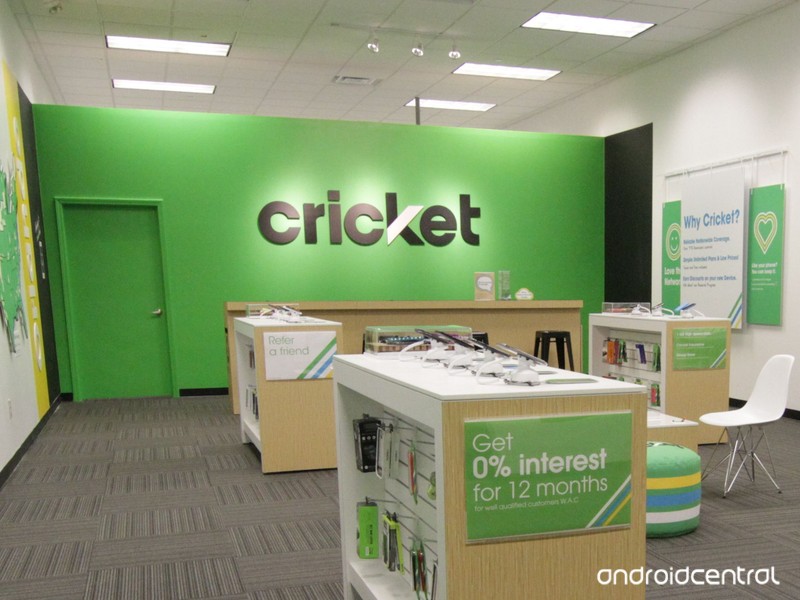
Starting today, anyone that’s on a $50/month or more expensive plan has access to unlimited talk, text, and data in Mexico at no extra cost.
Commenting on the announcement, Cricket’s Chief Marketing Officer Tiffany Baehman said:
This is a big move in the right direction for our customers. Unlike MetroPCS who cuts customer calls in Mexico once they’ve reached a certain limit, Cricket customers will now be able to stay in touch with family, friends, co-workers and others while in Mexico without these calling boundaries.
For reference, Cricket’s $50/month Unlimited plan (with AutoPay turned on) gives you unlimited everything with data speeds capped at 3Mbps and video streaming limited to 480p. If you step up to Unlimited Max ($55/month with AutoPay) you get “high-speed data” and can stream videos in HD resolution.
See at Cricket
Apple Registers Two More Unreleased iPad Models in Eurasia
Over the past few months, Apple has been preparing itself for product launches later in the year by registering several new iPads, iPhones, and Macs with the Eurasian Economic Commission. The filings are legally required for any products that include encryption features and are to be sold in Armenia, Belarus, Kazakhstan, Kyrgyzstan, and Russia, making them good indicators of products coming down the line.
Earlier in July, Apple registered five tablet models, including A1876, A1934, A1979, A2013 and A2014, but today Consomac discovered recent authorization for two new tablets: A1895 and A1980. Most of these are expected to be models of Apple’s 2018 refresh of the iPad Pro.
2018 iPad Pro concept by Álvaro Pabesio
Later this year we’re expected to see a major update to the iPad Pro with design elements from the iPhone X, like slimmer bezels, faster processor, and a TrueDepth front-facing camera with Face ID support. This means that the 2018 iPad Pro models are also expected to drop support for the home button for the first time on Apple’s line of tablets.
The 2018 iPad Pro refresh is predicted to come in two sizes, measuring 11 inches and 12.9 inches, according to recent report by Apple analyst Ming-Chi Kuo. With two size tiers and a Wi-Fi, Wi-Fi + Cellular, and potentially a special Cellular model for China, there would be just one model number left over from the seven EEC filings.
While this could be an additional model of the iPad Pro we don’t yet know about, it could also relate to a model of iPad not in the Pro family, including the iPad mini 5. A rumor from May 2017 suggested the mini lineup was being discontinued, but over a year later Apple has yet to officially make such a commitment to ending the line.

Consomac’s other findings relate to model numbers previously reported, including 11 model numbers for smartphones and five model numbers for laptops, two of which we now know were the 13-inch and 15-inch MacBook Pro with Touch Bar refresh launched yesterday. For MacBook, this leaves three other models with a potential launch in 2018, perhaps indicating cheaper, entry-level MacBooks without the Touch Bar.
Today’s filings also include 11 existing iPhone models listed as running iOS 12, including the iPhone SE and iPhone X, two devices Apple has been rumored to possibly be discontinuing with the release of the new lineup. It’s unclear, however, if their inclusion is confirmation that Apple will continue selling them.
Of course, it’s difficult to obtain any information based solely on model numbers, so at this point those looking forward to new iPads and iPhones this year can at least know that the devices are a few months away.
Related Roundup: iPad ProTag: EECBuyer’s Guide: 10.5″ iPad Pro (Don’t Buy), 12.9″ iPad Pro (Caution)
Discuss this article in our forums
Facebook wants to own your face. Here’s why that’s a privacy disaster
(in)Secure is a weekly column that dives into the rapidly escalating topic of cybersecurity.
Scanning your face is easier than remembering a password, that’s for sure. But while facial recognition technology has gone mainstream with Apple’s FaceID and Microsoft’s Windows Hello, we’re only now thinking through the cybersecurity and privacy concerns.
Now Facebook, among other companies, are finding questionable ways to use this new data. To get to the bottom of just how dangerous that could be, we spoke with Theresa Payton, the former White House Chief Information Officer for the George W. Bush administration. She’s now deeply involved in the world of cybersecurity — and has some serious concerns about how Facebook intends to use the tech.
Your face belongs to you, doesn’t it?
Facial recognition technology has great potential, even in the world of cybersecurity. In the case of authentication, for example, it makes locking devices and accounts simpler for those who are slow to move to methods like two-factor authentication. But, as Theresa Payton explained, there’s a dark side to the technology.
Facebook says scanning and recognizing your face helps “protect you from a stranger using your photo to impersonate you.”
“I believe there are a lot of really cool things that could come out of this technology, but recent history tells us we need to play out worse-case scenarios,” Payton told Digital Trends. “We need to understand that new technology will always be released a year or two before we really understand the ramifications of securing that data, as well as the legal aspects of protecting privacy.”
According to a recent New York Times report, Facebook’s use of facial recognition to pick your face out of photos has a handful of civil rights organization up in arms. Using artificial intelligence and its own proprietary algorithm, Facebook already knows your face as well as your best friend.
In Facebook’s own words, scanning and recognizing your face helps “protect you from a stranger using your photo to impersonate you.” At least, that’s what it said when it first tried to introduce the technology in Europe six years ago. Facebook pulled back when EU regulators started asking questions about security and privacy – but now, the issue has returned.
Therea Payton, former White House Chief Information Officer to the Bush Administration.
You might think Facebook would retire the idea completely due these previous concerns, along with the recent Cambridge Analytica data scandal, yet the company has no plan to stop.
“They said, ‘Okay, we learned a lot,’ and basically ‘We want to make it easier to authenticate, to classify their photos and videos,” said Payton. “They basically said you shouldn’t worry about this, because we’re going to let the users control facial recognition.”
“This is cool technology, but why don’t we all take a step back and talk about the uses [of Facebook’s facial recognition]”
Facebook’s plan to analyze your face don’t stop with photos and authentication. As reported by WWD, the social media giant wants to monetize facial recognition further with what it calls “augmented commerce.” The idea is to help brands transform simple Facebook ads into interactive AR experiences. The problem? No one knows what Facebook or its ad partners will do with the data gained from scanning your face.
And that’s only the beginning. Facebook holds several worrisome and downright creepy patents regarding facial recognition technology. One Minority Report-like patent described a way to set a “trust level” for each person who enters a store. By recognizing their faces and connecting it to the data in their Facebook profile, the system could figure out which shoppers were “trustworthy,” or could unlock special deals. Other disturbing patents include a system for tracking your emotions by scanning your face and matching that to what you’re currently looking at.
One of Facebook’s new facial recognition patents that track emotions by scanning your face and matching it to what you’re currently looking at.
“You are not going to get a new face,” said Peyton. “This is cool technology, but why don’t we all take a step back and talk about the uses and applications of that technology and play out future security and privacy concerns?”
She has a point. It’s not hard to imagine a day when biometrics are accurate and routinely used for accessing your bank account. If your face was then stolen, that could be incredibly problematic. But that wouldn’t happen, right?
Biometrics won’t save us
Technology like facial recognition and fingerprint scanners are often seen as the safer alternative to simple passwords. But if that data is not secured, the consequences are catastrophic. We’ve already seen it happen. In 2015, the Office of Personnel Management had a breach that resulted in the theft of 5.6 million unencrypted fingerprints.
“I’m incredibly worried about the ease in which biometrics could be stolen and used for nefarious purposes,” said Payton.
“Play out those scenarios with this technology and come up with your countermeasures for that.”
With massive machine learning infrastructure to power biometric scanning in place for companies like Google, Facebook, Apple, and Microsoft, we tend to assume those companies are also hiding that data away in a digital locked vault.Payton says our ability to protect our biometric data is “woefully lacking right now.”
It seems it’s only worth implementing if companies are willing to do the hard work of securing the data.
“Here’s what I’d say to these technology companies…Let us know that you are thinking through these worse-case scenarios,” she said. “Play out those scenarios with this technology and come up with your countermeasures for that. If we at least get those assurances, that’d be incredibly helpful given the current state of affairs.”
Payton isn’t calling for an end to biometric scanning and facial recognition. Instead, she proposed a more responsible way to use it hand-in-hand with other technology. Rather than rely solely on something like a fingerprint scanner, Payton’s advice was for companies to combine it with behavioral-based data that could act as biometric two-factor authentication. A system might be able to know things like when the individual typically makes transactions, what kind of operating system they use, or how fast they type.
“There’s a lot of biometrics and behavioral-based information if you match the two together, then you have assurances of who that person really is,” she insisted.
But it’s not too late, Payton argued. We’ve seen the worst social media has to offer in the past couple of years, but if we could wind back the clock and warn ourselves when this was all beginning, our world might look different than it does today.
“If that worse-case scenario had been played out in in the late 1990s and early 2000s, maybe things would have been a little different on these social media platforms,” said Payton. “Let’s not repeat that type of mistake with these newer technologies we’re introducing.”
Editors’ Recommendations
- U.S. Customs says biometric entry and exit is coming first to this airport
- You’ll never read Facebook’s new data policy, so we did it for you
- Improving security means killing the password, but that battle has just begun
- Facebook wants to literally open your eyes with A.I. that fixes blinks in photos
- Facebook’s photo tag suggestions could violate Illinois law — and cost billions
Pop-up cams could be the next must-have feature for phone privacy nuts
Pop-up cameras may become more than a way to get around design challenges on today’s top phones — they may evolve into the must-have feature for privacy-focused smartphone owners. A report claims that in China, pop-up cameras are activating when certain apps are being used, providing possible evidence of how much we’re being spied upon by app and device makers.
Two phones with motorized cameras have been announced recently — the Vivo Nex and the Oppo Find X. Under normal circumstances, the cameras rise from the phone’s body when the camera app switches to selfie mode on the Nex, or when the camera app itself opens on the Find X.
However, a selection of apps in China including the QQ web browser, a travel app called Ctrip, messaging app Telegram, and the voice recording feature in a Baidu app all activate the Nex’s selfie camera. This video posted on the Weibo social network is an example of what happens. These are not small apps used by only a few people. Technology giant Tencent developed the QQ browser, Ctrip is a well established travel service provider, while Baidu is one of the world’s top search engines.
Privacy
On devices without a pop-up camera, we’d never know when the selfie camera was activated, and these instances do anecdotally suggest developers are intentionally invading our privacy. Developers disagree, however. Baidu issued a response stating app users must have given consent for the front camera to become active, but even then it does not record. Instead, it’s used to prompt the phone to activate its microphone faster than usual in the voice input app.
Tencent also says the camera is not used to record, but is instead activated to prepare for QR code readings, which are commonly used in China. After the camera issue became more widely reported, Telegram took action and has included a fix in a beta version of the app, which it apparently blames on Vivo’s own software messing around with the way the app operates, although it has not reached the public version yet.
While it’s tempting today to leap to the conclusion that apps and phones are spying on us, there’s no evidence beyond an app commanding the selfie cam to activate here, which is very different to evidence of it then recording, and even going on to upload that recording to a server without your permission. Many apps will prime features during the startup process, whether you’re about to use them or not.
That doesn’t mean we shouldn’t pay attention. It serves as another warning to check and understand the permissions apps request when we install them. If an app’s main feature doesn’t require use of the camera, microphone, or access to our emails, it’s wise to disagree when prompted. You can always change the setting later, should it become necessary.
Editors’ Recommendations
- Here are the best camera phones of 2018
- From DSLR to mirrorless and compact, here’s how to choose a camera
- Samsung Galaxy S8 camera tips that will make you a better photographer
- LG G6 camera guide: How to take killer photos
- Canary View review

