


Master your iPhone XS and iPhone XS Max with our favorite tips and tricks
Julian Chokkattu/Digital Trends
The iPhone XS and iPhone XS Max refine the mobile experience Apple created with last year’s iPhone X. From Face ID to the all-new Memoji, this year’s iPhones are among the best phones on the market.
If you’re upgrading from an older iPhone or switching from Android, things are a little different on the new iPhones. Here are a few of our favorite iPhone XS tips and tricks to get you started.
How to set up Face ID
Mark 2018 as the year Apple finally killed the Home button on all its new iPhones. On the iPhone XS and XS Max, the easiest way to unlock your phone is by using Face ID.
To set up Face ID, you’ll want to be in a room with good light. Go to Settings > Face ID & Passcode. If you’ve already have a passcode you’ll be prompted to enter it. Otherwise, you’ll need to set one up to continue. Tap Setup Face ID.
You’ll need to scan your face twice to complete the process. Once complete, you’ll simply need to swipe up on the lock screen with your eyes open to unlock your phone. If the phone doesn’t unlock you can swipe up to try again. You may need to move the phone further from your face, especially if you’re checking your phone from bed or in a dark room.
You can also add an alternate identify for Face ID. Just go to Settings > Face ID and Passcode > Set Up An Alternate Appearance.
How to take a screenshot
Brenda Stoklar/Digital Trends
If you’re used to tapping the power and home buttons to take a screenshot, you may be a little confused when trying to do so on the iPhone XS or iPhone XS Max.
If you want to get a screenshot, simply tap the Power and Volume up buttons simultaneously. A small image of the screenshot will appear on the lower left side of the screen. Tap the image if you wish to make any edits; otherwise, the image will save to your Photos app within a few seconds.
How to set up and use Apple Pay
Ready to leave your wallet at home? With Apple Pay, you can easily pay for items with your phone.
To use Apple Pay, you’ll need to add a card to your wallet. To do so, go to Settings > Wallet & Apple Pay > Add Card. You may need to contact your bank to verify the card before you can use it.
Once Apple Pay is set up, it’s easy to use. Just double tap the lock button on the right side of your phone. If Face ID is set up the phone will scan your face to approve the purchase. Otherwise, you’ll need to enter your passcode.
How to use Portrait Mode and Depth Control
Julian Chokkattu/Digital Trends
Both the iPhone XS and iPhone XS Max have Portrait Mode on the front and rear cameras. To use Portrait Mode, open the camera and swipe the menu slider left until you see Portrait. You’ll see a carousel appear with different lighting options such as Natural Light, Contour Light, Stage Light, Natural Light, and more. Select your desired option and press the shutter button. If you want to use the front-facing camera, just tap the camera rotate icon to the right of the shutter button.
Depth Control is a new feature that’s exclusive to the 2018 iPhone lineup. With Depth Control you can control the amount of blur in the background after you’ve taken the photo. To use Depth Control, simply select the photo and tap edit; the Depth Control slider will appear automatically in the edit screen.
How to turn off your iPhone
Julian Chokkattu/Digital Trends
Sometimes looks can be deceiving. In the past, the button on the right side of your iPhone was likely the power button. However, that button is actually the lock button on phones that have TrueDepth cameras. So how do you turn your phone off?
If you want to turn your phone off, simply tap and hold either volume button along with the lock button simultaneously. After a few seconds, you’ll see a slider appear to turn off your iPhone.
How to create a Memoji
Last year Apple released Animoji for the iPhone X, and this year it’s one-upping itself with Memoji in iOS 12. Memoji are animated avatars that you can control with your facial movements.
Creating a Memoji is simple. Just open the Message app and tap on the App drawer. Select the Animoji (monkey) icon and swipe right until you see the New Memoji icon (+). Here you can customize your Memoji to your heart’s content. When you’re satisfied, simply tap the Done button at the top of the screen to save your Memoji.
How to use gestures to complete common tasks
For many people, the iPhone XS or XS Max may be the first iPhone they purchase that doesn’t have a home button. The lack of a home button means you’ll need to learn some new gestures in order to use your phone.
The most commonly used gesture is the swipe up from the bottom of the phone. This allows you to easily switch between open apps. When you swipe up you also have the opportunity to close apps by simply swiping up in the particular app you no longer need.
In addition to swiping up, you can also swipe down from the top of the screen. If you swipe down from the center you’ll open the notifications window. Swipe down from the right side and the Control Panel appears.
There are also two gestures that allow you to quickly wake the phone. First up simply tapping on the screen will wake the phone. This gesture is enabled by default, but if you’ve turned it off by accident just go to Settings > General > Accessibility and enable the Tap to Wake slider.
You can also wake your iPhone simply by lifting it up. Again, this is on by default on the iPhone XS and XS Max, but can be enabled or disabled in the settings by going to Settings > Display & Brightness and tapping the Raise to Wake slider.
How to use Do Not Disturb
Looking for a little quiet time? Do Not Disturb mode allows you to easily turn off notifications and calls on your phone.
You’ll probably want to customize Do Not Disturb mode before using it. Just go to Settings > Do Not Disturb to make the desired changes. Once you’ve set up Do Not Disturb you can activate it by either toggling on the Do Not Disturb slider or tapping the Do Not Disturb (moon) icon in the Control Center.
Bedtime is an additional function in Do Not Disturb that allows you to automatically turn on custom features each evening at bedtime. Bedtime specially dims the screen, silences calls, and sends notifications directly to the Notification Center. To set it up, just go to Settings > Do Not Disturb > Scheduled > Bedtime. You’ll see an option to schedule Bedtime to your preferred sleeping hours.
How to use Split View on the XS Max
What good is all the extra screen real estate on the iPhone XS Max if you can’t put it to good use? Split View for the iPhone XS Max allows you to get an expanded view of certain iOS apps and websites. For example, if you use the Mail app in Split View you’ll see both your current messages along with a preview screen. You’ll also see Split View in action on certain websites such as The New York Times.
Using Split View is easy. Simply open a compatible app or website and turn your iPhone to landscape mode and make sure rotation lock is not turned on. If the phone does not switch to landscape, swipe down from the top right side of the screen and make sure the rotation lock icon (padlock) is not enabled.
How to use Siri
Siri is Apple’s digital assistant and can help you do basic tasks like send messages, add appointments to your calendar, and even Apple Pay friends. Siri will also learn your personal preferences and offer suggestions and shortcuts that may be of interest.
There are two ways you can access Siri. The first is by simply long tapping the lock button. The second and easiest method is by saying, “Hey Siri”.
If you haven’t set up “Hey Siri, you’ll need to do so in the settings by going to Settings > Siri & Search > Listen for “Hey Siri” and follow the prompts.
How to use Notifications and the Control Center
This year Apple made some huge changes to Notifications in iOS 12. For starters, you’ll see grouped notifications that can be deleted in bulk simply by tapping the X icon. Of course, if you want to get the most of the Notification Center, you’ll probably want to customize it to your liking.
In addition to adding group notifications in iOS 12, Apple also made it easier to customize the notifications you receive in Notification Center. Simply long tap on any notification and you’ll see two options: Deliver Quietly and Turn Off. Deliver Quietly simply means that the notification will go directly to the Notification Center instead of alerting you when it arrives. Turn off, of course, means you’ll no longer receive notifications from the app in question. You can further customize the way you see and receive notifications by going to Settings > Notifications and tapping on each individual app listed.
Control Center allows you to quickly access commonly used utilities on your phone. It’s opened by swiping down on the top right corner of your phone. Many of the icons use 3D Touch to provide additional use options: Simply press hard on the icon and you’ll see a menu appear for the app.
While the Control Center has many of the most commonly used features easily accessible from a single location, you may want to customize it to your liking. You can do so by going to Settings > Control Center > Customize Controls. From here you can add and move controls to suit your needs.
Editors’ Recommendations
- How to buy the iPhone XS, iPhone XS Max, and iPhone XR in the U.K.
- iPhone XS Max review
- The best iPhone XS screen protectors
- Apple iPhone XS vs. iPhone XS Max vs. iPhone XR
- iPhone XS, iPhone XS Max, and iPhone XR: How to buy Apple’s new phones
Twitter squashes security bug leaking direct messages since 2017
When you send a direct message on Twitter, you expect the information to be kept private between you and the intended recipient; unfortunately, Twitter revealed today that due to a software bug, some direct messages might have ended up in the wrong hands. The error may have affected communications between some of Twitter’s user base and business accounts on the platform as far back as May 2017.
According to Twitter, the company recently discovered a bug within its Account Activity API — a programming interface that allows business developers to source information regarding other accounts in real-time. The API feature is regarded as a source of premium information access that allows businesses to connect with customers and monitor social streams.
If you direct messaged a business account between May 2017 and September 10, 2018, it is possible that your information was unintentionally routed to a registered developer. Instead of your private information being shared only with the intended recipient, the developer of the platform used by the business may have also received its contents. Businesses that users may have interacted with include accounts for customer support, airlines, banks, and more.
The team at Twitter stresses that the data breach was fixed within hours of being discovered, but that still means that the bug ran for sixteen months without being detected. The company has also noted that the software glitch affected less than 1 percent of people on Twitter, but with Twitter having sixty-eight million active users as of early 2018, that could mean that up to approximately 680,000 people were affected.
Twitter has begun reaching out via in-app communication and website notices to any users who may have been compromised by the incident. The company’s policies require developer partners to dispose of any information that they may have unintentionally received. As expected, Twitter is hoping that developers will do the right thing and delete any intercepted messages.
Most businesses typically do not ask consumers to send sensitive information via direct messages, but if you have submitted any information to a business account via direct messages that you deem sensitive, it is vital to keep an eye out for any fraudulent activity that may result from the incident.
Editors’ Recommendations
- The most common iOS 11 problems, and how to fix them
- A second massive Comcast outage leaves customers without service this month
- What is RCS messaging? Here’s all you need to know about the successor to SMS
- Common Samsung Galaxy S9 and S9 Plus problems and how to fix them
- ‘Hey, Google, what’s wrong?’ Google Home ‘glitch’ gets a fix
How beneficial is ECG in the new Apple Watch? We asked an expert
Previous
Next
1 of 5

Julian Chokkattu/Digital Trends


The smartwatch hasn’t taken off as expected, but fitness wearables are commonplace now. By combining some of the most advanced features of a fitness tracker with all the bells and whistles of a smartwatch, Apple has consistently turned out the best smartwatch on the market.
The new Apple Watch Series 4 offers an impressive bundle of features, but the headline addition is the heart-tracking and electrocardiogram (ECG) functionality. The Apple Watch has been recording heart rates for a while now, warning wearers when their heart rate is very high and offering statistics on resting heart rates, but the new Series 4 allows you to record your own ECG.
We were curious about the new functionality, so we spoke to some experts to find out how beneficial they think it might be.
Conducting an ECG
There are electrodes in the back of the Apple Watch Series 4 and built into the Digital Crown. By touching the Digital Crown with your finger for 30 seconds, you create a closed loop which will then generate an ECG waveform. This data goes beyond simply recording your heart rate to show your heart rhythm. The data can be used to uncover any irregular rhythm and determine whether there are signs of atrial fibrillation.
ECG in Apple Watch Series 4
“An ECG is much more valuable than a simple heart rate monitor,” cardiac electrophysiologist, Dr. Nicholas Tullo, told Digital Trends. “Heart rate monitoring from fitness trackers is not always accurate and it doesn’t tell you about the heart rhythm; seeing a picture is much more valuable.”
Dr. Tullo has been teaching healthcare professionals how to read ECGs for decades and runs the ECG Academy.
“An ECG is much more valuable than a simple heart rate monitor”
“The most important thing to diagnose is a very specific arrhythmia known as atrial fibrillation,” Dr. Tullo said. “Because it carries with it a very serious risk of stroke.”
Ordinarily, if you went for an ECG, a nurse or doctor might connect 12 wires to your chest and hook you up to a big machine that would record the electrical activity to get a snapshot of what your heart is doing. The standard test is known as a 12-lead ECG and it simultaneously records electrical activity from multiple locations in the body giving you 12 different views of the heart. The Apple Watch Series 4 is equivalent to a single-lead ECG.
“The Apple Watch gives you one view; it’s only one angle, one view, but it’s a useful view,” Dr. Tullo said. “A lot of the monitors we order for patients to wear for one or two weeks only offer one view as well.”
Real benefits for people
One of the big challenges for cardiologists is that they often hear about heart problems after the fact.
“It’s like bringing your car to a mechanic and saying — last week it made a funny noise what could it be?” Dr. Tullo said. “You can only tell what the heart is doing if you record the ECG at the time you’re having the symptoms.”
 Apple Watch Series 4
With ECG functionality built into the watch you’re wearing, you can take an ECG when you have palpitations and then export that data as a PDF and share it with your cardiologist later.
“Medical testing is often very expensive and usually just for very short periods of time,” Dr. Tullo said. “The new Apple Watch could be so valuable because it’s like carrying an ECG machine around with you.”
“The new Apple Watch could be so valuable because it’s like carrying an ECG machine around with you.”
Apple has clearly been working on this for some time. It has been running a heart study with Stanford Medicine to test the Apple Watch’s ability to identify irregular heart rhythms in hopes of detecting things like atrial fibrillation. Uncovering these issues early could save lives, and any insight into the heart rhythm is better than no insight.
“It’s probably not a good idea for a hypochondriac, but the potential advantages far outweigh any potential downside,” Dr. Tullo said. “Not everyone will use it, but it’s nice to have it if you are having issues with your health. I will be mentioning it to patients who come into my office.”
Portable ECG devices are nothing new
There are a few different monitoring devices on the market that allow you to conduct your own ECG. Dr. Tullo has been recommending his patients use a monitor from AliveCor. It costs $100 and connects to your smartphone via Bluetooth. The company even offers a KardiaBand, also $100, which works with the original Apple Watch to add the same ECG functionality.
 KardiaBand
“It’s been a very useful tool for me and my patients,” Dr. Tullo said. “Apple saw the value of that and incorporated into the watch itself, which I think is a really good thing“.
We’re currently testing the WIWE mobile ECG here at Digital Trends, which is a credit card-sized device that connects with a smartphone app and records an ECG. You place a right and left finger on the sensors, or both thumbs, and the ECG appears on your smartphone screen with a clear indication of any deviations from a normal heart rhythm. It costs 289 euros (around $340), but the makers are confident that it’s more reliable and accurate than the Apple Watch Series 4.
“Although the device looks promising and its ECG feature received FDA clearance, concerns arise in terms of reliability,” a WIWE spokesperson told us in a statement.
The FDA report states, “The ECG data displayed by the ECG app is intended for informational use only.”
Specifically, they question the signal quality from electrodes attached to the left wrist and right finger, suggesting that hairs on the wrist or small movements of the finger could distort the results. Apple does recommend that you rest your arms on a table or your legs when recording an ECG.
It’s also worth noting that the FDA has approved the Apple Watch’s ECG feature, but with caveats. The FDA report states, “The ECG data displayed by the ECG app is intended for informational use only.”
The report also suggests that the ECG app is not suitable for people with “other known arrhythmias” or “people under 22 years old.”
 Apple Watch Series 4
According to WIWE’s makers, this may be because respiratory sinus arrhythmia is quite common at a young age and can cause significant fluctuations in the heart rhythm, even though it poses no real danger. The WIWE device records more information and is capable of a more thorough assessment, which is one of the reasons that the National Health Service (NHS) in the U.K. has just purchased 100 WIWE devices.
While the Apple Watch Series 4 may not be as accurate as some other ECG devices, it could still prove very useful for flagging possible problems and prompting further investigation. The Apple Watch Series 4 starts at $400, but it also offers a lot of other things besides ECGs and heart tracking. It can track falls and call emergency services if it doesn’t detect movement after a minute; it can alert you to low heart rates, and it has a host of fitness tracking features, alongside the ability to interact with notifications. Most people would never buy a specific ECG device, but an Apple Watch is a completely different prospect.
The Apple Watch Series 4 is available to buy now, but the ECG app and irregular rhythm notification are coming later this year. It has FDA clearance for the U.S. and Apple is working on bringing it to the rest of the world as soon as possible.
Editors’ Recommendations
- Apple Watch Series 4 hands-on review
- Apple Watch Series 4: Everything you need to know
- Could ECG Functionality in the New Apple Watch Save Lives? We Asked an Expert
- Apple Watch Series 4 vs. Series 3: Which should you get?
- Fitbit Versa vs. Apple Watch Series 4: Which wearable is the best?
WD hard drives, Bluetooth mice, and more are discounted today
Whether you’re looking for new tech gear or household items, we’ve got you covered.
We found plenty of great deals today that include big discounts on Western Digital’s 1TB external hard drive, Logitech’s Bluetooth mouse, the Netgear CM700 cable router, and more!
View the rest of the deals
If you want to know about the deals as soon as they are happening, you’ll want to follow Thrifter on Twitter, and sign up for the newsletter, because missing out on a great deal stinks!
Best PlayStation 4 games under $30

There are certain painful occasions where money management has to take priority over buying every hot new game that comes out for your PlayStation 4. However, just because you are being a responsible adult doesn’t mean that you have to forgo great games altogether. With a little patience and some smart shopping, you can find killer deals on amazing games.
If you want to keep the heat on and have an awesome new video game to play, then hopefully this article will help you to achieve your goals. Here are some of the very best games available on PS4 that can be had for under $30
Buried treasures
Uncharted 4

Nathan Drake’s final chapter is a journey that everyone should experience, and thanks to PlayStation Hits, it’s now affordable to almost anyone. If you like story-focused action-adventure games, you’re doing yourself a disservice if you don’t play this game. Travel across the world in search of pirate Henry Avery’s long lost treasure. Just be careful who you trust.
$20 at PlayStation
Hot-headed rebel
inFAMOUS Second Son

Another exclusive jumping into the PlayStation Hits catalogue, inFAMOUS Second Son is a popular franchise developed by Sucker Punch Productions. What’s cooler than being a rebellious youth with superpowers and a whole city to explore at your disposal? Choose your path and take on the Department of Unified Protection. Your actions define you, whether they be good or evil.
$20 at PlayStation
Gothic terrors
Bloodborne

Bloodborne offers the greatest difficulty to dollar ratio on this list. Take the mechanics and brutality of the Dark Souls franchise and drop it into a gothic, horror-themed setting and you have Bloodborne. If you are looking for a game to beat you up for the lowest price possible then this is your go-to.
$20 at PlayStation
Monsters and magic
The Witcher 3: Wild Hunt

If you’ve squeezed every last drop out of Skyrim and you still need some Dungeons and Dragons-esque gameplay then The Witcher 3 is here for you. Play as the monster slayer Geralt as you search for elvish heir, Ciri. There is plenty to do in this gorgeous open world and plenty of monsters to slay.
$25 at Amazon
Our not-so-distant future
Fallout 4

The Fallout series has been around since the late 90’s. There have been 8 entries into the post-apocalyptic RPG series but Fallout 4 is the largest, both in terms of map size and content. Step into your cryo chamber and awake after the Great War to a post-apocalyptic retro-future. Your main objective is to find your son but you are bound to get into plenty of other adventures along the way.
$16 at Amazon
Mechanical dinosaurs
Horizon Zero Dawn: Complete Edition

New IP can be hit or miss, but Guerrilla Games struck gold with Horizon Zero Dawn. It’s got robotic dinosaurs, compelling characters, satisfying gameplay, and a surprisingly impactful storyline. Discover your past to save the future in its post-apocalyptic world.
$20 at PlayStation
AKA Twin Peaks: The game
Life Is Strange

Want a great independent game to play on your PS4 but don’t want to spend an arm and a leg? Check out the fantastic graphic adventure Life is Strange. Take an independent coming of age film, mix in some superpowers and a killer story and you end up with one heck of a game.
$20 at PlayStation
They’re infected, not zombies
The Last of Us Remastered

If you’re looking for some survival horror action at a low low price, then you can’t do much better than the remastered version of The Last of Us. Zombies have overrun the earth and it’s your job as Joel to protect a young girl named Ellie. It’s a thrill ride that just so happens to sport a great story.
$20 at PlayStation
Update, September 2018: We’ve updated this article to include more great games for under $30!
More new renders show the Google Pixel 3 and 3XL with their screens off
Everything we know about what’ll likely be one of the year’s best phones.
Google first introduced its Pixel series in 2016, and since then, has been hard at work to establish itself as a serious player in the smartphone market. Google may be one of the most powerful and iconic companies in the world, but when it comes to hardware, is still very much a newcomer.
We saw vast improvements with the Pixel 2 compared to the original Pixel line, and we’re expecting to get that again with the Pixel 3. Google’s quickly learning what it takes to compete with the likes of Samsung and Apple, and seeing as how the Pixel 2 was one of 2017’s best phones, there’s a lot riding on this year’s entry.
Ladies and gentlemen, here’s everything we know so far about the Google Pixel 3.
The latest Pixel 3 news
September 22, 2018 — Renders from Evan Blass show the Pixel 3 and 3 XL side by side
Since you guys keep asking… pic.twitter.com/DpRqzsyRem
— Evan Blass (@evleaks) September 21, 2018
’tis the season for Pixel render leaks, and this render from Evan Blass shows the Google Pixel 3 and Pixel 3 XL side by side with the screens off, showing off their size difference and their front camera/sensor layouts. These are consistent with the plethora of renders we’ve seen in recent months, with the O__O sitting smack dab in the Pixel 3 XL’s notch while the notchless Pixel 3 keeps its sensors to the left-hand side of the earpiece.
The Made by Google Event is slated for October 9th, where we will finally see the products in the flesh and see what they are or aren’t packing under those sizable screens.
September 18, 2018 — These are supposedly the Pixel 3’s official press renders

Although leaks for the Pixel 3 aren’t new at this point, the latest one from Nieuwe Mobile is the first time we’ve gotten an official press render for the 3 and 3 XL.
The renders show a lot of what we’ve already seen. The regular Pixel 3 is a fairly unoffensive device with relatively slim bezels on the top and bottom. The Pixel 3 XL, on the other hand, has a notch and chin at the top that’s been ridiculed to death.

The large “3” for the wallpaper is the same one present on the Google Store’s promo page, and if you look at the Google Search bar at the bottom, there’s an Assistant icon that we haven’t seen before.
There’s obviously no way to confirm whether or not these are legit renders, but as this point, it’s about as close as we’ll get until October 9.
September 17, 2018 — The Pixel 3’s fourth color might be pink
Following up on our previous entry from last week, there appears to be a fourth color for the Pixel 3 hidden on Google’s teaser page.
There’s a fourth color in the source code 🎨 #Pixel3 (@frontpagetech) pic.twitter.com/zutFwTRzKp
— Cas van Dinter (@CasVanDinter) September 16, 2018
Along with black, white, and mint that are visible to everyone, a quick look through the page’s source code reveals a fourth color referred to as “pink.” Google’s only ever launched three color variants for its Pixel phones at a time, so the fact that we could be getting four right from the get-go is pretty exciting.
However, a deeper look through the source code does reveals even more. Although we’re currently seeing black, white, mint, and the new pink color, there’s also mention of blue and green — suggesting that we might possibly get five total colors at launch time.
September 14, 2018 — Pixel 3 mint color teased in new promos from Google

With a little over three weeks to go before the big October 9 event, Google’s shared two new teasers to get people excited for the Pixel 3 and 3 XL.
The first of these appears to be live on all versions of the Google Store and is pretty basic. There’s a large 3 and some text next to it that reads “Stay tuned! Looks like you’ve already enrolled for updates from the Google Store. Be on the lookout for some news from us on Oct. 9.”


In addition to that, a Google page in Japan has a much fancier promo page that also potentially reveals a new color that we’ve yet to see in any of the leaks.
If you visit the page on your smartphone or tablet, you’ll see large text at the top that says “Coming Soon.” Below that is an outline of a phone with Google’s “G” logo at the bottom.
You can rotate your device side-to-side to move the outline of the phone on the page, and tapping on your screen cycles between a white, black, and mint background. These background colors also fill in the phone outlines, suggesting that these are all colors that’ll be available for the Pixel 3/3 XL. We’re already expecting white and black, but this is the first time we’ve ever seen a reference of a mint option.
September 6, 2018 — Google officially announces October 9 event for Pixel 3

Google has just sent out invites to the press for a hardware event in New York City, and just as rumored it will take place on October 9. The invite came in with a delightfully designed (and very swiftly swoopy) animated gif that honestly doesn’t give us any hints as to what we’ll be seeing. But there’s no reason why this wouldn’t be the launch event for the Google Pixel 3 and 3 XL.
The only question is whether we see more than the two phones. Last time around, Google had a blockbuster event that was ostensibly for the Pixel 2 and 2 XL, but also included the launch of the Google Home Max, Google Home Mini, Pixel Buds and Pixelbook. If Google pulls out all the stops once again, we could be in for a huge hardware launch event.
Last year’s event was in San Francisco (and on October 4), but it’s hard to read too much into a venue switch to NYC — it’s an easy place for press from all around the world to get to, and Google maintains a large presence in the city. Google will be streaming the event live, as well.
August 31, 2018 — Google Pixel 3 and 3 XL swing by the FCC
Before we head out for the week, let’s end our Friday on another Pixel 3 tidbit.
Today, FCC listings A4RG013A and A4RG013C from Google appeared — likely relating to the Pixel 3 and 3 XL, respectively. These numbers line up to last year’s phones where the Pixel 2 was G011A and the 2 XL was G011C.
Although no new information is revealed in these listings, it’s once again confirmed that Foxconn is the manufacturer rather than HTC or LG like we saw with the Pixel 2 series.
August 30, 2018 — Regular Pixel 3 appears in first hands-on photos, might not be a Verizon exclusive


Although the Pixel 3 XL has been leaked to death at this point, we still haven’t seen much on the regular Pixel 3 outside of device renders. However, thanks to a user over on Reddit, that’s now changing.
The photos confirm that the Pixel 3 will not have a notch and instead have slightly thicker bezels on the top and bottom compared to its XL sibling. The screen measures in at 5.5-inches, the resolution is 2160 x 1080, and there’s an aspect ratio of 18:9. The smaller battery also appears to be a 2,915 mAh unit.


Other specs from the 3 XL are carried over to the Pixel 3, including the Snapdragon 845 processor, 4GB RAM, dual 8MP front cameras, etc.
Also, in an update to the Reddit post, it’s said that the Pixel 3 in the above photos is part of a carrier testing program that isn’t Verizon. Contrary to reports we heard earlier this year, this suggests that Verizon’s exclusivity of the Pixel line may finally be over.
August 27, 2018 — Unboxing video shows off the Pixel 3 XL and its packaging, October 9 announcement date revealed
It’s pretty difficult to be surprised by a Pixel 3 leak anymore, but that certainly hasn’t stopped them from flowing in.
Most recently, a YouTube channel by the name of In DIGI uploaded a high-res 1080p Full HD unboxing video that shows the Pixel 3 XL being taken out of its packaging in one of the crispiest clips we’ve seen yet.
In addition to the Pixel 3 XL itself, the box is also home to the Pixel Bud-like wired earbuds that definitely appear to be included with the phone, #teampixel stickers, USB-C charging cable, USB-C to USB-A adapter, a USB-C to 3.5mm adapter, and AC wall adapter. The video gives us an up-close look at the front and back of the phone, as well as a few camera samples.
Lastly, we also got another hint as to when the Pixel 3 will officially be unveiled. In a Bloomberg article published by Mark Gurman this morning, it’s noted that:
Alphabet Inc.’s Google also plans to debut new Pixel phones on Oct. 9 at a media event in New York City, other people familiar with the plans said.
Google declined to comment on this news, but that lines up with earlier rumors and the press events for the company’s previous Pixel announcements for the past two years.
August 23, 2018 — Pixel 3 XL reported to have new Pixel Visual Core and a wide-angle selfie camera
We’ve known for quite some time that the Pixel 3 and 3 XL will have dual front-facing cameras, but up until now, it’s been a mystery as to what the second sensor will actually do. Thanks to a report from 9to5Google, we now have some more info as to what these sensors will be used for.
According to one source the site spoke with, the two cameras will allow for a new “Super Selfie” mode with another mention of there being an “improved Portrait Mode.” A leak from earlier today revealed new Portrait settings in the camera app, so that all lines up quite nicely.
As for the second sensor specifically, another source claims that this will act as a wide-angle lens so that users can fit more people in the frame in a single shot.
Details on the single rear camera are still pretty scarce, but 9to5 also mentions that one of their sources mentioned a “new Visual Core chip” and that Google is “doubling down on making a single camera powerful enough to not need a second camera.
August 23, 2018 — Another Pixel 3 XL leak highlights an updated camera app, included earbuds, and more
Kicking things off with a bang this morning, Russian website Mobile-Review recently published a “first look” at the Pixel 3 XL using a prototype model that was sent to it by “an anonymous well-wisher.” This hands-on is very similar to other ones we’ve seen already, but there are a couple new tidbits worth mentioning — specifically with the Pixel 3 XL’s camera app.
The UI shown here is a bit different from what we currently have on the Pixel 2. Rather than swiping open a hamburger menu to change shooting modes, the app now has them listed above the shutter button. Users can cycle through Panorama, Portrait, Camera, and Video. Tapping the More icon gives options for Google Lens, Slow Motion video, and Photo Sphere.


Portrait mode now allows you to choose between Natural and Soft face-retouching in addition to toggling it off altogether, a new “Google Lens suggestions” mode is featured, and the rear camera is confirmed to be 12.2MP while the front-facing camera is 8MP. For whatever reason, only one front-facing camera is mentioned in the app despite the Pixel 3 XL clearly having two.
As for the included earbuds, the instruction manual that comes with them indicates you’ll be able to use the in-line controls for controlling music, answering calls, and prompting the Google Assistant.
August 22, 2018 — Stolen Pixel 3 XL handsets are apparently being sold on the Ukranian black market
It’s not an uncommon practice for smartphones to be leaked ahead of their official release, but with the Pixel 3 XL, the quantity and quality of leaks we’ve been getting lately has been somewhat staggering. The first hands-on photos of the Pixel 3 XL were shared all the way back in June, and since then, it’s been a nonstop flood of leak after leak.
According to a new report from 9to5Google, a large portion of the leaks have been appearing thanks to a black market dealer over in Ukraine.
Essentially, this dealer somehow acquired multiple models of the phone and is shipping them from London at a price of $2,000 USD per phone. They’re said to be pre-release versions of the Pixel 3 XL, with it noted that “everything looks and works exactly the same” compared to the final versions that’ll be released in October.
We aren’t sure how many units this seller has or how they obtained them in the first place, but it’s further reported that people are still buying the phones and that more leaks are coming soon.
August 22, 2018 — Pixel 3 XL poses for more hands-on photos, Active Edge appears to be making a return

The Pixel 3 XL has reared its head in a number of hands-on photos at this point, but for the most part, they’ve been pretty low-quality and not the prettiest to look at. Thanks to user @wylsacom on Twitter and Rozetked, that’s no longer the case.
These photos don’t reveal a whole lot that we haven’t seen before, but they show off the Pixel 3 XL in a much more professional manner and, more importantly, a higher resolution.
The notch is as big as ever, the back is definitely all glass, and thanks to a shot of the settings page, it appears that Active Edge is returning so you can squeeze the sides to prompt Google Assistant.
August 22, 2018 — Leaked video confirms wireless charging on Pixel 3 XL; Camera samples shared on Instagram
Thanks to various hands-on photos, we’ve known for a while that the Pixel 3 and 3 XL will come with all-glass backs. However, up until now, it’s been a mystery as to whether or not wireless charging will make its way to the phones.
At least for the larger Pixel 3 XL, a video that was shared by user @khoroshev on Twitter confirms that this feature is, in fact, present.
pic.twitter.com/XtAtAeWreH
— Максим Хорошев (@khoroshev) August 22, 2018
The video above shows the Pixel 3 XL being placed onto a wireless charging pad, and when it makes a contact, a small animation appears on the screen to show the current battery percentage and to indicate that charging has begun. Google’s obviously yet to confirm the legitimacy of this video, but it sure does seem like wireless charging is a go for the Pixel 3 lineup.
Along with the video, that same person also took to Instagram to share a heap of photos that he supposedly captured with the Pixel 3 XL. Just like the Pixel 2 before it, the pictures showcase great dynamic range, excellent colors, and more. We don’t have access to the full-resolution files seeing as how these were uploaded to Instagram, but even so, it’s a great early look at what’s to come.
You can check out all of the photos here and here.
August 17, 2018 — Pixel 3 XL and its unforgiving notch pop up in Toronto

Surprise, surprise — another Pixel 3 XL leak!
A reader of the Canadian tech site MobileSyrup recently snapped the above photo while riding a streetcar in Toronto. As you can see, the phone shown in the picture appears to be none other than the Google Pixel 3 XL.
While Google’s yet to formally unveil the phone, the device lines up with everything else we’ve seen so far. It’s running Android P, has a chin below the display, and its large notch is impossible to miss.
This photo doesn’t reveal anything we didn’t already know about the phone, but the fact that Google’s got people using these out in the wild confirms that we’re not too far off from an official launch.
August 10, 2018 — Another hands-on video shows the Pixel 3 XL in use while also confirming some specs
The same person that shared those Pixel 3 XL photos and unboxing video from a couple days ago has returned with yet another video that reveals even more about the phone.
In this video, we can see the Pixel 3 XL actually being used. It’s running Android 9 Pie (no surprise there) and appears to have the same UI of the Pixel and Pixel 2 running the new software.
A couple benchmarks results are also shown during the video, and as such, a handful of specs have been confirmed. They include:
- 1440 x 2960 screen resolution
- Qualcomm Snapdragon 845 processor w/ Adreno 630 GPU
- 3,430 mAh battery
- 12.2MP rear camera
- 8.1MP front-facing camera (x3)
The most interesting of those specs are the front-facing cameras. Antutu lists three 8.1MP sensors up front, although in the video we can only see two. This could be nothing more than a glitch in the app, or Google could have implemented some sort of mystery camera up there. We really aren’t sure about that one.
August 8, 2018 — Pixel 3 XL appears in more hands-on photos and unboxing video


Previous renders and real-world pictures have already given us a clear look at the Pixel 3 XL’s design, and to help make that image as clear as humanly possible, SlashLeaks recently shared three additional hands-on photos and an unboxing video of the phone.
One of the photos shows the back of the white Pixel 3 XL while the other two showcase the front. We once again see that Google will be sticking with just one rear camera and a rear-mounted fingerprint sensor, and unfortunately, that notch hasn’t shrunk at all since the last time we saw it.
Moving over to the unboxing video, it’s apparent that Google’s using very similar packaging compared to the Pixel 2 and 2 XL. The box does contain a pair of wired USB-C earbuds in addition to the Pixel 3 XL, but seeing as how Google experimented with this idea for last year’s release, we aren’t entirely sure if the free buds will stick around for the final retail packaging.
August 6, 2018 — October 4 launch date leaked for the Pixel 3
While we’ve seen plenty of leaked renders and specs for the Pixel 3, talk about its release date has been fairly quiet. That is, up until now. As spotted by Brandon Lee from the YouTube channel This is Tech Today, the Pixel 3 is shown to be released on October 4 according to the website Famebit.
Famebit is a website that allows companies to connect with content creators and work out deals to create sponsored content for YouTube videos, Instagram posts, etc. An ad on the site was recently created by Google and asks for Canadian creators to switch to the Pixel 3 and then making a video talking about their experience.
In this listing, it’s stated that “The Pixel 3 phone is launching October 4, 2018.”
While there’s no way to confirm if this ad really was created by Google, that October 4 date is what we were previously expecting anyways. That’s the same day Google used to announce the Pixel and Pixel 2 before, so it makes sense that it’d keep the trend going this year.
July 30, 2018 — Clearly White Google Pixel 3 XL shows up in new leak

We just got our best look at the Google Pixel 3 XL courtesy of XDA. The images in question show off the Clearly White color option, and the live photos confirm a cutout at the front and a single rear camera. We can also make out a single speaker located below the display.
The XDA leak once again reaffirms the presence of a glass back on the Pixel 3 XL, with the finish alternating between glossy and matte. A glass back opens up the possibility for wireless charging, but for now there’s no further information as to whether the feature will make its way to the device.
July 28, 2018 — ‘Pixel Stand’ could be a wireless charger for the upcoming Pixels
A teardown of the Google app by the folks at XDA has served up interesting information. The code references something called a Pixel Stand, leading to suggestions that it will be a wireless charging dock for the upcoming Pixels.
According to XDA, the Pixel Stand will feature Assistant integration, and will be able to offer personalized suggestions and answer queries when the phone is docked.
June 27, 2018 — Pixel 3 and 3 XL renders show the phones from every possible angle

As if previous leaks of the Pixel 3 and 3 XL haven’t been revealing enough, MySmartPrice teamed up with OnLeaks to share a boatload of both photo and video renders of the two phones.
These renders confirm a lot of what we’ve previously seen, including things like an all-glass back for both phones, single rear cameras, and a notch on the larger Pixel 3 XL.


However, while earlier rumors suggested that only the 3 XL would have two front-facing cameras, these renders show that the regular Pixel 3 will have them, too.
The Pixel 3’s display is said to measure in at 5.4-inches with an 18:9 aspect ratio, whereas the Pixel 3 XL will have a 6.2-inch screen and 19:9 setup. As for the dimensions, we’re looking at 145.6 x 68.2 x 7.9mm for the Pixel 3 and 158 x 76.6 x 7.9mm for the 3 XL.
June 18, 2018 — Case render confirms Pixel 3 XL design

Ice Universe on Twitter has built up a reputation for being pretty accurate about leaks/rumors in the mobile space, and on June 18, they shared a case render that further confirms the Pixel 3 XL’s design.
Like we saw with the hands-on photos on June 7 and 8, the Pixel 3 XL will have a notch in its screen, dual front-facing cameras, stereo speakers, rear-mounted fingerprint sensor, and a single rear camera.
It’s peculiar that Google’s choosing to use two cameras on the front while keeping just one on the back, but based on how excellent the Pixel 2’s single rear camera is, I don’t expect this will be a downside at all.
June 8, 2018 — Pixel 3 XL shown off in six more hands-on pictures
Less than a day after those first two hands-on photos of the Pixel 3 XL surfaced, six more have appeared.


These additional photos showcase the Pixel 3 XL from every possible angle, and when XDA Developers reached out to their forum member that shared them, they were able to confirm that the phone has a full glass back. In other words, it’s possible this year’s Pixel line may finally adopt wireless charging.


The front and back photos are pretty similar compared to what we saw yesterday, but the other images showcase a reflective glass frame around the phone, volume rocker and power/lock button on the right side, and a USB-C port and SIM slot on the bottom.
Also, as 9to5Google pointed out, that mysterious logo on the back of the Pixel 3 XL was used previously with old Pixel 2 prototypes.
June 7, 2018 — Hands-on photos apparently showcase a Pixel 3 XL prototype


Out of the blue, XDA Senior Member meraz9000 shared two photos on the XDA Forums showing what’s supposed to be a prototype of the Pixel 3 XL. There’s obviously no way we can confirm whether or not this is the real deal, but it sure does line up with the display panels that were leaked last month.
The photos show the Pixel 3 XL from both the front and back, with the front reiterating the point that the 3 XL will more than likely have a notch in its screen. For what it’s worth, it does look like we’ll be getting two front-facing cameras and a chin at the bottom to retain stereo front-facing speakers.
Around back, this Pixel 3 XL prototype looks nearly identical to that of the Pixel 2 XL. The glass panel seems to be ever-so-slightly smaller, but that could just be the way the photo was taken.
In any case, what do you think about how the Pixel 3 XL is shaping up?
June 4, 2018 — Google’s apparently working on a mid-range Pixel phone
According to one tipster, Google’s in the process of developing a mid-range Pixel phone that’s codenamed “Bonito” and is powered by the Snapdragon 710 processor.
Rumors of a mid-range Pixel first popped up in April, but the old claim of it launching this July has since been replaced with a release scheduled for the first half of 2019.
That would suggest that Google may launch this new Pixel phone during I/O next year, but with so much discrepancy surrounding the release date, it’s entirely possible it’ll be announced alongside the Pixel 3 in October.
May 30, 2018 (part 2) — Verizon is said to be the exclusive carrier for the Pixel 3, again 😕
A report from Bloomberg recently surfaced confirming a few details about Google’s upcoming phones per a source that’s familiar with their production. According to the report:
- The Pixel 3 series will once again be exclusive to Verizon Wireless in the U.S.
- A notch will be present on the larger Pixel 3 XL
- Google will announce/launch the phones in October
- Foxconn will manufacture the Pixel 3/3 XL
- Stereo speakers will be present on both phones
- The Pixel 3 XL will have dual front-facing cameras
- “Both models will include upgraded, single-lens cameras on the back”
May 30, 2018 — LG will reportedly manufacture the Pixel 3 XL’s OLED display

Just a couple days after the Pixel 3 XL’s notched panel leaked, a report’s come out of Korea claiming that Google will once again use LG to manufacture and supply an OLED screen for the phone.
Furthermore, an official from LG Display that remains anonymous said, “We have maintained close ties with Google and the volume will not be much different from the previous one (the Pixel 2 XL).”
If this turns out to be true, one can only hope that LG’s improved the quality of its mobile panels since last year. The LG-made Pixel 2 XL display was the center of a lot of controversy for the phone’s first few weeks out in the wild, and Google really can’t afford to go through that again with gen-three.
What do you think about LG making the Pixel 3 XL’s display?
May 28, 2018 — The Pixel 3 goes 2:1 and the Pixel 3 XL gets a notch

Here’s an interesting leak that, while not necessarily all-telling, gives us an indication of where Google is taking the series in 2018. Specifically, the larger Pixel 3 XL looks to have a notch while the smaller Pixel 3, though moving to a 2:1 aspect ratio, will lack one. At the same time, we see some sensors that may indicate Google is adding either a second front camera to the phones or, more likely, some sort of dedicated biometric sensor for faster/more reliable face unlock.
The leak comes from Weibo (by way of Slashleaks) and reportedly shows two front glass panels for the new phones. Given that we’re almost in June, this would be the time for accessory makers to begin testing products for the final phone design. It’s also good to see Google maintaining dual front-facing speakers for the lineup.
What do you think of this latest leak?
May 10, 2018 — The Pixel 3 could be joined by second-gen Pixel Buds and a Pixel Watch
Google’s hardware events surround the Pixel phones with a heap of other product announcements, and this year, it’s reported that we’ll see a second-gen version of Pixel Buds and Google’s first Pixel-branded smartwatch.
Specifics on these gadgets are still up in the air, and as excited as I am to see how Google improves its wireless earbud game, I’m beyond ecstatic to see how the company’s first smartwatch turns out.
Wear OS is in an awkward stage right now, but a proper Pixel Watch and new silicon from Qualcomm could bring it back into the limelight. Assuming Google handles this right, the Apple Watch may soon be faced with some of its stiffest competition yet.
When will the Pixel 3 be released?
In 2016 and 2017, Google held its hardware event on October 4. We don’t have a concrete date for this year’s event quite yet, but there’s no reason to believe Google will deter from this pattern.
A Bloomberg article reports that the event will be held on October 9, and while that’s a few days later than the past two announcements, is still within the general ballpark we were expecting.
Pre-orders for the Pixel 3 will likely open shortly after it’s announced that same day with shipments going out at least a couple of weeks later.
How much will the Pixel 3 cost?
Over the past couple years, pricing for Google’s Pixel phones has remained mostly the same. The MSRP for the Pixel and Pixel 2 series is as follows:
- Pixel w/ 32GB — $649
- Pixel w/ 128GB — $749
- Pixel 2 w/ 64GB — $649
- Pixel 2 w/ 128GB — $749
- Pixel XL w/ 32GB — $769
- Pixel XL w/ 128GB — $869
- Pixel 2 XL w/ 64GB —$849
- Pixel 2 XL w/ 128GB — $949
I imagine we’ll see similar numbers with the Pixel 3, but don’t be too surprised if we get a Pixel 3 XL variant that crosses the $1000 threshold.
Google Pixel 2 and Pixel 2 XL
- Pixel 2 FAQ: Everything you need to know!
- Google Pixel 2 and 2 XL review: The new standard
- Google Pixel 2 specs
- Google Pixel 2 vs. Pixel 2 XL: What’s the difference?
- Join our Pixel 2 forums
Best Buy
Verizon
Google Store
Project Fi
How to sign up for Amazon Prime
If you have an Amazon account (or have ever bought anything on the site), signing up for Amazon Prime is as easy as setting up your account in the first place.
But if you’re new to Amazon, don’t fret, just follow the step-by-step instructions below. Follow along to gain access to discounted shipping rates, Amazon Prime Video, Twitch Prime, Prime Music, audiobooks, Prime-only discounts and sales, free ebooks, and more.
Step 1: Sign in to your Amazon account
Amazon’s website is an entire digital ecosystem in and of itself, but its Prime section is quite specific. Head to the Amazon Prime page and sign in to your account by clicking the “Hello, Sign in” button in the top-right.
If you don’t have an account, make a new one! Click the same button, but when prompted with a login, click “Create your Amazon account” instead.
Step 2: Choose a Prime plan
Amazon offers a number of subscription options as part of its Prime service. The first gives you just access to Prime Video, which is perfect if that’s all you’re after and at $8 a month. It’s also the cheapest option. However, if you want access to everything else, you’ll need to opt for the Prime Monthly or Prime Annual services, which is $13 a month or $120 for the year.
Don’t forget: Students and those with a valid EBT or Medicaid card have the advantage of a much longer trial period and cheaper rates. Make sure to click the blue text beneath the orange “Try Prime” button to access your specific trial period and prices.
Step 3: Take advantage of the free trial
Whichever Prime plan you opt for, you’re given a 30 day free trial period (or six months if you’re a student). When you’ve selected your plan, click the orange, “Try Prime” button. You’ll then be asked to sign in if you haven’t already or confirm your credentials if you have.
If you decide you no longer want your Prime account, you can always cancel it. Just make sure you know what you’re giving up before doing so.
Step 4: Pick a payment method
If you have a credit or debit card (or two) linked to your Amazon account, you’ll be asked to pick which one you want the monthly subscription fees to be taken from. If you haven’t, you’ll need to add one, which will be charged monthly or yearly, depending on what plan you’ve chosen.
Step 5: Confirm your address
You’ll also be asked which billing address to use for your Prime subscription. Like the payment options, if you have one already twinned with your account you can simply pick one, or alternatively, add a new one as you would when making a standard order on the site.
Once that’s confirmed you’ll be a brand new Amazon Prime member. If at any point you want to cancel or make alterations to your Prime subscription, you can access it through the main account menu. Select your account name in the top-right, then in the drop-down menu click “Your Prime Membership.”
Editors’ Recommendations
- How to cancel Amazon Prime
- Tricks of the trade: How to get free stuff on Amazon
- The best free music download sites that are totally legal
- Amazon Prime Day is almost here: Here are 8 tips to find the best deals
- I only watched free streaming services for a month, and I didn’t miss much
Amazon doesn’t own the smartphone, but Alexa is everywhere that matters

No matter who built the phone in your pocket, Amazon has something that works for you — and it’s something you’ll want.
Amazon is changing the way we look at tech companies. That’s a bold statement when you consider how broad the term “tech company” can be, but it’s true. Amazon has become just as vital and innovative as Apple, Google, or Microsoft, and it did it without selling you a phone or computer.
I know I’m not the only one who pre-ordered a $60 smart microwave from Amazon.
The latest round of Amazon gadgets is just incredible. The Echo family has been improved, and that should be expected year after year, but the new things they had to show off prove that someone in the company has figured out that Amazon will never make the computer you are using. And that includes the small computers we carry around from Apple and Google’s hardware partners. Once that simple truth was said out loud, Amazon went and did the impossible by becoming just as important as any of them.
Do you need a smart microwave? Probably not. Do you want one? There’s a good chance you said yes because 1) smart anything is better than dumb anything and 2) it’s only $60 like every other cheap microwave you can buy from Amazon. And the microwave part doesn’t matter — what’s important is how Amazon’s tech can be used so easily by companies that build things like microwaves and by people who use things like microwaves.

That’s how Amazon is winning in a field that other tech companies aren’t even competing in. Google wants your information so it can make billions of dollars. Apple wants you to buy a small set of products so it can make billions of dollars. Amazon just wants you to buy anything and gives you really cool and easy to use ways to get you to buy it.
Apple can do what it does by building products that are luxurious with incredible attention to detail. Don’t come at me with your hate-fueled nonsense — iProducts look and feel amazing. Google can do it because the services it offers are so damn good and so damn free if you give away all your data. Everyone uses Gmail. Amazon does it because a $60 microwave makes sure you buy more stuff from Amazon, and it doesn’t care if you’re buying $5 stuff or $1500 stuff.
Alexa is a gateway drug to a serious Amazon Prime addiction. And most people are happy to get their fix.
Daniel pointed out in episode 398 of the AC podcast that the AmazonBasics Microwave with Alexa really only exists to get you to order more popcorn. He’s right — be sure to listen to the whole conversation, but know that the microwave only has Alexa smarts inside so you’ll subscribe to Auto Popcorn Replenishment. And this is only the most visible example — every product Amazon showed us at its 2018 event was designed to get you to buy things from Amazon. Once all the gadgets in your house are listening for you to say, Alexa, buying a box of paperclips or new curtains or an Xbox controller from Amazon is easy and you will do it. Maybe not every time, but enough times.
Subscribe to the Android Central Podcast at Google Play Music
The idea of Amazon wanting you to buy everything from its online mega-mall is a no-brainer. Of course it does, it’s first and foremost a retail operation. But how it’s using tech to grow is fascinating. Two Echo Pluses and an Echo Subwoofer are not going to sound as good as the cheapest bookshelf 2.1 system from JVC or Sony or any other audio brand, let alone Sonos. But without hearing it I can guarantee it will sound good enough for a whole lot of people who don’t want to spend Sonos money but still want a cool connected stereo system that doesn’t sound like total crap. Amazon doesn’t need to compete with Sonos and doesn’t want to. It’s competing with Walmart and slowly winning.
Amazon wants you to buy popcorn from its website. And rubber bands. And phone cases. And everything else.
Amazon is making it too easy to say no. Everything works with everything else, the company is making it easy for anyone to build things that work when you yell something at Alexa, and it’s even making it easy for you to program all of the things together to do exactly what you want it to do when you want it to do it with super simple Alexa Skill Blueprints. People like it when doing cool things is easy. they love it when it’s also cheap. Amazon is giving us what we want.
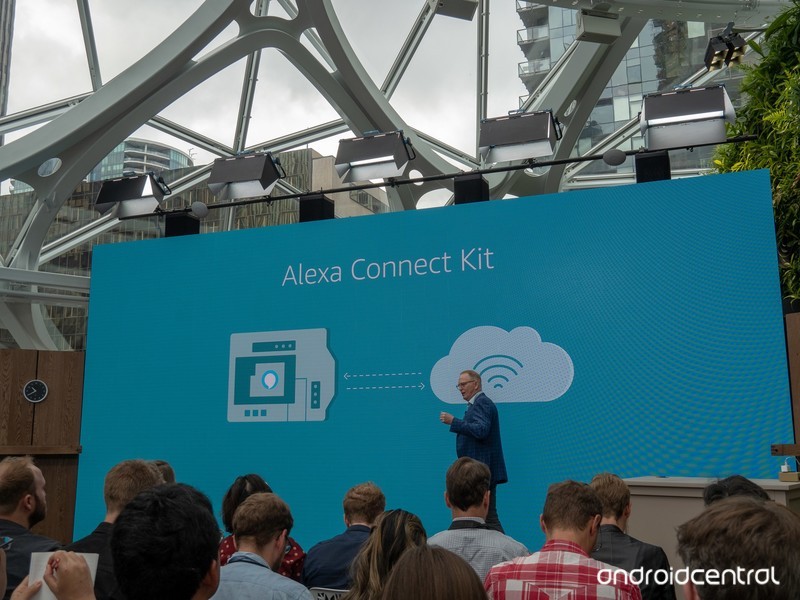
Alexa can’t replace Google Assistant for me because Amazon doesn’t know all my details the way Google does. But Amazon doesn’t want to replace my Google Homes or Lenovo Smart Displays (The best product of 2018 by the way. Buy one.). It just wants an Echo or two to sit beside them to do the things that Assistant can’t. And it has succeeded because my NVIDIA Shield TV and Apple TV are both connected to a $400 55-inch FireTV that has a picture almost as good as the way-too-expensive LG TV it replaced. And it can order popcorn for me.
These are the very best Android launchers

Want to upgrade your Android experience? Try upgrading your launcher.
The way we arrange, organize, and interact with our apps on Android is called the launcher. Launchers usually consist of a series of home screens, where we can arrange app shortcuts and widgets and an app drawer. Every phone comes with a launcher, but when they drop the ball, there are endless third-party launchers that not only pick it up again but knock it clear out of the park.
Some variants of this article have tried to claim that there is one launcher to rule them all, that there truly is a best launcher out there. I don’t believe that’s possible, even though I have a launcher I value over all others. You use your phone differently than I do, and I use my phone differently than my co-workers do or my friends or my family do. Everyone has their perfect launcher, but if you haven’t found your favorite yet, then here are a few launchers we think will satisfy users of every type.
Best light and easy launchers
- Evie Launcher
- Microsoft Launcher
Best customization launchers
- Nova Launcher
- Action Launcher
Honorable mention launchers
- Best app drawer: Smart Launcher 5
- Best business launcher: BlackBerry Launcher
Best light and easy launchers
Are you someone who doesn’t want to mess with a lot of bells and whistles? Do you just want to put your most-used apps front and center, maybe a widget or two, and get on with your Android experience? You want a fast launcher, a light launcher, one that doesn’t need a lot of fussing and tweaking, and these are the launchers for you.

Best light launcher: Evie Launcher
AC
Score
4.5
Evie Launcher is a lightweight launcher that just doesn’t quit and uses its gestures in effective ways. Evie’s gestures got 200% this summer, allowing us to finally set swipe down to “Open Notifications” instead of Evie Search and well as customize the rest of the its gestures the way we want rather than being stuck with their gestures or nothing. This launcher is light enough to let you hit the ground running with it while still letting your personality show through with it.
Read more: Evie Launcher review
Evie is easy to set up and run with, but you can customize the desktop grid and icons just enough to keep things beautiful. It’s a quick launcher that’s completely free, so look forward to more optimizations and tweaks to help speed up your launcher experience. You can even back up your Evie layout and settings directly to Google Drive.
Download Evie Launcher (Free)

Runner-up: Microsoft Launcher
AC
Score
3.5
You’d think that if Microsoft was going to bring a launcher to Android it’d be a launcher that matches Windows Phone — and you’d be wrong. Not only is Microsoft Launcher a completely Android-native experience, but it’s a top-quality launcher to boot, and one of the few launchers besides Nova Launcher to offer edge-to-edge widget placement (and subgrid positioning, too!).
Microsoft Launcher’s experience centers around a clean home screen with a robust, two-level dock, a smart feed fed by your Microsoft account and your daily phone use, and a speedy app drawer where you can easily find all your apps. Microsoft Launcher’s initial setup is a touch long-winded, but it’s a breeze to navigate. Microsoft Launcher is not quite as bare-bones as Evie, but it is still a fairly light launcher that’s well-worth considering, especially if you have an Outlook account for work, school, or personal email and calendar appointments.
Download Microsoft Launcher (Free)
Best customization launchers
Do you want full control over your home screens? Want to set more than just an app grid and a widget or two? Want to make your home screen look and act the way you want? Then you want a customization-based launcher. Often called theming launchers because theming is one of their more obvious uses, these launchers are actually for far more than just making your home screen look pretty; they’re for making your home screen function more efficiently and more effectively for your life.
By giving you control over gestures, advanced UI controls, and almost every aspect of your launcher experience, these launchers let you customize the way you interact with your phone in ways that truly exemplify the Android experience. These two customization-based launchers dominate much of the third-party launcher market, and there’s a very good reason: they’re freaking awesome.

Best customization launcher: Nova Launcher
AC
Score
5
Nova Launcher is over six years old, and this storied launcher has been a major player in the Android launcher market longer than most of us have used Android. The reason for this continued dominance is simple: Nova’s mix of customization, convenience, and cunning is unparalleled. Nova lets your phone look more Pixel-y than a Pixel and more TouchWiz than a Galaxy S9 and does it with ease and grace. In fact, Nova’s biggest strengths are things that are hidden in plain sight, like its pocket ace Subgrid Positioning and its excellent backup system.
Read more: Nova Launcher review: Still king of the mountain
When we build themes for our Android Central readers, nine times out of 10 the launcher we use to build it and to share it with you is Nova Launcher. It’s an excellent launcher if you want to build complex themes or if you just want a smartly laid out launcher with excellent gesture controls. Nova Launcher has been upgrading its Settings layout and look to make things easier to understand, and there has never been a better time to try it out.
Download Nova Launcher (Free, $4.99)

Runner-up: Action Launcher
AC
Score
5
Action Launcher is one of the most popular launchers on the market, and the watchword of both the launcher and its users is QUICK. Quicktheme, Quickdrawer, Quickpage, Quickbar, quick, quick, quick. To ensure that Action Launcher can be the quickest and best launcher for users who want to set everything up just so, Action Launcher has taken it upon itself to be one of the most customizable launchers on the market. From its robust gesture controls to its ubiquitous Covers and Shutters to hide folders and widgets under seemingly normal looking app shortcuts, no matter what you want to use, Action Launcher makes it easy to set up, even if its Quicktheme sometimes misses the mark.
Action Launcher is also quick to support features from the newest versions of Android, including as much of Android Pie’s goodness as can be replicated on a third-party launcher. There’s a reason it’s the only launcher Phil uses: Action Launcher is damn good at what it does. While it’s not quite as intense as Nova Launcher, it’s a launcher that’s incredibly — well, quick — about getting you set up and on your way.
Download Action Launcher (Free, in-app purchases)
Honorable mention launchers
Now, there are launchers that don’t quite top the list for the lighter, easier quick launchers and can’t quite crack the intense theming prowess of Nova and Action. This doesn’t mean that these launchers aren’t awesome, and we’d like to highlight launchers with a standout feature or that serve a launcher niche excellently. After all, there are a lot of launchers out there, and there are a lot of ways to use them to interact with your apps.
Lawnchair Launcher was going to be added to this list, but the version currently in Google Play is a holding pattern as its developers ramp up an overhauled v2. As such, while Lawnchair Launcher is a neat take on Launcher 3 — the AOSP launcher and base of Google’s Pixel Launcher — with some Pixel flair, edge-to-edge widget placement, and basic but beautiful theming, we’ll wait and see what Lawnchair v2 brings before adding it as the Best Early Access launcher.

Best app drawer: Smart Launcher 5
AC
Score
4.5
Smart Launcher has been around for a while, but they really kicked things up a notch with Smart Launcher 5 this year. The home screen features a gridless widget-placement system and Smart Search has been overhauled, but the real star of the show here is still the app drawer. Smart Launcher 5 automatically sorts your apps into several categories, and if you pay for Smart Launcher Pro, you can even add your own custom categories and sort your various drawer tabs in a variety of ways, from most-used to install time to even icon color.
Read more: Smart Launcher 5 review: An amazing balance of customization and simplicity
Smart Launcher 5 has a lot here to like, from a responsive and comprehensive categorical app drawer to some of the most precise widget placement on Android to the most diverse icon options on the market. Its gestures are also top-notch, especially the double-tap shortcuts that can at least double the functionality of every app on your home screen. Remember when I said that I use Nova Launcher for 9 out of 10 themes? Smart Launcher is the launcher I use for that other 10%, including or our dead awesome Deadpool theme and our Heart Canada theme!
Download Smart Launcher 5 (Free, $6.99)

Best business launcher: BlackBerry Launcher
AC
Score
3.5
BlackBerry has made something of a comeback since its migration to Android a few years ago, and nowhere is this more apparent than BlackBerry Launcher, which is openly available on Google Play. BlackBerry Launcher is a stable launcher that eases Android newcomers into the many, many possibilities available in an Android launcher today. Part of this is by necessity, as millions of government and enterprise users are introduced to Android and what an Android launcher can do through DOD-certified BlackBerry phones.
From pop-up widgets that can appear with the swipe of an icon to one of the easiest-to-understand Shortcut galleries I’ve seen on Android to a no-nonsense approach to launcher settings and customization, BlackBerry Launcher lets you get things set up just the way you like them and then streamline your launcher experience for efficiency.
BlackBerry Launcher’s keyboard shortcuts are the best on Android
Keyboard shortcuts on BlackBerry Launcher are exclusive to BlackBerry’s physical keyboard phones, but they offer unparalleled ease and versatility. In the esteemed words of our own Jerry Hildenbrand:
My KEYone and its keyboard shortcuts let me keep my home screen blank and I just long press a keyboard key to open the app I want to open: “A” for the AC app, “C” for Chrome, “G” for Gmail, “K” for Slack, and “S” for Signal. This keeps me from tapping things with my bumbling fingers or worrying about things happening in my pocket.
How to set up keyboard shortcuts on the BlackBerry Launcher
As a business-geared launcher, BlackBerry Launcher offers a premium experience, and rather than paying a one-time fee for the launcher, BlackBerry Launcher relies upon a BlackBerry Hub subscription to eliminate its ads after 30 days. Or you could buy a BlackBerry phone and get access to the best launcher shortcuts on Android.
Download BlackBerry Launcher (Free trial, subscription)
What’s your favorite?
Do you have a favorite launcher? What’s on your Android phone now? Sound off in the comments below.
Updated September 2018: We’ve been hopping launchers a ludicrous amount, and it’s official — these are still the best launchers on Android!
Should you buy a Samsung Galaxy Watch with LTE?

Best answer: Most people should buy the standard Bluetooth model of the Galaxy Watch. It’s less expensive up-front, but also doesn’t require an ongoing service with your carrier. Aside from streaming music and receiving calls independent of your phone, it does everything that the LTE model does — and it gets better battery life.
Amazon: Samsung Galaxy Watch ($329+)
It’s about more than the up-front price difference
The Galaxy Watch starts at $329 for the 42mm model, but you’ll pay an extra $50 to get one with LTE capabilities — that’s the case whether you buy directly from Samsung or buy from a carrier like T-Mobile.
But really, the $50 extra is inconsequential. What you really need to keep in mind is the ongoing cost of that LTE connection for your watch.
It’s $50 more up front, and another $10 per month as long as you use it.
Different carriers offer different plan options, but T-Mobile is the first to offer the Galaxy Watch with LTE (and is actually the cheapest). You’ll pay an extra $10 per month just to get LTE service on your watch — and you’ll have to add it to an existing T-Mobile plan. So if you have another carrier, you’ll have to wait for it to support the watch before you can even consider buying one.
That’s an extra $120 per year just for the connection on your watch, so after three years, you’ve spent just as much on service as you did on the watch hardware itself. That’s a tough sell.
LTE doesn’t give you a whole lot
The extra ongoing cost is tough to swallow because it just doesn’t add all that much to the Galaxy Watch experience.
You can receive calls and messages, but there isn’t a whole lot you can do on this small of a screen.
The main benefit is the ability to receive calls and messages on your watch when you’re not near your phone. Meaning you could go on a run or a bike ride miles away from your phone, but still get important contact from people directly. Calls can be handled via the speaker in the watch, or over Bluetooth headphones. The functionality isn’t just limited to SMS, either — you get a proper remote connection to your phone, so any notification on the phone can be mirrored to the watch. There isn’t always a ton you can do on the little circular watch display to deal with the notification, but you at least get it.
You can also use that LTE connection for apps and widgets on the watch, again without the assistance of a phone. You can stream music from Spotify, and you can get up-to-date information like the weather and news headlines delivered to your wrist anywhere you are.
Those are only useful features for a very small set of people, though. Most of us have our phone nearby most (if not all) of the time, and the standard Galaxy Watch has Wi-Fi for a remote connection to your phone any time there’s a network as well. Spotify can cache playlists to the local storage on the watch for runs, and most of the apps on the watch can’t do a whole lot considering the size of the screen, making that information less useful than you’d think.
Battery life takes a hit
And as a trade-off for that extra LTE functionality, you get lower battery life. It’s pretty intuitive: Bluetooth is much more energy efficient than LTE, so every minute you’re using that mobile data connection it’s using extra battery. So if you take a run and stream Spotify for an hour over mobile data you could take a sizable chunk out of your battery.
The standard Galaxy Watch can make it anywhere between one and four days on a charge depending on which model you get and how you configure its settings, but you can expect to cut a couple hours per day off of each of those estimates if you use LTE regularly.
Our pick
Samsung Galaxy Watch

$329+ at Amazon
Don’t get tied to a carrier plan for very few extra features.
The Galaxy Watch is a great device even without LTE. Between a Bluetooth connection to your phone, Wi-Fi and local storage, there’s little need to spring for LTE considering its extra cost.

