


Apple Watch Series 4 Models Have Nearly 20% Less Battery Capacity Despite Same ‘Up to 18 Hours’ Battery Life
Earlier this week, iFixit completed a teardown of an Apple Watch Series 4 that said the 44mm model has roughly four percent more battery capacity, but that was compared to a 38mm-sized Apple Watch Series 3 model.
An eagle-eyed MacRumors reader has since pointed us towards Apple’s Product Information Sheet, which contains battery capacities measured in watt-hours for several products, including Apple Watch Series 4 models. Apple appears to disclose this information for legal and safety reasons.
Based on Apple’s document, Apple Watch Series 4 models actually have less battery capacity than the equivalent Series 3 models:
- Apple Watch Series 3 (42mm): 1.34 watt-hours
- Apple Watch Series 4 (44mm): 1.12 watt-hours
- Apple Watch Series 3 (38mm): 1.07 watt-hours
- Apple Watch Series 4 (40mm): 0.86 watt-hours
More specifically, the new 44mm Series 4 models have approximately 16.5 percent less battery capacity than the previous large-size 42mm Series 3 models. Likewise, 40mm Series 4 models have approximately 19.7 percent less battery capacity than the previous small-size 38mm Series 3 models.
Despite having smaller batteries, Apple says Series 4 models get the same all-day battery life of up to 18 hours that Series 3 models are rated for. We reached out to Apple in hopes of an explanation, but we have yet to receive a response.
What we do know is that Apple Watch Series 4 models use a new display technology named LTPO that improves power efficiency. The new Apple S4 system-in-a-package also has more efficient cores, so they presumably consume less power as well. Other components could be more efficient too.
In general, however, battery life is simply hard to predict. Different customers have different use cases. One user could be an athlete who is constantly working out with the Apple Watch, while another could be a more casual wearer who taps on a few notifications once in a while and not much else.
All in all, we wanted to clear up some confusion surrounding the Apple Watch Series 4 batteries. They pack less juice, not more, but seemingly without compromising battery life. Over time, we’ll see if that’s truly the case.
Related Roundups: Apple Watch, watchOS 5Buyer’s Guide: Apple Watch (Buy Now)
Discuss this article in our forums
Apple Seeds First Beta of macOS Mojave 10.14.1 to Developers
Apple today seeded the first beta of an upcoming macOS Mojave 10.14.1 update to developers, just one day after releasing the macOS Mojave update.
macOS Mojave introduces a new method of installing software updates, so after the initial beta has been installed using the appropriate profile from the Developer Center, additional betas can be downloaded through opening up System Preferences and choosing the “Software Update” option.
It’s not yet clear what improvements the first update to macOS Mojave will bring, but it likely includes performance improvements and bug fixes for issues that weren’t addressed in the first release of macOS Mojave. It also likely re-introduces support for Group FaceTime, a feature that was removed during the beta testing period. Group FaceTime, which lets you chat with up to 32 people at once, is also present in the iOS 12.1 beta.
macOS Mojave is a major update that brings features like a systemwide Dark Mode, stacks for organizing messy desktops, new Finder capabilities, new tools for taking screenshots, a Continuity Camera option for easily transferring photo scans and documents from iPhone to Mac, and more.
Should we find new notable features in the first beta of macOS 10.14.1, we’ll update this post.
Related Roundup: macOS Mojave
Discuss this article in our forums
iPhone XS Max Component Costs Estimated at $443
The iPhone XS Max with 256GB of storage costs an estimated $443 to make, according to estimates shared by TechInsights in a teardown of the new device. At $443, the iPhone XS Max components are nearly $50 more expensive than the estimated $395.44 component cost of the 64GB iPhone X.
TechInsight’s component cost breakdown suggests the iPhone XS Max display is the most expensive component in the device at $80.50, while the A12 chip and modems are the second most expensive, at $72.
iPhone XS and iPhone XS Max internals, via iFixit
Storage, priced at $64 is the third most expensive component, while other expensive parts include the cameras at $44 and the housing and mechanical components at $55.
The iPhone XS Max housing, display, battery, and memory are all more expensive than similar components in the iPhone X, largely due to the size increase in the new 6.5-inch device. The housing, for example, is larger and heavier, while the display is also larger.
According to TechInsights, Apple cut down on display cost in the iPhone XS Max by removing some 3D Touch components that were previously included in the iPhone X, but that does not appear to have affected 3D Touch functionality in the new iPhone XS Max.
In a statement provided to Reuters, Al Cowsky, who oversees the cost analysis at TechInsights, said Apple took out components worth up to $10, cutting the cost of the iPhone XS Max display to $80.
 TechInsights’ component cost estimates, click to enlarge
Apple is charging $100 more for the iPhone XS Max than it did for the iPhone X, with the device priced starting at $1,099, while the iPhone X, like the new iPhone XS, started at $999.
Component cost estimates from companies like TechInsights only took at the pricing of raw components and do not take into account other iPhone manufacturing expenses like research and development, software creation, advertising, and distribution.
TechInsights itself warns that its cost estimates are compiled using the information available at the time of the initial teardown, with “some assumptions” made where concrete data is not yet available. The company plans to continue to refine its estimate over time.
Last year, when the iPhone X was first released, TechInsights estimated the component cost at $357.50, a number that has now gone up to an estimated $395.44, so there can be quite a bit of variance in these early guesses.
While interesting, device cost estimates are not an accurate measurement of Apple’s overall profit margin for the iPhone XS Max, nor do they offer a clear picture of the overall cost of creating a new smartphone.
Back in 2015, Apple CEO Tim Cook said that cost breakdowns for devices are not reflective of actual costs. “I’ve never seen one that is anywhere close to being accurate,” he said.
Buyer’s Guide: iPhone XS (Buy Now)
Discuss this article in our forums
Xiaomi Pocophone F1 review: A $1000 phone with a $300 price tag?

Generally speaking, if a phone launches a Snapdragon 845 (currently the best mobile processor on the market) 6GB RAM (the gold standard of mobile memory) and most of the must-have amenities of modern smartphones, you’d expect to drop about $700 on it – like the Samsung Galaxy S9, or LG G7, perhaps. If you’re phone-savvy, you might even save a couple hundred bucks on a Xiaomi Mi Mix 2S or a OnePlus 6.
But $300? For those specs? All but unheard of.
We’d like to thank our friends at GearVita for supplying the device for this review. We’ve placed a link at the end of the review if you’d like to purchase the Xiaomi Pocophone F1 from GearVita.
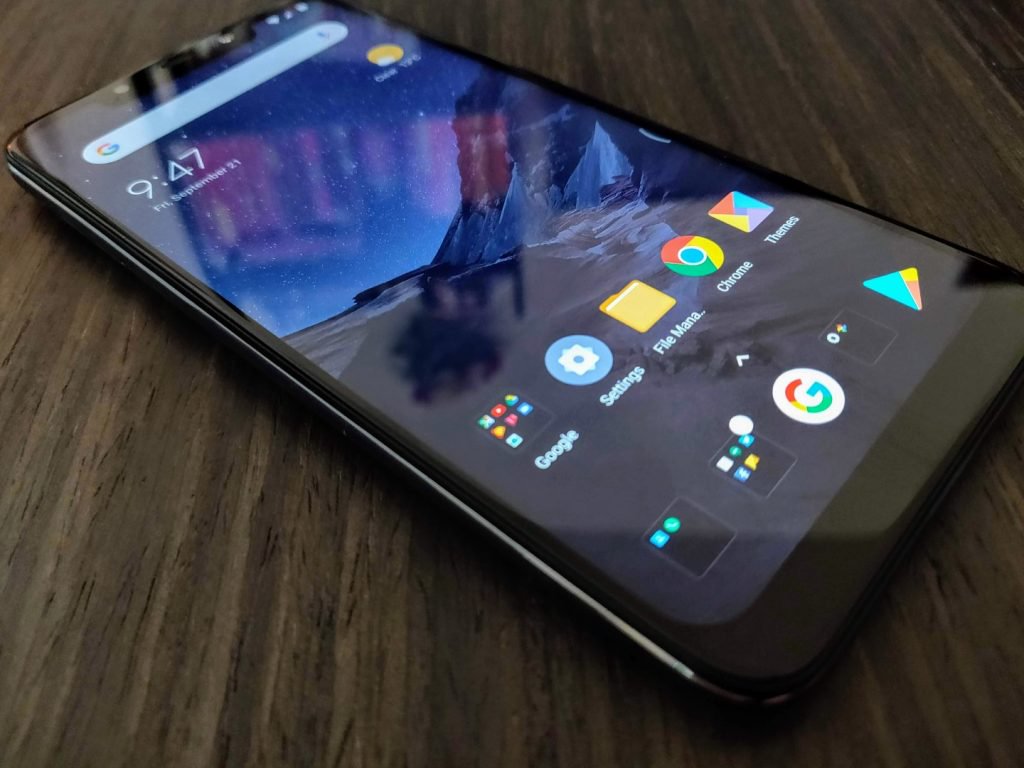
At least, so we thought. The Pocophone F1 (from the aforementioned Chinese tech giant Xiaomi) crams flagship-caliber hardware into bargain bin pricing, while simultaneously cutting very few corners in the process. Released in August and starting at just $300 for the base model, the F1 features a very impressive spec-sheet worthy of a phone twice its price.
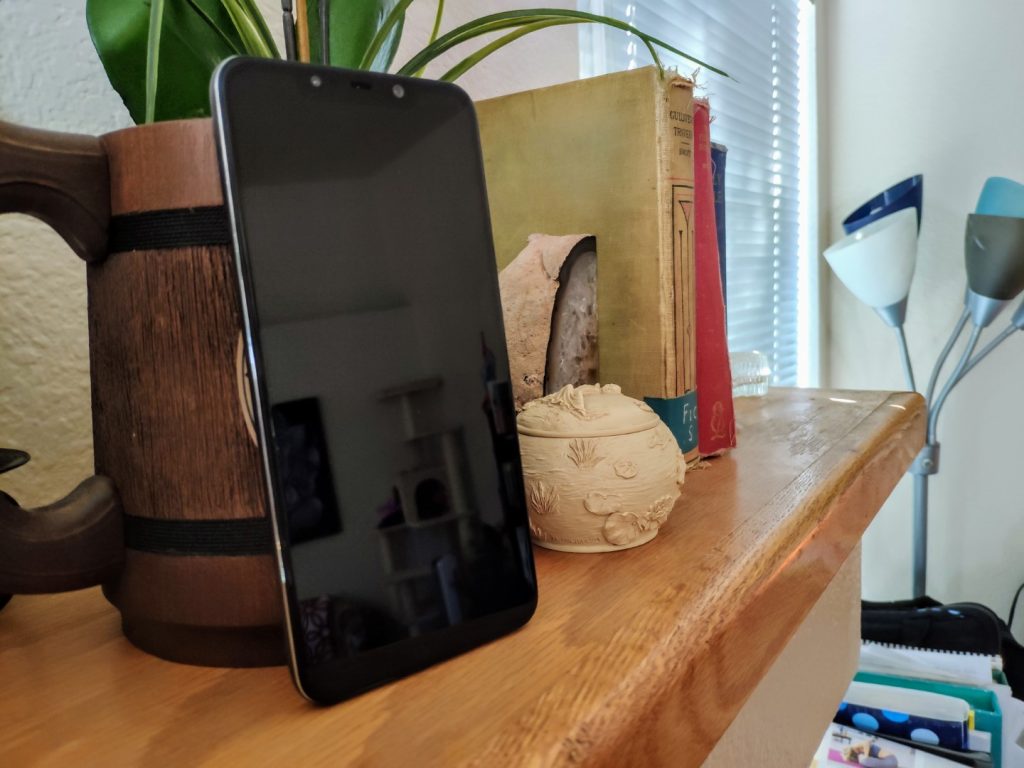
Pocophone F1 Specs At-A-Glance
- Display: 6.18″, 1080p IPS LCD (82.2% screen-to-body ratio)
- Platform: Qualcomm Snapdragon 845 CPU, Adreno 630 GPU
- Memory: 6+64/128GB or 8+256GB RAM/ROM (expandable)
- Rear camera: 12+5MP, f/1.9, 1/2.55″, 1.4µm
- Front-facing camera: 20 MP, f/2.0, 0.9µ
- Connectivity: Bluetooth 5, WiFi 802.11ac
- Audio: 3.5mm jack, “Stereo” Speakers (see below)
- Battery: 4,000mAh battery
- Build materials: Plastic Body, Gorilla Glass display
- Measurements: 6.12 x 2.96 x 0.35 in, 6.35 oz
Display
The Pocophone F1 has a surprisingly solid display, under the circumstances. It features a 6.2″ 1080p screen, which is going to perfectly adequate for the majority of consumers. Indoors, the display is pretty bright. But outdoors, in the direct California summer sunshine, it’s just a hair dim.
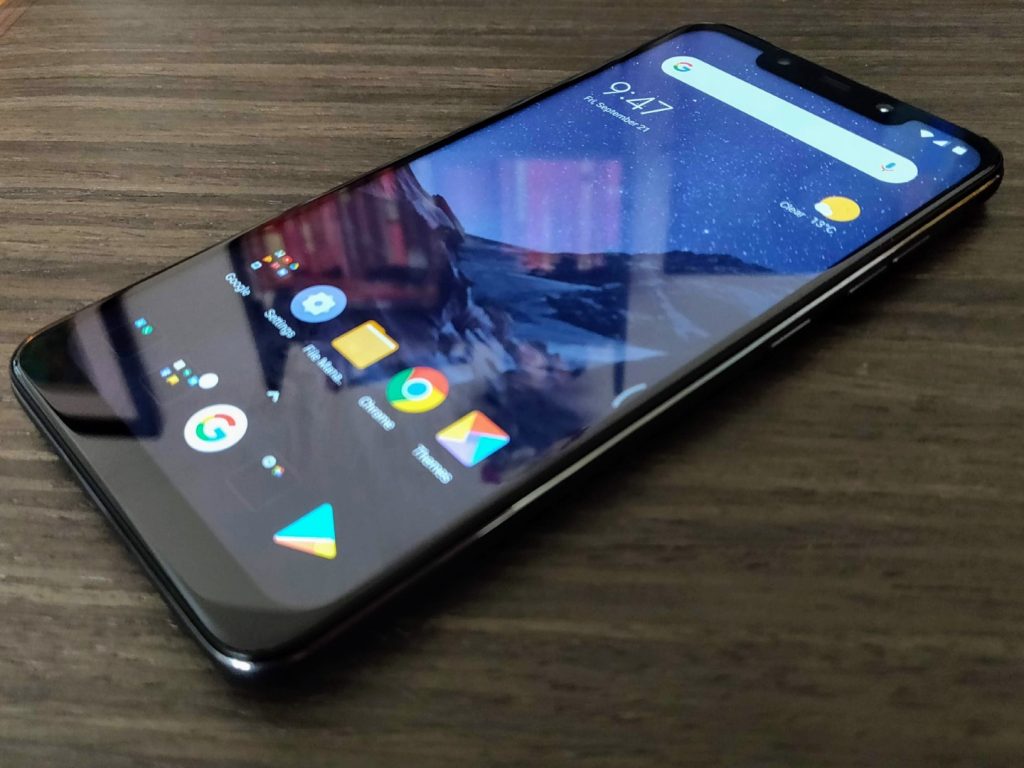 If you compare it to other flagships on the market – most notably the AMOLED King itself, Samsung – it falls a bit short. But (and I cannot and will not emphasize this enough) you’d be hard-pressed to find a phone with a better display at this price point – or even double that – than this phone.
According to the good folks over at Android Central, POCO considered using an AMOLED display but decided on an IPS LCD instead. This concession helped keep the cost of the phone – and therefore the resulting price – down.
Hardware
When it comes to hardware, the Pocophone F1 features specifications normally reserved for a phone double or triple its price. At its core is the beastly Qualcomm Snapdragon 845 System on a Chip (SoC) complete with Adreno 630 graphics.
The rest of the F1’s specs are equally impressive – it packs 6 or 8 gigs of LPDDR4X RAM and 64, 128 or 256GB of UFS2.1 Flash Storage – more high-end gifts from Xiaomi. It features Bluetooth 5.0 and 802.11ac WiFi courtesy of its Snapdragon 845, as well as a rear-mounted fingerprint sensor and front-mounted InfraRed (IR) scanner.
The latter of these modules is sourced directly from Xiaomi’s Mi 8, along with the 20MP selfie camera (more on that later).
All of these fancy part numbers and buzzwords are great and all, but how does it run? In a single word; Great.
With a ridiculous 285k aggregate AnTuTu score, it lands squarely between the OnePlus 6 (286k) and the Samsung Galaxy Note 9 (283k). That’s pretty great company to be in.
Granted, that metric only measures raw processing power and doesn’t take into account things like firmware and the performance of accessory modules. But my daily use over the past week and a half or so back up those numbers; this thing really cooks.
With far and above the best mobile processor on the market and better than average room and storage, it begs the question; how did Poco manage to pull it off?
How, Indeed
The answer lies in Poco’s parent company – Chinese tech super-giant Xiaomi. Poco’s Head of Product, Jai Mani, tells Android Central that Xiaomi is one of Qualcomm’s biggest purchasers of 800-series Snapdragon processors. As such, by ordering in large quantities and negotiating hard, Xiaomi is able to get a much lower price-per-unit than other OEMs. That, combined POCO’s adoption of Xiaomi’s policy to never making more than 5% profit on hardware sales, helps make that $300 unicorn-grade pricing a reality rather than a pipe dream.
This is a theme that’ll likely recur throughout this review – many of POCO’s hardware components are sourced directly from Xiaomi or, even more deviously, cannibalized directly from other Xiaomi phones.
Build
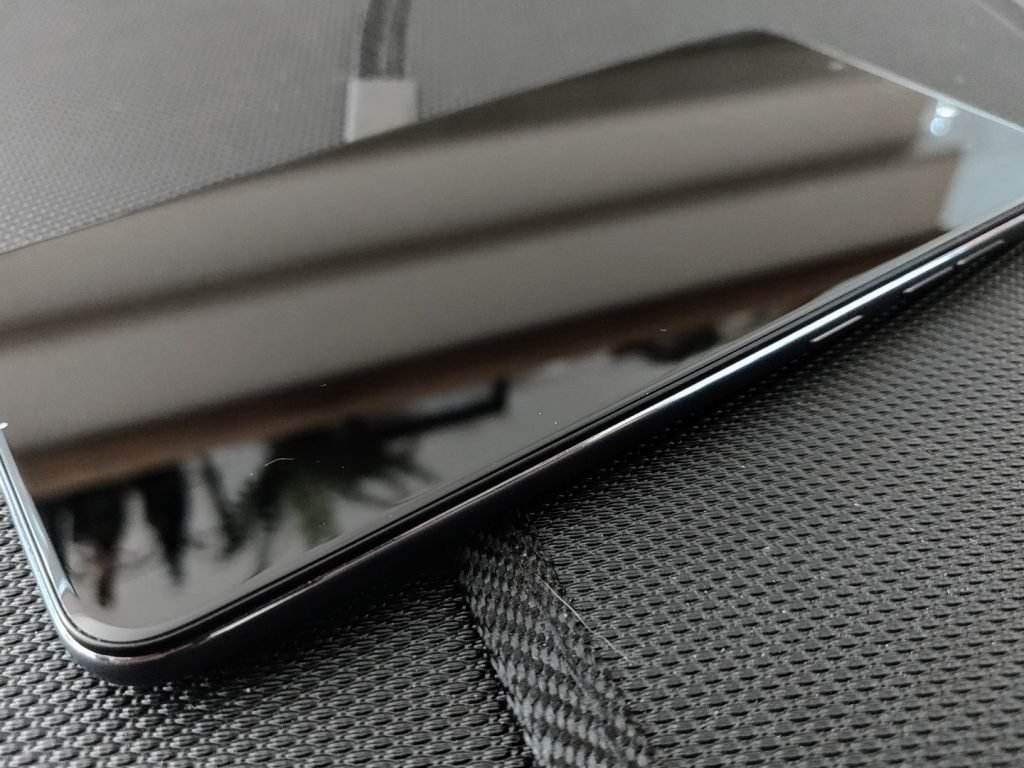
One area a $300 flagship-killing phone would struggle, one might correctly guess, is in its build quality. The Pocophone F1 features a polycarbonate body – a purely cost-saving measure that’s significantly cheaper than making the body from glass, ceramic or aluminum.

POCO also opted to use Gorilla Glass 3 rather than a more modern standard for its display, which is nearly three generations old at this point.
In the short time I’ve used the Pocophone F1, it’s picked up more scratches than any of my phones in the past few years. Whether that’s simply bad luck or the fact that POCO used an outdated material, I don’t know – but it’s definitely one of two disappointing spots in my time with the F1 – an otherwise stellar device.
I won’t sugar coat it for you, the “Stereo” speakers on the Pocophone F1 are not great. In anything other than a quiet room you’ll struggle to hear it even on max volume – and I use “Stereo” in quotes because while the phone has two speaker grates on the bottom, there’s only one speaker in there.
Covering up the right one makes sound all but muffled, while covering up the left one doesn’t impact sound in the least. It’s a fake speaker grate, and marketing the phone as having Stereo speakers is rather disingenuous of Xiaomi.
Connectivity
The other of these disappointments, unfortunately, the F1’s connectivity standards and performance. The skinny of it is that neither the Indian nor International versions of the phone support the LTE bands that US carriers use to power their LTE networks.
It supports most GSM bands for 3G networks here in the states – including the oft-labled HSPA+ “4G” ones – but none of the true LTE bands. In practice, this means that US-based consumers won’t be able to make use of the fastest speeds available to T-Mobile or AT&T customers.
It’s a huge bummer.
And unfortunately, LTE bands aren’t the only problem with the F1’s connectivity. Despite its Bluetooth 5.0 chip, it does not appear to support the Enhanced Media aspects of the Bluetooth 4+ series.
It struggles to both pair and stay connected to my ’15 Honda Fit, as well as my Jabra Elite 65t earphones, the latter of which does not display its battery life as it does with other devices.
These problems can – and may – be fixed with firmware and software updates, but at the moment it leaves a lot to be desired. I’ll be sure to update you if that changes.



Camera
As with its build, one might guess that in order to achieve that wildly-competitive price point, POCO would sacrifice camera performance. But – unlike Build – one would be wrong, in this case. The Pocophone F1’s rear camera is adopted from the Xiaomi Mi Mix 2S – which is to say, it’s quite good.
The front camera is the same 20MP sensor you’d find on the Xiaomi Mi 8, which – combined with the aforementioned IR sensor from the same phone – makes up that now infamous notched display.
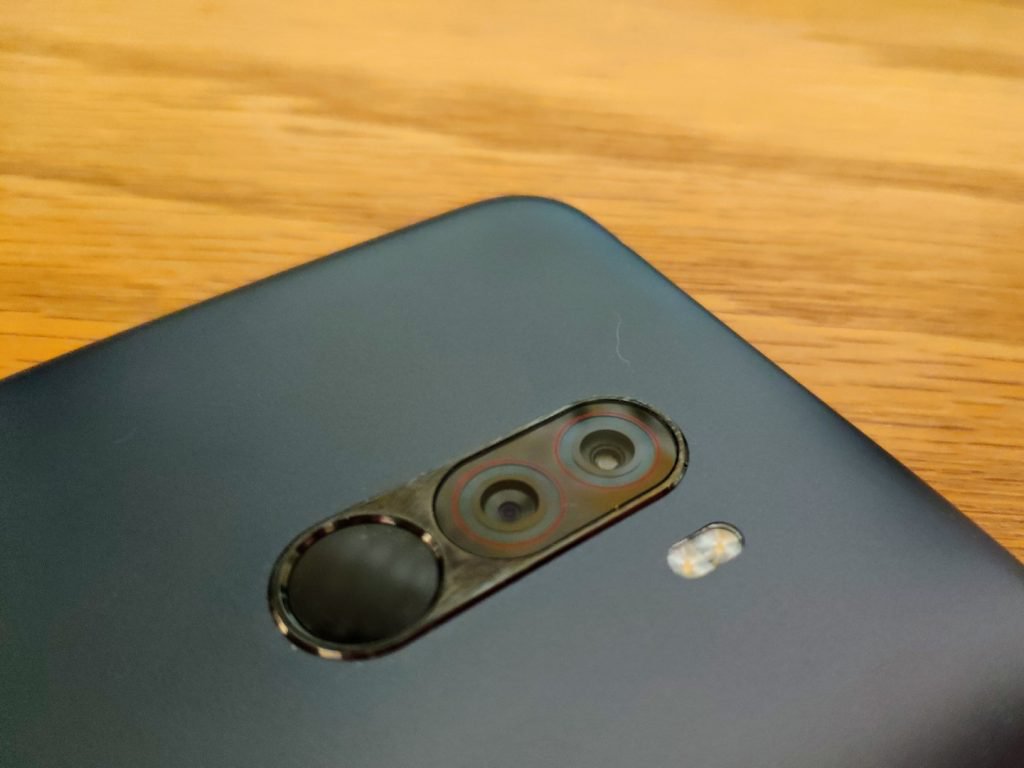
As you’d expect from a sensor adopted from the Mi Mix 2S, the Pocophone F1 shoots excellent still shots, in all shooting conditions. Video doesn’t perform quite that well, but is still very much above average – especially for the price.
As is typical of a Xiaomi-made phone, the Pocophone F1 has a plethora of shooting modes and options, many of which will never be touched by the average consumer.
Pocophone F1 Sample Shots Album
Value
Do I really need to push this point home further? It’s a $300 phone. With $1000 guts.
It’s an absolutely amazing value, the likes of which we haven’t seen since Google’s Nexus line of phones. It’s got a couple warts, sure. But, as a whole – and perhaps representing the first effort in a new line of value phones – the Pocophone F1 is stellar.
Verdict
As it stands right this second, the F1 is worth a buy if you live anywhere not named the U.S. of A. Its lack of support for LTE bands really puts a damper on its usability in the States; but if you live in a supported country, it’s honestly an unbeatable value.
Buy it.
Again, we’d like to thank our friends at GearVita for supplying this device for review. If you’d like to pick up a Pocophone F1, head over to GearVita and pick yours up today.
Make no mistake, though – if this experiment by Xiaomi is a success, and POCO decides to release an F2, or add a F1 North American Edition to its lineup, the Pocophone F-series could explode onto the phone scene in a way we haven’t yet seen from a Chinese OEM.
If your data is found on the dark web, Firefox Monitor will let you know
If you’ve been ‘pwned,’ Firefox will let you know. After beta testing the new Firefox Monitor service this summer, Firefox is finally rolling out its credential monitoring tool to all users. Firefox Monitor, which is based on security researcher Troy Hunt’s Have I Been Pwned (HIP) database, will notify you if it spots your email address on the dark web. By alerting users when their credentials are found on the dark web, Firefox hopes that the Monitor service will motivate vigilant consumers to change their passwords to avoid an even larger data breach.
It should be noted that the service is free to all users, and Firefox Monitor, despite the name, isn’t restricted to users of the Firefox browser. Users can type monitor.firefox.com into any browser of choice to enroll in the service. Once you’re on the Firefox Monitor webpage, you can enter your email address. Firefox Monitor will check your email against the database of Have I Been Pwned to see if it’s found on the dark web.
“We’ll let you know if your email address and/or personal info was involved in a publicly known past data breach,” Firefox said in a blog post. “Once you know where your email address was compromised you should change your password and any other place where you’ve used that password.”
As part of Have I Been Pwned, Hunt has collected nearly 520 million email addresses to date from real-world breaches. And even though the Firefox Monitor service doesn’t offer more anything more than Hunt’s service, Firefox hopes that it could leverage its more recognizable name to bring more awareness to the topic.
Even if your email address isn’t found on databases compiled from existing or past breaches, Firefox Monitor will continue to scan your email for future breaches. If you’re a victim in the future, the service will let you know when it learns about it. By being informed of a hack, users can take proactive measures to ensure that their login credentials are safe.
As a general precaution, users can take steps like using unique and complex passwords for each individual site they visit, changing their passwords regularly, and using a password manager to manage all their passwords. Additional security steps include enabling two-factor or multi-factor authentication or using a security key.
“Firefox Monitor is just one of many things we’re rolling out this fall to help people stay safe while online,” the company said. “Recently, we announced our road map to anti-tracking and in the next couple of months, we’ll release more features to arm and protect people’s rights online.”
Editors’ Recommendations
- The best web browsers
- Firefox Quantum review
- Firefox mobilizes a three-pronged attack against ad-based tracking
- Firefox Reality wants to bring the ‘whimsical web’ to VR
- Asus ROG Swift PG279Q review
Chrome OS update could make switching to tablet mode far easier

A new option for dynamically switching between two different user interfaces for Chrome OS has been spotted in the Chromium Gerrit. The rumored update for the browser-based operating system would reconfigure the layout of tabs and other interface objects when in tablet mode to make them easier to tap, switching back to a more streamlined interface when once again docked.
A 2-in-1 that is both a good tablet and a good laptop with minor reconfiguring is no mean feat. Microsoft’s Surface devices have been some of our favorite convertibles in recent years, but an update to Chrome OS could make a new generation of Chromebooks even more competitive. A revamped user interface for Chrome OS appears to introduce the Material Design style to Chromebooks, but also make the interface more intuitive for its usage mode. If you’re using it with a keyboard and touchpad, it will have finer icons and buttons, but if you’re tapping away on the touchscreen, it will make selecting what you want that much easier.
Although the particular commit in the Chromium Gerrit hasn’t been merged yet, XDA-Developers was still able to play with the changes. It discovered that the refreshed Chrome OS has a new “Dynamic Refresh” option which lets you switch between the standard Material Design overhaul and a new, touchscreen-friendly version.
Previous
Next
1 of 2

The refreshed Chrome layout on a Pixelbook XDA Developers

The refreshed Chrome layout on a Pixelbook in touchscreen mode. XDA Developers
The standard refresh makes the tab bar and other UI elements much more compact than current iterations of Chrome OS, giving more space to the main browser window. Although the touchscreen-centric refresh looks similar, it’s more padded, with greater room for error when it comes to using chunky fingertips for selecting small buttons and icons.
Each of these modes must be manually switched on with some specific commands as is, but when this new version of Chrome OS rolls out, it’s expected that the Dynamic Refresh will take place automatically depending on the state of the Chromebook that’s running it. If it’s in a docked state with a keyboard attached, it will likely offer up the ultra-streamlined Chrome OS UI. But when that keyboard is detached and we enter tablet mode, it can thicken up the UI to make it more applicable for touchscreen inputs.
All of this lands a little extra credence to the longstanding rumor that the second-generation Pixelbook will come with a configuration that allows for a detachable keyboard.
Editors’ Recommendations
- Google Pixelbook review
- Google’s Fuchsia OS: Everything you need to know
- Useful iOS 12 tips and tricks
- The most common iOS 11 problems, and how to fix them
- Android vs. iOS: Which smartphone platform is the best?
Teaching machines to see illusions may help computer vision get smarter
Do you remember the kind of optical illusions you probably first saw as a kid, which use some combination of color, light, and patterns to create images that prove deceptive or misleading to our brains? It turns out that such illusions — where perception doesn’t match up with reality — may, in fact, be a feature of the brain, rather than a bug. And teaching a machine to recognize the same kind of illusions may result in smarter image recognition.
This is what computer vision experts from Brown University have been busy working on. They are teaching computers to see context-dependent optical illusions, and thereby to hopefully create smarter, more brain-like artificial vision algorithms that will prove more robust in the real world.
“Computer vision has become ubiquitous, from self-driving cars parsing a stop sign to medical software looking for tumors in an ultrasound,” David Mely, one of the Cognitive Science researchers who worked on the project, now working at artificial intelligence company Vicarious, told Digital Trends. “However, those systems have weaknesses stemming from the fact that they are modeled after an outdated blueprint of how our brains work. Integrating newly understood mechanisms from neuroscience like those featured in our work may help making those computer vision systems safer. Much of the brain remains poorly understood, and further research at the confluence of brains and machines may help unlock further fundamental advances in computer vision.”
In their work, the team used a computational model to explore and replicate the ways that neurons interact with one another when viewing an illusion. They created a model of feedback connections of neurons, which mirrors that of humans, that responds differently depending on the context. The hope is that this will help with tasks like color differentiation — for example, helping a robot designed to pick red berries to identify those berries even when the scene is bathed in red light, as might happen at sunset.
“A lot of intricate brain circuitry exists to support such forms of contextual integration, and our study proposes a theory of how this circuitry works across receptive field types, and how its presence is revealed in phenomena called optical illusions,” Mely continued. “Studies like ours, that use computer models to explain how the brain sees, are necessary to enhance existing computer vision systems: many of them, like most deep neural networks, still lack the most basic forms of contextual integration.”
While the project is still in its relative infancy, the team has already translated the neural circuit into a modern machine learning module. When it was tested on a task related to contour detection and contour tracing, the circuit vastly outperformed modern computer vision technology.
Editors’ Recommendations
- Machine learning? Neural networks? Here’s your guide to the many flavors of A.I.
- Feast your eyes on the world’s most detailed image of a fruit fly brain
- What is an artificial neural network? Here’s everything you need to know
- This is an artificial brain. This is an artificial brain on meth
- Artificial intelligence discovers dozens of mysterious cosmic signals
Teaching machines to see optical illusions may help computer vision get smarter
Do you remember the kind of optical illusions you probably first saw as a kid, which use some combination of color, light, and patterns to create images that prove deceptive or misleading to our brains? It turns out that such illusions — where perception doesn’t match up with reality — may, in fact, be a feature of the brain, rather than a bug. And teaching a machine to recognize the same kind of illusions may result in smarter image recognition.
This is what computer vision experts from Brown University have been busy working on. They are teaching computers to see context-dependent optical illusions, and thereby to hopefully create smarter, more brain-like artificial vision algorithms that will prove more robust in the real world.
“Computer vision has become ubiquitous, from self-driving cars parsing a stop sign to medical software looking for tumors in an ultrasound,” David Mely, one of the Cognitive Science researchers who worked on the project, now working at artificial intelligence company Vicarious, told Digital Trends. “However, those systems have weaknesses stemming from the fact that they are modeled after an outdated blueprint of how our brains work. Integrating newly understood mechanisms from neuroscience like those featured in our work may help making those computer vision systems safer. Much of the brain remains poorly understood, and further research at the confluence of brains and machines may help unlock further fundamental advances in computer vision.”
In their work, the team used a computational model to explore and replicate the ways that neurons interact with one another when viewing an illusion. They created a model of feedback connections of neurons, which mirrors that of humans, that responds differently depending on the context. The hope is that this will help with tasks like color differentiation — for example, helping a robot designed to pick red berries to identify those berries even when the scene is bathed in red light, as might happen at sunset.
“A lot of intricate brain circuitry exists to support such forms of contextual integration, and our study proposes a theory of how this circuitry works across receptive field types, and how its presence is revealed in phenomena called optical illusions,” Mely continued. “Studies like ours, that use computer models to explain how the brain sees, are necessary to enhance existing computer vision systems: many of them, like most deep neural networks, still lack the most basic forms of contextual integration.”
While the project is still in its relative infancy, the team has already translated the neural circuit into a modern machine learning module. When it was tested on a task related to contour detection and contour tracing, the circuit vastly outperformed modern computer vision technology.
Editors’ Recommendations
- Machine learning? Neural networks? Here’s your guide to the many flavors of A.I.
- Feast your eyes on the world’s most detailed image of a fruit fly brain
- What is an artificial neural network? Here’s everything you need to know
- This is an artificial brain. This is an artificial brain on meth
- Artificial intelligence discovers dozens of mysterious cosmic signals
How many GPU video ports is too many? The Aorus RTX 2080 packs seven
Nvidia’s new RTX-series graphics cards have only been shipping for a few days, but already aftermarket versions are starting to appear with simply ludicrous configurations. The Aorus GeForce RTX 2080 Xtreme 8G comes with all of the Turing cores, RT cores, and general processing power of a standard (albeit likely overclocked) 2080, but it also comes with a massive three-fan cooling solution and as many as seven video output ports on the back.
Standard RTX 2080 cards ship out with five video ports, but the new Auros branded card takes that to a new level. The addition of two extra HDMI 2.0b ports brings the total to three, with an additional three DisplayPort 1.4 connectors, and a USB-C port with VirtualLink. That makes it possible to output to four different displays at once (and a VR headset) leveraging either three HDMI, a DisplayPort, and the USB-C connector, or three DisplayPort, an HDMI, and the USB-C port.
The cooling system the new Aorus card uses is also rather impressive. Ditching Nvidia’s championed two-fan configuration, it leverages the power of three 100mm fans sitting on top of a heat pipe direct touch heatsink that also covers VRAM and MOSFET chips. It’s all covered with a metal back plate for some minor cooling enhancements and a cleaner look. The fans are designed to alternate their rotations (clockwise for the center, anticlockwise for the outside two) in order to maximize airflow and avoid turbulence, resulting in quieter operation and better airflow.
Should your GPU stay cool enough under low load though, they’ll also turn off entirely, making for an utterly silent card at times.
As you might expect from a graphics card with this branding, it also supports customizable RGB lighting with full support for the Aorus Engine software, and it’s all backed up by a four-year warranty.
What we don’t know at this point is what kind of clocks we can expect with this card, nor its price. With all that extra cooling we’d expect both to come in high, but until Aorus decides to give us a release date we’ll be left guessing for the time being.
Editors’ Recommendations
- Everything you need to know about the Nvidia GeForce RTX GPUs
- Nvidia’s GeForce RTX 20 Series starts at $500 and features real-time ray tracing
- Nvidia teases new GeForce RTX 2080 launch at Gamescom next week
- Nvidia RTX 2080 reviews may not drop until September 19
- Nvidia GeForce RTX GPUs are coming to Alienware and Predator gaming desktops
VMware Fusion 11 Released With Support for macOS Mojave, 18-Core iMac Pro, and More
VMware has released Fusion 11, the latest version of its virtualization software, with full support for macOS Mojave and the latest Mac hardware, including the 18-core iMac Pro and the 2018 MacBook Pro with a six-core Intel Core i9.
VMware Fusion, like rival software Parallels Desktop, can run hundreds of operating systems, ranging from the latest Windows 10 versions to Linux distributions like Ubuntu, directly on the desktop of a Mac.
VMware says Fusion 11 delivers many new features and platform enhancements, including an updated user interface. A new Application Menu allows users to quickly switch between virtual machines, or create a new one; change view modes, settings, and snapshots; or launch Windows apps with a single click.

Fusion 11 and Fusion 11 Pro both default to Apple’s Metal graphics rendering engine on supported hosts, with added DirectX 10.1 compatibility. The new version also allows for customizable Touch Bar controls on the latest MacBook Pro models.

There are also many under-the-hood performance improvements, particularly with Virtual NVMe devices. Users can change their virtual disk type to NVMe to increase performance on Macs equipped with SSD storage. Meanwhile, security fixes and architectural changes have been made to mitigate threats like Spectre and Meltdown.
VMware details other new features, including a new Finder integration at the top of the VM Window, on its website.
Fusion 11 and Fusion 11 Pro are available today for $79.99 and $159.99 respectively via VMware’s website. Upgrade licenses for Fusion 11 and Fusion 11 Pro are available for $49.99 and $119.99 respectively for existing users of Fusion 10, Fusion 8, or Fusion 8.5. Prices and availability vary by region.
Related Roundup: macOS MojaveTag: VMware
Discuss this article in our forums

