


Huawei Mate 20 Pro vs. Mate 20 vs. Mate 20 X vs. Mate 20 Lite
 Julian Chokkattu/Digital Trends
With the reveal of the Mate 20, Mate 20 Pro, and Mate 20 X, Huawei’s new Mate 20 series is now complete, and the three new phones join the Mate 20 Lite. All four phones are powerful, A.I.-driven phones with prices to suit a range of budgets, and screen sizes for almost everyone’s tastes.
But with four Mate 20 phones up for consideration, which phone is best for you? Should you splurge all of your money on the Mate 20 Pro, save some green with the Mate 20 Lite, or go for one of the two middle options? We took a look to find out.
Specs
Mate 20 Pro
Mate 20
Mate 20 X
Mate 20 Lite
Size
157.8 x 72.3 x 8.6 mm (6.22 x 2.85 x 0.34 inches)
158.2 x 77.2 x 8.3 mm (6.22 x 3.04 x 0.33 inches)
174.6 x 85.4 x 8.2 mm (6.87 x 3.36 x 0.32 inches)
158.3 x 75.3 x 7.6 mm (6.23 x 2.96 x 0.30 inches)
Weight
189 grams (6.66 ounces)
188 grams (6.63 ounces)
232 grams (8.18 ounces)
172 grams (6.07 ounces)
Screen size
6.39-inch AMOLED
6.53-inch IPS LCD
7.2-inch IPS LCD
6.3-inch IPS LCD
Screen resolution
3,120 x 1,440 pixels (538 pixels-per-inch)
2,244 x 1,080 pixels (381 pixels per inch)
2,244 x 1,080 pixels (346 pixels per inch)
2,340 x 1,080 pixels (409 pixels per inch)
Operating system
EMUI 9 (over Android 9.0 Pie)
EMUI 9 (over Android 9.0 Pie)
EMUI 9 (over Android 9.0 Pie)
EMUI 8.2 (over Android 8.1 Oreo)
Storage space
128GB
128GB
128GB
64GB
MicroSD card slot
No — expansion of up to 256GB via proprietary Nano Memory Card
No — expansion of up to 256GB via proprietary Nano Memory Card
No — expansion of up to 256GB via proprietary Nano Memory Card
Yes, up to 256GB
Tap-to-pay services
Google Pay
Google Pay
Google Pay
Google Pay
Processor
Kirin 980
Kirin 980
Kirin 980
Kirin 710
RAM
6GB
4GB, 6GB
6GB
4GB, 6GB
Camera
Triple sensor 40MP and 20MP and 8MP rear, 24MP front
Triple sensor 16MP and 12MP and 8MP rear, 24MP front
Triple sensor 40MP and 20MP and 8MP rear, 24MP front
Dual sensor 20MP and 2MP rear, dual sensor 24MP and 2MP front
Video
2,160p at 30 frames per second, 1,080p at 60 fps, 720p at 960 fps
2,160p at 30 frames per second, 1,080p at 60 fps, 720p at 960 fps
2,160p at 30 frames per second, 1,080p at 60 fps, 720p at 960 fps
1,080p at 30 fps
Bluetooth version
Bluetooth 5.0
Bluetooth 5.0
Bluetooth 5.0
Bluetooth 4.2
Ports
USB-C
3.5mm headphone jack, USB-C
3.5mm headphone jack, USB-C
3.5mm headphone jack, USB-C
Fingerprint sensor
Yes (in-display)
Yes
Yes
Yes
Water resistance
IP68
IP53
IP53
No
Battery
4,200mAh
Huawei SuperCharge fast charging (up to 70 percent in 30 minutes)
Qi wireless charging
4,000mAh
Huawei SuperCharge fast charging (up to 60 percent in 30 minutes)
5,000mAh
Huawei SuperCharge fast charging
3,750mAh
App marketplace
Google Play Store
Google Play Store
Google Play Store
Google Play Store
Network support
T-Mobile, AT&T
T-Mobile, AT&T
T-Mobile, AT&T
T-Mobile, AT&T
Colors
Emerald Green, Midnight Blue, Twilight, Pink Gold, Black
Midnight Blue, Twilight, Black
Midnight Blue, Phantom Silver
Black, Sapphire Blue
Price
1,049 Euros (around $1,220)
799 Euros (roughly $930)
899 Euros (roughly $1,050)
380 British pounds (roughly $500)
Buy from
Huawei
Huawei
Huawei
Huawei
Review score
Hands-on review
Hands-on review
Mate 20 X news
Hands-on review
Performance, battery life, and charging
 Julian Chokkattu/Digital Trends
The Mate 20 Lite is an early casualty of this battle, since it’s equipped with the least powerful processor here — the Kirin 710. The remaining three phones are equipped with Huawei’s new, super-powerful Kirin 980 processor, and have access to 128GB of onboard storage, and up to 6GB of RAM, making them similarly powerful. However, the Mate 20 X comes with an innovative cooling system that uses graphene and a vapor chamber to keep the phone cool. This should mean the Mate 20 X’s processor can handle more demanding tasks without having to slow down, giving it an edge in performance.
Each of these phones also has a beefy battery, and they’re all likely able to provide multiple days of battery life on a single charge. The Mate 20 X’s 5,000mAh battery is the biggest by far, dwarfing the large 4,200mAh battery in the Mate 20 Pro. Only the Mate 20 Pro comes with Qi wireless charging, but the Mate 20, Pro, and X get Huawei’s SuperCharge fast charging. Huawei claims the Mate 20 Pro can recharge up to 70 percent in 30 minutes — and the Mate 20 and X aren’t far behind this speed.
While each phone does well in this category, we’re giving this to the well cooled Mate 20 X with its huge battery.
Winner: Huawei Mate 20 X
Design and durability
Previous
Next
1 of 4

Mate 20 Pro Julian Chokkattu/Digital Trends

Mate 20 Julian Chokkattu/Digital Trends
Mate 20 X Andy Boxall/Digital Trends
Mate 20 Lite Andy Boxall/Digital Trends
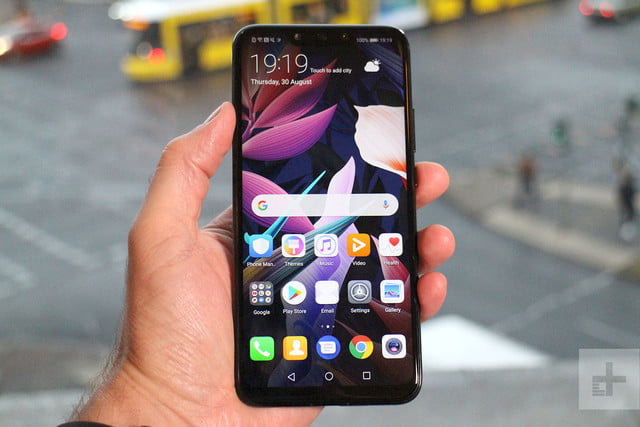
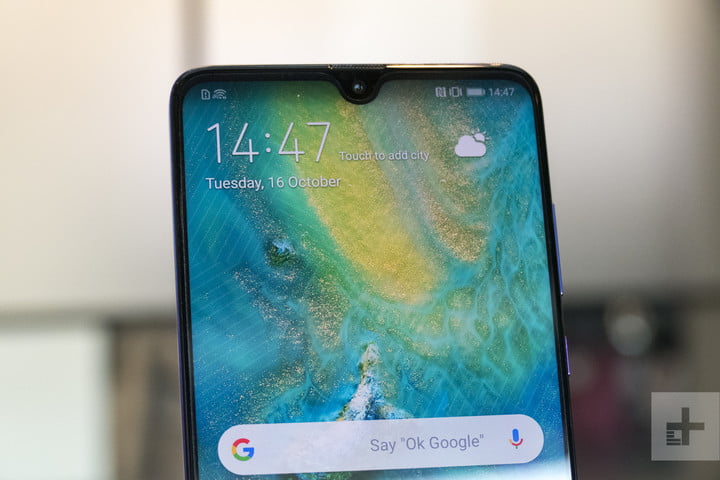
While we may have our qualms about whether the Mate 20 series is as good looking as the P20 Pro, these phones certainly have their charm. Being the cheapest, the Mate 20 Lite is probably the least attractive, with a traditionally chunky notch. That said, it’s a relative observation, and it’s still an attractive design with a glass back. The Mate 20 Pro also has a huge notch where the 3D face-sensing tech lives, but it’s also the only phone with an AMOLED display that curves into the all-glass body. The Mate 20 and Mate 20 X have the best notch — the tiny Dewdrop design — and also have premium glass builds. That said, the Mate 20 X is utterly massive, and almost impossible to wield one-handed.
There’s a clearer winner in durability. Each phone uses a potentially fragile glass build, but only the Mate 20 Pro comes with significant water-resistance with an IP68-rating. The Mate 20 has a splash-resistant IP54-rating, while the Mate 20 X has an even lower IP53-rating. The Mate 20 Lite is the worst off, with no water-resistance at all.
It’s hard to rule a winner in design, and though we prefer the Dewdrop notch of the Mate 20 and X, the Mate 20 Pro’s water-resistance is enough — for us — to bring it back to win this round.
Winner: Huawei Mate 20 Pro
Display
 Julian Chokkattu/Digital Trends
There are a wide range of big displays here, from 6.3-inches to a massive 7.2-inches. But size isn’t everything, and it’s the Mate 20 Pro’s AMOLED display that’s the best looking. The LCD displays on the Mate 20, X, and Lite are great, but they pale into insignificance next to the deep inky blacks and vibrant colors on the Mate 20 Pro. It’s also the only phone with a 1440p resolution — the rest top out at 1080p — and it curves into the body. While it’s rudely interrupted by the large notch, it’s still easily the brightest, crispest, and most beautiful display here.
Winner: Huawei Mate 20 Pro
Camera
 Julian Chokkattu/Digital Trends
The Mate 20 Lite was always going to be the weakest option here, and though its twinned 20-megapixel and 2-megapixel camera lenses do a good job, it’s not up to the standard of the triple-lens set-ups on the other three phones. The Mate 20 comes with a 16-megapixel ultra wide-angle lens, a 12-megapixel wide-angle lens, and an 8-megapixel 2-times telephoto zoom lens. We’re expecting this camera to take some amazing photos — but not as amazing as the 40-megapixel wide-angle lens, 20-megapixel ultra wide-angle lens, and 8-megapixel 3-times telephoto zoom lens in the Mate 20 Pro and Mate 20 X.
The Mate 20 Pro and X are equally matched in other areas too, with the same 24-megapixel selfie lens, the same A.I.-tweaked settings and modes — including some amazing video modes that change your view in real-time. They’re even equal in pure video terms too, with both being able to take 4K video at 30 frames-per-second, and super-slow motion at 960 fps.
The Mate 20 Pro and X are equal on paper, and until we’ve tested to see if they differ in real terms, we can’t prize them apart.
Winners: Mate 20 Pro and Mate 20 X
Software and updates
 Mate 20 Pro Julian Chokkattu/Digital Trends
Stock Android fans beware: You’ll find Huawei’s Emotion UI (EMUI) skin laid over Android on each of these phones. The Mate 20 Lite is an early casualty though, as it’s running Android 8.1 Oreo — and there hasn’t been word that it’ll get an update to Android 9.0 Pie yet. Each of the other phones comes with the latest EMUI 9 laid over Android 9.0 Pie. It’s a surprise to see this OS on Huawei’s phones so fast — a heavily customized skin like EMUI often takes months to update, so we didn’t expect to see a Huawei phone running Pie for a while longer. It’s a nice surprise, and it bodes very well for later updates to the Mate 20, Pro, and X. Expect Android Q, and possibly Android R on those phones.
Winners: Huawei Mate 20, Mate 20 Pro, and Mate 20 X
Special features
 Julian Chokkattu/Digital Trends
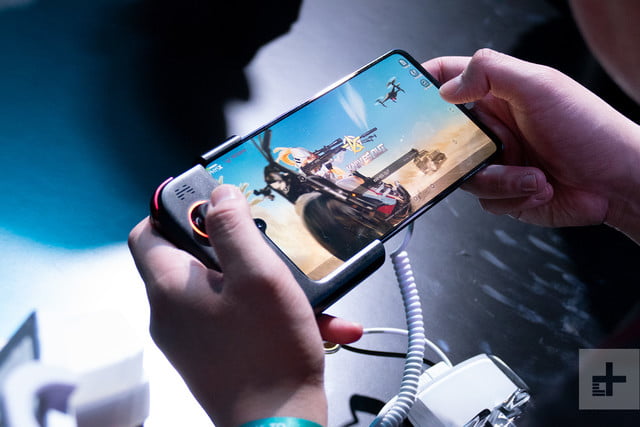
You’ll find Huawei’s super-powered gaming mode, GPU Turbo, on each of these phones, and there’s advanced A.I. built into each of them as well, which will recognize scenes in your camera, manage your resources while gaming, and power the Qmoji Animoji-style AR emoji feature. The A.I. goes even further in the Mate 20, Pro, and X though, with A.I. handling the real-time filters laid over video, and real-time object identification. Those three phones also have access to Huawei’s new gesture navigation.
But it’s the Mate 20 Pro that packs the most special features. It’s the only phone to come with an in-display fingerprint scanner, and there’s also advanced facial recognition on the level of Apple’s FaceID, and the ability to reverse wireless charge. Drop a wirelessly charging device on top of the Mate 20 Pro and the Huawei phone will charge the other device. It’s bonkers and we love it.
Winner: Huawei Mate 20 Pro
Price
None of these phones has been officially released in the U.S. yet, but you can pick one up from an importer as long as you don’t mind paying import tax. They also won’t work with Verizon or Sprint, so keep that in mind if you’re locked in with either.
The Mate 20 Pro costs 1,049 Euros (around $1,220), and the Mate 20 starts from 799 Euros (roughly $930). Both phones are currently available for pre-order. The Mate 20 X costs 899 Euros (roughly $1,050), and will be available for pre-order from October 26. The Mate 20 Lite is the cheapest at just 380 British pounds (roughly $500), and is currently available for purchase.
Overall winner: Mate 20 Pro
It would have been embarrassing for Huawei if the phone it had pegged as the most advanced didn’t win this battle, and thankfully Huawei’s most advanced flagship phone ever has come out on top, thanks largely to its incredible camera, AMOLED display, in-display fingerprint scanner, and advanced facial recognition tech. If money is no impediment, then the Mate 20 Pro is definitely the phone to get.
But the others still have their places. The Mate 20 Lite is an excellent $500 phone (though it’s up against the mighty OnePlus 6 in that price range), the Mate 20 is still an exceptional flagship device which serves as the Galaxy S9 to the Mate 20 Pro’s Galaxy Note 9. The Mate 20 X is an odd phone to pin down, but it’s clearly the phone to get if you want the largest possible screen you can lay your hands on, or a powerful mobile gaming device like no other.
Whichever you pick will be highly personal though, and you’ll be happy either way. But we’d pick the Mate 20 Pro every day.
Editors’ Recommendations
- Huawei Mate 20 hands-on review
- Huawei Mate 20 Pro vs. Samsung Galaxy Note 9: Flagship fight
- Huawei Mate 20, Pro, and X: Everything you need to know
- Huawei Mate 20 Pro hands-on review
- The Huawei Mate 20 Lite is A.I.-powered, attractive, and affordable
Huawei is working on a 5G foldable phone, the Mate 20 X may be its template
Andy Boxall/Digital Trends
Huawei CEO Richard Yu may have given us a clue for the eventual size of its first foldable smartphone. We can say for certain this device will operate on 5G networks, as Yu confirmed this in an interview with Digital Trends and select international media representatives during the launch of the Huawei Mate 20 range,
“We are working on foldable phones,” Yu said. Foldable 5G phones.”
Huawei’s 5G ambitions are no secret, meaning this should come as no surprise. It has invested considerably in 5G infrastructure and technology, has spoken out about plans for 5G devices and networks in 2019 before, and revealed the world’s first commercialized 5G chipset at the beginning of the year.
This is the first time the company has linked 5G to its foldable phone. A Huawei executive had previously spoken about the potential for a foldable phone from the company, and hinted it may come in 2019, while Richard Yu himself has also discussed the potential of such a device. During our interview in London, Yu expanded slightly on the project’s progress, and said the phone was “not commercialized yet.”
“Maybe sometime we will launch that, but not this time,” he said.
Mate 20 X
-
3.
Mate 20 X
While we have not seen the phone, and know nothing about the potential specification or size, Yu steered the conversation in a different direction, which may give us a hint at the potential size of a Huawei foldable phone.
“Before the foldable phones, we are introducing the Huawei Mate 20 X,” he said. “It is 7.2-inch, but in your hand it’s not so big, not so bulky.”
“We are working on foldable phones. Foldable 5G phones.
The Huawei Mate 20 X is one of the biggest smartphones — in terms of screen size — we’ve ever seen. The device itself however, is surprisingly compact, and the body is very slim. We can speculate the Mate 20 X is a template for the eventual folding phone, particularly due to the timing in our conversation with Richard Yu. Naturally, it’s also his job to highlight the latest devices, rather than talk about possible future ones during these interviews, so it may also be coincidental.
That said, the whole idea of a folding phone is to provide a larger screen without the need to carry around a large phone. If the 7.2-inch Mate 20 X folded in half, it would be considerably more manageable, without sacrificing the big-screen mobile experience. At the very least, it helps us better imagine the benefits of a folding phone.
Huawei has not officially announced a folding phone, and while it’s now certain the company is working on a 5G prototype, this is not evidence the device in question will ever be released.
Editors’ Recommendations
- Huawei hasn’t forgotten — expect a foldable phone from company in 2019
- Huawei Mate 20 Pro vs. Mate 20 vs. Mate 20 X vs. Mate 20 Lite
- Huawei Mate 20, Pro, and X: Everything you need to know
- Huawei Mate 20 Pro vs. Samsung Galaxy Note 9: Flagship fight
- Huawei still in on smartwatches, working to make them better
Who is ‘Scam Likely,’ and why are you receiving calls from them?
Further reading
How to remain anonymous online
How to block a number in iOS and Android
How to stop spam emails
If you’re a T-Mobile or MetroPCS customer, you may have noticed that some of your incoming calls are now being marked “Scam Likely.” While that may seem like a bold marketing choice for a firm to tag their calls, it’s actually your carrier’s way of helping you more easily identify scam calls. If you’ve ever answered any of these marked calls, you’d realize the alerts are usually pretty spot on. Here’s what you need to know about how the feature operates, and how to enable it if you haven’t done so already.
How it works
T-Mobile first started rolling out its free protection services — as well as a paid solution — back in 2017, namely as a way to help its customers prevent and avoid robocalls and other types of spam. These features were later extended to MetroPCS users (a T-Mobile-owned company) and are now accessible to customers of both carriers, regardless of the type of phone they’re using.
The first service is called Scam ID, which identifies potential scam calls by cross-referencing the number with a database of potentially fraudulent ones. This tag is applied on the carrier side of things, meaning you don’t have to worry about downloading any special software to your phone, and will work regardless of the type of phone you have, assuming it has Caller ID.
The calls will still come through on your device, but you can decide whether to accept the call based on the actual phone number or deny it. While this anti-scam feature works most of the time, it is still possible that a legitimate call will get tagged with the “Scam Likely” marker, so having the option to still receive calls with this tag, especially if you are expecting one from a number not saved in your address book, is a good thing to have.
The second service is called Scam Block, which takes Scam ID one step further and prevents all calls with the “Scam Likely” tag from ever reaching your phone. Both features are free and don’t require any additional software to use — you just have to be a T-Mobile or MetroPCS customer.
Enabling Scam ID and Scam Block
Scam ID should be enabled automatically, but if for some reason it’s not, you can enable it by dialing #664# on your T-Mobile device. Scam Block has to be manually activated. To do so, dial #662# on your device. Keep in mind that you can dial #632# at any time to turn it off again.
If for some reason you really don’t want to have Scam ID enabled, you’ll have to contact customer support or visit a retail store to get it turned off. Considering it doesn’t do anything other than alert you to possibly fraudulent calls, however, there’s not much reason to disable it.
Similar services via other providers
Jonathan Weiss/123RF
T-Mobile also offers a paid service called Name ID, which identifies a caller’s name and location, and allows you to block personal numbers (even if they are not in your address book). It can even identify the types of organizations calling you. While Name ID is included in the T-Mobile One Plus and One Plus International plans at no extra cost, it will cost you an additional $4 a month on any other plan.
Other wireless carriers offer similar services, but T-Mobile’s is the only one that doesn’t require an app to use. AT&T customers can enable scam protection for free by downloading the Call Protect app for Android or iOS. AT&T customers also have the option to download the AT&T Mobile Security app on their Android or iOS device, if they want to use the company’s malware protection service.
Sprint and Verizon also offer similar services, but they require a premium fee. Sprint customers can sign up for Premium Caller ID services through the Premium Caller ID app, for example, which will run you $3 a month. Verizon users have the option to pay for call protection using the Caller Name ID app, but, unfortunately, this is the most expensive service of the bunch, and will require you to spend $3 a month per line in order to avoid receiving calls from potentially fraudulent numbers.
Still, it’s a small price to pay for some added peace of mind.
Editors’ Recommendations
- How to unlock a phone on each and every carrier
- Firm warns that almost half of all U.S. calls could be scams by 2019
- How to block text messages on iOS and Android
- The white van speaker scam explained, and how it moved to Craigslist and Facebook
- How to block calls on an iPhone
The best Galaxy Note 9 cases you can buy
The Galaxy Note 9 is a premium flagship that you’d be a fool not to keep protected with a case. I love the Spigen Rugged Armor for its low-profile protection and the Speck Presidio Grip for its awesome quality, but there are so many great cases to choose from!
Best from Samsung
Samsung LED View Cover

Samsung offers five different case styles for the Note 9, but I’ll highlight the LED View case because it’s uniquely Samsung and offers the best protection with extra functionality for the Note 9 when it’s closed.
$42 at Amazon
Most rugged
Supcase Unicorn Beetle Pro

The Unicorn Beetle Pro is a case you can trust no matter which phone it’s protecting. This rugged-style case is designed to keep your phone well protected with a built-in screen protector for the display. An optional belt clip holster is also included if you’re interested in that look.
$20 at Amazon
Clearly great
Spigen Liquid Crystal Clear Case
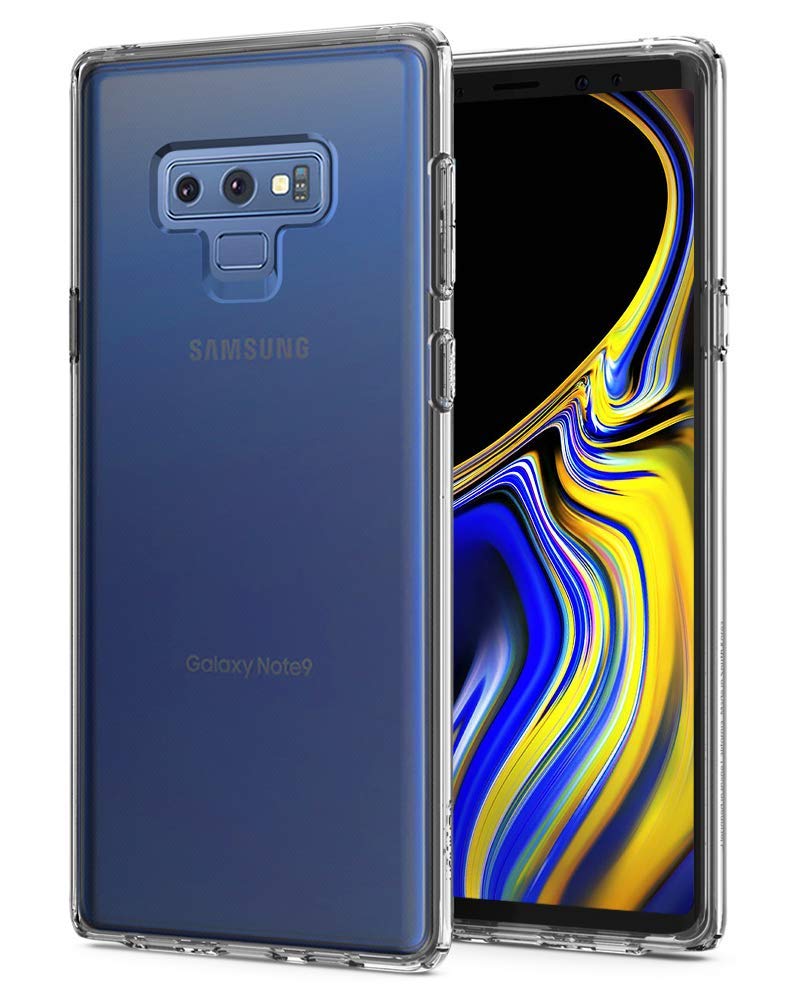
For those who are after a minimalist clear case to show off the Note 9’s design, Spigen has you covered with this ultra-thin clear case. This one-piece case is made of a flexible TPU material that will keep your phone protected from scratches and basic drops, and is thin enough to support wireless charging.
$11 at Amazon
Slim and rugged
Spigen Rugged Armor case

For those who don’t want to sacrifice pocket space for protection, Spigen’s Rugged Armor case is a great option. This sleek, one-piece case is rugged with carbon fiber accents that look great on all phones, but especially big phones like the Note 9. It’s made of rugged TPU material and features a matte finish.
$11 at Amazon
Super thin option
Spigen Thin Fit case

The Note 9 is already a massive phone, so you may want a thin case to protect from scuffs, scratches, and cracks that won’t add too much bulk. Spigen’s Thin Fit case is a minimalist case that offers basic protection and is available in four colors.
$11 at Amazon
Best wallet case
ProCase Leather Wallet Case

For those looking for an extra functional case, you should consider this leather wallet option from ProCase. Not only is this case designed to carry multiple debit and credit cards along with a cash pocket but it also delivers great protection for your phone. Made with genuine leather, this case screams premium design with top-notch craftsmanship.
$28 at Amazon
Clear and rugged
VRS Design Heavy Duty Clear Case

If you want a clear case to show off the design of your Note 9, but also don’t want to risk damaging a phone that’s worth over $1000, this case from VRS Design is a great option. It’s a two-piece case that combines a sturdy acrylic backing with a shock absorbing TPU bumper and should avoid the ugly yellowing that occurs with other clear options over time.
$12 at Amazon
Best for grip
Speck Presidio Grip Case

One of the best ways to avoid drop damage for your phone is to avoid dropping your phone, and this grippy case from Speck is a great option. This case features a stylish pattern of raised ridges along the back and sides which feel great in hand and give this case a unique look.
$40 at Amazon
Trusted brand
OtterBox Defender Series case

OtterBox products are significantly pricier than the other options on our list, but each case is backed by superb customer service and is designed to take all the abuse of daily wear and tear. A worthwhile investment for such a premium device.
$54 at Amazon
Rugged for less
Encased Rebel Armor Case

For a rugged case that won’t break the bank, consider this option from Encased. It’s a dual-layer case that’s packed with protection for your Note 9, including a unique webbing of shock-absorbent texture on the inside and air pockets around the perimeter to help with drops.
$15 at Amazon
Be sure to keep your Note 9 in great condition for years to come with the right case. Looking over all the options I’ve rounded up, Spigen offers the best value with either the Rugged Armor or Liquid Crystal cases that are both available for just $11.
UK Daily Deals: Fitbit trackers, Amazon Echo and Fire devices, and more
Whether you’re looking for new tech gear or household items, we’ve got you covered.
We found plenty of great deals today on Fitbit trackers and other fitness accessories, Amazon Echo and Fire hardware, Xbox Live Gold membership, Amazon Music Unlimited, and much more!
View the rest of the deals
Each day, the Thrifter UK team scouts out and shares amazing deals on products you know and love, helping you find the best prices on the ‘net.
For more UK deals coverage, be sure to keep an eye on Thrifter UK and follow the team on Twitter for the most up-to-the-minute coverage.
Everything we know about the next PlayStation console so far

Sony is gearing up for the PlayStation 4’s eventual successor.
While development on the PlayStation 4’s successor has likely been going on for years, Sony has official confirmed that it’s in the works. Here’s everything we know about it so far.
What form will it take?
Despite Microsoft’s rumored plans to create two separate next-gen Xbox consoles, one specifically designed for streaming through the power of the Cloud, Sony appears to be going the traditional route compared to its competition. According to a report from the Financial Times, sources familiar with Sony’s plans have stated that the future console “might not represent a major departure from the PS4, and that the fundamental architecture would be similar.”
This indicates that Sony may not be working on a streaming platform, though the future does look to be more streaming-friendly as internet speeds and connections improve around the world.
Specs

Do we know any exact specs yet? No. But we can infer that it will be better than the PlayStation 4 Pro in terms of performance. The PS5, or whatever it will be named, will likely support 4K resolution at 60FPS while gaming. As for storage, I’d say it’s safe to assume that its internal hard drive will be 1TB or greater.
The above graphic, which refers to the PS4 Pro by its codename, compares some of the Pro’s specs versus a traditional PlayStation 4.
What will it be named?
The likely answer is simple: PlayStation 5. However, Sony has declined to comment on an official name of any sort. For now, what we know it that it will be the successor to the PS4.
There was some speculation that its codename internally at Sony is Erebus, following the naming conventions of Greek-themed codenames for some of the company’s previous products, but an Epic employee struck this rumor down by stating that Erebus was simply their codename for the Switch version of Fortnite in Unreal Engine 4 before it was announced.
What will it cost?
Again, we don’t know for sure, but it’s safe to say likely over $400 given the technology that may be utilized and prices of previous hardware.
When will it release?
The PlayStation 5 has no definitive launch date, but people are expecting it within the next few years.
There is speculation that a release could come as early as 2019 based on a job listing from Infinity Ward. According to LinkedIn, the company is looking to hire an Associate Game Designer for an “unannounced next-gen title.” Call of Duty fans will note that next year’s Call of Duty release should be coming from Infinity Ward, if the series’ studio development pattern holds true. This is leading many to believe that the next year’s Call of Duty will be a next-gen title. This of course is making the assumption that Infinity Ward—if the studio is indeed developing next year’s Call of Duty for next-gen systems—will release both current-gen and next-gen versions simultaneously, and assuming that this is referring to Call of Duty and not some other project entirely.
Thurrott reports that Microsoft is planning to release the next-generation Xbox in 2020. Plans can change, but if true, Sony will stick with a similar time frame. If Sony wants to keep pace with the competition, the PS5 may release in 2020 or sooner.
PlayStation 4

- PS4 vs. PS4 Slim vs. PS4 Pro: Which should you buy?
- PlayStation VR Review
- Playing PS4 games through your phone is awesome
Amazon
Add some color with the $40 Philips Hue smart dimmable flood light
The Philips Hue BR30 dimmable LED smart flood light is down to $39.97 on Amazon. This light normally sells for around $50, and the deal is a match for the best we have ever seen.

BR30 bulbs are made for recessed, horizontal, or vertical light fixtures. Other than that, they operate just like any other Philips Hue smart light. Each bulb has more than 16 million color options that can be controlled by the app or even via Amazon’s Alexa, Google’s Assistant, or Siri.
In order for the lights to work, you will need the Philips Hue Smart Bridge, which is down to $48 from $60 today. If you already have a bridge as part of a starter kit like this or something similar, you can just add this bulb to that system.
The A19 Philips Hue smart bulb, designed for regular lamps and such, is also on sale for $39.99 right now.
See on Amazon
Amazon Echo Plus (2nd gen) review: The science of good sound
Amazon’s premium model Echo just got even more premium, and we love it!

Amazon has had a long and strange trip from its humble beginnings as a bookseller to where the company is today. Products like the new 2018 Echo Plus give us an idea where the company is headed: the one-stop shop for everything, including “casual” smart home products. It’s a place where you can stretch your dollar and get good products that are easy to install and setup without being a tech genius or needing a 100-page manual. Think Sharper Image without the air of pretentiousness or outrageous prices.
2018’s Echo Plus shows us that not only is this particular segment of the market wide open — Amazon is only competing with itself here when it comes to value — but that it’s possible to build really nice products that look great, are easy to use, and actually outperform expectations. The new Echo Plus is the pinnacle of that triad and it’s a product that offers something for everyone. This is one of the few times I can say that a “plus” moniker is not only well-deserved but worth the price bump, too.
Echo with extras
Amazon Echo Plus (2018)

$150 at Amazon
Updated inside and out.
Amazon’s Echo Plus keeps the features we love but brings a new look and BIG sound.
The Good
- Improved audio
- Temperature sensor
- Volume buttons
- Easy set up
- Stereo pairing and multi-room features
- Price vs. Sonos or Google Home Max
The Bad
- Mute button has a strange icon
- Audio lacks depth in mid tones
- Light animations aren’t as visible as the previous model.

Amazon Echo Plus (2018) What I like
There are two reasons anyone would buy an Amazon Echo, and the Echo Plus does both better than the rest of the Echo family. It’s actually a good wireless speaker and it makes for an excellent smart home control center and hub.
My first impression of the sound this little cylinder could make was “wow.”
I can honestly say the sound of the improved Echo Plus blew me away when I first heard it. Not because it has the best sound of any product of its type, but because it delivers better audio than anything in its price range. You probably know someone who has speakers and amps and a rats nest of wires behind their AV center. I am that guy and have enough equipment here that cost enough money that I’m embarrassed to admit I spent it. The Echo Plus doesn’t sound as good as my stereo, but it cost a few thousand dollars less and for the money, it sounds a lot better than I would have ever expected.
Does it sound as good as a Sonos product or a Google Home Max or Homepod? No. Does it cost as much as any of those? No, and by a healthy amount. It’s a product that is almost as good as its pricey competition, and the best value in wireless home audio. That’s a bold statement, but I’m a bold fellow and the Echo Plus is a bold wireless speaker. Bold speakers sound best when they are used together, which is why the new Stereo Pairing and multi-room audio features make the Echo Plus worth looking at when you buy your next wireless speaker no matter how much of an audio snob you might be. You just might be surprised like I was.
The Echo Plus isn’t just a wireless speaker though. It’s also a voice-activated assistant and control center for all sorts of other smart home products and can act as a smart hub on its own. In this space, there is some fierce competition from Google, Apple (sort of), Samsung, and Amazon’s other Echo products. In many areas, the Echo Plus beats that competition.
When it comes to knowing the minor details of your life, Google Assistant has no rival because of how information about you is saved and used. Apple’s Siri and HomeKit place emphasis on security and privacy, which limits some usefulness and product choice. Bixby Home is too new to make any judgments. For everything else; controlling your lights or your garage door opener or smart blinds and all the other mishmash of smart products from hundreds of manufacturers, the Echo Plus and Alexa has the competition handily beaten.

It’s very likely that the next smart product you buy will just work with Alexa as soon as you power it up. This is because of the popularity of Alexa, Amazon’s partnership with companies looking for a partner, and the software team’s wonderful new way of making it work. If you order any Echo model using your own Amazon account, it arrives ready to go; just plug it in and install the Alexa app on your phone to type in your Wi-Fi password. If you order any of the thousands of products that work natively with Alexa, simply power them up and wait or tell Alexa to scan for new hardware and it too will be ready to go.
Alexa’s software is leaps and bounds above the competition when it comes to easy setup.
If by chance you order a smart product that doesn’t work natively with Alexa, just download the correct skill through the app and a few button taps later it too will be ready to go. The Echo Plus is a full-featured smart hub using the industry-standard Zigbee communication protocol, can transmit and control through “regular” Wi-Fi, and even has its own internal temperature sensor to one day act as a remote sensor for a smart thermostat or weather station. These are all things the average user doesn’t need or want to know, and the important part is that it all just works and is easy. Alexa has that part down pat.
Amazon Echo Plus (2018) What I don’t like
The list here isn’t long, but there are some areas that I feel need a bit of attention when it’s time to make the next generation. They may seem a little nitpicky, but it’s my job to nitpick so you’re aren’t surprised by any flubs.
The microphone array of all the newer Alexa products I’ve tried (2017’s Echo Plus, Echo Mini and the “standard” Echo as well as a Toshiba FireOS television with voice input) has been fantastic. Initially, the early Alexa products had trouble with my accent sometimes or just couldn’t hear me unless the room was quiet. That has changed and I can say, “Alexa turn on the kitchen lights” downstairs in my office and hear several Echos and a television sitting upstairs answer me. However, the new design of the Echo Plus and it’s admittedly attractive tweed fabric covering (my wife and I love the Heather Grey model) make the light ring more difficult to see. I want that visual feedback so I know Alexa is listening.
A microphone symbol provides information. Ǿ is a symbol more at home on a Hobbit’s ring.
I love that there are tactile buttons for volume control rather than a spinning ring at the top, but I don’t like the choice Amazon made for the button to mute the microphones. We have an Echo Plus in the bedroom and there are times when my wife and I want to make sure the microphone array is muted so nothing is inadvertently recorded. The first time that was necessary, I had to look online to be 100 percent sure that the button with the ø (is that a naught symbol or a Norse rune?) was the button we were looking for. The old icon with the crossed off microphone was fine and made it obvious.
While the sound the Echo Plus can produce is much better than I would have ever expected from a product of this caliber, it’s not perfect. The Echo Plus does a fine job handling the high tones, even at volume levels edging towards the extreme. It can also provide strong thumping bass, though I feel the crossover needs a bit of adjustment even with an Echo Sub in the mix. Where it struggles is in the middle of the sound spectrum, where vocals and instrumental solos reside. The quality isn’t necessarily bad but it doesn’t match the higher quality produced by the ends of the soundstage. Again I will remind everyone who would notice this problem to look at the price tag and other features of the Echo Plus before they make any judgment. Remember, I’m here to nitpick.
Two Sonos Ones and a Sonos Sub sound better than the Echo equivalent but also costs $750 more.
Google and Amazon, please stop fighting. Or at least don’t let your silly feud extend to your Nest and Ring sub-brands because that only hurts your customers. I have both Nest and Ring equipment here and seeing them work excellent with their respective parent brands while requiring a third party like IFTTT to replicate those features across both is spiteful. A Jeff Bezos v. Sundar Pichai cage match would be a much better option.
Finally, and this may be the epitome of a niche, Amazon’s voice match could use some work. If you have a parrot who is able to mimic you well enough, it can get Alexa to do all sorts of things. The thrill of having Alexa turn on lights is too much for my parrot to ignore, and if you have a feathered friend of your own you’ll understand. Google is able to prevent this from happening and I’d love to see Amazon do the same.

Amazon Echo Plus (2018) Should you buy it?
If you’re looking for a great wireless speaker and don’t want to pay Sonos prices, you’ll want to check out an Echo Plus. Or a pair of them with an Echo Sub, which lists for just $329 for the set. You’ll be getting 75% of the quality for $750 less than a pair of Sonos Ones and a Sonos Sub. With the new Stereo Pairing and multi-room features, it’s worth a look for sure. Amazon will take them back for a full refund if you don’t like what you hear.
If you want a smart home experience without any work or head scratching, the Echo Plus is where you need to start. Almost everything you can buy is Alexa-enabled, and the way Alexa Skills can be built plus the smart community of users means almost anything is possible. For the most part, what you buy will just work exactly the way you imagined it would because manufacturers work hard to make their products work with Alexa.
If you’re looking for a more personal assistant type of device, I’d steer you towards a Google product instead. A Google Home (or Home Mini or Home Max) is capable of the same smart home features, though sometimes there is a little more work involved getting them working, and can provide a rich media experience as well. And because of all the things Google knows about you, things like daily agendas or video calling is just better with a Google Home.
4.5
out of 5
In short, the Echo Plus is $150, or about $50 more than the standard Echo. The massive boost in audio quality and stand-alone smart hub features you get are worth the extra cash. The Echo Plus is the Echo to buy in 2018.
See at Amazon
Amazon Alexa
- Which Amazon Echo should you buy?
- Get more Alexa Skills
- How to enable and disable Alexa Skills
- How to customize Flash Briefing
- How to get sports updates
- How to sync your calendar with Alexa
- How to shop with Alexa
- Send voice messages with Alexa
See more at Amazon
Google ‘app bundles’ help blur the lines between installed and instant apps

Soon it won’t be at all apparent whether an app is truly ‘installed’ or not.
Google’s developer-focused “Playtime” event series kicked off today, and with it comes a whole bunch of changes for developers publishing apps in the Play Store. The biggest push Google’s focusing on is changing the years-old paradigm of installing big (and increasingly so) apps on your phone in a one-size-fits-all manner.
The changes emanate from a new publishing format called an “Android App Bundle.” Bundles allow developers to compartmentalize their apps into different components to reduce the initial app install size for users. That means when we go to download an app, the file size is likely to be smaller — something we can all agree is a good change — and additional components can download and add on to the app later as needed. This also enables larger overall apps, in the use case of things like games, without using dedicated expansion files.
Google’s making it even easier for developers to distribute apps in multiple ways without building multiple apps.
The move to app bundles helps Google go further down the process of streamlining the app installation paradigm. Part of the process is improving “instant apps” — the recently-announced system that lets apps load their basic components and run without installation. Now, instant apps can be designed to just be part of app bundles — meaning developers no longer need to have a separate “instant” and “installable” app, they just make an app bundle that defines what part will run as an instant app, and the rest can come later. This is a big improvement for developers, who really don’t want to maintain separate versions of their apps, and can benefit from better conversion from being found on the web or Play Store to an actual app install.
When apps are smaller and run faster, everyone wins.
On the consumer end, these two changes are significant in that they further blur the lines of what it means to “install” an app. But when it’s done right, the end user wins — it doesn’t really matter whether an app, part of an app, or no component at all is actually “installed,” so long as the run time is quick and the app operates as you expect. There’s an added benefit of saving on phone storage space, as well as mobile data if you need to get a new app while you’re away from Wi-Fi.
These types of changes will take a long time to ripple out to the masses, and require developers to put in the time to make them a reality in their own apps, but the results should be positive for everyone.
Google has way more to talk about and plenty of updates for developers than what’s detailed here. If this is your area of expertise (or you want it to be), Google has tons of information over on its developers blog.
The best USB hubs for your PlayStation 4
We’re a virtual company made up of tech enthusiasts from around the globe. Android Central’s team of gamers draws on its extensive personal gaming experiences to deliver the best recommendations and information you’re looking for.

The Anker 4-Port USB 3.0 HUB is affordable, sleek, and has all the necessary USB ports to support your various PS4 needs.
Our pick
Anker 4-Port USB 3.0 HUB

$18 at Amazon
It provides extra USB ports and looks good doing it.
Anker’s USB Hub has 4 USB 3.0 ports to expand your PlayStation 4’s capabilities.
Who should buy this USB hub
With hard drives, charging cables, flash drives, PlayStation Move controllers, PSVR headsets, and more fighting for life on your PS4, you’ll find that there just aren’t enough USB ports to go around. Instead of endless amounts of cable swapping, you can remedy that problem with Anker’s USB Hub.
Is it a good time to buy this USB hub?
There’s no time like the present. USB hubs are pretty standard and there are no next-generation technological benefits worth waiting on, so feel free to buy this one whenever your budget can fit it in.
Reasons to buy
- Affordable
- Sleek footprint
- Long cable
- No external power required
Reasons not to buy
- You may want more ports
Perfect for your PS4
Anker’s 4-port USB 3.0 hub has everything you need to support healthy PS4 function. It has 4 USB 3.0 ports, so you effectively quadruple the number of devices you can attach to your console at the same time.
It’s important to get a USB 3.0 hub, as some accessories you use with your PlayStation 4 may either require or work better over the more powerful charging and data port. Some things work just fine over USB 2.0, but this is one of those situations where it’s not that expensive to be on the latest and greatest standards you can, so there’s no good reason not to be.
Anker offers the best combination of quality, reliability, warranty, and price.
The Anker hub not only supports powering and charging your peripherals, but also data transfer. This means most things that actually interact with the PS4’s OS work as intended, freeing up your other USB ports for the things that don’t. Also, because there are only four ports, you won’t need an external power cable to take full advantage of it.
That one big thing that doesn’t work is your external hard drive. The PS4 can’t read an external hard drive through a USB hub, so it must be connected directly to one of the PS4’s built-in USB ports if you want it to work.
Alternatives to the Anker 4-port USB 3.0 hub
Anker’s USB hub is great, but there are other options to consider. One gives you even more USB ports, just in case 4 isn’t enough. And if you can believe it, the other’s even cheaper than the Anker one and offers the same functionality.
Runner-up
Anker 7-port USB 3.0 hub

With 7 ports, this should be all the USB you need.
$32 at Amazon
Anker’s higher capacity 7-port USB hub offers more connections on a single hub and carries Anker’s unmatched brand trust.
This 7-port USB 3.0 hub should have more than enough ports for anything you need. It’s a little pricey and it requires the use of a power adapter, but it’ll serve you well if you can deal with the unwieldiness.
Value pick
Sabrent 4-port USB 3.0 hub

If you’re looking for the ultimate value, Sabrent delivers the bare necessities.
$10 at Amazon
Sabrent won’t win any design awards, nor will they get much in the way of recognition for engineering prowess, but at just $10 this USB 3.0 hub gets the job done.
Looking to save money? Sabrent’s 4-port USB 3.0 hub is affordable and does what you need — powers your USB-based peripherals and accessories. It’s a bit more annoying to use than Anker’s and it doesn’t look as good on top of a PS4, but if you are on a tight budget then there’s nothing better.
Bottom line
Almost any modern-day USB hub you can find will likely work with the PlayStation 4, but we know for a fact that Anker’s works fully and perfectly. We love that it doesn’t require external power and that it doesn’t look like an eye soar amongst your other cool gadgets.
Most importantly, we trust the Anker name, not just for the initial quality, but also because the company’s warranty and support are top notch. We like it so much that we’d recommend buying 2 of these if you need even more ports.
Credits — The team that worked on this guide

Quentyn Kennemer is a diehard gamer and tech enthusiast who has a strong need for the very products he loves writing about. His recommendations are drawn from personal experience and deep knowledge of the technology at play.

Jaz Brown has a keen appreciation for the art and history of gaming. He owns arcade cabinets and retro consoles galore and knows the value good peripherals can add to your gaming experience.
 AIVAnet