


You’re so vein: Palm-based biometric system could help confirm your identity
Face ID. Fingerprint scanners. Voice recognition. When it comes to biometrics, there a whole lot of means for checking a person’s identity in a way that’s far more personalized than a four-digit security code or password. Now a nonprofit group called the IOTA Foundation is working with biometrics company Iampass to introduce a system that lets users verify their identity using the veins in their palm print. As it turns out, these vein patterns are just as unique as the other biometric markers that drive technologies like fingerprint or retina scanners.
“More so than any other biometric technology, palm vein authentication is highly accurate, hygienic, and designed specifically to curb impersonation, counterfeiting, and other illegal actions that may be used to access important information and secure areas,” Dominik Schiener, co-founder and co-chair of the IOTA Foundation, told Digital Trends. “[That’s especially true] since the palm veins are unable to be seen by the naked eye, and therefore much harder to replicate. Compared to fingerprints, the pattern of your palm veins are also nearly impossible to destroy, allowing people who had accidents to still access a secure system, as the unique palm vein has not changed.”
The innovative palm-reading system uses image recognition and optical technology to non-invasively scan users’ palms as a way of ensuring they are who they say they are.
Iampass is currently investigating several potential applications for its vein-based biometric system. This includes replacing access cards in secure buildings, providing access logs at data centers, and various use-cases within the automotive industry. In the case of the IOTA Foundation, it’s using palm prints as an access point to something it calls the IOTA Tangle, a next-generation distributed ledger technology that works on a principle that’s similar to blockchain.
No, palm readers are unlikely to replace Face ID on your next smartphone, but that’s not really the point. Tools like this offer additional levels of security, which can be added onto existing systems to make them even more secure. Successfully passed the facial recognition test? Next, you can check your vein print marries up to records.
This isn’t the first time we’ve covered unorthodox biometric security technologies. Other alternative body-based security systems include reading people’s “heart print,” their ear shape, and even the unique parameters of their posterior. Before long, their won’t be too many parts of the human body that can’t double up as a pass code of sorts!
Editors’ Recommendations
- Google’s Pixelbook 2 tablet could debut with fingerprint security
- For Columbus, a city is only smart if the public is behind it
- Replaced by robots: 10 jobs that could be hit hard by the A.I. revolution
- What to expect from Google’s October 9 event in New York City
- This robot arm could soon recharge your electric car, no driver effort required
A ThinkPad tablet with a foldable screen could be in Lenovo’s future
Lenovo could debut its new vision for a dual-screen tablet computer by as early as late next year. The company is no stranger to experimenting with innovative form factors, having recently announced that it replaced the traditional keyboard with a secondary screen on one of its new Yoga models. However, with this new dual-screen tablet, like the recently unveiled Microsoft patent for Project Andromeda, could also forgo using two displays in favor of a single, foldable panel.
“LG Display will work with Lenovo, the world’s largest PC maker, to develop a foldable tablet that folds the screen,” a translation of South Korean publication ET Times reads. “The tablet will be equipped with a 13-inch foldable panel. 13 inch is the screen size that can be seen on a tablet or notebook now.”
If accurate, Lenovo’s folding screen PC could measure just eight or nine inches when folded, making it more compact for travel. With a 13-inch 4:3 panel, the screen could measure about nine inches. A 16:9 aspect ratio would mean that the screen could be reduced to just eight inches when folded.
Citing an industry insider, the publication reported that LG Display had entered into a non-disclosure agreement with Lenovo to supply the 13-inch foldable panel by the second half of next year.
A foldable screen would allow phones, tablets, and laptops to dramatically increase the viewable screen area while still maintaining a compact form factor when the display is folded down for travel. Another benefit, according to LG Display, is that by being able to fold the screen, the display will be better protected, adding to a device’s durability.
The downside is that these devices will come with a premium, at least initially. Microsoft is said to have placed its Project Andromeda concept on hold in order to find the right market and use cases for such a device. If early speculation is accurate, Project Andromeda could eventually launch under Microsoft’s Surface umbrella as the Surface Phone.
In addition to Lenovo, a number of other technology companies in the computer and smartphone spaces are also racing to launch devices with foldable screens. Samsung and Huawei have each made their ambition to launching a foldable smartphone in the near future no secret. Most recently, at the Computex trade show, Intel and its partners showed a number of dual-screen PC concepts, but those devices utilize two distinct screen panels rather than a single display that can fold.
In addition to Lenovo, ET Times also reported that LG Display is also working on foldable screens for other partners, including Dell and LG Electronics.
Editors’ Recommendations
- Huawei is working on a 5G foldable phone, the Mate 20 X may be its template
- Andromeda — a pocketable Surface PC — remains a dream for Microsoft’s Panos Panay
- Lenovo IdeaPad 530S review
- Dell Ultrasharp U3818DW review
- Samsung Galaxy S10: Here’s everything we know
Consider an extended warranty plan if you buy a Surface Pro 6
Dan Baker/Digital Trends
If you’re looking at picking up Microsoft’s new Surface Pro 6 this year, you may want to also consider adding an extended warranty or accidental damage coverage in case something goes wrong. Repair site iFixit gave the Surface Pro 6 a repairability score of just 1 out of 10, meaning that it would be difficult for most home users to repair on their own.
Like many of the Surface Pro 6’s predecessors, this year’s tablet earned a low repairability score because of Microsoft’s excessive use of glue to secure the tablet and its component in place, making it difficult to remove the display assembly and battery.
“All repairs require first removing the display assembly — which is stubbornly glued in place, expensive, and prone to shattering,” iFixit noted in its report. “Complex construction makes all disassembly and reassembly tedious in comparison to other tablets.”
Microsoft offers a standard limited-warranty policy on its hardware in the United States, which includes a one-year warranty for defects and malfunctions along with 90 days of technical support for preinstalled software. In addition to the standard warranty, cautious Surface Pro 6 owners can also purchase optional extended warranties. Microsoft sells its own protection plan, called Microsoft Complete, that extends the coverage to two years for $149. Microsoft Complete also adds coverage for accidental damage, including liquid damage and cracked screens, though a deductible would apply if the damage is deemed to be caused by the user and not due to manufacturing defects.
If you bought your Surface Pro 6 without a warranty package, Microsoft advises that you have up to 45 days from the date of purchase to add a protection plan. Customers can either visit the Microsoft online or retail store. Because of the difficulty in disassembling and repairing Surface products, customers have reported in the past that Microsoft would exchange a defective product for a refurbished or new item through its warranty program.
Some retailers may also offer their own extended warranty protection. Best Buy, for example, offers its Geek Squad protection plans. Like Microsoft Complete, Geek Squad protection plans also include accidental damage coverage. Best Buy’s service range from $120 for a one-year plan to $260 to extend the coverage to three years.
Aside from repairability issue, consumers should also be mindful of the storage configuration when purchasing their Surface Pro 6. Unlike older Surface Pro models, iFixit noted that the storage module on the Surface Pro 6 is not removable, so you won’t be able to upgrade the solid-state drive to a larger capacity drive if your needs change down the road — even if you’re able to disassemble and reassemble the tablet on your own.
Editors’ Recommendations
- Don’t wait to buy that new iPhone battery — prices are going up
- Google launches mail-in Repair Center for damaged Pixel phones
- Surface Go has one of the lowest manual repair scores on the planet
- The best laptop brands of 2018
- Surface Pro 6 review
Google’s pop-up stores are now open in New York and Chicago
The Google Hardware Store is open for business.
Now that Google’s new hardware for the year is here, it’s time for the company to start promoting it and getting the tech into people’s hands. One way Google’s going about doing this is with two pop-up stores that are open now in New York and Chicago.

While we’ve seen New York pop-up stores for the past two years, Chicago’s replacing Los Angeles this time around.
Google’s promoting these as the “Google Hardware Store”, and at the Hardware Stores, you’ll be able to play with the Pixel 3, Pixel Slate, and Home Hub. Google has a funky treehouse inside the store where you can “hang out with Google Home Hub”, and to test the Pixel 3’s Top Shot feature, you can hop on the indoor swing to see how the phone handles taking a photo of a moving subject.
Both stores are open Monday – Saturday from 11:00 AM to 8:00 PM with Sunday hours going from 11:00 AM to 6:00 PM. You’ll also find a variety of special events taking place, including scavenger hunts, group photo walks, and learning how to make handmade marshmallows.
It’s currently unclear how long the stores will be open for, so be sure to check them out soon to experience everything for yourself.
Google Pixel 3: Everything you need to know!
Google Pixel 3 and Pixel 3 XL
- Google Pixel 3 and 3 XL review
- Google Pixel 3 and 3 XL: Everything you need to know!
- Google Pixel 3 vs. Pixel 3 XL: Which should you buy?
- Google Pixel 3 and 3 XL specifications
- Join our Pixel 3 forums
Best Buy
Verizon
Google Store
Project Fi
Will a Netgear Arlo Pro 2 cover my entire home?

Best answer: The Arlo Pro 2 system has a range of 300 feet, which should be more than sufficient to cover every home area you want to place cameras at.
Amazon: Arlo Pro 2 ($480)
Just how far away can my Netgear Arlo Pro 2 cameras be placed?
The Netgear Arlo Pro 2 security system is built upon two components: the Netgear Arlo base station, and the individual Netgear Arlo cameras that connect to the internet through the base station. The maximum range from a base station to a Netgear Arlo Pro 2 camera is of 300 feet, but that range can be shortened by the number and thickness of the walls the signal is having to penetrate.
If your house has thicker walls — or walls made of denser materials like brick, stone, or concrete — it’s possible for the signal range of your Arlo Pro 2 cameras to shrink a little. The 300-foot range is about the size of a football field, and even with some passive signal blocking from brick walls, that range should more than cover most homes, yards, and non-metal garages.
What if I need more range than that?

Unfortunately, Arlo Pro 2 cameras can’t connect directly to the internet through your Wi-Fi network; they have to connect to the Arlo Pro 2 base station. There are a couple of solutions you can use if you need more range, but they boil down to two basic methods:
- Move your Arlo Pro 2 base station to a better location in your house so that every camera can get a signal from it. While the Arlo Pro 2 base does require a hardwired ethernet connection, this doesn’t mean that it’s trapped next to your router. Range extenders like the Netgear Powerline Adapter 2000 can let you position your base station in any room with a power outlet for optimum placement.
- Get a second Arlo Pro 2 base station. If you need to place cameras over a larger area than 300 feet, you’ll need to get a second Arlo Pro 2 base station and connect the cameras outside the first station’s range to the second base station. This option can get quite expensive, and managing cameras through multiple base stations can be a little extra hassle, but it is doable.
Our pick
Arlo Pro 2

$480 at Amazon
Netgear’s Arlo Pro 2 cameras are IP56 dust and water-resistant, magnetically mounted for precision placement, and battery powered so you’re not tied to your power outlets. All of your Netgear Arlo Pro 2 cameras feed back to the Pro 2 base station, from which you can manage, monitor and back-up your camera recordings securely.
Where to buy the Google Pixel 3 and Pixel 3 XL

Here’s where you can get Google’s latest phones, in either size.
The Google Pixel 3 is now available for purchase across the United States, and if you want the best Android phone money can buy in 2018, it needs to be at the very top of your shopping list.
Both the Pixel 3 and 3 XL are outfitted with vastly improved displays compared to last year’s models, refined designs, and damn impressive cameras. If you want to buy one, here’s everything you need to know.
Verizon
Once again Verizon is the “exclusive” carrier for the Pixel 3 and Pixel 3 XL in the U.S. That’s, of course, a bit of a misnomer because that exclusivity only reaches as far as buying from a carrier goes. Still, that means Verizon is the only one of the big four U.S. carriers to offer the phone directly.
Pricing is set at $799 for the Pixel 3 ($33.33/month for 24 months) and $929 for the Pixel 3 XL ($38.74/month for 24 months). Add $100 to each to jump to 128GB of storage. Available colors include Just Black, Clearly White, and Not Pink.
Right now, Verizon’s running a buy one, get one promo where you’ll receive a 64GB Pixel 3 for free (or $799.99 off another Pixel 3 or 3 XL model) after buying one Pixel 3 or Pixel 3 XL on a monthy installment plan. You will need to add a new line of service and the credit is applied as a $33.33/month credit for 24 months.
See at Verizon
Project Fi
Remember that whole “exclusive carrier” thing? Well, you can buy the Pixel 3 and Pixel 3 XL from Google’s own carrier, Project Fi. When you do, you’re basically just getting a phone as if it were purchased from the Google Store, but it comes ready to rock with your Project Fi account if you have one already. If you’re starting a new Project Fi line, the phone’s ridiculously easy to get set up thanks to its eSIM — you just power it up and follow a few prompts.
Pricing is set at $799 for the Pixel 3 and $899 for the Pixel 3 XL. Add $100 to each to jump to 128GB of storage. Once again, colors include Just Black, Clearly White, and Not Pink.
For a limited time, Project Fi is offering a $799 service credit when you buy two Pixel 3 or 3 XL phones and add a new member to an existing group/family plan.
See at Project Fi
Best Buy
Best Buy is a massive retailer partner to have on board for the Pixel 3 and Pixel 3 XL, but unfortunately, the partnership is only to sell the phones as “Verizon” devices. The phones are actually unlocked and will work on any carrier of your choice, be it one of the big four or a prepaid carrier, but chances are you won’t be able to get Best Buy to sell you one unless you have a Verizon account.
Pricing is set at $799 for the Pixel 3 and $899 for the Pixel 3 XL. Add $100 to each to jump to 128GB of storage.
Best Buy’s latest offer? You’ll receive a free $100 Best Buy gift card with a qualified activation of either the Pixel 3 or Pixel 3 XL.
See at Best Buy
Google Store
If you’re buying a Google phone, there’s a seamless experience to be had buying from the Google Store directly. When you do, you’ll be able to take advantage of Google’s trade-in offers, which could be as high as $400, as well as its 24-month no-interest financing options that mirror those offered by carriers. Google even offers “Preferred Care” plans for an extended warranty and extra support.
Should you choose to buy a Pixel 3 from the Google Store, you’ll be able to snag 6 months of YouTube Music Premium for free (a $60 value).
Pricing is set at $799 for the Pixel 3 and $899 for the Pixel 3 XL. Add $100 to each to jump to 128GB of storage.
See at Google Store
Google Pixel 3 and Pixel 3 XL
- Google Pixel 3 and 3 XL review
- Google Pixel 3 and 3 XL: Everything you need to know!
- Google Pixel 3 vs. Pixel 3 XL: Which should you buy?
- Google Pixel 3 and 3 XL specifications
- Join our Pixel 3 forums
Best Buy
Verizon
Google Store
Project Fi
Lego building kits, smart lights, and more are discounted today
Whether you’re looking for new tech gear or household items, we’ve got you covered.
There’s never a shortage of deals available, but sorting through all of them can be difficult at times. We’ve handpicked all the best tech, and everyday essentials discounts that you can take advantage of right now and brought them to one central location. From smart lights to playtime patios, these are today’s best deals.
Tech Deals
View the rest of the deals
Everyday Essentials
If you want to know about the deals as soon as they are happening, you’ll want to follow Thrifter on Twitter, and sign up for the newsletter, because missing out on a great deal stinks!
Best Wallet Cases for the Pixel 3 XL
Given how reliable mobile pay options are in 2018, it’s actually not that big of a deal if you forget your wallet at home. Our phones can now store most credit and/or loyalty cards, with your photo ID being the only phyisical card you actually need to have on you. This makes a wallet case a fantastic option for the new Pixel 3 XL, and we’ve rounded up some of the best case options from cheaper options made from synthetic leather to the premium Bellroy Leather Wallet Case.
Budget folio case
Abacus24-7 Flip Cover Wallet Case

Made of synthetic leather with a clear ID pocket and a hidden money pocket, this folio-style wallet case may just check all your boxes. It can store up to three cards along with some cash and the front cover doubles up as a kickstand.
$10 at Amazon
Sleek design
Torubia Wallet Case

Plan to use Google Pay for most of your purchases and only need a slot for your ID card? Check out this slim case that doesn’t add much bulk to your pocket carry.
$7 at Retailer
Classic style
ProCase Vintage Wallet Flip Case

ProCase is known for their wallet cases made with genuine leather, and if you’ve used one before, you’ll know what to expect here. You get the standard folio style with a magnetic clasp and storage for two cards and a cash money pocket. Get that real leather feel for less.
$30 at Amazon
Premium, dude!
Bellroy Leather Phone Wallet

You went all-out on the larger Pixel 3 XL, so why not go the distance with a premium wallet case? From Bellroy, this Made for Google case features four card slots — two on the front cover, and two more hidden between the case and the back of your phone. Made from environmentally certified leather and available in five beautiful colors.
$90 at Bellroy
We’ll be updating this list with other wallet-style case options as they emerge, but for now it’s hard not to swoon over that Bellroy Leather Wallet case. It’s definitely worth picking up if it fits in your budget,
Here’s where you can buy the LG V40, and how much it’ll cost

How much you can expect to pay for LG’s latest.
LG’s going for the extreme high end of the market with the V40, and unlike the G7 earlier this year it has the support of all major U.S. carriers to do it. The V40 starts at $900, which puts it at the absolute top of the range for most people, so carrier financing plans are going to be key to get this phone out the door.
Here’s what you can expect to pay from each carrier and retailer out there, along with all of the current deals and incentives on offer to try and lighten the blow of that price tag.
Unlocked
LG didn’t actually announce specific availability of its unlocked V40, but even so, both Best Buy and B&H is selling a carrier-free version of the phone that’ll set you back $949.99.
See at Best Buy
See at B&H
AT&T
AT&T is promoting its “Next” plan, which gets the monthly cost for the V40 down to $31.67 per month … though that’s spread over 30 months rather than the typical 24-month payment plan. The total price for the phone is $950 all-in.
As for promotions that AT&T is running, here’s what you can currently get:
- Buy an LG V40 and get a free case or screen protector when you purchase both in the same transaction.
- Buy one LG V40 on AT&T Next and get another one for free! (You’ll need to add a new line of wireless service and be subscribed to DIRECTV in order to be eligible).
- Receive a $350 credit when you buy an LG V40 and trade in your current phone.
See at AT&T
T-Mobile
T-Mobile is the cheapest of the big four carriers, coming in at $920 if you buy the phone outright.
If you prefer to pay month-to-month, you’ll pay $0 down and then $25.56/month for a total of 36 months. If you have average credit, that changes to $700 down and $9/month for 24 months.
See at T-Mobile
Sprint
Sprint has the V40 listed for $960, or an even $40 per month over 24 months. The carrier is most likely to push you toward a lease deal, though, which it’s advertising as $20 per month for 18 months … though you’re obligated to return the phone and upgrade at the end of the term.
See at Sprint
Verizon
Verizon has the highest price tag on the V40, coming in at a smooth $980. That usually breaks down to $40.84 per month on a 24-month financing plan, but right now you can grab it for $32.49/month.
You can buy the Aurora Black color if you’d like, but remember that Verizon is the only place in the United States where you can buy the sleek Moroccan Blue variant that has an excellent soft-touch finish on its glass back.
Lastly, if you buy the V40 by November 2, you can get a $200 credit and a free 256GB microSD card with no trade-in required.
See at Verizon
US Cellular
US Cellular, as it usually does, comes in with the absolute cheapest offer for the V40: just $899.70, setting the benchmark for the phone’s price.
If you don’t want to pay that full price at once, you can also shell out $24.99/month over the course of 30 months with 0% interest and $0 down.
See at US Cellular
LG V40
- LG V40 ThinQ review: Five cameras aimed at Samsung
- LG V40: All of the latest news!
- LG V40 specifications
- LG V40 vs. Samsung Galaxy S9+: Which should you buy?
- Join our LG V40 forums
AT&T
Verizon
T-Mobile
Sprint
Best Buy
How to update the firmware on the Sony WH1000XM3 headphones
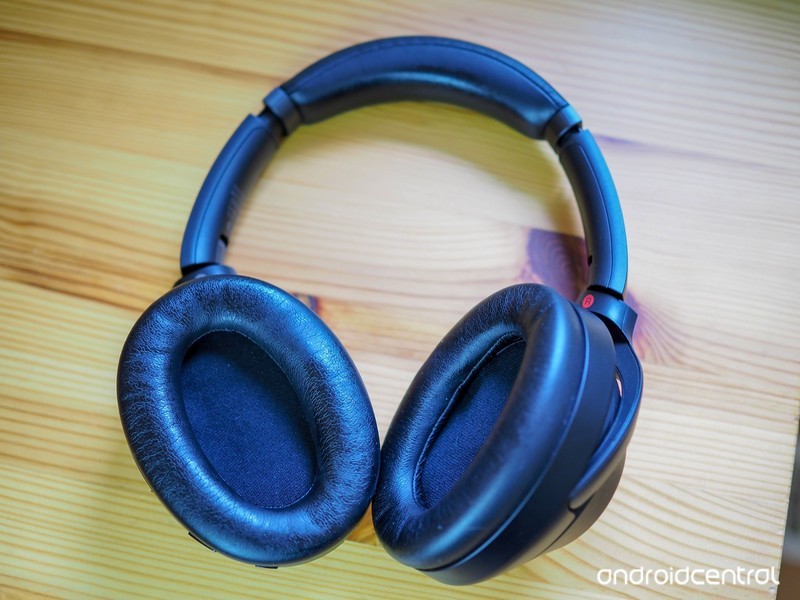
The Sony WH1000XM3 headphones come with a range of excellent features, and Sony is updating them with new features all the time. Version 2.0 brings support for Google Assistant, with more feature set to be added later. This guide will show you how to update the firmware on your new headphones.
What you’ll need
- Amazon: Sony WH1000XM3 headphones ($348)
- Google Play Store: Sony | Headphones Connect app (Free)
The Guide
First, make sure your headphones are paired with your phone
Launch the Sony | Headphones Connect application.
Connect your WH1000XM3 to the Sony | Headphones Connect app (this should happen automatically if you’re paired).
If there’s an update available, you’ll see the banner at the bottom of the screen. Press More Info.
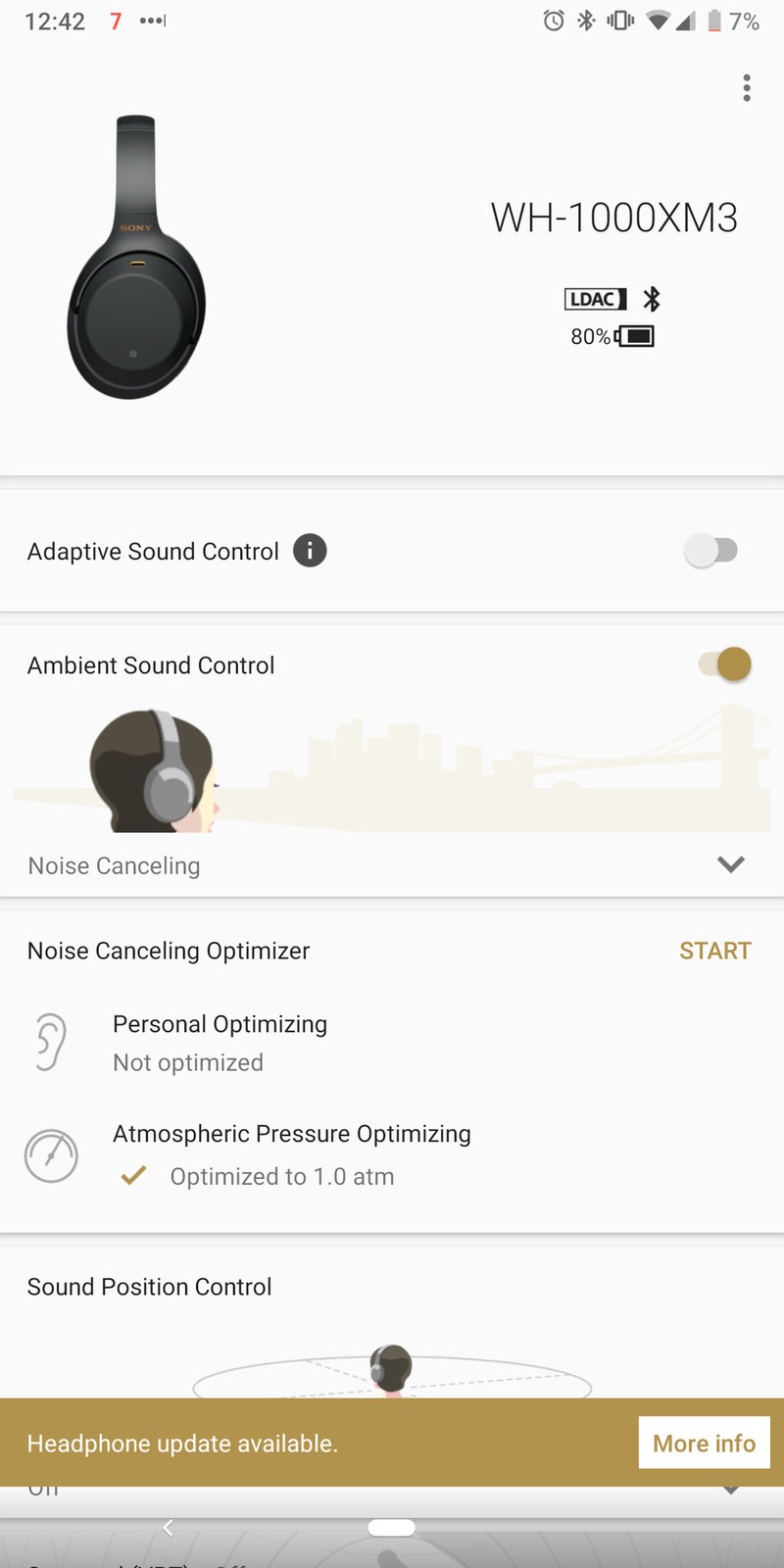

Press OK to start the update.
- The transfer will start. It will automatically move to the next screen after the transfer has been completed. This will take about one minute.
When the software update is completed, press “OK”.
Once you’ve updated the firmware on your Sony WH1000XM3 headphones, you’ll get the access to the latest features that Sony has made available. In the case of Version 2.0.0, this will allow you to access Google Assistant directly from the headphones, once Google enables the feature in late 2018.
Our top equipment picks
Our pick
Sony WH1000XM3 Wireless Headphones
<img src=”https://www.androidcentral.com/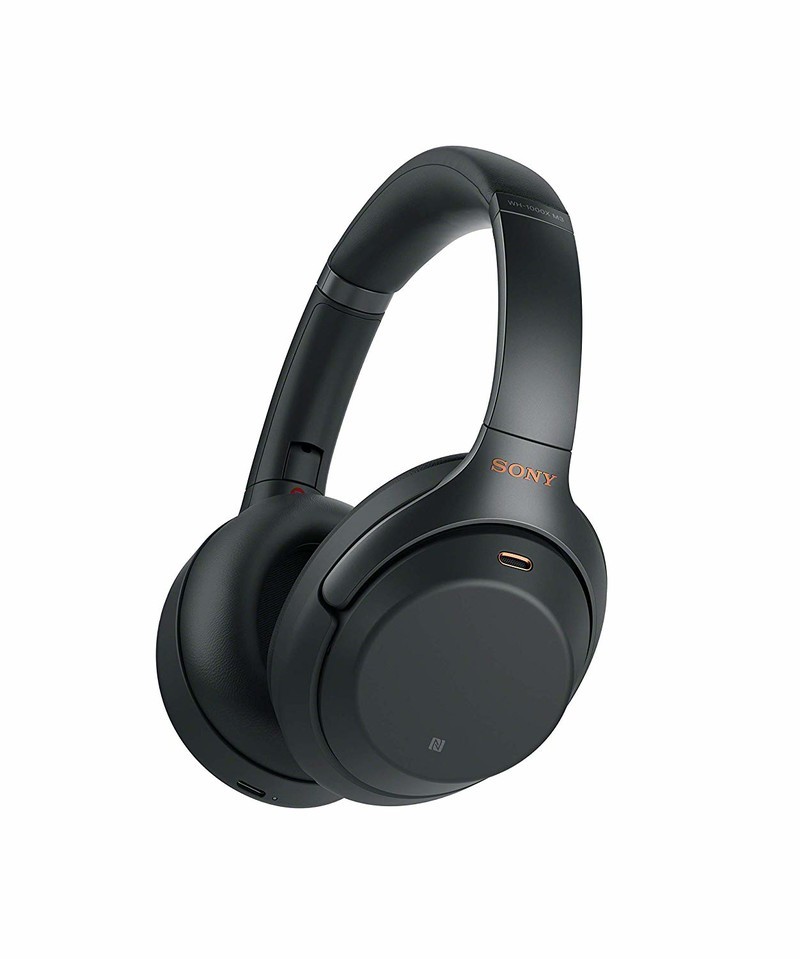
$348 at Amazon
The best wireless headphones are even better this year.
The best headphones offer comfort, connectivity, and compatibility with all your devices, and the Sony WH1000XM3 achieves this. USB-C charging keeps them future-proof, redesigned ear pads make them more comfortable, and improved power efficiency means they offer hours of audio playback.
 AIVAnet