


How to Enter DFU Mode on iPhone 8, iPhone X, iPhone XS, iPhone XS Max, and iPhone XR When Recovery Mode Doesn’t Work
With the launch of the iPhone 8, iPhone 8 Plus, and iPhone X last year, Apple made some changes to the way a forced restart is performed and also to the way the devices are put into DFU mode. These changes remain in place for Apple’s latest iPhone XS, iPhone XS Max, and iPhone XR devices.
A forced restart can be used if an iPhone is freezing, throwing up errors, or has stopped responding completely. DFU mode (standing for Device Firmware Update) on the other hand restores an iPhone if a restart or standard Recovery Mode doesn’t solve the problem you’re experiencing.
- How to Enter DFU Mode on iPhone 6s and iPhone 7
DFU mode lets the device interface with iTunes, update the firmware, and restore the OS without automatically installing the last downloaded version. It’s useful for installing older versions of iOS if a beta persistently hangs your phone, or if a jailbreak goes bad.
How to Enable DFU Mode
Before following the steps below, make sure you have the latest version of iTunes installed on your computer.
Turn on your iPhone if it isn’t already.
Connect it to your computer using a Lightning to USB cable.
Launch iTunes on your computer, and check that your iPhone appears in the list of devices.
On your iPhone, press the Volume Up button immediately followed by the Volume Down button.
Next, press and hold the Side button (or power button) until your iPhone’s screen turns black.
Release the Side button and then hold down both the Side button and Volume Down button together for approximately five seconds.
Now release the Side button, but continue to press the Volume Down button.
Wait for at least five seconds for iTunes to recognize DFU recovery mode has been enabled.You should see a message dialog saying “iTunes has detected an iPhone in recovery mode. You must restore this iPhone before it can be used with iTunes”. If you don’t see the message, repeat the steps above.
Once you’ve closed the iTunes recovery prompt you can go ahead and restore your iPhone back to factory settings by selecting Restore iPhone on the iPhone Recovery Mode screen. Once restored, your iPhone will automatically exit out of DFU mode and boot up to its activation screen.
How to Exit DFU Mode
If you enabled DFU mode and want to manually exit out of it, here’s how it’s done.
Press the Volume Up button on your iPhone and quickly release it.
Press the Volume Down button and release it.
Press and hold the Side button until the Apple logo appears on your iPhone’s screen. Your iPhone should now have exited DFU recovery mode.
Related Roundups: iPhone 8, iPhone XS, iPhone XRBuyer’s Guide: iPhone XS (Buy Now), iPhone XR (Caution)
Discuss this article in our forums
First Impressions: What does the Sony Xperia XZ3 offer in 2018
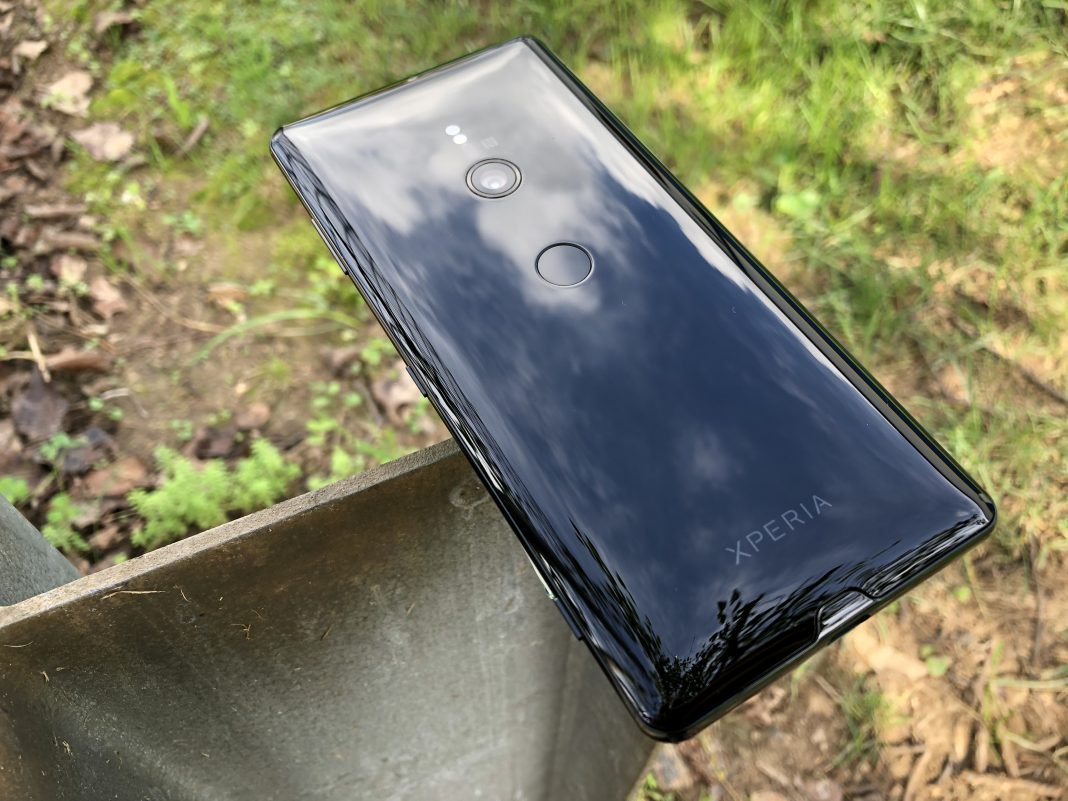
Before getting started, it’s important to note that I have never owned or used a Sony smartphone for more than just a few minutes. Those times have been limited to seeing the display units in my local Best Buy and putting around with those for just a few moments before moving on.
Now that we got that out of the way, let’s talk about the Sony Xperia XZ3. This is just our first impressions of the device, as we have had it for just less than a week.
Sony Xperia XZ3 Specs
As a precursor, let’s give everyone a quick breakdown of the specs for the XZ3:
- 6-inch 18:9 QHD+ (2880 x 1440) Display
- Qualcomm Snapdragon 845 Processor
- 4GB RAM
- 64GB of Expandable Storage
- 13MP wide-angle selfie camera
- 19MP Motion Eye Camera
- 3,330mAh Battery
So as you can see, Sony has pretty much packed all of the expected specs into the XZ3. There’s not too much that is really surprising or head-turning, at least at first glance.
Hardware
When I took the XZ3 out of the box, I was instantly surprised. While the handset felt great in the hand in terms of materials, I also felt like I had just picked up a brick.
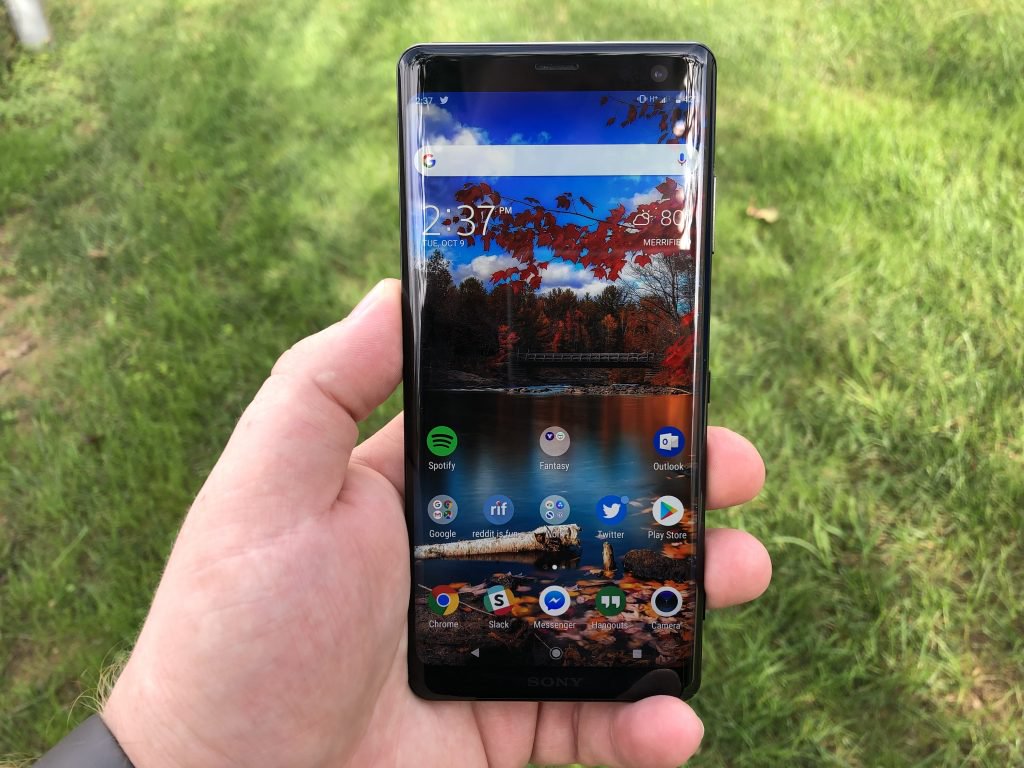
Sony’s website state that the device weighs in at 6.8 ounces. Considering that I was coming from a combination of the iPhone X and LG G7 ThinQ, the weight was immediately a concern.
In fact, it was such a concern that I was worried about dropping the device. I ended up quickly ordering a case from Amazon just to avoid any accidental drops that could occur.
Now that we’ve got that out of the way, let’s take a look at the design itself. Gone are the days of the squared, box-like smartphone and now we have rounded edges and a smooth build.
The back is curved quite nicely so that it fits better in your hand. But there is major quirk that I am continuing to struggle with – fingerprint scanner placement.
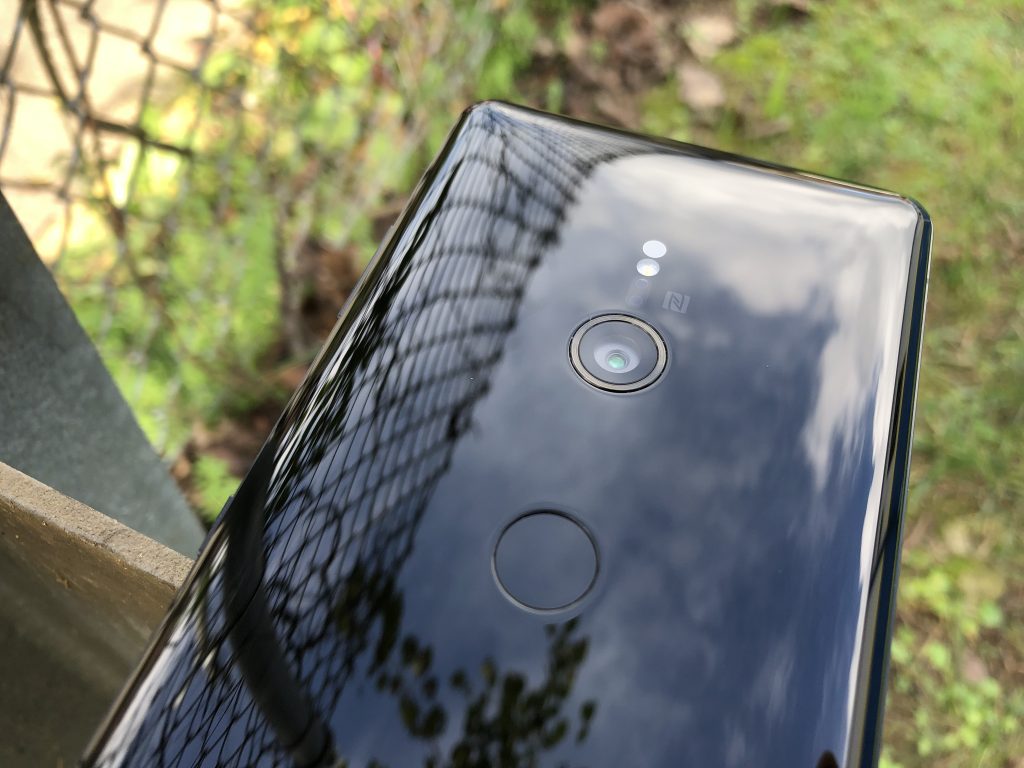
Before the case arrived I was still using the XZ3, just extremely carefully. The rear-mounted fingerprint scanner is placed just slightly above the middle of the device.
Since the camera module rests vertically and quite low, I found myself touching the camera instead of the scanner. I would brush my finger across the lens and then wonder why the XZ3 didn’t unlock.
Now that I have the case, it’s a bit easier, but there still have been some times where I miss the target. You will get used to it, but it’s going to be an annoyance in the beginning.
There are no more sharp edges to worry about digging into your hand as the display just melts into the frame.
Speaking of that display, Sony knocked it out of the park here in our early testing. Admittedly, I’m not someone who is overly-critical of displays, but the Xperia XZ3’s OLED HDR display pops much more than others.
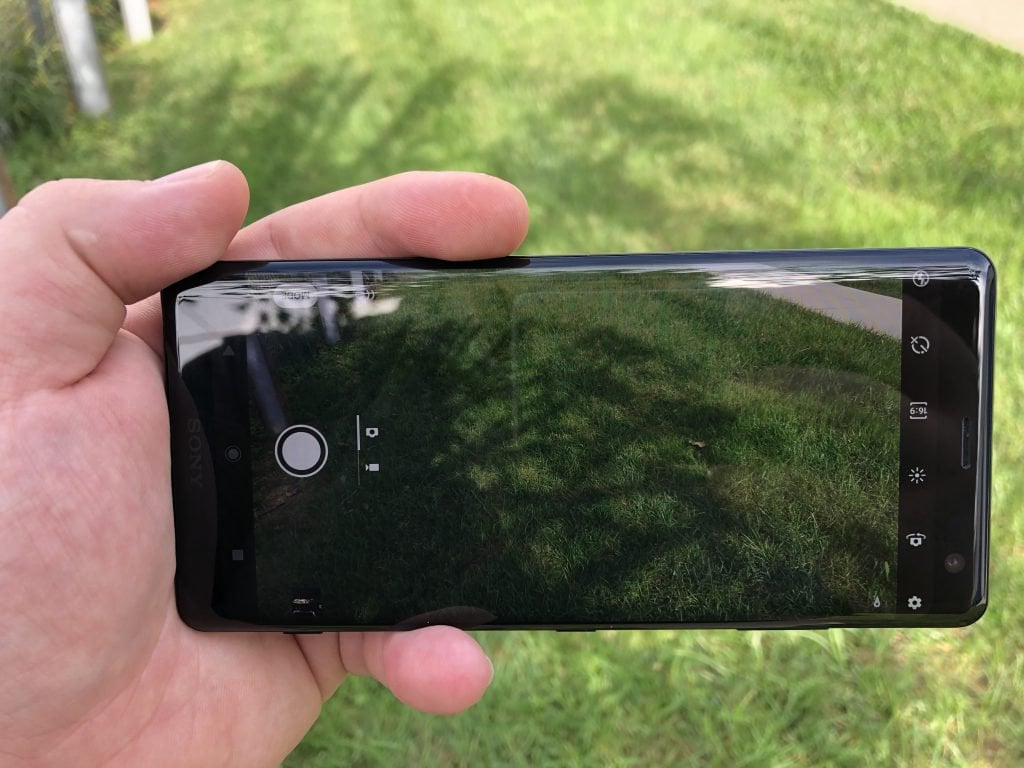
There are some software adjustments that can be made in the Settings panel, but I haven’t touched any of those. Instead, I just switched the “Display Size” and “Font Size” to get more information on the screen.
We have not had enough time to put the camera through its paces and pushed it to its limits. However, we have taken a few quick shots and things seem to be doing quite fine for the most part.
While LG and Samsung have added additional hardware buttons for digital assistants, Sony added one for the camera. On the right frame, near the bottom, there is a camera button that allows you to quickly take pictures.
There is a bit of a feeling of using an old point and shoot, which is a nice feeling. Plus, the button is placed low enough where accidental presses aren’t really a thing.
Software
Whenever a new version of Android is announced, there’s usually a party or two. The first is to celebrate the final release, while the second is for the first OEM to launch a device with the latest version.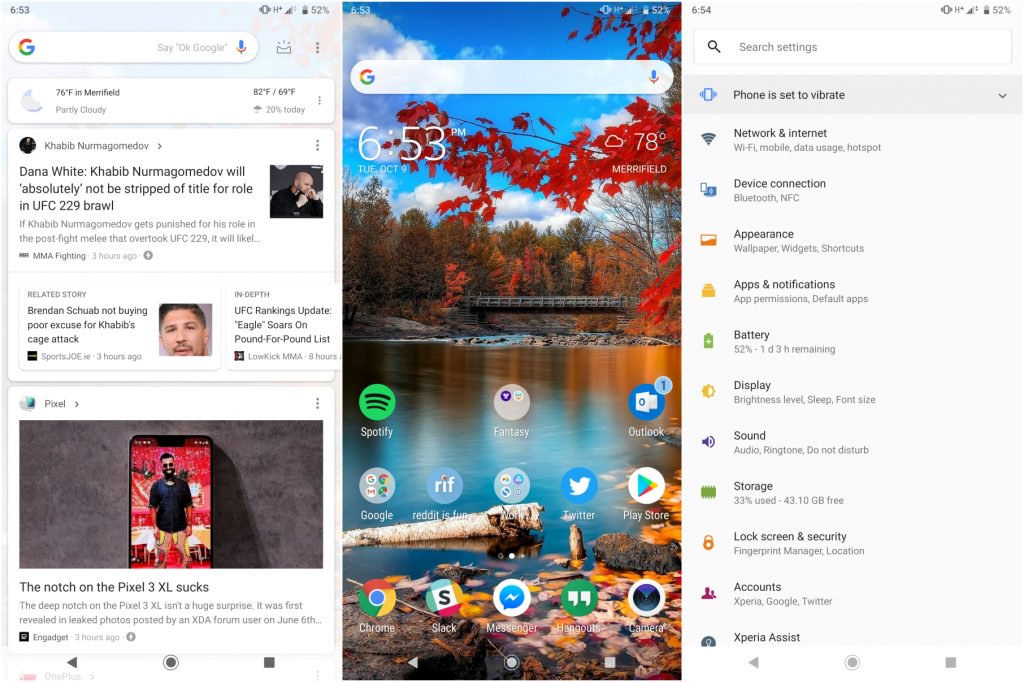
Well, Sony didn’t really get to have a great party despite being the first phone from 2018 to be released with Android Pie on board. Of course, Pixel, Essential Phone, and OnePlus owners had this already, but those are devices with last year’s hardware.
Starting off with the launcher, Sony has done a pretty good job emulating a near-stock experience. You have your shortcuts that appear with a long-press of the app icon.
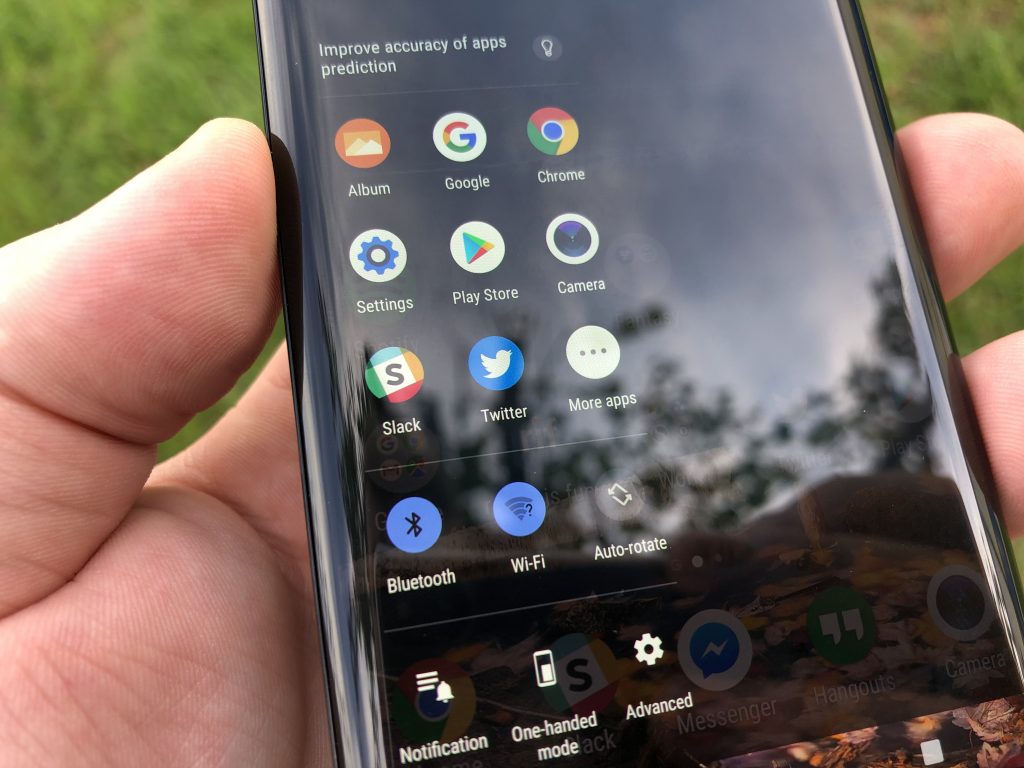
Sony also included the Google News Feed when swiping to the right from your home screen. Plus, the on-screen navigation buttons are also “borrowed” from the Pixel devices which is a nice touch.
We have noticed a few smaller features here and there that we will cover in the full review. So stay tuned for that.
Bottom Line
In our limited time with the Xperia XZ3, there are some great features that improve the experience. And I, for one, am excited to continue this adventure and get even more acclimated with Sony’s latest and greatest.
Despite its heft, the XZ3 is definitely a sleek handset and will turn some heads thanks to its gorgeous display. If you have any questions about the device, please sound off in the comments below and we’ll try to cover them in the review.
Nokia 5.1 Plus review: The new budget superstar
With the Nokia 6.1 Plus, HMD Global finally offered a well-rounded mid-range smartphone where, unlike the company’s 2017 portfolio, the specifications sheet didn’t look dated and the pricing didn’t evoke, to put it mildly, a mixed reaction.
The Nokia 5.1 Plus is the step in the same direction and shares a similar design language as well as the overall ethos. At first glance, one can easily mistake it for a lower spec’d sibling of the Nokia 6.1 Plus, but looks only tell half the story.
With the Nokia 5.1 Plus, HMD Global aims for a balance of design and performance, at probably the most competitive price in markets like India. Let’s take a deep dive in this Nokia 5.1 Plus review and see if it delivers.
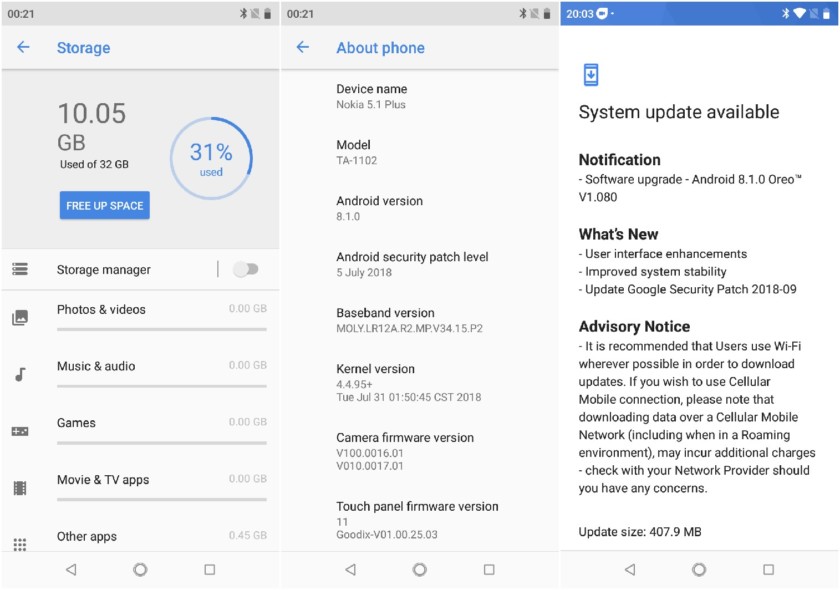
Nokia 5.1 Plus review notes: For the purpose of this review, I used the Indian variant of the Nokia 5.1 Plus that was provided to AndroidAuthority a few days before the official launch. During the period of testing, there was an update for improved system stability and some UI enhancements which also delivered the Google Security Patch for September.Show More
Design
See also
Nokia 6.1 Plus review: The one that just works
Less than two years after it resuscitated Nokia, HMD Global finally looks like it’s at home. The 2017 portfolio’s middle-of-the-road devices didn’t fare well against the competition, but they were hardly shoddy.
This year’s seen a fantastic mid-ranger, …
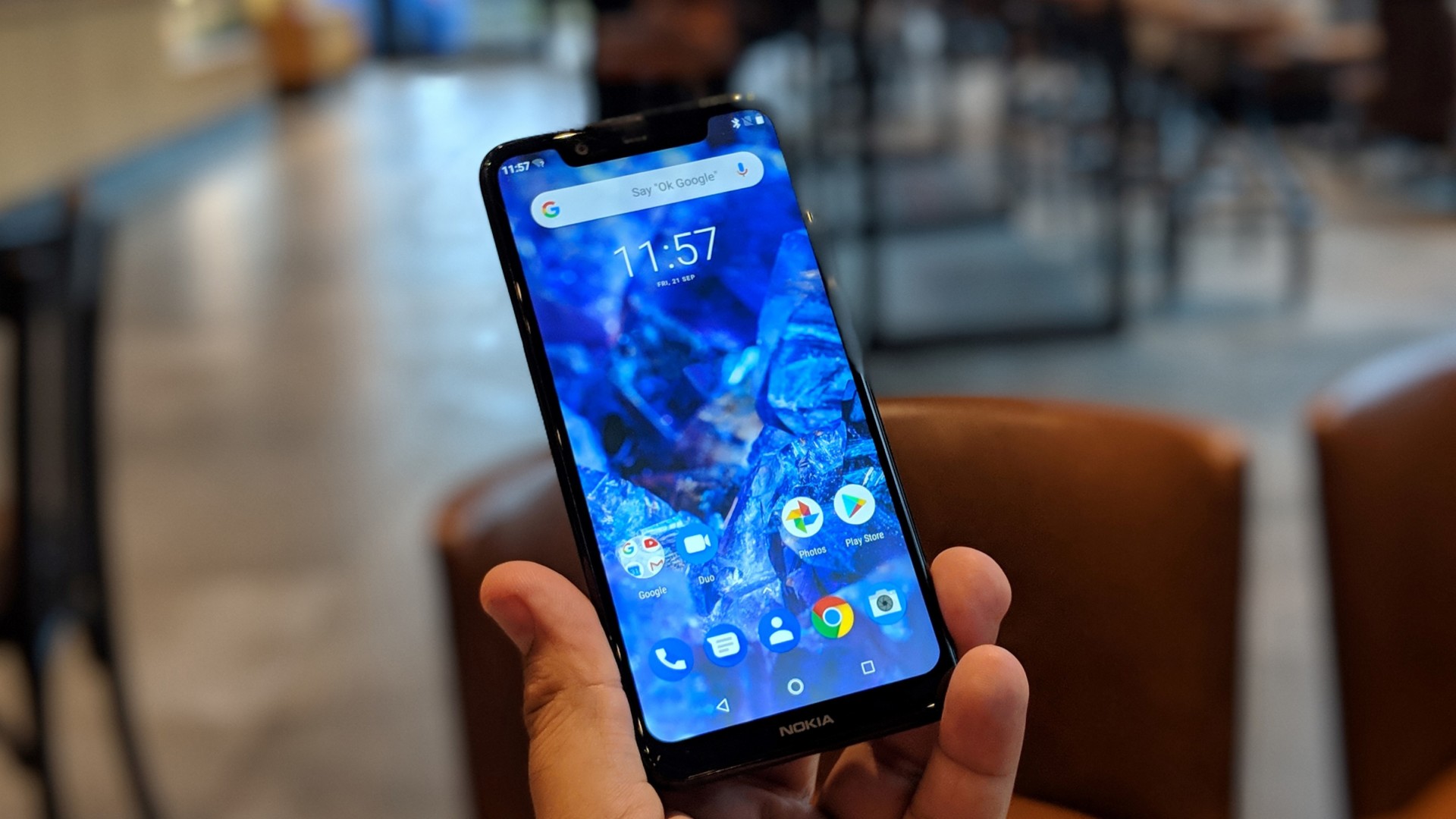
The Nokia 5.1 Plus almost looks like a Nokia 6.1 Plus. There’s no getting around it, but it’s not a bad thing. The 6.1 Plus, and by extension the 5.1 Plus, upped the ante for the design of budget smartphones. The finesse in design and the reassuring build quality makes the 5.1 Plus seem like it should be more expensive.
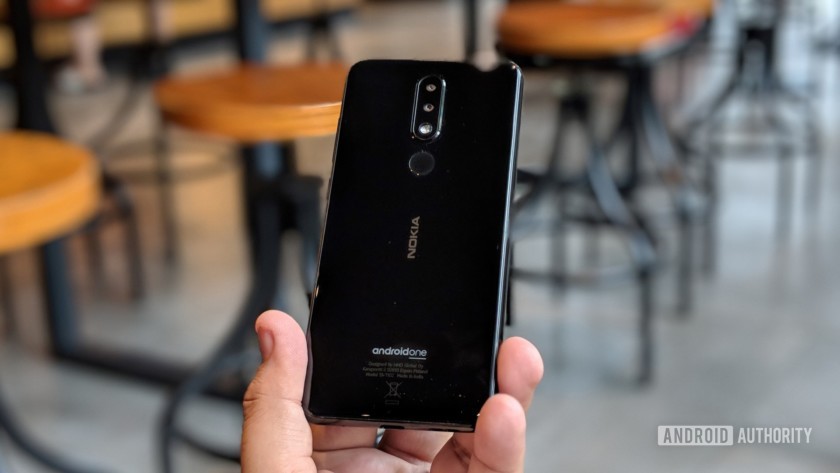
There’s glass on the rear, and the black one I used looked great, though a glass back of course attracts fingerprints and smudges, so bear that in mind. It’s also quite slippery as expected, and I think a lot of people would prefer to snap a protective case on it.
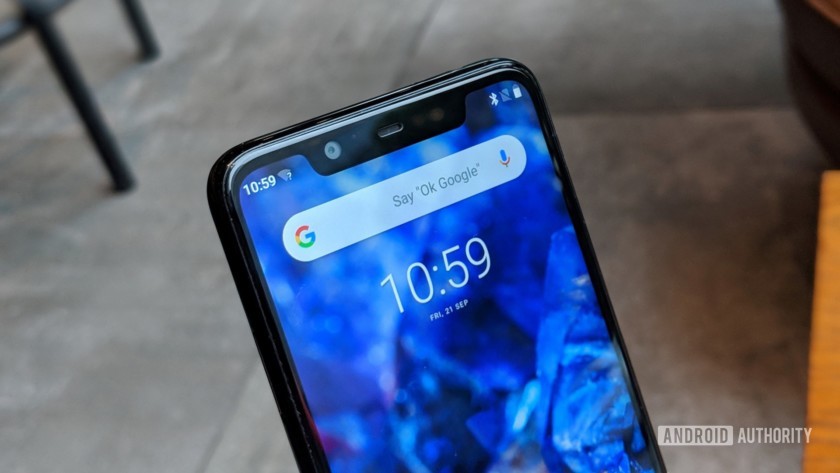
Along with the Nokia 6.1 Plus, the Nokia 5.1 Plus is among the most compact smartphones in the market right now. There’s only the moderately large 5.8-inch display on the front (with a notch and minimum bezels, that is). It’s not exactly bezel-less since the phone’s frame peeks from around the edges of the display along with a proper chin at the bottom.
The Nokia 5.1 Plus sports nicely rounded corners, which make the phone nice to hold and use with one hand.
Nokia 5.1 Plus impresses with its striking chassis and build quality and overall ergonomics.
At the back, the dual cameras and the fingerprint sensor along with the Nokia branding are stacked right in the center giving the device symmetrical aesthetics. The cameras protrude a little, so the phone doesn’t rest flat on surfaces. There’re no silver accents around the camera module, the fingerprint sensor, and the buttons like on the 6.1 Plus which added a nice premium touch.
Overall, the Nokia 5.1 Plus impresses with its striking chassis and build quality and overall ergonomics — all in a sub-$200 smartphone.
Display
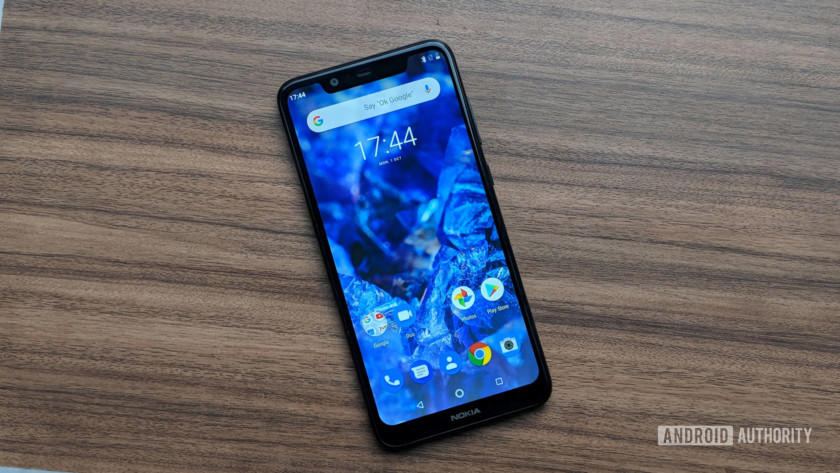
On the front side, there’s a 5.8-inch HD+ display with a 19:9 aspect ratio. The tall display is almost the perfect size for most people. There’s a considerably wider notch that leaves little space for status indicator icons.
It’s a pretty good display for a budget smartphone. The color reproduction is just right with enough punch, and the viewing angles are great.
While the screen brightness is decent for usage in bright sunlight outdoors, at some angle, the display can get very reflective. The adaptive brightness is iffy though.
Performance
Powered by the MediaTek Helio P60 chipset with Mali-G72 MP3 GPU, the Nokia 5.1 Plus packs in 3GB of RAM and 32GB of internal storage.
The Nokia 5.1 Plus chugs along nicely in everyday usage and didn’t fail at anything I threw at it. Much of it is because vanilla Android requires few resources and the memory management on the phone is terrific.
I did not face any stutters while multitasking with about half a dozen apps in the background or switching between games. Web browsing with a bunch of tabs open was a breeze and it manages to hold up nice while playing graphic-intensive games like the Asphalt 9: Legends. There’s of course some slight lag here and there, like when items in an app take a second to populate the screen, or a noticeable delay before the keyboard appears when you tap in a text input area, or just launching an odd app. These are expected in a budget smartphone, and not really a showstopper.
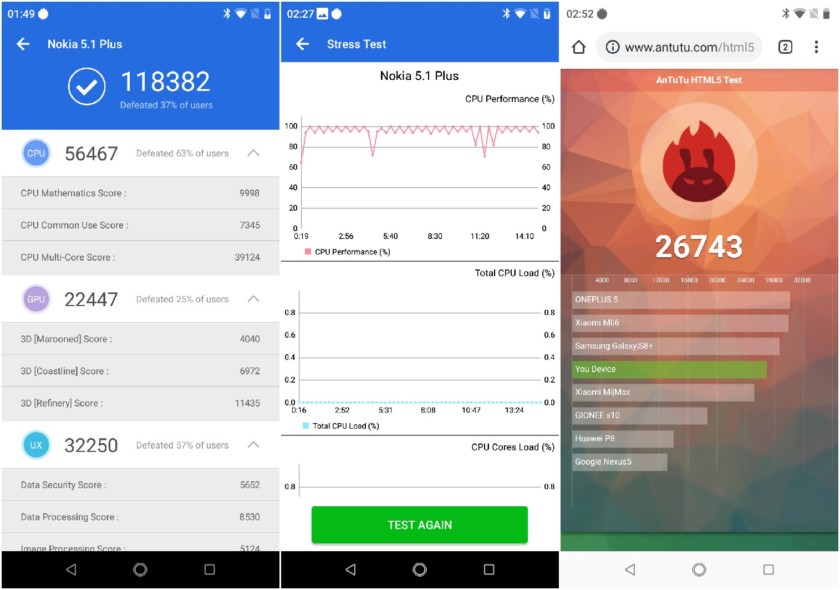
The Helio P60 chipset offers a good mix of performance and power efficiency. In real world usage, the phone easily lasts for an entire day with its 3,060mAh battery. Fast charging allows the phone to go from zero to 100 percent with the bundled charger in just over two hours, which is pretty good. Using a third-party Quick Charge 3.0-compatible charger, this only takes 90 minutes.
Hardware
Related
It’s 2018 and USB Type-C is still a mess
USB Type-C was billed as the solution for all our future cable needs, unifying power and data delivery with display and audio connectivity, and ushering in an age of the one-size-fits-all cable. Unfortunately for those …
HMD Global deserves big props for offering a USB Type-C port on the Nokia 5.1 Plus, instead of a MicroUSB port. Most budget and mid-range smartphones still go with the MicroUSB port and the Type-C port has hitherto been the preserve of more expensive phones.
The smartphone includes a hybrid dual-SIM tray, so you can use two nano SIMs or one SIM and a microSD card up to 400GB if memory expansion is important for you.
Camera
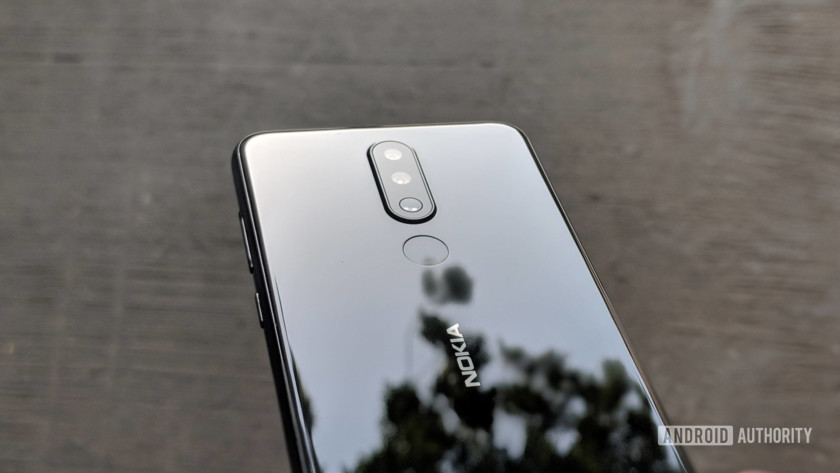
The Nokia 5.1 Plus sports a dual camera setup at the back with a 13MP primary sensor with an f/2.0 aperture combined with a 5MP secondary depth sensor. For a budget smartphone, the Nokia 5.1 Plus manages to capture quite agreeable shots outdoors. The color reproduction is accurate, and the sharpness is on track with a good amount of detail.
In low-light conditions, a little noise creeps in and the lack of detail is noticeable. Some of the shots are quite grainy too.
The 8MP front camera with f/2.2 aperture takes serviceable selfies in good lighting conditions but struggles a bit at night. It’s wide enough for those group selfies, but there’s no depth of field.



While the camera app is good enough, there’s a definite lag in capturing a photo after pressing the shutter button. It’s noticeable if you’re coming from a better spec’d smartphone, but otherwise no big deal. The app is fast enough to lock the focus, but it’s hit or miss.
The Live Bokeh mode allows you to alter the depth of field, adjusting the level of bokeh effect. Most of the photos I captured in the mode came out quite well, with decent edge detection and a nice background blur.



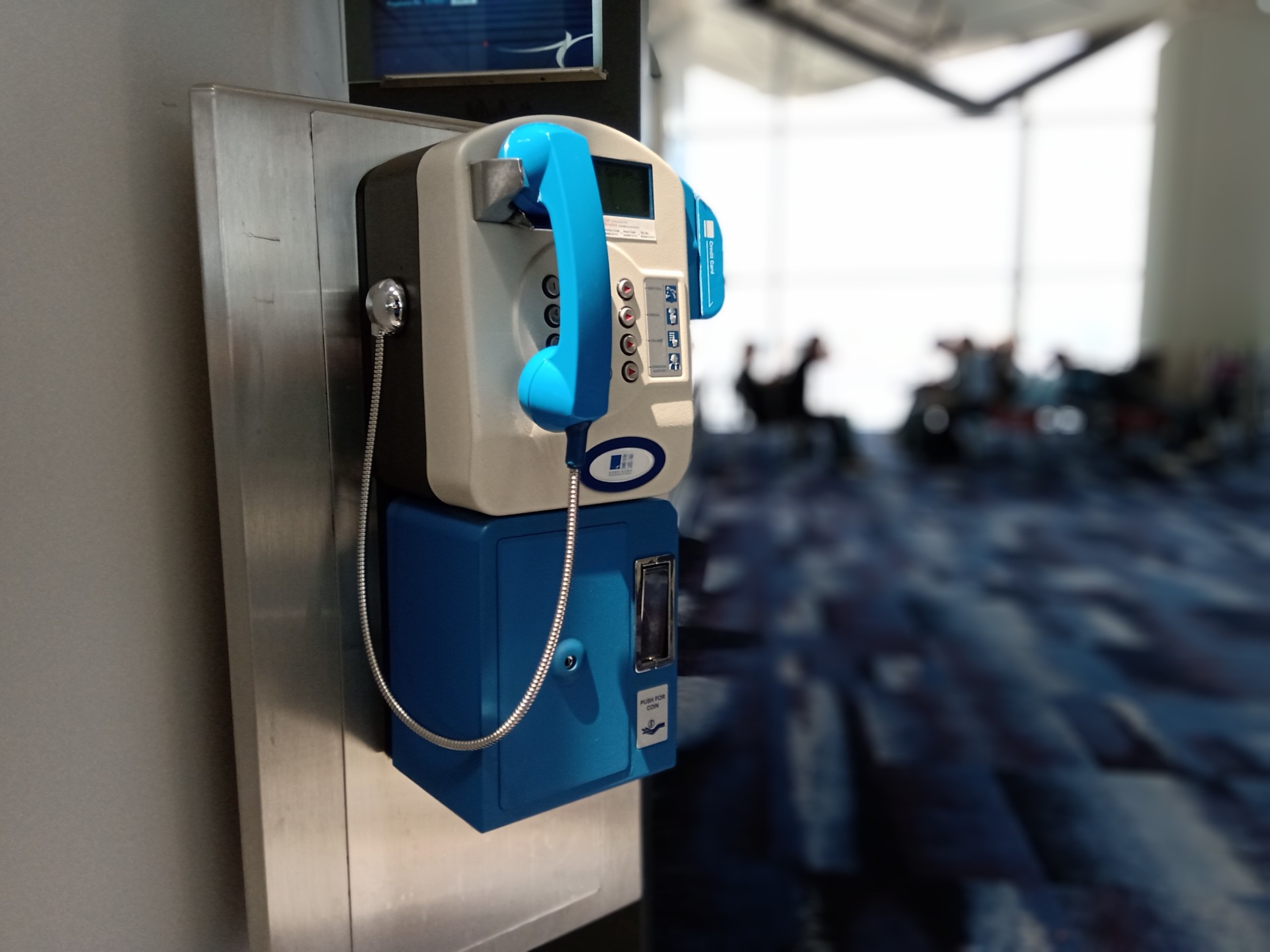
All things considered, the camera setup on the Nokia 5.1 Plus is pretty good. Go in with modest expectations, and it will serve you quite well — except the lazy reaction time while clicking photos. Here are all the photos in high resolution if you want to do some pixel peeping.
Software
Like other phones in HMD Global’s portfolio, the Nokia 5.1 Plus is an Android One smartphone. Out of the box, it ships with Android 8.1 Oreo and offers a clean, stock Android experience.
Don’t miss
Unpacking Google’s role in Android One — Is this the new Nexus line?
We’re hot off the heels of the launch of Xiaomi’s Mi A2 — an Android One device that makes us pretty excited for the future of the platform. The thing is, a lot of people are …
Android One certification means the smartphone will receive two years of guaranteed Android “letter” upgrades and three years of monthly security updates. It’s likely to receive Android Pie soon and will also get Android Q, whenever that happens.
There’s no bloatware or duplicate apps, but the Nokia 5.1 Plus comes with the Google Pay app pre-installed which you can uninstall if you don’t need.
The implementation of the notch could be better. In landscape mode while playing games or watching videos, the area on either side of it is wasted.
Specifications
| Display | 5.9-inch HD+ (720 x 1520) 19:9 aspect ratio 2.5D Cover Glass |
| SoC | MediaTek HelioP60 MT6771 Octa Core; up to 1.8Ghz |
| RAM | 3GB LPDDR3 |
| Storage | 32GB Expandable with MicroSD card up to 400GB |
| Cameras | Rear: 13MP PDAF f/2 + 5MP depth sense LED flash Front: 8MP FF |
| Audio | Single speaker AMP+ 2 mics |
| Battery | 3060mAh 5V/2A charging |
| IP rating | None |
| Sensors | Gyroscope, Ambient light sensor, Proximity sensor, Accelerometer, Fingerprint |
| Network | GSM Quad band WCDMA 1, 5, 8 LTE 1, 3, 5, 8, 40, 41 (120MHz) |
| Connectivity | USB type-C 3.5mm audio jack Wi-Fi a/b/g/n/ac, BT 4.2, GPS/AGPS/GLONASS/BDS/Galileo FM radio |
| SIM | Dual SIM |
| Software | Android 8.1 Oreo (Android One) |
| Dimensions and weight | 149.51 x 71.98 x 8.096mm |
| Colors | Gloss Black / Gloss White / Gloss Midnight Blue |
Gallery
Pricing and final thoughts
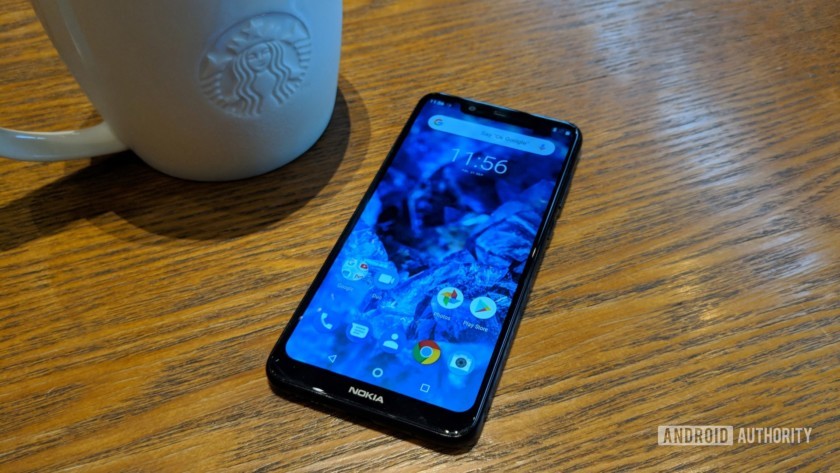
The Nokia 5.1 Plus is a pretty well-rounded budget smartphone, with a good balance of performance, camera, and battery life all packed in an upmarket chic-looking chassis with progressive choices like a USB Type-C port.
The Nokia 5.1 Plus offers an uncompromised smartphone experience for those who don’t pick up smartphones based on specifications sheet.
Android One is the icing on the cake, delivering a seamless stock Android experience. HMD Global has done well this year delivering regular updates for existing Nokia phones. So far the company’s kept up with its pitch of pure and up-to-date Android.
At 10,999 rupees (~$149) in India, the Nokia 5.1 Plus is definitely worth the money. It’s now my automatic recommendation for someone looking for a sub-$150 smartphone.
There’s something reassuring about a Nokia phone, and HMD Global has done quite well to offer an uncompromised experience for those who don’t pick up smartphones based on specifications sheets.
Spoof Adobe Flash updaters are inserting cryptocurrency mining malware
Cryptocurrency mining malware could be hiding in your Adobe Flash Update, according to new research from cybersecurity firm Palo Alto Networks. Although not a new hacking tactic, the latest analysis shows a significant spike in Adobe Flash updaters which can go on and hide in the background and do damage to Windows systems.
Per the research in the study, there were a total of 113 fake updaters discovered on the web, none of which are hosted on official Adobe servers. A spike in these URLs appeared as early as June 2018, and then again in September 2018. The research doesn’t make it clear how one can arrive at these, but it shows that spoof URLs are the likely root cause.
In a test of one of these URLs on August 24, Palo Alto Networks revealed that the bogus Adobe updaters go on to legitimately update Flash Player and throw an unsuspecting user to an official Adobe website on completion. Unfortunately, it also ends up embedding an “XMRig” mining bot in the process. That bot then runs in the background, making a CPU go 100-percent full force, mining “Monero” cryptocurrencies for hackers. There’s no warning, and the only way to tell where connections were going was by analyzing the networking traffic.
“This campaign uses legitimate activity to hide distribution of cryptocurrency miners and other unwanted programs. Organizations with decent web filtering and educated users have a much lower risk of infection by these fake updates,” explains Palo Alto Networks.
Cryptocurrency malware is not a new phenomenon and has sometimes proven tough to remove from infected systems. Back in May, one strain of this type of malware crashed the PCs of those who manually tried to kill off the mining process from the task manager.
Adobe is actually ending support for Flash Player in 2020 and wants content creators and consumers to move to the much more secure HTML 5 platform. The firm cited browser plugins in that decision, noting that these can disrupt secure environments, cause browser instability issues, and open up browsers to hacking. Flash is mainly obsolete anyway, and many browsers are already blocking the plugin from starting automatically. It’s all one step toward a safer internet for us all.
Editors’ Recommendations
- The Nixplay Iris might just make digital picture frames cool again
- Google completely revamps Chrome to celebrate browser’s 10th birthday
- Windows update not working? Here’s how to fix it
- When is your phone getting Android 8.0 Oreo? We asked every major manufacturer
- Here’s everything Google announced at its October 9 event
With VR dinosaurs and ‘Minecraft,’ one hospital is making medicine less scary
Going to the hospital can be pretty traumatic for kids. That’s something a new high tech overhaul of one of the world’s most famous children’s hospitals hopes to help with. How is it doing this? With cutting-edge technology, of course.
The result of a collaboration between the U.K.’s National Health Service, University College London, Microsoft, Samsung, and chipmaker Arm, London’s Great Ormond Street Hospital is becoming a veritable Disneyland of cool gadgetry. Who knows? Soon your kids may be begging to go to the hospital to get their tonsils out!
Called DRIVE (Digital, Research, Informatics, and Virtual Environments), the initiative is designed to explore how new technologies can help with the medical treatment of young kids. What makes the project especially innovative is the breadth of its ambitions — which frequently include technologies you might not expect to find in a hospital. For example, kids using an augmented reality app to look around will see a big blue whale and hopping rabbits moving around the building.
There’s also a research project designed to examine whether a dinosaur-themed VR experience can help keep children’s minds occupied while they are being treated, as well as a gamification platform which lets patients control video games by doing chest physiotherapy exercises. Not enough? Heck, there’s even a painstaking replica of the entire hospital, built in Minecraft, so that kids can look around it to make the whole experience less daunting.
“The DRIVE unit is a way of bringing together clinical staff, academics from computer science, and technology industry partners to work on common projects and provide a common space to bring these to life,” Neil Sebire, a Consultant Pediatric Pathologist at GOSH, told Digital Trends. “In addition, the DRIVE unit itself acts as a healthcare ‘sandpit’ or ‘living lab’ in which to develop and evaluate new technology for potential healthcare use before bringing this into the real world clinical environment.”
Given Great Ormond Street’s reputation for pioneering research, hopefully it won’t be long before similar technologies — once their efficacy is proven — roll out to other hospitals around the world. And, hey, let’s get a few grown-up hospitals in there, too. That dino VR simulation sounds pretty good to this 33-year-old!
Editors’ Recommendations
- A new way to ‘freeze’ water could help transform organ preservation
- Moxi the ‘friendly’ hospital robot wants to help nurses, not replace them
- Hollywood tough guy actor Burt Reynolds has died at age 82
- Robots can peer pressure kids, but don’t think for a second that we’re immune
- The best Oculus Rift games available today
Check out the British Army’s beefy new bomb-disposal robot
The British Army is about to get an impressive new explosive ordnance disposal robot that’s able to climb stairs, negotiate slopes of more than 40 degrees, and … oh, yes, diffuse bombs, too.
The T7 robot is not autonomous, but is rather radio controlled by a human operator. One of its most promising features is its haptic feedback capabilities, which allows the operator to accurately feel what they are doing when they use the T7’s robotic arm to unpick a bomb fuse.
The Harris Corporation’s T7 robot reportedly passed the initial qualifying tests in July. This “all-encompassing battery” of challenges, included coping with extreme temperatures and working in situations involving blowing sand and rain, humidity, vibration, and electromagnetic interference. It is now set to carry out more advanced trials later this year, as part of the U.K. Ministry of Defence’s (MoD) Project Starter program. Harris revealed the news at the annual Association of the United States Army (AUSA) exhibition in Washington, D.C. this week.
“T7’s selection by the MoD represents the first of many opportunities for Harris to deliver lifesaving technology to warfighters and law enforcement personnel worldwide,” Ed Zoiss, president of Harris Electronic Systems, said in a statement.
The T7 robot tips the scales at 710 pounds, making it a heavy piece of machinery. The MoD has reportedly agreed to acquire 56 of the robots as part of a contract valued at $73 million. The goal is to find technology that can assist service personnel and first responders by taking away some of the most dangerous tasks — such as bomb disposal — from human operators. The MoD hopes to get the robots out in the field as soon as 2020. In the future, the Harris Corporation aims to also sell the T7 robots to the U.S. Army for its U.S. Army’s Common Robotic System-Heavy requirement.
From snake robots designed to help decommission nuclear power plants to robots capable of assisting firefighters in blazes, there are plenty of robot projects we have covered that are designed to wade into risky scenarios that most would be afraid to. T7 is a reminder that there is plenty more innovation to come.
Editors’ Recommendations
- The best e-cigarettes
- iRobot Roomba i7+ review
- HDMI ARC and eARC: What they are and why you should care
- Make the most of your compost by transforming it into 3D printing filament
- How to create disposable email addresses
Was your Facebook account hacked in the latest breach? Here’s how to find out
After revealing that a security vulnerability discovered in late September allowed hackers to gain access to an estimated 50 million accounts, Facebook’s current report suggests that the number of impacted users is closer to 30 million.
“We now know that fewer people were impacted than we originally thought,” Facebook said in a blog post. “Of the 50 million people whose access tokens we believed were affected, about 30 million actually had their tokens stolen.”
The company revealed, as part of its ongoing investigation with the FBI, that hackers gained access to personal data, such as name, contact information, demographic details, hometown, birthdate, and details of other friends found on a user’s profile. Facebook has also set up a Help Center to check if you’re a victim of the hack.
Find out if you’re a victim?
To check to see if your account was impacted by the hack, you’ll need to navigate to the Help Center and log into your Facebook account.
Once you’re in the Help Center, you’ll want to scroll down. Toward the bottom of the page, there is a section titled “Is my Facebook account impacted by this security issue.”
Facebook will give you a quick yes or no response, along with any added details. “In the coming days, we’ll send customized messages to the 30 million people affected to explain what information the attackers might have accessed, as well as steps they can take to help protect themselves, including from suspicious emails, text messages, or calls,” Facebook said.
If the response was yes, then Facebook will tell you what kinds of information hackers had access to as part of the hack. The types of access are broken down into three categories. The first is that hackers stole name and contact information. This impacted 15 million people of the 30 million impacted account. The second category is more serious, affecting 14 million Facebook users. In addition to names and contact information, Facebook revealed that hackers may have had access to “username, gender, locale/language, relationship status, religion, hometown, self-reported current city, birthdate, device types used to access Facebook, education, work, the last 10 places they checked into or were tagged in, website, people or Pages they follow, and the 15 most recent searches.” Finally, Facebook found that hackers did not obtain any information in the third category of 1 million users.
Facebook passwords were not compromised as part of the hack. However, if you’re one of the 14 million users affected in the second category, you may want to keep an eye on banking, financial, and other sites. Given that they already have access to a lot of personal information, hackers can use complex social engineering techniques to pretend to be you, TechCrunch cautioned.
Facebook has not revealed the identity of the hacker or hackers behind this recent attack because of the ongoing investigation. The social network noted that hackers were not able to access data on other platforms that it owns, including Messenger, Messenger Kids, Instagram, WhatsApp, Oculus, Workplace, Pages, payments, third-party apps, or advertising or developer accounts. Private messages were also not impacted.
Editors’ Recommendations
- Facebook’s latest security breach leaves 50 million accounts compromised
- Dixons Carphone hack exposes 5.9 million cards, 10 million accounts
- Facebook, Twitter boot accounts tied to Iran, Russia for coordinated deception
- How to delete your Facebook account
- Facebook’s latest data breach could earn Europeans thousands in compensation
4K streaming doesn’t get much easier than this for $39

Roku now does 4K streaming for less than $50. That’s pretty much all you need to know.
This is going to be one of those reviews where we spoil everything from the jump. Roku Premiere (and the Walmart-exclusive Premiere+) bring 4K streaming down to under $50.
That’s it. That’s the important part. Everything else is secondary.
The Roku user experience? Same as it ever was. All those streaming “channels”? (What Roku calls “apps,” really.) Still there. Easy-to-use remote control? Yep.
This is a Roku streaming player that does 4K resolution and Dolby Atmos audio. And it’s relatively inexpensive.
Streaming TV
Roku Premiere (and Premiere+)

Roku’s entry-level 4K streamer sports ultra-high definition video and Dolby Atmos support.
You can now get a Roku streaming player with 4K resolution for less than $50. Roku Premiere lands at just $39, and the Premiere+ (an exclusive at Walmart) adds a voice remote for just $10 more. Both work great and don’t break the bank.
$39 at Amazon
The Good
- Great price, with a small footprint
- Roku’s excellent ease of use
- All the streaming services Roku supports
The Bad
- Wifi limited to 802.11n (aka Wifi 4)
- Wireless only — no ethernet port

So good, so inexpensive
Roku Premiere: What I like
The story of the Roku Premiere pretty much starts and ends with the price. The Premiere is a mere $39. The Premiere+ — again, which is exclusive to Walmart and is the model I’m reviewing here — comes in at $49. The only real differences between the two are that Premiere+ comes with a voice remote, and it has a shortcut on the remote to Vudu — which is owned by Walmart.
It’s the same Roku experience you’ve come to know and love.
Otherwise, we’re looking at the same specs here. 4K resolution. Wifi 4, which until early October 2018 had been known as 802.11n. Dolby Atmos support for Audio. All the usual caveats apply of course. To take advantage of 4K streaming, you’ll need a 4K-capable television. To use Dolby Atmos, you’ll need a speaker setup that uses Atmos.
Assuming you’ve handled all that, what you end up with is your usual rock-solid Roku experience. Same user interface. Same menus. Same setup process. In fact, sign in with an existing Roku login and it’ll automatically add all your channels. (You’ll still have to sign back in, though.)
That’s Roku’s strength. It’s simple to use, and it doesn’t cost a whole lot.

Limited network
Roku Premiere: What I don’t like
Here’s all you need to know about the difference between the Roku Premiere and the Roku Streaming Stick+. It’s all about the networking.
Roku Premiere tops out at Wifi 4 — aka 802.11n. Roku Streaming Stick Plus can do Wifi 5, heretofore known as 802.11ac. Wifi 5 is better than Wifi 4. Better range. Better connection.
Let’s just hope your network is up to snuff.
Do you need Wifi 5 to properly stream 4K video? Not necessarily. It’s going to depend on the strength of your wireless network as much as anything. So I can’t tell you if you’re going to need to spend $59 to get the Streaming Stick+ instead of Roku Premiere. I can’t tell you if $39 for the Premiere will be good enough. It might well be.
I had occasional hiccups streaming 4K video. Nothing consistent, and nothing I wouldn’t call ordinary hiccups in my home — I’ve got a lot of people streaming a lot of things a lot of the time. (Kids, ya know.)
The only other compliant would be that because of the form factor of the Premiere+ (it’s what I call a “mini box”), there’s no Ethernet port. Just HDMI, and power. So be it.

It’s just a great box
Roku Premiere: The bottom line
4.5
out of 5
Roku Premiere (and Premiere+, too) is a simple product. It’s 4K video, with HDR and Dolby Atmos, tucked into a small box. I wouldn’t go so far to say it’s hobbled by only having Wifi 4, but that’s definitely a limiting factor when it comes to network performance.
Maybe that’ll be a problem for you. Or maybe it won’t.
What most certainly won’t be an issue is the Roku end of things. It’s the same excellent experience you’ll find in every other Roku device. And it’s going to get better.
$39 at Amazon
Facebook October 2018 security breach: Everything you need to know
Around 30 million people had their information compromised.

Earlier this year, Facebook came under fire for sharing heaps of data for over 87 million users with Cambridge Analytica. As if the company wasn’t already having a tough time regaining the trust of its user base, Facebook’s now announced that information for around 30 million people was exposed during an attack it shut down in September.
Here’s everything you need to know.
What happened?
Between July 2017 and September 2018, attackers accessed Facebook and created a security vulnerability that allowed them to retrieve access tokens to take over people’s accounts.
Facebook says it noticed “an unusual spike of activity” on September 14, and on September 25, determined that it was being attacked.
Within two days, we closed the vulnerability, stopped the attack, and secured people’s accounts by restoring the access tokens for people who were potentially exposed.
Facebook originally estimated that up to 50 million users had their information exposed, but that number has since dropped down to around 30 million. Of that number, 15 million users had their name and contact info (phone number and/or email) compromised while another 14 million lost that and their gender, Facebook username, location, language, relationship status, hometown, religion, current area of residence, birthdate, devices used to access Facebook, work, education, and more.
For the remaining 1 million, Facebook says that no information was compromised.
This attack did not affect Facebook Messenger, Messenger Kids, Instagram, WhatsApp, Oculus, Workplace, Pages, payments, any third-party apps, or developer/advertising accounts.
What’s Facebook doing?
Facebook is working with the FBI to determine exactly how this happened, and per the official press release, the FBI’s asked Facebook “not to discuss who may be behind the attack.”

The 30 million affected users will see customized messages on the Facebook app and website to let them know what info of theirs was stolen, and the company’s Help Center has also been updated with new information about the attack.
What can you do to protect yourself?
Facebook says it’ll be reaching out to users to tell them what next steps they should take, but as always with these attacks, there are a few things you can do right now to ensure you’re taking the right steps.
For starters, it’s never a bad idea to reset your password when something like this happens. Also, if you’re still not using a password manager or two-factor authentication, now’s a good time to change that.
WWE 2K19 Universe Mode puts you in control of your own wrestling promotions
Show Vince McMahon how it’s done.

WWE 2K19’s Universe Mode is one of the most interesting ones in wrestling video games. The mode essentially lets you play the role of pro wrestling booker. That is, you’re in charge of which matches go on the show card, who wins championships, and who becomes the face of your company.
Feeling a bit overwhelmed trying to put on the best wrestling shows you can? Don’t worry. We have a few things you can do to make your Universe Mode experience more enjoyable.
Start out with one show at first

To be honest, WWE 2K19 throws way too much at you out of the starting gate. The game starts you out with three weekly shows to manage all at once, each with half a dozen matches between as many as 50 different superstars.
That’s… a lot. If you’re having problems keeping up and juggling all your talent, delete some shows. I find it helpful to start with just one flagship show. Not only will it be easier to remember all your storylines and booking plans, but it won’t be as much of a drag to get to each monthly pay-per-view event and advance your storylines.
Don’t have much more than 30 superstars per show

In the continued spirit of cutting back, try and keep your roster size manageable, too. Universe Mode seems to work best with around 30 superstars competing for 3-4 different championships.
An optimal roster tends to have 5-6 main event and World Championship competitors, 9-10 mid-card superstars to fight for something like the Intercontinental Championship, 6-7 women to compete for the Women’s Championship, and four different tag teams competing for the Tag Team Champions. Alongside championship divisions, I like to keep 2-3 non-regular superstars in the rotation for flavor.
The goal here is to focus on key rivalries while you fill the rest of your show cards out with interesting matches for superstars who aren’t squabbling with enemies or fighting for gold.
If you try to put 100 wrestlers on your show, well, things just feel far too inconsistent from one week to the next, and you’re never going to be able to give all of them the shine they need. Feel free to play around with these values and find what’s best for you.
Rotate superstars in and out on a regular basis to keep things fresh
Notice when I said I keep a rotation? It’s a good idea to shake the roster up now and then to keep things fresh. Try out some new superstars you haven’t used before or in a while. Bring in a legend or two to build a big WrestleMania main event. Find some new wrestlers in Community Creations to keep new faces coming and going.
As you get deeper into your Universe, you’ll likely add more shows and you could eventually use the brand split feature to feature more superstars at the same time. Don’t forget to do an annual roster shakeup!
Customize your match tables for more realistic or crazy booking

New to WWE 2K19, you can customize your show’s match table to change which matches show up on your shows and how often they appear.
Want something more realistic? Crank the bar up on normal singles and tag team matches. If you’re running a hardcore promotion, maybe make every match of the Extreme Rules variety. It’s up to you!
Let the CPU do its own thing a bit
While a full hands-on approach to Universe Mode can be fun, it can be far more interesting to see how things play out in your Universe if you let the AI handle booking.
It doesn’t hurt to let the CPU take care of setting the weekly events during lull periods where you don’t have a specific rivalry you want to see. I’ve found that it helps bring to light interesting matchups and rivalries I might not have thought about on my own.
Stick to auto booking until you’ve finished your first PPV event
As a matter of fact, why not just let your entire first month of Universe be completely random? It’ll help settle you in and get some initial rivalries going without the stress of having to plan everything out on your own. It’ll also give you time to learn all the different systems at play.
Simulate matches to guarantee a winner

WWE 2K19 now allows you to choose the winner of matches you decide to simulate. While it may sound like a small feature, this is a life saver for those with more meticulous booking plans who don’t want to manually play some of the matches. While we’d always prefer to watch every match unfold, this tool ensures nothing ever happens in your Universe that you didn’t intend.
Watch or play all the rivalry matches

Look, we get it — not everyone has the time to go through entire match cards. Many of the matches in Universe Mode can be simulated with little consequence, but you’ll at least want to watch or play all the matches which are directly tied to a rivalry, denoted by a “Rivalry” badge when looking at the match on the show card..
These matches will always trigger some sort of cutscene, run-in, promo, or beatdown to help move the rivalry forward. You’ll have a much better time in Universe Mode telling your stories when you witness actual animosity between these matches.
Customize your shows and events to make them your own

It’s easy enough to start up your WWE Universe and leave it exactly the way the game has it, but the whole point of the game is that it’s your baby. Don’t be afraid to change from the status quo.
Upload a custom show logo and make a custom arena. Create your own monthly themed PPV events. Make an all-women’s brand, or something more akin to an independent promotion. Use different music, graphics, and championship titles. Use crazy custom superstars you’ve never used before. No matter what you decide to do, just remember that it’s all about what you want.
Remember, it’s YOUR universe
At the end of the day, just do whatever it is that tickles your fancy in this mode. Nothing is irreversible in WWE 2K19, so if you don’t like the direction you’re headed, it’s easy enough to make a new Universe or shake up an existing one. You can have as many as three separate Universes running at the same time, so play around with it and see if you can produce the sorts of memorable wrestling shows we’ve come to know and love.
PlayStation 4

- PS4 vs. PS4 Slim vs. PS4 Pro: Which should you buy?
- PlayStation VR Review
- Playing PS4 games through your phone is awesome
Amazon
 AIVAnet