


UK Daily Deals: Blink XT security cameras, Fitbit trackers, and more
Whether you’re looking for new tech gear or household items, we’ve got you covered.
We found plenty of great deals today on Blink XT home security systems, Fitbit trackers, Xbox Live Gold membership, Philips Wake-up Lights, and much more!
View the rest of the deals
Each day, the Thrifter UK team scouts out and shares amazing deals on products you know and love, helping you find the best prices on the ‘net.
For more UK deals coverage, be sure to keep an eye on Thrifter UK and follow the team on Twitter for the most up-to-the-minute coverage.
Ghostbusters World review: A fun new take on a new formula
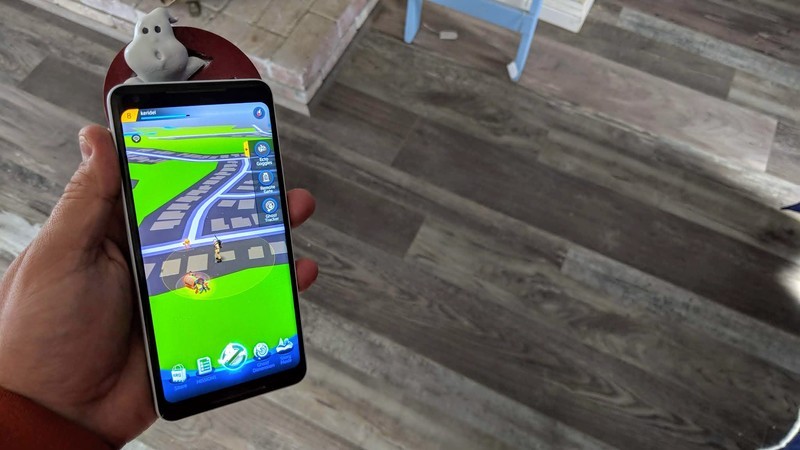
If bustin’ makes you feel good, you’re in for an ectoplasmic adventure!
What with the unrivaled success and impressive subsequent staying power of Pokemon Go, it was inevitable that we would start to see clones hit the market eventually. One title that hopes to scoop up a bit of the Pokemon player base is Ghostbusters World, an AR reality game that shares much of its DNA with Pokemon Go but hopes to expand its depth with various additions.
Ghostbusters World

It’s not Pokémon, but it’s close
Fans of the Ghostbusters franchise will absolutely love this game but I can’t see die-hard Pokemon Go players abandoning ship for Ghostbusters World.
Free at Play Store
The Good
- Chock full of elements and characters to make Ghostbusters fans smile
- Good amount of depth involved in catching ghosts
- Plenty of content to keep you busy
The Bad
- Battles can feel a bit grindy
- If I never hear that song again it will be too soon
Bustin’ makes me feel good
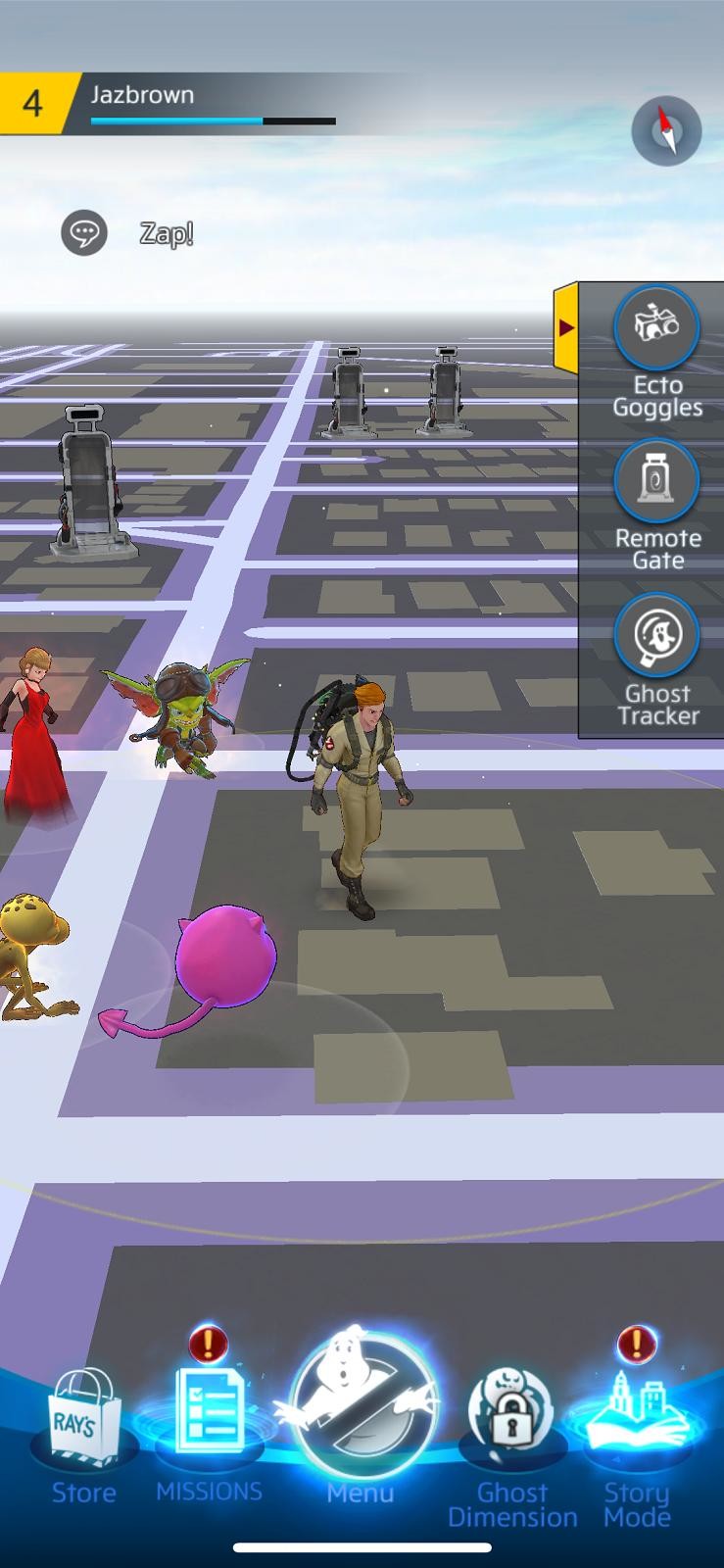

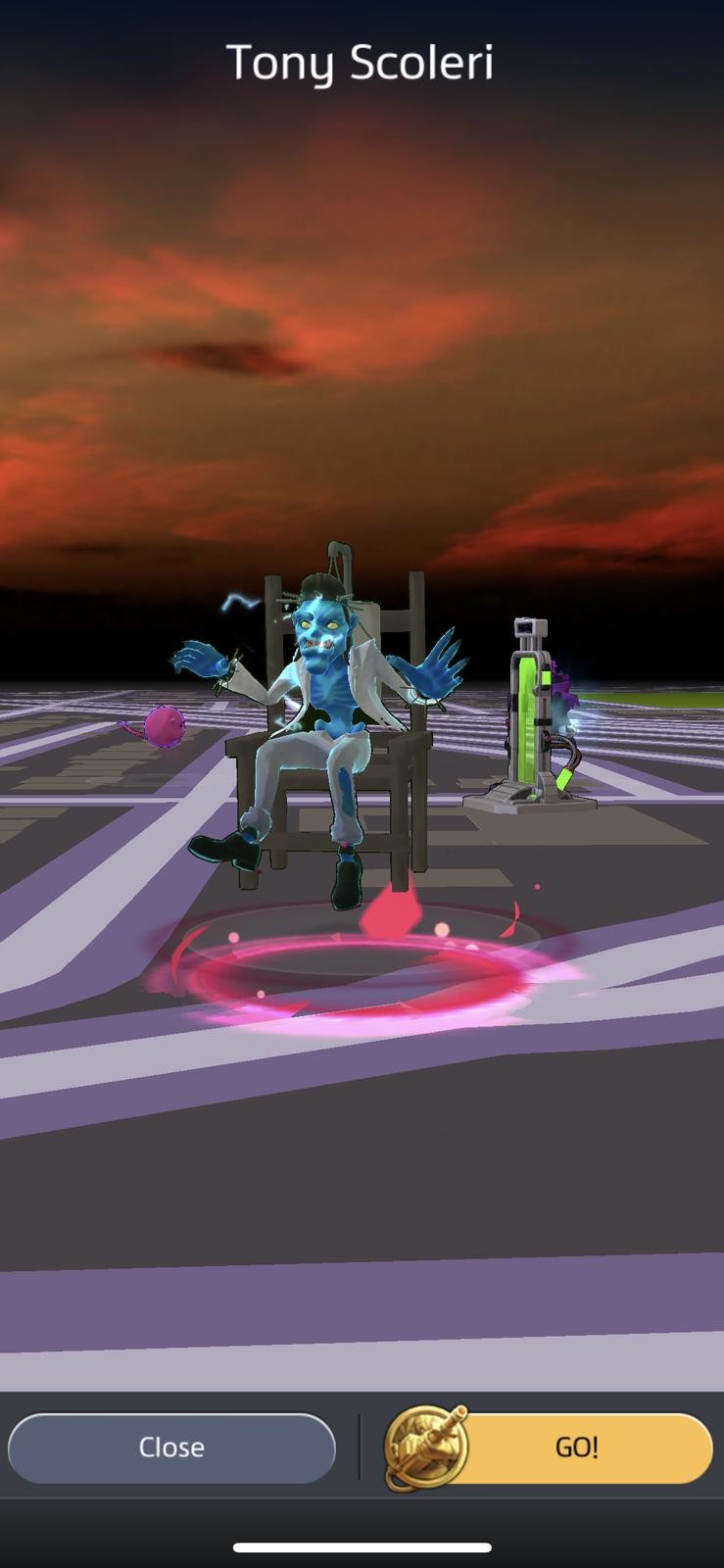

The centerpiece of Ghostbusters World will be familiar to anyone who has spent time playing Pokemon Go. You take on the role of a Ghostbuster and set out into the real world where you will encounter a myriad of different ghosts, many of which have been scooped out of the various Ghostbusters properties. As a Ghostbusters fan, I was truly excited when Tony Scoleri popped up near me and I got a chance to take him down.
Where in Pokemon Go you simply toss a Pokeball at your target, there is a little more depth in Ghostbusters world. If you keep your AR on (I turned mine off) you must first move your PKE meter around in order to find the ghost. Once you have it in your sites you blast it with your proton pack in order to lower its health. While you are engaged in weakening the slimy little bugger, it may attack. This is your opportunity to hit the counter button so that you can avoid taking damage yourself. Once you feel your ghost is sufficiently weakened, it’s time to throw out your trap and show it how you do things downtown.
I personally really enjoyed the added complexity that is required to catch ghosts. It makes it feel as if there is a little bit more game to the game. As it stands currently, there are 150 different ghosts out there in the world for you to trap. Again, not unlike Pokemon Go, each ghost has a type which helps to dictate how well they will do in combat against each other.
Tell him about the Twinkie
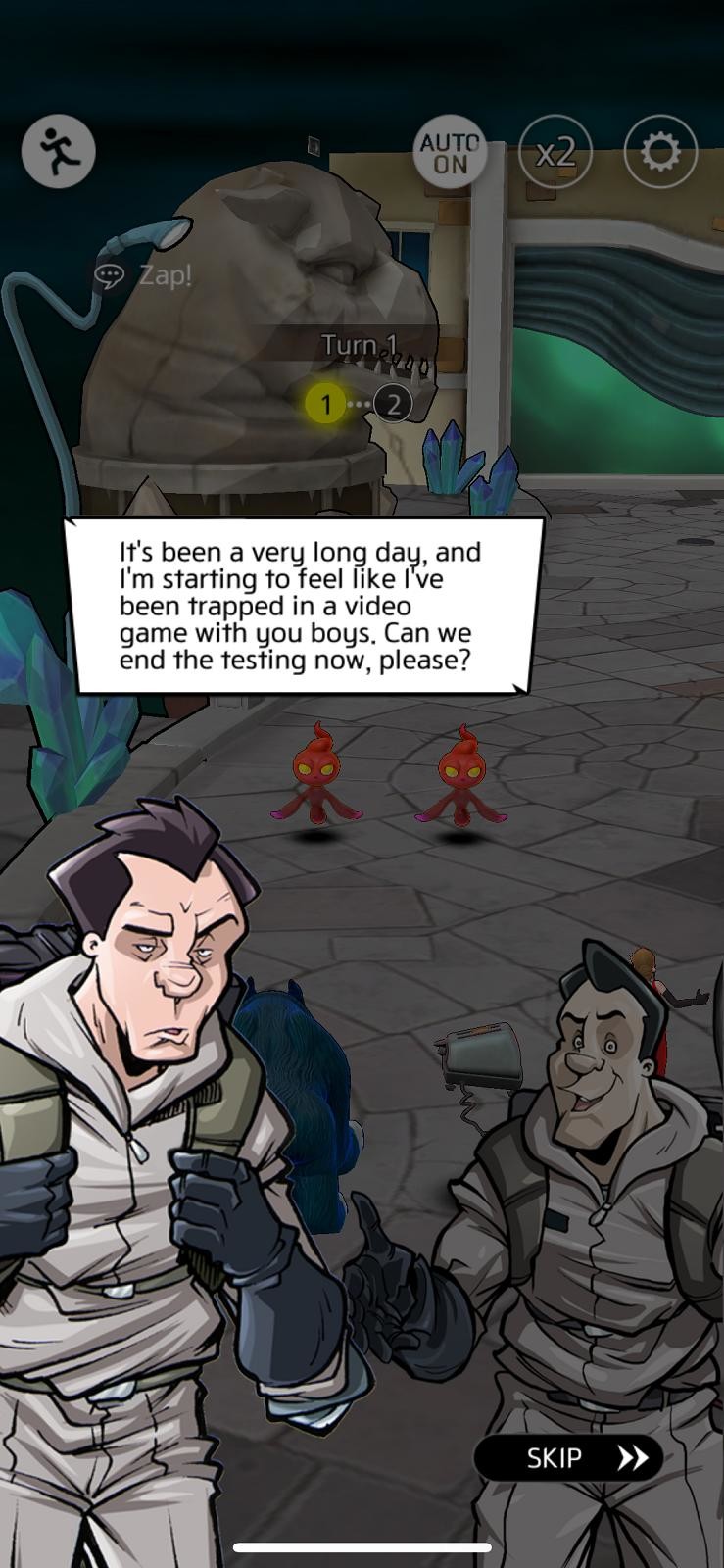

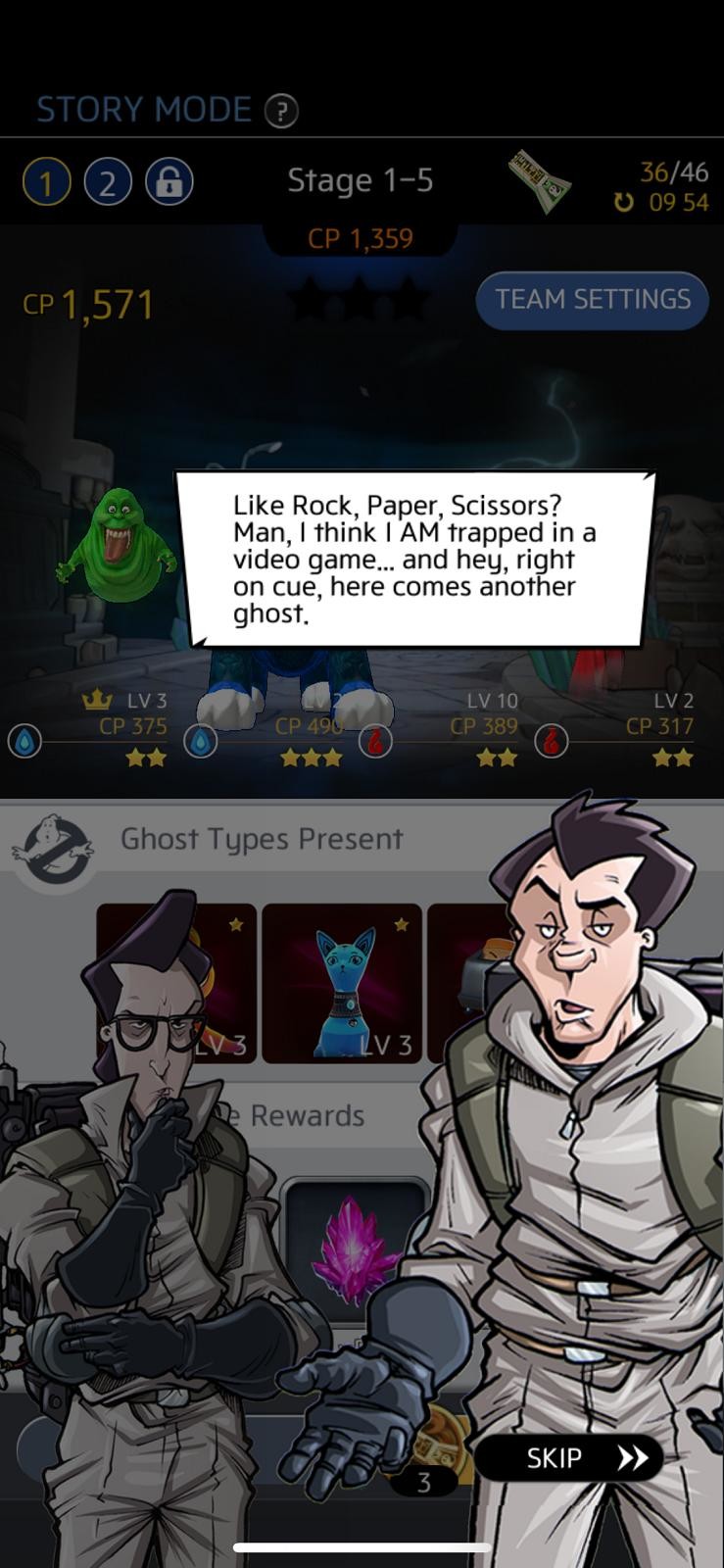
If you are concerned about the volume of content, there are plenty of other things to do in Ghostbusters World to keep you busy. If you want to take a break from busting ghosts, you can always head over and play some Story Mode. In Story mode, you will build a team of four ghosts that you have previously captured and use them to take on waves of other ghosts. As your progress, your ghosts will level up and you can even level them up yourself by spending PKE crystals and upgrade them with Runes.
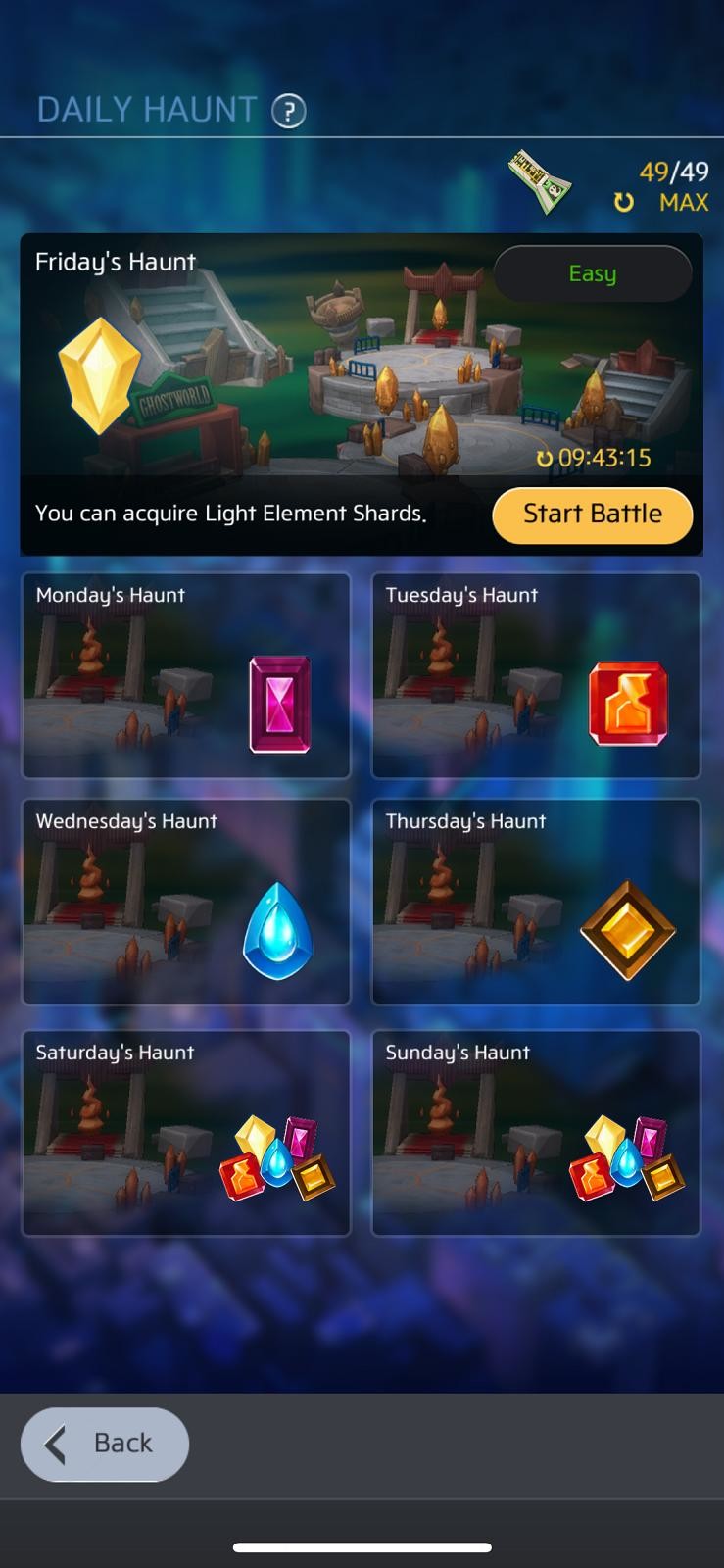
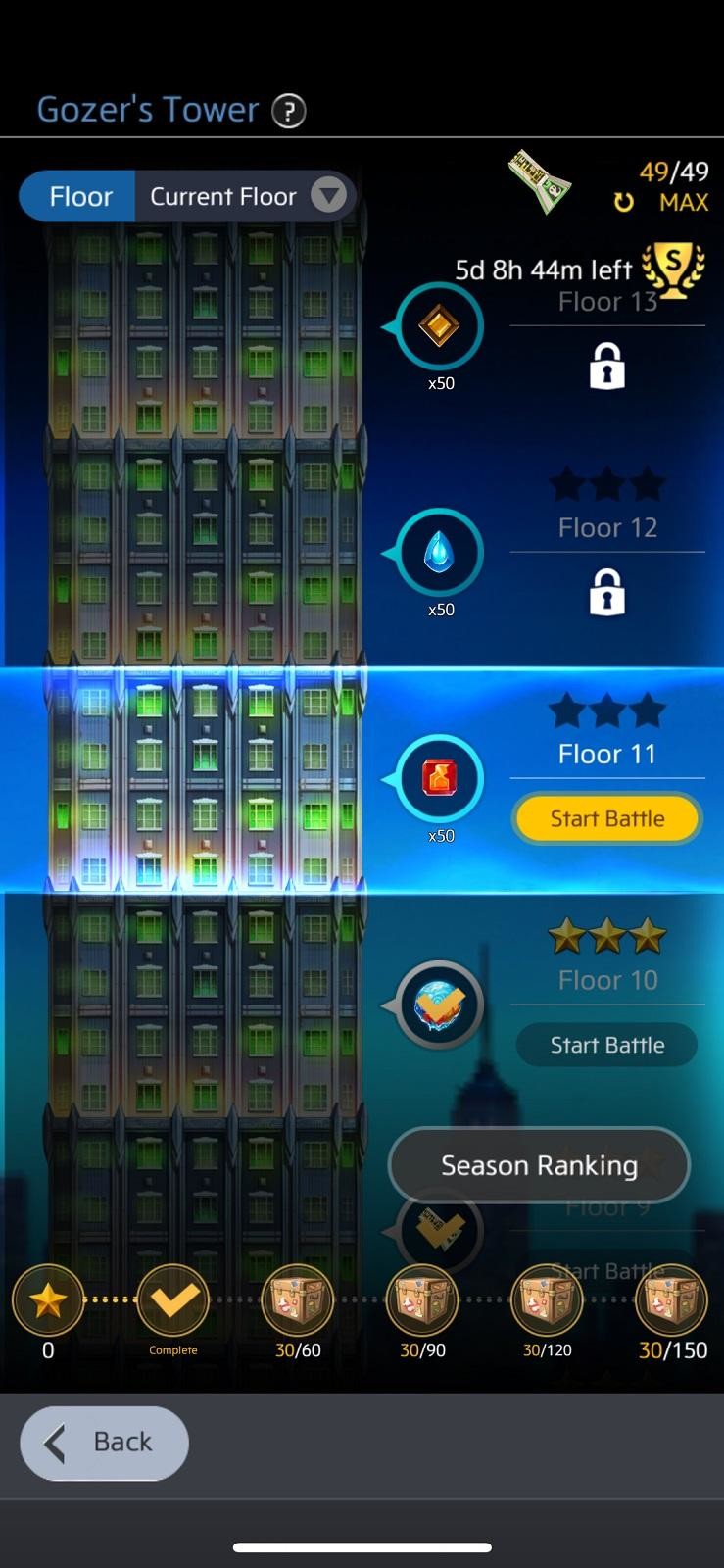

You can also head into the Ghost Dimension where you can play modes like The Daily Haunt and Gozers Tower. Much like Story mode, these modes feature battles with your own team of ghosts. If that’s not enough for you, you can dip into PVP where you can battle your ghost team against those of other players globally. While these modes are great to round out the content in the game, at early levels, many of the battles seem a bit too easy which can lead to it feeling a bit like a grind at times.
It’s the Stay Puft Marshmallow Man


Oh! You say you want boss battles? Well lucky for you, you can battle one of the coolest penultimate bosses of all time. That’s right. While you are out wandering around in Ghostbusters World, it is entirely possible that you might run into the Stay Puft Marshmallow Man. He is massive so you are probably going to want to team up with some friends in order to take him down. If you have been too busy collecting spores, molds, and fungus to make any friends, you can always use the in-game chat feature to find some fellow busters to team up with.
I had no idea it would be so much. I won’t pay it
Alright, let’s get down to the nitty-gritty. It’s 2018 and it’s a mobile game so of course there is bound to be some microtransactions and of course, there is. The real question is how fast you hit that paywall and how brutal is it. Are you going to have to stop playing if you don’t start paying?
I am happy to report that it is nowhere near the worst I have experienced when playing mobile games. I had a nice smooth flight all the way from level one to fifteen and never felt as if I would have to take out my wallet. Of course, the option is there if you don’t want to rush upgrades to your gear or your ghosts but it doesn’t seem to be game breaking in any way. In fact, it feels like it is just about on par with how they do things in Pokemon Go.
Verdict
4
out of 5
I actually had an absolute blast playing Ghostbuster World. I have been a fan of the franchise since I was just a kid and this IP actually speaks to me a bit more effectively than Pokemon Go does. I have nothing bad to say about Pokemon. It’s just that this is a bit more up my alley. If you have been interested in the idea of playing a game like Pokemon Go but just weren’t really into the IP, then Ghostbusters World may be just perfect for you. I know it is for me.
See at Play Store
Best replacement power cord for PlayStation 4

The AmazonBasics power cord for PlayStation 4 is an affordable replacement from a trustworthy brand. It’ll provide the exact kind of power your PS4 needs at a very comfortable range.
Our pick
AmazonBasics Power Cord for PS4

- $7 at Amazon
Super cheap and super long.
AmazonBasics items are meant to be affordable, no-frills alternatives to name brand items. Not only are they cheaper, but you get the Amazon promise to go with it.
Who should buy this power cord?
If you’re in need of a longer cable than what came standard with your PS4 or if yours is broken somehow, this is all you need.
Is it a good time to buy this power cord?
You won’t have to worry about this power cord being supplanted anytime soon. It’s a standard issue power cable and is even usable with other devices using the same connector type.
Reasons to buy
- Cheap
- AmazonBasics support
- Plenty long
Reasons not to buy
- Not made by Sony
There’s no reason to go anywhere else
The AmazonBasics replacement power cord for your PlayStation 4 is your best bet if you’re in need of such a thing. There are a few reasons why.
For starters, it’s made by AmazonBasics, a divisional arm within Amazon which looks to offer own-branded alternative versions of everyday products. Amazon’s goal with these products is to offer the absolute bare minimum functionality you need without all the bells and whistles that usually inflates the cost of products. This philosophy is echoed right down to the packaging, with Amazon liable to ship your product in a plain clear bag.
There’s no substitute for trust, and we trust AmazonBasics.
While AmazonBasics isn’t always the cheapest alternative you can find, it gets pretty close. And no one can match Amazon’s 1-year warranty in this field, so if your product ever breaks you have a pain-free route to getting it fixed or replaced. Good luck finding that with the droves of other products made by unreputable companies.
At 6 feet long, this cable should be usable in any home entertainment setup. It’s even longer than the one that comes with your PlayStation 4 by default.
Alternatives to the AmazonBascis Replacement Power Cord for PS4
Most of the available power cords do the same thing, and even though 6 feet is a pretty good length, there may be some out there who need it even longer. Thankfully, there exists such an option.
Runner-up
AmazonBasics 12-foot Replacement Power Cord for PS4

It’s AmazonBasics, but twice as long.
$9 at Amazon
Same great warranty, twice the length, and still has a low price tag.
Just like the 6-foot version of this cable, the 12-foot replacement cable for your PS4 offers power. Most of these replacement cables do, but none of them come with the peace of mind of buying from the AmazonBasics brand.
Bottom line
The AmazonBasics power cord should fit and work perfectly with your PS4. It’s affordable, lengthy, and trustworthy. With a 1-year warranty, you’ll have a pain-free replacement process if it doesn’t stand the test of time.
Credits — The team that worked on this guide

Quentyn Kennemer has been a tech and gaming enthusiast for as long as he can remember. He has decades of experience and expertise, and was practically born with a controller in his hand.

Jennifer Locke has an undying passion for gaming. She knows the value of good, quality accessories and peripherals, and draws on her own personal experiences to offer the best recommendations.
The Lenovo Smart Display is also available for pre-order in Canada
The Lenovo Smart Display also appears to be coming soon.
Smart Displays are the latest form factor to bring the Google Assistant into people’s homes, and since earlier this year, the Lenovo Smart Display has been doing just that for folks in the United States. Our friends in Canada have yet to join in on the Smart Display love, but thanks to a Best Buy listing, it would appear that that’s soon changing.

If you head to Best Buy Canada’s website right now, you can pre-order the JBL Link View Smart Display for $349.99. The release date is listed as November 1, 2018, and if you use promo code SHPREORDER, you can save 10% at checkout.
A quick search on Best Buy’s site also shows the 8-inch Lenovo Smart Display, and while its product page wasn’t live as of a few days ago, it can now also be pre-ordered for $259.99 with a release date of November 1.

What does all this mean?
The Google Pixel 3 is also launching in Canada on November 1, so it’s likely we’ll get a proper announcement either then or slightly ahead of time confirming that Smart Displays are finally ready for the Canadian market.
See at Best Buy
Updated October 22, 2018: Updated this article to reflect that the Lenovo Smart Display is also available for pre-order.
5 PlayStation 4 issues and how to fix them
Put that credit card away and try these steps to fix what’s ailing your PS4 controller.
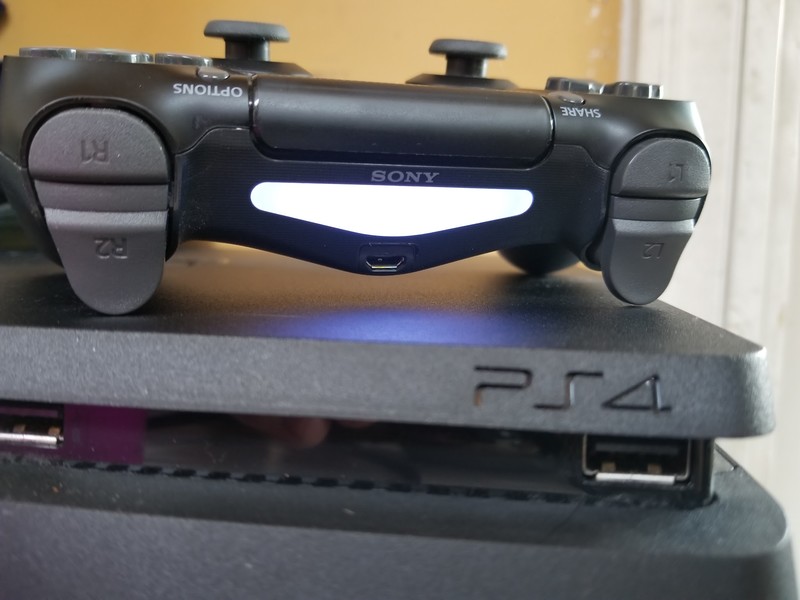
We would all love to live in a perfect fantasy world where everything works exactly the way it was intended. But we don’t, and our tech lives by the same gnarly rules of life that everything does.
PlayStation 4 gamers know all too well how a bad controller can ruin their days off, but you don’t have to put your gaming on hold or go out and buy new hardware whenever your DualShock 4 is on the fritz. Here are some common issues you may run into with your PS4 controller, as well as suggestions on how you can fix them.
Looking to replace your controller? These are our favorites!
PS4 controller won’t connect
This is a classic problem that likely has plagued many-a gamer at least once. Sometimes, the controller just fails to sync with the console. As odd as it may be for a connection to work fine days on end only for it to suddenly fail, it happens. In most cases, a quick run around the reset mill should correct any issues:
First, try plugging your DualShock 4 into the PS4 using your USB cable. This should attempt a resync and in most cases will get you going again.
Try restarting your console.
If neither of those worked, look on the rear of the controller for a tiny hole located next to the L2 button. You’ll need a pin, paperclip, or some other type of thin poking device to jam in there. Push the button on the inside for a couple of seconds and then release, then attempt to resync the controller to your PS4 by plugging it in with your USB cable.
It’s worth noting that the PS4 uses a standard Bluetooth connection, so if you use your controller with multiple devices — such as your PC, smartphone, or tablet — you’ll want to make sure it’s not connected to anything else while you’re trying to connect it to your PS4.
PS4 controller won’t charge
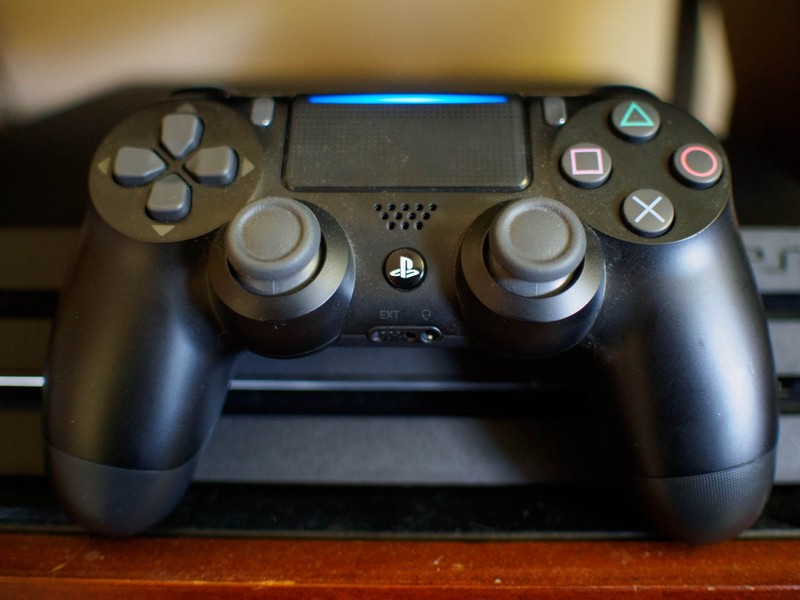
If your controller won’t charge by plugging it into the PS4, it may be due to a number of different factors. We’re going to employ the process of elimination to see what, exactly, is broken. Here are some things you should try:
- Your USB cable could be damaged. Try a different one.
- Try plugging the controller up to a different USB port on the PS4.
- If possible, try charging another controller with the same cable on the same port.
- Try plugging it in while you’re in safe mode. To enter safe mode on the PS4, first turn the console off, and then when you turn it back on be sure to press and hold the power button for 7 seconds. You’ll hear a second beep and you should arrive at the safe mode screen.
- See if Windows will recognize your controller by plugging it into your PC’s USB port.
By the end of the trial you will have figured out what has failed on you. If it seems the USB cable is to blame then it’s time to buy a new one. If the controller charges normally in a different port then your PS4 may be malfunctioning. If a different controller works on the same port or USB cable then it may be the USB port on the controller itself that’s broken.
Try every combination you can and write down the results of each test. Hopefully, you’ll find that you just need to use a different cable or replace the controller and not have to send your entire PS4 in for repairs.
PS4 controller trackpad is not working
The PS4 controller is unique in that it has a trackpad on it. You can use it to navigate menus or type words, but it’s also used in some video games for controlling certain mechanics.
Try these steps if you find that your trackpad is being unresponsive:
Turn it off and back on again.
Clean the trackpad with a 50/50 solution of isopropyl rubbing alcohol and water.
Beyond that, a broken trackpad is cause for a repair or replacement. It won’t do you any good to try and replace it as the part is not readily available, and you’d also be potentially compromising your controller’s USB port as the trackpad is connected by the same ribbon that powers it.
PS4 controller buttons are sticking
Sticky buttons can be a problem even if you try to keep your controller as clean as possible. Sometimes buttons can become unstuck or lose their stickiness with repeated use, but if you aren’t having any luck then you may need some chemical help.
Take a microfiber cloth and dab it with a bit of isopropyl rubbing alcohol.
Use the cloth to wipe around the exterior of the buttons. Make sure you cover each affected button thoroughly.
Try pressing the buttons now.
If it still doesn’t budge, you may need to take the controller apart for a deeper cleaning. There’s a handy guide on YouTube that shows you exactly how to go about it.
Note: You may void your warranty if you take your PS4 controller apart yourself. Be sure that your warranty is no longer valid and no other means to repair or replace the controller can suffice before attempting this.
PS4 controller can’t hold a charge
While we love the PS4 controller, one downside that we can’t get over is its lack of a user-replaceable battery. This is because batteries have a tendency to degrade over time, and some of them degrade so harshly that they can fail to hold a charge more than an hour.
If your controller is dying too fast — or worse yet, it simply won’t turn on — it could be due to a bad battery. Replacing it is pretty easy, thankfully. All you’ll need to do is buy a replacement battery for around $12, grab some screwdrivers and open the controller, and swap out the old one for the new one. iFixIt shows us just how easy that process can be.
Note: You may void your warranty if you take your PS4 controller apart yourself. Be sure that your warranty is no longer valid and no other means to repair or replace the controller can suffice before attempting this.
Check your warranty
If none of the above worked or if you are uncomfortable performing some of these troubleshooting steps, then perhaps it’s time to give Sony a call. Check to see that your PS4 and its controller are still under warranty, and if they are then Sony will be able to repair or replace them for free. If not, you can still likely pay for a repair, and that’s still going to be much cheaper than replacing the thing outright.
As a general rule of thumb for any problems you have with your PS4, call Sony to see your less risky options before deciding to take on any of these repairs yourself.
Any other tips?
Here, we tried to cover the most common issues that you are bound to come across when playing your PS4. The controller gets the most mechanical wear out of all your components, after all, and no amount of tender love and care can stand up to the long-term effects of regular usage.
Think we missed anything here? Let us know of any other PS4 controller issues that seem to be plaguing you and whether you’ve been able to fix them!
PlayStation 4
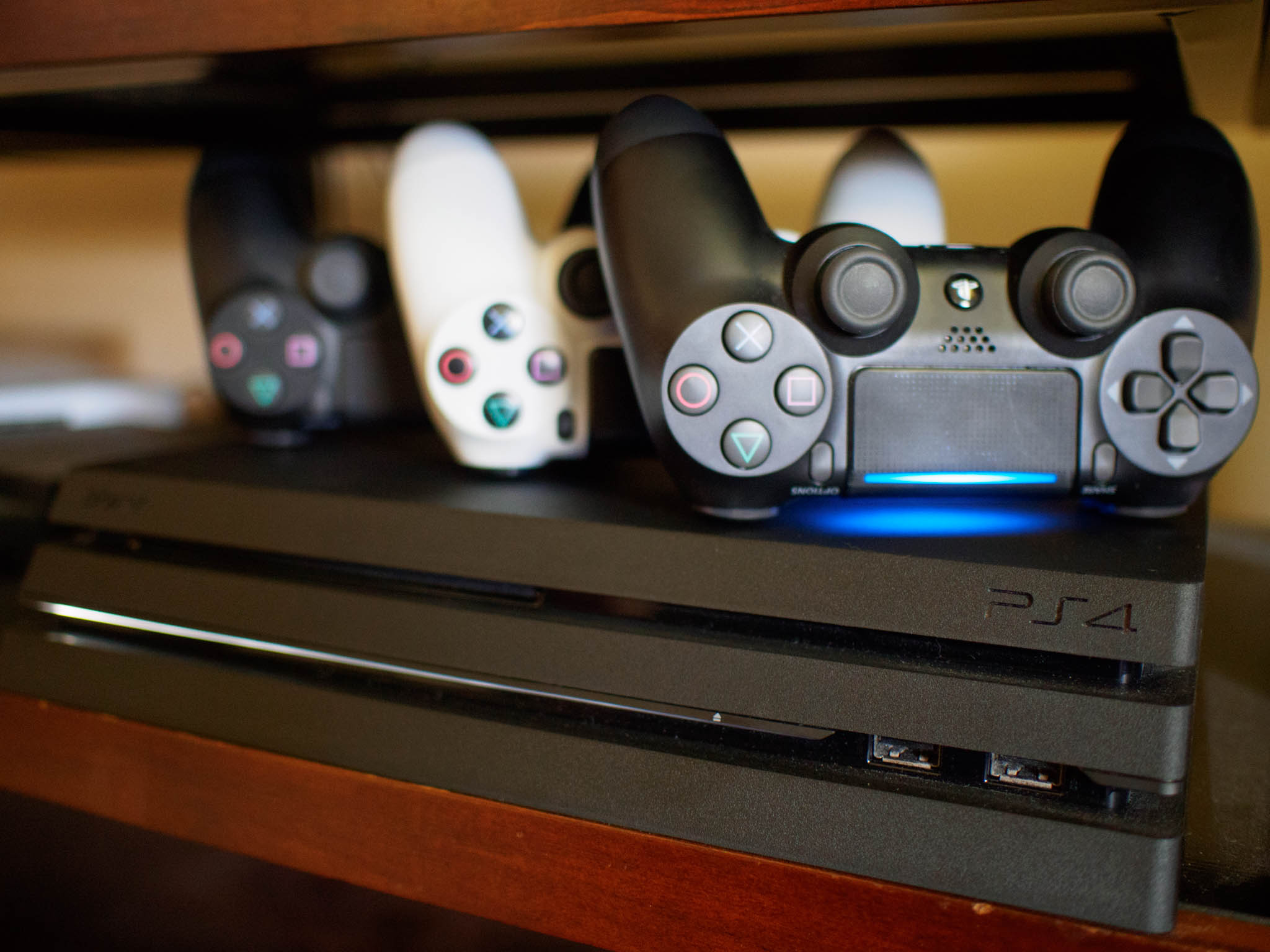
- PS4 vs. PS4 Slim vs. PS4 Pro: Which should you buy?
- PlayStation VR Review
- Playing PS4 games through your phone is awesome
Amazon
Should you buy a Galaxy Note 8 in 2018?

Best answer: If you don’t care about having the absolute latest tech, the Samsung Galaxy Note 8 is still a great smartphone in 2018 and can be purchased for as much as $250 less than the newer Note 9.
- Amazon: Samsung Galaxy Note 8 ($742)
- Amazon: Samsung Galaxy Note 9 ($1,000)
The Galaxy Note 8 is still plenty powerful
Despite being a year old, the Samsung Galaxy Note 8’s specs continue to deliver in 2018.
Powering the phone is Qualcomm’s Snapdragon 835 with 6GB of RAM, and while the 835 has since been succeeded by the newer 845, it still works great for just about anything you throw at it. When it comes to RAM, the Note 8 actually has more than Google’s new Pixel 3 and Pixel 3 XL.
You also get 64GB of expandable storage (up to 256GB), dual 12MP rear cameras, an 8MP selfie camera, and a 3,330 mAh battery.
Its InfinityDisplay continues to look great
One area in which Samsung always dominates is with its displays, and the Note 8 is no exception to that rule. Outfitted with a 6.3-inch Quad HD+ curved AMOLED panel, the Note 8’s screen is just as much of a joy to look at now as it was a year ago.
Colors are bright and vibrant, the text is extremely crisp, and everything just pops in a way you don’t see even on more current flagships.
The Note 9’s biggest advantage is its battery
As great as the Note 8 is, there are a few things you don’t get with it that you will find with the newer Note 9.
Most notably, the battery in the Note 9 is considerably larger. While the 3,330 mAh unit for the Note 8 isn’t necessarily bad, it just doesn’t hold a candle to the Note 9’s monstrous 4,000 mAh pack. The Note 9 also gets the win when it comes to internal storage — offering up to 512GB out of the box and then allowing you to expand it up to another 512GB with a microSD card.
Other things you won’t find on the Note 8 include:
- Remote S Pen functionality (use as a clicker for slide shows, shutter button for the camera, etc.)
- Modest camera improvements
- Better rear fingerprint sensor placement
The Note 8 remains a good purchase
If you can live without the larger battery and remote S Pen functionality, the Galaxy Note 8 is absolutely still worth a look — especially considering that you can save up to $250 compared to the Note 9’s starting price.
Still going strong
Samsung Galaxy Note 8

$742 at Amazon
One year old and holding up great.
It might not be Samsung’s latest or greatest phone anymore, but the Galaxy Note 8 is still a force to be reckoned with. The 6.3-inch AMOLED display still looks fantastic, the Snapdragon 835 + 6GB of RAM is plenty powerful, and the camera package continues to deliver excellent photos and videos.
Latest and greatest
Samsung Galaxy Note 9

$1,000 at Amazon
The best that Samsung offers.
If you’re okay spending $1,000, the Galaxy Note 9 delivers the best smartphone you can buy from Samsung right now. It’s got the very latest specs, the best camera, and is currently first in line ahead of the company’s other phones for new Android updates as they become available.
Spend less on earbuds with these sub-$20 picks!
A headset — earphones or earbuds (or even a single earbud) with a microphone and controls — is a different beast than a set of earbuds or headphones without a mic. For starters, not every set works with every brand of phone once you add the third wire. You need to make sure what you’re buying is made specifically for one brand (Blackberry and Apple come to mind) and will work with Android when you need to answer calls and adjust the volume. And when products are cheap, there are literally thousands of choices to wade through. So we chose the best ones.
Best fit
JLab Bass DJ Inspired Earbuds

JLab’s BASS DJ inspired earbuds have a universal mic and music controls, are super lightweight and include seven different pairs of gel comfort cushions to fit almost everyone. Combined with their ergonomic profile, these are some of the lightest and well-fitting earbuds you’ll find under 20 bucks. They’re also tough with a kevlar cable and flex attachment joints.
$20 at Amazon
Best for calls
NoiseHush NX85

The NoiseHush NX85 is the best headset we tested when it comes to talking on the phone. The microphone works great without yelling for calls and voice assistants. They have a flat tangle-free cable, easy to use controls and deliver surprisingly good sound when listening to music or watching a video.
$19 at Amazon
Best value
OnePlus Bullets

OnePlus makes its headphones just like its phones with a solid, if unspectacular, design mixed with good quality components and a great price. They have compact solid metal enclosures, come with a variety of tips and have a solid cable with an in-line mic and remote. You would expect to pay much more for a product this well made, and the OnePlus Bullets live up to the OnePlus standard of offering more for less.
$20 at OnePlus
Most comfortable
Panasonic ErgoFit

Want cheap earbuds that you can wear all day? The Panasonic ErgoFit earbuds are great! The sound is decent for music or phone calls, and they aren’t the prettiest things to look at. But whatever the tips are made of is awesome because they fit inside your ear without bugging you that they’re in them.
$13at Amazon
Best sound
Monoprice Hi-Fi Reflective Sound Earbuds

They handle calls just fine, fit better than average and aren’t terrible to wear. And they sound awesome. Their “Reflective” design points the drivers away from the ears so the sound reflects back. This keeps your ears from ringing or hurting, even with the enhanced bass response these buds deliver. You need ot hear it to believe it.
$12 at Amazon
You don’t have to spend a lot of money to get a set of earbuds that work just the way you want them to work. We’ve got a selection here that covers all the basics and you’ll be sure to find something you like. I like the Monoprice Hi-Fi buds, because I really do dig the sound that comes out of the tiny little things. And at just $12 a pair, I don’t have to worry too much if I leave them in a cab or airplane.
Phil Schiller on iPhone XR Display: ‘If You Can’t See the Pixels, at Some Point the Numbers Don’t Mean Anything’
Engadget’s Chris Velazco recently sat down for an interview with Apple’s marketing chief Phil Schiller to discuss all things iPhone XR. We’ve rounded up some of Schiller’s comments about the device below.
What the “R” stands for in iPhone XR:
I love cars and things that go fast, and R and S are both letters used to denote sport cars that are really extra special.
How the iPhone X led to the iPhone XS, iPhone XS Max, and iPhone XR:
We had this technology we were working on for many years to be the future of the iPhone. It was a huge ask of the engineering team to get it to market last year, and they did. … We knew that if we could bring that to market and it was successful very quickly after that, we needed to grow the line and make it available to more people.
Making sure the iPhone XR is still “the best phone”:
If we’re going to push the upper boundaries with XS and XS Max to make something the best, how do we make something that’s more affordable for a larger audience? To make the overall iPhone audience even larger? What choices can we make and still make it a phone that people can hold and say, “I have the best too”?
Expanding on that:
We don’t think about categories. We think the iPhone X technology and experience is something really wonderful, and we want to get it to as many people as possible, and we want to do it in a way that still makes it the best phone.
Addressing concerns about the iPhone XR’s lower-resolution display:
I think the only way to judge a display is to look at it. …
If you can’t see the pixels, at some point the numbers don’t mean anything. They’re fairly arbitrary.
As far as the iPhone XR launching over a month after the iPhone XS and iPhone XS Max, Schiller simply said “this is when it’s ready.”
iPhone XR pre-orders began last Friday in over 50 countries. The first deliveries to customers and in-store availability will begin Friday, October 26. The colorful device starts at $749 in the United States.
Full Article: With the iPhone XR, Apple broadens its ‘best’
Related Roundup: iPhone XRTag: Phil SchillerBuyer’s Guide: iPhone XR (Buy Now)
Discuss this article in our forums
iPhone Ownership Among American Teens Remains Steady While Intent to Purchase Grows
American teenagers are still choosing Apple’s iPhone over the competition, with 82 percent of surveyed U.S. teens saying that they own an iPhone, according to Piper Jaffray’s latest survey (via Business Insider).
This number has grown steadily from 76 percent in April 2017 to 78 percent in October 2017, and it now appears to have plateaued temporarily in 2018, as 82 percent of teens said they owned an iPhone back in April.
Looking to the future, 86 percent of teens surveyed said that they plan on buying an iPhone as their next smartphone. This is an increase from 84 percent in the spring.
In comparison, 10 percent of the teens said they planned on buying an Android smartphone next, down from 11 percent in the spring. The researchers at Piper Jaffray say that American teens’ intent to buy an iPhone is now at the highest they have ever seen.

Other tidbits from the report include: 45 percent of teens saying that the brand of an item is the most important factor in a purchase decision, Amazon is the top preferred website, and Instagram is now the most used social platform as Facebook faces an ongoing decline. Netflix represented 38 percent of daily video consumption, ahead of YouTube (33 percent), cable TV (16 percent), and Hulu (5 percent).
For this survey, Piper Jaffray surveyed around 8,600 teenagers across 47 states with an average age of 16 and an average household income of $68,300. 44 percent of the teens were female, while 56 were male.
Tags: Piper Jaffray, teen survey
Discuss this article in our forums
PayPal Offering $100 iTunes Gift Cards for $85 as Apple Celebrates Halloween With Horror Movie Sale
PayPal has kicked off its latest 15 percent discount on App Store and iTunes gift cards today on its Digital Gifts eBay storefront. If you head over to the website you can get the $100 iTunes gift card for $85 while the discount lasts, which can be anywhere from a few hours to multiple days.
The gift card will be delivered via email within 24 hours and will be valid only on purchases made in the United States App and iTunes Stores. Like all iTunes gift card sales, this is a great opportunity to stock up on iTunes credit at a reduced price, which you can put towards third-party app subscriptions like Netflix and Hulu, iTunes movie rentals, iBooks purchases, your Apple Music subscription, and more.
Note: MacRumors is an affiliate partner with these vendors. When you click a link and make a purchase, we may receive a small payment, which helps us keep the site running.
iTunes Movies sales are one place you can spend newly acquired iTunes credit, and Apple recently kicked off a new under $10 “Modern Horror” sale in preparation for Halloween next week. You can check out a few of the films in this sale below, and the rest can be discovered on the iTunes Movies home page on iOS, macOS, and tvOS:
- The Descent – $7.99, down from $9.99
- Green Room – $7.99, down from $14.99
- Let the Right One In – $7.99, down from $12.99
- A Quiet Place – $9.99, down from $19.99
- IT (2017) – $9.99, down from $14.99
- Get Out – $9.99, down from $14.99
- Insidious – $9.99, down from $12.99
- The Conjuring – $9.99, down from $14.99
- The Conjuring 2 – $9.99, down from $14.99
- Drag Me To Hell – $9.99, down from $14.99
- Slither – $9.99, down from $14.99
- Lights Out – $9.99, down from $14.99
Be sure to visit our full Deals Roundup for even more information on the latest sales, today including a Geek Squad certified refurbished pair of AirPods for $122.99 at Best Buy, as well as a sale on the 2018 9.7-inch iPad at Target.
Related Roundup: Apple Deals
Discuss this article in our forums
 AIVAnet