


Montblanc Summit 2 is the first Wear OS watch with the Snapdragon Wear 3100
You’ll be able to buy the watch this October for an unknown price.
Today at an event in San Francisco, Qualcomm announced the Snapdragon Wear 3100 as its next-generation processor for Google’s Wear OS. A few partners have already been confirmed to be working on hardware with the new chip, including Fossil and Louis Vuitton, but Montblanc will be the very first company to release a 3100-powered watch.

Following up on the Summit that was released last year, Montblanc’s Snapdragon Wear 3100 smartwatch is the Summit 2.
The Montblanc Summit 2 is set to launch this October. In addition to the new processor, the Summit 2 will also ship with Wear OS’s all-new UI that puts a bigger focus on Google Fit, Google Assistant, and easier navigation.
The original Summit skipped out on NFC, GPS, and waterproofing despite its monstrous $890 price tag, so hopefully the Summit 2 offers these features. Pricing and other details for the new wearable are still a mystery, but they should be revealed soon.
Do you plan on getting the Summit 2?
Everything we know about battery improvements on the new Snapdragon Wear 3100
Google Wear OS
- The best Wear OS smartwatches
- Discuss Android Wear in the forums!
The best weather apps for Android! ⛈

Keep an eye on the weather with these apps!
In today’s world, we’ve gotten used to seeing the weather change with little notice — and sometime no notice at all. From flash floods and hurricanes to knowing precisely how hot — or cold — it is outside, having a trusty weather app on your side can make all the difference. There are plenty of weather apps available from Google Play, but we’ve got the best of the bunch for you here!
- Today Weather
- Yahoo Weather
- Dark Sky
- 1Weather
- Accuweather
Today Weather


TodayWeather is a relative newcomer to the weather app scene, but it has made quite the impression with its simple UI that’s easy to read as black as an abyss. The app will greet you by your name and then display weather information for your given locations from one of the user-selectable sources including AccuWeather, Dark Sky, and Yr.no, a Norwegian forecasting service that can produce more accurate forecasts for many parts of the world that aren’t America. If you’re looking for a weather app that’s black as night and will help you see what’s coming on a dark and stormy night, Today Weather is for you.
Free at Google Play
Yahoo Weather


Yahoo takes the honor in this humble writer’s eyes for being the prettiest weather app, and it’s powered by Weather Underground, so its forecasts and data have the accuracy of its nationwide network of personal weather stations. The background images for the app are pulled from Flickr, Yahoo’s picture service, so if you’re looking weather at picturesque locations like New York City or Walt Disney World, you’re likely to get a new and beautiful image every time to go into the app. The layout for Yahoo Weather is nice for checking multiple locations quickly, as you scroll up and down for the data about one location, then scroll side to side to switch between locations.
Free at Google Play
Dark Sky


Dark Sky is one of the most popular weather apps around. Its claim to fame is “hyperlocal” accuracy that can tell you within minutes of when it’s actually going to rain. Another standout feature is a global map view that shows you where the rain (and snow) is worldwide at any given time. Dark Sky also features a dedicated do not disturb mode so you can be assured it won’t wake you up in the middle of the night, but as someone living in Tornado Alley, I highly advise against it.
$3/year at Google Play
1Weather


1Weather has always been a beautiful weather app with a bounty of customization options and a dozen weather widgets that can be customized six ways to Sunday. Functionally, there are very few flaws we’ve found in our extended use of 1Weather, and most of them can be attributed to the horizontal, tabbed layout 1Weather uses, such having to tap an expand button before you can zoom or move the radar map. You can pay to ditch the ads in 1Weather via a one-time $1.99 in-app purchase.
Free/$2 at Google Play
AccuWeather


Many apps and widgets — including most preloaded manufacturer weather widgets — use Accuweather for the same reason you should: it’s dependable and damn accurate. Minutecast is scarily accurate, and it’s hard to leave Accuweather for another weather app without it. The app is smartly laid out, comes with a lovely dark theme option, and you can disable ads and expand your forecasts with a one-time $3.99 in-app purchase.
Free/$4 at Google Play
What’s your weather (app) like?
Do you have a favorite app for making sure you’ve got an accurate read on the weather? Is there an excellent app we should have included on this list? Let us know about it in the comments!
Updated September 2018: The weather is always changing, but these weather apps remain the best of the bunch on Android.
Sphero Debuts Education-Focused ‘Bolt’ Robotic Ball With Programmable LED Matrix
Sphero today announced the “Bolt” robotic ball, which is aimed at teaching kids basic programming with its advanced sensors, LED matrix, and infrared communication that lets it interact with other Bolt devices (via Gizmodo).
The Bolt is the same size as previous Sphero balls, but has an increased runtime of two full hours thanks to a bigger battery. The device connects to the Sphero Edu app, allowing users to discover community-created activities, build their own program, analyze sensor data, and more.
One of the device’s biggest updates is an 8×8 LED matrix that can be seen through the Bolt’s translucent shell. This matrix displays helpful prompts like a lightning bolt when Bolt is charging on its inductive cradle, but users can fully program the matrix to display a wide variety of icons connected to certain actions, like a smiley face when a program is completed.
Infrared sensors allow the Bolt to detect other nearby Bolts, and users can program specific interactions if they have multiple devices. According to Sphero, this means that the Bolts can join up and create a swarm of robotic balls, or avoid one another. Gizmodo gives an example: “So imagine a real-life version of Pac-Man where you’re controlling one Bolt and escape other Bolts programmed as ghosts perpetually giving chase.”
The connected Sphero Edu app includes the ability for users to learn to code by drawing on an iOS device’s screen, using Scratch blocks, or writing JavaScript text programs. Written programs can affect the Bolt’s speed, acceleration, and direction. If users simply want to play with Bolt, the robot can also connect to the Sphero Play app.
The Sphero Bolt is available to purchase today for $149.99 on the company’s website.
Tag: Sphero
Discuss this article in our forums
Apple Pushing Updates to Resolve Apple Watch App Signing Issue
Apple today alerted some developers about a temporary signing issue that prevents their apps from being installed on the Apple Watch.
The full text of Apple’s email, obtained from a MacRumors reader:
We’ve discovered that there was a temporary issue with the App Store signature of your binaries that affects the ability of your app to install on Apple Watch. As a result, we’re pushing an update with the proper signing to customers’ devices.
It’s unclear what went wrong, but Apple is pushing server-side updates with the proper signing to the devices of affected customers.
Related Roundups: Apple Watch, watchOS 4, watchOS 5Buyer’s Guide: Apple Watch (Caution)
Discuss this article in our forums
Never say never! Does new ‘Halo 5’ box art hint at PC release?
The majority of first-party games released on Xbox One this generation have been console exclusives, meaning they also arrive to PC. Only a handful of Xbox One games are true exclusives, but 343 Industries’ ambitious Halo 5: Guardians is one of them. That could change soon, however, if the game’s new box art is any indication.
Head to Amazon right now, and you’ll notice that the Halo 5: Guardians cover has been tweaked. It still includes the same image of Spartan Locke and Master Chief, but instead of saying “Only on Xbox One” at the top, it now says “Xbox One Console Exclusive.”
Twitter user AllGamesDelta pointed out the change over the weekend, noting how Xbox One games that also released on PC, such as Quantum Break, have sported this banner.
New Halo 5 boxart hints at incoming PC release https://t.co/W0XQGKxWVr pic.twitter.com/98fbidOaRs
— AllGamesDelta (@AllGamesDelta_) September 9, 2018
The box art also specifies that the game supports 4K resolution on Xbox One X, added in an update when the console launched last year. Halo: The Master Chief Collection has also received considerable updates — including a major one earlier this year — but it doesn’t appear to have had its box changed like Halo 5.
A few months ago, an error on the Microsoft website made it appear that Halo 5 was coming to PC, with 343 Industries’ Frank O’Connor saying it wasn’t actively being worked on. The box art situation could be similar, but with Microsoft planning to release the upcoming Halo: Infinite on PC in addition to Xbox One, we wouldn’t be surprised if its predecessor finally makes the jump, as well. A limited version of the game’s Forge mode is available on PC, and it actually does let users play around with the combat.
If Halo 5 were to come to PC, it would only leave a tiny number of games as true Xbox One exclusives. These include the excellent Sunset Overdrive, as well as the racing game Forza Motorsport 5 and the compilation Rare Replay. All current Microsoft-published games have released as part of “Xbox Play Anywhere,” giving users the opportunity to play on either system with just one purchase, as well as transfer their save data back and forth and compete with users on the other platform. It has helped to keep communities alive in games like Sea of Thieves, where players can team up and form parties even if they are not all on the same system.
Editors’ Recommendations
- ‘The Big Bang Theory’ is ending, but we’ll never forget these 15 guest appearances
- Never miss a precious moment with these great baby monitors
- The Sionyx Aurora is the best GoPro alternative you’ve never heard of
- iRobot’s i7+ Robovac Means You’ll Never Have To Empty That Bin Again
- 20 things you’ll never have to buy again if you own a 3D printer
Treat your home to Sengled’s starter kits and smart bulbs for less today
Alexa, make the lights rainbow colored.

Right now you can save big on a selection of Sengled Smart Lighting at Amazon as part of its daily deals. If you’ve been considering making the switch to smarter lights, today’s the day to begin. The 2-bulb white starter kit is down to just $27.99 from a regular price of $40, or you can opt for the color version of the kit for $59.99, which is $20 off. Both of these come with the bulbs, and the required hub to control them.
If you have recessed lighting in your home, the BR30 version of the 2-bulb kit is $34.99 with two bulbs or $48.99 with four bulbs, which is $10 and $21 off respectively. The single color bulbs are down to $22.49, which is one of the best prices we’ve seen, and the 4-pack of white bulbs is $29.24 or the 8-pack of white LED bulbs is down to $53.89 so you can affordably outfit most of your home.
These bulbs can all be controlled using a free app on your phone or using just your voice through one of Amazon’s Alexa-enabled devices, like the Echo Dot. Need both an Echo and some smart bulbs? This 2nd-gen Echo Bundle come with a two-bulb starter kit for the same price you’d normally buy just the Echo. At $100, it’s hard to beat that deal. Keep in mind these prices are good for today only, so be sure to get your orders in now, before the discounts fade away.
See at Amazon
How’s your Galaxy Watch battery life been?
Turns out the Galaxy Watch is (mostly) a battery champ.
Samsung’s Galaxy Watch is one of the latest smartwatches on the market, and while it’s not drastically different compared to the Gear S3 or Gear Sport, it’s still one of the best wearables you can buy right now.

One of the Galaxy Watch’s biggest claims to fame is its multi-day battery life on a single charge, and now that shipments are starting to go out, early adopters are starting to chime in with how the gadget’s been holding up in these regards.
Here’s what they have to say.
Jax112
09-04-2018 03:50 PM“
Had mine for a week now. really used to military style watches with big thick bands. however the functionality of this watch makes up for it. you’re not going to get 4 days or maybe I just use the watch too much I averaged about two and a half 3 days. does anyone know where you can get wider bands for this understand the attachment point is 22 mm
Reply
guitar_65riff
09-09-2018 01:35 PM“
Well finally got my Rose Gold 42mm yesterday and love it. So light on my wrist I just can’t feel it. So it really is comfortable!
Battery life is excellent despite my family group WhatsApp chat buzzing on the watch every few minutes. Kept the original watch face as it looks so nice.
Does everything I want it to and the improved speakers sound very good. Even music isn’t too awful through them …Reply
JREwing
09-04-2018 06:39 AM“
Wife got the 42″ Rose Gold LTE through TMobile. Had it for two days and sent it back. Battery life was horrible. The non-LTE version would be the one to get. The Rose Gold is a work of art. It is absolutely beautiful.
Reply
RandomGuy Yo
09-04-2018 09:18 AM“
Got a 46mm on Sunday at TMobile. Wow, I’ve had an Apple watch before but this thing makes the Apple watch seem like a POS. I love this thing, haven’t charged it since Sunday, I’ve been sleep tracking and testing the auto workout function. Really enjoying it so far
Reply
What about you? How’s your Galaxy Watch battery life?
Join the conversation in the forums!
UK Daily Deals: Fire HD 8 tablet, Nintendo Labo, and more
Whether you’re looking for new tech gear or household items, we’ve got you covered.
We found plenty of great deals today that include big discounts on Amazon’s new Fire 8 HD tablet, Nintendo Labo kits, SanDisk microSD cards, and more!
View the rest of the deals
Each day, the Thrifter UK team scouts out and shares amazing deals on products you know and love, helping you find the best prices on the ‘net.
For more UK deals coverage, be sure to keep an eye on Thrifter UK and follow the team on Twitter for the most up-to-the-minute coverage.
Samsung Galaxy Watch review: The do-it-all smartwatch for Android owners
A great all-around smartwatch anyone will love wearing.
Samsung has put together a string of great smartwatches and fitness wearables over the last three years, leveraging the same basic principles and Samsung-specific synergies. From the launch of the Gear S2, Samsung’s smartwatches have consistently provided more features, better fitness tracking, longer battery life, and arguably better styling than their Android Wear or Wear OS counterparts.
The new Galaxy Watch continues the trend.
Samsung Galaxy Watch
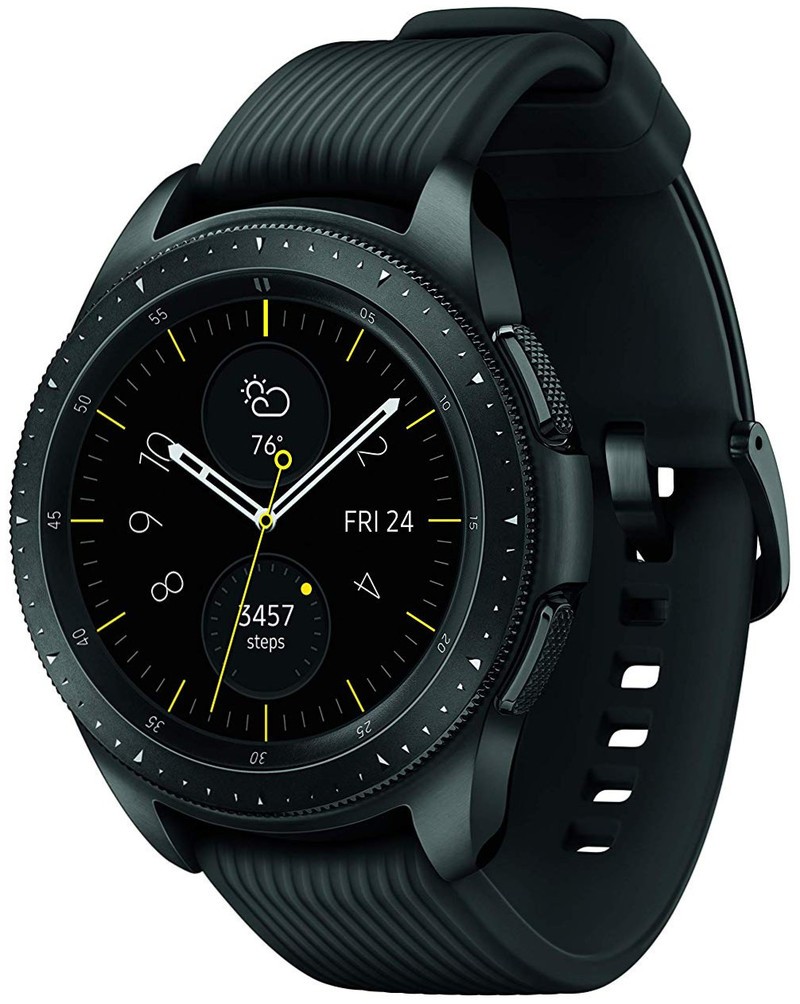
Price: $329+
Bottom line: The Galaxy Watch can be a great smartwatch for you no matter your needs. It can handle fitness and health tracking, but also daily wear with lots of useful tools and good notification support. Battery life is a concern if you use an always-on watch face, but that’s the only mark against an otherwise excellent all-around smartwatch.
See at Amazon
Pros:
- Excellent display, even in sunlight
- Rotating bezel is lovely
- Health and fitness tracking are good
- Software is helpful and polished
- Hardware is robust and resistant
Cons:
- Always-on watch face kills the battery
- Charges too slowly
- Masculine design narrows appeal
- Third-party apps are generally horrible
The Galaxy Watch doesn’t provide particularly bold or unique styling, and in fact it isn’t all that changed from the last two Gear smartwatches. The multi-step design with mixes of finishes and materials is reminiscent of the Gear S3 Frontier, but now comes in two sizes — 46mm, like the S3, but also 42mm similar to the Gear Sport.
Samsung Galaxy Watch vs. Samsung Gear Sport
But the Galaxy Watch is tidy, efficient and well built — albeit slightly masculine in terms of color and finishes. The silver and black models really skew to the male spectrum, and the rose gold option, only available in the 42mm size, is simply a difference in color, not a design change that would open this up to a more diverse audience. Most people are going to gravitate toward the 42mm just because of its size, and it’s the one I recommend purely based on its comfort on a wider range of wrists.
In exchange for not having the diversity of design options as the Wear OS world, you get a fantastic experience elsewhere in the hardware. Samsung’s circular OLED screens are beautiful and bright enough to use outdoors, including pseudo-auto brightness that will crank to max brightness in direct sunlight and dim down considerably at night. Wrapped around the screen is the now-standard rotating bezel, which I continue to sing the praises of as the best possible interaction method for a smartwatch.
Samsung didn’t update the hardware much, because it really didn’t need to.
The hardware really works because Samsung’s own Tizen Wearable OS is tailor-made for it. The watch faces, notifications, widgets and apps all make great use of the circular space, and it’s intuitive to act on everything by rotating the bezel, tapping on the screen or pressing the back or home buttons. I also never came across hiccups or stutters, either, which is a testament to Samsung’s own-made processor that’s optimized for the watch.
Tizen is also just packed with features, which can be a tad overwhelming but if tamed can be extremely useful. By configuring the dozen-plus widgets available out of the box, you can make the Galaxy Watch exactly the kind of device you need. You can focus on health tracking, or communication, or keeping up with everything throughout the day. Same goes for the watch faces, where you can choose a mechanical-style face (with a simulated ticking second hand to boot) or a full digital layout with tons of information.
Tizen is still far ahead of Wear OS in terms of features and customizability.
And no matter what, notifications are always available to the left of the watch face, controlled from your smartphone on a per-app basis. They work about as well as you can expect on a small screen, giving you a chance to ignore unimportant notifications, archive emails and quickly read messages — and you can even reply to important messages with canned responses, voice dictation or a T9-style keyboard.
The new Wear OS interface that just launched is a big improvement for that platform, but if you have any desire to customize or get more done on your smartwatch, Samsung’s Tizen is far ahead of it.
The big software differentiator for Samsung is health and fitness tracking — which is still well ahead of Google’s effort, despite the recent overhaul of Google Fit. It’s not that Google Fit is bad, but that Samsung Health has just been around for so long and has things figured out. The Galaxy Watch accurately tracks daily activity like steps and floors, and can help log your food, water and caffeine intake. But it can also provide automatic (or manual) tracking and guidance for dozens of different workouts — and it also integrates with popular fitness apps like MapMyRun and Strava, among others, for data portability.
Samsung Health on the Galaxy Watch is good enough for anyone who wants to keep up with a healthy lifestyle.
The combination of a Galaxy Watch and Samsung Health is good enough for most people who want to lead a healthy lifestyle, and what it offers is easily above what I needed. I liked tracking my step goals and it worked just fine for runs both outside and on a treadmill. But I’d caution from thinking that it could challenge dedicated fitness watches from the likes of Garmin if you really need accurate tracking for your training. In my conversations with more serious runners and bicyclists, the accuracy of the tracking — particularly with GPS and pace information — still isn’t up to speed with dedicated fitness wearables.
None of the advanced features of a smartwatch are worth much if your battery dies, which is why Samsung keeps putting so much emphasis on multi-day battery life with the Galaxy Watch. With my 42mm model, which has just a 270mAh battery, I could make it through the quoted three full days without charging — that is, when I left all of the settings on their defaults. That means the screen turned off after just 30 seconds, auto-GPS for workouts was not turned on, and the only actively-working fitness feature was heart rate monitoring on a 10-minute interval.
But once I turned on the always-on watch face, which is honestly the only way I want to wear a smartwatch because it looks so good, I could only make it about 30 hours before having to drop the Galaxy Watch on its charger. That’s simply good, not great, especially considering Samsung is positioning the Galaxy Watch as being able to be worn all day and all night, with automatic sleep tracking built in. And If you also exercise outside using GPS on a regular basis, that 30-hour figure may not even be achievable.
Battery life is good — unless you want to have a great-looking always-on watch face.
And because the Galaxy Watch takes an excruciatingly slow two and a half hours to recharge fully, it isn’t really a viable option to simply bump-charge it 10 or 15 minutes each morning — it just won’t add enough if you’re planning to use an always-on watch face. If you want to keep that watch face on at all times and preserve the proper mechanical watch look, you’ll have to dedicate an hour-plus charge every couple days in addition to opportunistic charging here and there.
Or, you could always buy the larger 46mm version (for just $20 more), which is roughly the size of a flattened meatball but comes with a larger 1.3-inch display and 75% more battery capacity. That’s enough extra capacity to get another day out of the watch before charging, though it’s also so big I’d be surprised if you wanted to wear it to bed anyway, making overnight charging an easy battery management routine.
The Galaxy Watch is a wonderful overall smartwatch for anyone with an Android phone.
Samsung didn’t do a ton to improve the Galaxy Watch over its predecessors, but that’s mostly because those watches were already great. The Galaxy Watch continues to offer excellent hardware, a beautiful display and software that’s uniquely tailored to the form factor and glorious rotating bezel. Its software is more advanced than Wear OS, and can be configured to offer just as much — or as little — as you need it for. It can be a daily fitness watch, or just a general smartwatch that provides notifications and useful information throughout your day — or both. For $50 you can jump up to an LTE-connected model to get even more done.
4
out of 5
Unless you have some specific draw to Wear OS because of its simplicity, or need the pro-level fitness tracking offered by dedicated fitness wearables, the Galaxy Watch is a wonderful overall smartwatch for Android owners. The only question, then, is which size you want. The 42mm model is the one to get for most people purely based on its case size being usable on more wrist sizes. But it makes a trade-off of having just average battery life — particularly if you want to use an always-on watch face. The $329 price is fitting for everything the Galaxy Watch considering everything it can do, and how good it looks while doing it.
See at Amazon
OnePlus confirms in-display fingerprint sensor for the OnePlus 6T
OnePlus is going to end 2018 with a bang.

Ever since it was released this past May, the OnePlus 6 has been one of the absolute best values in smartphones we’ve seen in 2018. The phone’s only gotten better thanks to striking new colors and fast software updates, and right around the corner is its incremental successor — the OnePlus 6T.
The 6T likely won’t shake up the OnePlus 6’s formula too much, but even so, it’s already shaping up to be one of the year’s most interesting smartphones.
Without further ado, here’s everything we know about the OnePlus 6T!
The latest OnePlus 6T news
September 10, 2018 — OnePlus confirms in-display fingerprint sensor for OnePlus 6T

Less than a week since the OnePlus 6T retail box leaked, OnePlus has confirmed to CNET that one of the main features shown there — specifically the in-display fingerprint sensor — will be present on the phone at launch.
In an email sent to the publication, OnePlus said:
We unlock our phones multiple times a day, and Screen Unlock reduces the number of steps to complete the action. By adding this feature as an addition to other display unlocking options such as Face Unlock, users will have options to unlock the display in a way that is most efficient for them.
OnePlus also shared a screenshot of the 6T’s lock screen, and as you can see, an icon near the bottom of the display will show users where to put their finger to unlock the phone. Similar to devices like the Vivo X20 Plus UD and Vivo Nex, the 6T uses an optical scanner under its screen that views your print, matches it with one that’s been set up, and unlocks your phone.
In-display sensors have typically been slower than traditional ones on the front or back of a device, and if that’s the case with the 6T, at least we’ll also have Face Unlock as an unlocking option, too.
September 4, 2018 — Retail box reveals an in-display fingerprint sensor and “waterdrop” notch
Our first big OnePlus 6T leak has finally arrived!


A retail box for the phone recently appeared in a few photos online, and while the phone itself isn’t anywhere to be seen, the packaging actually confirms a couple key details about it.
Thanks to an outline of the 6T inside the box, we can see that it adopts a very similar design compared to the Oppo R17 that was announced in mid-August. As such, we’ve got a phone with very slim bezels, a tiny chin at the bottom, and a waterdrop style notch at the top.
This outline also shows a fingerprint near the bottom center of the display — suggesting that the 6T will be the first OnePlus phone to adopt an in-display fingerprint sensor.
August 17, 2018 — OnePlus 6T to launch on T-Mobile in the U.S. in October
A new report from CNET surfaced today, and if you’ve been waiting for more juicy details on the OnePlus 6T, there’s plenty for you here.
OnePlus phones in the U.S. have always been sold exclusively as unlocked handsets through OnePlus’s website, but with the 6T, OnePlus will be launching the phone on its first carrier partner in the States — T-Mobile. The T-Mobile version of the OnePlus 6T is said to be “optimized for T-Mobile’s network” and will work beautifully with the Un-Carrier’s 600Mhz band.
Pricing for the OnePlus 6T is said to be about $550 (a slight increase from the $529 OnePlus 6) and it’ll launch at some point in October.
August 14, 2018 — The new Oppo R17 is likely the phone the OnePlus 6T will be modeled after

If you’ve been following OnePlus for a while, chances are you know that its parent company is Oppo. OnePlus typically uses Oppo phones as references for its own hardware, and this year, the reference device for the OnePlus 6T will likely be the all-new Oppo R17.
While the 6T won’t be identical to the R17, the phone’s biggest features will likely carry over — including the waterdrop notch at the top of the display and all-glass back.

The R17’s notch is one of the smallest we’ve ever seen, and should this make its way to the 6T, it’ll be a big win for the phone’s design. The display below that measures in at 6.4-inches, and to not much surprise, retains a resolution of 1080 x 2280 Full HD.
Where will I be able to buy the OnePlus 6T?

Like previous OnePlus phones, we’re certain that the OnePlus 6T will be sold unlocked on OnePlus’s website.
However, new this year in the U.S., OnePlus has apparently secured its first carrier partner.
In addition to selling the phone unlocked, OnePlus will also sell the 6T via T-Mobile. The unlocked variant will work just fine on TMO, but by having the phone sold directly through the carrier and available to purchase via monthly financing, this should hopefully get the 6T in more people’s hands than previous OnePlus devices.
When will the phone be released?
According to a report from CNET, the OnePlus 6T will launch this fall — sometime in October, to be exact.
Seeing as how the OnePlus 5T went on sale November 21 and sales for the 3T opened up November 28, we have no reason not to believe OnePlus will shoot for an October launch. It’s not uncommon for OEMs to move up launch dates by a month or so compared to previous releases, and seeing as how the next-gen iPhones will be announced on September 12 and the Pixel 3 will be unveiled on October 9, OnePlus appears to be slotting itself in nicely with those big-name launches.
How much will the 6T cost?

Per that same report, the OnePlus 6T will cost $550.
In typical OnePlus fashion, that’s a minor price hike compared to its past releases. Here’s how the $550 OnePlus 6T will compare to previous OnePlus phones:
- OnePlus 6 — $529
- OnePlus 5T — $499
- OnePlus 5 — $479
- OnePlus 3T — $439
- OnePlus 3 — $399
OnePlus 6 review: The matter is settled
OnePlus 6
- OnePlus 6 review
- OnePlus 6 vs. OnePlus 5T: How much changes in six months?
- OnePlus 6 vs. OnePlus 5: Should you upgrade?
- These are the official OnePlus 6 cases
- The OnePlus 6 doesn’t work on Verizon or Sprint
- Join the discussion in the forums
 AIVAnet