


Aukey’s $7 dual USB port car charger sits flush with the outlet
Small but powerful.
The Aukey dual USB port car charger is down to $7.01 with code AUKEYCR2 on Amazon. That price is about $6 off that it normally sells for and one of the best deals we’ve ever seen. With a charger this small and this inexpensive you could buy one for every vehicle and never go without a place to charge up again.

It’s an ultra-compact charger made with aluminum alloy so it will sit flesh the edge of the car’s outlet and just look like another part of your dashboard. It can do two devices at the same time with the maximum possible charging speeds, and it works with all USB compatible devices. The charger has a two-year warranty as well. Users give it 4.3 stars based on nearly 5,000 reviews.
See on Amazon
Samsung Galaxy Note 9 rumors: Release date, specs, price, and features!
Here’s everything we know about the Galaxy Note 9!
Now more than ever, Samsung’s Galaxy S+ phones are becoming eerily similar to the Note series. The Note used to be Samsung’s way of touting all of the latest and greatest tech it had to offer, and while this is still the case, the same can be said for this year’s Galaxy S9+.
Samsung needs more than just the S Pen to make the Note 9 stand out from its own phones and the rest of the competition, and luckily, all signs are pointing to something exciting for this year’s release. Here’s what we know so far!
August 7, 2018 — Unlocked Note 9 price leaked along with new promo images
With just two days to go before the Note 9’s unveiling in New York this Thursday, Roland Quandt from WinFuture has given us a few more goodies prior to the phone’s official unveiling.
On Twitter, Quandt said that the 128GB Note 9 in the UK will cost 899 GBP while the 512GB model will sell for 1099 GB. Converted to USD, that works out to around $1165 and $1424, respectively. The final price that U.S. consumers see will likely be lower, but this does give us some context for what to expect.
Along with the pricing information, a few promotional images were also shared and highlight some of the Note 9’s biggest features.
One picture for the S Pen confirms that it’ll use Bluetooth, “Letting you press a button to take control of your camera, presentations, and apps without touching your phone.” There’s also mention of the Note 9’s AI camera features that’ll optimize white balance, detect when someone blinks, and more.
August 6, 2018 — Verizon to offer BOGO Note 9 deal at launch

The Note 9’s expected to be an expensive phone, and as such, most people will likely finance the thing through carriers to help extend its $800 – $900 price tag over the course of a couple years.
As spotted by Droid Life, Verizon plans on offering a buy one, get one free deal on the Note 9 when pre-orders open to help you get quite a bit more bang for your buck.
The promotion was seen in the My Verizon app, and while no details were provided for pricing or how exactly the deal will work, it’ll likely be similar to past promotions that require you to buy both phones on installment plans and then receive monthly credits to cancel out the cost of one of the phones.
We’ll have all these details and more this coming Thursday, so be sure to keep an eye out for this promo over the coming days.
What will the Galaxy Note 9 look like?

Quick answer — a lot like the Note 8.
We’ve seen one collection of renders for the Note 9 so far (pictured above), and save for the fingerprint sensor being moved below the rear camera sensor, the phone’s shaping up to be nearly identical to last year’s model.
As such, we can expect a large Infinity Display with slim bezels, an all-glass back, and a 3.5mm headphone jack. Samsung’s event teaser suggests that we’ll get at least one bright yellow color option, but I’m still crossing my fingers the Galaxy S9’s Burgundy Red gets a wide release on the Note 9 🤞.
What specs can we look forward to?
Samsung’s Galaxy Note phones are always home to some of the best specs around, and the Note 9 shouldn’t be any different.
Based on the current rumor mill and what we’ve seen from other 2018 flagships, here’s what we think we’ll see this year.
| Operating system | Android Oreo |
| Processor | Qualcomm Snapdragon 845 or Exynos 9810 |
| Screen | 6.4-inch Quad HD (2960 x 1440) Super AMOLED panel 18.5:9 aspect ratio |
| Rear camera 1 | 12MP f/1.4 and f/2.4 adjustable aperture |
| Rear camera 2 | 12MP f/2.4 Optical zoom |
| RAM | 6GB / 8GB |
| Storage | 128GB / 256GB / 512GB |
| Expandability | microSD up to 1TB |
| Battery | 4,000 mAh |
| Connectivity | USB-C 3.5mm headphone jack |
| Security | Fingerprint sensor Iris scanning Face unlock |
| NFC | Yes |
What’s going on with the S Pen?
The S Pen has always been one of the biggest draws to the Galaxy Note phones, and this year with the Note 9, we’re expecting Samsung to give the accessory one of the biggest updates we’ve seen in years.
One of the biggest changes this time around is that the Note 9 S Pen is rumored to come with Bluetooth. On one hand, this means the S Pen will need to have a battery and be charged somehow. Although we can’t confirm this, it’s likely Samsung will design a system that allows the S Pen to charge up while it’s inside the Note 9.
On a more exciting note, Bluetooth could allow for the S Pen to be useful even when it’s not in direct contact with the Note 9. Its button could act as a camera shutter, slide-show clicker, give you better alerts when it’s away from your phone, and more.
There have also been hints at some sort of gaming-specific features, but it’s unclear how exactly these will pan out.
When will the Galaxy Note 9 be released?

The Galaxy Note 9 will be announced on August 9, 2018, at an Unpacked event in New York City.
We can expect retail availability to come in a 1-2 week time frame after the announcement, if any previous launches are any indication.
How much will the Galaxy Note 9 cost?
Pricing for the Note series has steadily been going up each year, as has the majority of the smartphone industry.
The Galaxy Note 8 costs $950 unlocked, and I’d expect the Note 9 to cost either the same or slightly more. Apple proved with the iPhone X that people aren’t afraid to shell out $1000+ for a new smartphone, and I don’t consider it to be out of the question for Samsung to follow suit with the Note 9 – especially if it adopts newer technologies like an in-display fingerprint sensor.
Samsung Galaxy S9 & S9+: Everything you need to know!
Samsung Galaxy Note 9
- Samsung Galaxy Note 9 rumors: Release date, specs, price, and features!
- Is it best to buy the Galaxy S9 or wait for the Note 9?
- Do you plan on upgrading to the Note 9?
- Galaxy Note 8 review
- Join our Galaxy Note 9 forums
Updated August 3, 2018: Updated spec sheet with latest available info.
Get a lifetime subscription to premium web development courses for just $40
A career in web development is a career well-invested in today’s marketplace. Many companies are moving to an entirely online business model, and if you’re looking for job security, you’ll want to get in on the development side if you’re at all interested. Or maybe you’re already a developer, but you have been for 20 years and haven’t really kept up with current technology and trends.
Going back to school can be costly and probably isn’t the most efficient way to use your time, especially if you’re already in a full-time career. You need online courses that you can access from anywhere, at any time, on your own time. But those can be expensive as well, so where do you look?

Look at Android Central Digital Offers and look at the SitePoint Premium Courses Lifetime Subscription. You’ll gain access to over 80 ebooks, 70 courses, and 300 tutorials, covering everything from coding in CSS, HTML, JavaScript, and more to key coding frameworks and libraries, like jQuery, Node, TypeScript, and more. You get a lifetime subscription to all of this content for $39.99. These courses and ebooks together generally retail for $450, but at Android Central Digital Offers, you save 88%.
The best part of this bundle is that new content is uploaded monthly, and you’ll get unlimited downloads for all the ebooks, courses, and tutorials that come out. Learning all these new skills is imperative if you want to keep competitive in today’s business world, so you’ll also learn about Google Maps API and how to manipulate HTML5 video with JavaScript, as well as a host of other new techniques. And, of course, you’ll be educated on the essentials, like WordPress, Git, project management, and more.
If you want to stay relevant in the web development world, you need to update your skills and learn the latest techniques. Check out SitePoint Premium Courses, but don’t check them out for $450. Check out a lifetime subscription at Android Central Digital Offers for $39.99.
See at Android Central Digital Offers
Best Portable Battery Packs Under $20 in 2018

A great battery pack doesn’t have to cost a fortune.
While smartphones last longer and longer, it’s never a bad idea to have a backup in case you’re away from a wall charger for long periods of time. You can go all out and get a wildly expensive battery pack, but you don’t need to spend that extra money if you don’t need to.
Here are the best portable battery packs under $20 in 2018!
- Anker PowerCore 5000
- Lumina Ultra Compact Portable Charger
- Aibocn 16,000 mAh Power Bank
- Aibocn 20,000 mAh Power Bank
- FLOUREON Solar Charger
Anker PowerCore 5000

Anker has long been a staple name in the smartphone accessory world, and they have the perfect battery pack for those on a budget. The PowerCore 5000 — as the name implies — comes with a 5,000 mAh cell, which should be enough for at least on full recharge of your smartphone. The battery itself is recharged with a Micro-USB cable, and your phone and other accessories charge from the USB-A port. There’s battery indicator along the side, and the whole battery is compact enough to easily fit in your pocket or handbag. This battery doesn’t support any form of Qualcomm Quick Charge, but the 10W output should still charge your phone reasonably fast.
Other colors are a bit more expensive, but the black version of Anker’s PowerCore 5000 comes in right at $20.
See at Amazon
Lumina Ultra Compact Portable Charger

Another great compact option comes from Lumina. Its Ultra Compact Portable Charger offers 5,200 mAh of juice, good for at least one recharge of your phone. The battery charges with Micro-USB, and your gadgets all charge with the USB-A port. The battery is vibration proof, perfect for those that work in rough environments. You get a battery indicator light on top, and the battery is small enough to fit just about anywhere. Again, there isn’t official Quick Charge support, but the ten watts of output should charge your phone in a decent amount of time.
The Lumina Ultra Compact Portable Charger is available in black for $17.
See at Amazon
Aibocn 16,000 mAh Power Bank

If you need even more capacity, Aibocn has you covered. Its 16,000 mAh pack will let you get at least three full charges to your smartphone, with a little bit left over for your headphones or other accessories. Speaking of other accessories, there are two USB-A ports on this battery, so you can charge multiple gadgets at once. The battery itself charges with Micro-USB, and there’s a battery indicator light up top so you can estimate how much juice you have left. Because of the large capacity, this isn’t as svelte as other picks, but it’s still light enough to comfortably fit in a backpack or messenger bag.
Aibocn’s 16,000 mAh Power Bank is available in black for $14.
See at Amazon
Aibocn 20,000 mAh Power Bank

If you still need more capacity, Aibocn still has you covered. Its 20,000 mAh in only slightly bigger and slightly more expensive than the 16,000 mAh model, and it’ll be good to recharge your phone about five times. There are two USB-A ports again, so you can recharge your phone and another accessory at the same time. The battery itself charges over Micro-USB, and it’ll need about eight hours for a full recharge from the wall. You get a little flashlight on the battery pack, perfect if you lose your phone at night. There’s a battery indicator light up top — this time using different colors to signify how much capacity is remaining. This battery is the largest on our list — both in capacity and physical size — so it may not fit well in your pockets.
Aibocn’s 20,000 mAh Power Bank is available in black or white for $20.
See at Amazon
FLOUREON Solar Charger

If you’re going off the grid for a while, you’ll still want a way to charge your phone in case of emergencies. Solar charging won’t be as fast as charging from a wall, but a slow charge is better than no charge. FLOUREON’s Solar Charger offers a 10,000mAh capacity, so your phone can get at least two full charges from this. If you are near civilization, you can recharge the battery pack with a Micro-USB cable, and you get two USB-A outputs for your gadgets. The battery features an LED light, with strobe and SOS morse code patterns if you run into trouble. There’s also a metal clip with a compass included, though if I were hiking I’d still bring my own compass as a backup.
FLOUREON’s Solar Charger is in black with blue, orange or green for $18.
See at Amazon
What say you?
Which inexpensive battery pack catches your eye? Let us know down below!
How do I know if my phone is unlocked?
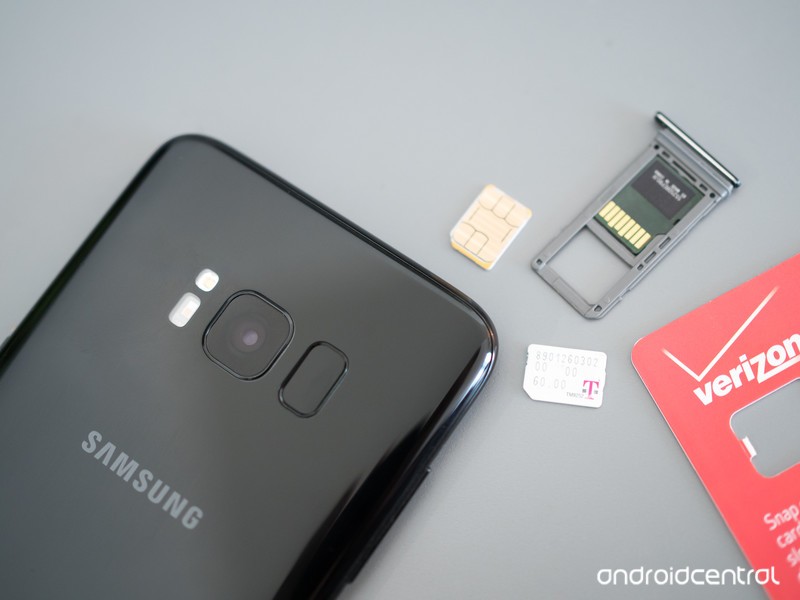
An unlocked phone is the key to getting service from an alternative carrier.
You’ve probably heard a lot of talk about using MVNO carriers as a way to find a cheaper alternative for service. It’s something that’s gaining popularity and while it isn’t exactly mainstream just yet, it’s getting there. We think that’s great because having even more choices can’t be a bad thing. But in most cases, before you can try any other service provider, you’ll need to have a SIM-unlocked phone. That means you can use a SIM card from any company and as long as the hardware is compatible with the network, it just works.
While some of us already know if our phones are unlocked or how to check, here’s what you need to know if you are looking for a little help.
More: Best Unlocked Phone

Where did you buy it, and how?
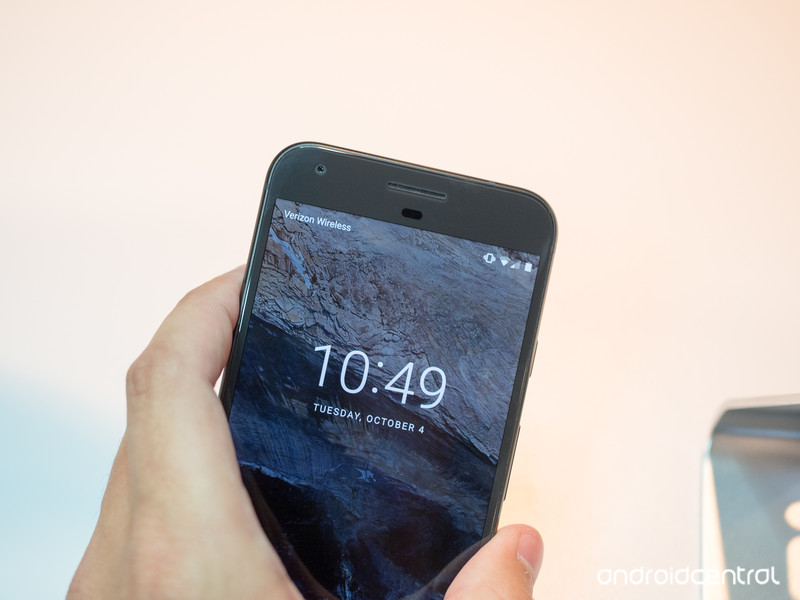
In the U.S., Verizon is the only carrier who is consistent with selling all their smartphones unlocked. What we mean here is that if you walk into a Verizon store or use their website and buy a phone made for Verizon with their name on it, it’s probably going to be SIM unlocked. Note that this doesn’t mean you should buy a Verizon branded phone to use on a different network because SIM unlocked doesn’t mean fully compatible. Just that Verizon is OK with you putting another SIM in the phone and letting the hardware try to connect to a different network.
The other three networks, as well as Best Buy or other third-party carrier resellers, are not as reliable when it comes to selling unlocked phones. Some phones are, some aren’t — but every one of them can be unlocked, because that’s the law.

If you bought your phone from Amazon or B&H or another online retailer, it told you in the listing if it was unlocked. If you don’t remember, a quick call or email to customer service will help you find a copy of the listing to double check. Of course, if you bought your phone directly from the manufacturer, if it was listed as unlocked it will be and there is no need to check. All phones sold directly from Google and Apple (if paid in full at time of purchase) are unlocked, and many phones from other manufacturers are sold directly and SIM unlocked, too.
For the rest of the phones out there, there’s really only one fool-proof way to check — try it.
Use a SIM card from a different carrier
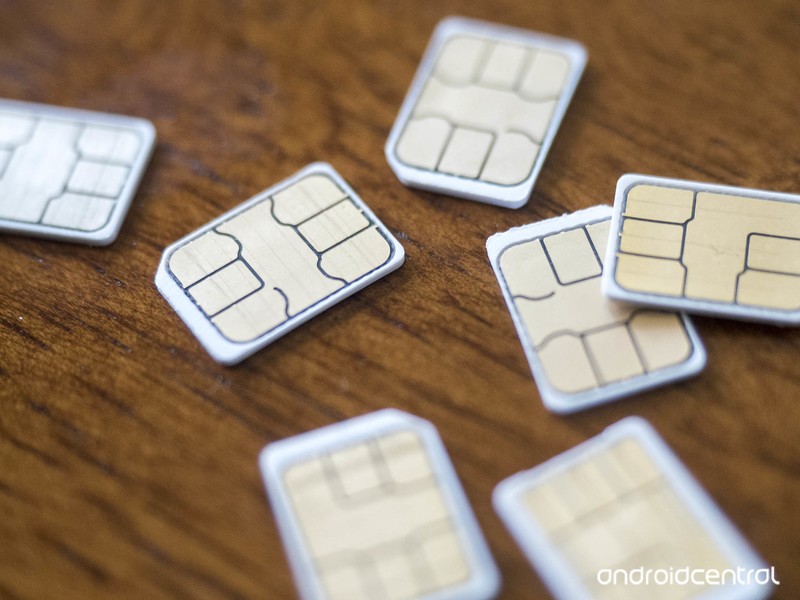
You’ll see references to the website “imei.info” that claim you can check if your phone is unlocked online. While that might be true, the service costs money and has been incorrect five out of five times I have tried it. I’ll come right out and say it — don’t bother.
You can call your carrier or the carrier or MVNO you’re thinking of switching to. Companies keep a database of IMEI numbers that says which phones are compatible, unlocked, or blacklisted. You might not have any luck here, though, because the person answering the phone might not be able to give you that information — they either don’t have access to it or they aren’t allowed to tell you over the phone. It’s worth a try if you don’t have access to a SIM card from a different company, though.
If you do have access to a SIM card from a different carrier, checking is pretty simple. And it doesn’t have to be a SIM card connected to an active account — the phone will try to initiate a connection with any SIM card in place.
- Make a phone call using the right SIM card if possible. This is to check that the phone is working properly. Call your mom and tell her hello; she’ll appreciate it.
- Shut off the phone and remove the SIM card. Look in the manual or online if you’re not sure how to do this, and if you need a SIM card removal tool, a paperclip works fine.
- Put the different SIM card in the phone and power it back on.
- If you’re greeted with a dialog box telling you to enter an unlock code, your phone is SIM locked to the carrier it was originally purchased from.
- If you don’t see this, check that it says you have service. If you do, your phone is probably unlocked. Try making another phone call. Mom won’t mind two calls on the same day.
If you can’t call using the different SIM card, you’ll probably get a recorded message with some error code. You can jot down the code and check online to see why the call can’t be completed so you know if it’s because of a SIM lock or because of incompatible hardware.
If your phone is SIM-locked, don’t fret. As mentioned, a carrier has to unlock a phone unless you owe money on it according to U.S. law. Give them a call and they will help you.
When you don’t need a SIM-unlocked phone

At the top of this article, we said in most cases you do need a SIM-unlocked phone to try another carrier. That’s true, but there is one popular use-case where it doesn’t matter: using a T-Mobile branded phone on an MVNO using T-Mobile’s network.
T-Mobile actively assists resellers, and they don’t require a reseller (that’s what an MVNO is) to require you to have an unlocked phone to connect. If your phone says T-Mobile on it or on the box, it will work on most MVNOs that use T-Mobile’s network. And there are a lot of them.
Update August 2018: Updated with the latest information so you can get your phone running on the network you need it to run on.

How to enable dark mode in the Twitter app for Android
AKA, how to use the best version of Twitter.

Even though Google still can’t seem to figure out how to implement a system-wide dark mode in Android, the Twitter apps’ been rocking one since July 2016.
As you’d expect, dark mode on Twitter takes all of the white elements of the app and transforms them into a dark navy that not only puts less strain on your eyes at night but also looks downright fantastic no matter how bright or dim it is around you.
If you need some help figuring out dark mode, here are a few tips.
How to turn on dark mode
First things first: let’s get that dark mode rocking and rolling!
Tap your profile icon at the top-left.
Tap the moon outline at the very bottom-left.


If you want to leave dark mode, simply follow the same directions above and you’ll be taken back to the regular stark white layout.
How to change your dark mode settings
Manually turning dark mode on/off is one way to go about things, but there are actually some settings you can mess with to fine-tune the feature to your exact liking.
Tap your profile icon at the top-left.
Tap Settings and privacy.
Tap Display and sound.
Tap Night mode.


Once you do this, you can choose to turn it on, off, or to automatically enable/disable according to the sunset and sunrise.
Go Tweet the day away
With dark mode now enabled, you’re ready to go tweet, like, and do whatever else with an app that’s sleeker than it was before.
Have any questions? Leave a comment down below and let us know!
Twitter: Everything you need to know
SanDisk SSDs, Eufy RoboVacs, Dell monitors, and more are all discounted today
Whether you’re looking for new tech gear or household items, we’ve got you covered.
We found plenty of great deals today that include big discounts on various SanDisk SSDs, Eufy RoboVacs, Dell Monitors and much more! Most of these prices will be gone when the day ends, so don’t miss your chance to save big!
View the rest of the deals
If you want to know about the deals as soon as they are happening, you’ll want to follow Thrifter on Twitter, and sign up for the newsletter, because missing out on a great deal stinks!
Apple Developing New TV Show Based on Bestselling Novel ‘Pachinko’
Apple has secured the rights to create a new TV series based on Min Jin Lee’s bestselling 2017 novel “Pachinko,” reports Variety.
“Pachinko,” a National Book Award finalist, chronicles the lives of four generations of a poor Korean immigrant family as they migrate to and establish a life in Japan.
The story begins in 1911 with the birth of Sunja, who becomes involved with a married yakuza, falling pregnant and facing ruin in her small village. The town’s minister offers her a new life in Japan as his wife, where she is alone, lost, and unable to speak the language. The book then follows the Sunja’s family through eight decades and four generations.
The TV adaptation of “Pachinko” will be written and produced by Soo Hugh, who will also serve as showrunner. Hugh has previously worked on “The Terror,” “The Whispers,” “Under the Dome,” and “The Killing.”
“Pachinko” is just one of more than a dozen original television shows Apple has in the works, several of which are based on novels.
It’s not yet clear how Apple will distribute its TV shows, but the Cupertino company is rumored to be considering launching a new streaming video service that would perhaps be bundled with an Apple Music subscription and a digital magazine and news subscription.
Rumors have suggested the first of Apple’s TV shows could debut in March 2019, and several of them are indeed in the casting phase and could begin filming in the near future.
Related Roundups: Apple TV, tvOS 12Tag: Apple’s Hollywood ambitionsBuyer’s Guide: Apple TV (Neutral)
Discuss this article in our forums
With The Den, parents can manage kids’ screen time by locking their devices

For parents out there, it can be hard to find the right approach toward making sure your kids aren’t glued to their smartphones and tablets 24/7. That’s why Australia-based company TechDen is here to make it easier with the launch of The Den, a hardware and software solution meant to help set boundaries when it comes to the amount of screen time children are getting.
The Den provides parents with a physical home for their children’s smartphones and tablets — without the ability for them to easily access their devices. With the companion app, parents are able to set specific sessions for The Den to unlock to give kids time to use the electronics.
Even though there are software tools out there like Apple’s Screen Time or Google’s Digital Wellbeing, we still have physical access to our electronics. In our experience using Screen Time, we often found ourselves either extending the amount of time we had on a specific app or turning the feature off altogether. With The Den, parents can create more concrete boundaries to reduce screen time.
Previous
Next
1 of 3


At an in-person demo with The Den, we couldn’t help but think that it looked like a much sleeker version of a computer tower. On the front, are two doors that fold in when it’s unlocked and on the top is TechDen’s signature bear logo in red. But it’s also not an eye-sore, and we actually wouldn’t mind keeping it on our kitchen counter or tucked away on the entertainment center.
The process of accessing and locking up devices using The Den is simple and children won’t have a hard time grasping the concept. Simply tap on the bear logo and it will flash either red or green lights. Red means The Den is currently locked and kids aren’t able to get their devices out. When it’s green, the doors will open and they can pull out the thin trays to grab their tablet or smartphone.
Perhaps one of the most ideal parts of the hardware is that it simultaneously charges devices as well — with lightning and micro-USB cables available. When a session is over, kids can plug their devices back in and place them back into The Den which will then lock again until the next session.
With a user-friendly app, parents can set and save sessions at any time for any day of the week. Kids will receive both 10-minute and five-minute warnings while they’re on the devices, in order to notify them that time is almost up. Once the session is over, they then receive a notification letting them know their time is up and that it’s time to return the device to The Den.
Previous
Next
1 of 3


As soon as the device is plugged in, the app will register it and let parents know that a specific device has gone back into The Den. If it’s not returned on time, parents will then receive a notification letting them know that it has failed to detect that unique device.
There’s also a companion app for children to use called TechDen Jr. — which allows them to see their sessions and to request more time. The parents can then approve or deny the request through their own app. The app also only allows children to ask for a time extension once during each session.
Of course, setting boundaries with children is much easier when there’s a reward waiting for them. With the app, parents can set goals for the app to track. For example, if you want your child to return the device 20 times without going past the five-minute overtime mark, then the app will register and keep track of whether the goal is being met.
The Den is available through TechDen’s Kickstarter page. Pledge levels start at $119 and are scheduled to ship to backers by the end of 2018. As always, we offer words of caution about crowdfunded products.
Editors’ Recommendations
- T-Mobile FamilyMode lets parents control kids’ screen time on any device
- Fitbit Ace kids fitness tracker is now available for purchase
- U.S. lawmakers are asking Amazon if Alexa collects data on children
- Amazon Echo Dot Kids Edition review
- Forget math. Parents now pay ‘Fortnite’ tutors to improve their kids’ skills
AMD’s new 32-core Ryzen Threadripper desktop CPU rips into wallets at $1,800
Bill Roberson/Digital Trends
As promised, AMD now provides a new batch of Ryzen Threadripper desktop processors for enthusiasts based on its refreshed Zen design. Leading this second wave is the 32-core chip AMD teased in June during Computex that uses the same TR4 motherboard socket seating as the first-generation Threadripper chips but consumes a bit more power than the former flagship model.
“With the second-gen AMD Ryzen Threadripper 2990WX and 2970WX processors, AMD adds the new Ryzen Threadripper WX Series above the existing Ryzen Threadripper X Series processors, meeting creators’ demands for the ultimate desktop computing power for the most intense workloads,” the company states.
AMD’s newest flagship chip for enthusiasts, the 2990WX, packs 32 cores with a base speed of 3.0GHz and a maximum speed of 4.2GHz. It also packs 64 threads, 64MB of L3 cache and supports 64 PCI Express 3.0 lanes. It’s the first chip in AMD’s new Threadripper 2 quartet to hit the market, costing a hefty $1,800 when it rips onto shelves August 13.
Following the 2990WX will be the 2950X 16-core desktop processor on August 31. At half the price ($900), this chip will have a base speed of 3.5GHz and a maximum speed of 4.4GHz. It will have 32 threads, 32MB of L3 cache, support 64 PCI Express 3.0 lanes and consume a lower 180 watts of power.
AMD won’t release its remaining set of Threadripper 2 processors until sometime in October. The 2970WX will be a 24-core chip costing $1,300 with a base speed of 3.0GHz and a maximum speed of 4.2GHz. Drawing 250 watts of power, the chip will pack 48 lanes, 64MB of L3 cache and support 64 PCI Express 3.0 lanes.
Rounding out the foursome will be the 2920X 12-core chip costing $650. Packing 24 threads and 32MB of L3 cache, it will have a base speed of 3.5GHz and a maximum speed of 4.3GHz. Like the 2950X arriving August 31, this chip will only consume 180 watts of power when it arrives this October.
“We created a new standard for the HEDT market when we launched our first Ryzen Threadripper processors a year ago, delivering a ground-breaking level of computing power for the world’s most demanding PC users,” said Jim Anderson, senior vice president and general manager for AMD’s computing and graphics business group. “Our goal with second-gen Ryzen Threadripper processors was to push the performance boundaries even further and continue innovating at the bleeding edge.”
The new 2950X and 2920X processors essentially replace AMD’s first-generation 1950X and 1920X Ryzen Threadripper chips released in 2017. By comparison, the 2950X increases the base speed by 100MHz and the maximum speed by 400MHz. Meanwhile, the 2920X doesn’t increase the base speed over its predecessor but provides a 300MHz boost in its maximum speed.
According to AMD, the second-generation Ryzen Threadripper processors can be air-cooled by the new Wraith Ripper now available from CoolerMaster. The new Threadrippers work on all existing and new TR4-based motherboards with the X399 chipset manufactured by ASRock, Asus, Gigabyte, MSI, and more.
You can pre-order the 32-core 2990WX chip now from participating retailers listed here.
Editors’ Recommendations
- AMD’s second-gen Ryzen Threadripper CPUs could rip into stores in August
- AMD’s 32-core Threadripper 2990X could cost a whopping $1,800
- AMD’s next batch of Ryzen desktop CPUs may focus on better power efficiency
- AMD’s Ryzen desktop CPUs for 2019 may double the core count
- AMD vs. Intel
 AIVAnet