


Put down the smartwatch! Xenxo S-Ring packs 12 features into a tiny wearable
Many of us have a smartwatch these days, so if you really want to stay ahead of the tech crowd, you’ll need a new and impressive wearable device. Fortunately, the folks behind a new Kickstarter project, the Xenxo S-Ring, are ready and willing to help. Their new smart ring promises to replace your bulky wristband wearable with a device that has much of the same functionality, but fits on just one single digit of your hand.
The tiny wearable boasts a total of 12 different features, including the ability to answer calls via Bluetooth, built-in microphone and earpiece, 4GB of file storage, Google Assistant and Siri connectivity, alarm clock, NFC payments, pedometer, SOS alerts, Bluetooth key, and more. The device itself packs its own microprocessor and multiple sensors, and can be controlled using a variety of gestures. While it’s far from the first wearable smart ring we’ve covered here at Digital Trends, it may very well be the one with the greatest number of use-cases.
“Initially, the idea was to develop an emergency SOS product,” co-founders Vigneshwar Kg and Ajeem Khan told Digital Trends. “The [original] idea was to go with an SOS panic button in the shoe, but it is not often everyone likes to wear the same kind of shoe everywhere. So we started thinking what else can we do. Then we came up with the concept of an SOS feature in a ring, since most women and men use rings, and rings are even more deceptive: [A potential attacker] will never know when you call for help. But then, would you buy a product that has only an SOS feature in it? Maybe not. So we began to brainstorm what else can be included. After many prototypes, implementing various concepts, and our team’s hard work, emerged the Xenxo S-Ring.”
At the time of writing, the crowdfunding campaign has two weeks left, although it has already raised more than 10 times its original funding goal. As ever, we offer our usual warnings about the risks of crowdfunding campaigns. But if you would like to pledge your hard-earned cash, you can head over to the team’s Kickstarter page. Prices start at $179, which also includes a couple of USB dongles and a one-year warranty. Shipping is set to take place in January 2019.
The terms and conditions for Elon Musk’s Not-A-Flamethrower are ridiculous
Pretty much everything Elon Musk does these days is out there — like, way out there. From shooting a Tesla into space to founding an entire company because he didn’t like L.A. traffic (no, really), Musk and the various companies he’s founded are constantly pushing the boundaries of tech and innovation.
His latest endeavor is an actual flamethrower, or rather, Not-A-Flamethrower. It looks a bit like an Airsoft rifle that’s been modified to shoot flames, and we can’t believe this is something that was actually available for purchase (it has since sold out). And with 20,000 Not-A-Flamethrowers sold, according to the Boring Company’s website, it looks like this crazy idea is actually happening.
There isn’t much to be gleaned from the product page for the flamethrower anymore since it’s no longer available for purchase, but the fine print on that page, coupled with the fact that this is an Elon Musk project, may have tipped you off that this whole venture was going play out like most pre-orders.
Read on to see what buyers of the Not-A-Flamethrower actually got as their terms and conditions, because they’re pretty amazing. Unlike most of the terms and conditions you’ll read in your lifetime — or let’s be honest, not read — you’ll want to stick around for this one. This is far from your standard legalese.
The first page of the terms and conditions seems pretty standard. You have your “Not-A-Flamethrower Terms and Conditions” written across the top, so you know you’re in the right place. Directly below that, though, is something that looks a lot like an “I accept these terms and conditions” clause. Upon closer inspection, however, you’ll realize something is a little off. Checking a lot of boxes? Why would they say it like that? Oh, just wait.
If you managed to not miss the rhyme portion on the original product page, it’s hard to miss the actual rhyme included in the Not-A-Flamethrower’s terms and conditions. It’s not a very good rhyme, but whoever wrote it seems to be aware of that. All that’s left to do is check the box (because we guess you agree with the fact that the rhyme wasn’t very good or something?).
Next, you’ll be presented with an “I understand The Boring Company isn’t responsible for anything I do with this product” clause, which is actually really important considering the company is about to give the gift of projectile fire to nearly a quarter of a million people. However, it goes a little farther than the fact that they aren’t legally responsible for the harm you may cause yourself or others, but also loss of property from “burning things to the ground” or “showing off to your friends and romantic interests.”
There are a few real scenarios interspersed throughout these conditions because, as far as we know, these are the actual terms and conditions of the device. That being the case, Boring also wants to point out that you can’t resell or return the flamethrower if you don’t like it.
The first — and probably last — production run for the Not-a-Flamethrower is slated to wrap up in the next couple of months, with shipping dates now set for the end of spring. Hopefully, whoever is buying these fire guns will take owning them more seriously than the people who are actually selling them.
Editors’ Recommendations
- 5 practical uses for Elon Musk’s impractical flamethrower
- Elon Musk’s new idea involves Boring Company rock and ancient Egyptian sites
- Who to follow on Twitter if you want to understand tech
- Tesla requires all contractors to have an employee vouch for them
- Everything you need to know about the SpaceX BFR project
What’s new in Chrome OS and Chromebooks at Google I/O 2018
There’s more to Chrome than enterprise and education.

Google’s other platform is just as exciting as Android, and these days the two are closer together than ever. Here’s what’s new in Chrome and Chromebooks at Google I/O 2018.
What did Google announce about Chrome OS at I/O 2018?
Google I/O 2018 didn’t have much news surrounding Chrome. Whether our expectations were too high or if the platform just didn’t need much attention right now is best left for another article. But what they did announce is huge — Chrome OS will be able to securely run native Linux apps.
When the announcement is running high-performance Linux programs on Chrome, you don’t mind it being the only big one.
A short mention in the “What’s New in Android Development Tools” session is where we get most of the official information. Android Studio 3.2 Beta for Linux will be able to run on the Pixelbook because the beta channel of its software supports running Linux apps securely. Not a lot there to go on, but an announcement that could change the way a lot of people use Chrome OS as well as change how developers think when it comes to supporting those of us that do.
We also saw some great tools for developers to make better PWAs. Those are Progressive Web Apps and you can see one in action by visiting gmail.com through the Chrome browser on your phone. When it comes to features, a dedicated app may be better, but having a great experience for visitors without asking them to install anything is important, too. PWAs can do just that, and now they are easier to build thanks to Google’s new tools.
Other tools for web development were updated with requested features and applications like Lighthouse (a debugging tool) will also mean a better web with fewer issues.
How will that affect Chromebooks in the future?
Running Linux applications on your Chromebook is as big or bigger than running Android applications. Yes, I said it and I really mean it.
Android apps gave Chromebook users a lot of the small utilities and entertainment apps that just never made it to the Chrome Web Store. I use Slack — a group communication service — as an example because it’s a thing I use every day. I can open a website in a tab on my Chromebook and it works, but I don’t get the control over notifications that I need. Without a Chrome app, this was the only way to use a Chromebook every day for me. Now that I can use the Android App for Slack, I can decide how I get notified and by who and at what times. Little things that mean a lot. Many Chromebook users have a similar story and depend on one or more Android apps.
With the ability to install Linux applications, that list expands to cover the final hole in Chrome for a lot of us — professional content creation and production apps. Linux programs on Chromebooks mean I can use GIMP (an image editor that matches Photoshop feature for feature) or Darktable (a Lightroom replacement) or Ardour (a Digital Audio Workstation) and FluidSynth (a software synthesizer and MIDI sequencer) for audio production. Yes, I’ll need beefy hardware but that’s true for this type of work on every platform — you’re not going to like using Ardour on a MacBook Air.
We’ll learn more about how Linux meshes with Chrome as it rolls out to users, but it’s OK to be excited right now. I am.
What’s new with Android integration?
Not a lot in terms of new features. But existing ones were refined and that’s great.
We see new animations, notifications are styled as native Chrome notifications, a professional audio mode (I’m excited to check that out), and tweaks to multi-window mode(s). Because of how Android is part of Chrome through a native container, Chrome doesn’t need much adjustment here. Neither does Android, and small refinements are going to be where much of the work goes from here out.
For users, the biggest pain points have been the way apps handle the big screen and access removable storage. New Android development tools will make writing apps that scale across any size screen easier and we hope developers take advantage of them. As for removable storage access, we hear that will be solved in a Chrome update very soon.
Chromebooks
- The best Chromebooks
- Chromebooks in education: Everything you need to know
- Should you buy a Chromebook?
- Chromebook Buyers Guide
- Google Pixelbook review
- Join our Chromebook forums
Essential Phone in 2018: Fantastic, if you don’t care about your camera
We were quite underwhelmed by the Essential Phone when we reviewed it back in September 2017. Its software was bare — almost to a fault — and its camera didn’t even come close to the competition at the time.
Andy Rubin and his new smartphone company didn’t take any of those criticisms lying down. Over the past few months, the Essential Phone has received countless camera updates, new features, and stability improvements to make this phone what it was first meant to be.
I’m calling it right now: this phone wins our unofficial “Most Improved Smartphone Since Launch” award.
With that prestigious new title in mind, let’s see if the Essential Phone is actually worth buying in 2018, or if you should hold off for the Essential Phone 2.
Essential Phone in 2018: The bad
I’m going to start off with all the bad things about the Essential Phone, because honestly there isn’t a lot to say here.
Even after dozens of updates, the camera is still by far the worst part of this phone. Photos with the right lighting can be impressive, but everything else — especially low-light shots — are bad. They’re grainy and lack detail. Taking a photo in low light is still very slow too, even after the recent update to address this very issue.

Google Pixel 2
Essential Phone

The camera app is still too bare bones for my liking too. If it were able to take great shots in automatic mode like the Pixel 2, I wouldn’t care. This camera needs as much help as it can get on the software side, and a lack of features in the camera app really isn’t helping.
I get it. The phone’s supposed to have nothing but “the essentials.” Shipping the most bare-bones version of Android possible is all well and good. Sometimes users actually want features — especially when they add a real benefit in everyday use.

Google Pixel 2
Essential Phone

Many of my gripes might be fixed with the Essential Phone 2, though. Head of Industrial Design at Essential Linda Jiang recently admitted the phone’s camera needed work:
In general, one thing that we got hit hard with was the quality of our camera, and we’re really looking forward to improving that with our next-gen, making sure that we’re listening to our customers and their pain points. We’re going to make it better for you.
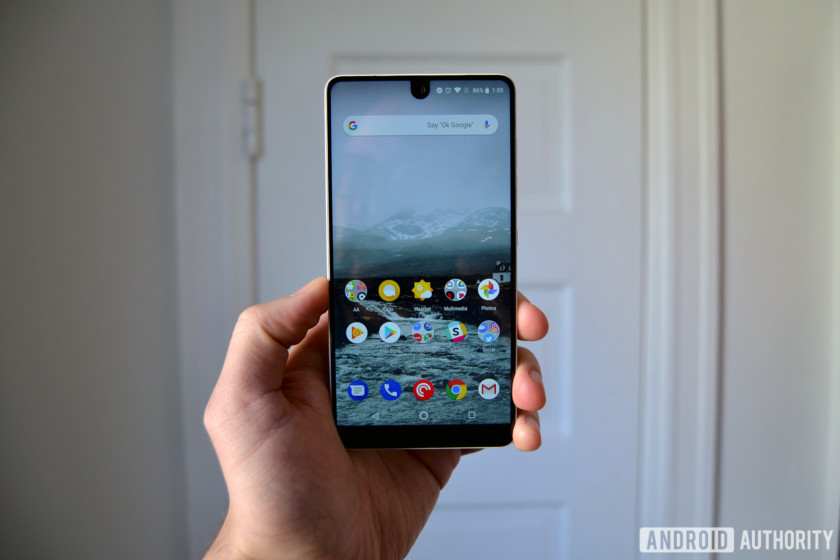
I still run into a fair amount of performance- and touch-related issues on a daily basis. The biggest offender by far is touch latency, which I’m still experiencing even after Essential’s promised fix with the Android 8.1 update. Whether scrolling through Twitter or simply pulling down the notification shade, the phone struggles to keep up with my touches.
This doesn’t have anything to do with the hardware. The Snapdragon 835 chipset and 4GB of RAM is more than enough power to handle multitasking and heavy gameplay, but unfortunately touch issues still hold the Essential Phone back from offering a seamless, smooth experience.
Essential Phone in 2018: The good
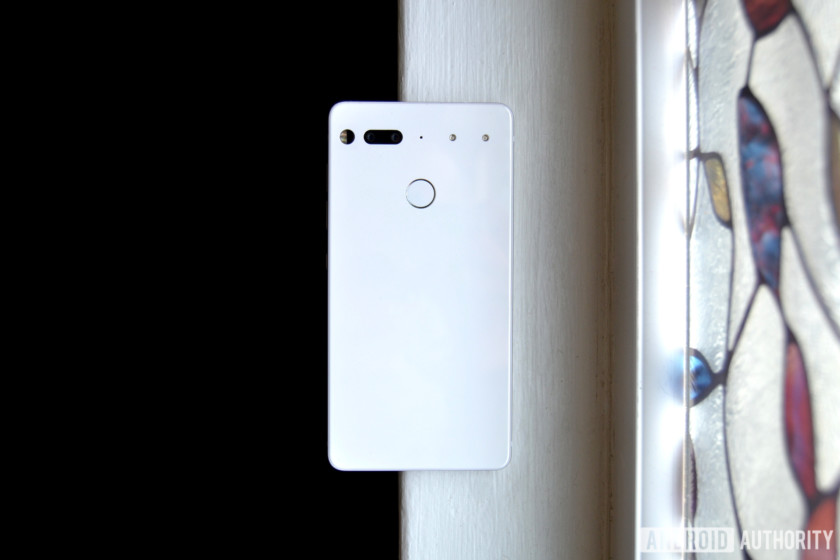
I like everything else about this phone.
Hardware
What hasn’t changed over the past eight months is the hardware, and that’s a good thing. The Essential Phone has some of the best hardware on any smartphone to date, rivaling the likes of the Galaxy S9 and Huawei P20 Pro. It just feels different from other phones.
The Essential Phone has some of the best hardware on any smartphone to date.
It’s a bit heavier than other phones. It even weighs 10 grams more than the Pixel 2 XL. That makes it feel better — almost like it was machined out of a single chunk of titanium. I know it wasn’t, but it feels like it.
The lack of a 3.5mm headphone jack is still annoying — and ironic, considering this phone’s name — but that’s one of the only downsides to the PH-1’s hardware.
Software
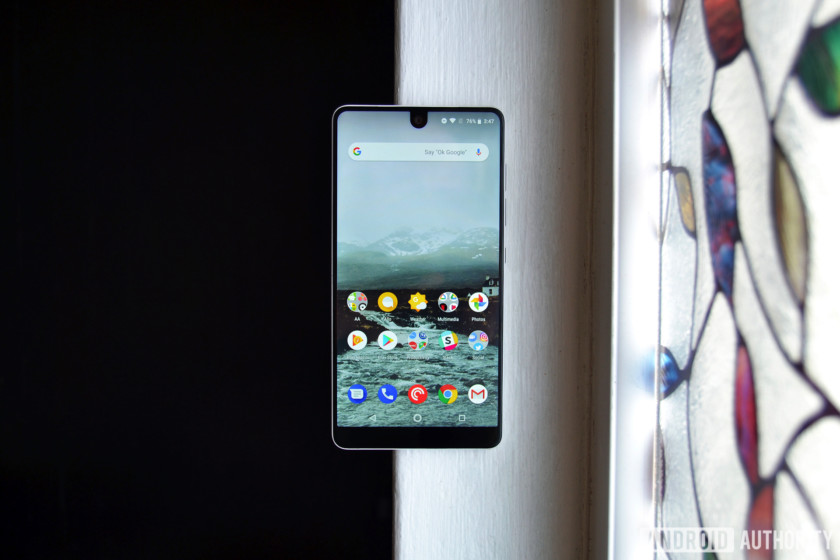
When the Essential Phone first launched, it did not have many apps installed out of the box, nor did it come with many extra features. No night mode. No always-on display. There’s a case to be made for shipping a bare version of Android, sure, but those two features were becoming standard on most Android phones.
Essential has since added both features (well, it added an ambient display mode, not an always-on display mode), and then some. Bluetooth 5 support, new camera modes, and plenty of useful new features are now baked into the PH-1’s software suite, and you can bet the Essential Phone 2 will have these as well.
Throughout its time on the market, Essential has been clear about listening to its users, which is more than we can say for some OEMs.
Updates
The Essential Phone receives quick updates. Like, really quick. Essential rolled out the May 2018 security patch minutes after Google posted the factory images. That’s pretty much been the case for the entirety of the PH-1’s lifespan, and it has me hopeful for future phones from the company.
If you own a Huawei or a Samsung phone and are tired of not receiving software updates, you should check out Essential’s next phone.
Price
This is the entire reason we’re re-reviewing this phone.
The Essential Phone first went on sale for $700. It was not worth $700. Its price has dropped significantly since then — you can now find it on Amazon for only $475.
Now that it costs less than $500, it’s in the same playing field as the OnePlus 5T (which will soon be succeeded by a more expensive smartphone), the Moto Z2 Play, and the Honor View 10. None of those other phones feel quite like this one.
Should you buy the Essential Phone in 2018? If you’re in the market for an Android phone under $500 with a design that truly stands out, I’d have no problem recommending the Essential Phone. However, it’s been almost a full year since it was first announced, so we may not have much longer until the Essential Phone 2 (PH-2?) arrives. The new phone will probably cost more, have a better camera, and be an all-around better device.
Those looking to save some dough on an Android device might not want to overlook this phone.
Buy Essential Phone on Amazon
Google News app hands-on: The be-all-end-all news aggregator
Nestled among the big announcements at this year’s Google I/O was a potentially game changing Google News app. It replaces Google Play Newsstand (good riddance), and incorporates many of the features from your Google Feed into an extremely comprehensive news app.
As a news junkie myself, I couldn’t wait to get my hands on it. Unlike the more spectacular announcements like Duplex, the Google News app is rolling out now and will be available in 127 countries by next week. After spending a few hours with it this morning, I’m happy to report it works well, and is a significant step forward for news apps.
The be-all-end-all news aggregator

Google News takes news aggregation to the next level. It not only incorporates tons of trusted news sources, it groups similar articles together to give readers more perspective on a given story. Before any conspiracy theorists out there start complaining, the bar for a “trusted” news source isn’t that high. If you really don’t see “alternative” sources, you can manually follow and subscribe to more niche publications.
Editor’s Pick
10 best news apps for Android
The Internet has changed the way that we view news. Instead of having a TV producer or a newspaper editor determine the most important stuff for us and then buying into their product, we are …
In the Favorites menu, you can choose all kinds of topics and sources to follow. Any magazines you have purchased or articles you previously saved will also appear here. The app seems to import your previous favorite topics from the Google Play Newsstand app (which not many people used), and it will suggest both topics and sources based on your more recent search history.


Even without specifically choosing topics, Google News gives more options to control what content you’re shown than the Google Feed. You can hide or follow specific sources and choose to see more or less of that kind of content in the future.
For expats like myself, you can follow a location and keep up to date with local news in places of interest like your hometown.
Newscasts and embedded media

One of the more interesting ways Google News displays stories is with their new Newscasts feature. Newscasts are like Instagram Stories. They’re slideshows of several articles from different sources, displaying their headline and a short excerpt. I found the feature a bit overwhelming — I prefer to have more control over how quickly things are shown.

Fortunately, there is an option for Mini cards in the settings, which does away with the animated Newscasts and instead displays the stories as a list. The excerpts are gone, but videos will still play in the smaller icon box. Pages with podcasts or other audio files will also display a play button on the card itself, so you can listen without even opening the page.
Both the standard cards and the mini-cards look and feel good, so it really comes down to personal preference.
Full coverage provides vital context

Perhaps the most unique feature of Google News is Full Coverage, which provides a wealth of information on a given topic. Google uses a technique it calls “temporal co-locality,” which “map[s] relationships between entities and understand the people, places, and things in a story right as it evolves.” The feature works really well.
For the recent news about the end of the Iran nuclear deal, Google News breaks everything down into sections. The Latest updates section pops up first, showing articles and other stories about the topic that have come out since you last checked.

The All coverage section is a great way to discover lesser known publications and follow them for the future
Followed by that is Top coverage, where accusations of favoritism will likely come in. It displays a few of the top stories from trusted news sources, separating opinion and analysis pieces into another section further down the page. Unfortunately each section only shows a few stories and you can’t expand them.
The only way to see more stories is to scroll down to the All coverage section at the bottom. There are tons of stories here, and their sources are clearly displayed above the headline, which is a great way to discover lesser known publications and follow them for the future.


Full coverage also has a few other neat features, like sections for videos (which play in the app), Tweets from relevant authorities, and even frequently asked questions. Much like the rich snippets that appear when you search Google for a question, the answers are automatically generated from more authoritative sources.
In-app reading experience

Any article you choose to read will open within the Google News app, but you can open the original web page for the article or the sources home page with a few quick taps. All of the articles I checked displayed perfectly, and didn’t suffer from any formatting errors.
At the bottom of the article, you’ll find a subscribe button for some sources and a few topics mentioned in the article to explore further. There are also links to related articles and occasionally additional background information about a country or topic taken from Wikipedia or other trusted sources.
The in-app reader doesn’t feature an ad-blocker, which can take some getting used to if you’ve become accustomed to ad-free web browsing. Then again, ads are one of the main ways online publications make money. Something to think about as you enjoy your free content.
Conclusion

I’m really pleased with how well the new Google News app works after a few hours of use. Hopefully as Google’s “reinforcement learning” continues to improve the personalized experience, I’ll see fewer of the irrelevant stories the Google Feed previously tried to shove down my throat.
Also read: Android P beta hands-on: Gestures galore
Google News is a great way to get the day’s news at a glance — it even incorporates local weather at the top of the screen. It’s a natural evolution of news feeds, and since it was developed in close contact with publishers, it’s great for both content producers and consumers.
For news junkies, Google News will always give you something to read. This can be a good thing or a bad thing, but thankfully Google is addressing this problem as well with its new digital wellbeing features.
Google News is rolling out now and will be available in 127 countries on Android, iOS, and the web by the end of next week. As mentioned, the app will arrive as an update to Google Play Newsstand. We’ve included a link to the Play Store listing below. Check out the Play Store listing to see if your region has the update!
Download Google News app
Laptop kickstands don’t need to be fancy, they just need to work
Mark Coppock/Digital Trends
When it comes to making a great computer, sometimes it’s the little things that matter the most. Sure, CPUs and GPUs are important, as are displays and storage devices. But a notebook, for example, can be cut off at the knees when a manufacturer tries to answer a question that no one asked. We’ve seen it time and time again, whether with the keyboard or port selection — or, as we observed most recently, the kickstand.
A 2-in-1 laptop’s kickstands really only need to do one thing well: Hold the screen at a preferred angle. They should have multiple positions to make them useful in various situations, and better yet they should move smoothly through a useful range of angles from almost upright to almost lying flat.
That’s what makes the kickstand on the Acer Switch 7 Black Edition so baffling. It gives new meaning to the term “over-engineered.”
So, where did Acer get it wrong? Well, to put it simply, the company apparently tried to solve a problem that doesn’t really exist. The Switch 7 Black Edition’s kickstand is a complex affair, with magnets that hold a spring-loaded loop of stainless steel in place and buttons on the bottom of the tablet that when depressed move the magnets out of the way. That allows the kickstand to pop open to a default 120 degree angle that can be adjusted by pushing against the springs, up to 165 degrees. Lift up slightly and the angle automatically adjusts within that range.
It sounds good in theory. In practice, the default angle is too large, meaning there’s no way to hold the tablet in a more upright position to avoid glare from overhead lighting. And the buttons only depress when pressed firmly against a hard, flat surface — if you’re sitting in a chair with the tablet in your lap, then you need to hold the tablet in two hands and fumble with the buttons manually. And the detachable keyboard needs to pass the button pushes through to the tablet, making the combination taller and bulkier than it needs to be.
The result is a kickstand that only works well if you’re using the Switch 7 on the right kind of surface and in the right lighting conditions. That’s the opposite of what you want in a 2-in-1, a form factor that’s supposed to suit multiple different use cases.
My own experience with tablet kickstands started with Microsoft’s Surface Pro 3, and it spoiled me. Microsoft engineered a kickstand that is simple in its use and elegant in its design. You simply grasped one edge and pulled it out to the desired angle, no muss, no fuss. It was smooth in operation, offered almost the perfect range of angles, and it held the tablet confidently in place. The 2017 Surface Pro‘s kickstand maintained the same design and extended its range, turning the tablet into a nearly-flat digital drawing board.
Mark Coppock/Digital Trends
In short, Microsoft got it right.
Interestingly, HP’s Spectre x2 detachable tablet also had a kickstand that opened when you depressed a button, but the company abandoned that design with the latest version. Now, just like with the Surface Pro, you simply grasp the Spectre x2’s kickstand and pull it out. It’s far simpler, probably easier and less expensive to make — and serves its purpose much better.
I suppose the real message here is this: Don’t spend engineering time solving a problem that doesn’t exist. You just might end up with something that’s far more complicated than it really needs to be.
Editors’ Recommendations
- 5 things Google’s Pixel Buds 2 need to outdo Apple’s AirPods
- Need a new ride? Here are the best used car sites on the web
- The MacBook Air doesn’t need a price cut, it needs a redesign
- How much RAM do you need?
- Everything you need to know about Google Assistant
Best Battery Backup for Oculus Go
Keep it charged up.
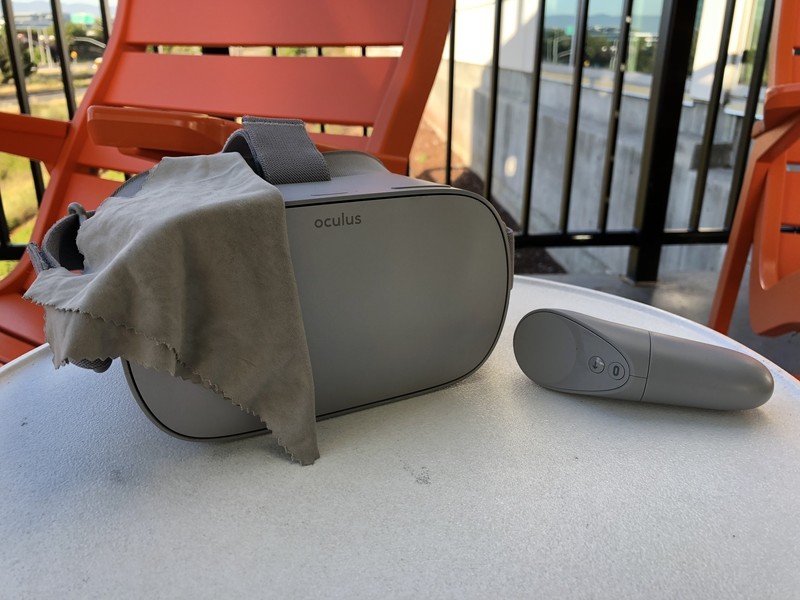
With the Oculus Go finally out, there are many things to keep in mind when you’re playing it on the go. One of the main concerns is how to keep the battery full when playing it since there’s not a whole lot you can do on the go.
These are the best options for battery backups you can get for your Oculus Go.
Aukey Portable Power Bank
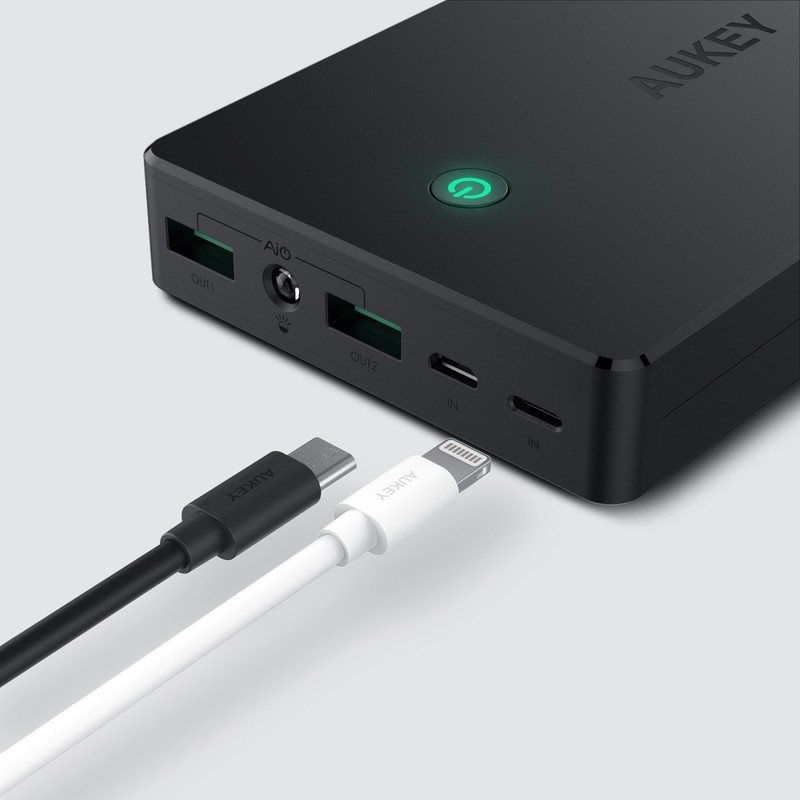
Aukey is a great brand if you’re looking for accessories for your phone, so it’s no surprise its charger is on the list. This charger has 20000 mAh with a micro USB input for you to charge it up.
For $32, it’s a great charger even if it comes at a bit of a high price.
See at Amazon
KMASHI Portable Power Bank
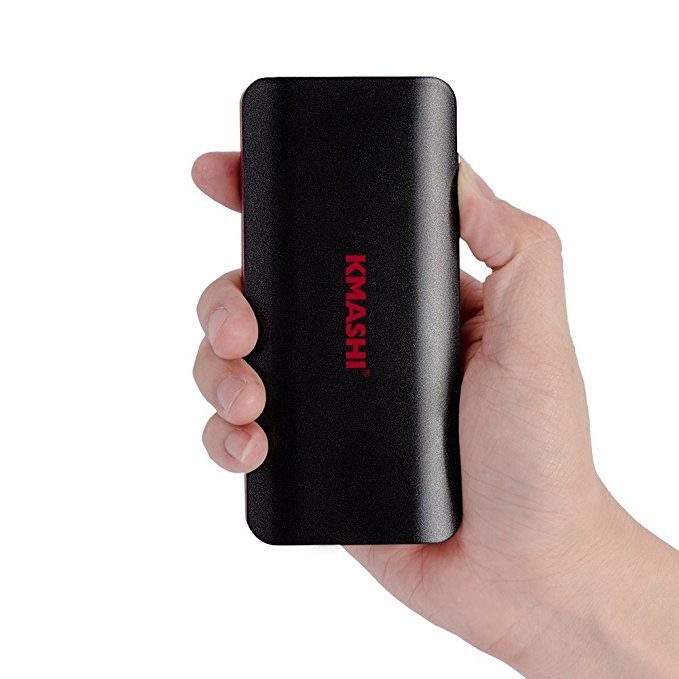
If you’re on a budget after purchasing your Oculus Go, this charger by KMashi is exactly what you’re looking for. It has 10000 mAh for you to charge up with as well as micro USB input for you to charge it up when you’re not on the go.
It’s a wonderful option for someone who just spent a couple hundred bucks on the headset since it’s only $12.
See at Amazon
RAVPower Portable Power Bank
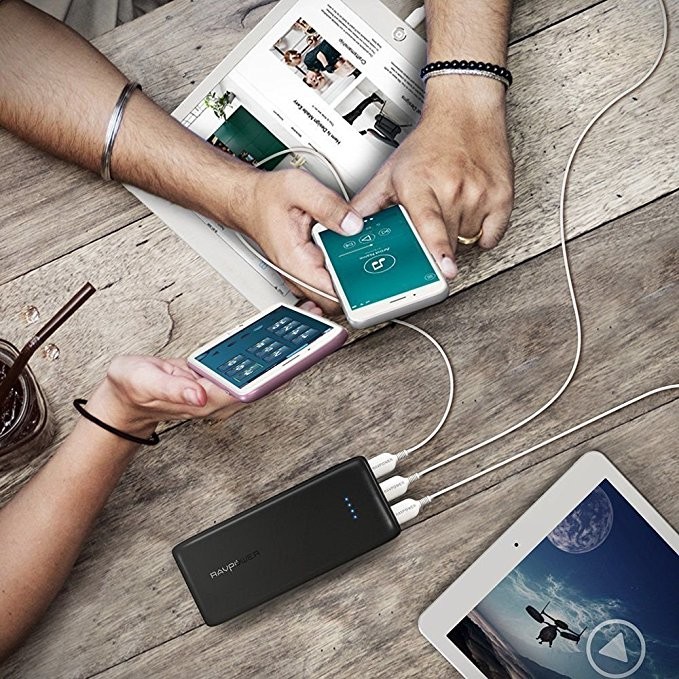
RAVPower is a great option for chargers if you don’t mind spending extra money on it. This charger offers 22000 mAh with a micro USB charger and it comes with two chargers.
It’s a great charger for when you’re going on a long trip if you don’t mind spending $42 on it.
See at Amazon
Xiaomi Compact Power Bank Pro
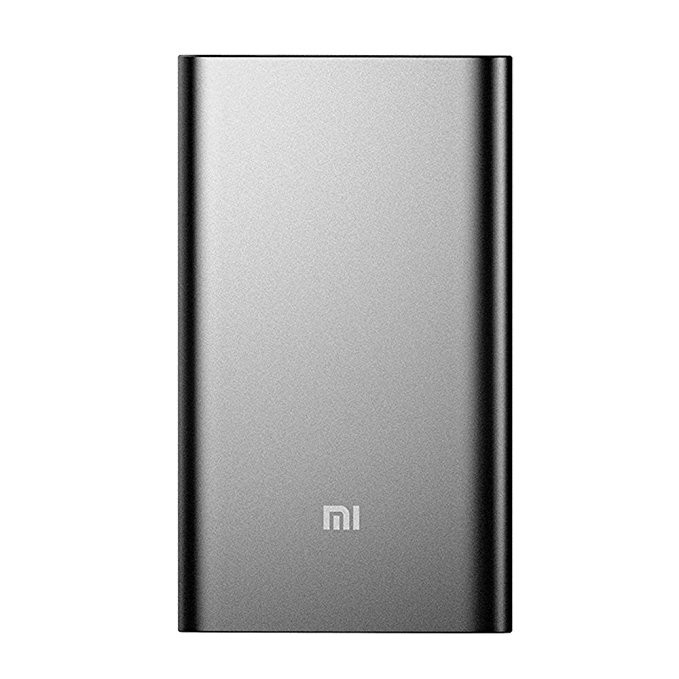
Xiaomi is a great brand for chargers, and their sleek matte design makes it even more desirable. With 10000 mAh and a micro USB cord with a USB-C adapter, this charger is great for your Oculus Go.
It’s a great charger and not a bad deal for $27.
See at Amazon
Anker PowerCore Portable Charger
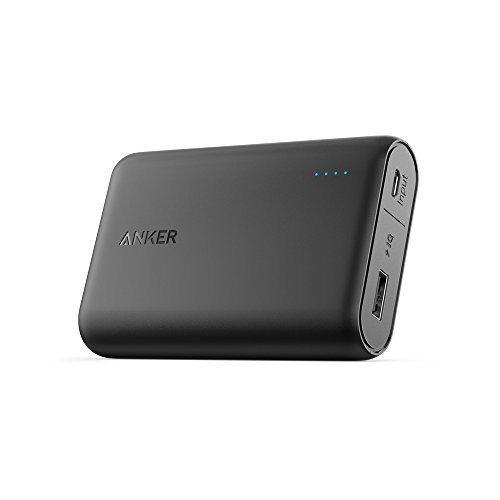
This compact Anker charger is perfect for traveling with, which you will be doing with your Oculus Go. This small charger has 10000 mAh with a micro USB cable for charging as well as using with your Oculus Go.
It’s a good charger, but with the $30 price tag, it’s a bit expensive for the amount of power you get.
See at Amazon
Photo editing on old computers is slow, but this app just made it 12x faster
Earlier this month, Luminar — formerly Macphun — announced a substantial update, nicknamed Jupiter, to its cross-platform photo-editing program Luminar. Unlike updates in the past, Luminar Jupiter didn’t focus on adding a barrage of new tools or features. Instead, the emphasis is on performance.
The idea of focusing on speed improvements stemmed from a decision made by Skylum CTO, Dima Sytnyk, after he received feedback from users who were running Luminar on older devices.
“I’ve always [used] expensive and high-performance machines, both Macs and PCs, and was always happy with performance results of our products,” Sytnyk told Digital Trends. But after receiving feedback on Luminar’s last update, he “decided to go with a […] lower-end machine with old Core i5 processor and test the software on it to really step into users’ shoes and experience everything they are experiencing in their workflow.”
After using Luminar on the older, less-powerful machine, Sytnyk knew Skylum had to approach Luminar’s next update differently. So, alongside more than two dozen developers from the Mac, Windows, and R&D teams, Sytnyk got to work on figuring out where performance gains could be made on both MacOS and Windows computers.
The first point of attack for the development team was to make sure Luminar used as much multi-core and GPU acceleration as possible for image processing. In addition to hardware acceleration, the Skylum team also introduced shared cache usage between each of its 45 filters available in Luminar.
“Previously every filter did the details extraction and calculation of an image,” Sytnyk said. “Now the process is initiated only once and all other filters use the same data, which allowed us to get a better overall performance.”
Other tweaks made include a new internal LUT system for color processing, device-specific resolution optimization, and the use of AVX and AVX2 Instruction for better performance on Intel processors.
When all was said and done, the performance increase was well beyond what Sytnyk initially thought possible. On the “old Core i5 processor,” the frame rate of Luminar dropped to just three frames per second (fps) when applying filters to a RAW image captured with a Nikon D800. Sytnyk set a goal to increase the frame rate to at least 10fps after the re-write. When the final testing was complete, Luminar Jupiter managed to reach a solid 12fps on average across the board. Overall performance for the Luminar Jupiter update improved 12x on MacOS devices and 5x on Windows devices — a discrepancy due to the extra emphasis Skylum placed on MacOS development.
“We’ve done a lot of great work in terms of speed improvements and heard a very positive feedback from users,” Sytnyk said. “[But] this is just a beginning, and we’ll keep up with improving the processes and delivering the fastest and easiest software.”
Luminar Jupiter is a free update for owners of Luminar 2018. An upgrade from Luminar 2017 can be purchased for $49 and a new license for Luminar 2018 can be had for just $69.
Editors’ Recommendations
- RAW photo editor Luminar is now up to 12 times faster with Jupiter upgrade
- Dell XPS 13 vs. MacBook Pro 13
- Microsoft Surface Pro (2017) review
- Windows 10 vs. MacOS vs. Chrome OS
- Google Pixelbook review
Nvidia graphics cards may be back in stock, but they’re disappearing quick
Founders Edition versions of Nvidia’s current-generation graphics cards were back in stock on its official store for the first time in a long time, but Nvidia’s supply quickly depleted. Considering the prices there are much closer to launch prices than most third-party models, if you’ve wanted a new desktop graphics card for some time but haven’t been able to afford it, this was a good time to invest.
But shortly after Nvidia’s re-stocked supply went live, three of the five GeForce GTX 10 Series cards sold out: The GeForce GTX 1080 Ti ($699), the GeForce GTX 1070 Ti ($449), and the GTX 1060 ($299). At the time of this writing, Nvidia still had supplies of the GeForce GTX 1080 ($549) and the vanilla GeForce GTX 1070 ($399). Nvidia’s GeForce GTX 1050 Ti and 1050 desktop graphics are only sold through third-party manufacturers.
Graphics card prices have been crazy for the past year, often reaching heights of two or even three times the launch price of the hardware. While there are a lot of factors to consider in pointing out who’s to blame, Nvidia has at least offered cards directly to consumers at a much more reasonable cost. Those cards have always been snapped up quickly, and the latest depletion of Nvidia’s stock is a prime example.
Still, are we starting to get clear of the pricing and availability issues that have plagued consumer graphics cards sales for the past year? It may also be an indication of people preferring to wait for the expected impending debut of Nvidia’s next-generation graphics cards. Whether they’re called Volta or Turing, as more details become clear, it’s likely that we’ll see some sort of official announcement in the next month or two.
Unfortunately, Geforce GTX 10 Series cards are still on sale at much higher prices through third-party sellers on platforms like Newegg and Amazon. A GTX 1080 Ti will still set you back close to $1,000 and GTX 1070s are still on sale for $500-plus, despite recent falls in pricing across the internet.
We can’t say for sure how long this latest batch of stock will last, when Nvidia will refresh its stock again, or whether the recent resurgence of some cryptocurrency values will lead to further shortages later this year. But what we do know is that graphics cards are finally available at reasonable prices again. It may not be true forever, but it is true for now.
Editors’ Recommendations
- Leak shows Inno3D cryptocurrency mining card based on the GTX 1080 Ti
- Nvidia’s next gaming cards could be the GTX 11 Series, pack GDDR6 memory
- Dell calls revamped XPS 15 the ‘smallest performance 15.6-inch laptop’
- Nvidia GeForce GTX 1180 graphics card shows up in online GPU database
- Recent data suggests that GPU supply might be stabilizing and prices falling
Windows 10 Build 17666 takes us beyond April update with Explorer ‘dark theme’
For Windows Insiders on the fast ring and those who opted to “Skip Ahead” of the recent April update for Windows 10, the latest build 17666 is now available to download and it adds a number of new features to the Windows experience. Alongside improvements to the Edge browser and a new “clipboard experience,” Microsoft has debuted a dark theme for Windows Explorer.
As clean as white websites and white windows may look, they’re no fun to browse late at night or in darkened environments. While some of the best monitors out there might include anti-blue-light technologies to make late-night viewing easier, dark themes have become increasingly common on websites and applications, and now Microsoft is bringing this concept to Windows Explorer.
With the new Windows Insider build, users will be able to switch to the dark grey theme for folders in Windows by going to Settings – Personalization – Colors. Switching it on will make all Windows folder backgrounds and the UI around them go dark, as will most native Windows applications.
That’s far from all this update offers though. There’s a new “clipboard experience,” which offers a clipboard history — where you can paste copies from the past — a pinnable clipboard that you can come back to later, and the ability to access your clipboard on any Windows PC running the same version of Windows or higher.
Access all of the neat new clipboard features by pressing Windows key + “V.”
Edge enhancements in build 17666 include an acrylic title bar as part of Microsoft’s continued adoption of its Fluent Design principles. You can jump back to recently closed tabs using the “Alt” + “Tab” command now, too, as well as mute tabs individually if they happen to be spouting irritating noise at you.
Improvements to Notepad mean that it now supports Unix/Linux line endings and Macintosh line endings, which means it can now correctly display text documents originally created on a Linux or MacOS platform. If you spot something in these new documents that you don’t understand, you can right-click the text itself and “Search with Bing” from the resulting menu.
When searching for content locally on your machine, Windows now includes much more detailed search previews, so you can see information about an app or document that you’re thinking about booting up. You can even make some of those results easily accessible in the same location, with new Start tile folder naming. Just drag different items together in the same tile and they’ll be lumped together with a customizable name.
Build 17666 also includes a number of bug fixes and performance improvements. For a full preview of what you can expect when installing it, check out Microsoft’s blog post.
Editors’ Recommendations
- A Snipping tool looks to be the star of Windows 10’s next release
- Code in latest Windows 10 preview hints at a Surface Phone
- New Windows 10 Skip Ahead build forces Mail app users to open links in Edge
- Windows 10 ‘Lean’ shows up in a preview build for Windows Insiders
- Microsoft tests new privacy settings interface in latest Windows Insider build
 AIVAnet