


Project North Star is Leap Motion’s next-gen AR platform
A glimpse into the future of augmented reality.
The world of augmented reality is one that’s constantly evolving, and Leap Motion is getting ready to take things a step further with its new “Project North Star” platform.

Currently referred to as “Project North Star”, this is Leap Motion’s vision for the future of augmented reality. North Star is still very much a concept, but Leap Motion is hoping it’ll serve as the starting grounds for upcoming AR hardware and software development.
Leap Motion created a headset to pioneer North Star, and it already sounds pretty impressive –
Borrowing components from the next generation of VR systems, we created an AR headset with two ultra-bright, low-persistence 1600×1440 displays pushing 120 frames per second with an expansive visual field over 100 degrees in diameter. Coupled with our world-class 180° hand tracking sensor, we realized that we had a system unlike anything anyone had seen before.

Both the headset and its accompanying software will be made open source next week, with Leap Motion noting that “the discoveries from these early endeavors should be available and accessible to everyone.”
Leap Motion says it’ll be sharing more blog post and videos over the coming weeks highlighting what it’s able to accomplish with North Star, and although we’re likely a ways away before anyone of this tech makes its way to store shelves, what we’re seeing right now already has me pretty excited.
Best free apps for Google Daydream
Hands-on with Android P on Wear OS: This smartwatch doesn’t need a charger

Android P brings a dark UI and power-saving features to the Huawei Watch 2.
After officially rebranding Android Wear to Wear OS a few weeks ago, Google has released a developer preview for the Huawei Watch 2 that gives us an early look at some of the improvements Android P will bring to the platform.
The preview system image is available on the Android Developers site, where Google also provides instructions on how to install it through ADB on any Windows, Mac, or Linux computer. The developer preview works on both the standard Watch 2 and the more ritzy Huawei Watch 2 Classic — I’ve been testing it on the latter for a few days now, and making notes of some of the changes made to Wear OS.
Download Wear OS preview
The biggest visual change to Wear OS is the dark UI that’s now enabled by default. This isn’t necessarily a new feature — dark mode has been around since Android Wear 2.8 — but having it enabled by default encourages much better power efficiency on watches with AMOLED displays. The Huawei Watch 2 only has to illuminate the pixels for text and icons, leaving out the pitch black background and causing significantly less power drain.
Most of the changes are under the hood, but they all amount to better performance and significant power savings.
That’s not the only new way that Wear OS conserves power, though. With some exceptions like watch faces, apps can no longer run in the background unless the watch is on its charger. Wireless connections like Bluetooth and WiFi will also automatically turn off when the watch detects that you’re not wearing it. If you have a Huawei Watch 2 with LTE, your cellular radios will be disabled as well.
WiFi no longer turns on automatically when Bluetooth is disconnected. In the past, this has been a measure to continue seamlessly receiving notifications when you’re not connected to your phone, but moving forward you’ll need to turn on WiFi manually if you want to keep on top of new notifications. This may seem like an annoyance, but it’s a good way to keep your power consumption low when, for example, you’re at the gym and only brought your watch to stream music to your headphones.

Android P doesn’t revitalize Wear OS, but it reminds us that it’s not dead just yet.
In the Wear OS release notes, Google lists a few known issues, but they’re mostly related to filing bug reports. For the most part, the Android P developer preview has been perfectly stable, though one usability issue to bear in mind is that the Watch 2 sometimes has trouble accepting incoming phone calls. If you like to handle most of your calls from your smartwatch, you may want to hold off on the developer preview build for now.
It’s great to see Google finally giving its wearables some attention again, but I fear it may be too little, too late. The Wear OS selection has been dwindling for years, and the Huawei Watch 2 is already over a year old — how much does new software matter without any new hardware to demonstrate it on? Still, even in their diminished state, smartwatches offer a number of conveniences for the right kinds of people, and it’s good to know that Google hasn’t completely given up on the market.
Are you still interested in Wear OS and smartwatches in general? And if you have a Huawei Watch 2, would you or have you installed the developer preview? Let us know in the comments below!
Android Wear
- Everything you need to know about Android Wear 2.0
- LG Watch Sport review
- LG Watch Style review
- These watches will get Android Wear 2.0
- Discuss Android Wear in the forums!
HP Chromebook x2 is the world’s second Chrome OS tablet and costs $599
That price includes the tablet, stylus, and keyboard dock.
Two weeks ago, Acer announced the Chromebook Tab 10 – the world’s first tablet running Chrome OS. Shortly after that announcement, HP’s now throwing its hat in the ring with the HP Chromebook x2.

Where the Acer Chromebook Tab 10 is made specifically for the education market, the HP Chromebook x2 is more similar to Google’s Pixelbook is the sense that it’s being targeted at general consumers and folks that want a premium, good-looking machine. The brains of the x2 are housed in the tablet itself, and this is where you’ll find a 12.3-inch 2400 x 1600 touchscreen display. There are dual front-facing speakers flanking the display and there’s a 13MP camera on the back as well as a 5MP camera up front.
Powering the Chromebook x2 is the Intel Core m3 processor along with 4GB of RAM, and you can bump this up to 8GB if you need more power. 32GB of storage is present out of the box, but this can easily be expanded via a microSD card. There’s also a 3.5mm headphone jack for listening to your tunes, as well as two USB-C ports with an estimated battery life of 10.5 hours.


The HP Chromebook x2 is already $200 cheaper than the 12.9-inch iPad Pro on its own, but that $599 price includes more than the tablet itself. Along with the x2, you’re also getting a keyboard dock and a stylus. HP says that the x2 should feel just as sturdy as a traditional laptop when connected to its keyboard accessory, and there’s a loop on the right side of it for storing the stylus.
You’ll be able to purchase the HP Chromebook x2 this June, and considering the specifications and accessories that come with it, we could be looking at one of the year’s best Chrome OS machines yet.
Best Chromebook as of April 2018
Chromebooks
- The best Chromebooks
- Should you buy a Chromebook?
- Google Play is coming to Chromebooks
- Acer Chromebook 14 review
- Join our Chromebook forums
Best apps for tracking pollen and spring allergies

Spring means so many things to so many people, but if you ask an allergy sufferer, spring means one thing: MISERY.
Spring is beautiful, isn’t it? The sky is blue; the flowers are a rainbow of delight; the birds are singing in the trees; the roving clouds of pollen blow across the freeway- OH GOD NO!
That’s right, my friends, ‘Tis the season that puts the suffer in ‘allergy sufferer,’ and whether your poison is tree pollen, grass pollen, mold spores, dust, or dander, you best not leave the house before you do two things. The first is to check your daily allergy forecast and the second is to medicate before the microscopic miscreants can bring their misery. There are many apps to check the allergy forecast, and these are the best.
WebMD Allergy


WebMD can be a blessing or a curse depending on how fanatically you search it trying to match your symptoms, but their allergy app is blessedly easy to use and should keep the hypochondriacs among us from breathing any harder than our allergies already do. The WebMD allergy app has a general breakdown of allergies that are in the air today, but lacks future forecasting like the rest of our list. There is a nice map that will show allergy severity county by county in an easy to use map.
What it lacks in forecasting, it makes up in explanations and literature. This makes sense: after all, WebMD is a medical database full of explanations for symptoms and diseases. If you scroll through the app for more than a minute, you’ll be treated with links for a dozen allergy related articles and entries. If you need more information about allergies, this app has it for you. If you want to know what allergies are going to do for the next week, you’ll want to keep moving.
Download WebMD Allergy (Free)
AllergyCast by Zyrtec


Zyrtec is one of the most popular over the counter antihistamines on the market, so it has a vested interest in making sure that its users know how bad pollen is outside so they know if and how much allergy medication they need to take. AllergyCast is a vivid app, bathed in the color corresponding with today’s allergy forecast, which most days is going to be bright goldenrod. You can see which pollens are highest at the moment and the overall allergy forecast. You can also track your allergy symptoms day to day, if you need to track them for your immunologist.
As this app is made and maintained by Zyrtec, there is, of course, an entire section about their allergy products to help ease your suffering. That said, it’s fairly easy to avoid looking at their products, their logos in the app are mostly small, and the app is responsive and quick, though the allergy forecast could use a bit more precision.
Download ZYRTEC® AllergyCast (Free)
Weather Channel, powered by Flonase


The Weather Channel is the most well-known weather service in the country, and with forecasts for just about any outdoor activity, it should come as no surprise that it has a robust allergy forecast in its app. And it’s sponsored by Flonase, meaning that it’s not completely filled with ads like the rest of the Weather Channel app.
The forecast is divided into three sections, pollen for trees, grass, and ragweed, breathing for asthmatics, and mold for the dread fungus. Pollen and Breathing show forecasts for the next seven days, but mold does not, which is a bummer since mold is a year-long allergen as opposed to more seasonal pollens.
Download The Weather Channel (Free, ad-supported)
Accuweather


If you want a quick summary of what allergies look like for a particular category right now and for the next week, Accuweather will get you in, out, and on your way. The allergens are categorized, but since the categories are broad, they might not be the most helpful if you’re only allergic to a few specific kinds of pollen. Accuweather is a top-tier weather app, so if you’re already using it for weather, the allergy forecast is an adequate freebie if you want to avoid installing another app.
Download AccuWeather (Free, in-app purchases)
Your turn
What do you use to track pollen? Do you track your symptoms, too, or just their cause? How have your allergies been this season? Mine have been okay, but my sinuses feel like someone punched me in the face. Send honey and other remedies in the comments.
If none of these apps quite work for you, there is also one more suggestion I have for you: check out the apps from your local news stations. Some local weather apps will partner with local allergists to get more accurate local pollen counts and forecasts!
ZTE’s apparently making a phone with two notches because of course they are
Ladies and gents, meet the ZTE Iceberg.
The notch has been a controversial subject in the smartphone industry ever since the Essential Phone was announced almost a year ago, and the past few months have seen more and more OEMs adopt this design trend. WinFuture recently shared exclusive renders of a concept device ZTE’s working on, and it features not one, but two notches in its display.

The phone in question is currently referred to as the ZTE Iceberg, and similar to what we’ve seen on other handsets, the notch at the top of its screen is home to a front-facing camera, ambient light sensor, and an earpiece for phone calls. At the bottom is where you’ll find the Iceberg’s second notch, and this houses another front-facing speaker that can be used in conjunction with the earpiece for stereo audio.
Having two cut-outs in the display certainly isn’t my preferred design choice, but it does allow the rest of the Iceberg’s front to be virtually all screen. It’s a unique look, but it’s not the only unconventional part of the phone.

On all four corners of the Iceberg are raised edges of glass the stick out further than what we see on most smartphones. It gives the Iceberg an even more iconic look, but I don’t even want to think about what’ll happen to the phone with a small drop on concrete or a wood floor.
Rounding out the phone are dual cameras on the back, a rear-mounted fingerprint sensor, and some sort of smart connector that could allow for ZTE’s own take on Motorola’s Moto Mods.
ZTE’s apparently touting the Iceberg as a phone for “after 2018”, but even then, there’s no guarantee it’ll ever hit store shelves.
What’s your take on the Iceberg?
Display notches are fine, but companies are doing a horrible job justifying them
Treat yourself to a UE WONDERBOOM for just $55 today
Connect wirelessly to this compact Wonderboom speaker from up to 100 feet away.

Right now Amazon has the black UE Wonderboom speaker down to just $55, which is one of the best prices we’ve seen as a straight price drop. Some of the other colors are available at $60 if the black doesn’t appeal to you.
While compact, the Wonderboom speaker blasts sound out 360 degrees which helps kick up any party. It’s waterproof and can last for up to ten hours on a single charge, and its Bluetooth can connect from up to 100 feet away from your device. What’s cool about Wonderboom speakers is that two of them can be connected together for even bigger sound.
This speaker features a rating of 4.4 out of 5 stars on Amazon with over 493 reviews.
See at Amazon
WSJ: SpaceX not to blame for ‘Zuma’ spy satellite disaster
All eyes were on SpaceX back in January, when a Falcon 9 rocket launched a mysterious payload called Zuma into orbit. But soon after its supposed deployment, reports started coming in that Zuma hadn’t fared well and the satellite had failed. Because the payload, from contractor Northrop Grumman, was classified, there wasn’t much additional information, though many grumbled that SpaceX was at fault. Now, The Wall Street Journal reports that government and industry experts are of the opinion that the failure was the fault of Northrop Grumman, not SpaceX.
It’s still unclear what happened to Zuma after launch, but it appears as though the satellite failed to separate from the second stage of the rocket. Normally, this type of issue would be SpaceX’s responsibility, but apparently Northrop Grumman insisted on a proprietary payload adapter that failed in space. According to The Wall Street Journal, the adapter had been tested multiple times on the ground, but it did not operate properly in zero-g.
This is in line with SpaceX’s comments to Engadget after the Zuma failure. A spokesperson told us, “We do not comment on missions of this nature; but as of right now reviews of the data indicate Falcon 9 performed nominally.” And indeed, it appears that the rocket performed as it was supposed to. That’s the end of SpaceX’s responsibility in this endeavor.
Normally, a regular satellite launch wouldn’t attract as much interest as this one did, but the secretive nature of the mission, the buzzy name of the payload — “Zuma” — and the rumors of failure after launch all made this quite the news story. It’s good that SpaceX is in the clear, because until now, despite its statements, some were blaming the company for an issue that clearly wasn’t its fault.
Source: The Wall Street Journal
Do you need a smart home hub?
When life gets chaotic, it can be convenient to have all your smart home devices operating on the same wavelength. Achieving this sort of harmony sometimes requires a hub to consolidate the myriad gadgets in your house. But not everyone needs a dedicated smart hub to make their setup run smoothly. A smart speaker like the Amazon Echo or the Google Home can serve a similar purpose, with each device’s respective apps acting as central command. Manufacturers have even begun bundling hubs into other devices like security systems and mesh WiFi routers, making home automation simpler for beginners.
The basics
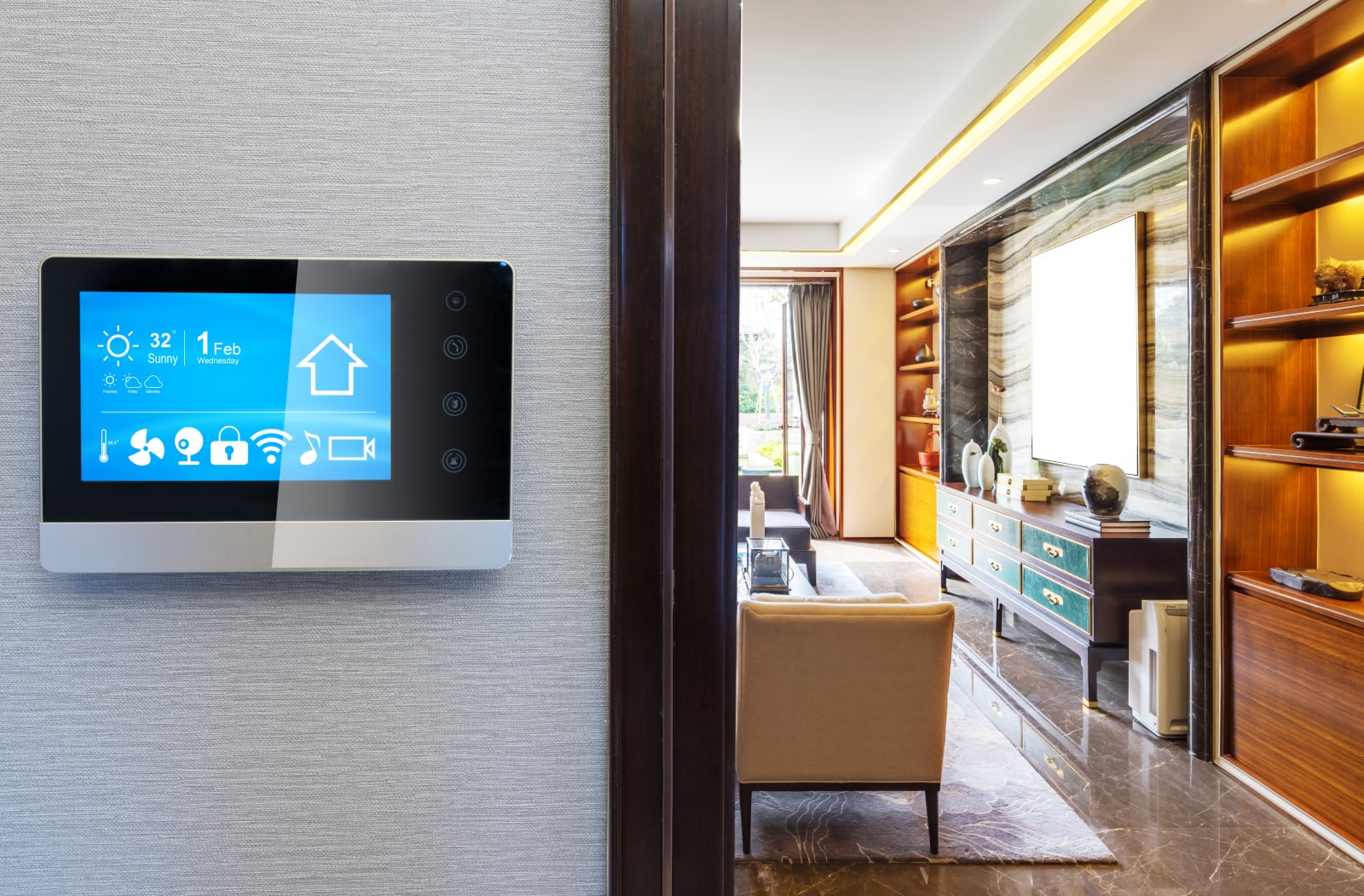
Think of the smart hub as the heart of the home, a central organ connecting all the gadgets around your house, with arteries that lead to each of them. It allows you access to everything through one centralized app, rather than forcing you to juggle a half-dozen different apps from disparate manufacturers.
Another reason smart hubs can come in handy is that not every device relies on the same wireless standard. Connected lights like the LIFX A19 Smart Bulbs connect via WiFi, while others, like the Philips Hue, require that each bulb routes through a Zigbee-compatible gateway. There’s the Z-Wave standard, too, which is favored by brands like GE and Linear and requires a gateway to work. A standalone hub, like the Samsung SmartThings, typically includes connectivity for all of these different wireless standards. Some device makers will even package hubs of their own into a kit, like the Philips Hue lighting system, though their compatibility is often limited.
There are some hybrid devices that offer partial compatibility, like the Amazon Echo Plus, which features Zigbee connectivity, or the Abode home security system, which supports both Zigbee and Z-Wave. Hybrid setups like these are worth considering: As these types of devices become more commonplace, so will strain on your wireless network. A smart hub can help divert some of that network traffic toward a particular lane, away from WiFi and Bluetooth, to help smooth the flow.
In that case, perhaps the best reason to consider a hybrid smart device as the hub to connect all the things is to help alleviate the strain on your home network.
So do you need a dedicated smart hub?
If you’re just dipping your toes into this smart home thing, you might even consider avoiding smart hubs altogether and syncing everything through a smart speaker instead. The Google Home Mini and Echo Dot don’t work like traditional smart hubs because they don’t have Zigbee or Z-Wave connectivity. But if you’re living with different ecosystems in your home and are looking for a way to unite them all, a smart speaker can provide that “hub-like” functionality through its companion app. If you’re an Apple fan, you might also consider the HomePod, which uses Siri as its assistant and offers HomeKit compatibility.
I would add that if your devices all support WiFi, there’s definitely no need for a dedicated hub. If you’re worried about juggling too many apps, there are third-party programs like Stringify and Yonomi that offer a centralized locale where you can control everything that’s connected in your house. Both apps also support automation, so you can program those smart lights to come on every night at the same time, for example.
The best smart hubs

If you’re still set on a smart hub, consider the two most popular and best-rated devices on the market: the Samsung SmartThings Hub and the Wink Hub 2.

The Samsung SmartThings mobile app
Samsung SmartThings Hub
The second-generation Samsung SmartThings hub ($99) simply has the most well-rounded feature set. It supports Z-Wave, Zigbee, and Bluetooth, and it connects by hardwiring into your router. It’s compatible with more than 200 devices and a variety of third-party services, including Philips Hue, Nest, and IFTTT. All told, the SmartThings device ecosystem is one of the most expansive, with Samsung offering everything from motion sensors to water detectors. As a bonus, it comes with battery backup, which is helpful when the power goes out but you still need to unlock the front door.
The only caveat is SmartThing’s kludgy companion app. While it does enable you to manage numerous smart devices in one place, there is a bit of a learning curve to mastering its cluttered, dated interface. It’s also confusing to set up SmartThing’s version of automation alongside the Google Home and Alexa apps, which offer similar functionality.
Wink Hub 2
The $99 Wink Hub 2 isn’t as well known as Samsung’s offering, but it’s just as capable.

Wink’s second-generation smart home hub features Z-Wave Plus, Zigbee, and Bluetooth LE connectivity, as well as support for Lutron Clear Connect and Google’s Thread interface, two other proprietary standards that operate on their own frequency bands. The Wink Hub 2 also offers 5GHz Wi-Fi connectivity in addition to an Ethernet port, so you don’t have to install it near your router.
The Wink Hub 2’s app is a bit more intuitive than Samsung’s SmartThings, but it’s not without its flaws. As our friends at Wirecutter point out, the app refers to automation schemes as “robots,” which can be confusing for beginning smart home users. At the very least, you can quickly add devices to the Wink by scanning their barcodes with the app.

skyNext via Getty Images
If you don’t actually want a smart hub
As we said earlier, you don’t have to drop extra cash on a device that serves only one purpose. There are smart speakers and other connected devices with all the components you need to unite everything in your home. Cheaper smart speakers like the Google Home Mini and the Amazon Echo Dot don’t have the tech components necessary to act as a proper hub, but they can serve as a wrangler as long as you don’t mind taking the time to set up trigger words and routines.
Amazon Echo Plus

If you want to build out your smart home but don’t want to shell out too much money at first, the Amazon Echo Plus marries all the most essential features at an affordable price. This isn’t a device to consider for a robust setup, though, since the Echo Plus is only outfitted with a Zigbee radio.
The $150 Echo Plus is a digital assistant, a speaker that can lead a raucous house party, and what I’d call half a smart home hub. But because the Echo Plus runs on Amazon’s Alexa, its compatibility with third-party devices is nearly endless. Google Play Music and Apple Music aren’t natively available through the Alexa platform, though they can be streamed over Bluetooth.
Amazon Echo Dot

If you don’t need the Zigbee radio in the Echo Plus but you do want to be able to control everything by voice, the $50 Echo Dot makes for a fine alternative. All the smart home connectivity happens through the Alexa app, which supports voice commands and allows you to schedule routines for any linked devices and services. On the device itself, you’ll find playback controls and an auxiliary port around back, in case you want to use it as a controller for an existing stereo system.
Still, the Echo Dot isn’t a substitute for a full-fledged smart hub; it’s really just a barebones smart speaker. But if you’re simply planning on controlling a few WiFi connected lights or outlets in your home, this is all you need. Just make sure not to purchase anything that requires Zigbee, Z-Wave or some other proprietary connection to work.
Google Home

The $129 Google Home speaker comes in three varieties: the standard Google Home, the Google Home Mini and the Google Home Max. Think of them as the Google Assistant in sizes small, medium and large, with each using the Google Home app to manage your devices. From there, you can set up shortcuts and routines, as well as identify rooms around the house. And since it’s the Google Assistant that underpins this family of products, you’ll also have access to Google’s ecosystem, including Chromecast devices.
Like the majority of Amazon’s Echo speakers, Google’s smart speakers are not smart hubs, because they don’t offer Zigbee or Z-Wave compatibility. If you want to add devices that connect that way, you’ll have to build that bridge with an additional hub of some sort and then link it through the Google Home app.
Apple HomePod

If you’re committed to the Apple way of life, you might consider the Apple HomePod ($349), which is both a hi-fi speaker and a smart hub of sorts. The HomePod has Siri as its digital assistant, which isn’t as capable as Amazon’s Alexa or the Google Assistant. (Heck, it’s not even as capable as Siri on Macs or iOS devices.) Apple also uses a proprietary standard called HomeKit, which has increased its compatibility since the speaker hit the market. HomeKit works with devices from Belkin’s Wemo line, Philips Hue series, IKEA, GE and Logitech, to name just a few examples. (Here’s a complete list if you’re wondering where to start.)
If you’re not especially interested in the speaker, but you’d still like something with HomeKit support, the Apple TV 4K can also serve as a gateway device while streaming 4K content to your TV.
Images: zhudifeng via Getty Images (wall control); skyNext via Getty Images (woman thinking)
Facebook to open up its data for research on social media and elections
Facebook announced a new initiative today aimed at improving its policies and the role its platform plays in elections. The company acknowledged that it was slow to respond to election interference efforts that took place on its site and says it wants to learn more about social media’s role in elections around the world. To do that, it’s putting together a group of researchers that will then develop a research plan, get proposals for projects that address issues defined in its plan and manage a peer review process that will determine who will receive funding and access to Facebook data for their research.
The commission of experts will initially work for one year and Facebook says membership will be determined soon. It’s looking to form a group that’s diverse in its political views, expertise, gender, ethnicity and nationality. Once the research agenda, which can include topics such as misinformation, polarizing content, civic engagement and protection of domestic elections from foreign interference, is defined, the commission will solicit research proposals, the peer review for which will be overseen by the Social Science Research Council.
Those proposals selected to receive Facebook data will undergo additional scrutiny by Facebook’s privacy and research review teams as well as external privacy experts. And any reported data will be aggregated and anonymized. The commission will be able to continuously provide the public with information on its processes as well as Facebook’s and any research published in academic journals will not be subject to approval by Facebook.
Facebook has been keen to address privacy issues and election interference ever since the Cambridge Analytica scandal came to light. It has so far made a number of changes to how it manages users’ data and made efforts to ensure that its processes and policies are more understandable than they have been in the past.
“By working with the academic community, we can help people better understand the broader impact of social media on democracy — as well as improve our work to protect the integrity of elections,” said Facebook. Those funding the selected research proposals include the John and Laura Arnold Foundation, Democracy Fund, the William and Flora Hewlett Foundation, the John S. and James L. Knight Foundation, the Charles Koch Foundation, the Omidyar Network and the Alfred P. Sloan Foundation.
Source: Facebook
Xprize finalists to test CO2 recycling ideas in factories
In September 2015, the NRG COSIA Carbon Xprize was born. Through a total of $20 million in reward money, the aim of this particular Xprize is to challenge participants to come up with a way to convert CO2 emissions into something actually useful. Almost two and half years later, and the Xprize crew have now whittled down the contestants from 27 semi-finalists to ten finalists.
Each of the finalists will be awarded their equal share of $5 million (that works out to $500,000 per team), and will be split into two tracks. The remaining $15 million of the prize purse will be split into two — $7.5 million goes to the winner of each track. One group of five will test out their tech at a coal-fired power plant in Gillette, Wyoming, while the other five will head to a natural gas-fired plant in Alberta, Canada. Each team will be tasked to actually put their plans into practice in a real-world setting day after day, week after week, for a total of eight months.
Teams are evaluated based on a few different factors: just how much CO2 is converted, the economic value of the product, the market size, the CO2 uptake of the products, as well as the overall carbon footprint of the entire process. The semi-finalists already had to undergo a 10-month test period in order to get to the final stage, but because this last hurdle involves testing out their tech in real-world facilities, they’ll have to scale up at least 10 times greater.
“It is the final, most ambitious stage of the prize competition,” said Dr. Marcius Extavour, Xprize senior director of Energy and Resources, who also happens to be the leader of the NRG COSIA Xprize. The team expects to announce a winner in two years.
One of the reasons the final stage of the Xprize is so demanding, is because Extavour wants it to actually be economically feasible. “We want to see if these solutions can be done at scale. This is crucial to catalyze interest not just in other innovators but policymakers as well. We want the public to get interested, and we want governments to pay attention.”
“We created this Xprize with a few goals in mind,” said Extavour. “One was to push teams in a difficult and ambitious endeavor, in order to inspire breakthrough innovations. We also want the public to follow the competition, and to be inspired by what’s possible.”
But more importantly, the larger goal is to deal with climate change. “When you typically hear about our CO2 problem, there’s generally not a lot of good news,” continued Extavour. “But we think innovation and ingenuity can lead to a low carbon future. [The Xprize] can help light a spark of the bonfire of innovation.” He said it could lead to greater economic activity as well as creating more sustainable products.
That’s why the NRG COSIA Xprize also started the Circular Carbon Network (CCN) initiative last year. The idea behind the CCN is to basically take the carbon conversion concept from the lab to the mainstream market and, hopefully, get some capital investment. “Our goal is to take these technologies to the fully industrial scale,” explained Extavour.
The ten finalists of the NRG COSIA Xprize are listed below, with descriptions provided by Xprize.
The Wyoming track (converting CO2 emissions from a coal-fired power plant):
- Breathe (Bangalore, India) – Led by Dr. Sebastian Peter, the team is producing methanol.
- C4X (Suzhou, China) – Led by Dr. Wayne Song and Dr. Yuehui Li, the team is producing chemicals and bio-composite foamed plastics.
- Carbon Capture Machine (Aberdeen, Scotland) – Led by Dr. Mohammed Imbabi, the team is producing solid carbonates with applications to building materials.
- CarbonCure (Dartmouth, Canada) – Led by Jennifer Wagner, the team is producing stronger, greener concrete.
- Carbon Upcycling UCLA (Los Angeles, CA, USA) – Led by Dr. Gaurav Sant, the team is producing building materials that absorb CO2 during the production process to replace concrete.
The Alberta track (converting CO2 emissions from a natural gas-fired power plant):
- C2CNT (Ashburn, VA, USA) – Led by Dr. Stuart Licht, the team is producing carbon nanotubes.
- Carbicrete (Montreal, Canada) – Led by Dr. Mehrdad Mahoutian, the team is producing cement-free, carbon-negative concrete that uses waste from steel production as an alternative to traditional cement.
- Carbon Upcycling Technologies (Calgary, Canada) – Led by Apoorv Sinha, the team is producing enhanced graphitic nanoparticles and graphene derivatives with applications in polymers, concrete, epoxies, batteries and pharmaceuticals.
- CERT (Toronto, Canada) – Led by Dr. Alex Ip of the Sargent Group at the University of Toronto, the team is producing building blocks of industrial chemicals.
- Newlight (Huntington Beach, CA, USA) – Led by Mark Herrema, the team uses biological systems to produce bioplastics.
 AIVAnet