


U.S. stays in fifth in global 4G availability rankings, increases in 4G speed
According to OpenSignal’s latest State of LTE report, the country with the best 4G availability is South Korea — yet again. While the U.S. is still in fifth place for availability, it saw an increase in 4G speed.
OpenSignal monitors the performance of mobile networks using crowdsourced data with the OpenSignal app. The app compares the performance of networks in surrounding areas and tests the speed of the mobile connections.
This quarter’s report collected more than 58 billion measurements from more than 4 million devices from October 1 to December 29. The analysis highlights 4G LTE speed, 4G availability, and how other countries ranked in comparison.
While the U.S. hasn’t moved up from the fifth spot, 4G availability has increased in the country since last quarter from 86.94 percent to 90.32 percent. There is now a total of five countries that have 4G availability greater than 90 percent — which means South Korea and Japan are no longer the only ones.
Even though the availability is rising, the LTE speeds have failed to see a significant increase the past few global reports. Countries have been close to hitting the 50 Mbps mark, but seem to hover over 45 Mbps. But there were some notable increases in speed such as in the Netherlands and Spain, along with Canada.
The U.S. has also managed to regain its strength after it saw a major decrease in 4G speeds due to AT&T and Verizon’s reintroduction of unlimited data plans. The decrease was most likely due to network congestion caused by an increase in customers, or data usage from already existing customers — which resulted in the average connection speed for all customers to drop.
In an OpenSignal report from last August, both Verizon’s LTE download connection dropped 12 percent — from 16.9 Mbps to 14.9 Mbps — while AT&T was less extreme at 12.9 Mbps from its previous 13.9 Mbps. But as a whole, the country has gone from 13.98 Mbps in last quarter’s report to 16.31 Mbps, which is a sizable increase.
For now, the best performers in speed are Singapore, Netherlands, and Norway, who range from 41.20 Mbps to 44.31 Mbps. It’s important to note that while the U.S. was one of the first countries to take on 4G, a country’s speed is dependent on a variety of factors — including regulations, the economy, and technology.
Editors’ Recommendations
- A 4G-capable Nokia 3310 smartphone may be showcased at MWC 2018
- Dell’s refreshed Latitude laptops get to work with 8th-gen Intel Core, 4G LTE
- Gigabit LTE will give your current phone insane speeds. Here’s how it works
- Xiaomi Mi Mix 2 review
- T-Mobile is best mobile network in all categories but one, OpenSignal says
YouTuber explains mechanics behind those amazing SpaceX rocket launch videos
As with pretty much all rocket launches these days, space fans are spoiled with stunning footage of the start of each mission as the rocket soars into the sky at incredible speed.
If you’ve ever wondered how the pictures are captured, then a video from new YouTuber Primal Space does a great job in explaining.
The video kicks off by showing the sort of setup required if you were trying to get the same kind of footage using a regular DSLR camera. First up, you’d need something like a 10,000mm lens (sorry, you’ll have to build it yourself) for the rocket to fill the frame for a good part of its ascent.
But even then, forget tracking it manually. A massive focal length likes that means every little movement would be magnified to such an extent that your footage would be a total mess, as a clip in the video nicely shows.
Having explained just how accurate and precise the tracking has to be, Primal Space’s video goes on to explain about the kind of technology used for today’s launches.
Each of the main launch pads in the U.S. is surrounded by several long-range tracking cameras that look more like missile launchers than photography equipment. In fact, there is a warfare connection here, as each setup is actually part of a Kineto tracking mount initially developed by the military to track aircraft and missiles.
In the early ’70s, rigs like this would be controlled by skilled operators, Primal Space explains. But as you’d expect, many of the tracking functions now take place automatically, enabling reliable footage of every rocket launch.
And all that detailed footage isn’t simply to entertain audiences sitting at home. For the engineers behind the missions, the videos provide vital information on the state of the launch and the rocket’s performance as it climbs in the sky.
“NASA uses a mix of digital and film cameras on these mounts,” the narrator says. “The short-range tracking cameras make use of a high-speed frame rate and shutter speeds, which are useful for rocket companies to analyze their rockets in great detail during the launch sequence.”
Such footage helped investigators to work out the cause of the Space Shuttle Columbia disaster in 2003, leading to changes to enhance the shuttle’s safety for subsequent flights.
The video also notes how the launch pads now have the very latest video technology for amazingly detailed live-streams of today’s rocket launches.
“The method behind filming and broadcasting a rocket launch is actually very difficult,” the narrator says. “As the technology of the tracking systems and the cameras continue to improve, we can look forward to seeing more amazing shots like this.”
Editors’ Recommendations
- SpaceX is blazing a trail to Mars, one milestone at a time
- Awesome tech you can’t buy yet: Heated gloves, smart bike lights, tiny Game Boys
- What is a DSLR camera and what sets it apart from mirrorless and point-and-shoots?
- An amateur astronomer just discovered a long-lost NASA zombie satellite
- Rylo 360 camera review
Linka upgrades its smart bike lock that lets you make easy pit stops
Linka
The Linka smart bike lock first grabbed our attention last summer as a great solution for those times when you just want to make a quick pit stop without having to fiddle around with separate chain locks and the like.
The Oakland, California, team behind the smartphone-controlled Linka is now prepping the launch of a new version — the Linka Leo — offering several enhancements and additional features.
Just like the original $169 Linka, the Linka Leo comprises a main unit that you attach to the frame over the back wheel of your bike. Once it’s set up, you simply press a button on the lock to make the security shackle slide across whenever you park up.
As with the debut version, the Leo conveniently auto-unlocks when you approach, so long as it detects your smartphone via Bluetooth, that is.
Both locks also have a siren alarm if someone tampers with your bike when you’re away from it, though at 120 decibels, the Leo’s alarm is 10 decibels louder than its predecessor. If you’re far away from your bike or inside a store where you can’t hear the alarm, you’ll receive an alert to your smartphone that’s something’s up. The original Linka could only send alerts over a maximum distance of 120 meters, but the new Leo lock claims to have no limit at all.
Another big addition to the revamped Linka is GPS theft tracking so you can locate your bicycle if a thief picks it up and throws it on the back of a truck. In such a scenario, a map on your phone will pinpoint your bike to within three meters of its location. It seems like a useful feature, but what if the thief removes the lock, which they’ll presumably have to do if they want to use the bike or sell it on. If that happens, the best chance you’ll have of finding your two-wheeler is if you can track it immediately after it’s taken, before the thief has a chance to discard the lock.
A notable improvement for the Leo is battery life, which now boasts two and a half years over the original Linka’s 16 months. As for design, a larger version will be offered with the Leo, making it compatible with ebikes.
For added security, the company already offers a couple of chain locks for $30 and $40, compatible with the original lock, so you can secure your bike to a fixed object like a pole.
For the Leo, it’s launching three “Loop” chains that perform the same function, except that these ones include a built-in power bank to ensure your bike lock stays charged for much longer.
If you’re wondering what happens if your smartphone battery dies or you lose your phone soon after parking up, then fear not. Both the Linka and its successor can be unlocked by manually inputting a four-digit code on the lock itself.
Overall, the Linka Leo looks like a decent upgrade on the original device, though we’re keen to see the price tag before making a final judgment. The Leo is set for launch in the spring, and you can sign up on Linka’s website for the latest information on a specific date.
Editors’ Recommendations
- Unlock Kwikset’s Kevo Contemporary smart lock with the touch of a finger
- Control front door security from your phone with the Nest x Yale Lock
- How to lock a Mac
- The best smart locks you can buy
- OK., Google, it’s time for you to work with the Schlage Sense Smart Deadbolt
Do you prefer Nova Launcher or TouchWiz Home?
The battle of third vs. first-party.
As most all of you know, one of Android’s greatest strengths lies in the ability to customize just about every little aspect of it that you want. Third-party launchers are a great way to change up the entire look and feel of your device, and time and time again, Nova Launcher has proven to be one of the best options around for doing this.

Samsung’s own Android launcher (TouchWiz Home) used to be hot garbage just a few short years ago, but since the Galaxy S8, Samsung managed to turn it into something that a lot of people actually prefer using over a third-party one.
Some of our forum users recently started talking about whether they prefer Nova or TouchWiz Home, and these are a few of the responses.
michail71
02-18-2018 09:54 AM“
I’ve been using Nova Launcher on my V20 for the past year and I just upgraded to a Note 8 yesterday. Yeah, I know this isn’t the Note group but this is a bit of a generic topic.
I’ve been really impressed by the stock setup (apps and launcher) on this phone. I almost feel like it has been customized with a independent launcher of some sorts. 🙂 I think Samsung is getting a bit Apple like…
Reply
justnivek
02-18-2018 10:18 AM“
I’ve been a nova prime user for as long as I remember, nova is great at what it does and for most Android phones is the better option than the stock launcher
…..but
I can’t seem to leave Samsung’s stock launcher on my S8, it’s just amazing and so beautiful and I love how small the widgets info is (example is my bible widget, on stock it shows all the info in a smaller amount of space but…
Reply
sleepnclass
02-20-2018 03:53 AM“
I don’t mind Samsung’s ui but I’m sure I’m in the minority. I used to use nova all the time but now when i use it on my s8+ or note 8 it slows it down really bad so I gave up on theming.
Reply
Golfdriver97
02-19-2018 09:53 AM“
I use Nova on my Note 5. I’m sure there is a difference between Samsung’s UI between the two, though.
Reply
Now, we’d like to hear from you – Are you using Nova Launcher or Samsung’s TouchWiz Home?
Join the conversation in the forums!
Amazon is discounting the Prime-exclusive Moto X4 by $150 for one day only
Limited time offer.

You can grab an unlocked version from several retailers for $299.99 right now, but this is a great way to save even more. Amazon no longer uses your phone’s lock screen to display ads, and instead, the company just preloads a few of its apps on the phone including the Amazon widget, Prime Movies, Prime Photos Storage and more. The phone is IP68 water resistant and features a 5.2-inch display, Snapdragon 630 processor, 3GB of RAM and 32GB of storage.
Alexa is only a voice command away as well. Simply say “Alexa” and you can begin playing music, check the news, and much more. This is also an unlocked version which will work on all major U.S. carriers, and this discount is available on both the silver and black versions of this phone. Remember, this price is only good for today, so don’t miss out.
If you don’t want to deal with Amazon’s extra apps and don’t mind spending $50 more, you can pick up a regular unlocked version from B&H, Motorola directly, Best Buy and Newegg.
See at Amazon
Swype Keyboard is officially being discontinued
Time to move to Gboard.
Like a lot of my fellow Android users, I often used to jump back and forth between keyboard apps on my phone. I’ve dabbled with just about every popular option out there, but today the Play Store is losing one of its long-standing champs as development for Swype Keyboard has officially ended.

According to one Redditor that contacted customer support at Nuance (the company behind Swype), they were told that “Swype+Dragon for Android has faced end of development.” This was then followed up by a message from Swype’s Product Team that reads:
Nuance will no longer be updating the Swype+Dragon keyboard for Android. We’re sorry to leave the direct-to-consumer keyboard business, but this change is necessary to allow us to concentrate on developing our AI solutions for sale directly to businesses.
Shortly after this, XDA Developers received a statement from Swype’s PR department confirming what the Reddit user was told.
Swype has been on the Android Market/Google Play Store since as far back as 2013, and at the time of publishing this article, the Play Store indicates it has between 1,000,000 and 5,000,000 installs. In addition to being around on the Play Store for so long, many Huawei devices still ship with Swype preinstalled out of the box.
The Swype Keyboard app is still on the Play Store, but it won’t receive any future updates from here on out. I’ve personally been using Gboard for well over a year as my keyboard of choice, and while it can take some time to understand all of its different features, it really does offer one of the best typing experiences on Android.
If you’re currently a Swype user, what keyboard app will you be moving to?
Android P wish list: What I want Google to add
Mega Man Mobile series for Android review: Malfunctioning robots

What should be a celebration of an iconic video game series is dragged down by development issues.
Nostalgia plays a huge role in gaming these days. As cool as games with jaw-dropping graphics are, more and more you’re seeing retro-styled titles or ports of 8-bit video game classics making their way to the Google Play Store.
Play Mega Man Mobile 1-6 for FreeGAMESTASH
Sega set the standard for how companies ought to go about re-releasing legacy titles to nostalgia-hungry smartphone gamer with its Sega Forever series. Another classic company, Capcom, also tried to cash in on this 8-bit retro phase in grand fashion last year, releasing the first six Mega Man games as mobile releases onto the Google Play Store:
- Mega Man Mobile
- Mega Man Mobile 2
- Mega Man Mobile 3
- Mega Man Mobile 4
- Mega Man Mobile 5
- Mega Man Mobile 6
Mega Man, AKA Rockman in Japan, AKA The Blue Bomber, is a plucky young lad in a blue armor suit who must defeat Dr. Wily and his army of robots to save the earth and achieve everlasting peace. Originally released for the Famicom in Japan and NES in the U.S., there’s a lot of video game history in those first six titles, establishing Mega Man as one of the more recognizable video game characters and winning over legions of fans over the past 30 years.
Unfortunately, the Mega Man Mobile games aren’t quite what they should be, and hardcore Mega Man fans will undoubtedly be disappointed by them. There are a few overarching issues I need to address with these games to start:
Not direct ports
The first and most glaringly obvious point is that these are not direct ports of the original NES games — instead, these are “mobile” versions of Mega Man that have been optimized for newer Android devices.
What changes have been made? In each game description, Capcom makes it clear that both the gameplay and difficulty have been “optimized for smartphones” and that there are certain elements that differ from the original games. What they mean by that is they had to drastically lower the difficulty level to accommodate for the touchscreen controls.


They also included the erroneously named “Normal Mode” which gives you unlimited lives and continues, along with “Hard Mode”, which limits your number of continues and ups the enemy’s attack. Truth be told, Hard Mode should be called Normal because it more closely matches the challenge of playing the original — and Normal Mode should be called Easy Mode because it removes all the consequences of dying. Any time Mega Man dies, he simply respawns at the last checkpoint. I found the forgiving nature of “Normal Mode” to be the only way to make progress in any of these games. These old NES games are notorious for being tough as nails, but prepare to die 1,000 cheap deaths playing them. Sometimes it will be your fault, but more often than not it will be the game controls or mechanics slipping you up.
I found the forgiving nature of “Normal Mode” to be the only way to make progress in any of these games.
When these games were first released for Android in January of 2017, other sites ripped Capcom to shreds for not simply emulating these 30-year-old games on Android to be enjoyed in their former glory, and for the shoddy touch controls and abysmal frame rate. Capcom addressed the framerate issue with a February 2017 update that added the option of selecting the game speed, and of the three options included, Turbo Mode is the one you’ll want to go with if you can’t handle sluggish framerate. I found it to be the only way to enjoy these games — the lowest game speed option shouldn’t even be there because it makes the game essentially unplayable.
No support game controllers
The other indefensible exclusion from these games is the lack of Bluetooth controller support. Not all touchscreen controls are awful, but touchscreen controls in an action platformer game that requires run-and-gun gameplay and pinpoint jumps are just asking for problems.
I mean, it’s one thing if you’re developing a brand new game and you don’t want to go through the extra hassle of including controller support. That’s fine. But if you’re a big company like Capcom and you’re re-releasing some of your console classics onto mobile, you damn well better include controller support.

Games like Mega Man Mobile are the perfect candidate for Bluetooth controller support.
The hardcore fans that are going to be your core market for game releases like these and those gamers may well retain the muscle memory from mashing physical buttons for hours on end playing these games as a kid. But you lose all of that with touchscreen controls. There’s no tactile feedback when you go to jump or shoot, the virtual d-pad removes your ability to correct yourself on tricky jumps in platforming sections, and jumping and firing — a very important skill in Mega Man games to master — become a random guessing game of whether you timed your jump and shoot presses properly.
Putting the frame rate issues and lower difficulty aside, the lack of control options is my biggest gripe with these games. The fact that it’s been over a full year since release and nothing has been done in spite of so many user reviews asking for them seems to point to indifference on Capcom’s part. It’s annoying and it certainly deserves to addressed.
Which are worth playing?
Beyond these broad issues that needed to be addressed up front, the question then becomes which individual games are worth playing. Based on your own history playing the Mega Man series, you might have a particular connection with a specific title but if you’re coming in fresh and just want the best Mega Man experience on your phone here are my thoughts:
- You can probably skip right over Mega Man 1: It sort of pains me to say it considering these are the OG Mega Man titles, but the first Mega Man plays the worst on Android. It lacks the added abilities and controls of later releases and shows its age more so than its sequels.
- Mega Man 2 has the best bosses: This one’s subjective, but for a series that has stuck with the generic “Blank” Man naming convention, Mega Man 2 offers the best variety in my opinion — even with the likes of “Air Man” and “Wood Man” on the roster.
- Stick to the 4, 5, and 6 for the most fun: Things start to really improve with Mega Man Mobile 3 which introduces Mega Man’s robot dog, Rush, and also adds power slides to the gameplay. But it’s the fourth title that adds the Mega Blaster which allows you to charge up blasts to deliver extra damage and really fleshes out Mega Man’s abilities. If you’ve never played Mega Man before, you’re best off starting with Mega Man Mobile 4 and working up from there (or tracking down an old NES console and doing it up right).
Final Thoughts

There’s no denying that Capcom sort of dropped the ball here, which is all the more disappointing when you consider that Mega Man is one of their most iconic franchise. Charging $2 a pop for each of these games that have had frame rate and control issues since day one feels like a scummy cash grab.
All six games are available in the GameStash library for free, and that’s probably the best way to play through each of these games and find the ones you enjoy the most. The games themselves are definitely worth playing and they’re well suited for younger audiences. It’s just a shame that Capcom didn’t spend the extra effort to get it right.
Google Pay launches to replace Android Pay and Google Wallet
The rebrand to end them all.
At the beginning of the year, Google announced that it’d be merging its Android Pay and Google Wallet services under one new umbrella called “Google Pay.” A little more than a month since that announcement, the Google Pay app is now rolling out to users via an update on the Play Store.

What does this change mean? Admittedly, not a whole lot. The Android Pay app on the Play Store is being changed to Google Pay, and while there’s a new logo and tweaked UI, all of Android Pay’s core functionality is still here. You can view all of your linked cards, pay for things in stores without having to first open the Google Pay app, and make payments online when you see a “Buy with G Pay” button.
Google says that users in the United States and the United Kingdom will be able to use the main Google Pay app to send and receive money from friends and family members in “the next few months”, but until then, the Google Wallet app is being changed to Google Pay Send with an updated UI and branding, too.
The Google Pay branding is showing up in the Play Store on my end, but I’ve still got the old Android Pay interface on my Pixel 2. It’ll likely take a couple days for the changes to be rolled out to everyone, so don’t fret if you aren’t seeing the new look right away.
If you do already have the new Google Pay app, what do you think about it so far?
Download: Google Pay (free)
Job listings suggest that Spotify is working on its own smart speaker
“Spotify is on its way to creating its first physical products.”
Ever since Amazon came out with the Echo in 2014, the market for smart speakers has exploded into something that Google, Apple, and countless other companies are trying to dip their toes into. According to a new job listing, one of the next smart speakers could come from none other than Spotify.

A new job listing was recently added to Spotify’s website for an “Operations Manager – Hardware Product.” Under the title for this position, it says “Spotify is on its way to creating its first physical products and setting up an operational organization for manufacturing, supply chain, sales & marketing.”
Could a Spotify speaker stand against the Google Home and Apple HomePod?
The Operations Manager will be in charge of Spotify’s distribution, supply, logistics, etc., and the streaming service notes that this person will also “contribute in the creation of innovative Spotify experiences via connected hardware.” In addition to this, Spotify has other listings for a Senior Project Manager: Hardware Production and a Project Manager: Hardware Production & Engineering.
Although the job listing doesn’t directly mention that Spotify is working on a smart speaker, this seems like the first logical step for the company if it wants to dive into the world of hardware. A Spotify-made speaker could be tremendously successful considering the service’s 70 million+ subscribers, but it’ll be interesting to see how the company approaches this market.
Will Spotify create its own smart assistant or use something like the Google Assistant? Will you be able to listen to any music service you want or just Spotify? There are a lot of questions that remain unanswered, but we’ll be keeping an eye out to see what comes of this over the following months.
Assuming we do get a smart speaker from Spotify, what features would it need to have for you to consider buying it?
Stations by Spotify beats Pandora at its own game
Best theming widgets for Android
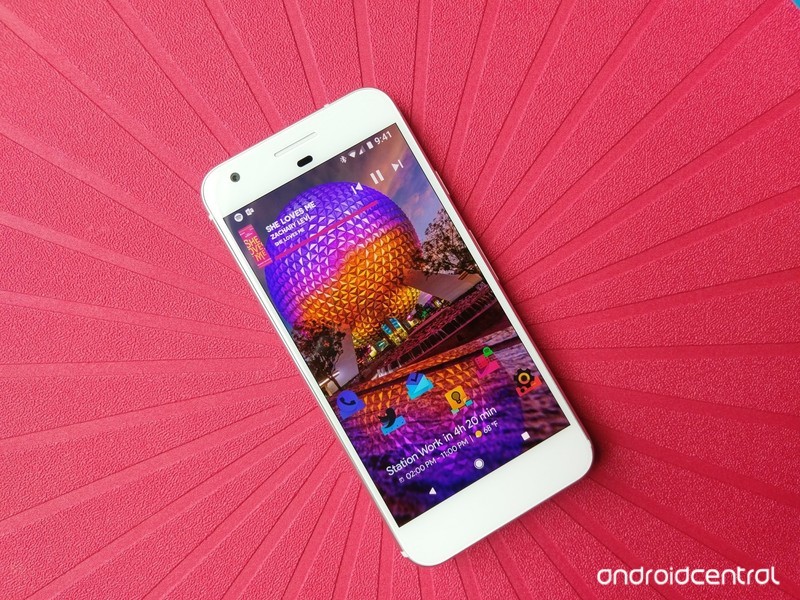
Finding widgets that work with one theme can be hard. Finding widgets that work with many is like a diamond in the rough, and here they are, ready to shine.
Android has hundreds of thousands of home screen widgets out there for you to try out, from advanced widget creators to those that come with your favorite apps. Some are beautiful, some are extravagant, and some are refined, but above all, they have to work. Widgets have to earn their keep on my home screen, or they’ll be deleted and replaced with something I actually use.
Not all apps have customizable widgets, and no matter how good some of those widgets are — like Google Keep — if they don’t play well with themes, then I can’t count on them when I’m building my home screen.
Another Widget

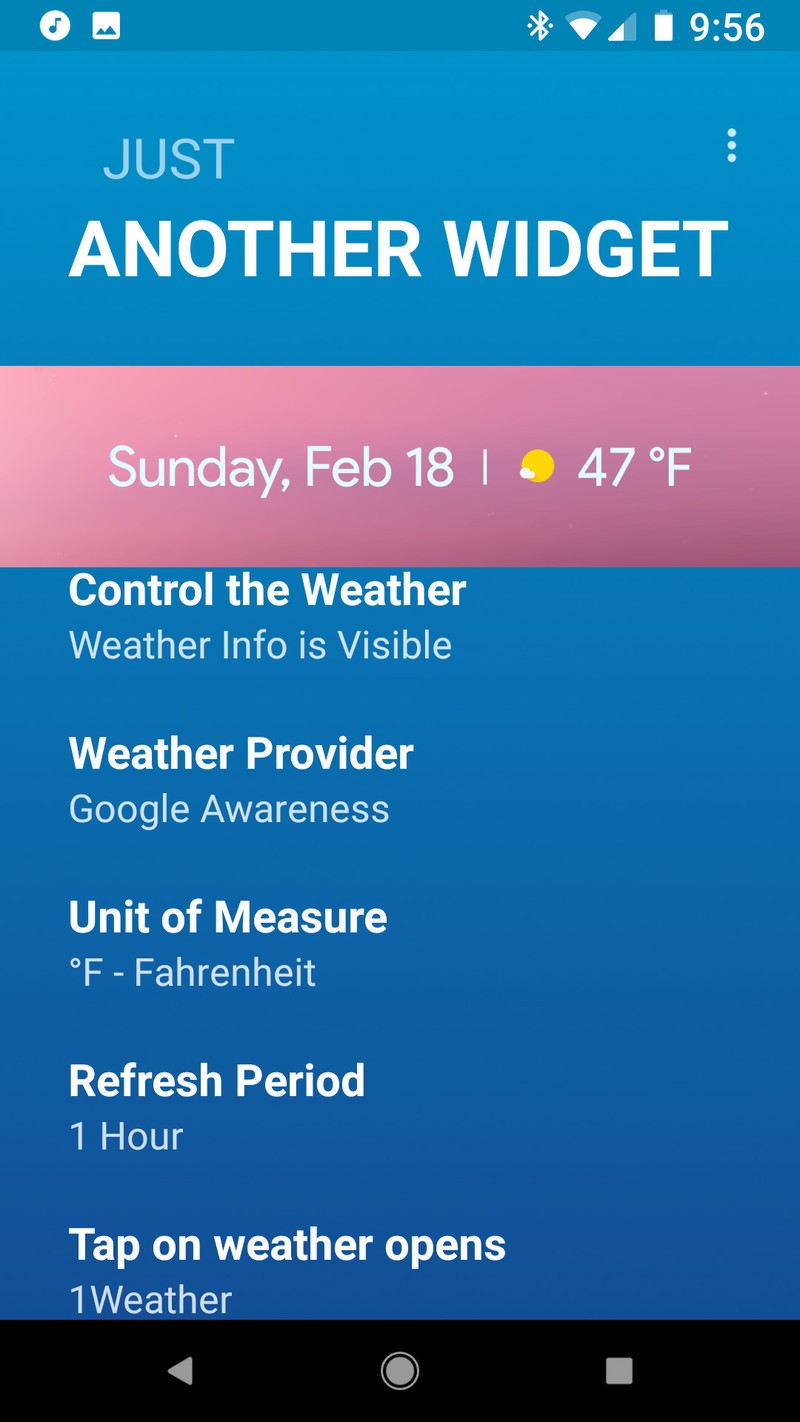

The Google Pixel 2 brought a few new tricks to its home screen this year, but none have been as popular as the At A Glance widget. This refined, easy-to-see and easy-to-use widget is only available on the Google Pixel, but enterprising developers have begun to mimic it in apps like KWGT and launchers like Action Launcher. The best interpretation of the At A Glance widget so far is hands-down Another Widget.
Despite the pedestrian name, Another Widget is not just another imitator. Another Widget goes beyond the original by allowing users to customize the text size, text colors, shadows, data shown, and the apps triggered by tapping the calendar and weather portions of the widget. In short, Another Widget is more flexible than the original and available to everyone, not just those who could blow $650 on a new Pixel.
Whether you’re trying to make your phone look as Pixel-y as possible or just want an informative widget that doesn’t get in the way of a good theme, give Another Widget a try. The app itself is free, but you can support the developer by buying them a coffee, breakfast, or dinner should you appreciate their work.
Download: Another Widget (free, in-app purchases)
Calendar Widget Month + Agenda
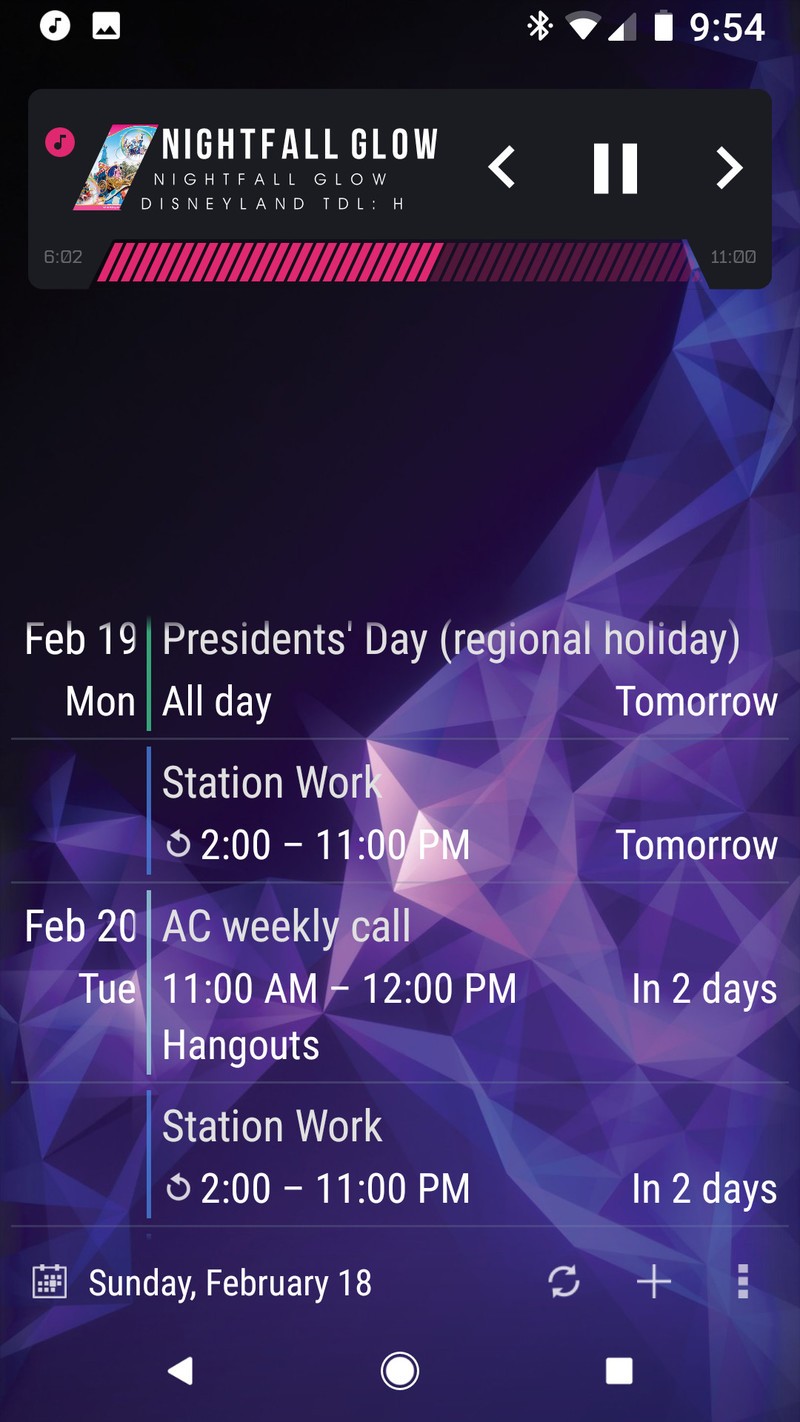
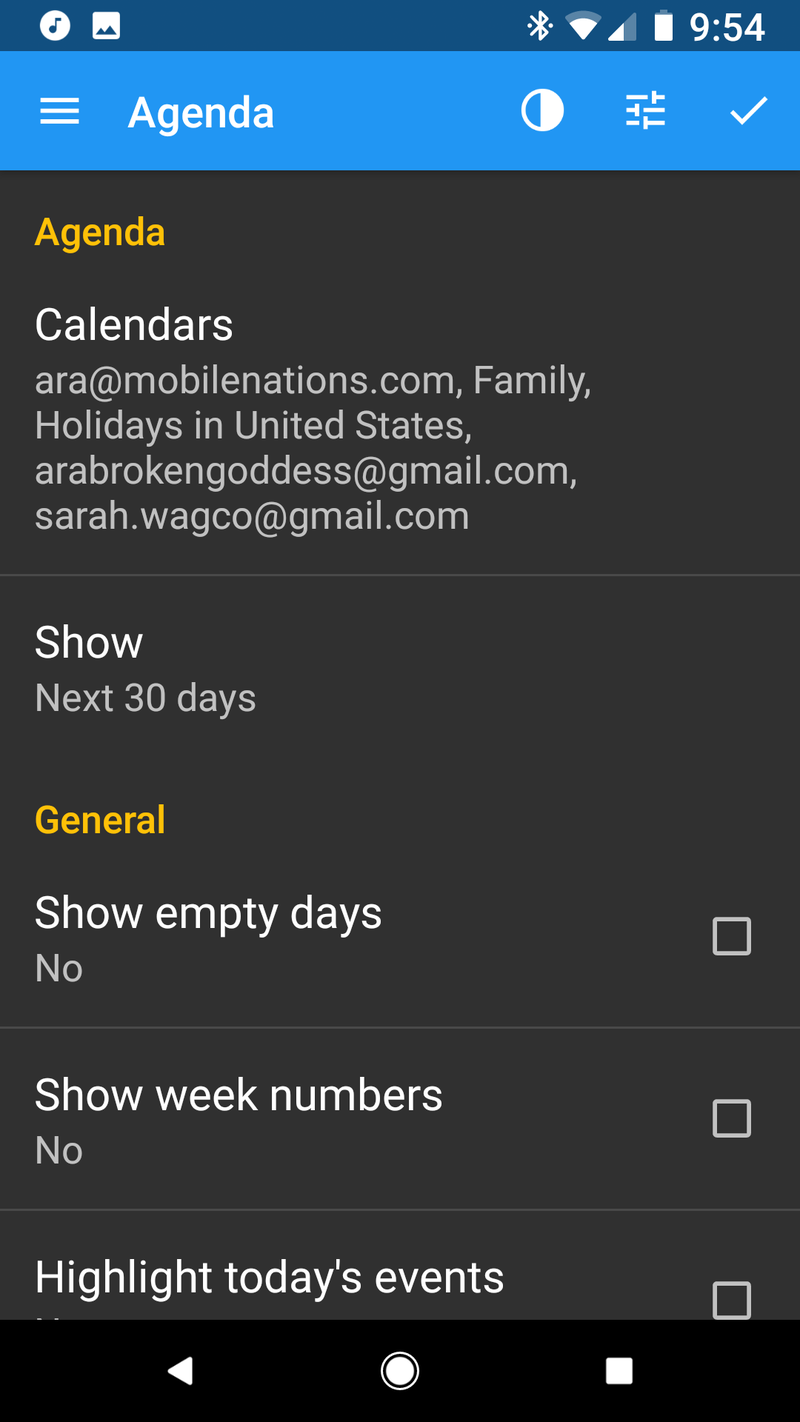
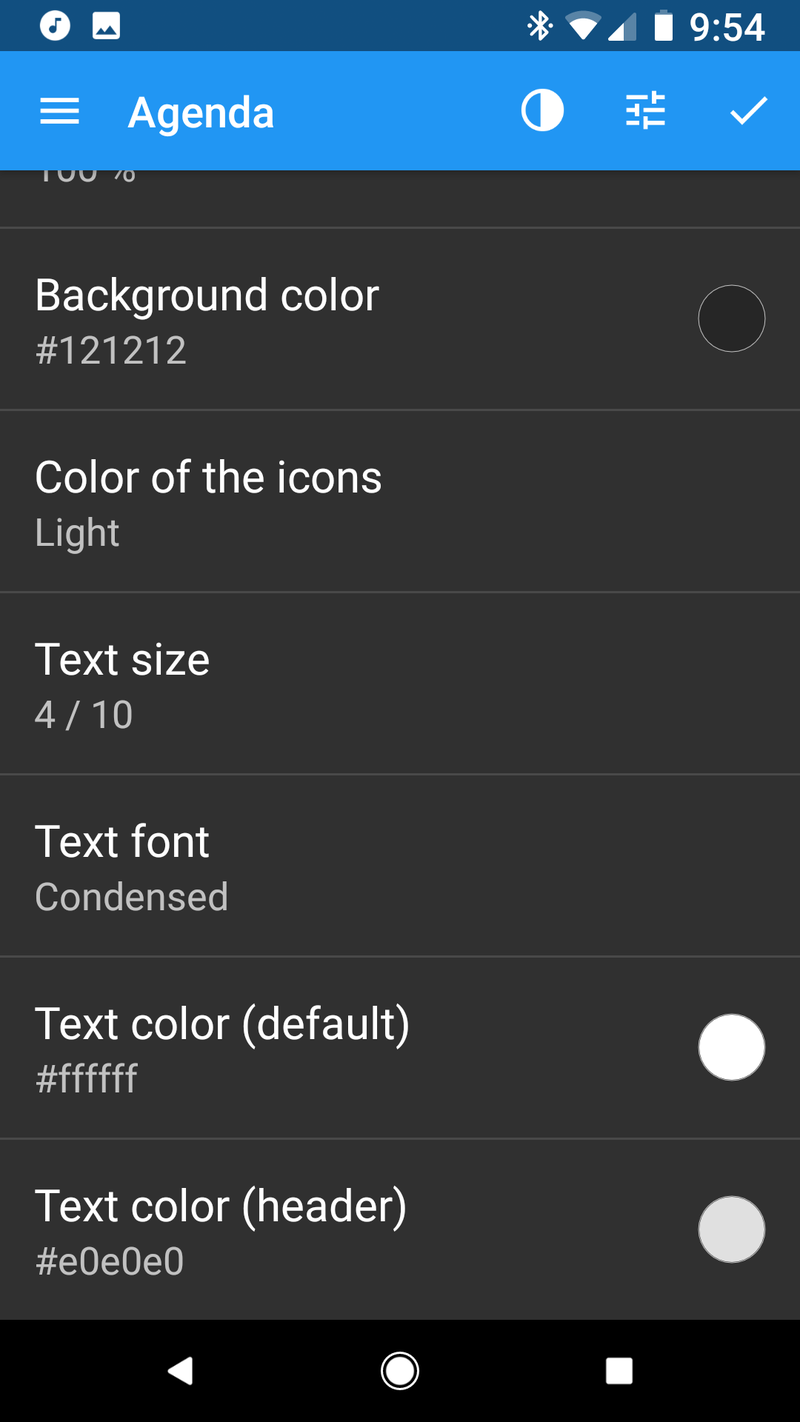
I’m not going to sugarcoat it: Most calendar widgets are ugly and don’t theme particularly well. That said, if you have to have a calendar widget on your home screen beyond a next appointment widget like Another Widget, then Calendar Widget Month + Agenda by Milan Sillik is probably going to be your best bet. The widget is easily resizable and adaptable, you can recolor it and change the transparencies to your liking, and you can try it out for free with all features enabled. Free users have a bar at the top of the Agenda advertising the PRO version license, but it’s easy to scroll past while you’re testing it out.
Using it with 100% transparency allows your calendar events to scroll in and out of your wallpaper seamlessly, and it’s easy to turn the transparency back up when using a busier wallpaper. Just don’t set the bottom toolbar to Minimalistic, or you won’t be able to get back into the widget’s settings without clearing the app data.
Download Calendar Widget Month + Agenda (free, $1.99)
1Weather


Weather widgets are the most popular widgets on the block, and no matter what weather app you have installed, there’s bound to be a widget or two with it, but no weather app has quite the diversity or flexibility of the widgets included with 1Weather. 1Weather is a weather app designed by OneLouder, the development team behind popular Reddit app BaconReader and Twitter client TweetCaster, and 1Weather’s layout is as easy to use as it is easy to customize.
1Weather’s widgets come in all shapes and sizes, and while the icon sets are either black or white, you can set accents for each widget to help the widgets blend or pop against your current themes. 1Weather’s widgets are highly adaptable, and I’ve used them in dozens of themes.
Download 1Weather (Free, in-app purchases)
KWGT, king of the widget-makers

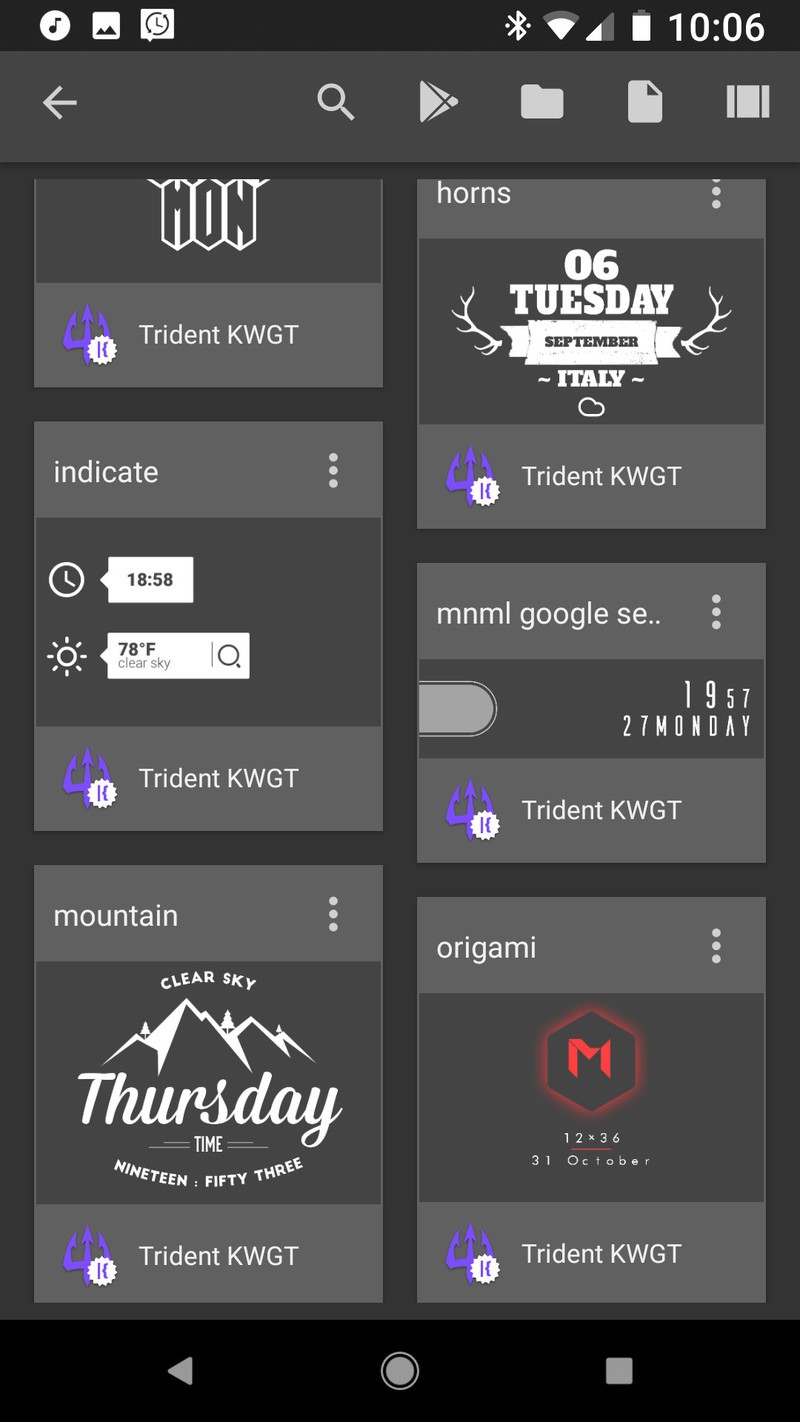

When it comes to widgets that fit your theme, sometimes you can’t rely on an app to have a widget that fits. Sometimes, you have to make your perfect widget, and when it comes to making your own widget, KWGT is king. KWGT — short for Kustom Widget — is a WYSIWYG widget creator, and its basis is quite simple: what you see is what you get. KWGT allows users of all skill levels to build and modify widgets layer by layer, piece by piece so that they get a widget that fits and performs exactly as desired.
Read more: Why KWGT is an essential tool for Android themers
Don’t worry, you don’t have to build each and every widget from scratch. KWGT Pro enables you to pull in presets — pre-built widgets — from other users and from Kustom packs, packaged KWGT presets and komponents. This means that KWGT widgets are easier the share than they are to build, and themers often share their KWGT presets while showing off their themes in communities like r/androidthemes/.
KWGT is also a good way to introduce yourself to WYSIWYG editors and Kustom’s framework before you dive into KLWP — Kustom Live Wallpaper — KWGT’s beefier big brother.
Download: KWGT (Free, $4.49)
Why Zooper isn’t here
Once upon a time, Zooper was the WYSIWYG widget maker that diehard themers turned to. The UI was a hair easier to pick up on Zooper, but unfortunately, Zooper hasn’t been updated since 2015, and it was even briefly removed from Google Play in December. In short, it’s outdated, unreliable, and not worth your effort today.
Your turn
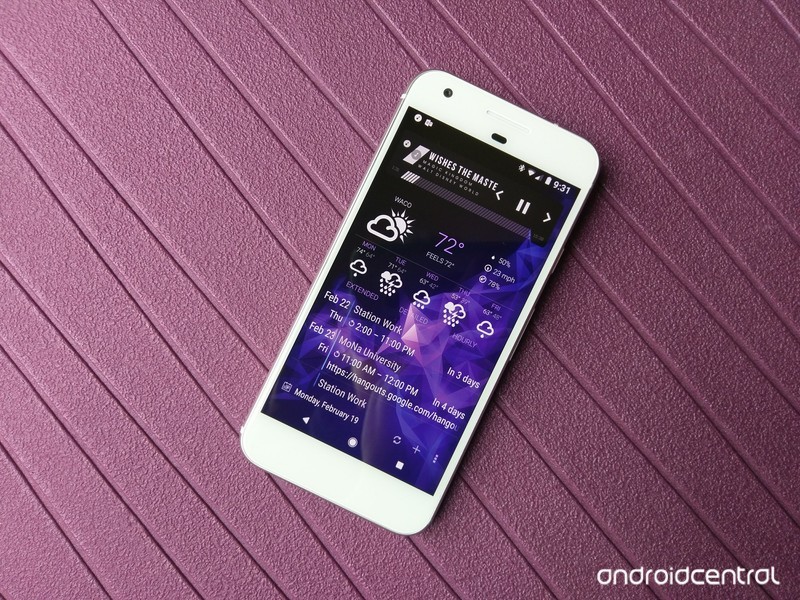
If you have widgets that are team players when you theme, sing out in the comments below! We’re always on the lookout for a few good widgets.
Read more: the best music widgets for Android
Updated February 2018: This article has been completely overhauled and rewritten to reflect developments and discontinuations in the Android widget space.
 AIVAnet