


Oreo update for Galaxy S8 does not support Project Treble
This still isn’t a big deal.
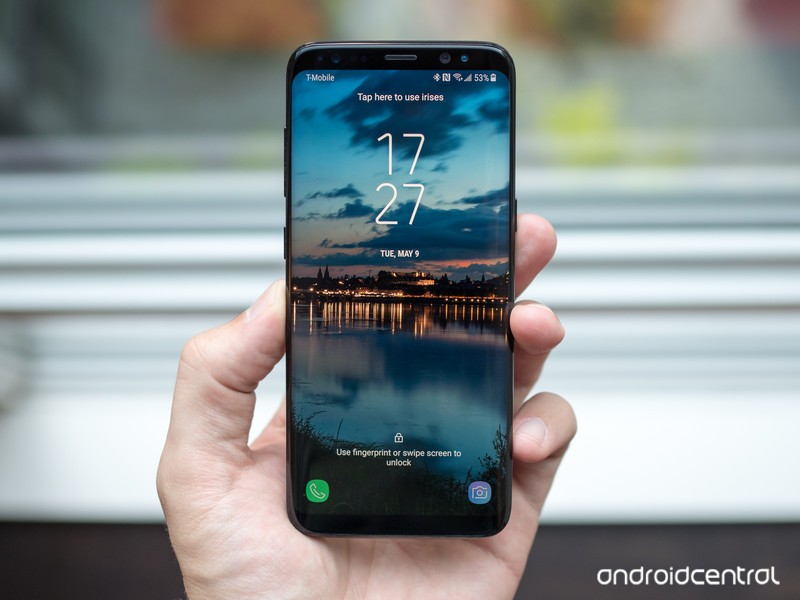
After months of being stuck in beta, Android Oreo for the Galaxy S8/S8+ is officially rolling out as a public release. Oreo adds a lot of welcome features to the S8, such as better performance, picture-in-picture, Google’s Autofill API, and more, but one thing you won’t find is support for Project Treble.
Project Treble was announced last May, and its main purpose is to help increase the speed of sluggish software updates that plague so many Android phones. Devices that ship with Oreo and later are required to have it, but a phone that shipped with an older version and was then updated to Oreo isn’t required to do so.
In addition to the Galaxy S8/S8+, we also saw OnePlus choose to not support Treble with the OnePlus 3, 3T, 5, and 5T.
This may sound like a huge blow to the Galaxy S8 considering that Samsung’s update speed has been notoriously slow, but we still haven’t seen any real-world benefit from Treble. The idea of having faster software updates is undoubtedly nice, but until Google can prove that it makes a meaningful difference, it’s not worth getting worked up over a phone not supporting it.
If you’re the owner of a Galaxy S8, is the lack of Project Treble a big deal to you?
Samsung is finally rolling out the Oreo update to the Galaxy S8/S8+
Samsung Galaxy S8 and S8+
- Galaxy S8 and S8+ review!
- Galaxy S8 and S8+ specs
- Everything you need to know about the Galaxy S8’s cameras
- Get to know Samsung Bixby
- Join our Galaxy S8 forums
Verizon
AT&T
T-Mobile
Sprint
Unlocked
Oculus Go vs Samsung Gear VR
Take your VR experience with your everywhere, but do you really need your phone to do it?

Oculus and Samsung have been working together for years on a portable, powerful VR solution using some of the most popular phones on the planet. In doing so, the Gear VR has become one of the most vibrant and active VR headsets available today. For all of its strengths, it still requires you use your phone and drain your battery to get the best experience. With everything it has learned about mobile computing and VR experiences, Oculus is prepared to offer an alternative to the phone-powered portable VR headset. It’s called Oculus Go, and it’s coming later this year at a price aimed to make people question using the Gear VR or using this new headset.
This isn’t an easy decision to make, especially if you are already a part of the Gear VR ecosystem, but here’s what you can expect when looking at these headsets side-by-side.
Hardware Compared

Oculus Go is made to be a “standalone” VR headset. That means, instead of sticking a phone into a slot to act as the brain, the computer and display and motion hardware is baked right in to the headset. The only thing that computer ever has to do is show you VR experiences, but it has to do so very well. With that in mind, here’s how these headsets compare on paper.
| Field of View | 90 degrees | 101 degrees |
| Processor | Snapdragon 821 | Depends on phone |
| Memory | 4GB RAM | 4GB RAM |
| Audio | Internal speakers, 3.5mm headphone jack | Phone speaker, 3.5mm headphone jack |
| Storage | 32GB, 64GB | 64GB onboard storage, microSD slot |
| Battery | Unknown | Depends on phone |
| Display | LCD display (2560×1440) | AMOLED (2560×1440) |
| Sensors | 3DoF Gyroscope, Accelerometer, Magnetometer | 3DoF Gyroscope, Accelerometer, Magnetometer |
| Controller | 3Dof Controller | 3DoF Controller |
| Network | WiFi | WiFi, Cellular |
A couple of things stick out right away. First, it’s very unlikely a Gear VR will ever be able to offer the kind of long-term VR experience you can get from an Oculus Go with its dedicated battery. Even if you were interested in totally draining a Note 8, it’s not going to last as long as this headset will. The built-in speakers in the Oculus Go are going to sound much nicer than your phone speakers as well, both because the Oculus Go speakers are designed for spatial audio and because the Samsung phone in the Gear VR is farther from your ears. That having been said, if you plan to use headphones most of the time the audio experiences will likely be very similar.
The other particulary important detail when comparing these two headsets is the Field of View (FoV) of the lenses. Samsung has been slowly increasing the FoV on the Gear VR until it has reached the current 101-degree measurement, which is close to what you get with a lot of desktop-quality VR experiences. Meanwhile, the Oculus Go is settling for a smaller 90-degree FoV. This means less of your vision will be filled with the virtual experience you are watching, and potentially also offer more places for incoming light to reflect.
It’s not surprising these headsets look and feel so similar on the outside given how closely Samsung and Oculus have worked together, but it’s clear these experiences will not be at all the same when you go to actually use the headsets.
Similar Software

Oculus maintains all of the software for the Gear VR. When you install the Gear VR software on your phone, it’s the Oculus Store and Oculus Runtime you are installing. You can’t even use your Samsung payment tools to buy VR apps, it all goes through the Oculus services. Samsung makes a couple of great apps for the Gear VR, but this experience is largely made and maintained by Oculus. With Oculus Go, the company is moving from controlling all of the software on an OS made by another company to controlling the entire experience from top to bottom. There shouldn’t be a ton of differences between the Oculus Go and the Gear VR when it comes to software, but it turns out there will be some important initial limitations.
At launch, Samsung’s Gear VR will continue to have significantly more apps than Oculus Go. Oculus says it should be trivially easy for Gear VR developers to port apps to the Oculus Go, but that doesn’t mean every developer is going to want to. From retail packaging, we’ve already seen a number of popular VR experiences will be available on Oculus Go at launch, but very little so far indicates the total number of apps will be anywhere near what the Gear VR currently has available.
Considering how similar these headsets are, it wouldn’t be surprising to see this change quickly. With the same basic head tracking and motion control systems in both headsets, as long as Oculus can demonstrate people are actually buying this headset there’s little reason for developers to only support the one platform.
Which should you buy?

As similar as these headsets are, there’s some clear strengths and weaknesses here. Oculud Go is made to be portable without killing your phone battery. You can take a Gear VR with you anywhere you can take an Oculus Go, but unless you also carry around a portable battery it’s not usually great to use the Gear VR when not at home. Oculus Go, on the other hand, will be just as great at home as it would be in a plane or on a train, and as long as the same quality apps and games from the Gear VR store make it to the Oculus Go quickly you’ll be able to really have some fun here.
Naturally, cost is an issue. Many Gear VR owners got their headset for free when they upgraded to their Samsung phone, and even those who bought the headset typically didn’t spend more than $100 for the current kits. Oculus Go is going to be priced at $199 at launch, and while that is super cheap compared to every other VR headset out there it’s still $199 more than most folks paid for a Gear VR. Whether that upgrade ends up being worth it will be entirely up to Oculus.
Smart buyers guide for phone accessories in 2018

How to live your best accessory life.
Phone accessories are ubiquitous these days. Anyone who owns a smartphone in 2018 is likely to use a variety of accessories during an average day of using your phone: charging cables and bricks, wireless charging pads, Bluetooth headphones, or some dongle so you can use your old earbuds.
The annual release of new phones brings us an inevitable new wave of accessories. If you’re planning to upgrade to a new phone this year from a phone that still uses micro-USB (the Samsung Galaxy S7, for example), you’re about to make all those cables you’ve been collecting obsolete as you enter the realm for the sweet world of USB-C.
Being a smart smartphone owner isn’t about buying more or fewer accessories, but instead being smarter in the purchases you make to support your phone. Here are some tips to help you make smarter buying decisions for accessories that will work life easier.
Do an inventory check on what you have and your needs
Before you go and make some impulse purchases on Amazon, take a moment to inventory the stuff you have already and figure out what you still need. This is an especially important thing to do if it’s been a while since you last bought a new phone.
The essential accessories are ones that keep your phone charged throughout the day, and the easiest way to lose your phone charger is to only own one and bring it everywhere you go. It’s all too easy to accidentally leave it in a study hall, office space, or at a friend’s place.
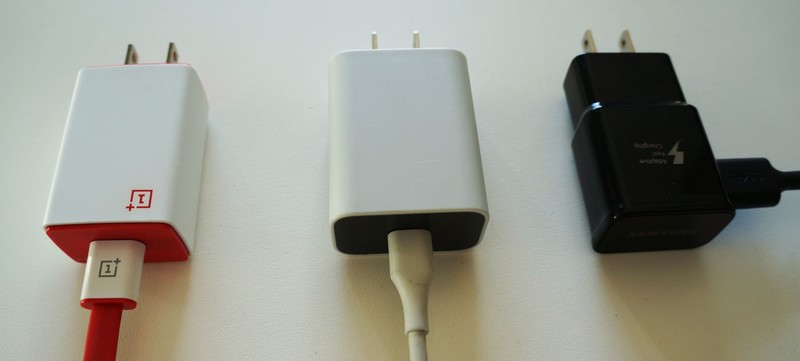
There are three charging scenarios you need to consider: Life at home, in your car or during your commute, and at work or school. Ideally, you’ll want to keep the accessories that came with your phone at home, because if you ever plan on reselling your device it’s always best to have the original accessories in good shape. Travel accessories are important to keep in the bag you use on a daily basis, and might include a high-capacity power bank, a trusty charging cable, a good set of Bluetooth headphones or maybe even a Bluetooth speaker. If you drive, you’ll probably want a car mount for your daily commute, too And at work, depending on what line of business you’re in, you might want a wireless charging pad for your desk or a reliable wall brick and cable to keep in your locker.
Accessories are a personal preference and everyone’s needs will be different. But once you’ve gone through everything you own and have addressed the gaps you’d like to fill, the next smart move is ensuring you’re investing in quality accessories.
Don’t get stuck in the cheap accessory cycle
Story time.
When I got my first smartphone (an iPhone) a decade ago, it took me a good while to get the hang of this new era of being obsessed with your phone. I never remembered being so paranoid about my phone’s battery life with a flip phone, but suddenly with my first phone with a touchscreen, I absolutely needed to have my charging stuff with me at all times.
Once you fall into the habit of buying cheap cables, the sunk cost fallacy starts to creep in.
Making things worse was the fact that I was a clumsy kid who was really bad at keeping track of my things, and a phone charger was the easiest thing to lose. If I wasn’t begging to borrow a friend’s charger, I was bouncing out to buy a cheap-o replacement from 7-11 or Walmart. Over the years later, I’ve cycled through small nest-eggs of replacement cables and earbuds that I’ve bought from convenience stores, airports, and cheaply in bulk off of Amazon.
Once you fall into the habit of buying cheap cables, the sunk cost fallacy starts to creep in: you bought the first cable for $5 because you didn’t want to put out for a name brand one for $20. You knew it was cheap and replaceable… and now it needs to be replaced — might as well try save money and replace it with another cheap one, right?
In the same way you’re likely to take better care of a brand new $900 phone then the old phones you keep stashed in a drawer, I think it’s easy for us to take better care of the accessories that come with our phones and lump all third-party accessories as lesser-than — because we’ve all probably dealt with a crappy product. I propose that we all take better care of our phone accessories, which starts with better planning and spending a bit more on something reliable rather than buying cheap accessories as stop-gap measures.
We need to collectively do a better job at cutting down on e-waste
I keep coming back to charging accessories as my primary example here, but it goes the same for any other accessories we buy — whether it’s headphones, speakers, or a battery pack. There is so many options out there at every price point and everyone loves a good deal — but the old adage “you get what you pay for” always rings true when buying tech.

Living in a northern climate, charging cables I leave in my car frequently become extremely brittle due to the winter cold. When the cheap cables would inevitably break, I’d throw them away and go buy another cheap cable. It wasn’t until I got my hands on a more rugged cable by Ventev that the cycle stopped. Making one small change has made a significant difference for an essential accessory that I now don’t foresee needing to replace for years.
There’s a lot of talk about planned obsolescence in the smartphone market, but there doesn’t seem to be as much focus on cheap accessories that seem exclusively designed to be almost disposable. While companies like Apple or Samsung talk highly about responsible device recycling programs, and some wireless carriers mitigate e-waste with their own disposal services, we all can do our part in addressing the global issue of electronic waste by acting as more sensible and responsible consumers.
What do you think?
What are some accessories you’d recommend that have never let you down? Are you concerned about the growing issue of e-waste? Drop us a line in the comments.
Chrome browser will soon mark all HTTP pages as ‘Not secure’, because they aren’t
Google wants you to know which websites are safe and which aren’t.
Google wants to rid the web of sites not protected by HTTPS encryption, and it has told us how it is going to do its part to let everyone know that “regular” HTTP sites are “Not secure” in Chrome version 68.
Coming in July 2018, whenever a user navigates to an HTTP site in Chrome the Omnibox will spell it all out.

It’s important to remember that this won’t actually affect the loading of an HTTP web site, but will only serve as a notice for users. Google has been selectively marking HTTP pages as not secure for about a year any time a Chrome user enters any data on a page and for every HTTP page visited when using Incognito mode. Today’s news just means that it’s going to happen to every site, for every user with Chrome 68 for Android, iOS, Windows, Mac, and Linux as well as Chrome OS version 68.
HTTPS uses certificates and encryption layers to keep private data between you and the website you want to have it.
HTTPS is short for HyperText Transfer Protocol Secure and it means that the connection between you and a website is happening on secure channels. Trust certificates are used as a way to encode and decode encryption, and unless a certificate vendor (like Verisign) fouls up nobody but you and the website can read the data you’re sending. Thankfully, that doesn’t happen very often, which makes it the best way to stay secure without shaking up the way the internet works and how browsers send and read user data.
Google also has beefed up its developer tools in order to help developers make the move, most notably the Lighthouse automated tool which can check what’s ready and what’s not for even the most complicated domain. Interested web devs can check out some handy set-up guides to get started.
Like any business, Google has to look after its own interests first. it’s great when their interests line up so well with what’s best for everyone.
Chromebooks
- The best Chromebooks
- Should you buy a Chromebook?
- Google Play is coming to Chromebooks
- Acer Chromebook 14 review
- Join our Chromebook forums
How to track, star, and delete messages with WhatsApp for Android

Sending messages is easy, but what do you with them after the fact?
Sure, sending messages is great, but how do you know the recipient is even reading them? What if you want to save some special messages for later? What is someone is throwing shade and you want to delete that nasty message? WhatsApp has some useful ways of getting these jobs done!
- How to check the status of your sent message in WhatsApp
- How to star messages in WhatsApp
- How to view all of your starred messages in WhatsApp
- How to delete messages in WhatsApp
How to check the status of your sent message in WhatsApp
Like virtually any messaging app, WhatsApp sends and receives read receipts. These are usually little messages or icons that let you know that your message has not only been received by the intended device, but that the owner of said device has at least glanced at it. Here’s how to tell!
Launch WhatsApp from your Home screen or from the app drawer.
Tap the chat you’d like to view.
Look for the check marks on the right of your sent messages. Your sent messages appear on the right side of the screen.
- One grey check mark means your message has been sent.
- Two grey check marks mean your message has been delivered.
-
The checkmarks turn blue when your message has been read

Some people turn off their read receipts so that they’re not being hounded to respond once the sender knows his or her message has been read. In these cases, you’ll be able to tell that your message has at least been delivered, but you won’t know if the recipient has read it.
If you don’t know how to turn your own read receipts on and off, you can check out How to set up and start using WhatsApp!
How to star messages in WhatsApp
Writing a collaborative story and your friend just laid down the best sentence you’ve ever seen? Something like “Then the cat barked?” You have to star it and save it for later! WhatsApp gives you that ability and even lets you unstar it later, when you realize that that was one of the dumbest things you’ve ever read. Here’s how!
Launch WhatsApp from your Home screen or from the app drawer.
Tap the chat you’d like to view.
Tap and hold the message you want starred.
Tap the star button at the top of the screen. A little star icon will now appear next to the message in the chat.

To unstar a message, follow the same steps.
Now you can quickly access your starred messages when you don’t feel like skimming through days of conversation.
How to view all of your starred messages in WhatsApp
You’ve been starring messages like a message-starring machine (that is so a real thing). You’ve got the directions to a party starred and now you need to look back because, like any good friend, you’ve forgotten them. Here’s how!
Launch WhatsApp from your Home screen or from the app drawer.
Tap the menu button on the top right of your screen. It’s the three vertical dots.

Tap Starred messages.
Tap the message to view it in the chat.

From the starred messages window you can also choose to unstar all by tapping the menu button on the top right of the screen.
Now you can star and save all the messages you’d like so that, later on, you can make a bowl of popcorn and take a stroll down WhatsApp memory lane. Ahh… Memories.
How to delete messages in WhatsApp
You’ve said something stupid. Your friend has said something hurtful and/or stupid and/or both. Either way, these messages are sitting in your chat window and you’re sick of looking at them. You can delete them from your phone by following these easy steps:
Launch WhatsApp from your Home screen or from the app drawer.
Tap the chat you’d like to view.

Tap and hold the message you’d like to delete.
Tap the delete button at the top of your screen. It’s the little trash can.
Tap Delete to delete the message from your phone. You can tap Cancel if you’ve changed your mind.

You can delete multiple messages by tapping and holding the first one, tapping everything else you want to delete, and then tapping the delete button. This will free up some room on your phone and will also keep your chat windows clean if you don’t like them cluttered up with photos and other media.
Just remember that deleting messages from your phone does not delete them on the other end, so the recipients in your chat will still be able to see everything you’ve sent until they delete it themselves.
In Amazon’s new sci-fi series, social media destroys the world
Amazon’s Electric Dreams on Prime streaming might not make you feel bad about your technology habits the way Netflix’s Black Mirror does, but the tech juggernaut has plans to remedy that with its latest show. The Feed is based off a book by the same name from author Nick Clark Windo, covering what happens when we’re able to download a social media feed directly into our skulls. But instead of sharing links to news sources of questionable repute, you’re sharing every thought and emotion you have. And you can see those of everyone else. The story picks up when the titular social network collapses and the world along with it.
The Walking Dead’s executive producer Channing Powell will lead the show and write a handful of episodes, according to Deadline, along with British production house Studio Lambert. It’ll be a ten-part series, but it sounds like the first season won’t cover the entirety of the book. “[The producers] see it as a returnable property and have already begun outlining ideas for seasons two and three,” Deadline writes.
The most interesting wrinkle here, perhaps, is that the source material only arrived in bookstores (and on Amazon, of course) last month. There isn’t a release date yet, but given the tech juggernaut’s penchant for optioning book-based ideas, if you get started fast enough, maybe your novel could be next.
Source: Deadline
Apple Picks Up ‘Little America’ TV Show Written by The Big Sick’s Kumail Nanjiani and Emily V. Gordon
Apple has picked up a new TV show called “Little America,” a half-hour anthology series written by Kumail Nanjiani and Emily V. Gordon, the duo behind popular movie “The Big Sick,” and Lee Eisenberg, who produced comedy series “SMILF” and will serve as showrunner.
According to Deadline, “Little America” is based on a series of true stories featured in Epic Magazine that paint a portrait of America’s immigrants. From the magazine description:
Everyone here came from somewhere else. Even Native Americans crossed the Bering Strait at some point. This is the basic American idea — an identity open to all — but it can be easy to forget from inside. And that’s when politics can turn ugly, as it has recently, with our political narrative becoming a story of blame and fear. “Little America” is meant to counter that narrative with a fuller portrait of our most recent arrivals. Here we present just a few stories.
You’ll meet a woman who kissed a car for 50 hours. A man who escaped communism via zip-line. A Hindu Mayor of a small Kansas town. These stories are a small, collective portrait of America’s immigrants. And thereby a portrait of America itself.
The show will reportedly look at “the funny, romantic, heartfelt, inspiring, and unexpected lives of immigrants in America.” Nanjiani and Gordon will executive produce, alongside Alan Yang, “Master of None” co-creator, and Eisenberg.
“The Big Sick,” written by Nanjiani and Gordon, won multiple award nominations and was the highest-grossing indie movie of 2017. Nanjiani is also known for his work on “Silicon Valley.”
“Little America,” alongside Apple’s “Are You Sleeping” drama starring Octavia Spencer, are two projects that are being developed for straight-to-series consideration.
Apple has already inked deals for several other shows that will go straight to series, such as an untitled morning show drama starring Jennifer Aniston and Reese Witherspoon, an “Amazing Stories” reboot from Steven Spielberg, an untitled space drama from Battlestar Galactica creator Ronald D. Moore, a series written by “La La Land” creator Damien Chazelle, a Kristen Wiig comedy series, See, an epic world-building drama, and Home, a docuseries focusing on incredible homes.
Apple now has at least nine television shows in the works, and details about each one can be found in the original content section of our Apple TV roundup.
Related Roundup: Apple TVTag: Apple’s Hollywood ambitionsBuyer’s Guide: Apple TV (Buy Now)
Discuss this article in our forums
Snapchat lets you create personalized Lenses for parties
If you post to Snapchat without a dancing hotdog or puppy face, did you even Snapchat? The platform already offers a baffling range of filters and AR novelties to play with, and now it’s getting even more. From today, users will be able to create their very own personalized face lenses for events and celebrations, and have access to a whole bunch of new caption styles.
There are over 150 lens templates ready to tinker with. Find them in the “Filters and Lenses” menu under settings (or visit snapchat.com/create from desktop), add your unique text, enter the time and location that you want your creation to be visible (from 20km to 5 million square feet) and you’re good to go. Just make sure you check out three hours before your event so your Lens runs on time. Prices will be based on location size, how long you want your Lens to run for, and how dynamic it is.
Also today, Snapchat is rolling out new caption styles. Users can select one (or two) from a range of artistic offerings, including brush, italic, glow, rainbow and gradient, among others, to personalize their Snaps. These are available for Snapchatters on iOS and Android, while custom Lenses are available for iOS users in the US, with global and Android availability coming soon.
A state-run wireless network isn’t a crazy idea, just ask Mexico
America’s mobile infrastructure isn’t good enough, at least according to former National Security Council officer Brigadier General Robert Spalding. Spalding’s briefing document said the US was lagging behind China in wireless, and the solution was to build its own federal 5G network. The memo cost Spalding his job and sent parts of Washington DC into fits of apoplexy over the proposals. But this idea, deemed too radical to even discuss in the US, has actually been implemented in countries like Mexico, Rwanda and Australia.
Spalding was advocating for an Open Access Wireless Network (OAWN), a country-wide cellular network that uses all the spectrum allocated for a band. Imagine that, instead of auctioning the 4G spectrum off to businesses, a nation builds and runs the infrastructure itself. Carriers would then buy capacity on the network to sell on as their own service, much like MVNOs (like Boost, Cricket and Project Fi) do on major US networks today.
The only difference between the current situation in the US and an OAWN is that in the latter, service is near-universal, so coverage is no longer a major selling point. Since the whole spectrum is allocated to a single network, the overall speeds are significantly faster, which is better for consumers. Lower cost, faster speeds and better distribution means 5G may be able to connect rural areas that remain without any access. It’s one of the reasons the OECD backs OAWNs as a way of increasing access and lowering prices to the internet.
Competition is essential to ensure prices remain low, making it harder for new companies to enter the mobile business. Infrastructure is sufficiently expensive that even a billion-dollar conglomerate like Google thought about, and then shied away from, competing with Verizon and AT&T. Mexico is a good example of what happens when a single entity has de-facto monopoly control over a country’s telecommunications.
Carlos Slim’s América Móvil is Mexico’s principal communications provider through its subsidiaries, Telmex and Telcel. It controls up to 80 percent of the country’s landline market and almost 70 percent of its mobile business. As far back as 2012, Mexico believed Telcel was too powerful, and sought ways to curb its dominance. Investopedia believes Móvil has blocked competitors by charging high fees to rivals looking to build businesses in Mexico. High prices and poor service have consequently become common gripes, and something had to give.
The Mexican government decided to establish its own OAWN in 2014, called Red Compartida (“Shared Network”). Altan Redes is building the network, which will cost around US$7 billion coming from a mix of public and private sources. Crucially, Altan is barred from launching its own wireless service, making it an impartial provider of capacity that it can sell on to others. Red Compartida is expected to begin on March 31st, 2018, covering just 30 percent of the population, but it’s hoped that by 2023, that figure will reach 92 percent.
The aims of Red Compartida are best described by local paper Excelsior: “There will be no first- and second-class Mexicans,” as “the infrastructure will guarantee the same quality for all.” It remains to be seen, however, if the expenditure and effort that has gone into the project will bear fruit. The infrastructure will need to work as intended, and entry needs to be cheap enough that new companies are encouraged to enter the market. But, so far, things are looking good.
Mexico’s attempt is the most notable, but it’s not the only place, by any means, that has thought about such a project. Kenya, South Africa and Russia have all considered, or attempted, to build an OAWN, but each one has stalled. Rwanda is the only other successful case, and it partnered with South Korea’s KT to build a country-wide 4G network that, by the start of 2018, covered 95 percent of the country. Given that only eight percent had access in 2014, that’s quite an achievement, but it’s hard at this early stage to determine if the effort has improved competition and lowered prices.
At this point in the life of OAWNs, it’s hard to judge if they are objectively better than the market-based status quo in many countries. This is made all the harder by the vitriol produced by the incumbent telcos, who have a justifiable reason for these projects to fail. The GSMA, which represents global mobile carriers, has published several reports decrying the practice.
Critics of OAWNs will likely point to Australia, which began building an open-access broadband network in 2007. Back then, the country pledged the National Broadband Network would connect fiber to every home and push Australia to the top of the world speed rankings. But the Financial Times describes the reality where, as recently as September, adoption has been slow, speeds sub-par and prices high. A 2016 report found the service had reached only 350,000 premises, and only 260,000 of those could actually order it.
“The provision of universal, high-speed capacity,” writes Tooran Alizadeh for The Conversation, “has been transformed into a patchwork of final speeds.” The reasons for the NBN’s ostensible failure have been down to the rollout, which was poorly implemented. Part of that was because, as Alizadeh alleges, the first sites chosen for connection were done so for political, rather than technical reasons.
Australia’s case may serve as a warning to other nations looking to adopt open-access networks, but that may be a mistake.There are obvious benefits such a system provides, argues Professors Peter Cramton (University of Maryland) and Linda Doyle (Trinity College Dublin). They describe the current US model as “an oligopoly where the regulator has a constant fight to maintain competition and promote innovation.”
Cramton and Doyle explain that, in many countries, “two or three carriers […] dominate the wireless market due to the enormous economies of scale in network infrastructure.” “Entry is nearly impossible,” they add, unless they had tens of billions to buy spectrum and build infrastructure to match incumbents. “The trick is to create an open-access market that allows anyone with a good idea to gain access to mobile communications at competitive rates.”
Nintendo will convert Gold Points into Switch game discounts
If you buy a lot of Switch games, good news — Nintendo is about to reward you with some discounted software. The company announced in a blog post today that you’ll soon be able to spend Gold Points — earned by purchasing Nintendo games — on Switch software in the eShop. Each Gold Point is worth one British pence, which means you’ll need to buy a lot of games (a £40 game on the eShop will net you 200 Gold Points, or £2) before you can get something substantial for free. If you don’t have enough points, you can always make up the difference with regular cash.
The change will come into effect in “early March” for UK and European Switch owners. (We’ve asked Nintendo for confirmation that the same scheme will be available in the US.) Gold points are valid for a year, which means you can wait and accrue a sizeable stack of games before cashing in their associated points on a new title. Nintendo trialed the concept the last year with a smattering of 3DS and Wii U titles. It was a temporary promotion, however, and limited to “Nindies” such as Runner2, Art of Balance and Zen Pinball 3D. Expanding the concept to Switch is a smart way to boost the system’s already impressive software attach rate.
From early March, you’ll be able to use #MyNintendo Gold Points in #NintendoSwitch #eShop.
More details here: https://t.co/a6GSxZ45AL pic.twitter.com/MipJDaQPkh
— Nintendo of Europe (@NintendoEurope) February 8, 2018
Source: Nintendo (Blog Post)
 AIVAnet