


Google Clips review: A smart, but unpredictable camera
A few months ago, I met my favorite dog. I was standing in my friend’s living room when Tassie, a little black and white chonzer puppy, came sniffing by my feet. She looked up at me, got up on her hind legs and placed her two front paws on my shin. A second later, she leaned forward, crossing her paws behind my calf and hugged my leg.
I froze, my heart stopped and I melted into a puddle on the floor. I didn’t dare to move in case she stopped hugging me. But then I thought, “This is a moment I want to memorialize!” So I reached for my phone, and as I shifted my weight slightly, Tassie walked away. I tried to get her to hug me again, but to no avail. My heart had been won, but the moment was lost.
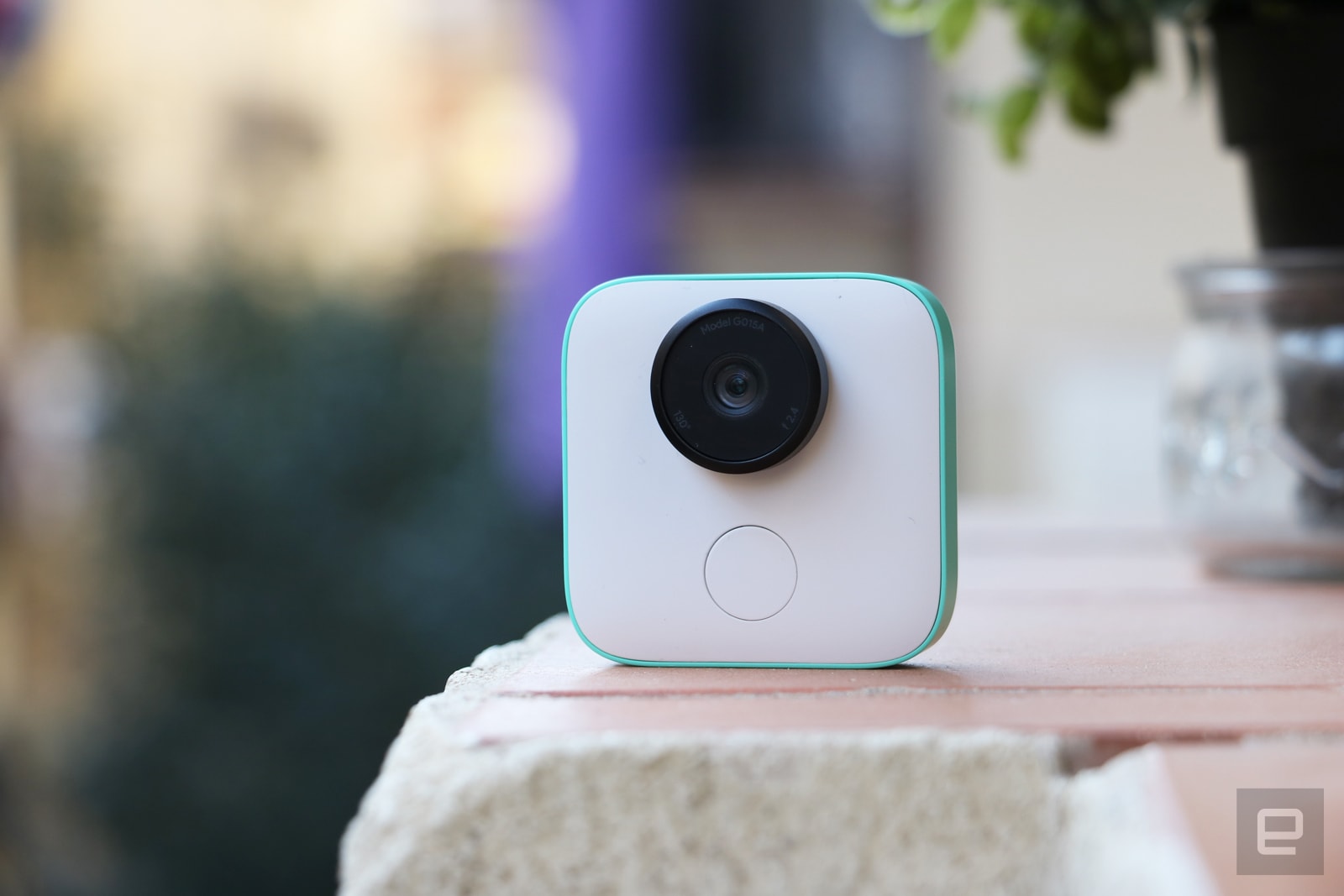
If I had had a Google Clips with me then, that story might have ended differently. I’d have had a shot at recording that moment for posterity. It’s kind of like Snap’s Spectacles in the body of a GoPro, being told when to capture bursts of video by built-in AI. Google is calling it a smart camera, and named it Clips, because it records … clips. Get it?
It’s a $250 accessory designed to help you capture moments you might otherwise miss when reaching for a phone. Google is quick to emphasize this isn’t meant to be a wearable or always-on camera; it’s intended for a pretty specific audience — parents of human babies and fur-babies.
Cherlynn Low / Engadget
Hardware
Kids and pets tend to be careless with gadgets, so it’s a good thing Clips is pretty durable. It survived a few falls during my testing from between 3 and 5 feet high, thanks to its sturdy build and the Gorilla Glass 3 covering its lens.
Twisting that lens turns the camera on, and one of three white LEDs blinks to indicate it’s watching. When it thinks something interesting is happening, it’ll capture a seven-second burst of video. There’s also a shutter button you can press to take a shot, but the idea is that you shouldn’t have to use it often. Google’s built-in AI is supposed to be smart enough to recognize scenes that are exciting.

Cherlynn Low / Engadget
Google includes a sturdy clip case that doubles as a stand so you can attach the camera to the back of a chair or your diaper bag or set it on an uneven surface to get more angles. I found myself using it as a stand most often.
There’s also a reset button on the camera’s bottom, as well as a USB-C charging port, but there’s no screen on the device. You can use your phone as a viewfinder, though. That’s it physically — a lens, some lights and a shutter button — super simple.
In use

The setup process is relatively fuss-free, too. The camera is compatible with both Android and iOS. The main difference between the two is that you’ll have to press a button on your iPhone to initiate a file transfer, while that happens automatically with Android. Pairing your phone to Clips is straightforward — download and launch the app, press the camera’s shutter button when instructed, and that’s it.
I had significant connectivity issues when using Clips with a Huawei Mate 10 Pro, and it turns out only iPhones, Pixels and the Galaxy S7 and S8 work with the smart camera right now. Google will add more compatible phones over time, although which ones and how long that will take isn’t clear. When I switched to a Pixel 2, my experience was much smoother. If you’re not using an iPhone, Pixel or Galaxy, you might want to hold off on buying a Clips.
Once you’re done setting up, you can start having fun! The system will recognize people, dogs and cats, and when it notices something interesting happening, it will trigger a recording. To be clear, this seven-second clip is actually a series of still images stitched together. The camera shoots at 15 frames per second and does not record sound (no mic onboard). This not only keeps file size relatively small, it also makes it easy to pull out individual frames that you can export as a picture.
I didn’t use that feature much, though — I prefered the videos. I especially liked the app’s built-in editor that lets you crop into a specific part of the frame and control when to start and end the video. It was supereasy to focus on what I wanted and export just those parts. When it comes to sharing these clips, Google’s also made it very simple. You can save your selection as a GIF, an MP4 or a Live photo, which you can then publish on basically any platform.

Cherlynn Low / Engadget
The AI
So Google has nailed the basics. But, what ultimately sets Clips apart is the AI. And this is where it gets a little tricky.
It’s not easy to tell exactly what the AI finds interesting, or why. But after dancing around in front of the camera endlessly trying to figure out what exactly makes Clips tick, I’ve noticed some patterns. You can teach Clips who is important by training it on your Google Photos library or taking a photo of that person or pet using the onboard (or in-app) shutter button. Over time, it’ll also learn who’s important based on how often you hang with them.
When it sees a familiar face, the camera is more likely to snap. But even then, it doesn’t capture everything they do. Movement alone, even with an important face in the frame, won’t trigger the camera. When the face is smiling, though, Clips is more likely to be set off. One of the demos that Google showed us at a briefing was of a laughing child jumping off a stool. I tried to replicate that scene by hopping around in front of my Clips, but couldn’t get it to record me.
I set the camera in front of a group of friends as we played a few rounds of Jackbox. Clips seemed content to only snap when either me or my friend Sam, whom it recognizes from my Google Photos history, moved. It failed to capture a moment of intense laughter when my friend Jill and I made an (awful) joke about Mother Teresa.
Clips was just as unpredictable when it came to capturing one of its intended subjects — adorable doggos. I set the camera on the couch and let it run for an hour. During that time, Hudson, a terrier mix pup, sniffed around the Clips curiously. I immediately thought, “Yes! We got something good.” But I was disappointed to find that it did not capture that moment. In fact, it only snapped about a dozen clips, and Hudson wasn’t doing much in any of them. What’s worse, I had actually focused the camera on Hudson’s face and pressed the shutter to tell Clips I wanted more shots of him, but it still barely recorded his adorable mug. Most of the shots it got were of Hudson’s cute little butt.

Bottom line: Even if you have Clips set up and switched on when a special moment happens, there’s no guarantee the device caught it. At this point, only God and Google know what the AI catches, and you’ll have to live with the unpredictability.
Google says it didn’t design Clips to be “set it and forget it,” but reps said they noticed that some parents left it in a room after playing with their kids and forgot about it. I’ve almost left it behind at meetings and restaurants, and there isn’t an option to set a distance alert in the app, which would solve this issue.
If the AI notices nothing is happening after a while (Google didn’t say how long), it will automatically shut itself off. Clips is not a security camera; it’s not always always-on. Its battery will last about three hours if it’s switched on and actively looking out for something to record. Even if you keep recording for three or four hours straight like I did several times, it’s almost impossible to fill up the device’s 16 GB of storage. After collecting about 70 Clips, I had used only about 8 percent of the space.
That’s in part because once you save a Clip to your phone, it’s removed from the internal memory. This is a minor complaint I had with the whole setup. I wanted to save all my clips to my phone to make sure I didn’t lose them in case I had to reset my camera, but I also wanted them to stay in the app’s stream so I could still tweak them from Clips’ editor.
Wrap-up
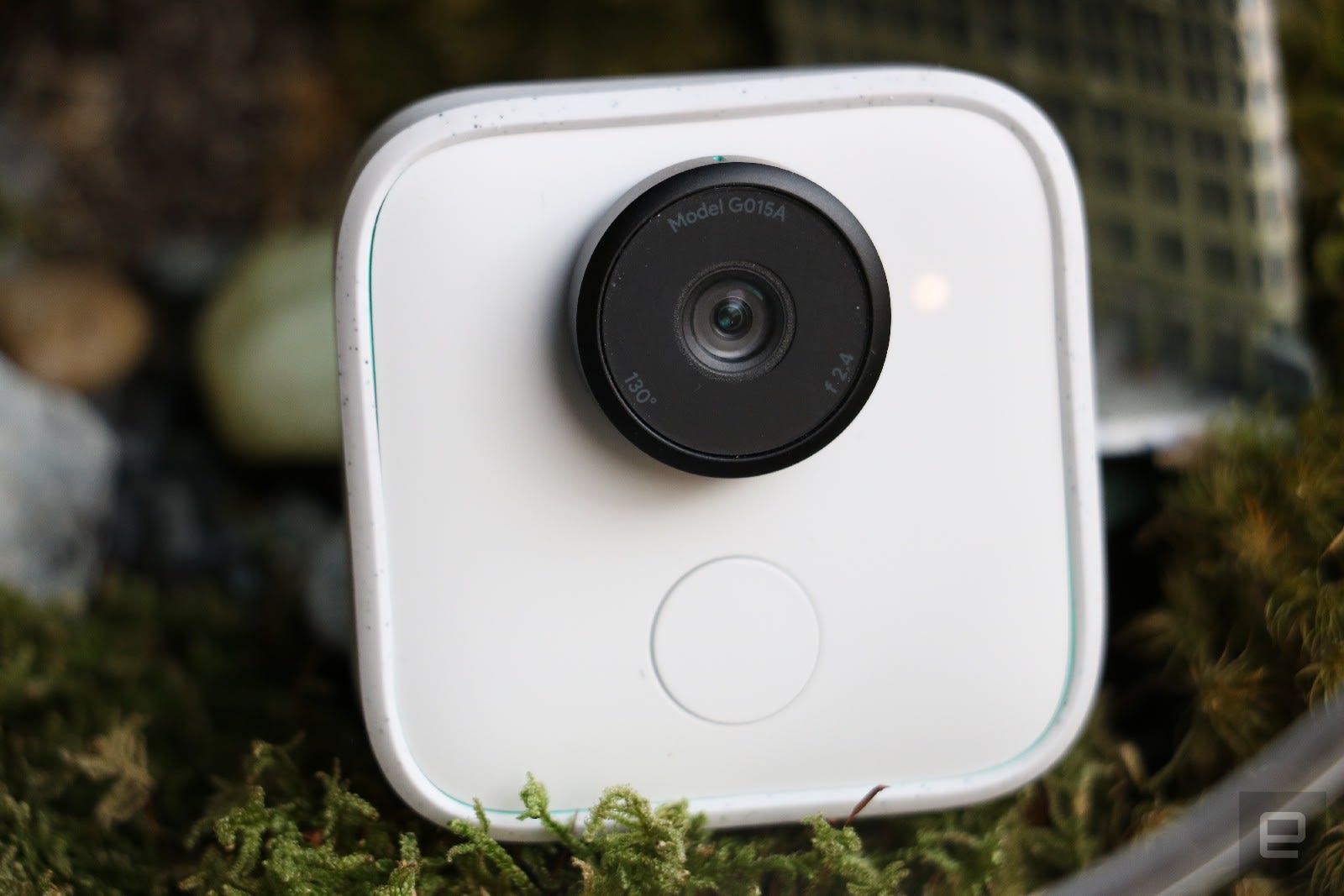
That’s a relatively small gripe compared to the many things I appreciate about the device. I like its premise, its simplicity, its design and most of its results. I wish the price were a little lower and that the AI was more reliable, but ultimately it lives up to most of its promises.
Most of all, I am intrigued by its potential. Sure, this was designed for parents, but think of all the ways the rest of us could use this. And I don’t just mean for selfies. Athletes could record themselves performing slam dunks or back-to-back 1080s. Chefs could get closeups of their chopping prowess; circus performers could show off their mad juggling skills. Clips is being marketed to a surprisingly limited audience, but with a few tweaks it could be pretty compelling for the rest of us nonparents.
Trump’s former digital advisor will manage his re-election bid
Today, Trump announced he will run for re-election in 2020. But we also learned who will be managing his next campaign: Brad Parscale, the digital advisor for Trump’s 2016 run. He lead the then-Presidential candidate’s social media strategy, which massively influenced the campaign’s fundraising and online presence, as Wired reported days after the election. Parscale won’t be idle in the run-up to 2020 — he’ll be helping Republican candidates in the run-up to the 2018 midterm elections.
BREAKING: AP source: President Trump names former digital adviser Brad Parscale as campaign manager for 2020 re-election campaign.
— The Associated Press (@AP) February 27, 2018
As Wired pointed out, Parscale was with Trump during the 2015 primaries while he was attempting to secure the Republican nomination. The New York businessman had contracted Parscale to oversee the online part of his campaign from the latter’s offices in San Antonio. But his social media-focused fundraising and outreach arguably won Trump the Presidency, at least according to Parscale: “Facebook and Twitter were the reason we won this thing. Twitter for Mr. Trump. And Facebook for fundraising,” he told Wired shortly after the election.
Social media certainly played a big role in the election, especially once news emerged that Russia backed campaigns on Twitter and Facebook to influence voters. Two weeks ago, FBI special counsel Robert Mueller’s investigation formally charged 13 Russian nationals with election tampering, the biggest action yet to come from his efforts to unearth the full effect of foreign influence on the 2016 Presidential election. For their part, both Parscale last July and Trump today denied collusion between the latter’s campaign and Russian actors.
Via: CNBC
Source: AP, Drudge Report
Oregon moves forward with its own net neutrality legislation
Oregon legislators just took a step towards protecting net neutrality in their state. The Oregon House of Representatives passed a proposal yesterday that would require state agencies to sign internet service contracts with providers that abide by net neutrality practices, meaning no blocking, throttling or paid prioritization. The bill now heads to the state Senate. While governors in Montana, New York, New Jersey, Hawaii and Vermont have signed executive orders that institute similar requirements on state agencies, a handful of states are pursuing comparable statutes through legislation.
States that are going the legislative route include Iowa, Maryland, Kansas, Rhode Island, South Dakota, Tennessee and Wisconsin. By prohibiting state agencies from working with ISPs that don’t adhere to net neutrality ideals, these states believe they are circumventing the FCC order that prevents state governments from passing laws that contradict its own rules. By changing the rules for state agencies rather than directly regulating ISPs themselves, these states hope they can protect net neutrality while not running afoul of the FCC’s order. However, a number of other states are pursuing or considering legislation that does directly regulate ISP practices in their states. Washington’s House passed such a bill earlier this month, pushing it forward to the state Senate. And California’s Senate approved a similar measure in January, moving the proposed legislation to the State Assembly. You can see a full list of which states are considering their own net neutrality laws here.
While states are working on their own efforts, a number of state attorneys general have filed a lawsuit challenging the FCC order and 50 Senators have backed a measure that would restore net neutrality protections. The FCC’s order was published in the Federal Register last week, from which point legislators have just 60 days to overturn it.
Via: Seattle Times
Epix is the first US network to stream 4K content within its apps
If you’re about eye-watering clarity when it comes to home entertainment, get yourself an Epix subscription. The network has announced that from today it’ll be offering Ultra HD content on its platform — the first such offering from any premium network in the US. The service launches with a select number of movies and original programs, including a raft of old-school James Bond films and newer additions such as Arrival, Star Trek Beyond, Transformers: The Last Knight and the Epix original series Get Shorty.
According to Epix’s chief digital officer Jon Dakss, the service comes as a result of the widespread adoption of Ultra HD TV sets in the US, which provides a “great deal of opportunity” for the network to tap into this high-demand space. Epix was for a long time owned by four studios (Lionsgate, MGM, Paramount and Viacom), but April 2017 saw MGM drop more than $1 billion on full ownership, so this new offering is a clear example of the studio maximizing its investment.
You can now sign up for PlayStation Vue without a TV
While Sony’s TV-streaming service PlayStation Vue has been around for almost three years, it’s currently facing stiff competition from the likes of Sling TV, DirecTV Now, YouTube TV and Hulu TV. To stave off its rivals, it’s been adding features like multi-picture viewing as well as beefing up its sports offerings. Today, Sony announced three more updates, all of which are designed to make the service more mobile-friendly. Of note, you now no longer need a television to sign up for PS Vue.
That’s right, you can now register for PS Vue completely online. Before, you needed to have a connected TV or streaming device in order to sign up for the service (this was mostly to confirm your location and get local services). But now all you need is a laptop or mobile device. Dwayne Benefield, the head of PS Vue at Sony, suggests this was a necessary move to keep up with current trends. “More and more people start these cord cutting services on mobile,” he said. “It also gives us opportunities with segments like college students, who might not have a TV in the first place.”
Whether or not you sign up for PS Vue on mobile or on your TV, the cost of the service remains the same ($40 and up a month). Most of the features are similar across both platforms, too. The only difference is that if you’re a mobile-only customer, you only get a maximum of three simultaneous streams, which is still more than most other cord-cutting services. But if you add your TV to your list of devices, that limit increases to five streams.
Along with mobile sign-ups, Sony also announced two other features. One is that you’ll be able to access your regional sports network even when you’re in another city, which is pretty cool if you want to catch up on your team’s games while you’re traveling. At the same time, you’ll be able to watch the local broadcast affiliate of whatever city you’re in, so you can amuse yourself with local news or just watch the weather forecast.
Obviously, if you asked Sony, it would claim Vue offers a better package than its rivals, especially in terms of the number of simultaneous streams, the number of channels and how its DVR is “unlimited” (though content gets automatically deleted after 28 days). That said, some of its rivals do in fact offer other perks. For example, YouTube TV’s DVR recordings lasts up to nine months, and Sling TV’s basic package runs a little cheaper if you don’t watch as many channels. Plus, Sling has Viacom offerings like Comedy Central and MTV, which PS Vue does not (mostly to keep costs down).
Benefeld remains optimistic. He claims that the cord-cutting movement is gathering steam, citing analysts that expect 15 million over-the-top (OTT) pay TV subscribers by 2020. “We see tremendous growth in the space, and we want a big share of that pie.”
PlayStation Vue’s mobile sign-on feature goes live soon, as does the ability to access your home regional sports access wherever you are, along with local broadcast networks while traveling.
Facebook program aims to boost local news subscriptions
Just because Facebook is downplaying publishers in your News Feed doesn’t mean it’s uninterested in giving media outlets a helping hand. The social network’s Journalism Project is launching a Local News Subscriptions Accelerator that will help “metro newspapers” grow their reader bases. The $3 million, 3-month pilot will have 10 to 15 publishers participate in weekly training and once-a-month meetings to improve their digital subscription marketing both on and off of Facebook, including the creation of tailor-made projects with funding.
A total of 13 major publishers are involved in the pilot, including the Boston Globe, Chicago Tribune, Seattle Times and San Francisco Chronicle.
It’s no secret as to why Facebook would be willing to mount this campaign. It could help boost Instant Articles subscriptions among the newspapers still involved in the service, and may reassure publishers that it still supports them. And of course, fostering the growth of established, respected news outlets could help fight fake news. The question is whether or not this will teach publishers enough to make a difference — and, for that matter, whether or not it will bring back publishers burned by Facebook’s past decisions to downplay news stories. Facebook has been quick to acknowledge that it hasn’t always been cooperative with publishers, but education by itself might only do so much.
Via: The Verge
Source: Facebook Media
Senate officially introduces resolution to restore net neutrality
Last week, the FCC officially published its net neutrality rollback plans, which were voted on back in December. Today, the next stage of the battle begins. Senator Edward J. Markey (D-Mass.) has introduced his Congressional Review Act “resolution of disapproval” that would begin the process of undoing the FCC’s vote.
Today, we are officially introducing the CRA resolution, which would reverse the @FCC’s actions and restore #NetNeutrality.
And when we take this vote on the Senate floor, every one of my colleagues will have to answer this simple question: Whose side are you on? #OneMoreVote
— Ed Markey (@SenMarkey) February 27, 2018
Senator Markey has been working on this since the FCC voted to roll back the net neutrality protections that were voted into effect back in 2015. And since mid-January, the appeal has had the support of all 49 Democrats in the Senate as well as Republican Susan Collins of Maine. But the bill needs one more vote to break a potential Senate tiebreaker which would then be voted on (and certainly rejected) by Vice President Mike Pence.
With last week’s official introduction of the FCC’s new rules, the Senate had 60 days to vote on Markey’s CRA — if he can’t get a majority by April 23rd, the rules will officially change. Even if the required 51 Senators come on board, the bill will still have to pass through the House of Representatives and survive a veto from the president, so this fight is far from over. But even getting 51 Senators to agree on the CRA would also be a bit of a victory, as any stalling would help raise awareness around the country around the FCC’s plans. If awareness leads to pressure on the House of Representatives, all the better — and it could turn net neutrality into a major issue in the 2018 elections this fall.
AT&T Announces City-Specific Offers for Free DirecTV Now, Internet, and BOGO iPhones
AT&T today announced a series of deals launching this Thursday, March 1 that will be available only for customers in New York, Chicago, and Los Angeles. The offers vary from city to city, and the carrier noted that each one will last for a “limited time” only.
The city-specific deals are debuting alongside the launch of AT&T’s new Unlimited Plus Enhanced and Unlimited Choice Enhanced plans, and most of them tie in with the new plans. Users everywhere in the United States will be able to sign up for one of the new Unlimited plans, but AT&T is launching offers for three select cities — “tailored” to its customers in each — as a way to encourage sign ups for the plans in these locations.
AT&T detailed some information on each plan, seen in the quote below, and there’s a new support article on ATT.com with a deeper breakdown. One of the major new updates comes to the Unlimited Plus plan, which is $80 for the first line, down from the current price of $90, and now comes with 15GB of hotspot data, an increase from 10GB. The carrier is also offering a $15 loyalty video credit applicable to DirecTV, U-Verse, or DirecTV Now.
On AT&T Unlimited Plus Enhanced the first line starts at only $80, and you’ll get 15GB of mobile hotspot data per line on the plan. And on AT&T Unlimited Choice Enhanced unlimited 4G LTE data is only $40 a line when you have 4 lines.
These enhanced wireless plans come with a $15 loyalty credit towards applicable AT&T video services
Regarding the city-specific offers, New York users will get one year of DirecTV Now for free when switching to either of the new Unlimited plans. The offer is valid for both new and existing DirecTV Now customers and will be given in the form of a $35/month video credit over the course of 12 months, which pays entirely for DirecTV Now’s basic “Live a Little” package. If users want more channels, they can switch to a larger package and put the $35 credit towards it.
As usual, the credits will start within two bill cycles, and New York users will automatically be charged at full price when DirecTV Now renews after one year, but they can cancel beforehand. AT&T is also still offering new DirecTV Now customers a chance to get a free 32GB Apple TV 4K when they prepay for three months of DirecTV Now at $105.
In Chicago, those who switch from any wireless competitor to one of AT&T’s new Unlimited plans will get free home internet on plans up to 50 Mbps “for life.” Similar to the New York offer, this will come in the form of a $30 monthly internet credit to pay for a 50 Mbps plan, which can be applied to a higher speed internet tier if desired. The “for life” qualification pertains to users who maintain a qualifying service on AT&T’s new Unlimited plan, alongside a matching eligible service address in Chicago.
Lastly, those in Los Angeles will have a more traditional buy one, get one offer on “the latest smartphones,” including iPhone X. AT&T said that Los Angeles residents can purchase a 64GB iPhone X and get another for free when both are purchased on AT&T Next, and a new line is added with eligible wireless service.
AT&T’s description for each offer notes that more details will be coming soon at ATT.com. If you want to read more of the fine print for each city’s deal, head over to the press release and scroll down to the bottom. For more discounts and offers, visit our full Deals Roundup.
Related Roundup: Apple DealsTags: AT&T, DirecTV Now
Discuss this article in our forums
What is an HTML5 app and do I want one?

We’ve been hearing talk about HTML5 apps for years it seems, but not everyone knows what they are. Let’s fix that.
Have you heard? HTML5 apps are going to change everything, probably next year. At least that’s what one side of the debate about HTML5 versus native apps has been saying for a while. It’s a message that makes its way to the limelight every now and then, and it’s going to be that way forever. Or at least until it actually happens and all the best apps are HTML5 apps. It’s not unusual to see developers have these sorts of debates and proponents of each side explaining how their version is the better version, but when things go beyond a developer discussion and into the mainstream where you and I hear them, they can make us numb. Should we really care about what we’re hearing?
In this case, yes. While the utopia where every app is written in HTML5 and every user has the same experience is still a good ways off if it ever happens, HTML5 in a hybrid form is already a pretty big deal. We should know and understand anything that’s a pretty big deal.
What is an HTML5 app?

The first time most people heard HTML5 being mentioned was when Steve Jobs told us all it would be the future of the web and Flash wouldn’t. His statement was made true partially because Apple blocked access to any sort of Flash player on iOS, but it didn’t take a visionary of any sort to know this was coming because HTML5 has a lot more going for it than Flash ever did. And it just so happens that the future of the web is also a pretty good way to code applications.
HTML stands for HyperText Markup Language, and we’re at the 5th revision of the standard. But when you hear the term HTML5 app, whether that means a web app or an app you can install on your phone, you’re really dealing with three types of code.
- HTML provides a framework where developers can put their code and an application can turn it into something we can see and interact with.
- CSS provides a way to layout how individual bits of code will look once they are rendered and displayed on our screen.
- JavaScript is what makes it all interactive and be able to “do” anything.
What makes HTML5 great is that everything is understood by one application that an app developer doesn’t need to maintain and it all works on any device with a screen that has its own version of that app. We’re talking about a web browser, but not the web browser app itself. The component of a web browser that can take all this code and render it into something we can use on the fly is fairly portable and a part of a lot of apps you already use as a web view.
A Mozilla engineer once said “Code once run anywhere doesn’t mean to run away. Optimization is the key.” Smart guys, those Mozilla engineers.
What this means is that a developer can write his or her code and fine tune it, then deploy it everywhere. That’s a lot different than writing separate code for Android, iOS, macOS, Windows, and HTML for webOS and BlackBerry 10. A developer can write code using whatever development environment they choose, whether that be Notepad or something complex like Visual Studio or Adobe Dreamweaver, debug and fine tune it in whatever browser they choose, and it still just works everywhere.
That includes your phone, too. We’ve all seen HTML5 apps being used as a web page. Places like Twitter or the mobile version of Gmail are excellent examples of HTML5 at work. But since HTML5 can be rendered by a web view component, dropping a window inside a basic app frame to create an app you actually install on your phone is simple and fast. There are even third-party tools that do all the work for you, like Apache Cordova. This helps new developers bring their ideas to everyone as well as seasoned developers who now have time to dream up things we’ve not seen before. HTML5 embedded in a native app can run the code and use assets it gets from the internet, but a developer can also install these locally and point the code there for honest-to-goodness offline native apps.
But not everything is great about HTML5.
The reality of HTML5 apps

Here’s where things can get confusing. When we think of a web page, we often forget that a web page only sends its code to a browser engine and it’s our device that does the work. That means things like geolocation, real-time audio and video chat, 3D accelerated graphics, and a lot more are not only possible but simple for a developer to implement using HTML5. That’s because a standards body has said: “Hey guys, we all need to do this certain thing this particular way, and a developer can ask us to do it like this.”
That’s the goal, anyway. Reality can be a bit different, and we only need to look at video playback for a great example of why. Every browser you would want to use supports HTML5: Chrome, Opera, Internet Explorer, Edge, Firefox, and Safari are HTML5 browsers and support video playback once a developer types in just a few words that point to a video. Any type of portable web view component these apps have will do the same thing because they use the same rendering engine.
When you don’t enforce rules they become suggestions; ones that nobody wants to follow.
But they don’t all support the same type of video because HTML5 is cross-platform, open, and not proprietary, so nobody is forcing them to support all the formats. Ogg Theora is a popular video format that every browser supports except for Internet Explorer, which happens to be the default browser on a lot of computers. H.264 is even more popular, but it’s not open or free to use so Firefox doesn’t support it. VP8 and WebM are free to use and open and every browser engine supports them, but Internet Explorer and Safari require the user to fetch and install support. Technically, HTML5 supports HD video playback and is super easy for a developer to implement it. In the real world, only the right type of video is supported.
YouTube plays all video with HTML5 because Google has the money to convert the videos you upload.
HTML5 also depends on the hardware in use and how proficient the developer is when it comes to writing the code. Choosing the wrong JavaScript library may still produce the same result, but it can also lead to memory leaks, and handling DOM Manipulation (Document Object Model — created when a page or app loads, and includes every element on the page or in the app as a separate “document”) poorly can make an HTML5 app frustratingly slow on even the best hardware. On phones that aren’t as capable, it quickly leads to users uninstalling your app.
That’s not the only issue. When you build an HTML5 app that pulls everything from the internet you have to deal with loading times. That adds a user’s connection speed into the list of things that can make your app run slowly, along with the physical capabilities of the hardware (many phones use processors that aren’t exactly speedy) and code optimization. If it takes one second to display your code on a users device and 10 seconds to fetch it from the internet, you’re going to have a lot of unhappy users.
The Facebook app is an example of what’s wrong with HTML5 just as the Instagram is an example of what’s right.
There’s an excellent example of this available, and its one almost all of us have been unhappy with no matter what type of phone we use: the Facebook app. The Facebook app is basically a web view embedded into a frame that holds the buttons and helps manage your account credentials or push messages in a way the operating system approves of. All the stuff that happens inside the app is done with HTML5, and it’s just too much for it to handle once you factor in fetching all its data from the internet.Developers keep adding more and more to Facebook, users are posting large files hosted at places outside of Facebook, and there are millions and millions of people hitting Facebook’s servers all at once, 24/7. That makes the apps slow to refresh, very power hungry, and the subject of a lot of complaints.
Facebook’s mobile website is also written in HTML5, but it’s designed to be lite on resources because it’s for mobile use. That makes it faster to load the content you want to see even if all that content isn’t displayed quite as nice as it is on the full view. It’s also why the mobile site and Facebook “lite” apps that reference it works so much better than Facebook’s official app. And this isn’t just a Facebook problem — there are plenty of apps that would have all their features supported using HTML5 but are just as complex (a nice word for bloated because they have been around a while and are constantly changing) as Facebook and would act the same way.
So do I want to see more HTML5 apps or not?

Yes! But not all apps.
HTML5 is really good at a lot of things and is a great way for a developer to use his or her time to think of creative ideas instead of rooting through an Objective-C or C++ reference manual. But sometimes, the rigid structure of development languages that force a developer to do things a certain way is what makes the end result work better on our phones.
HTML5 apps can be a nightmare like we see from the Facebook app or they can be pretty awesome like we see from the mobile Gmail site. Or Uber. Or Instagram. Or any of the hundreds of HTML5 apps we use every day. That’s not a thing we should have to worry about, but it’s totally a thing for developers to endlessly debate. And now while they are debating and trying to convince you which is better, you know a little bit about why they are saying the things they are saying.
Bixby 2.0 may launch with the Galaxy Note 9 this year
To some people’s disappointment, Bixby is just as prevalent as ever on the new Galaxy S9.
It lives to the left of your home screen and can be triggered by the press of its own physical button, and as early as August or September when the Note 9 will likely be announced, Samsung will take its assistant to the next level with Bixby 2.0.

During an interview with ZDNet at MWC 2018, Samsung’s mobile chief, DJ Koh, said:
For Bixby 1.0, we focused on a fast rollout to the market. Expanding the ecosystem was difficult. So Bixby 2.0 will strengthen this aspect and we are working intensely.
Koh then followed this up with:
At this speed, I think we will be able to unveil Bixby 2.0 when we launch the Galaxy Note 9.
Bixby 2.0 was announced last October during Samsung’s Developer Conference, and its main improvements over the current iteration of Bixby include a more natural-sounding voice, availability on new devices (e.g. televisions, refrigerators, smart speakers, etc.), and an SDK that allows developers to more easily create new Bixby experiences.
Koh also went on record during this year’s MWC confirming that the company’s first Bixby smart speaker would be released during the second half of 2018. I’m personally still skeptical about whether or not Samsung will be able to get any serious market share over Amazon Alexa or Google Assistant, but it certainly seems willing to at least give it a shot.
Samsung will release a premium Bixby speaker in the second half of 2018
Samsung Galaxy S9 and S9+
- Hands-on with the Samsung Galaxy S9 and S9+
- Galaxy S9 and S9+: Everything you need to know!
- Complete Galaxy S9 and S9+ specs
- Galaxy S9 vs. iPhone X: Metal and glass sandwiches
- Galaxy S9 vs. Google Pixel 2: Which should you buy?
- Join our Galaxy S9 forums
 AIVAnet