


How to set up and use Face Unlock on the Xiaomi Redmi Note 5 Pro
Face Unlock relies on the Redmi Note 5 Pro’s front 20MP camera, unlocking the phone in just 500 milliseconds.

Xiaomi announced back at the launch of the Redmi Note 5 Pro that it would roll out a face unlock feature to the device in a future software update. With the phone going on sale yesterday, Xiaomi is issuing a day-one update to MIUI 9 build 9.2.4.0 that includes the feature. This is the first time Xiaomi has offered a face unlock feature in the country, and the implementation is in line with what we’ve seen on the likes of the OnePlus 5T.
The Redmi Note 5 Pro comes with a 20MP front camera, and Xiaomi is leveraging the high-resolution sensor to scan your facial features. The face detection algorithm then tries to match your features to the saved data when you hold up the phone to unlock. According to Xiaomi, the process takes roughly around 500 milliseconds, or just marginally longer than the blink of an eye. Here’s what you need to know about using Face Unlock on the Redmi Note 5 Pro.
How to set up Face Unlock on the Redmi Note 5 Pro

Before you can start using Face Unlock, you’ll have to make sure you’re on the right build. The Redmi Note 5 Pro comes with a beta MIUI 9 build (9.2.2.0) out of the box, but there’s an OTA update available that switches the phone over to the stable channel. So if you’re running MIUI 9 build 9.2.4.0 (NEIMIEK) and above, you’ll be able to use the face unlock feature.
Do note that to use Face Unlock, you’ll have to set up a lock screen password first if you haven’t done so already. The phone has a perfectly capable fingerprint sensor, so set that up as well before getting started with Face Unlock. Oh, and you should make sure you’re in a well-lit room to get a decent baseline. All set? Here’s how to enable the feature:
Open Settings from the app drawer or home screen.
Scroll down to the System & Device section.
Tap Lock screen & password.

Select Add face data.
Confirm your current password and hit Next.
Read the instructions on the screen and hit Next.
Position your face in the middle of the oval. You should see a confirmation message after five to ten seconds. Hit Done to finish.

It usually takes a few tries to get the face data saved successfully, so if it doesn’t work the first time, try again.
Using Face Unlock on the Redmi Note 5 Pro

Right now, getting Face Unlock to work is a hit-or-miss affair. I had to rescan my face several times before it could recognize me. Furthermore, you have to switch on the screen with the power button for the feature to work.
That said, authentication was incredibly fast when it did work, even in low-light conditions. As we’ve seen before with facial recognition, it isn’t as secure as fingerprint-based authentication, and for its part, Xiaomi does a great job of mentioning that upfront. But if you’re looking for a new way to unlock your phone, you should certainly give it a try.
Face unlock is limited to the Redmi Note 5 Pro for now, but Xiaomi hasn’t ruled out the the possibility of bringing the feature to other devices in its portfolio. Interested in the Redmi Note 5 Pro? Be sure to take a look at our coverage:
- Xiaomi Redmi Note 5 Pro review: King of the hill
- Xiaomi Redmi Note 5 Pro benchmarks
The Morning After: Mobile World Congress preview
Hey, good morning! You look fabulous.
Before you wrap this week up, check out our Mobile World Congress preview, so you don’t miss any of the new phones we’re expecting to see(set a reminder for Samsung’s Galaxy S9 event on Sunday.) Also, the FCC is in for a fight over its plan to repeal net neutrality and Blizzard is celebrating a patch for a 15-year-old game.
Ready for MWC 2018?What to expect from the world’s biggest phone show

Team Engadget is en route to Barcelona for Mobile World Congress, and while the show officially starts on Monday, you’ll start to see some of this year’s key news and announcements this weekend. We don’t want you going into things blind, though, so here’s a primer on what to expect from the world’s biggest and best phone-makers once MWC 2018 gets off the ground.
Indie game studio Snowman returns to a very different mobile marketplace.‘Alto’s Odyssey’ took three years to make, and that’s all right

It’s been three years since Alto’s Adventure debuted on mobile devices, which means it’s been about three years since players started asking Snowman about a sequel. This week, they got their wish as Alto’s Odyssey landed in the App Store for $4.99. Rather than being confined to the slopes of snow-capped mountains, Odyssey puts players in an array of desert biomes with dangerous new obstacles to conquer in gorgeous, sand-drenched settings.
The fight is on.23 attorneys general refile challenge to FCC net neutrality repeal
The FCC’s order to overturn net neutrality protections was officially published in the Federal Register Thursday, and soon thereafter, the attorneys general of 22 states and Washington DC filed a lawsuit challenging it. It’s one of several efforts to block the repeal, which could go through as soon as April 23rd.
The first of many.SpaceX successfully launches Falcon 9 carrying internet satellites

SpaceX successfully launched another Falcon 9 rocket, carrying Spain’s radar imaging Paz satellite as well as two of its own satellites, Microsat-2a and -2b. The two experimental satellites will be used to test SpaceX’s plan to deliver internet to people around the globe through thousands of low-orbit satellites.
Take two.Samsung resumes Android O update for Galaxy S8

After pausing its Android Oreo rollout on Galaxy S8s over a reboot glitch, Samsung has restarted the process in Europe.
Students are driving the formation of a serious gaming scene.College esports is set to explode

Universities are attempting to organize and embrace a new generation of student-athletes, even as questions about the nature of esports remain unanswered. It has “sports” in the name, but the jury is still out on whether competitive gaming is an actual athletic activity — and that matters to groups like the NCAA.
Not as dorky as it sounds.HTC’s Vive Focus makes a strong case for in-flight VR entertainment

Does the Vive Focus make a good travel companion? Richard Lai is already hooked.
But wait, there’s more…
- Amazon may open up to six more automated ‘Go’ stores this year
- Blizzard will host a tournament to celebrate its new patch for ‘Warcraft III’
- ‘Super Mario Odyssey’ gets its Balloon World minigame update
- China’s Xinjiang surveillance is the dystopian future nobody wants
The Morning After is a new daily newsletter from Engadget designed to help you fight off FOMO. Who knows what you’ll miss if you don’t Subscribe.
Craving even more? Like us on Facebook or Follow us on Twitter.
Have a suggestion on how we can improve The Morning After? Send us a note.
Nissan’s self-driving taxi is ready for passengers
Nissan will start testing its self-driving taxi service Easy Ride in a few days in hopes of launching it in time for the 2020 Summer Olympics in Tokyo. The automaker and Tokyo-based mobile developer DeNA will begin ferrying passengers in Yokohama on March 5th. Nissan’s autonomous cars will only be able to drive them along a set route, a 2.8-mile-long stretch of road between Nissan’s HQ and the Yokohama World Porters shopping center. But they’ll at least be able to give the Easy Ride app’s features a try during their trip.
Passengers will be able to tell the app via text or voice what activity they want to do while in the area. The car’s built-in tablet screen will then show them recommendations, including places of interests and event. Sure, you could look all those up on your own, but the Easy Ride system can hook you up with coupons from the retailers and restaurants it recommended. You’ll also be asked to rate your experience and how much you’ll be willing to pay for a ride like it in the future.
When Nissan first announced its plans to test the service this year, it said the initial trial period will only last for a couple of weeks. Nissan and DeNA won’t be able to gather tons of feedback within that time, but any survey response they get will be used to develop future field tests and Easy Ride itself. To be able to offer rides to Olympics tourists and Japan’s aging population, they’re planning to expand their routes, offer multilingual support and fine-tune their pick-up and drop-off processes in the next couple of years. While it’s not exactly clear if the initial tests will have a human driver behind the wheel, Nissan says the companies have set up a remote monitoring center for customers’ peace of mind.
Via: TechCrunch
Source: Nissan
These are the 10 best Alexa skills for India
Amazon has thoroughly customized the Alexa experience for the Indian market.

Amazon launched the Echo family in India at the end of last year, introducing the subcontinent to Alexa. The virtual assistant made its debut three years ago on the first-gen Echo and over the years Amazon has steadily added more features to Alexa, making it one of the most robust options available in this space.
Amazon took its time in bringing the Echo family to India as the retailer was customizing Alexa for the local audience. That includes a wide range of skills that leverage Indian services — including Zomato and Ola — and working around limitations like e-commerce purchases. In India, all e-commerce transactions require a secondary layer of authentication, usually in the form of an OTP delivered to a user’s phone number.
The mandate means Amazon’s one-click order isn’t available in India, and so the retailer had to introduce a digital wallet — dubbed Amazon Pay — to work around the limitation. There are a lot of such instances where Amazon took the time and effort to customize Alexa for the Indian market, and the end result is that the assistant offers a ton of features out of the gate.
If you’re just getting started with your Echo or are looking to know more about what Alexa can do, read on.
Book an Uber/Ola

Booking a cab with Alexa is about as straightforward as it gets. You’ll need to link your Uber or Ola account with Alexa, and then the virtual assistant will be able to request a ride on your behalf. You can link your accounts by going into the skills section, finding the Uber or Ola skill, and signing into your account.
As with everything else, you’ll get an OTP on your phone number to confirm the linking of the two accounts, but it’s a one-time process. After you link your account, you’ll be able to book a cab by just saying, “Alexa, book an Uber.”
You can request a ride from any of your saved Uber addresses, or Alexa can pull in your home address from Amazon as well. Alexa will list out the closest ride option by default (for me, that tends to be UberGO), but if you’re looking for UberX or UberSUV, you can ask the virtual assistant to list other cab options available.
Once you confirm the ride, Alexa will tell you how far away your taxi is, and give you a fare estimate to your destination.
Control smart home products
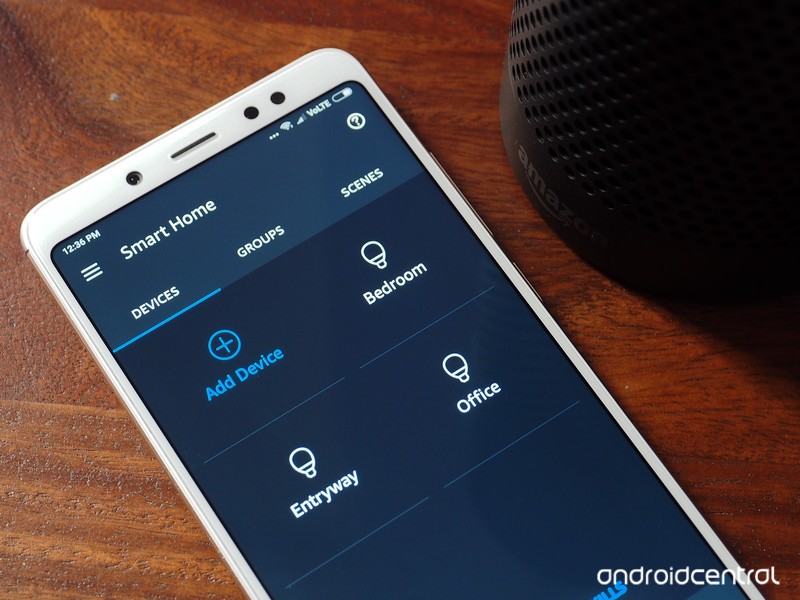
The larger Echo Plus has ZigBee built into the chassis, which essentially eliminates the need for a dedicated hub for your smart lights or door locks. The integrated hub makes it easier to connect devices to the Echo Plus, and because Alexa made its global debut over four years ago, there’s a laundry list of manufacturers offering support for the platform.
If you’re looking to get started with the smart home segment and are interested in a virtual assistant to control the lights or connected appliances, Alexa is the way to go. With Google Home not yet available in the country, it’s also the only option available to Indian customers. That said, having used both the Echo Plus and a Google Home side-by-side, the former does a better job of finding and connecting to smart home gear.
Alexa has a lot of localized skills for the Indian market, so in addition to Hue, you can add bulbs from Syska, Yeelight, Oakter, and more. Chances are if you have a smart home product, there’s an Alexa skill for it.
Syska, Hue, LIFX, Oakter,
Buy things from Amazon

One of the coolest things you can do with your Echo is purchase items from Amazon. All you have to do is say something along the lines of, “Alexa, order hand sanitizer,” and Alexa will look through your order history to see if you’ve ordered hand sanitizer in the past.
If it finds an item with a matching description, it will suggest that particular product and give you details on pricing. If there isn’t a product available from your order history, Alexa will read out the top two links for that product query on Amazon, followed up with, “Would you like to buy it?”. All you need to do is say yes for the order to go through.
Alexa will also mention the estimated delivery date once the order is successfully placed. The balance will be automatically deducted from your Amazon Pay account, and to prevent misuse, there’s also the option of adding a four-digit passcode that you’ll have to furnish Alexa before confirming an order.
You’ll be able to view the order confirmation details in the Alexa app, and Amazon will send an email with all the relevant information. Buying things from Alexa is about as easy as it gets, and as I use Amazon for most of my ecommerce purchases, it is one of the features I use the most.
Get food from Zomato
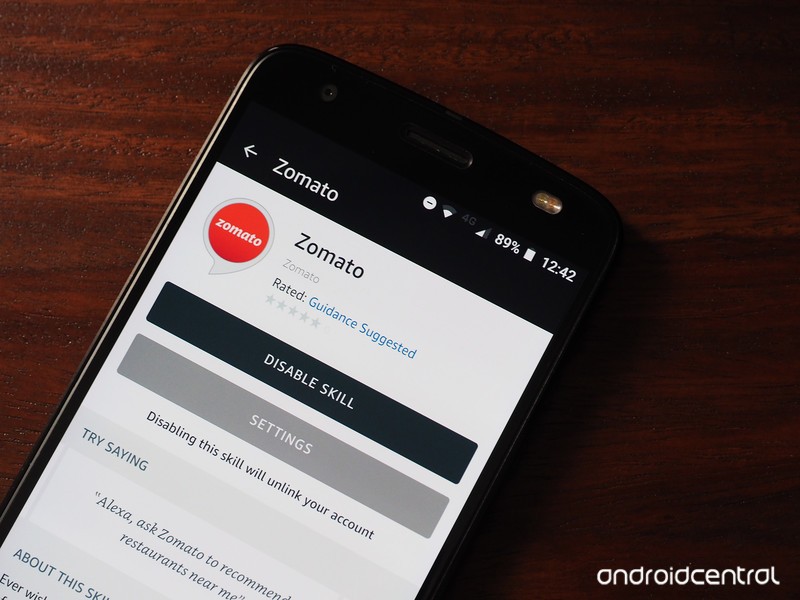
The Zomato skill allows Alexa to suggest restaurant recommendations and order food to your house. If you’re looking to dine out, all you need to do is say, “Alexa, find restaurants nearby” and the assistant will serve up suggestions based on your location.
Alexa will also ask you what kind of cuisine you’re interested in, so if you’re in the mood for some Mexican food, you can ask the assistant to look for Mexican restaurants in your city. For dining in, you can just say, “Alexa order food from Zomato” and it will look through your order history and suggest restaurants.
Get score updates

India is crazy about cricket, and Alexa is a great resource for tracking the latest score. Just say, “Alexa, what’s the score?” and you’ll get a rundown of football, cricket, and any other sports scores. If you’re looking for scores from a particular match, just include the match name and you’ll get a thorough breakdown.
You’ll also get detailed statistics in the Alexa app. So if you’re looking to catch up on cricket scores or see if Arsenal won a match lately, all you have to do is ask Alexa.
Hear the flash briefing

Alexa plugs into a lot of news sources, so if you’re looking to start the day with the latest headlines, you can just ask, “Alexa, what’s in the news?” and you’ll get a briefing with what’s going on in the world.
As with most things to do with Alexa in India, the flash briefing feature lists a lot of local news sources, so you should be able to find the publication you read in the skills list.
Play songs from Prime Music

Prime Music isn’t officially live in India just yet, but it is available to Echo owners in preview form. The service has a vast catalog of songs available,, ranging from classic rock to heavy metal, reggaeton, electronica, pop music, and a staggering amount of regional songs.
Amazon has tied up with a majority of local labels, including the likes of Sony Music, Saregama, Times Music, Tips Music, Zee Music, Venus Music, and Warner Music Group, so if you’re interested in listening to regional songs, Prime Music is one of the best options available in the market today.
Amazon also recently inked a deal with T-Series, India’s largest music label, to make its catalog of over 150,000 songs available on Prime Music.
Alexa automatically selects Prime Music as the default music services; in the unlikely scenario where it can’t find a song on Prime Music, it switches to Saavn.
Ask it to tell jokes

When it comes to jokes, Alexa is just as good as Google Home at delivering the most cringe-inducing one-liners. Like everything else to do with Alexa for the Indian market, Amazon has tailored the jokes for the local audience, so get ready for a lot of Bollywood-themes quips.
Play games

If you’re feeling bored, you can play a game with Alexa. Just ask, “Alexa, let’s play a game” and the assistant will respond with a lengthy list of games. Alternatively, you can enable skills in the Alexa app if you’re looking for a particular game. There’s enough content to keep you entertained for hours.
I’m partial to trivia-based games, and Alexa offers a wide variety of skills in this area.
Call your family and friends

Alexa’s latest feature is the ability to call and text family and friends that also own an Echo device. Essentially, all Alexa-to-Alexa calls and texts are free, and there’s a feature that lets you “drop in” on another Echo device. You can restrict the feature to members within your household (and you should).
Your turn
Got an Alexa skill that you use a lot? Let me know in the comments below.
New Audi tech will let you ditch your toll road tag
Audi is about to make life easier for people that deal with toll roads on a daily basis. Instead of using an ugly stick-on tag or box for passing through and paying tolls, Audi will make it a built-in feature on some of its cars. It’s called the Integrated Toll Module (ITM), and it uses a transponder conveniently tucked away behind the rear view mirror. You’ll be able to pull that old tag off your car and reclaim windshield space. Plus, you’ll never forget to bring it with you, since it never leaves the car.
The new technology will be compatible with nearly every toll road in the country, regardless of the company or government operating it. The company that developed it with Audi, Gentex, specifically says it will work with 97.8 percent of toll booths in the U.S. Audi also says it will be compatible with some systems in Canada and Mexico, too. And for regions that have toll roads with carpool requirements, there is a setting for it accessible in the car’s infotainment system.
The ITM won’t be available until late 2018. It will only be available on select vehicles as well. The company didn’t say which cars will feature it, but the press photo Audi sent out shows an A8 interior, so we suspect that’ll be one of the models included. Pricing for the feature also has yet to be announced.
Related Video:

Watch Netflix’s first trailer for hip-hop biopic ‘Roxanne, Roxanne’
Roxanne, Roxanne, the Lolita “Roxanne Shanté” Gooden biopic that premiered at Sundance last year, is making its way to Netflix on March 23rd — and you can watch its first official trailer below the fold. Shanté rose to prominence as one of the most fearsome battle rappers in Queens, New York back in the 80s when she was just 14 years old. The biopic has some big names attached to it, including Oscar-winner Mahershala Ali (Moonlight, Luke Cage). Chanté Adams, the new actress who plays Roxanne, held her own though and won Sundance’s Special Jury Award for Breakthrough Performance.
Shanté’s journey began when she wrote a track in response to rap trio U.T.F.O.’s Roxanne, Roxanne about a girl who wouldn’t respond to their advances. In addition to showing how Shanté became a feared battle rapper in Queens, the Netflix original also explores the difficulties she faced to support her family.
Check out the trailer below:
Source: Netflix
Apple’s AirPower Wireless Charging Mat Could Be Available to Buy Next Month
Apple will begin selling its AirPower wireless charging mat next month, according to Japanese website Mac Otakara. The publication has spoken to “reliable sources” who have apparently confirmed a claim made earlier in February by The Apple Post that the wireless accessory will go on sale in Apple retail stores sometime in March, although the specific date still remains unclear.
Announced by Apple in September, AirPower is an oval-shaped white charging mat featuring Qi-compatible networking technology that will allow it to charge multiple devices at once. Along with an iPhone 8, iPhone 8 Plus, or iPhone X, and the Apple Watch Series 3, the AirPower charges AirPods thanks to a new wireless charging AirPods case that’s also set to be released sometime soon.
According to the original rumor, Apple intends to make the AirPower mat available to purchase concurrently at Best Buy and other Authorized Apple Resellers alongside its own retail stores. The Apple Post also claimed that in addition, Apple retail stores will stock the updated AirPods wireless charging case on the same day, although Mac Otakara’s own sources make no mention of this.
Mac Otakara has connections to the Asian supply chain and Asian accessory manufacturers, making it a typically trusted source for Apple product rumors. That said, the publication does not have a perfect record and has shared inaccurate info on occasion, so it’s best not to take the latest report as fact until backed up by other sources.
Right now our best guess is that Apple’s AirPower wireless charging mat will cost around $199 in the United States, based on a price listing for the accessory that appeared on a Polish website in November.
Tags: AirPods, AirPower
Discuss this article in our forums
14 major milestones along the brief history of 3D printing
3D printing is one of the most revolutionary technologies of the 21st century. Giving everyone from engineers and doctors to DIY enthusiasts and small business owners the ability to transform virtual ideas into physical objects, it promises to change life as we know it.
If you don’t know your laser sintering from your Shapeways or your bioprinting from your RepRaps, read on. These are the milestones we’ve passed so far on the road to making 3D printing a reality!
The earliest breakthroughs
1800s: 3D printing doesn’t officially get started until the late twentieth century, but some of the ideas behind it date back a little bit further.
In 1859, a French “photosculptor” named François Willème demonstrates the world’s first “3D scanning” technology by using 24 cameras to simultaneously photograph subjects from different angles.
A few years later, in 1892, inventor Joseph E. Blanther is awarded a patent for a method of creating 3D topographical maps using a layering method — similar in concept to today’s 3D printers.
Both hint at the promise of 3D printing to come!
The real birth of 3D printing
1980: The first attempts at modern 3D printing are carried out at a time when most of us are still marvelling at owning our first regular printers.
The first patent relating to the technology is filed in May 1980 by Dr. Hideo Kodama of Nagoya Municipal Industrial Research Institute, describing a photopolymer rapid prototyping system. Kodama’s idea involves using vat of photopolymer material, exposed to UV light, in order to harden a part. Unfortunately, he never commercializes it.
The arrival of stereolithography apparatus (SLA)
1986: Chuck Hull invents stereolithography apparatus (SLA). This 3D printing technique refers to a method of printing objects layer by layer using a process in which lasers selectively cause chains of molecules to link together, forming polymers.
Hull goes on to go-found 3D Systems Corporation, which introduces the world’s first commercial 3D printing system, the SLA-1.
The world of selective laser sintering (SLS)
1987: Carl Deckard at University of Texas pioneers an alternative method of 3D printing, which turns loose powder into a solid, instead of Chuck Hall’s liquid resin process. Deckard’s approach to 3D printing involves using a laser to bind the powder together as a solid. His first machine is called “Betsy.”
It takes until 2006 until the first SLS printers are commercially viable, thereby opening up new opportunities in manufacturing.
Fused deposition modeling (FDM) is born
1989: S. Scott Crump, along with his wife and fellow inventor Lisa Crump, invents and patents a new additive manufacturing method called Fused Deposition Modeling. This technique involves melting a polymer filament and depositing it onto a substrate, layer by layer, to create a 3D object.
The idea for this new technology came to Crump a year earlier, in 1988, when he attempted to create a toy frog for his daughter using a hot glue gun loaded wit ha mixture of polyethylene and candle wax. After struggling to do it manually, he envisioned a way to automate the process and build the shape by creating a series of thin layers stacked on top of each other.
Crump later goes on to co-found Stratasys, which remains one of the most prominent additive manufacturing companies in the world today.
The birth of medical 3D bioprinting
1999: The use of 3D printed organs in surgery becomes a real thing when a lab-grown urinary bladder is successfully transplanted into a patient, using technology developed by the Wake Forest Institute for Regenerative Medicine.
The artificial bladder is created by taking a CT scan of the patient’s bladder and then printing a biodegradable scaffold using the information. Cells grown using a tissue sample from the patient’s bladder are then layered onto the scaffold, before it is transplanted.
The RepRap revolution
2004: Adrian Bowyer, a senior lecturer in mechanical engineering at the U.K.’s University of Bath founds the RepRap project, an open-source project which aims to build a 3D printer that can print most of its own components.
The idea is that this will democratize 3D printing, by expanding to technology to people all around the world — since friends will be able to print 3D printers for their friends.
The design of the first RepRap 3D printer, named “Darwin,” is released a few years later in March 2007. Other versions, including “Mendel,” “Prusa Mendel” and “Huxley,” follow in the years to come. The initial RepRap printers are named after famous evolutionary biologists, since the project is all about replication and evolution.
Printing on demand
2008: Shapeways, a 3D printing service, is launched in the Netherlands. A bit like RepRap, Shapeways makes 3D printing available to a wider audience.
Rather than giving people their own 3D printers, however, Shapeways lets users submit their own 3D files, which the company then 3D prints and ships back.
Shapeways rapidly expands to a factory in Queens, New York, and raises substantial venture funding. It also becomes a marketplace for 3D printed objects, which the company will then print on demand. Shapeways makes 3D printing accessible to a non-tech crowd, including artists, architects and other creative individuals.
3D printed prosthetics
2008: The first usable 3D printed prosthetic leg is created and used. It is printed “as is” without requiring additional later assembly. Today, a number of 3D printed prostheses have been created and used around the world.
Here comes Kickstarter
2009: Kickstarter launches. While not directly related to 3D printing, the crowdfunding website becomes a launchpad and money-raising platform for a large number of 3D printers.
While some of them crash and burn, others go on to establish themselves as major players in the industry.
To date, the most funded Kickstarter 3D printer project is 2014’s Micro, a consumer 3D printer supporting PLA or ABS materials, along with its own proprietary and standard filament spools. Asking for $50,000, its creators instead raise a massive $3,401,361.
The arrival of Makerbot
2009: Following the expiration of a key patent on FDM technology, Makerbot launches and helps bring 3D printing technology into the mainstream.
Building on the success of the RepRap dream, Makerbot makes open-source D.I.Y. kits for people who want to build their own 3D printers or 3D printed products. It has since sold over 100,000 such kits.
The company also creates online file library Thingiverse, allowing users to submit and download 3D printable files. Thingiverse becomes the largest online 3D printing community and file repository. Makerbot is acquired by the company Stratasys in 2013 for around $400 million.
3D printing cars and planes
2011: Anyone thinking that 3D printing is only about creating small objects gets a wakeup call when engineers at the U.K.’s University of Southampton design and 3D print the world’s first unmanned 3D-printed aircraft. The total cost comes in at under $7,000.
Not to be outdone, Kor Ecologic shows off Urbee, a prototype car with a 3D printed body at the TEDxWinnipeg conference in Canada.
Obama loves 3D printing
2013: You know that a technology has become mainstream when the President of the United States mentions it!
In his 2013 State of the Union address, Obama praises 3D printing as having, “the potential to revolutionize the way we make almost everything.” The same year, The Big Bang Theory features an episode involving additive manufacturing. 3D printing is no longer exclusively about early adopters.
The modern era
2018: Whether it’s 3D printed houses, the possibility of 3D printing in space, or breakthroughs in 3D bioprinting and prosthetics, 3D printing is reaching its biggest audience yet — with more printers available than ever. Long may it continue!
Editors’ Recommendations
- Formlabs aims to usher in the era of ‘mass customization’ with new 3D printers
- Best emerging tech product of 2017
- The best 3D printers you can buy (or build) in 2018
- Awesome tech you can’t buy yet: Heated coats, folding ebikes, and more
- A 3D-printed single sidewall gives Capita’s Spring Break snowboards an edge
Xiaomi Redmi Note 5: Everything you need to know
The Redmi Note 5 has plenty to offer if you’re looking for a capable budget phone that doesn’t break the bank.

Xiaomi unveiled the Redmi Note 5 earlier this month, bringing the 18:9 form factor to the budget segment. The phone is powered by the Snapdragon 625 — like last year’s Redmi Note 4 — but Xiaomi is positioning the improvements to the display and camera as the main differentiator for this year’s offering.
Then there’s the pricing. The Redmi series’ meteoric rise was mainly due to aggressive pricing by Xiaomi, and the brand outdid itself this year. The base variant of the Redmi Note 4 with 3GB of RAM and 32GB of storage is available for just ₹9,999, which is less than what the Redmi Note 4 launched at last year.
So while the internal hardware may not be all that different, there’s a lot to get excited about with the Redmi Note 4. Here’s what you need to know about Xiaomi’s latest budget phone.
It has an 18:9 display

The most visible change in the Redmi Note 5 from its predecessor is the 18:9 panel at the front. Xiaomi kickstarted the bezel-less movement with the first-gen Mi Mix back in 2016, and with the Redmi Note 5 the 18:9 form factor is making its way to the budget segment.
That said, the Redmi Note 5 has considerably larger bezels than the Mi Mix 2, but overall the effect is not unlike the Pixel 2 XL. The 5.99-inch display offers a resolution of 2160×1080, and the LCD panel is one of the best in this segment.
Xiaomi has carved out a niche for itself in the budget category by offering vibrant displays for some time now, and thankfully that hasn’t changed with the Redmi Note 5.
The 12MP camera is from the Mi A1

Xiaomi started reusing components across its devices last year, and the result is that the 12MP camera on the Redmi Note 5 is the same as the primary sensor on last year’s Mi A1. That’s actually a good thing as the Mi A1 has one of the best cameras in the budget segment.
The camera on the Redmi Note 5 has 1.25um pixels and an ƒ/2.2 lens, and does a great job of taking photos in daylight conditions. Images tend to suffer in low-light conditions though, but it is considerably better than the Redmi Note 4. The front 5MP camera is the same as last year’s phone, and comes with Beautify 3.0.
Still powered by the Snapdragon 625

The internal hardware is one area where the Redmi Note 5 is unchanged from its predecessor. The phone features a 4000mAh battery — slightly less than the 4100mAh battery in last year’s model — but you still get two days’ worth of usage from a full charge.
Under the hood, there’s a Snapdragon 625. Xiaomi clearly stated last year that it was a fan of Qualcomm’s mid-range chipset, and to that effect we’ve seen the Snapdragon 625 powering a variety of Xiaomi phones over the last 12 months. A year on, Xiaomi is confident enough in the capabilities of the Snapdragon 625 to retain it in the Redmi Note 5.
The phone is sold in two variants in India, down from the three models that launched with the Redmi Note 4. The base version now offers 3GB of RAM and 32GB of storage, and the second variant comes with 4GB of RAM and 64GB of storage.
It’s now on sale in India

Both variants of the Redmi Note 5 are now up for sale in India. As mentioned earlier, the 3GB variant is up for grabs for just ₹9,999, and the 4GB version is available for ₹11,999. You can purchase the device on Flipkart as well as Xiaomi’s own portal, and the phone will be sold at Mi Home stores across the country.
It’s usually hard to get a hold of Xiaomi’s phones at launch due to the sheer demand, and the brand isn’t making things any easier for customers by continuing to rely on the flash sale model. That said, you should be able to get your hands on the Redmi Note 5 at more retail locations thanks to Xiaomi’s recent push into the offline market.
See at Flipkart
Read our extensive review

Need more on the Redmi Note 5? I reviewed the phone after using it for over a month, so be sure to take a look at my review. In broad strokes, you’re getting a phone with a decent 18:9 screen, much-improved camera, and two-day battery life.
Oh, and MIUI 9 is pretty great. It’s a shame that Xiaomi wasn’t able to roll out Oreo with the device, but on its own, MIUI 9 makes a great case if you’re a power user.
Xiaomi Redmi Note 5 review: The best just got better
Check out the Pro variant

Sure, the Redmi Note 5 introduces key upgrades in the display and camera segments, but a lot of the attention will undoubtedly go to the Redmi Note 5 Pro, and for good reason. The phone is absolutely incredible, featuring an all-new dual camera setup at the back, front 20MP camera, and the Snapdragon 636 mobile platform under the hood.
The Redmi Note 5 Pro starts off at ₹13,999, ₹4,000 more than the base variant of the Redmi Note 5. If you’re on a tight budget and are looking to purchase a phone for under ₹10,000, then the Redmi Note 5 is going to serve you well. If you can stretch your budget, then you’ll love what’s on offer with the Redmi Note 5 Pro.
Xiaomi Redmi Note 5 Pro review: King of the hill
Any questions?
Looking to pick up the Redmi Note 5 but aren’t fully ready to commit just yet? Hit me up with your questions down below, and be sure to take a look at our forums.
Paul Ryan moves to replace election security official
The White House and House Speaker Paul Ryan are looking to replace a federal official who’s been working to protect election systems from possible Russian cyber attacks. According to Reuters, Matthew Masterson, who holds a seat picked by the House Speaker and formally nominated by the president, won’t be re-appointed as a commissioner for the US Election Assistance Commission. Masterson made cybersecurity his priority when he became the commission’s chairman in February 2017 in response to what happened during the 2016 Presidential Elections.
On its website, the EAC says it “accredits testing laboratories and certifies voting systems,” among other responsibilities. When Masterson wrote an opinion piece for The Hill, he said the EAC would support and empower state and local governments to purchase “new and innovative election” machines. He also said that his office will “keep turning to state and local election officials to listen and respond” to election cybersecurity issues.
The US intelligence community believes Russian authorities launched a cyber attack on US election infrastructure on top of hacking the DNC and Hillary Clinton herself before and during the 2016 elections. In addition, the voting machines the country has been using for the past decade are already obsolete and vulnerable to infiltration. At least a couple of states are already planning to replace them with more secure models, though in Pennsylvania’s case, it doesn’t have the budget to do so.
It’s unclear why the Speaker isn’t nominating Masterson for a second four-year term. Ryan’s spokesperson AshLee Strong only told Reuters: “The appointment expired in December and we are going in a different direction for our nomination. We nominate people for a variety of positions and generally speaking choose our own folks.”
Privacy advocates are already worried about the impact of Masterson’s removal from the EAC, since it could mean that the meaningful security changes he’s been fighting for won’t see the light of day before the midterm elections take place in November. Especially since intelligence agencies believe that Russia will try to attack again. Center for Democracy & Technology chief technologist Joseph Lorenzo Hall told Politico: “This is insanity. [Masterson] is extremely capable and has been a champion of more secure and better elections the entire time he’s been on the EAC.” Colorado election chief Judd Choate echoed that sentiment, telling Reuters that “It is pretty remarkable that in this environment, given the importance of this issue, that the speaker would choose this moment to not reappoint the person doing the most work in this area.”
While Strong didn’t explain why Ryan won’t be re-appointing Masterson, it’s worth noting that a Republican-led House panel passed a bill last year to terminate the EAC. Masterson has been fighting to keep the agency alive. As for who’ll replace him in the role of chairman, Politico reporter Eric Geller says it could be Republican appointee Christy McCormick, who’s not entirely convinced that election security is an urgent issue.
Masterson has made cybersecurity a major focus of his chairmanship, which began last February (he had been a commissioner since 2014). Unclear why the White House and Speaker Ryan want to replace him. https://t.co/slar706QkC
— Eric Geller (@ericgeller) February 22, 2018
Source: Reuters
 AIVAnet