


Xiaomi Redmi Note 5 will be exclusive to Flipkart in India, launch set for Feb. 14
Flipkart gets exclusive rights to sell Xiaomi’s upcoming budget phone in India.
Xiaomi is all set to unveil the Redmi Note 5 in India on February 14, and the device will be sold exclusively on Flipkart. The retailer took to social media — and set up a microsite to tease the upcoming launch, and the clues included within are the clearest hint yet that we’ll see the Redmi Note 5 and not the Redmi 5 series next week.
Thanks @gauravkapur. Looks like everyone is excited about @XiaomiIndia’s all-rounder that’s a 5/5. Tune in to Flipkart on 14th Feb, 12 noon to find out who it is. #WhoIsTheAllRounder https://t.co/KO6jyUWq46 pic.twitter.com/z5bDbJIH6n
— Flipkart (@Flipkart) February 8, 2018
The Redmi Note 5 is likely to feature an 18:9 display, along with a Snapdragon 630/636, dual rear cameras, and 4100mAh battery. Its predecessor was the best-selling device in the country last week, so there’s considerable excitement over the arrival of the Redmi Note 5.
Xiaomi Redmi Note 5: What we know so far
Although Xiaomi launched the Redmi Note 4 exclusively on Flipkart last year, the device made its way to other e-commerce sites as well as the Mi.com portal and thousands of retail stores across the country. With Xiaomi clearly pushing for a more aggressive offline strategy, we’ll likely see the same this year as well.
The launch event is scheduled for February 14, and I’ll be on the ground in New Delhi to bring you all the details from the announcement. In the meantime, here’s Xiaomi’s teaser for the upcoming budget phone:
Qualcomm gets 5G commitments from major carriers and phone makers, with a few exceptions
Qualcomm is preemptively boasting about its 5G advantages — because it can.
Qualcomm today announced that it has received intense interest from worldwide telecom operators and equipment manufacturers, including smartphone makers like LG and HTC, to test its burgeoning X50 5G platform, which is set to be released next year.

The move from LTE to 5G promises to bring enormous improvements to speed, capacity, and latency in the worlds of fixed and mobile wireless service. It also comes with sweeping changes to IoT, manufacturing, autonomous vehicles, and more, and dozens of companies that make devices and sell service have all committed to testing Qualcomm’s first 5G test platform, which has shrunk from briefcase-sized to phone-sized in under a year.
Almost every carrier and phone maker is preparing for 5G, but two of the biggest names aren’t doing it with Qualcomm’s help.
The commitments are separately in the sub-6Ghz and millimeter wave (mmWave) spectrum allotments, which feature heavily in 5G’s marketing for higher throughput. Higher frequencies, especially in the 28GHz and 39GHz mmWave blocks, can carry enormous amounts of data using very wide channels — up to 100MHz to begin with — to facilitate speeds up to 5Gbps, or roughly five times the total of today’s fastest LTE networks. But mmWave is limited in its propagation: its wavelengths are so narrow that the signals don’t travel more than a couple hundred feet, and don’t penetrate even the thinnest of walls. 5G will rely on a combination of low, mid, and high frequencies to achieve a balance of speed and ubiquitous connectivity.
Among the manufacturers committing to 5G testing are ASUS, Fujitsu, HMD Global/Nokia, HTC, Inseego/Novatel Wireless, LG, NetComm Wireless, NETGEAR, OPPO, Sharp, Sierra Wireless, Sony Mobile, Telit, Vivo, Wingtech, WNC, Xiaomi, and ZTE. In late December, Qualcomm hosted a tech summit in China to reinforce its relationship with the top Chinese phone makers, including OPPO, Vivo, and Xiaomi.
Notably, Samsung is not on the above list, despite Qualcomm and the Korean giant recently making amends after years of legal strife. It’s assumed that while Samsung will continue to use Qualcomm’s Snapdragon platforms and likely adopt its 5G solutions for those accompanying flagships, it is building its own cache of 5G products for the end market. Apple, too, which was recently rumored to be dropping Qualcomm’s modem solutions entirely for Intel’s starting with this year’s iPhones, is not on the list.
A number of large network providers are also testing Qualcomm’s X50 platform and how it coexists with their existing 4G LTE infrastructure, including AT&T, British Telecom, China Telecom, China Mobile, China Unicom, Deutsche Telekom, KDDI, KT Corporation, LG Uplus, NTT DOCOMO, Orange, Singtel, SK Telecom, Sprint, Telstra, TIM, Verizon, and Vodafone Group. All four U.S. networks have committed to deploying 5G in various states by 2019.
Prior to CES, the 3GPP, the worldwide standards body for wireless protocols, announced that the first 5G standard, Non-Standalone 5G, had been finalized and was ready to begin production. This latest announcement by Qualcomm is just the latest in what seems like hundreds of small steps towards finally bringing 5G to market next year.
Did NVIDIA do the right thing by holding back Oreo for the Shield TV?
Oreo’s “What’s Next” home screen is only missing one thing: developer support.
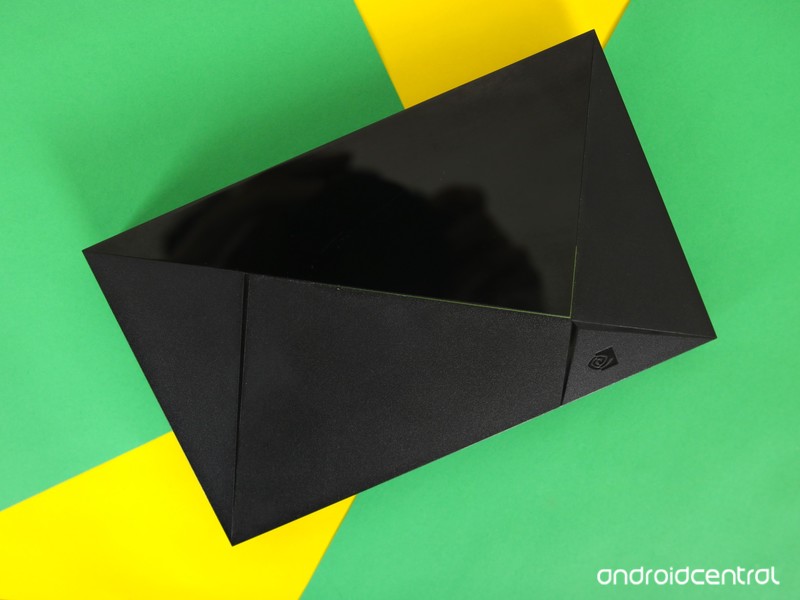
NVIDIA’s Shield TV is one of those rare things that are still “best in class” years after they were released. It has plenty of competition, but if you want the best multi-purpose set-top TV box you can get, it’s hard not to recommend the Shield TV. It has you covered whether you want to listen to music, watch a movie or show, or grab a controller and game the night away. I chalk that up to two things — the hardware inside it and the software support from NVIDIA. Considering that, as strange as it sounds NVIDIA is doing the right thing by holding back its Oreo update.
Smart TVs need to be able to show you what’s on that you’ll like; that’s where the smart part comes in.
I have a feeling that anyone familiar with the Shield TV who knows how and why this all started is going to agree. And the how and the why this started happen to be the important parts.
A quick refresher here. Back at CES 2018, NVIDIA’s director of Shield management, Chris Daniel, went on record saying that the product was still doing well, the U.S. retail market for it is going to be expanded, NVIDIA has plans to bring it to new countries in 2018, and that while NVIDIA certainly plans to bring Oreo to the Shield TV, there is no time frame and no rush. NVIDIA’s not happy with the interface and is working with Google to change whatever needs changing. That’s a pretty bold statement towards the company who built the actual software, but Daniels is right on and explains it all in one sentence.
If you release a whole new interface, and the apps aren’t supporting it, then we don’t feel like it’s a good launch for us, so we’re working hard on that.

That’s the Oreo interface for Android TV. Android TV is like Android Wear (except it’s good) or Chrome OS (but not that good) when it comes to vendor (that’d be the company who has its name printed on the package) customization. Google learned a valuable lesson with Android, namely that other companies will twist everything and anything until it no longer resembles the original, then fill the storage with crap apps and duplicates and whatever garbage the highest bidder wants them to put in there. While that helps companies sell $150 Android phones they never need to update, it also means the user interface is whatever that same company wants it to be.
Companies like NVIDIA can;t just change the user interface on an Android TV box.
The new “home screen” interface for Android TV, called the What’s Next interface by those that love it and built it, is pretty smart. Unlike your phone and the hundreds of apps installed that you can use for anything at any time, there are a few things most people do with Android on a television. Entertainment is the focus and using Google’s (sometimes) smart AI to expose a show or movie or anything you’ll want to see next is genius. Until it’s not.
Notice the screenshot above and you’ll see a pattern — it’s all Netflix. That’s great for Netflix, but what about HBO or NBC or Amazon (especially Amazon because the Shield TV has an exclusive and awesome Amazon streaming video app)? You could think it’s because there isn’t anything worth watching on any of those “networks” and maybe you’re right, but the reason is that their Android TV apps haven’t been updated to tie into the new interface. Even if your all-time favorite movie just finished and the 5-star-rated sequel (did anyone ever make a Strange Brew 2, eh?) is ready to stream from Amazon, you won’t see it listed as a recommendation because it can’t hook inside the screen you’re looking at. That’s just a bad user experience all around.
NVIDIA can’t change up the landing screen for Oreo so they are doing the best alternative in their eyes — not updating. And don’t think this is a cop-out. NVIDIA loves updating the Shield TV as much as you love getting the updates, which is why you see one almost every month. NVIDIA is doing this because they don’t want to wreck the UI on their TV box and make you hate it.
This can be fixed with the right people doing the fixing. And they are.
The good news is that they are working with Google to find a solution. Neither company can force developers to update their apps to support the Oreo interface, but they can get a bunch of smart people in the same room and figure something out. Chances are whatever the two companies come up with will be good for everyone — Google, NVIDIA, developers, and us. In the meantime, you can still use your Shield TV without working your way through individual app program guides or missing out on something you’ll wish you hadn’t.
And when nothing good is on, there’s always Borderlands 2.

NVIDIA Shield Android TV
- Read our Shield Android TV review
- The latest Shield Android TV news
- Shield vs. Shield Pro: Which should I buy?
- Join the forum discussion
- Complete Shield Android TV specs
Amazon
Do you still use a microSD card with your smartphone?
MicroSD card support is a rarity on smartphones in 2018, but plenty of people still use them.
Just a few years ago, any phone that was released without support for microSD card expansion was ridiculed for offering lesser functionality and often looked down upon. Fast forward to early 2018, and it’s been the norm for quite some time to have phones that just don’t offer this at all.

Smartphones that are released with 128GB and 256GB of internal storage help to mitigate the loss of microSD support, and as Android Central’s Andrew Martonik recently pointed out, it’s even possible to get by with just 64GB these days. Even so, there are still a ton of users that need to have this feature.
A few of our forum users recently got into a discussion about whether or not they still use/care about microSD functionality on phones, and these are a few of the responses:
chanchan05
02-03-2018 11:56 PM“
An old 16GB card. Basically the only thing in there are downloaded Spotify music on high quality. I’m looking to buy a 128GB card though. My tablet has a 32GB card full of books, so videos don’t fit anymore. Will probably just swap. I’m fine with 32GB internal memory for phone use, but that’s not enough for media. 16GB isn’t enough to download the music at extreme quality (320kbps).
I don’t…
Reply
andersmmg
02-04-2018 12:41 AM“
I have a 32 GB card in my phone, mostly used for media and I move some apps to it to free more space on the internal storage. I like to have a lot of apps so it’s easier to do stuff on the go without dealing with websites and stuff instead.
Reply
tickerguy
02-04-2018 08:52 AM“
I have a 128Gb card that holds my entire FLAC music library and a few MP4 movies. Without it there’s no way I could carry my music library, as nearly all of it is in FLAC rather than the more-compressed (and crappier-sounding) MP3 format. With the nice DAC in the V20, and good headphones, you can DEFINITELY hear the difference.
Reply
LuvMusic
02-05-2018 09:59 AM“
I use the 200gb card I got for free when I bought my V10. However, I have always used a card, if the device supported it, for music and other media. For example, when I travel, I download a couple of movies at home for backup entertainment and then I can watch them without streaming.
Also, the use of a card makes changing devices much easier. You don’t have to reinstall music (time…
Reply
Now, we’d like to pass the question on to you – Do you care about microSD support on phones?
Join the conversation in the forums!
Deal: Get 4 lines of unlimited data from Cricket, Boost Mobile, or Metro PCS for just $100 a month

Save big on unlimited data!
Any party of 4 — friends or family — can grab 4 lines of unlimited data from Cricket, Boost Mobile, or Metro PCS for just $100/month out the door. All the extra fees, taxes, and surcharges are included in the pricing. But that’s not all — choose 4 lines with Boost and get a 5th line FREE. Or if you opt to go with Metro PCS, you’ll get a full year of Amazon Prime at no extra charge.
Choose from any of these great deals:
Cricket: Cricket Unlimited 2 Plan
On this plan, you’ll get unlimited data on AT&T’s expansive network and coverage but note that the maximum data speed is 3Mbps which is fine for most basic internetting.
- Unlimited talk, text & data. After using 22GB of data, speeds may slow temporarily during times of high network congestion.
- Unlimited international text from the US to 180+ countries.
- Video streaming in Standard Definition, 480p+.
- 10GB of mobile hotspot (tethering) is available for an additional $10/mo.
- All in pricing. Taxes, surcharges, and fees are included.
See at Cricket
Boost Mobile: Boost Unlimited GIGS
In addition to 4G LTE unlimited data, you’ll also get unlimited music streaming and 8GB of mobile hotspot. Want more? Add a 5th line, and the price won’t budge. Yep. That’s 5 lines of unlimited data with Boost!
- Unlimited talk, text & data. After using 23GB of data, speeds may slow temporarily during times of high network congestion.
- Video streaming in Standard Definition, 480p+.
- 8GB of mobile hotspot (tethering) included.
- All in pricing. Taxes, surcharges, and fees are included.
See at Boost Mobile
Metro PCS
This plan not only offers unlimited talk, text & data on T-Mobile’s coast-to-coast network but also a free subscription to Amazon Prime.
- Unlimited talk, text & data. After using 35GB of data, speeds may slow temporarily during times of high network congestion
- Video streaming in Standard Definition, 480p
- 10GB of mobile hotspot (tethering) is available for an addition $10/mo
- All in pricing. Taxes, surcharges, and fees are included.
See at Metro PCS

TicWatch E mini-review: Affordable but awkward

A good smartwatch walks a knife’s edge, balancing form and function.
Without enough room for proper components, a smartwatch will die during the day or be so slow you wish it would die. Without the proper aesthetic, a smartwatch will look like some oversized toy on your wrist. A good smartwatch will slip once or twice in the balancing act, and unfortunately, the TicWatch E slips in the wrong places.
Feel the material
I was sent a TicWatch E after my TicHome mini review last year, and I have alternated between it and my personal LG Watch Style for the last several weeks. The TichWatch E comes in three colors — white, black, and yellow — with the white and yellow models sporting a clear plastic housing between the watch itself and the soft plastic band, and the black sporting a black housing. The bands, cheap though they are, are grippy, smooth, and felt quite nice — nicer than the stiff leather band my LG Watch Style came with. The clear plastic screams toy, and while plastic does stand up to the bangs and scuffs of life better than more polished metals.

The TicWatch E isn’t quite as ridiculously bulky as most sporty smartwatches, but you’re definitely going to have to work your sleeves to get them over the watch, as the hard angles of the watch tend to catch fabric tenaciously both when you try to sneak a peek at the face and when you try pull your sleeve down again and get back to work. The heart rate monitor at the bottom of the watch sits across from the POGO pin charging port, because in order to save costs, the TicWatch has skipped the convenience of wireless charging for a compact but still proprietary charging cable.
Under the hood

Using the watch once you get it free of your shirt sleeves is straightforward, though the home button sitting on the left side takes a little getting used to. The screen is big and bright; in fact, the TicWatch E, even on its lowest setting is too bright for Always-on mode at night. There’s no auto-brightness here, either, so be prepared to change brightnesses when you head out of doors. Thankfully, even with that bright screen, the battery can easily last one and a half to two days. The TicWatch is a tic slow, but it’s been hard to tell if that the actual system or just a screen that needs a bit more force to register taps than normal.

Having a watch with a heart rate sensor again has been nice, and at $128, the TicWatch E is certainly one of the cheaper options on the Android Wear market, but that comes at a price in performance and polish. The TicWatch E isn’t a bad smartwatch, but it’s not a great one either. It’s an okay smartwatch, and that’s not enough to justify the already low price tag.
If you just gotta have a heart rate sensor and like being able to use your watch as a wrist-mounted flashlight at night, this watch may work for you, but if you can, just wait until the LG Watch Style goes on sale. It won’t take long.
Android Wear
- Everything you need to know about Android Wear 2.0
- LG Watch Sport review
- LG Watch Style review
- These watches will get Android Wear 2.0
- Discuss Android Wear in the forums!
Final Fantasy XV: Pocket Edition is now available to download
You can download the game for free, but experiencing the whole story will cost you $20.

In a world of mobile games that seem to exist for the sole purpose of draining your wallet (and soul) with unrelenting loot boxes, a title like Final Fantasy XV: Pocket Edition is a very welcome addition and breath of fresh air. This game was first announced last August, and now it’s finally available to download for Android and iOS.

Final Fantasy XV: Pocket Edition is pretty much what its name suggests. Aside from the cartoony character design that’s crazy adorable, this is essentially the same Final Fantasy XV experience you’ll find on consoles. You can explore the game’s familiar, vibrant world, battle all sorts of enemies, and experience 10 chapters in which you follow the Chosen King as he tries to reclaim his throne.
Chapter 1 of the game is free to download, but if you want to experience everything it has to offer, you’ll need to pay $20 for the full experience.
That’s more than what you’ll spend for most mobile games, but considering that this is essentially the entire Final Fantasy XV experience shrunk down to fit on your phone, it’s really quite fair.
Google reportedly working on ‘Yeti’ gaming hardware and streaming service
Discover your ethnic origins with the $69 AncestryDNA genetic testing kit
Your ancestors await!
Get the AncestryDNA genetic testing kit for just $69 today on Amazon. We haven’t seen a deal on AncestryDNA’s testing kit since Cyber Monday. It used to sell for as much as $100 but ever since the holiday shopping season it has settled for a price around $80. Either way, this is a good deal that brings it down a peg.

This genetic testing kit uses your saliva to collect and analyze your DNA. After you send in your sample, the AncestryDNA people will analyze it and uncover your ethnic mix. It’s based on a DNA network that is six million strong and growing and covers more than 165 regions worldwide. This is one of the more popular testing kits out there and has 3.9 stars based on 2,454 user reviews on Amazon.
See on Amazon
The best ways to watch the Olympics in virtual reality

Experience the Winter Olympics like never before
This year NBC Olympics has come up with a game plan of their own, and that’s live streaming 50+ hours of the Winter Olympics straight to your virtual reality headset. Unfortunately there is no compatibility for your PlayStation VR, but it will be available for headsets like Gear VR, Google Daydream/Cardboard, and Windows Mixed Reality (including compatible headsets for WMR listed below). Even if you don’t have a headset, there are compatible apps to watch 180 and 360-degree videos on your phone!
So if you’re bummed you can’t go to the actual XXIII Olympic Winter Games from PyeongChang, South Korea, then strap on your headset and we’ll take you there virtually!
Google Daydream and Google Cardboard

Be sure to check out the Winter Olympics VR viewing schedule here to see what times your favorite sports are going to be live! After you’ve determined when you need to be watching follow the link below to download the NBC Sports VR App for your respectable device whether that be Android or Apple.
Once the App is downloaded onto your phone, open it up and Set up your preferences.
Allow device location.
Choose which Olympic Sports you wish to receive alerts about.
For Live Streaming you will need to then authenticate your cable providers information. Do this by selecting sign in and it will walk you through the process.
Select “Live” from the toolbar on the top.
Select the live event you wish to watch: this being theOlympic Sport or behind-the-scenes event you are interested in watching.
Now plug your phone into your Google Daydream or Google Cardboard and strap it on!
Compatible devices include: Samsung: Galaxy S8, Galaxy S8+, Galaxy Note8; Google: Pixel, Pixel 2, Pixel 2 XL; Motorola: Moto Z, Moto Z Force, Moto Z2 Force; ZTE: Axon 7; Huawei: Mate 9 Pro, Porsche Design Mate 9; LG: LG V30; ASUS: ZenFone AR
See on Google Play
Gear VR

There are plenty of websites advertising the compatibility of the NBC Sports VR App with Oculus Rift but the Oculus Store advertises the app only being compatible with the Gear VR Controllers. I’ve tested this and found it only works with Gear VR, not your Oculus Rift. So, once you’re ready be sure to check out the Winter Olympics VR viewing schedule here to see what times your favorite sports are going to be live!
Follow the link below to download the app from the Oculus Store.
Set up your preferences for the app.
Authenticate your cable providers information. Do this by signing in within the app, it will walk you through the process.
Go to the Live Events section on your toolbar.
Select the live event you wish to watch: this being theOlympic Sport or behind-the-scenes event you are interested in watching.
Now plug your phone into your device and strap it on!
Compatible phones for Gear VR : Galaxy Note8, Galaxy S8, Galaxy S8+, Galaxy S7, Galaxy S7 edge, Galaxy Note, Galaxy S6, Galaxy S6 edge, Galaxy S6 edge+*
See on Oculus Store
Windows Mixed Reality and other compatible headsets

Be sure to check out the Winter Olympics VR viewing schedule here to see what times your favorite sports are going to be live!
Follow the link below to download the app from the Microsoft Store.
Press the Windows button on your controller or Windows key on the keyboard to start menu
Authenticate your cable provides information. Do this by signing in within the app, it will walk you through the process.
Go to the Live Events section on your toolbar.
Select the live event you wish to watch: this being theOlympic Sport or behind-the-scenes event you are interested in watching.
Compatible Headsets for Windows Mixed Reality: Samsung HMD Odyssey, Dell Visor, HP Headset, Lenovo Explorer, Acer Headset. No smartphone needed.
Requires a PC running Windows 10.
See on Microsoft Store
Watching 180 and 360-degree videos

Be sure to check out the Winter Olympics VR viewing schedule here to see what times your favorite sports are going to be live!
Once the App is downloaded onto your phone, open it up and Set up your preferences.
Allow device location.
Choose which Olympic Sports you wish to receive alerts about.
For Live Streaming you will need to then authenticate your cable providers information. Do this by selecting sign in and it will walk you through the process.
Select “Live” from the toolbar on the top.
Select the live event you wish to watch: this being theOlympic Sport or behind-the-scenes event you are interested in watching.
The video will open in the 180 or 360-degree compatibility, whichever was noted in the title of your selection!
Thoughts
Where do you plan on watching the Winter Olympics, whether it be VR or not? Which games are you most excited for! Tell us in the comment section below!
EMUI 8.0 confirmed for Honor 7X and Honor 8, coming in Q2
It looks like there may be hope for the Honor 8 after all.
The Honor 8 was one of the best mid-range phones of 2016 and the Honor 7X has already proven to be the budget phone to beat for 2018. Now, according to Honor France’s Twitter account, both phones will be getting even better thanks to incoming EMUI 8.0 updates.

The Honor 7X
EMUI 8.0 is the custom software skin that’s found on Honor and Huawei phones, and it’s the first version of EMUI that’s based on Android 8.0 Oreo. It’s no surprise that the Honor 7X will get the update seeing as how it was just released last month, but we are pleasantly surprised to see the Honor 8 on the list.
In mid-January, Honor’s India account on Twitter announced that the Honor 8 wouldn’t be updated to Oreo/EMUI 8.0 due to “hardware and software limitations.” A representative from the company then made it seem like certain EMUI 8.0 features would be ported to the Honor 8 without actually updating it to Oreo, but this latest Tweet suggests that the phone will get the full EMUI 8.0 treatment.
Both the Honor 7X and Honor 8 are scheduled for the EMUI 8.0 update in Q2 of this year for users in France, but we should see it released for all regions at or around the same time.
Honor 8 Pro and Honor 9 pick up Android 8.0 Oreo update
 AIVAnet