


Honor 7X Giveaway! Enter for a chance to win at Android Central!
Win our pick for the best budget phone of the year so far!
If you’re after a stylish budget phone that doesn’t skimp on performance or features, the Honor 7x is absolutely worth a look.

This phone delivers an enjoyable, high-performance Android experience in a chassis that’s just as desirable as phones costing twice as much. Be sure you check out our in-depth review of the 7x, and then come back here to enter to win one for you or that special someone in your life!
THE PRIZE: One Android Central reader will receive an Honor 7x in black!
THE GIVEAWAY: Use the widget at the bottom of this page. There are multiple ways to enter, each with varying point values. Complete all of the tasks for maximum entries and your best shot at winning! Keep in mind that all winning entries are verified and if the task was not completed or cannot be verified, a new winner will be chosen. Phone service is not included with the prize and we make no guarantees that the phone will work with your service provider, so be sure to check that before you enter. International winners will be responsible for any customs fees incurred during shipping.
The giveaway is open through February 13, 2018, and the winner will be announced right here shortly after the closing date. Good luck!
Fall in love with the Honor 7x when you win this giveaway!
YouTube TV finally comes to Roku for $35/month
Available for all Roku TVs and select streaming boxes/sticks.
YouTube TV gained a lot of traction in the live Internet TV market last year, and its 2018 is already off to a great start. Just a day after announcing that it’d be the official broadcaster for LAFC soccer matches, an official YouTube TV app is now available on Roku.

This is something we were already expecting to happen, but nonetheless, it’s exciting that Roku users have yet another live TV service to choose from. The app will work the same as we’ve seen on past smart TV platforms, meaning you can browse through a guide of live programming, save shows to your library, search for specific content, and more.
The YouTube TV app will work on all Roku TVs, in addition to the Roku Ultra, Roku Streaming Stick Plus, Roku Streaming Stick, Roku Express, Roku Express Plus, Roku Premiere, Roku Premier Plus, Roku 4, Roku 3, and Roku 2.
If you’re new to YouTube TV, you can sign up for a seven-day free trial and then pay $35/month for access to over 40 channels. You’ll get six accounts per household, and that also comes with unlimited cloud DVR.
Android TV vs. Roku: Which smart TV platform is right for you?
This slate back is the trim the Nest Thermostat actually deserves
A naked Nest Thermostat installation is easy. But this one little accessory can make it look that much better.

When you’re installing a Nest Thermostat, you’ve got a couple options. One is for it to ride on your wall bareback. Or you can use the plastic trim piece that comes with it. The former may look cleaner, of course — particularly on relatively new (or at least clean) walls.
A little extra texture can go a long way toward making your Nest Thermostat stand out even more.
For those of us in older homes, however, the space around a thermostat’s wiring may be marred by countless coats of paint. or screw holes that just never cover up properly. So in that case a trim piece makes sense.
But the plastic trim that comes with a Nest Thermostat is bland, at best. It’s functional, but it definitely doesn’t add anything to the Nest — itself as close to a work of art as you could call a thermostat. We can do better
Amazon is lousy with trim plates for a Nest Thermostat. There are round plates. Rectangles. Square. Metal. Plastic. And, as I found, slate. Sure, you could make your own. (And if you’re at all crafty, maybe you should.) But me? I’m a buyer.
This one — which ran me $45, a price that I admit may be a little high for this sort of thing — has a little bit of an indentation cut out of it, so the thermostat itself is recessed ever so slightly and has a flatter point of contact than the facade. You’ll use the same screws that came with the Nest, and the whole thing takes about 2 minutes to install. Just take your time and line it up, using the thermostat’s built-in bubble level.
It’s added a nice new dimension to my Nest Thermostat, a sort of intermediary between the distinguished piece of tech and my otherwise unimpressive 1980s drywall. Whether you go with this one, something similar, or something way out there, it’s definitely worth a look — and will make your Nest look that much better.
See at Amazon
How to take a screenshot on PlayStation VR

Want to show your friends what you’re seeing in your headset? Here’s how you do it!
OK, so you won’t be sharing exactly what you’re getting in the headset because an image won’t show all that awesome! But for sharing quick snaps the built-in screenshot feature for your PlayStation VR can help you out.
Taking a screenshot only takes a moment, and I’ve got the details for you on how to do it!
The old way

On the DualShock 4 controller, there’s the share button to the left of the touchpad and this still allows you to perform the same features while using PlayStation VR. Hitting the share button while in a VR game will snap you immediately into Cinematic Mode and bring up the regular PlayStation 4 share interface. Holding the share button will take a quick screenshot that will be saved to the memory on your console.
From here you can select screenshot then go on and save it or share it to your favorite places.
Using the PlayStation Camera

Acquiring a PlayStation VR might be your first experience with the PlayStation Camera, and as such you might not know that it has some voice commands built in.
To activate you can hold down the left trigger on the controller and then say “take screenshot” if you’re holding the DualShock 4. If you’re holding a Move controller and you’re a little bit more active the same effect can be applied by saying “PlayStation, take screenshot”. Either method will result in a grab of the current screen being saved to your console.
Where you’ll find your screenshots

The screenshots you take will all be saved to the Capture Gallery app on the PlayStation 4. You’ll find this in your library if you’ve never looked at it before, and all your images will be organized by the game you took them in. You can also just view all at once, and from here you can copy them to a USB stick or share to the socials to show all your friends your best moments!
A workaround

One issue with pulling screenshots from the PS4 is that they don’t transfer at 1920 x 1080 resolution. It drops down to 720p, and however you look at it your screens won’t be at their best. There’s a strange workaround to getting Full HD images, though:
Go to messages.
Send the screenshot as a picture in a message to one of your friends.
Load up the PlayStation app on your phone and go to the message.
Save the image to your phone.
Move to your PC, cloud storage, or wherever you want it.
You’ll now, for some reason, have a 1080p screenshot. It also means spamming someone with all your images if you’re going to do it a lot!
Questions?
Do you still have questions about how to take a screenshot of your favorite PlayStation VR game? Have you been sharing your favorite moments with friends? Let us know about it in the comments below!
PlayStation 4

- PS4 vs. PS4 Slim vs. PS4 Pro: Which should you buy?
- PlayStation VR Review
- Playing PS4 games through your phone is awesome
Amazon
Samsung’s fast wireless charging stand is down to $28 at Amazon today only
Forget the charging cables. You’re just going to lose them anyway!
The Samsung fast charge Qi wireless charging stand is down to $28 on Amazon. It normally sells for around $39. Except for a drop to $25 last September, this is the best deal we’ve ever seen.

Samsung’s fast wireless charging stand not only lets you charge wirelessly but also with some speed. Unlike other wireless chargers this one does not lay flat, hence the “stand” in the name, which gives you a better view of your phone as it charges. It works with devices like the Samsung Galaxy S8, Galaxy Note 8, iPhone 8, and iPhone X. It has a multi-colored LED to indicate its charging status, and it comes with both the stand and fast wall charger to give you the quickest charge possible.
This same charger sells for $39 at Samsung so don’t miss out on this one-day offer from Amazon.
See on Amazon
Uber’s battle to get your car to arrive on time
Maps were essential to the exploration of the world. Most of our history books are filled with people who decided to go out into the abyss with just an inkling of what they would find, usually based on incomplete or even nonexistent charts. Uber and other ride-hailing systems started a bit like that, creating a business that relied on regular people driving other regular people around. It wasn’t completely uncharted — we’ve had taxis and their illegal counterparts, “pirate taxis,” forever. Today, everything an Uber car or driver does is mapped, catalogued and analyzed. Not because Uber wants to or because it’s exploring strange new worlds but because it needs to.
Maps and routing, therefore, are crucial to Uber. As more drivers and passengers join the service, keeping track of all those cars, pickups and drop-offs, and routes has become a monumental undertaking. With that in mind, the company built its own mapping system. That means it’s built its own navigation into the drivers’ app. With that app, Uber can detect where a driver is; cross-reference that with current traffic situations, historical traffic data and how close they are to a potential passenger in relation to other drivers; and share the best route to pick that person up. That’s all before we get in the car, so it needs more than just the directions offered by Google Maps and Waze.
“If you look at the way maps have been designed up until now, they are designed for navigation. But if you look at the ride-sharing industry, this sort of changes a lot, because it’s not so much about your navigation and you going somewhere yourself but it’s about things like pickups and drop-off’s,” Manik Gupta, director of product, maps, at Uber, told Engadget.
With that in mind, one thing that’s important to the company (and to you, the rider) is the ETA. There’s nothing more frustrating than seeing that the car will arrive in four minutes and it shows up after 12. To calculate that correctly (and not piss you off), Uber needs to find a driver and figure out the best route to pick you up. And then keep doing that thousands of times per minute. According to the company, it calculates enough routes per second to go around the Earth 15 times.
The ride-hailing company uses its own in-house routing tech, Garafu. That system’s algorithm is 43 times faster than off-the-shelf solutions, according to Uber. But if you’ve ever used Uber, you know that its ETAs aren’t always correct.

Uber chalks this up to drivers not using its mapping solution (there are a lot of Waze and Google Map fans out there), incorrect GPS locations and traffic events. Because GPS is line of sight, it’s understandable that a car in an urban valley or surrounded by tall buildings would sometimes appear where it’s not. The company does use a dead reckoning (tracking something based on an expected course) algorithm to help determine where a car is if it’s bouncing all over the map.
Finally, there are real-world events: an accident, an unexpected road closure, construction work or a concert/sporting event. In San Francisco, one thing that throws ride-hailing into chaos is Outside Lands, a yearly music festival in Golden Gate Park that results in security yelling at drivers and passengers to head to a particular spot for pickups and drop-offs. As you can expect, it doesn’t fit neatly into a predicted model.
The company is aware that it’s not doing the best job during these situations but has an events team working on it. This, then, brings up an issue about partnering with municipalities. Uber’s relationships with cities can be tenuous. From lawsuits to laws, it’s either made partnerships with cities or used the courts (and the court of public opinion) to get drivers on the road.
In 2016, Austin, Texas, voted to require fingerprint-based background checks for ride-hailing drivers. Uber and Lyft balked and left the city. Then the Texas state legislature created a law in 2017 that superseded local restrictions, and the two companies returned to the city of bands and breakfast tacos. Now imagine how willing a city like that would be to help Uber during SXSW.
In 2015 Uber put a fake feature into its app in New York to blast Mayor Bill de Blasio about a proposal that put a cap on ride-hailing vehicles. Not exactly subtle.
It’s easy to say, “Well, that’s old Uber under toxic management.” But cities and politicians remember.
It’ll probably be a while before some of these cities and the people who run them are ready to work closely with Uber: Public opinion is also an obstacle.
Before he passed away, San Francisco Mayor Ed Lee proposed dedicated pickup and drop-off spots in the city. With cars double-parking and dangerously blocking bike lanes, having riders and drivers meet at a designated spot seems like a win-win. But both the mayor’s reputation as being a bit too friendly to tech and Uber’s string of bad press meant that some residents saw this as another way the city was placating the extremely well-off tech sector.
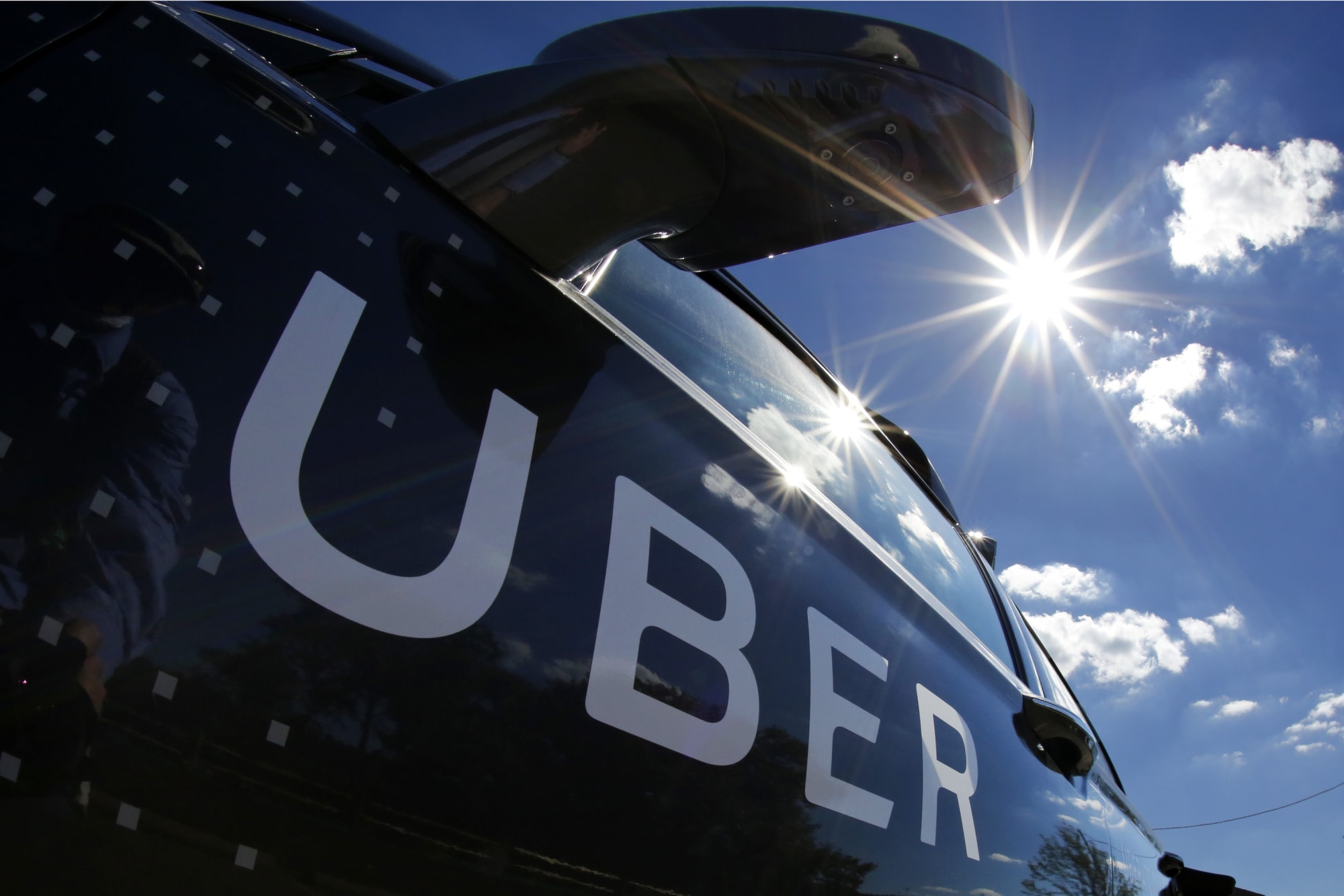
Meanwhile the company itself it working to optimize its system regionally. San Francisco — where the company is based — has it own set of solutions for issues that crop up, but the company is learning that what works in the Bay Area won’t necessarily work in other places. For example, in India, a lack of street signs and addresses predictably make pickups tricky. To try to solve these types of issues, the company has teams around the world that tweak the system’s algorithms as needed to meet the unique demands of each area.
It’s a lot of work to make sure a car shows up when it says it will and drops you off in a timely manner. To keep up with our demands (and stay in business), Uber will continue to fine-tune its impressive routing and map algorithms. But it can’t work entirely in a vacuum if it wants to be part of an evolving public-transportation system. For that, its needs partnerships with the cities it serves — and there’s no amount of processing power or algorithms that are going to solve those issues.
Slack is the latest app to ditch the Apple Watch
Like Twitter, Amazon, and Google Maps before it, Slack is ditching its Apple Watch app. The team chat and collaboration platform for businesses quietly announced the news via an update to its iOS app. But, that doesn’t mean Slack will disappear entirely from your wrist.
You’ll still be able to respond to incoming messages on your Apple Watch courtesy of rich notifications — all that’s absent is the ability to view unread mentions. So, you may not be missing much after all, which sums up the essential problem with dedicated Apple Watch apps.
Upon abandoning support for the Apple Watch, Twitter said it gleaned from feedback that “notifications were the most helpful part of the Apple Watch Twitter experience.” And, it seems Slack agrees.
Source: App Store
DARPA turns drone ship development over to the Navy
DARPA has completed its part in the development of Sea Hunter, a submarine-hunting drone ship that can cross the open seas without a human crew for months at a time. It has officially handed over the ship’s development to its project partner, the Office of Naval Research, which has already begun fine-tuning the drone’s autonomous features. The Navy has also renamed the drone to Medium Displacement Unmanned Surface Vehicle (MDUSV)… which really isn’t any better than its old name, Anti-Submarine Warfare Continuous Trail Unmanned Vessel or ACTUV. We’ve got a feeling people will stick to calling it Sea Hunter, unless the Navy can come up with a snappier nickname.
Defense contractor Leidos started building Sea Hunter in 2014. DARPA then conducted speed tests in April 2016, christening the 132-foot self-driving ship “Sea Hunter” within the same month. The drone has the ability to hunt foreign-owned stealthy submarines, China and Russia are known for having big submarine fleets, in US waters — hence, the name. However, it wasn’t designed to equip weapons.
In DARPA’s announcement, is said Sea Hunter could become a “new class of vehicle” under the Navy. The military division plans to conduct more testing in order to develop automat[ed] payload and sensor data processing, new mission-specific autonomous behaviors and autonomous coordination for multiple Sea Hunters. If the Navy wants to deploy a fleet of submarine-hunting drones, it needs to be able to add those capabilities to Sea Hunter’s features, especially the last one.
Sea Hunter has transitioned to @USNavyResearch! ONR will develop the prototype as the Medium Displacement Unmanned Surface Vehicle, the 1st of what could become a new class of vessel able to traverse 1000s of kilometers over open seas for months at a time. https://t.co/8TMBZR49L8 pic.twitter.com/iL2YzamV9H
— DARPA (@DARPA) January 31, 2018
Source: DARPA
Qualcomm hopes Samsung deal will fix its antitrust woes
Troubled chipmaker Qualcomm has struck a deal with Samsung that may quash its hefty antitrust case in South Korea and ward off a rumoured hostile bid takeover from rival Broadcom. While the exact terms of the deal haven’t been disclosed, the new patent cross-licensing agreement stipulates that Samsung “will be withdrawing” its interventions in Qualcomm’s appeal against its $854 million fine from the Korean Fair Trade Commission.
The two companies plan to work together on Qualcomm’s processors, facilitating a “transition to 5G”. Qualcomm has already agreed similar commitments from a number of Chinese smartphone makers, including Xiaomi, Oppo and Vivo. The partnership will surely help to counteract the damaging effects of the numerous fines and legal battles the company has faced in recent times. The deal was announced as Qualcomm reported first-quarter revenue growth of just one percent, after it swung to a net loss of $6 billion in the three months ending December 2017. It needs to start demonstrating strong growth again if it’s to avoid a hostile takeover bid from rival Broadcom which, if successful, would be the biggest takeover in tech history.
Via: cnet
Source: Qualcomm
Apple removes Telegram from App Store due to inappropriate content
Telegram and an experimental app called Telegram X that the company announced for Android yesterday have been removed from Apple’s App Store, 9to5Mac reports. A Reddit user posted about the absence yesterday. While one Redditor said Telegram support had told them that the removal was unintended and both apps should be back in the store sometime soon, Telegram CEO Pavel Durov tweeted that the removals were intentional. He said, “We were alerted by Apple that inappropriate content was made available to our users and both apps were taken off the App Store.” He added that the apps would be available again once protections were put into place.
We were alerted by Apple that inappropriate content was made available to our users and both apps were taken off the App Store. Once we have protections in place we expect the apps to be back on the App Store.
— Pavel Durov (@durov) February 1, 2018
Telegram has had an extremist problem for quite some time. The company is constantly shutting down ISIS channels and it keeps butting heads with the Russian government, which has claimed that terrorists use the app to plan attacks. It has also had to respond to violent content, suspending an Iranian channel last year that was encouraging its subscribers to engage in violent protests. Because Telegram offers encrypted messaging as well as public channels, private messaging and secret chats, it’s ideal for anyone who wants to protect their communications, including extremist groups. While we don’t know if that sort of activity is what got Telegram booted from the App Store, it’s an ongoing issue that the platform has had to deal with.
We’ve reached out to Apple and Telegram for more information. We’ll update this post when we hear more.
Via: TechCrunch
Source: Pavel Durov
 AIVAnet