


A bit of patchwork: Here’s how to fix a flat tire
It’s not an uncommon scene — You make your way out to your driveway, keys in hand, ready to head off to work, and you notice a sagging, deflated tire. Upon inspection, you find a small nail or piece of metal has punctured the rubber and released the air from within. Now what? Your car should come with a spare, which is usually located underneath the pad of your trunk space, along with a jack and lug wrench, which, if not in the same space as the spare, may be hidden in a side panel of your trunk. Locate these, take them out, and prepare some elbow grease. Here’s how to fix a flat tire.
Replacing a flat with a spare
Step 1 — Remove the flat tire
First thing’s first — remove the flat tire. Before raising the car using the included jack, use the lug wrench to loosen the lug nuts on the flat tire, working in a star-pattern as you do. After loosening the nuts — do not remove them yet — situate your car jack to the recommended jacking points for your vehicle, and use it to lift the side of the car you’re working on. Keep in mind that your want to do this on level ground to prevent your car from rolling! After all, jacking the car on an incline can be extremely dangerous. When the car is jacked up, you can remove the lug nuts and take the tire off.
Step 2 — Attach the spare
Replace the flat tire with the spare and reattach the lug nuts to the bolts, but do not fully tighten them yet. Lower the jack until the full weight of the car is back on the tire, and remove the jack. You should now lock down the lug nuts, working once again in a star pattern — or an “X” pattern, if you only have four bolts.
With the spare in place, you can now drive your car again. However, be careful, as spare tires are not built to be driven on for very long, and you should never exceed 50 mph when driving with a spare.
Editors’ Recommendations
- Here’s how to rotate your tires, and why it’s important
- Want to be your own mechanic? Here’s how to jack up a car (and do it safely)
- Tires with smart sensors will tell you when they need a service
- Forget the adapter: How to install a USB outlet in 9 steps
- Stop leaving grease stains on your seats with the best bike racks on the market
Fitbit Flyer review
Earlier this year, Fitbit unveiled its very first smartwatch, the Ionic. That was certainly the biggest news to come out of the August announcement, but the company announced another product which flew under the radar. The Fitbit Flyer is the company’s first audio product, and it’s aimed squarely at what are currently the best workout earbuds on the market, the Jaybird X3.
Don’t miss: Fitbit Ionic review | Best workout earbuds
Are Fitbit’s first workout earbuds worth your money, or should you pass them up for another pair? Let’s find out.
What’s in the box?
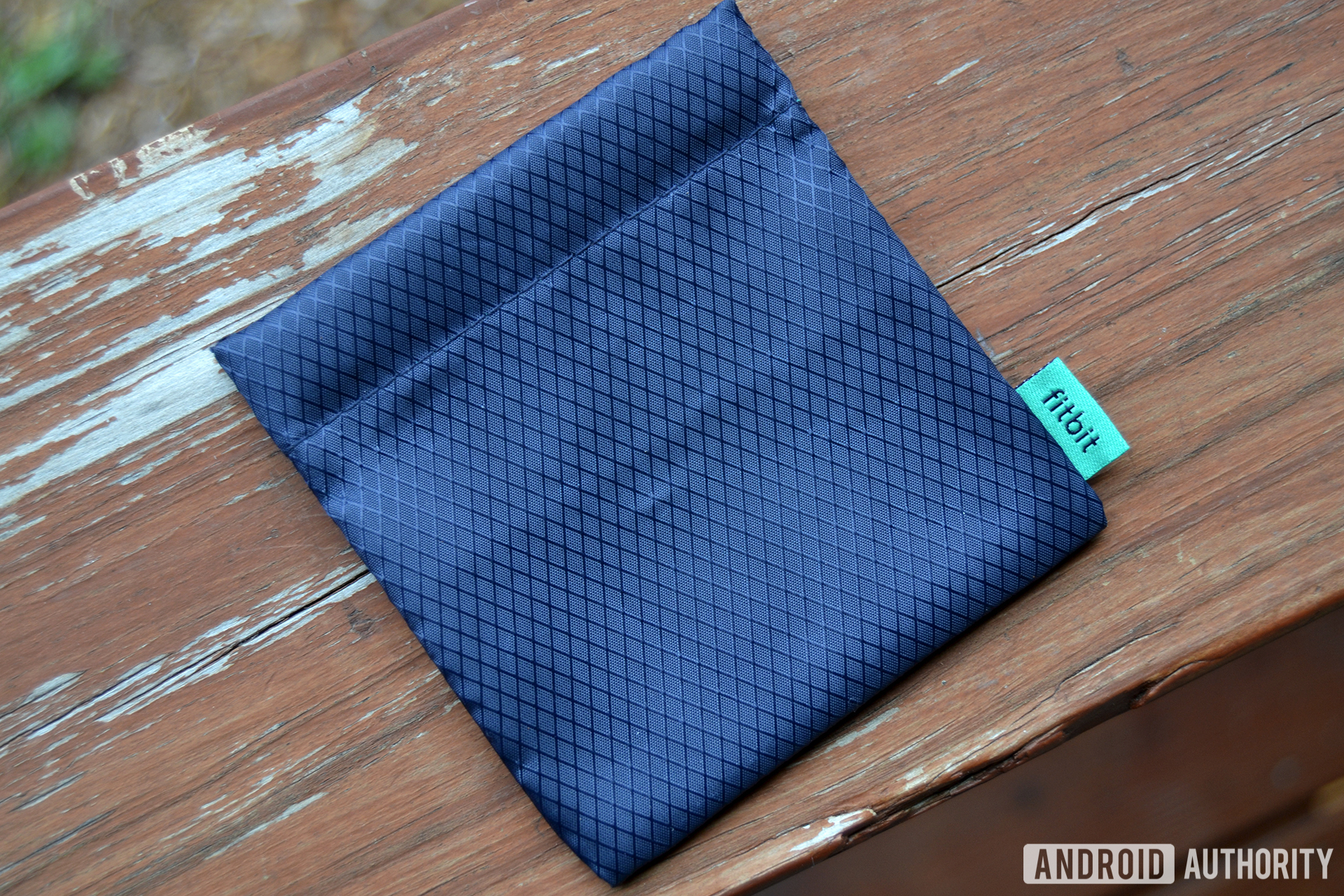
Upon opening the box, you’ll find the earbuds, a quick start guide, warranty information, a small microUSB charging cable, and a carrying pouch. Fitbit also included a little tray filled with three different sizes of ear tips (small, medium, and large), as well as two sizes of wings and fins (small and large). No foam tips were included in the box.
Build and design
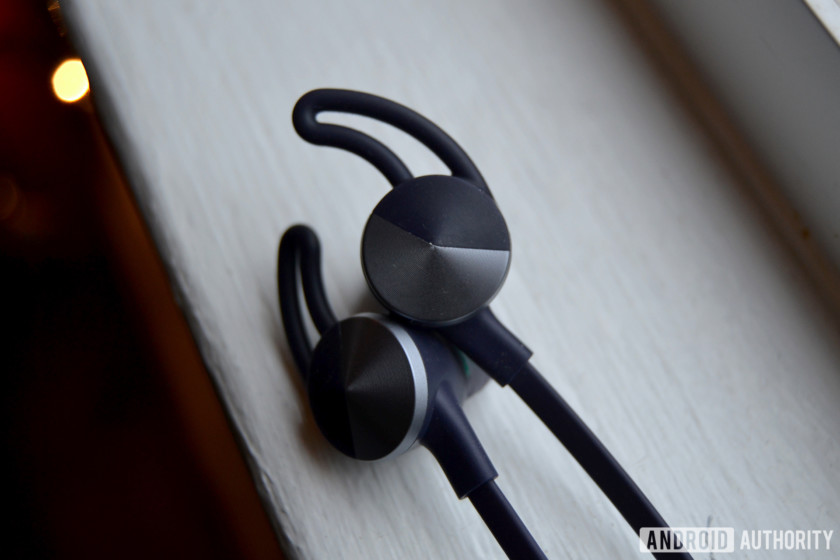
The earbuds are comprised mostly of plastic and silicone, but the aerospace-grade aluminum accents make them look much more premium. That’s not to say the plastic makes them feel cheap however— I think it’s pretty clear that Fitbit took the design process very seriously with the Flyer.
I’m partial to the Nightfall Blue color option (the one in this review), though there’s also a Lunar Gray color that features Rose Gold accents. It’s pretty classy.
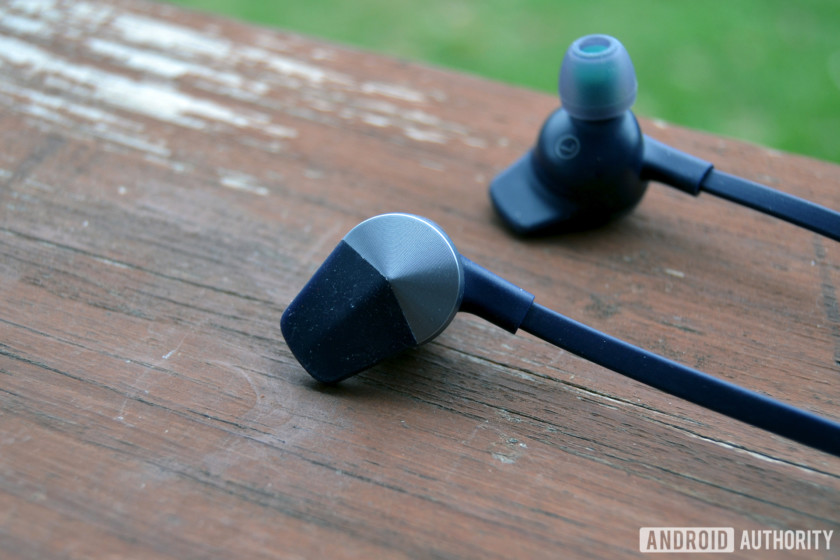
I’ve found the earbuds to be quite comfortable no matter how long I wear them. The stock wings gave me ear fatigue pretty quickly however, so you may consider switching to the fins if you’re planning on wearing them for more than a few minutes. Once you find a comfortable fit, the earbuds will stay secure no matter how much you move your head around.
The Fitbit Flyer remains comfortable no matter how long you wear it. You might want to switch to the ear fins, though.
The cable connecting the earbuds is flat and rubbery, and it’s hardly noticeable on your neck. On the right side of the cable, about two inches below the earbud, is the control module/microphone. This is how you’ll play/pause, skip tracks, increase/decrease volume, and access your voice assistant. The module isn’t too big or heavy, and is easy to use during workouts.
Unfortunately Fitbit didn’t make the earbuds water resistant, though they are sweatproof. There’s no official IP rating, though they feature a hydrophobic nano coating on the inside and out that’s supposedly rain, splash, and sweatproof. I haven’t run into any problems throughout the review period, though it would give me peace of mind if they came with a proper IP rating— especially considering the $130 price tag.
Connectivity
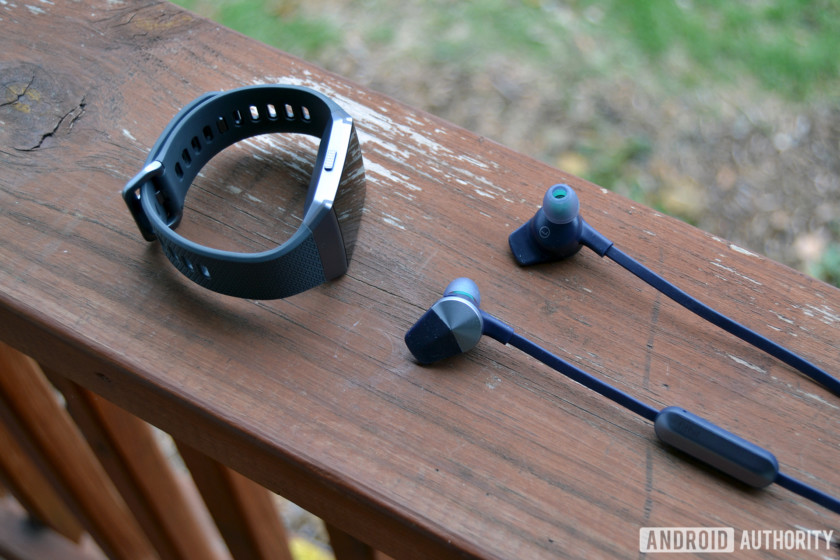
One of the nicer features on the Fitbit Ionic is the fact that it comes with 2.5 GB of storage for music playback when you’re on the go. The whole reason Fitbit made the Flyer is because it needed an audio product to sell alongside the smartwatch. So, as you’ve probably guessed, you can pair the earbuds with the Ionic.
The Flyer works great paired with the Ionic.
The earbuds come with Bluetooth 4.2, which means it sports a 32-foot range and supports A2DP, AVRCP, HSP, and HFP profiles. They can be paired to up to eight devices, and can be simultaneously connected to two devices. That’s especially handy if you have your Flyer paired to your Ionic and your smartphone. Even if you’re listening to music through your Ionic, the Flyer will relay phone calls (if your is smartphone nearby).


When you receive a phone call, you should have a seamless experience. That’s because there are two MEMS mics on the control module— one that picks up your voice, one that handles wind reduction. I received a call from my wife while I was wearing the earbuds, and she said call quality was crisp and clear. My voice sounded a bit tinny compared to my Pixel 2 XL, but it was still clear.

The Fitbit Flyer is compatible with Android, iOS, and Windows smartphones, which means you can summon Google Assistant, Siri, and Cortana depending on what type of phone you have. Just long-press the middle button on the control module and your voice assistant will trigger right away.
Throughout my review period, I only heard a handful of stutters when streaming music and podcasts. Not enough to be an annoyance, but still worth pointing out.
Battery life

Fitbit says the earbuds are capable of lasting up to six hours on a single charge, and I’d say that’s almost accurate. I’ve been able to achieve a little over five hours with regular use. That’s not the eight hours that the Jaybird X3 offers, but it’s still pretty good.
When you do need to charge them, it will only take an hour or two to charge from empty to full. Fitbit also says you’ll get one hour of playback after a 15-minute charge.
The Flyer charges via microUSB, and there’s a small cable included in the box. Its a very small cable, so be careful you don’t lose it.
Sound quality

There’s no way to customize different audio profiles on the Flyer, though Fitbit included a Power Boost mode that amplifies bass and EQ. For the sake of testing however, I am using the Signature sound profile that’s activated by default. The majority of the testing was done on the treadmill at the gym and during runs outside around the neighborhood.
Lows
Throughout my testing, I’ve found that lows, no matter what I’m listening to, are just right. I prefer listening to punk/indie music when I’m running, and I’ve had no issues hearing plenty of bass. Sometimes you need that extra push when you’re running, so the Power Boost mode might be your cup of tea if you’re going outside for a run.
Mids
Fitbit put a decent emphasis on mids, though they could be louder. They also start to distort a little when the volume is turned up to max. For me this isn’t much of a dealbreaker, and I think they’ll be fine for most people.
Highs
Even when I’m listening to the squealing guitars and synth in Mystery Pills by Antarctigo Vespucci, I never noticed any piercing highs. Overall, the highs blend in with the lows and mids just right.
Power Boost
Accessed by simultaneously long-pressing the volume up and down buttons, Power Boost mode was built in partnership with Waves Audio. Waves is known for providing audio tools for records, films, and video games, and this is the first time the company has brought its sound technology to headphones.
The main thing you’ll notice after turning Power Boost on is the amplified bass. In fact, going back to the Signature audio profile after turning Power Boost on is a little jarring. This mode slightly distorts mids and highs, but not so much that I thought the audio quality was bad. It’s just much louder than the Signature profile— so loud that turning the volume up to max while in Power Boost mode will hurt your ears.

The Flyer comes with Passive Noise Isolation to help reduce background noise, and I think it does a great job. I was able to almost completely block out a couple people talking in the other room without the need to shut my office door.
Gallery
Conclusion

The Fitbit Flyer is available from Amazon and Fitbit.com for $129.95, roughly the same price as Jaybird X3, our favorite pair of workout earbuds on the market. So which should you buy?
With the Flyer, you get good audio quality and a comfortable fit wrapped up in a high-end design. The Power Boost mode is also helpful if you need a little more out of your music.
The Jaybird X3 also provides a good overall audio experience, though it does give you more control over how your music sounds. There’s a dedicated app that lets you choose from different presets and customize the sound to your liking if you have more particular tastes. It also tells you how much battery you have left, which is very helpful. If you like to fine-tune your audio, go with the X3.
It’s also worth pointing out that the Flyer is a great workout companion, but it doesn’t actually track any of your activities like the Jabra Sport Coach, which costs $10 less than the Flyer.
Fitbit’s earbuds offer good audio quality, a comfortable fit, and a high-end design. But with other, more proven workout earbuds on the market, the Fitbit Flyer is a tough sell.
With that said, the Flyer is made to work seamlessly with the Fitbit Ionic. So if you’re an early adopter of Fitbit’s first smartwatch, you should probably go with Fitbit’s earbuds. Regadless, with other more proven workout earbuds on the market, the Fitbit Flyer is a tough sell.
Next: Best wireless Bluetooth headphones for running
15 essential Black Friday apps you need to navigate the maelstrom
Sleeping bags and tents are popping up near the big box stores, but don’t worry, it’s just America’s intense need to bargain hunt once again. Black Friday is coming, and if you want to survive this weekend with a few deals under your belt, you’ll need all the help you can get. We’ve got you covered once again with our list of must-have apps for the big shopping weekend, so you can get an upper hand on whatever deals you might be hunting for.
This year, our apps guide covers a range of useful Black Friday apps, including some that help you keep track of ads, compare prices, clip coupons, and confront everything else in between you and that doorbuster. With even just a few of these apps, you’ll lead the Black Friday charge like a pro, even if you’re only running on an hour of sleep, a latte, and three cans of Mountain Dew.
In case you missed our articles on Black Friday, here’s the countdown to Black Friday with our favorite deals, a sneak peek at the Best Buy and Walmart deals, and the best Amazon Black Friday deals.
Alerts and deals
At the heart of Black Friday is the need to bring order to the chaos of ads and offers at hundreds of stores. Here are some apps to consider that will help you keep track of deals, find alerts on the stuff you want, and so much more.
Dealnews Black Friday 2017
Dealnews pulls information on Black Friday sales and ongoing deals from thousands of websites and retailers. All you have to do is sort through this app and pick the stores you plan to visit. Once you do, you’ll have access to their Black Friday ads, and the ability to set alerts when retailers issue new prices both in-store and online. The app is designed just for Black Friday to keep an eye on all the special deals, but you can also use it for Cyber Monday and other deal days that come before and after the big day.
Download now for:
iOS Android
SlickDeals
Imagine having your own army of deal hunters who share with you the very greatest ways to save money on Black Friday. Powered by a community totaling more than 2 million members, SlickDeals is that very army, one that offers up a host of features that enable your on-the-fly Black Friday and Cyber Monday shopping. Not only do members post the very best deals they find, but SlickDeals also lets you monitor for on-the-spot deals that quickly go out of stock. You can also set alerts if something you’ve been looking for is posted as a deal by a fellow community member.
Download now for:
iOS Android
Flipp
Flipp is an all-in-one flyer, coupon, and savings tracker for your smartphone. Whether it’s for the coming Black Friday madness or just another weekly visit to the supermarket, Flipp helps guide you through every step of the way. Flipp has added new features that enable you to easily add coupons from various store circulars and print them via email. That way, you can plan your entire Black Friday invasion right from your smartphone.
Download now for:
iOS Android
Shopular
There are plenty of apps out there that handle your Black Friday alerts and notifications, but Shopular is one that not only handles all the deal alerts but also keeps track of your coupons, cash back and other rewards in the process. Shopular lets you scour major retailers for deals while marking off special coupons that you can use directly on your smartphone when checking out. You can even rake in cash back through the app to save you even more money during the holiday season.
Download now for:
iOS Android
Shopkick
Catching a deal is a great achievement in its own right, but you can sweeten it further with the help of an app like Shopkick. Shopkick works by awarding points — aka “kicks” — every time you walk into a retailer. It will make offers and suggestions based on your interests, and let you know what deals are going on at the store you’re visiting. You’ll also get important contact and store details as you walk in. The kicks you earn can later be redeemed for gift cards at all sorts of stores, including Target and Starbucks.
Download now for:
iOS Android
Mint
Mint, Intuit’s personal finance app, is hardly a Black Friday shopping app. That said, when you’re running around the mall, the last thing you want to be worrying about is which credit card to use when you make it to the register. Rather than sort through each of your credit card apps in the midst of the Black Friday chaos, the Mint app lets you manage everything from one application, allowing you to view credit card balances without fumbling through your individual bank accounts. While many use Mint already to manage finances, the app is especially helpful on Black Friday, given you can keep an eye on your spending without getting lost in a throng of apps. It’s also great for tracking each credit card and tagging transactions to help you find them later.
Download now for:
iOS Android
The Coupons App
With this app, you can search for online promo codes, coupons, and deals from more than 100,000 retailers. You can also browse both local or national offers using your location, and you can set it up so that you receive alerts when deals are available nearby. A dedicated section for Black Friday deals makes it even easier to find what you’re looking for, and if you’re worried about availability, rest easy knowing that the app will remind you if a coupon is about to expire.
Download now for:
iOS Android
Offers.com
This app is similar to other coupon apps, but it also gives you the available coupon codes for online shopping. This is the official companion app for Offers.com, which is a great website for scouring Black Friday offers. It also offers coupon codes for more than 15,000 stores, brands, and restaurants. With more than 300 categories spanning everything from electronics to travel, this is a must-have app for Black Friday and the remainder of the year.
Download now for:
iOS Android
Editors’ Recommendations
- For deals or just the latest designs, these are the best shopping apps out there
- Best iOS app deals of the day! 6 paid iPhone apps for free for a limited time
- The 20 best news apps that are fast and fluid on your iPhone or Android
- Pick the best fantasy football app and win your league this season
- Best iOS app deals of the day! 6 paid iPhone apps for free for a limited time
iPhone X users can now use Face ID to make purchases on eBay
Shopping just got a little easier for iPhone X users. This morning, eBay announced it now supports Face ID for purchases on its IOS app. The announcement makes eBay the first third-party app to allow Face ID to authenticate purchases.
Introduced on the iPhone X, Face ID uses facial mapping technology to authenticate users. Face ID uses a series of infrared dots to create a 3-D model of the the user’s face. This model is is then compared to data stored on the user’s iPhone X to unlock the phone and make purchases.
Apple reports that Face ID is more secure than Touch ID technology used on older iPhone models. It reports that while Touch ID has a false positive ratio of 50,000:1, the likelihood of a false positive authentication with Face ID is one in a million. While there have already been reports of false positives with the iPhone X, the technology is much more accurate than similar technology offered on the Samsung Galaxy and other Android phones.
eBay began developing its newest app shortly after Apple announced the iPhone X in September. To ensure the technology was available for the holiday shopping season, the company used simulation software for development and testing while awaiting the release of the iPhone X to the public. Once the devices became available, eBay did a final round of testing on the new phone to ensure everything worked properly.
While eBay may be the first third-party app to offer purchases via Face ID, expect to see other retailers following suit in the near future. The improved security of Face ID, and relative ease of setup for apps currently using Touch ID to authenticate purchases, makes integration a very attractive option for retailers who are seeing an increasing number of sales come from mobile websites and apps.
eBay is one of the world’s largest online retailers, with operations in over 30 countries. It currently has 168 million active buyers on its sites, with over half of its revenue coming from outside the U.S.. Each week more than 12 million listings are added via eBay mobile apps, and more than 60 percent of its sales are conducted through its mobile sites and apps.
eBay’s new app with Face ID integration is now available for users worldwide in the iOS app store.
Editors’ Recommendations
- Apple opens some iPhone X facial recognition data to developers
- How to unlock and create Animojis on your iPhone X
- Apple rumored to ditch Touch ID on 2018 iPhone lineup, will replace with Face ID
- Face ID fooled again: Kid unlocks mom’s iPhone X using his own face
- Image Search and Find It On eBay features are now available on eBay mobile app
Best Android Video Camera
- Best overall
- Best stabilization
- Best telephoto
Best overall
LG V30

See at AT&T
See at Verizon
See at Sprint
See at T-Mobile
LG’s V series has always been great for video, and the V30 carries on the tradition. Dual lenses backed up by solid sensors handle the basics, but it’s the advanced shooting modes that really let the V30 shine.
Not only do you have advanced control over colors with the Cine Log mode, but you also have extra tweaks and features that pull off pro-like shots even if you don’t know the mechanics of how to do it manually. You also get a full manual shooting mode if you need to do something specific.
Bottom line: For the most video features and tools, look no further than the V30.
One more thing: The V30 is still plenty capable when shooting in any of the automatic modes, too.
Why the LG V30 is the best
LG has positioned all of its V-series phones as being tuned for “content creation,” and the V30 keeps up with that perfectly. We know it’s quite capable for still photos, but its advanced video tools really make it shine.
Manual control and tons of shooting modes rule the roost here.
The core of the V30’s video capabilities starts with its dual cameras, one with a standard focal length lens and another with a super wide-angle lens. It lets you shoot with one or the other, but also seamlessly “zoom” from the wide lens into the tighter one for a dramatic effect. That’s paired up with all of the standard shooting modes, including 4K resolution and slow motion.
But then LG goes wild with additional software. You get a complete manual shooting mode where you can tweak every parameter, including your audio recording. And then you get extra features like “Cine Log” that lets you shoot in a new format that can be tweaked later, or use a dramatic “Point Zoom” for a smooth zoom in on a subject.
In our LG V30 review, Alex Dobie breaks down the power of Cine Log mode:
[LG Cine Log] lets you capture footage that, on the surface, might appear more washed-out than regular video shot in Auto mode, but it’s captured a way that lets you bring out more shadow or highlight detail when you process it later. There’s also an array of presets in Cine Log mode that lets you give your footage a particular kind of look — like warm tones for an action movie, cooler hues for a more romantic look, or sepia tones for an old-timey vibe.
Really, you get all the tools you could expect in something the size of a smartphone. When paired with a tripod and some time, the V30 can produce some great videos.
Best stabilization
Google Pixel 2 (and 2 XL)

See at Verizon
See at Best Buy
See at Google Store
Like its predecessor, the Google Pixel 2 has absolutely fantastic video stabilization that’s just unrivaled in smartphones. The new phone adds OIS to the already fantastic EIS to create buttery smooth video whether you’re riding along in a car or train, or just walking down the street with the phone in your hand.
Google uses some pretty advanced software to process the video and smooth it out, and it does so without much of the jarring “jelly” effect that you sometimes see when adding stabilization after the fact in video editors. The camera app doesn’t offer other advanced features, but it absolutely nails the stabilization.
Bottom line: If all you want to do is shoot stable video on the move and don’t need any other advanced features, the Pixel 2 is the one to get.
One more thing: For the exact same video experience in a larger size (with a higher price), consider the 6-inch Pixel 2 XL.
Best telephoto
Samsung Galaxy Note 8

See at Verizon
See at AT&T
See at T-Mobile
See at Sprint
See at Best Buy
See at Amazon
For those who don’t need the super-advanced video features of the V30, you’ll find the Galaxy Note 8 is a great alternative. It also offers dual cameras, but in this case the second is a “telephoto” lens that helps you zoom in without reducing resolution.
The Note 8 is plenty capable with 4K, 1080p 60 fps and 720p 240 fps slow motion, and the ability to switch on the fly between the two lenses with ease. It has OIS and EIS, but it isn’t the same kind of amazing stabilization as what the Pixel 2 offers.
The Galaxy Note 8 also offers just a downright bigger screen to use as a viewfinder, which you may find useful.
Bottom line: For a huge screen and the ability to shoot with a telephoto lens, this is a great choice.
One more thing: You’re going to pay more for the Note 8 than any of the phones on this list.
Conclusion
The V30 is the best Android phone for video thanks to its dual cameras, great core features and advanced shooting modes that help anyone take great shots.
Best overall
LG V30
See at AT&T
See at Verizon
See at Sprint
See at T-Mobile
LG’s V-series has always been great for video, and the V30 carries on the tradition. Dual lenses backed up by solid sensors handle the basics, but it’s the advanced shooting modes that really let the V30 shine.
Not only do you have advanced control over colors with the Cine Log mode, but you also have extra tweaks and features that pull off pro-like shots even if you don’t know the mechanics of how to do it manually. You also get a full manual shooting mode if you need to do something specific.
Bottom line: For the most video features and tools, look no further than the V30.
One more thing: The V30 is still plenty capable when shooting in any of the automatic modes, too.
Update November 2017: The list has been revamped, with the V30, Pixel 2 and Galaxy Note 8 taking over from the V20, Pixel and Galaxy S8.
Make your wall outlets more useful by adding two USB ports for just $15
Make your outlets work better for you!

Is this deal for me?
Right now you can grab this 15-Amp USB Wall Receptacle for just $14.64 at Amazon, which happens to be a new all-time low for this product. It normally sells for closer to $22, and has only ever dropped as low as $17 in the past. Best Buy has a 3.6-Amp option from Insignia (meaning far less power output) for just $9.99.
Gone are the days of searching for a power brick to plug into the cable that’s in your hands. Replace outlets around your house and office with some of these so that you can just simply plug those cables right into the wall for a seamless experience.
- Highest power device on the market
- Two vertical high powered USB Ports
- 3.6A charging capacity
- Smart chip-powered USB ports recognize the requirements of attached device and optimize charge accordingly
- Back and side wired for easy installation
TL;DR
- What makes this deal worth considering? – This is a new all-time low for this product, but the biggest thing here is convenience. These outlets allow you to still plug in things that don’t use USB cables while using the USB ports. An outlet that used to just charge two devices can now charge four.
- Things to know before you buy! – Installation on these is pretty easy, but you’ll want to proceed with caution. Be sure the power is turned off, and you do a little research before making the change. Consult a local electrician if you aren’t comfortable doing it yourself.
See at Amazon
OnePlus 5T review: Come for the value, not the excitement

This company never stops moving, and that means we get a fresh look at the latest hardware twice a year.
OnePlus isn’t interested in holding back on specs, features or capabilities to make a big reveal of a new phone just once a year. The scrappy company has settled in on a refresh cycle every six months, with a big release followed by a mid-cycle bump to bring in the latest things it’s been working on. The OnePlus 5T isn’t meant to be an innovative leap of technology that blows your socks off — and honestly, none of its predecessors have been particularly groundbreaking, either.
Nope, the 5T is still about value, simplicity and being tuned for what the Android enthusiast crowd craves from its phones. At $479 there wasn’t much about the OnePlus 5 you could find a flaw with. Now six months later with a bigger screen, new secondary camera, neat Face Unlock feature and a $20 price bump, it’s a pretty easy equation to figure out.
But while the OnePlus 5T hasn’t changed much from its six-month-old predecessor, the rest of the phone market has continued to evolve. Here’s how well the OnePlus 5T holds its ground against an ever-changing Android market in price brackets both above and below.
See at OnePlus
About this review
I’m writing this review after one week with the OnePlus 5T. It’s a Midnight Black model with 8GB of RAM and 128GB of storage, being used on the T-Mobile network both in New York, NY and Seattle, WA. After an initial software update to version 43_171110 it was not updated over the course of the review. The phone was provided to Android Central for review by OnePlus.
In motion
OnePlus 5T Video review
Seeing a phone in action is a great way to get a feeling for it as a complete product. For an overview of the OnePlus 5T, be sure to watch our full video review above. After the video, read on for our full take with all of the details!

Rapid iteration
OnePlus 5T Hardware, display and specs
The best way to describe OnePlus hardware design is “generic, with a little extra.” There’s nothing particularly wonderful, awe-inspiring, attention-grabbing or special about the OnePlus 5T, but the execution of the design is oh-so-good.
There’s nothing awe-inspiring about this hardware, but the materials and execution are excellent.
The slab-like bar of aluminum is pieced together with fantastic tolerance levels, and everything set into the body — buttons, switches, speakers, ports, glass — comes together exactly as you want. This may not be expensive fine-tuned design, but it sure is painstakingly great build quality. The new taller display, smaller bezels and rear-mounted fingerprint sensor just feel a bit more modern as well, befitting a late-2017 phone — even if the one casualty of the move is the removal of capacitive buttons below the screen.
OnePlus 5T specs
The only complaint to be had here is just how slippery the body is, which is just a little worse than the OnePlus 5 because it’s slightly taller and heavier. It’s flat across the back with very little texture in the metal, and the edge of the transition to the flat sides isn’t stark enough to get your fingers on. Thankfully OnePlus makes a handful of great thin cases for the 5T, but running this thing naked can be an unsettling experience — it reminds me very much of using an iPhone 6 or 7.
A few corners are cut to hit $499, but none of them are major — plus, you keep a headphone jack.
I still love the physical Alert Slider switch to toggle between three different notification modes, despite the fact that I’ve come to terms with using the software DND modes on my Google Pixel 2. I also like having the 3.5 mm headphone jack, even as I use Bluetooth headphones more and more every month. OnePlus still isn’t willing to pony up the cost of adding a proper water resistance rating to the 5T, which is very unfortunate as we see other cheaper phones, like the Moto X4, include the feature. The same sort of disappointment surrounds the speaker, which is a single down-firing unit that just doesn’t sound great compared to what you get on true flagship phones. It’s these sort of fringe shortcomings that remind you that cost had to be shaved somewhere to get this thing down to $499 retail.
At the same time, OnePlus continues to overdeliver in the spec sheet. A Snapdragon 835 in a sub-$700 phone is still great, and the default configuration of 6GB of RAM and 64GB of storage is plenty for now and into the future. Nobody needs to spend the extra $60 to get 8GB of RAM (the highest average RAM usage I saw was 5.1GB), but the extra money is worth it for some people just for the bump to 128GB of storage considering the lack of SD card slot. Then again, with the expedience of the upgrade cycle of the typical OnePlus buyer, maybe you’re fine with 64GB considering you plan on moving to a new model in six or 12 months.
This is a display that outperforms the price point.
That processor and RAM becomes even more powerful when you consider that the OnePlus 5T is only pushing a 1080p display. Though the 6-inch 2:1 aspect ratio (2160×1080 resolution) screen is a different size and shape, it looks near-identical to the 5.5-incher on the OnePlus 5. This is still an “Optic AMOLED” screen, which is made by Samsung, and OnePlus isn’t really making any claims of improvement over the predecessor. That’s totally fine with me, particularly at a sub-$500 price point. This display is crisp, colorful and has pretty minimal off-axis color shifting. While it’s not up to the level of the displays in the Galaxy S8+ and Note 8, it wouldn’t look out of place on any $700+ phone.
The one thing I find it’s missing is visibility in direct sunlight, where it lacks the high-contrast mode that kicks in on some other phones for a short period. I also find it reluctant to ramp up the brightness above about 25% when indoors, even when there’s enough ambient light to warrant more from the display. On the other end of the spectrum the display does impress me with how dim it gets in dark rooms — when I move that brightness slider all the way down, it’s very comfortable for my eyes at night (especially when paired with Night Mode).

More of the same
OnePlus 5T Software, battery life and cameras
This section, where we typically dive deep into the quality of the software and the performance of the phone, is going to be a short one. That’s because as we know the OnePlus 5T is identical internally to the OnePlus 5, and the Android 7.1.2 Nougat software has changed only marginally from its predecessor as well.
So in the name of brevity, please allow me to pull a quote from my OnePlus 5 review:
Instead of changing the basic interface paradigm of Android, OnePlus continues to add value by giving you customization options and just a handful of neat features. Offering simple things like themes, a customizable status bar, new gestures and a couple tweaks throughout the interface all enhance the experience without taking away from Google’s vision of Android in any way. Most importantly, you can ignore them entirely and just use the phone as it comes out of the box, too.
OnePlus 5 review: Keep doing what you do best
OxygenOS is one of my favorite manufacturer “customizations” of Android — and I put that in quotes because OnePlus hasn’t exactly added as much as it’s just tweaked things. There are just some visual, transition and color changes throughout the system, plus a few nice features like Reading Mode, and then some typically unseen customization options throughout the interface. I’m not in love with its choice to go with a primarily white status bar, and its ambient lock screen needs some work, but the most important part about OxygenOS is I can’t find anything that’s annoying or in my way — that definitely isn’t the case on every phone I’ve used this year.


Exactly as was the case with the OnePlus 3T in 2016, this review comes out in the shadow of a big impending software update. We know OnePlus [already has an Android 8.0 Oreo build for OnePlus 3 and 3T owners, and that beta program will open up to the 5 and 5T by the end of 2017. Unfortunately, that means we’re still looking at “early 2018” for a stable Oreo release. And while it’ll certainly be released ahead of most manufacturers, OnePlus definitely won’t be the first with Oreo and it’s a bit disappointing as other companies like Sony, HTC, Samsung and Essential either have phones already with Oreo or in open beta testing.

Face Unlock
This isn’t Face ID, and it sure isn’t high security, but damn it works well.
The only exciting software addition on the OnePlus 5T is Face Unlock. Unlike more advanced versions of this feature, Face Unlock on the 5T simply uses a little software and the regular 16MP front-facing camera (the same unit as the OnePlus 5). After a quick scan of your face, the software identifies 100 data points that make your face unique and each time the screen turns on it attempts to match those up with whoever is holding the phone. This is absolutely the fastest implementation of a front-facing camera-based unlocking method, easily beating what Samsung and Google have on their latest phones. It unlocks the phone before you have a chance to think about unlocking the phone — it’s great. Even with the fingerprint sensor being in a very comfortable place to reach, Face Unlock is so fast it can easily open your phone before your finger can get back there.
The system is obviously far less secure than what Apple is doing with Face ID, and definitely less secure than the rear-mounted fingerprint sensor. I certainly wouldn’t use this method if you’re traveling or in other situations where your phone could be easily stolen. But it’s secure enough for most people in most situations, and because it’s so lightning quick I expect more than a few people will turn it on and stick with it most of the time.
Performance
OxygenOS flies on the OnePlus 5T … but then the same software flies on the OnePlus 3T as well. It’s very clear that this software isn’t exactly taxing the Snapdragon 835 and 6 (or 8, in my case) gigabytes of RAM. Jumping between apps all day doesn’t produce a single hiccup, and app performance has been great as well. I haven’t noticed any excessive amount of background apps being killed off, nor have I had any unusual crashes or hangs from apps or the operating system itself.
The way OxygenOS does its transitional animations you can feel like things are a tad slower than, say, a Pixel 2 — but they’re simply slow on purpose. If you’re the type of person that cares about transition animation speed, you can freely change it in the developer settings — but it’s more of just an acquired taste than an actual problem with the system.

Battery life
Battery life remains unchanged from what I saw in the OnePlus 5. A 3300mAh battery is right on average with what we’d expect to see for a phone with a 6-inch display run by a Snapdragon 835 processor, and with the slim OxygenOS software it all equates to solid — but not spectacular — battery life. A typical full weekday left me with about 20% battery in the tank when heading to bed after 17 hours with 3-4 hours of “screen on” time. That’s nearly on par with what I get out of the Pixel 2 XL, though I have found the OnePlus 5T hitting “Battery saver” (15%) in the evenings of some heavier usage days more frequently than Google’s phone.
You’ll get through a full day, and probably have a bit left in the tank when you’re done.
The OnePlus 5T does a darn good job at conserving power when it’s just sitting there with the screen off, which is once again a testament to OxygenOS being relatively light and simple. I can only imagine that the Oreo update will help further.
Dash Charge remains a fantastically quick charging solution, provided you buy another wall charger and perhaps a car charger to complete your set and know you have the fast charging everywhere you go. It’s still a bit annoying that OnePlus hasn’t managed to get this technology into its own mobile battery packs, or get some cross-compatibility with Qualcomm Quick Charge, but if you plan to stick with OnePlus it’s worth getting its proprietary chargers.

Cameras
Not a single thing about the main 16MP camera on the OnePlus 5T has changed from the 5. But OnePlus knows what it can get out of it, and thought it was good enough to hold onto — to counteract that, it put its effort into switching up the secondary camera. The new 20MP sensor sits behind the same focal length and f/1.7 aperture as the main camera now, putting a quick end to the telephoto lens idea from before.
The camera is one part of the experience befitting the 5T’s price.
Camera performance is the one area where the OnePlus 5T feels spot on with its price: better than the cheap phones out there, but not as good as the top-tier flagships. In decent-to-good lighting, the 5T exhibits all of the same characteristics we’ve seen before: solid but unspectacular dynamic range, accurate colors and some areas where details get a bit over-smoothed by the image processing. The 5T tends to be accurate rather than punchy, which is fine with most of us, but when that’s paired with questionable metering, weak dynamic range and an HDR mode that doesn’t feel like it adds enough to the scene it leads to some photos coming out bland.
In anything resembling good lighting I never got a bad shot, and I even got a few great ones that could convince you they were from an $800+ phone, but the average shot out of the 5T is just … well, average by flagship standards. They didn’t “wow” me in the same way that the Pixel 2 XL does with just about every photo I take.


If you would like to download the original full-resolution versions of these camera samples, you can do so with this Dropbox link!
Why bother with this secondary camera if the main camera so often does a better job with low light photos?
Now let’s talk about low-light photos. OnePlus tuned this secondary camera for very low light (under 10 lux, which is quite dark), and so the camera only engages automatically in those situations — you can’t switch to it manually. I found it really hard to take a photo that was dark enough to engage that secondary camera, which honestly makes sense. A 20MP sensor with 1-micron pixels and no OIS supporting the lens just isn’t a recipe for success in bad lighting, even if you do some processing that combines adjacent pixels to cut down on grain. And so, many of the photos both I and our own Daniel Bader caught with that second sensor were as bad as we expected them to be. Grainy, with some odd colors and weird artifacts where the software attempted to smooth things out. I actually took some solid low-light shots with the main camera — in fact, none of the camera samples above were taken with the secondary camera, because each time I took a shot with it I chose to reposition a bit for some more light and take it with the main camera instead for a better result.
It begs the question — why would OnePlus bother with this secondary camera at all if the main camera so often does a better job with low light photos? Some 90% of the shots you take with this phone will make no use of the secondary lens, turning it into this vestigial thing hanging around reminding you that its inclusion took away from potential improvements to the main camera. Yes, it enables a Portrait Mode — which doesn’t seem to have improved since its introduction, and is worse than the Pixel 2 XL’s — but I don’t think that this software-based bokeh and what end up being relatively poor low-light shots are worth what we had to give up in the main camera. If the removal of those two features could free up resources to make any improvement in photos from the main camera thanks to a larger sensor or OIS, it’d be immediately worth it.

Should you buy it?
OnePlus 5T Bottom line
With a few price increases, OnePlus has worked itself up into a somewhat odd price level. At $499 the OnePlus 5T sits about $200 above the “budget” phones people so often look at when they’re trying to save some money, but also $2-300 underneath the true flagship phones of the same size. It seems unlikely that someone considering buying a Moto G5 Plus for $299 outright will all of a sudden choose to spend $200 more for a OnePlus 5T; so the market instead consists of potential flagship phone buyers who are enticed by the call of a top-of-the-line phone for hundreds of dollars less.
The OnePlus 5T offers an exceptional value at $499, or even at $559 for the top-end model.
For this potential buyer, the OnePlus 5T delivers just as its predecessors did. It has the same type of hardware, build, form factor and screen quality as the top-end phones today, and a slate of specs to match. Sure it doesn’t have the nice-to-have whizz-bang hardware features or extras like waterproofing or great speakers, but something had to be trimmed somewhere and these are great non-critical areas to cut costs. The camera won’t blow you away, but it’s good enough for this money and it’s capable of a fantastic shot now and then. And even at this lower price, you get excellent software that’s in many ways better than what Samsung, LG, HTC and Huawei are doing — and it all flows at a breakneck pace.
The OnePlus 5T isn’t an industry-leading phone with the latest features that other companies will have to scramble to match. But it’s still an exceptional value in an Android market that’s getting surprisingly expensive at the top-end. The OnePlus 5T is a wonderful phone at $499, or even at $559 for the higher-spec model. At that price you can look past a couple hardware shortcomings and less-than-stellar cameras, because you just saved $200, $300 or even $400 off of leading phones from the “big name” companies while getting what is mostly the same — or in a couple cases, a better — daily experience.
See at OnePlus
Save £30 on the Amazon Echo Plus and get a free Philips Hue bulb (UK)

Save £30 on the Amazon Echo Plus and get a free Philips Hue bulb!
When it comes to creating a smart home, there are few ways that make the process easier than the Amazon Echo Plus, a connected speaker that can connect with various devices and allow you to manage them all through the power of voice. For a limited time only, the online retail giant is offering £30 off the Echo Plus in the UK and is bundling a Philips Hue bulb to get started.
Priced at £109.99, you not only get the smart hub that can connect to various services and even playback music, but also what will be the start of transforming your home into a connected world. The Philips Hue family of bulbs are not just ideal for shining light in dark areas but can be controlled remotely thanks to built-in wireless.
As an added bonus, you don’t need a Philips Hue hub device to bridge the gap between the Amazon Echo Plus and said bulbs. Everything works as is.
See at Amazon
Best zombie games for Android

Prepare for the pending zombie apocalypse with these games
Few moments in gaming are as satisfying as mowing down a gnashing horde of zombies with a machine gun. Or as exhilarating as outrunning a swarm of the living dead.
Zombies have a special place in our hearts as one of the best video game baddies of all time, and nothing beats a good zombie game. Whether you’re the type to go in guns a-blazing, or opt for a more stealthy and strategic approach, there’s a zombie game for Android that’s right up your alley.
Just remember: Don’t get bitten!
- Death Road to Canada
- Telltale Games: The Walking Dead
- Dead Trigger 2
- Into The Dead 2
- Plants Vs Zombies 2
- Zombie Gunship Survival
- Run, Zombies!
Death Road to Canada
Death Road to Canada is a $10 game — I want to open with that just to get the sticker shock out of the way before I talk about how freaking awesome this game is.
Facing a zombie apocalypse, you must lead a scrappy squad of diverse characters on a deadly mission from Florida to the relative safety of Canada. Along the way, you’ll need to explore and loot places for supplies, while also managing your team’s health and morale.
Everything within Death Road to Canada is randomly generated, making every play-through a unique experience in this dynamic road trip action-RPG. You can randomly generate your character and buddy or custom design your starting characters with different attributes to help them stay alive, but you probably don’t want to get too attached unless you’re a really good shot.
The controls admittedly take some getting used to, and there’s a pretty steep learning curve as you learn which weapons are most effective and what times it’s better to fight or run. And you will die, early and often, although that’s part of the fun of a zombie apocalypse, right?
There’s a ridiculous amount of depth in this game, including 10 different game modes to unlock. The price might seem a little steep, but if you’re a fan of rogue-like zombie games, it’s well worth the investment!
Download: Death Road to Canada ($9.99)
Telltale Games: The Walking Dead
How could we not include one of the most popular zombie franchises out there? Telltale games hit it out of the park with its series of games based on AMC’s “The Walking Dead.”
The game follows Lee Everett, a convicted criminal, in his efforts to protect an orphaned girl. Telltale Games have a unique storytelling method where the decisions you make throughout the game, including any conversations with other characters, have a major impact how the story plays out. This allows for some variety in multiple play-throughs.
You get the first episode in the series for free when you download the app, with the remaining five episodes available via in-app purchases.
Download: The Walking Dead Season One (Free w/IAPs)

Advertisement
Dead Trigger 2
Dead Trigger 2 continues to be the quintessential zombie-shooting experience on mobile. The graphics are amazing, though the game hardly takes itself seriously — there are lots of tongue-in-cheek references and over-the-top baddies to mow down. This version is a little different in that players now have their own hideout and a crew that can build stuff for them. The controls have also been streamlined for touch; all you have to do is move the crosshairs over a zombie, and if you’re in range, you’ll automatically start shooting.
There are many missions to enjoy, and the in-app purchases have been scaled back with the removal of the premium currency — now you can buy and build everything yourself without spending a cent.
Download: Dead Trigger 2 (Free)
Into the Dead 2
Into the Dead 2 is a first-person game that puts you in the role of a survivor in a post-zombie-apocalyptic world. You must run for your life to stay alive, occasionally finding weapons to help you fight back.
There’s a surprising amount of variety in this game with a story that spans over 60 stages with multiple endings. Unlock and upgrade your weapons and even play with a canine companion as you explore military bases and survivor campsites looking for other survivors.
On top of the unique gameplay, this game also looks gorgeous. It’s the perfect game to play with the lights off.
Download: Into the Dead 2 (Free w/ ads, IAPs)
Plants vs Zombies 2
Plants Vs. Zombies is one of those classic game franchises that’s just so fun to play. I can still remember beating the first one after marathon sessions in University while I was supposed to be studying.
Plants Vs. Zombies 2 continues with that winning formula, offering a new campaign that spans over 11 unique worlds spanning all of space and time — from Ancient Egypt to outer space. Collect and choose your favorite plants as you battle against swarm after swarm of brain-hungry zombies.
It’s just classic a classic strategy action game with a splash of zombie fun that’s fun and accessible for the whole family. Not your “traditional” zombie game compared to the other entries on the list, but a great game nonetheless and certainly worthy of its spot here.
Download: Plants vs Zombies 2 (Free)
Advertisement
Zombie Gunship Survival
Zombie Gunship has always offered a unique zombie gaming experiences on mobile. Rather than compete with the flashy first-person shooters or more challenging strategy games, Zombie Gunship Survival has you take to the skies as you offer support to ground troops looking to push back the hordes.
The graphics are outstanding as it’s got a very authentic look and feel during gameplay. As you complete missions you can upgrade and your weapons and start building out your remote airfield as your base of operations. Like so many other games, your basic duties are to survive and save other survivors.
Check out Zombie Gunship Survival if you’re looking for a fresh take on the zombie survival genre.
Download: Zombie Gunship Survival (Free w/ ads, IAPs)
Zombies, Run!
Part fitness tracker, part audio drama, Zombies, Run! is the perfect app for those of us who really need to be motivated to keep running. Developed by Six to Start, this app has been around for quite some time, but it’s always a fun recommendation to throw out there for anyone looking to start a running routine. Simply load up the game on your phone, pop in your favorite workout headphones and head out on your adventure.
You fill the role of Runner 5, a survivor of an ongoing zombie apocalypse that must venture out into the infected lands to collect supplies and find new survivors. You’re able to listen to your own music with the story cutting in between songs. If you start slowing down, you might begin to hear zombies following you — a not-so-subtle reminder to pick up the pace.
The base app is free, but you can pay a monthly or yearly subscription to unlock all the missions and content at once. If you’ve never tried it before, it’s definitely worth checking out.
Download: Zombies, Run! (Free w/ optional subscription available)
Advertisement
How do you like to slay zombies?
There are our picks, but did we miss your favorite? Let us know in the comments!
[custom:android-gaming]
The best VR experiences to share with family this Thanksgiving

Thanksgiving means family, and that means showing off your VR headset to all of them.
November is halfway over, and that means it’s only a few weeks until the big Turkeyfest. We’re talking about Thanksgiving, a holiday about food, family, football, and spending the day with relatives you may not have seen since last Christmas. To help while away the hours between arriving and sitting down to devour dinner, bringing your Gear VR or Daydream along to show off what VR can do is an awesome idea.
So we’ve put together a list of the best apps to share with everyone this Thanksgiving. From Football to space, there’s a little bit of everything here.
Read more at VRHeads
 AIVAnet