


Major news outlets shared Russian propaganda from Twitter
Now that it’s clearer just how many Twitter accounts have been linked to the Russian government (2,752 at last count), it’s becoming evident that many reputable news sites were tricked into sharing propaganda. Recode and media intelligence company Meltwater have determined that the Washington Post, CBS, the Miami Herald, Vox Media (which owns Recode) and other well-known media outlets shared tweets from Russian accounts without realizing that these “grassroots” posts were really misinformation efforts.
The study, which covers tweets from January 1st, 2016 through September 30th, 2017, noted that many of the accounts posed as activists on both major sides of contentious issues. As on Facebook, Russia’s “troll team” (the IRA) was trying to exploit social divisions. It’s not known how many of the accounts were created explicitly for propaganda purposes versus being hijacked, but at least some of them have shut down (whether through Twitter bans or otherwise).
The findings not only show how pervasive the Russian manipulation campaign has been both during and after the US presidential election, but illustrate how effective the messages could be. Even outlets that are famous for their thorough fact-checking inadvertently magnified the Russian government’s bogus messages — were they going to trace the origins of every tweet? And in at least some cases, it’s prompting a change of strategy. The Post, for example, is both correcting past stories and will “assess [its] policy” for citing tweets in articles. However tempting it is to blame the social networks themselves for turning a blind eye to Russian propaganda, those who shared that propaganda also bear some responsibility.
Source: Recode
Climate change-denying House science chairman is retiring
Lamar Smith, the chairman of the US House of Representatives’ Committee on Science, Space and Technology, has announced that he’ll retire when his term ends next year. The Texas representative, an avid climate change denier, has been a controversial and, to many, an unwelcome head of the committee. During his tenure, he has published multiple opinion pieces on climate change, including some that claim it isn’t a reality and others that state it’s real but beneficial.
Smith has also made a point of going after scientists, government agencies and organizations — such as the National Science Foundation (NSF) and the National Oceanic and Atmospheric Administration — making wild accusations of wrongdoing and data manipulation when their findings didn’t mesh with his own beliefs. He has also attempted to push his own agenda onto the NSF’s funding decisions and tried to pass legislation that would require the foundation to only give grants to projects that serve the “national interest.”
While it may seem like a win for those that accept the scientific consensus on the reality of climate change and its negative impacts, Smith was nearing his six-year term limit as committee chair and would’ve had to vacate the position in 2019 anyway. However, that hasn’t kept some from celebrating the announcement. Katharine Hayhoe, the director of the Climate Science Center at Texas Tech University told Nature News, “It is a relief.” And Derrick Crowe, a climate activist who had planned on challenging Smith for his House seat told the Huffington Post that Smith’s retirement was “great news for the climate.”
Via: Nature News
PSA: There’s No iOS 11.2 Beta for iPhone X, so Beta Testers Can’t Restore From Backup
Developers and public beta testers who installed the iOS 11.2 beta on their devices earlier this week will be disappointed to learn that there’s no iOS 11.2 beta for the iPhone X as of yet, and therefore no way to restore from an existing iOS 11.2 backup on a new iPhone X.
If you’re running iOS 11.2 on your existing iPhone and create an iCloud backup, that backup is not going to be compatible with the iPhone X.
New iPhone X owners who want to restore from a backup will need to wait for Apple to release a version of iOS 11.2 for the iPhone X or downgrade back down to iOS 11.1.
It’s not entirely clear when Apple plans to release a beta of iOS 11.2 for the iPhone X.
It could happen today now that the iPhone X is out in the wild and there are customers who can’t restore, but Apple could also choose to wait until it’s time for the second beta to be released, which means public beta testers and developers will be left over the weekend without a restore option.
The other alternative to restoring is to set a device up as new, but that requires re-downloading all apps and re-entering a lot of information, which is a time consuming process.
Out of the box, iPhone X models appear to have iOS 11.0.1 installed, so the iOS 11.1 update will need to be installed over-the-air or via iTunes after opening it up. When restoring from an iOS 11.1 backup onto an iPhone X, it appears the iOS 11.1 update will be installed on the device automatically.
Related Roundup: iPhone XBuyer’s Guide: iPhone X (Buy Now)
Discuss this article in our forums
MacRumors Giveaway: Win a Rugged Messenger Keyboard and Case for the 10.5-Inch iPad Pro From ZAGG
For this week’s giveaway, we’ve teamed up with ZAGG to offer MacRumors readers a chance to win a Rugged Messenger Wireless Keyboard and Case for the 10.5-inch iPad Pro.
Priced at $99, the Rugged Messenger serves as a wireless keyboard for Apple’s newest iPad Pro, while also doubling as a detachable case that can be used to protect the device while it’s not in use.
ZAGG designed the Rugged Messenger to be both durable and ultra protective with a multi-layered construction. It offers shock and drop protection from a distance of up to 6.6 feet, and it protects from dings and scratches when the iPad is tossed in a bag.
The Rugged Messenger has laptop-style keys with backlighting (in seven colors) for good visibility no matter the lighting conditions around you. ZAGG says the well-spaced keys are designed to let you type with the “speed and ease of a laptop.”

The case has a built-in magnetic kickstand so the iPad Pro can be easily adjusted to one of several viewing angles to meet a range of needs. There’s even an integrated Apple Pencil holder at the top to keep the Apple Pencil nearby at all times.
Multi-device pairing is available so you can connect the Rugged Messenger to two devices via Bluetooth at the same time and easily switch between them, and the rechargeable battery is able to last for up to two years between charges depending on usage.

We have five of the ZAGG Rugged Messenger to give away to MacRumors readers. To enter to win, use the Rafflecopter widget below and enter an email address. Email addresses will be used solely for contact purposes to reach the winners and send the prizes. You can earn additional entries by subscribing to our weekly newsletter, subscribing to our YouTube channel, following us on Twitter, or visiting the MacRumors Facebook page.
Due to the complexities of international laws regarding giveaways, only U.S. residents who are 18 years or older and Canadian residents (excluding Quebec) who have reached the age of majority in their province or territory are eligible to enter. To offer feedback or get more information on the giveaway restrictions, please refer to our Site Feedback section, as that is where discussion of the rules will be redirected.
a Rafflecopter giveawayThe contest will run from today (November 3) at 11:00 a.m. Pacific Time through 11:00 a.m. Pacific Time on November 10. The winners will be chosen randomly on November 10 and will be contacted by email. The winners will have 48 hours to respond and provide a shipping address before new winners are chosen.
Tags: giveaway, Zagg
Discuss this article in our forums
How to unlock the iPhone X with Face ID, and how to send Animojis
One of the most exciting features of the new iPhone X is the front-facing camera with TrueDepth technology. Gone are the days of using your fingerprint to unlock your phone — now you just look at the screen, and Face ID will recognize your face. But the array of sensors and cameras on the front of the new iPhone X have another trick: Animojis. Whether you just received your new phone or you’re still waiting for it, we explain how to unlock your iPhone X with Face ID, and how to send Animojis.
Unlocking the iPhone X with Face ID
The iPhone X is the first phone to replace Touch ID with Face ID. Now unlocking your phone is as simple as looking at your phone. The change is not just aesthetic, it’s much safer. Apple said Face ID has a false positive ratio of 1,000,000:1 while Touch ID is 50,000:1. Still, while Face ID is the future of the iPhone, we’ve found it to be little finicky at times. It’s also just a tad slower than Touch ID.
To unlock your iPhone X, you’ll first need to set up your Face ID profile. During your initial setup you will be prompted to set up Face ID, and this involves rotating your head in a circular motion to capture different angles of your face. You’ll have to do this twice. If you skipped this section, you can head to Settings > Face ID and Passcode > Set up Face ID.
Once Face ID is set up, you simply need to swipe up the lock screen with your eyes open, and your iPhone X will unlock — you’ll see a padlock icon unlocking. Your iPhone X will not unlock if you do not make eye contact with the phone.
Apple recommends never resetting your Face ID data, even if it’s not performing well for you. The system memorizes your features every time you use it, so resetting it would only set it back from recognizing your face. It may not work with drastic changes to your appearance, such as if you shave off a full beard.
Sending an Animoji
Animojis are animated emojis you can send in the Messages app. It takes advantage of the depth-sensing technology in the “notch” of the iPhone X, which is also used for Face ID. Anyone with an Android or iOS device can see these, as they are sent as a video file. You’ll need an iPhone X to send them, though.
To create an Animoji, open the Messages app. In a chat thread, you will see a monkey icon at the bottom of the screen next to the App Store icon. Select it, and select the emoji you want to impersonate. At the moment, there are 12 you can choose from, including the poop emoji. You can expand this selection screen by swiping it up.
Once you’ve chosen an Animoji, look at the screen. You’ll notice the Animoji is mimicking your movements, just like motion capture used in films. When you are ready to record a message, press the red capture button on the right side. You’ll get 10 seconds to record a message with audio, but you can stop it earlier if you want to keep it short. Tap the send arrow, and that’s it!
Editor’s Recommendations
- How to reset your Apple ID password and gain control of your account
- How to take a screenshot on an iPhone
- Is your smartphone frozen? Here’s how to reset your iPhone
- How to turn on the flashlight faster on an iPhone
- How to use Apple’s iMessage on iOS 10
Xiaomi Mi A1 review: the perfect budget phone?
Introduced in 2014, Google’s Android One program never quite took off the way the company had envisioned. The program focused on developing markets like India and aimed to deliver budget smartphones with a stock Android experience powered by Google. A series of disappointing devices from domestic OEMs, partly thanks to stringent requirements from Google, didn’t manage to make a dent in the market. But Android One wasn’t out for the count.
In collaboration with Xiaomi, Google has just rebooted the Android One program, which has since had the Moto X4 and HTC U11 Life added to the mix. It is clear the program is not just about entry-level smartphones anymore. The mid-range Xiaomi Mi A1 is pitched as a product that‘s ‘created by Xiaomi and powered by Google.’
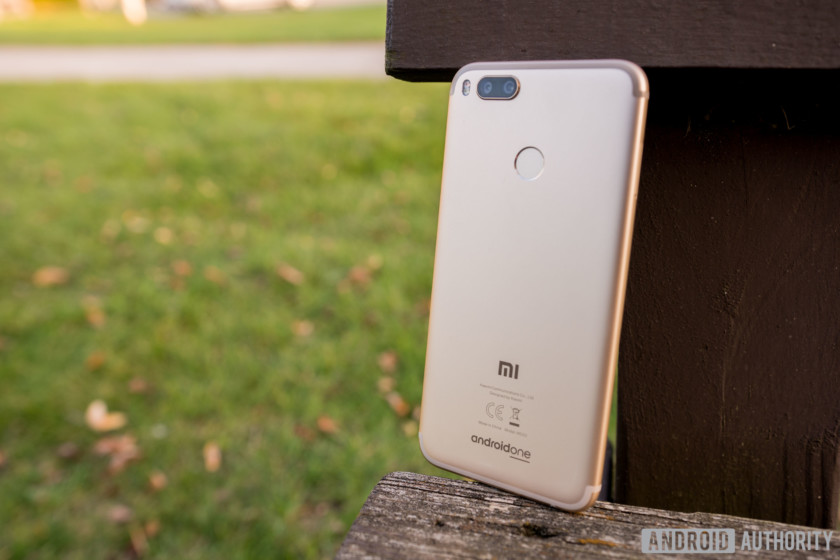
That means Xiaomi is shunning its proprietary Android skin MIUI in favor of stock Android for the first time. Having spent a few weeks with the device, here’s my comprehensive Xiaomi MI A1 review.
For this review, I used the Indian variant of the Mi A1. My colleague, Bailey Stein, had the international variant and he used that for the accompanying video review. The reviews – text and video – reflect both of our opinions of the device.Show More
Design

The Mi A1 has design elements in common with other Xiaomi devices, but feels like an elegantly crafted upgrade.
It offers a premium metallic feel and looks solid in construction. At 7.3mm, it is still quite slim. It’s 165 gram weight feels great in the hand. Although slightly wider, it fits nicely in the palm and has great ergonomics because of its round edges and sleek side profile.
At the back, the dual cameras protrude a bit— an aberration for Xiaomi devices— but it’s neither an eyesore nor a deal breaker. Below the cameras, in the center of the phone, is the Mi A1’s fingerprint reader. We found it to be on par with other devices in this price category.
Overall, the Mi A1 has a striking visual appeal with neat elements, like the nicely crafted speaker grille and the antenna lines at the back. I think that it is one of the best looking Xiaomi devices we’ve seen, ignoring the Mi MIX series of course.
I do have to mention that the rear of the Mi A1 is eerily similar to the iPhone 7 Plus. A lot of Chinese brands have followed this model over the past year, so we would have liked to see something more original, but again, it’s not a deal breaker.
Display

The 5.5-inch LTPS IPS display on the Mi A1 makes for a good design choice with 2.5D curved glass at the top. The Full HD display delivers crisp visuals and excellent contrast, with a pixel density of 403 ppi.
While the ample brightness results in good enough sunlight viewing, it is certainly not the best, especially because of the reflective display panel. Also, outdoors in the sun, the colors often appear washed out. There’s also no reading mode like on other MIUI-based Xiaomi devices of late.
The display on the Mi A1 is vivid and bright. Its graphics look great and its text is sharp. The color reproduction could be more accurate, but most users won’t notice unless they have it side-by-side with a better panel.
Performance

With the Mi A1, Xiaomi goes back to its trusted octa-core Qualcomm Snapdragon 625 processor, which also powers the Redmi Note 4 and Mi Max 2.
While some expected Xiaomi to go up the value chain and opt for the newer Snapdragon 630 or 660 SoC, or last year’s Snapdragon 626, the 625 is still a fair choice. For a mid-tier chipset, it offers a good balance of performance and efficiency, and keeps the pricing in check.
Clocked at 2 GHz and coupled with 4 GB of RAM, the Snapdragon 625 keeps the Mi A1 snappy and able to handle anything thrown at it in everyday usage. It is also powerful enough to handle most graphics-intensive games. The stock Android experience is definitely lighter on resources than MIUI, so you’ll enjoy a snappier experience overall than on the Redmi Note 4.
Xiaomi claims it uses dual pyrolytic graphite sheets to dissipate heat effectively, but the results are a mixed bag. While I didn’t face any problem during long gaming sessions, the phone can get a bit hot while charging or while using Google Maps for navigation during a long commute. We should not that this is not entirely abnormal, but certainly something to keep in mind.
Hardware
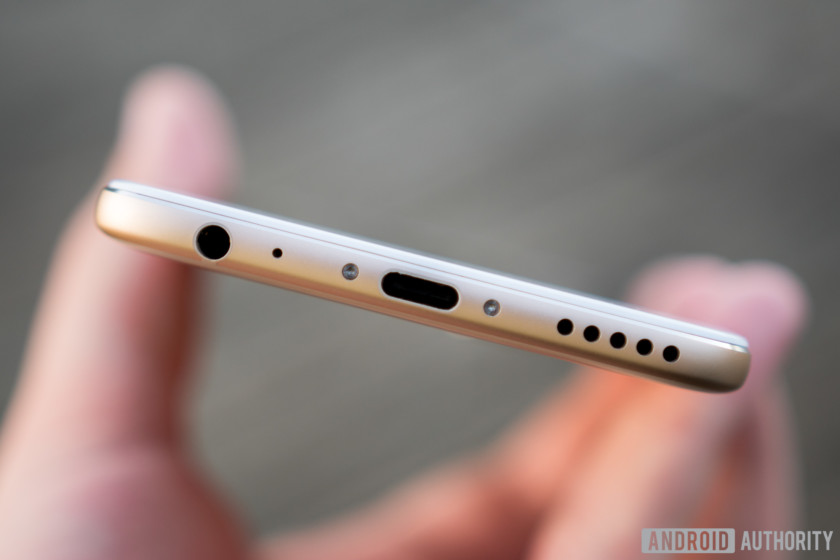
The Mi A1 packs in 64 GB of internal storage which should be enough for most people, though there is a microSD card slot so you can expand its capacity up to another 128 GB. You will have to give up one of the two nano SIM card slots to do so, however. A lot of people who use only one SIM or are content with 64 GB of storage won’t mind this, but there’s a vocal group of users who will hate the lack of flexibility.
The Mi A1 also sports an infrared emitter that works flawlessly with a variety of home appliances via the Mi Remote app. We always enjoy seeing this feature, as it has become quite rare in recent years.
Audio output through the single bottom-firing speaker is pretty good. The sound is loud, albeit slightly distorted. Overall, it’s about average for this price.
Battery Life

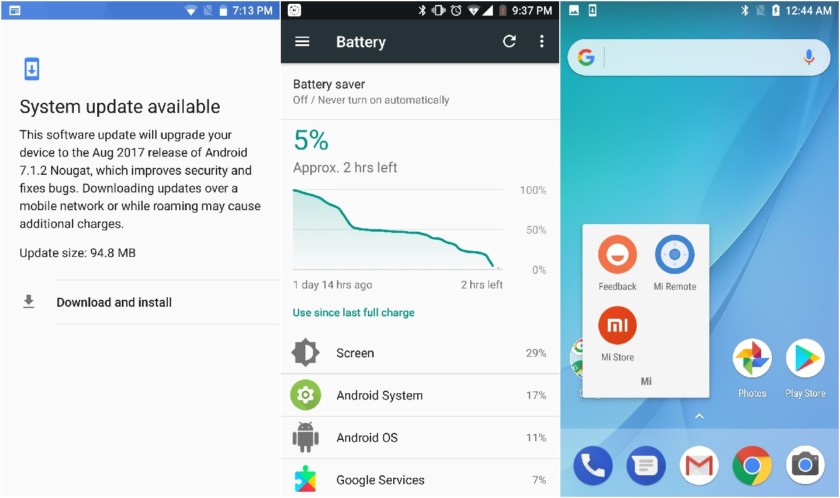
The Redmi Note 4 boasted an exceptional 4,000 mAh battery, but Xiaomi has kept the capacity modest with the Mi A at 3,080 mAh. Battery life was still very good in our testing, although not far above average. Standby times were especially impressive, possibly thanks to the various optimizations in stock Android.
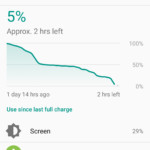
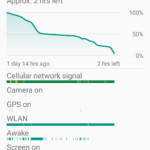
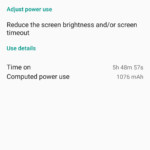


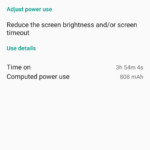


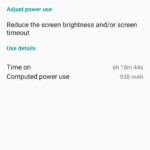
Note that the battery life screenshots above represent Bailey’s experience while using the Mi A1 on a 3G network in the United States. We expect that actual battery life while using the device on a proper 4G network will be less impressive.
The Xiaomi Mi A1 also supports Qualcomm’s Quick Charge technology, and the bundled 2A charger replenishes the device from zero to 100% in less than two hours, which is good but not incredible.
Camera
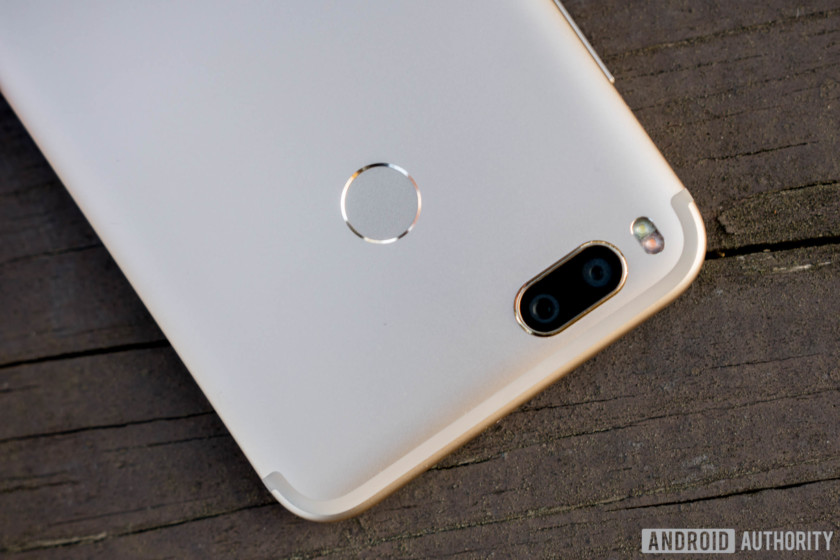
The Xiaomi Mi A1 brings a dual camera setup to a mid-range smartphone. It’s not the first brand to do this, but it is the first one to offer 2x lossless optical zoom in its segment.
The camera setup includes a 12 MP wide-angle 26mm f/2.2 lens and another 12 MP 50mm f/2.6 telephoto lens, with a dual-tone LED flash.
In ideal lighting conditions, the camera on the Mi A1 manages to take some really good portrait shots with natural looking colors. Most shots had clearly defined edges and just the right blurring. In a few cases, it overdid the blurring, though. The landscape shots were also impressive and offered accurate color reproduction and good sharpness.

In low light conditions, photos lack detail and excessive noise creeps in. Unlike in daylight, these shots didn’t capture color well. The portrait mode is almost useless in low-light conditions, too. The lack of optical image stabilization is evident. Photos taken with the flash came out better, although I don’t usually prefer to take photos that way.
While the Mi A1 does have phase detection auto-focus (PDAF), it sometimes takes a moment before locking on to the subject. When it does, it is usually accurate even in difficult lighting conditions.
The 5 MP front camera takes quite good selfies and with face detection it locks on to your face in a snap. The details are fairly impressive in good lighting conditions, though it cannot be compared to some other smartphones in the market with a special focus on front camera optics.
Xiaomi claims that its portrait mode can match the performance of the iPhone 7 Plus and OnePlus 5, but that’s a stretch. For its price it is impressive and it nails depth-of-field shots. If you do well, you’d be able to manage some incredible portraits and bokeh shots from the Mi A1. Overall, apart from underwhelming low-light performance, the results on the dual cameras on the Mi A1 won’t disappoint you.
While the Mi A1 runs stock Android, Xiaomi offers its own Camera app. The minimal app offers intuitive controls and includes modes like Panorama, Manual, Beautify, Group selfies, Square, et al. When in depth mode, the Camera app guides you in shooting portraits suggesting appropriate distance and lighting which is quite handy for new or amateur users.
Software

The Mi A1 runs Android 7.1.1 Nougat in its unadulterated form. There are no add-ons or customizations, and Xiaomi only bundles three of its apps – Feedback, Mi Remote, and Mi Store. The camera app too is Xiaomi’s because the stock Android app does not support dual cameras yet.
And that’s that. You get all the goodness of stock Android Nougat, along with the assurance of regular security patches and an Android Oreo update before the end of the year. At the launch event in New Delhi, it was also announced that the Mi A1 will get Android P as and when it’s released.

That said, there’s nothing else an Android One device brings to the table compared to other devices from Nokia or Lenovo that offer a stock Android experience. Google offers unlimited high-quality storage for photos and videos on Google Photos, but not in original quality, which is pretty disappointing – that’s a Pixel exclusive.
At first, it was slightly disorienting to use a Xiaomi device without MIUI. The customization layer has been an integral part of the company’s devices. To its credit, Xiaomi has earned a lot of fans by working hard to bake in nifty add-ons and useful features to MIUI. In the end, it boils down to individual preference between two good approaches to the Android experience.
Specifications
| Operating System | Android 7.1.2 Nougat |
| Display | 5.5-inch LTPS IPS LCD Full HD (1080 x 1920) 403ppi density Corning Gorilla Glass 3 |
| Processor | Qualcomm Snapdragon 625 Octa-core 2.0 GHz Adreno 506 |
| RAM | 4 GB |
| Internal Storage | 64 GB Expandable up to 128 GB with microSD card |
| Rear Camera | Dual 12 MP (26mm, f/2.2; 50mm, f/2.6) Phase detection autofocus (PDAF) 2x optical zoom Dual-tone LED flash |
| Primary Camera | 5 MP |
| Battery | 3,080 mAh Quick Charge 2.0 |
| Dimensions | 155.4 x 75.8 x 7.3 mm |
| Weight | 165 g |
Gallery

Pricing and final thoughts
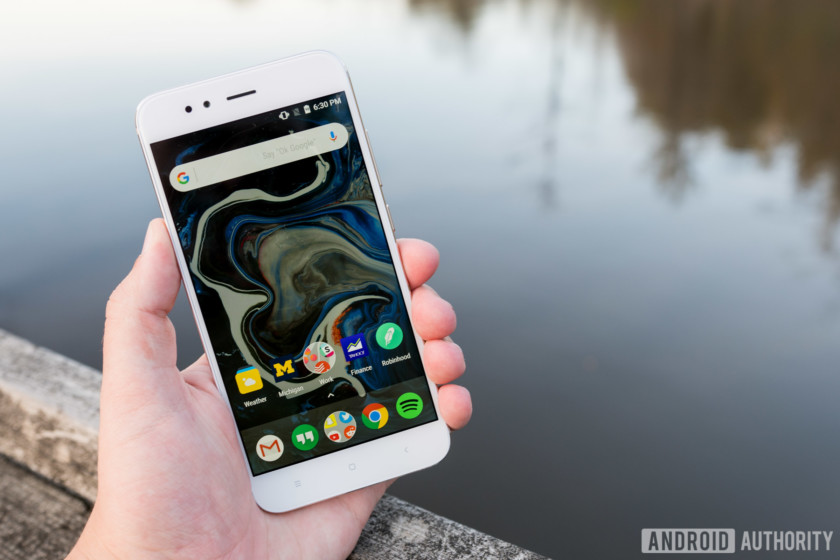
I’m not sure if Google contributes anything significant to this collaboration, but Xiaomi puts up a good showcase of its prowess.
The Xiaomi Mi A1 is a pretty solid and well-rounded package. The capable innards are housed in a premium metallic chassis that looks great. In the daylight the dual cameras shine, and its portraits alone merit a much higher price.
It’s difficult to criticize the Mi A1 given its impressive affordability, but we would have liked to see a more original design and better low-light camera performance nonetheless.
Android One or not, the Mi A1 is a very capable device. Getting a stock Android experience with guaranteed updates, which essentially future-proofs device, just sweetens the deal. I’m not sure if Google contributes anything significant to this collaboration, but Xiaomi puts up a good showcase of its prowess. At ₹14,999 ($230) in India, the Mi A1 is close to the perfect smartphone for those on a budget.
Google Home Mini vs. Amazon Echo Dot: Which has better sound quality?

Wherein we set out to answer a simple question: Which $49 smart speaker sounds better — Google Home Mini, or the Amazon Echo Dot?
Two speakers, both alike in dignity. And price. And, for the most part, size. Google Home Mini and Amazon Echo Dot.
For a good many folks, these will be the gateway drugs to a more connected life. The answer to “What’s all the fuss about?” when it comes to these commercials. Asking everyday questions. Getting everyday answers. Setting reminders and timers and — well, how about that — making what the old folks refer to as “phone calls,” though there need not be a phone in sight. And, yes, these little speakers can control all the things.
See Google Home Mini See Echo Dot at Amazon
Amazon Echo Dot vs. Google Home Mini — inside and out
Let us first consider the form.
Google Home Mini is a doughnut of a device. Or a squished pillow, if you will, clad in Google’s favorite new texture — fabric. It measures 3.86 inches in diameter, and 1.65 inches high. Inside you’ll find “360 sound” (though, again, some of us old folks would say sound transits more dimensions than that) from a 40mm driver.
 Birdi CTO Justin Alvey cracked open a Google Home Mini and Amazon Echo Dot in this excellent Medium post.
Amazon Echo Dot is, by conventional wisdom, a hockey puck. It’s a little smaller, at 3.3 inches in diameter, and 1.3 inches tall. It’s less shapely, with its vertical sides and decidedly plastic finish. Amazon lists the speaker as 15.24mm.
That discrepancy — 40mm for Google’s speaker compared to 15.24 for Amazon’s — almost sounds like a typo. But when you take a look inside the dough and the puck — as Justin Alvey of Birdi did in a great Medium post, you can clearly see the difference. Google’s looks like a traditional speaker, just tiny. And Amazon’s looks like … a piece of plastic that apparently can emit sound.
Not that it matters, though — you’ll never see either one unless you bite into the doughnut or crack open the puck.
No, back to our original question. How do they sound? The answer for both is “not great.”
That’s not surprising at all, of course. These are tiny speakers. They’re not going to sound great. They were never going to sound great. You’ll get better audio out of a lot of phones than you will the pillow or the puck, especially if you’re thinking about listening to music. No, if you want to go that route, connect to a real speaker via Bluetooth, or the Echo Dot’s 3.5mm audio jack.
But, OK. Back to our original question. Which one sounds better?
Which one wins? Google Home Mini
The specs don’t lie. Google Home Mini has a larger, more traditional speaker. And it simply sounds better than the Amazon Echo Dot. That’s true for speech, which has a more rich tone overall, according to my ear holes. (Your auditory perception may vary depending on how many years you spent in front of a Marshall half-stack.)
And it’s also true for music. Echo Dot has a more consistent sound on that front — that is, it’s universally not great. There’s more range in Google Home Mini, though, and it shows — erm, sounds. I can easily tell which one I’d want to listen to tunes through (if forced), and Google wins, hands down.
See Google Home Mini See Echo Dot at Amazon
Charge your devices anywhere and everywhere for $40
Traveling is considerably less fun when you’re without your devices, so you bring them with you. But then there’s the matter of charging them, and if you’re in a foreign country, you may end up cooking your device or simply not getting the charge you need. And if you happen to be on quite the voyage, then you may need multiple adapters, and that’s just a pain in the ass to carry and extra space in your luggage or carry-on that you just don’t need.
The OMNIA TA502 travel adapter seeks to eliminate the worry and annoyance of having to go and find the right adapter by being all the adapters in one! And you can grab yours at Android Central Digital Offers for just $39.99. It regularly retails for $49, so you save 18%. You can charge two devices simultaneously via the two built-in USB-A ports.

With the TA502, you’ll be able to charge your devices in over 150 countries. All you have to do is slide the prongs into place, and they’ll lock so you can get the charge you need. The 5-in-1 interface supports the U.S., U.K., E.U., and Australia. There’s also a handy built-in LED indicator to let you know whether or not things are charging.
If you’re an avid traveler for business or travel, then you need a reliable adapter, and having one that can do it all means you have more room for souvenirs! Check out the OMNIA TA502 at Android Central Digital Offers and save 18%!
See at Android Central Digital Offers
Bjork’s next album comes with free cryptocurrency
Icelandic music star Bjork is famously experimental with just about everything, so it’s no surprise that she’s now working on bringing blockchain into the music industry fold. Her people have announced that she’s partnering with British startup Blockpool to put the technology at the center of her next album release, not only letting fans buy the record with cryptocurrency, but actually giving them digital cash for doing so.
Everyone purchasing forthcoming album Utopia will get 100 Audiocoins — the two-year-old cryptocurrency originally designed for the music industry (currently worth around $0.19 each) — and will have the chance to earn more, along with other “crypto rewards”, by interacting with Bjork online and attending her concerts. It’s not clear yet exactly how that will work, but the project does have the potential to make great strides in bringing the idea of cryptocurrency to the masses. And it makes sense that Bjork, who’s had some pretty curious ideas in her time, would be the person to do that.
Source: Fast Company
Thieves pilfer $370,000 worth of iPhone Xs in San Francisco
Thieves broken into a UPS truck parked outside a San Francisco Apple Store and made off with 300 iPhone Xs valued at around $370,000, CBS SF Bay Area reports. The suspects were “husky,” and “wearing hooded sweatshirts,” according to SFPD Captain Rick Yarid, adding “it appears [they] knew what they were looking for.” The UPS driver reportedly parked the vehicle outside a mall and went to do a delivery at a Macy’s when the thieves snatched the devices, according to a witness.
“Given the dollar value in the incident itself it appears it was planned,” said Yarid. UPS and Apple are assisting police, and the IMEI serial number of each phone has been recorded. That created one of the “fattest” police reports he’d ever seen, said SFPD Sgt. Paul Weggenmann.
The phones will likely be blacklisted on all US cellular networks, but it’s a lot easier for thieves to change an EMEI before an iPhone is set up by a customer. Obviously, if you happen to see a particularly good deal on an iPhone X on the SF Craiglist, assume it’s stolen.
So far, the iPhone X is Apple’s hottest-selling smartphone ever, with more than double the number ordered in the first few days than the previous champ, the iPhone 6S. Within minutes, the iPhone X sold out online, pushing orders well back from the original November 3rd ship date. This despite reports that the device, which is Apple’s first without a home button and with “Face ID” facial recognition security, is in short supply.
As a result, folks have been queuing at Apple Stores as much as ever, hoping to get one in hand before they disappear. Luckily, folks who pre-ordered their iPhone Xs from the Stonestown Apple Store will still receive them on time, CNET reports.
Via: MacRumors
Source: CBS SF Bay Area
 AIVAnet